Dynamic Fibonacci Levels EA MT5
- Experts
-
Konstantin Chechnev
 💻 01 / METATRADER DEVELOPMENT
────────────────────────
I develop solutions of any complexity — from indicators, trading panels and utilities to multi-level analytical systems, Expert Advisors, optimizers and specialized market research tools. - Version: 1.0
- Activations: 5
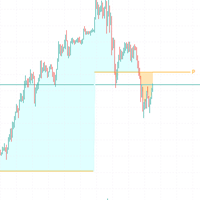
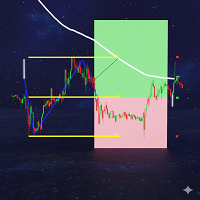
Fibonacci levels, entry rules, and automated execution on one chart. Dynamic Fibonacci Levels EA for MetaTrader 5 selects two confirmed swing points, draws a Fibonacci grid between them, and trades near the selected levels.
The Expert Advisor assesses price structure, momentum, the age of swing points, range, and volatility. The working grid can be rebuilt when market structure changes. Its anchor points can also be moved manually.
Main features
- Anchor selection. Analyzes up to 220 bars. Candidates are compared using swing confirmation, breakout structure, and volatility.
- Two trading modes. Trend-following and reversal scenarios are available. Buy and Sell entry levels are set separately, with a price-distance tolerance and restrictions on repeated entries on the same grid.
- Frequency controls. Configure position limits by direction, a pause between trades, a startup delay, and a trading window.
- Exit rules. Options include fixed Stop Loss and Take Profit, exits at Fibonacci levels, and profit-based closure for all managed positions or for buys and sells separately.
- Chart interaction. Levels are labeled. Moving an anchor changes the calculated grid used for trading, not just its appearance.
Profit-based closure considers positions on the current symbol with the Expert Advisor's Magic Number. This feature is not an account-wide profit or drawdown control.
Usage and limitations
Before enabling Algo Trading, check position size and exit rules. The default lot size is 1.00, while fixed Stop Loss and Take Profit and Fibonacci-level exits are disabled. Closing at a positive result does not replace a loss limit.
For testing, use the visual Strategy Tester with the "Every tick based on real ticks" modeling mode. Check grid selection and rebuilding, entries, the interaction between exit rules, and behavior after a restart. Then test on a demo account. Evaluate the instrument, timeframe, and parameters under your intended trading conditions.
Account type matters. On a netting account, deals on the same symbol form a single position. Separate Buy and Sell limits do not allow opposite positions on that symbol to be held simultaneously on such an account.
Dynamic Fibonacci Levels EA performs actual trading operations when automated trading is permitted. Levels and test results do not guarantee profits. Quotes, historical data, spread, commissions, slippage, gaps, and execution conditions affect results. The user determines position size, settings, and acceptable risk.
Settings
Mode and entry levels
- Trend Trading. Default: false, for reversal logic. Set to true for trend-following.
- Fibonacci levels. Available entry levels: 0, 23.6, 38.2, 50, 61.8, and 100. Buy and Sell both default to 23.6; levels are selected separately for each direction.
- Max Pips From Level. Default: 15. Sets the permitted distance between price and the entry level in pips.
Volume and timing
- Lot Size. Default: 1.00 lot. There is no automatic balance-based position sizing. Before running the Expert Advisor, choose a volume that accounts for contract size, account funds, and risk.
- Max Buy/Sell Open Orders. Defaults: 1 for Buy and 1 for Sell. Limit the number of open positions in each direction, subject to the account's position-accounting mode.
- Startup Delay. Enabled by default; postpones trading after the Expert Advisor is attached. Bars Between Trades: 10 bars when the restriction is enabled.
- Time Filter. Disabled by default; the preset window is 09:00 to 19:00 server time. When enabled, Continue If Open allows the logic to continue outside the window while managed positions remain open.
Exits and display
- Stop Loss / Take Profit. Fixed levels are disabled by default; configured distances apply only after the respective feature is enabled. Fibonacci-level exits are also disabled and are configured separately for Buy and Sell.
- Equity Close. Combined profit-based closure and separate Buy and Sell modes are enabled. Each threshold is 6.00 in account currency. The calculation covers only positions on the current symbol with the Expert Advisor's Magic Number, not the entire account.
- Display. Six color schemes and a diagonal-line toggle are available. Appearance settings do not change trading calculations.
Set position size and loss controls first, then test the trading logic. Change one group of parameters at a time and evaluate results on a later period of historical data that was not used for tuning.