Smart FVG Higher Timeframe Scanner
- Indicators
- Version: 2.2
- Updated: 28 July 2026
- Activations: 5

HTF FVG Scanner – Fair Value Gap Indicator for MT5
See higher timeframe Fair Value Gaps — H1, H4, D1, Weekly — drawn directly on your M5 or M15 chart. No switching tabs, no manual marking, no guesswork.
Most FVG indicators only scan the timeframe you're looking at. This one works differently. It reads gaps from a higher timeframe of your choice and plots them onto your current chart in real time. H4 gaps on an M15 chart. D1 gaps on H1. Weekly gaps on H4.
The zones stay aligned as you scroll, zoom, or switch symbols. They update when the higher timeframe bar closes, not every tick.
What each zone shows
Every detected gap is drawn as a clean, color-coded rectangle:
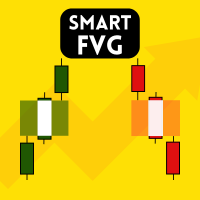
- Bullish FVG (BISI) and Bearish FVG (SIBI) — clearly separated
- CE line — the 50% Consequent Encroachment level (toggle on/off)
- Info label — timeframe, gap size in pips, CE price
- Mitigation status — active zones stay filled; mitigated zones fade or hide
- Confluence marker (*) — zones that overlap another active gap
- Inversion FVG (IFVG) — detected when price reclaims a mitigated gap, separate color
- Nearest-zone highlight — closest bull and bear gaps emphasized automatically
Overlapping zones in the same direction are merged into a single solid rectangle. No visible seams, no stacking artifacts.
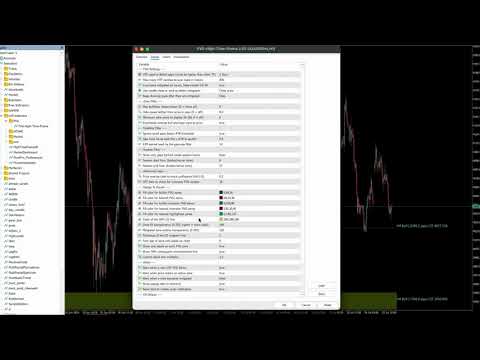
Interactive control panel
A full canvas panel sits on your chart. Three tabs:
| Tab | What you control |
|---|---|
| FVG | Scan timeframe (M15, M30, H1, H4, D1, W1) |
| Chart | Switch chart TF from the panel (M5 through D1) |
| Setup | Toggles, presets, live stats, all filters |
Toggle anything live:
- Show/hide bull or bear zones
- Show/hide mitigated gaps
- Partial (touch) vs full mitigation
- Wick vs close mitigation mode
- CE lines, labels, nearest-zone highlight
One-click presets:
| Preset | HTF scan | Max zones/side |
|---|---|---|
| Scalp | M15 | 3 |
| Intraday | H1 | 5 |
| Swing | H4 | 3 |
Live stats — bull/bear counts, distance to nearest zones in pips, last scan time, last alert. All updated in real time.
Panel position, toggle states, and timeframe selection are saved per chart and survive terminal restarts.
Filters that cut the noise
- ATR filter — gaps smaller than your threshold are ignored (default 0.5× ATR 14)
- Quality score — each zone scored 0–100 based on gap size, age, confluence, mitigation
- Distance filter — hide zones farther than X pips from price
- Max zones per side — cap bull and bear gaps shown
- Session filter — only gaps formed during your trading hours
Alerts — popup and push
- New HTF FVG forms
- Price enters an active zone
- Zone mitigated (optional)
Terminal popups and MT5 push notifications to your phone.
EA buffers
Six indicator buffers on bar 0 expose the nearest active zones:
| Buffer | Value |
|---|---|
| 0 | Nearest bull top |
| 1 | Nearest bull bottom |
| 2 | Nearest bull CE |
| 3 | Nearest bear top |
| 4 | Nearest bear bottom |
| 5 | Nearest bear CE |
Optional GlobalVariable export for EAs that read from GV.
Recommended pairs
- M5 chart + H1 FVG
- M15 chart + H1 or H4 FVG
- H1 chart + H4 or D1 FVG
- H4 chart + D1 or W1 FVG
Works on forex, indices, gold (XAUUSD), and crypto.
Requirements
MT5 build 6061 or higher. The FVG timeframe must be equal to or higher than the chart timeframe.