MT5 to telegram bridge
- Utilities
- Version: 3.0
- Activations: 5

MT5 to Telegram Bridge – Complete Trade Notification System
Overview
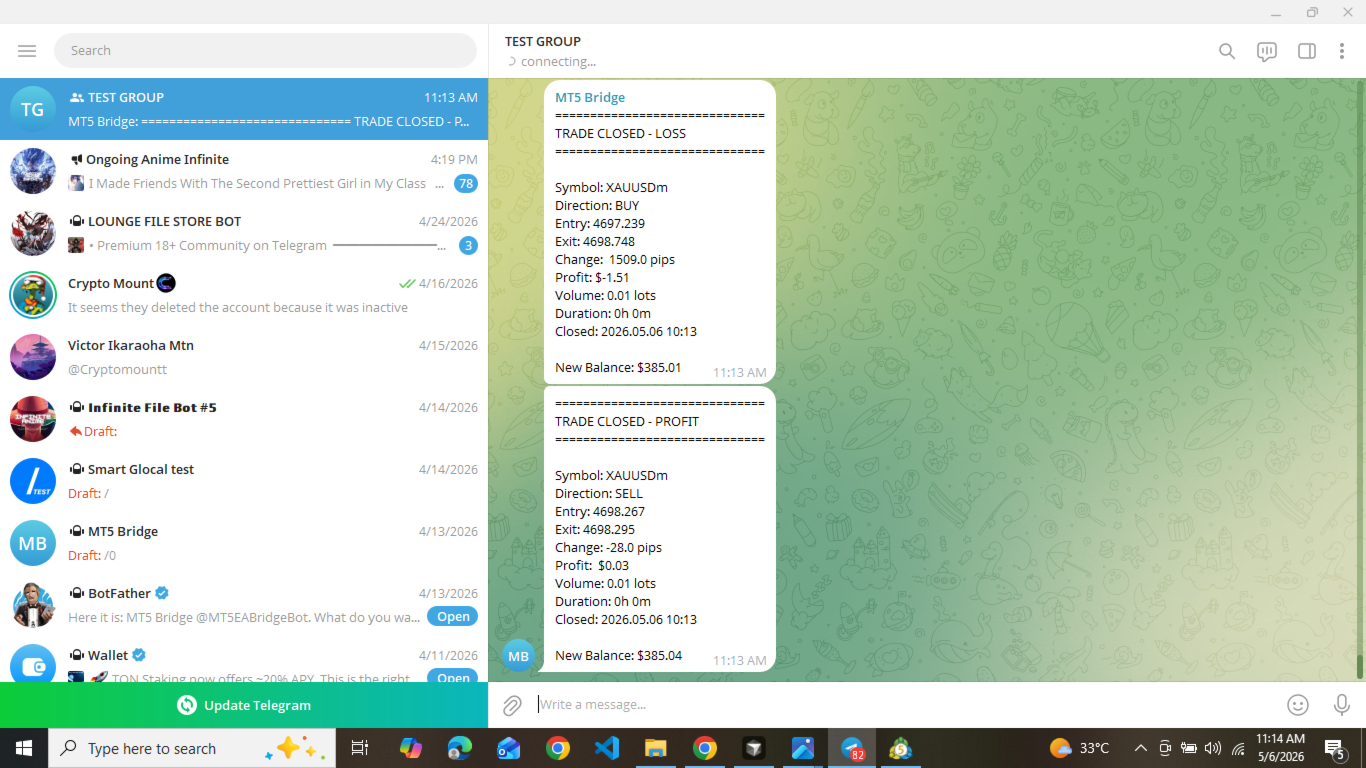
Professional Expert Advisor for MetaTrader 5 that instantly sends full trade details (entry/exit, SL/TP, volume, profit/loss, pips, duration, balance) to any Telegram group or channel.
Step‑by‑Step Setup Guide
-
Create a Telegram bot
-
Open Telegram and search for @BotFather .
-
Send /newbot and follow the instructions (name, username).
-
Copy the bot token (e.g., 1234567890:ABCdefGHIjklMNOpqrsTUVwxyz ).
-
-
Get your chat ID
-
Add the bot to your Telegram group (or start a private chat).
-
Send any message in that group/chat.
-
Open your browser and visit:
https://api.telegram.org/bot<YOUR_BOT_TOKEN>/getUpdates -
Find "chat":{"id":-123456789} – copy the number (including - for groups).
-
-
Install the EA in MT5
-
Copy the EA file to \MQL5\Experts\ folder of your MT5 installation.
-
In MetaEditor, press F7 to compile (0 errors expected).
-
-
Allow WebRequest
-
In MT5: Tools → Options → Expert Advisors.
-
Check “Allow WebRequest for listed URLs”.
-
Add https://api.telegram.org and click OK.
-
-
Attach and configure
-
Drag the EA onto any chart.
-
Enter your bot token and chat ID in the input parameters.
-
Set EnableBridge = true .
-
Click OK.
-
-
Test
-
Open a demo trade.
-
You will receive a detailed Telegram message with the trade information.
-
Requirements
-
MetaTrader 5 (build 2000+)
-
Telegram account (free)
-
Internet connection
Why this utility?
Reliable, fast (1–2 sec), one‑time payment, free updates & support.