NEXA Pivot Inner Range
- Experts
-
Park Seongcheon
 Hello,
My name is Park Sung Chan, a developer specializing in MetaTrader 5 algorithmic trading systems.
I design and research long-term, reliable automated trading models based on the structural characteristics and statistical patterns of financial markets. - Version: 2.0
- Activations: 5
Product Overview
NEXA Pivot Inner Range EA is an automated trading program designed to analyze short-term price movements within Pivot-based price ranges.
The Expert Advisor operates on the MetaTrader 5 platform and combines Pivot levels, RSI, Momentum, ATR, and ADX indicators to evaluate market conditions.
The strategy focuses on price fluctuations that occur within the range between the Pivot support (S1) and resistance (R1) levels.
This program is not tied to any specific broker and can be used in any MetaTrader 5 environment.
Key Features-
Pivot-based price range analysis
-
RSI and Momentum directional signals
-
ATR volatility filter
-
ADX trend strength filter
-
Spread filter
-
Trading time filter
-
Partial close function
-
Daily loss limit control
-
Automatic stop loss and take profit management
Symbol
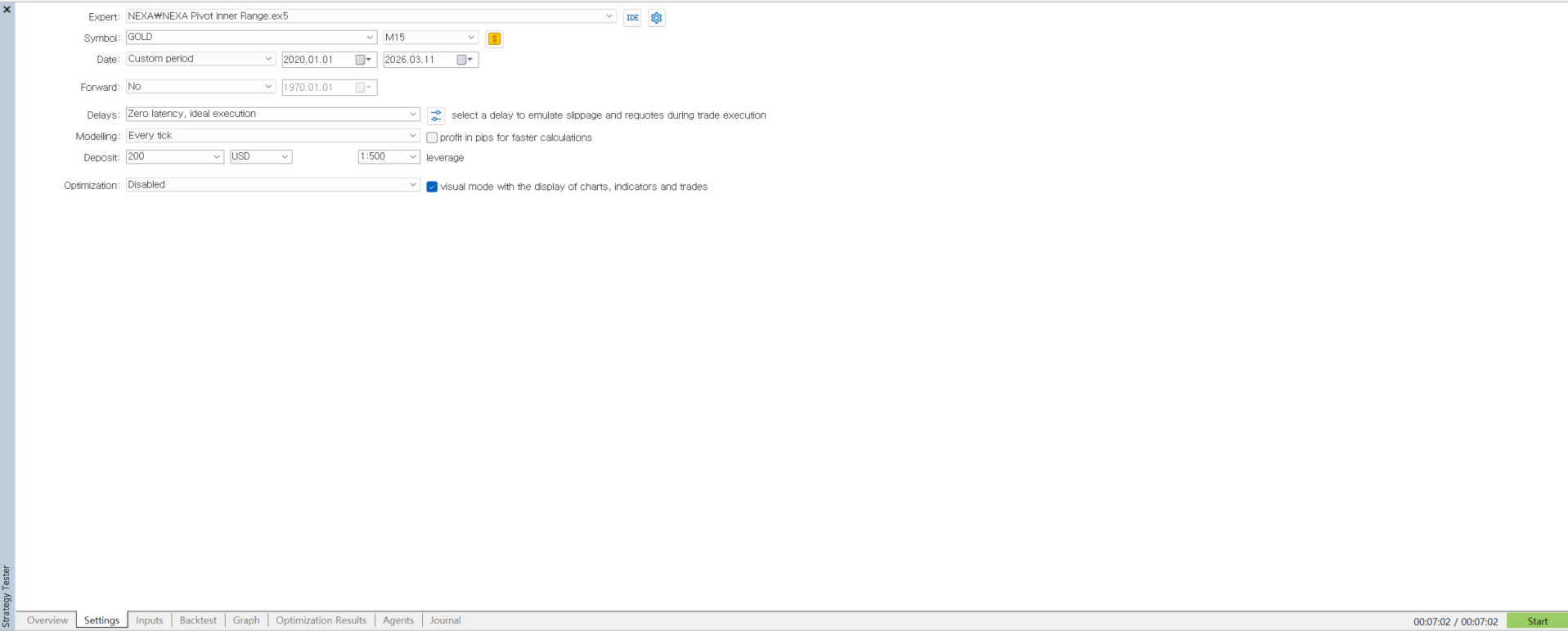
GOLD / XAUUSD
Timeframe
M15
The Expert Advisor can be used in other environments, but the above configuration reflects the original design conditions.
Trading Logic OverviewThe EA evaluates the market using the following elements.
Pivot Levels
Daily Pivot points are used to determine price position within the trading range.
RSI Signal
RSI crossing specific levels helps determine trade direction.
Momentum Direction
Momentum is used to confirm the direction of price movement.
ATR Volatility
Trades are allowed only when market volatility meets the defined conditions.
ADX Trend Filter
The EA can restrict trading during strong trend conditions.
The EA includes several risk management tools.
-
Fixed lot trading
-
Automatic stop loss
-
Take profit control
-
Partial position closing
-
Daily loss limit
-
Spread control
These parameters can be adjusted by the user.
Input ParametersGeneral Settings
InpSymbol
Trading symbol. If empty, the current chart symbol will be used.
InpFixedLots
Trade lot size.
InpMagicNumber
Unique identifier for EA orders.
Trading Time Filter
InpUseTimeFilter
Enable or disable trading time filter.
InpTradeStartHour
Trading start hour.
InpTradeEndHour
Trading end hour.
InpAllowMonday
Allow trading on Monday.
InpAllowTuesday
Allow trading on Tuesday.
InpAllowWednesday
Allow trading on Wednesday.
InpAllowThursday
Allow trading on Thursday.
InpAllowFriday
Allow trading on Friday.
Risk Settings
UseFixedSLTP
Enable fixed stop loss and take profit.
UseTrailingStop
Enable trailing stop.
UsePartialClose
Enable partial position closing.
PartialClosePercent
Percentage of position closed partially.
MaxDailyLossPercent
Maximum allowed daily loss.
RiskPercentPerTrade
Risk percentage per trade.
-
Open MetaTrader 5.
-
Open the Data Folder.
-
Navigate to the MQL5 → Experts folder.
-
Copy the EX5 file into the folder.
-
Restart MetaTrader 5.
-
Attach the EA to a chart from the Navigator window.
-
Open a GOLD or XAUUSD chart.
-
Set the timeframe to M15.
-
Attach the EA to the chart.
-
Enable AutoTrading.
-
Configure the input parameters if needed.
This Expert Advisor is an automated trading tool. Trading results depend on market conditions and user configuration.
It is recommended to test the EA on a demo account before using it on a live trading account.
System RequirementsMetaTrader 5 platform
Windows operating system
Product updates are delivered through the MetaTrader 5 Market system.
When a new version is released, users can update the product through the platform.
Questions about the product can be asked in the product comments section on the MQL5 website.