OrderBridge
- Utilities
- Version: 1.0

Fast actions when every second counts
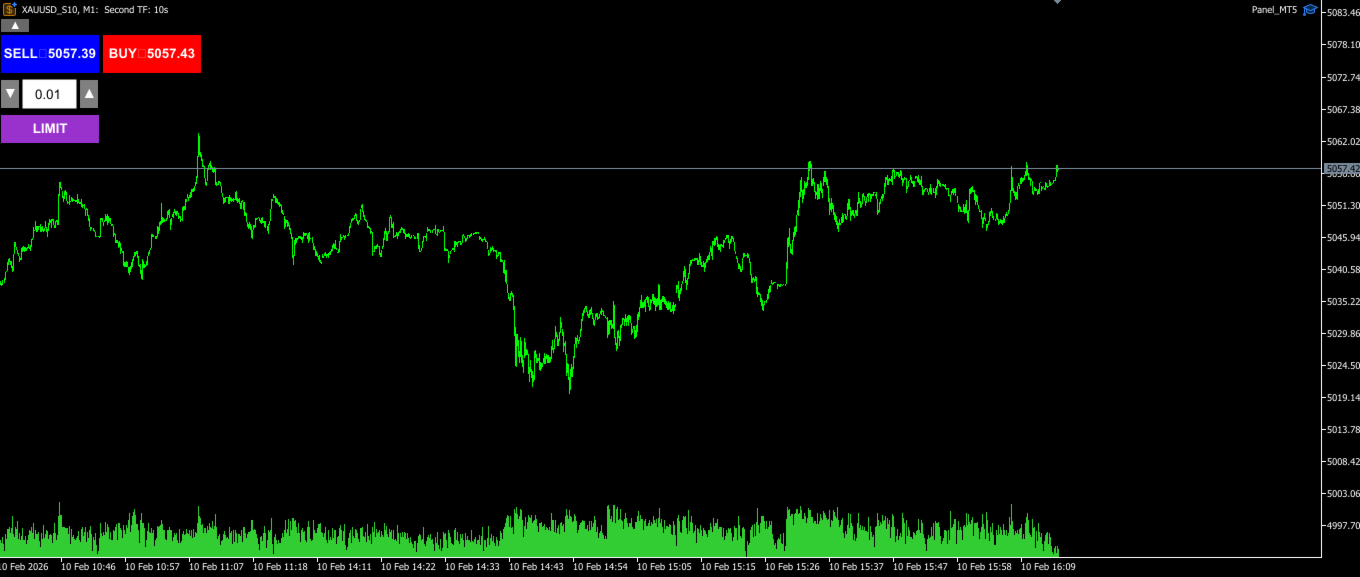
This trading panel was originally designed for working with custom user charts, including seconds-based timeframes.
It correctly detects the real trading symbol behind a custom chart and executes trades on that symbol directly — without manual symbol binding or additional steps.
The panel solves one simple task:
to reduce the distance between decision and execution.
No extra windows, confirmations, or constant switching.
Fast market entry
The panel provides access to core trading actions directly on the chart:
-
Buy / Sell — instant market order execution,
-
LIMIT — placement of pending orders without dialog windows.
Click the button — the action is executed.
No searching through menus and no distraction from the chart.
Seconds-based charts are available as a separate product in the MQL5 Market — SecondScope
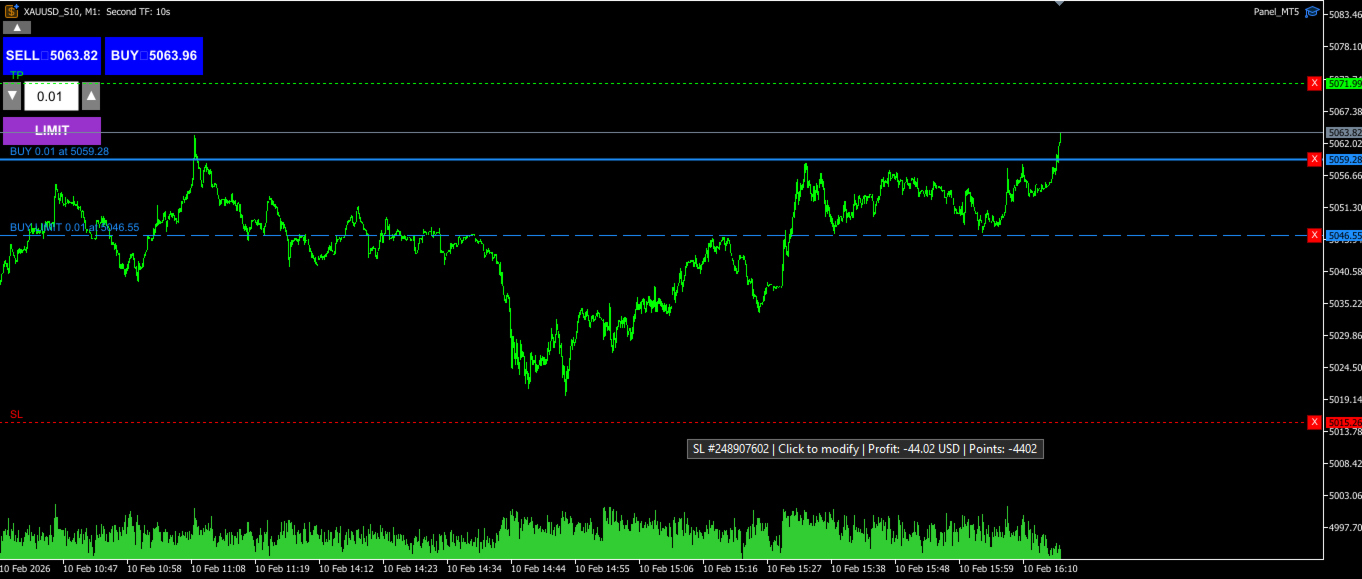
Placing Stop Loss and Take Profit directly on the chart
To set a Stop Loss or Take Profit, simply click on the trade’s entry line and drag the appearing auxiliary line to the desired SL/TP level.
No manual value input.
You see the level — and set it immediately.
Fast work with pending orders
To place a pending order:
-
press the LIMIT button,
-
move the appearing line to the desired price level.
The order is placed visually — exactly the way you plan it on the chart.
This is especially useful during fast market movements, when there is no time for precise calculations in standard setup windows.
Nothing extra on the screen
The panel can be collapsed or expanded with a single click.
When it’s not needed — it doesn’t interfere with analysis.
When it is needed — it’s always at hand.
Control and exit without extra steps
All position management actions are performed in one click:
-
closing positions,
-
deleting pending orders,
-
removing SL / TP.
No confirmation dialogs or additional questions.
This is especially important when the market changes faster than the standard MT5 windows can open.
How it works with seconds-based charts
Minute timeframes often force decisions to be made after the move has already happened.
Seconds-based charts allow you to see the price movement process itself.
I developed a separate tool that adds full-featured custom seconds-based timeframes to MetaTrader 5.
This trading panel was created specifically for that style of analysis.
When used together with seconds-based charts, the panel provides a simple and clear workflow:
-
you see micro price movements,
-
identify the entry moment,
-
and execute the decision immediately on the chart.
No pause between analysis and action.
No switching and no unnecessary steps.
Seconds-based charts are available as a separate product in the MQL5 Market — SecondScope
Who this panel is for
This panel will be especially useful if you:
-
trade actively and intraday,
-
use scalping or precise entry techniques,
-
value speed and a clean interface,
-
don’t want to waste time on standard MT5 trading windows.