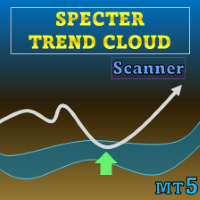
Specter Trend Cloud MT5 Scanner
- Indicators
-
Duc Hoan Nguyen
 I develop practical trading tools for MetaTrader 4/5, with a focus on indicator integration, Multi-Timeframe analysis, market scanning, and automated trading solutions.
My work mainly includes:
• Indicator-to-EA Solutions - Version: 1.0
- Activations: 10
New tools will be $30 for the first week or the first 3 purchases!
Trading Tools Channel on MQL5: Join my MQL5 channel to update the latest news from me
See more MT5 version at: Specter Trend Cloud MT5 Scanner
See more MT4 version at: Specter Trend Cloud MT4 Scanner
See more products at: All Products
Key Features
Multi-MA Core Engine
Selectable SMA, EMA, SMMA (RMA), WMA, or VWMA. The indicator operates with two averages: a short-term MA (user-defined length) and a long counterpart set at twice that length.
Volatility-Adjusted Offset
Both averages are shifted by ATR(200) depending on trend direction. This adjustment makes the cloud reflect realistic market breathing room instead of overly tight bands.
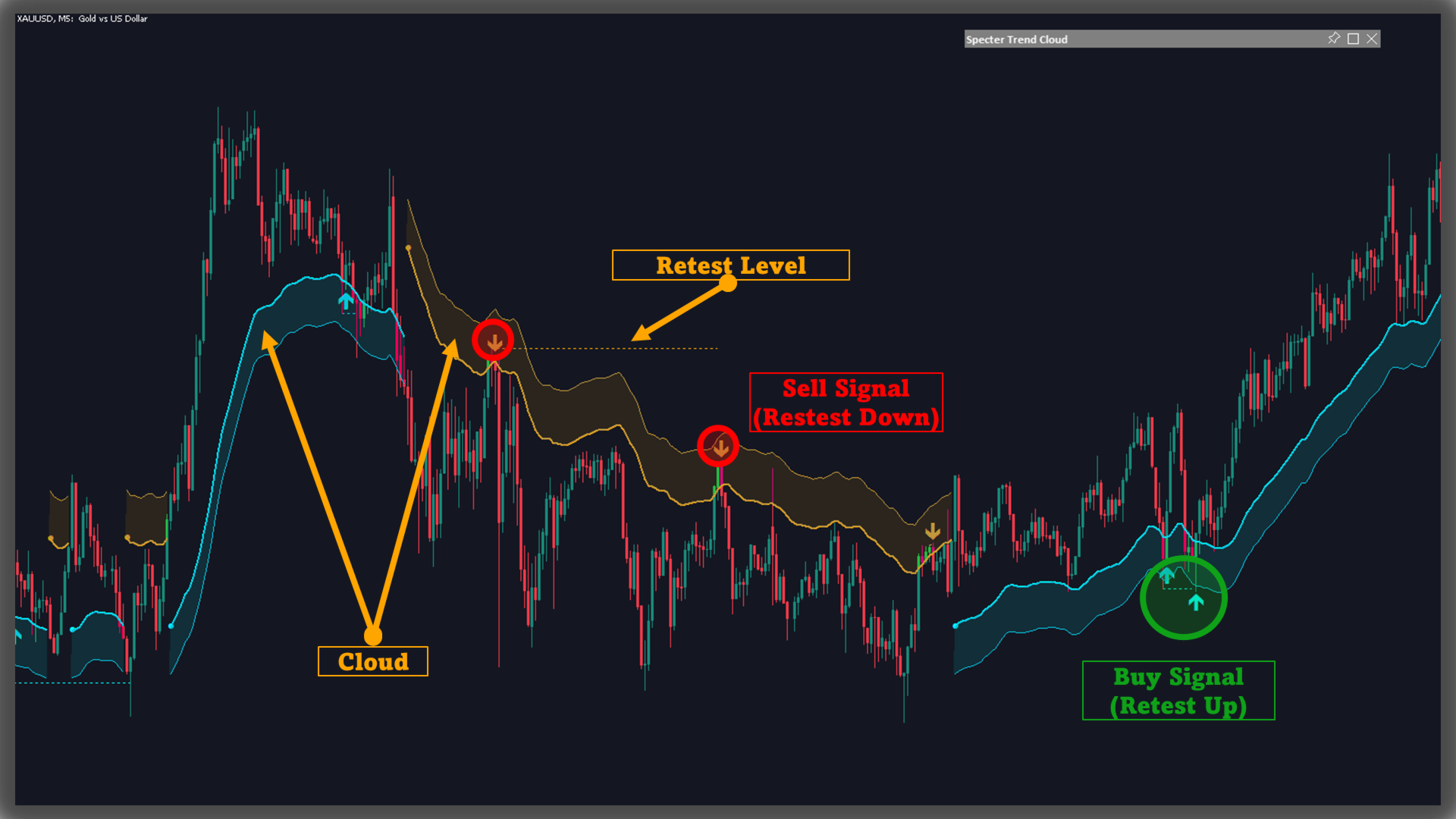
Trend Cloud
The space between the two shifted averages is filled with semi-transparent shading:
- Aqua = bullish trend
- Orange = bearish trend
Trend Flip Logic
When the short average crosses above or below the long average, a “flip” occurs. The cloud immediately changes color and begins reflecting the new regime.
Retest Detection
How It WorksDuring an ongoing trend, if price retests the short average within five bars, the tool will:
- Mark the retest with arrows above/below the bar.
- Extend a dotted horizontal line from the retest price.
-
Trend Definition: Based on the relationship between short- and long-term averages.
-
Cloud Fill: Semi-transparent aqua or orange shading between the two shifted averages.
-
Retests: Arrows and dotted lines highlight pullback points during an active trend.
-
Use cloud color as the higher-level trend bias (aqua = bullish, orange = bearish).
-
Arrows and dotted lines show pullback/retest zones where continuation may develop.
-
A respected retest level reinforces trend conviction; a broken level can signal weakening momentum.
-
Adjust MA type and length to align with asset behavior and timeframe preferences.
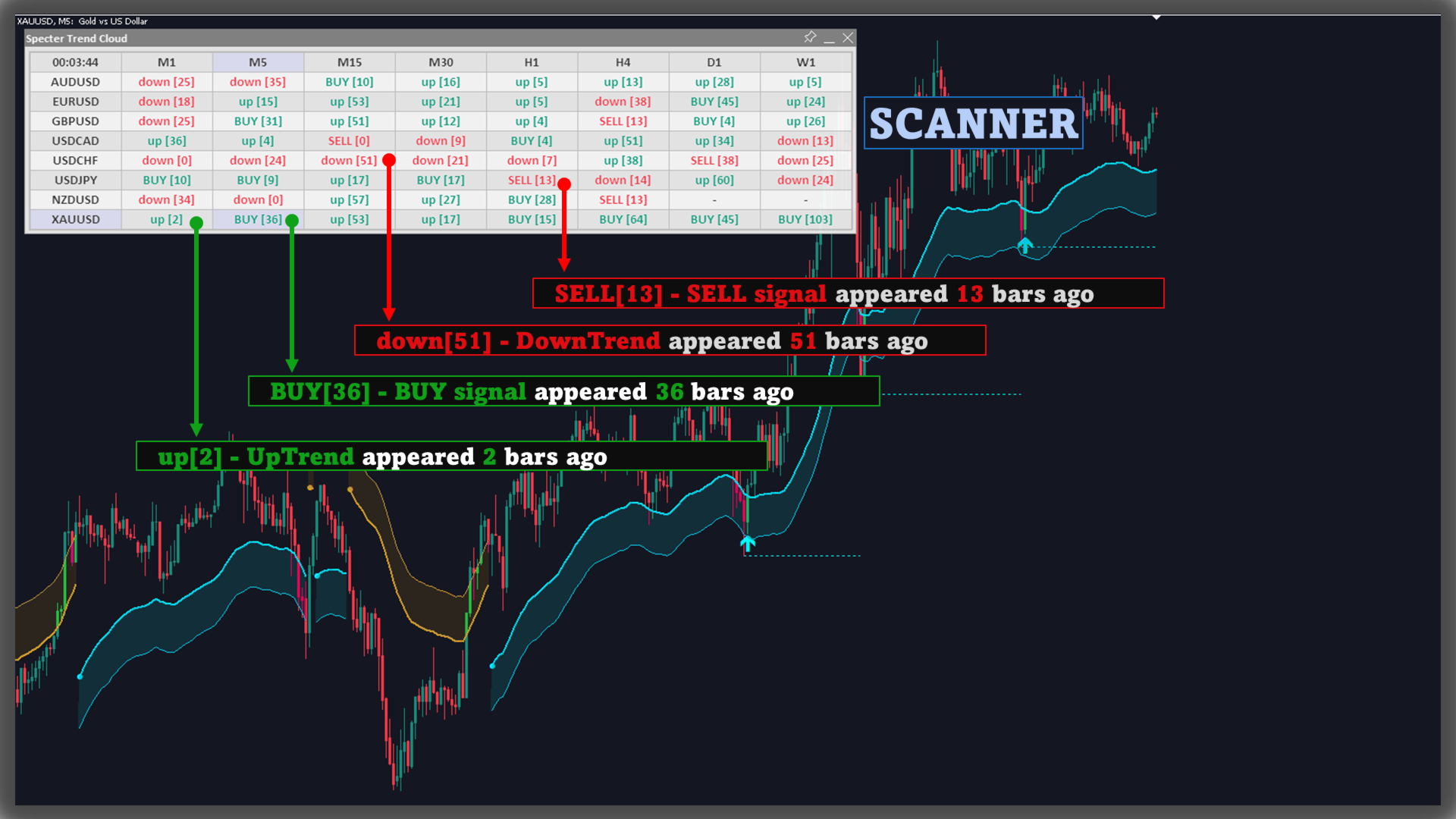
Scanner and Alerts
- Users can turn on/off the scanner to monitor other charts quickly.
- The indicator has signal alerts when Buy/Sell appears, when trend shift, users can easily grasp market information with these alerts (especially when using Scanner)
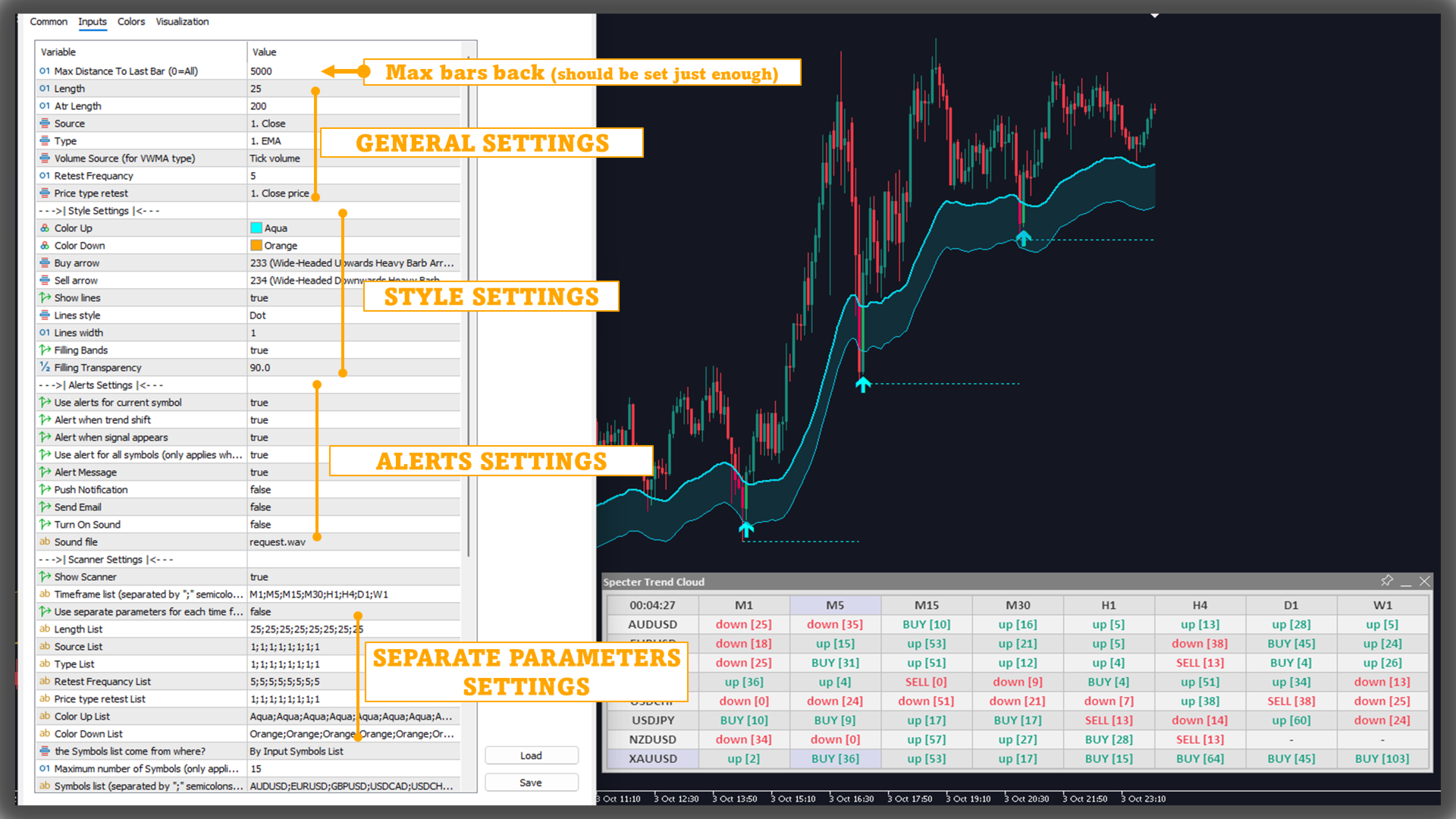
Separate Parameters
Users can specify separate parameters for each time frame, i.e. which time frame will use the corresponding parameter.For example,
if the Timeframe List is "M1;M5;M15;M30;H1;H4;D1;W1"and the Length list is "5;10;15;20;25;30;35;40"
then the indicator will use the corresponding Length parameter:
- M1: 5
- M5: 10
- M15: 15
- M30: 20
- H1: 25
- H4: 30
- D1: 35
- W1: 40
Note, to use this parameter, please enable the option "Use separate parameters for each time frame"
Conclusion
Specter Trend Cloud integrates trend detection, volatility-adjusted cloud shading, and retest visualization into a single tool. The colored cloud delivers instant clarity on direction, while arrows and dotted levels highlight tactical retest zones and automatically clear when invalidated. This makes it a versatile, adaptable layer for monitoring trend structure across different markets and trading styles.