Darvas Box only Long
- Experts
-
Husain Huzefa Tarwala
 Hi, I'm Hussain—a financial consultant turned quant trader with a unique twist.
 - Version: 3.2
- Activations: 10
Overview
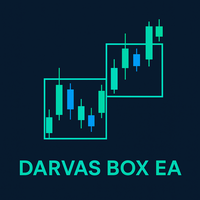
The Darvas Box Long-Only EA is a fully automated trading robot designed for MetaTrader 4 (MT4), based on the classic Darvas Box strategy developed by Nicolas Darvas in the 1950s. This strategy focuses on identifying strong breakout trends in stocks or forex by forming "boxes" around price ranges, signaling potential upward momentum when prices break above the box.
This EA is configured for long-only trades (buys only, no shorts), making it ideal for bullish or trending markets. It uses dynamic Average True Range (ATR) buffers to filter entries, ensuring trades are taken only in high-volatility breakouts. The EA adapts to any currency pair (e.g., EURUSD, GBPUSD, XAUUSD) and any timeframe (e.g., M1 to Daily) without hardcoded restrictions—simply attach it to a chart, and it will monitor and trade based on that symbol's data. It includes built-in risk controls, position limits, and visual aids for easy monitoring. No manual intervention is needed once set up.
The EA runs 24/7 on your MT4 platform, scanning for breakout signals and managing trades automatically. It's suitable for beginners and experienced traders seeking a simple, momentum-based system with low maintenance.
How It Works (Step-by-Step)
-
Darvas Box Formation:
-
The EA analyzes the last InpDarvasLookback bars (default: 50 bars) to form a "box."
-
The upper edge is the highest high in those 50 bars.
-
The lower edge is the lowest low in those 50 bars.
-
-
This box represents a consolidation range. The EA requires at least 50+ bars of history on the chart to function (it skips if insufficient data).
-
Before entering a trade, it always considers these 50 bars to confirm a valid box—ensuring the breakout is from a well-established range, reducing false signals.
-
-
Entry Signal (Long-Only):
-
A buy signal triggers when the current close price breaks above the box's upper edge plus a flexible buffer (calculated as ATR value × InpDarvasFlexATR, default 0.25).
-
ATR (Average True Range over InpATRPeriod bars, default 14) measures volatility, making the buffer adaptive—wider in volatile markets, tighter in calm ones.
-
No short signals are generated (disabled in this version).
-
-
Trade Execution:
-
Once a breakout is confirmed, it opens a buy position.
-
Stop Loss (SL): Set at the box's lower edge (protects against false breakouts).
-
Take Profit (TP): Set at twice the distance from entry to SL (1:2 risk-reward ratio), aiming for higher rewards relative to risk.
-
Lot size is dynamically calculated (see Risk Management below).
-
It limits to one open position at a time—if a trade is open, no new ones are taken until it closes.
-
-
Exit and Management:
-
Trades exit automatically on hitting TP or SL.
-
No trailing stops or manual exits—keeps it simple.
-
Visual box is drawn on the chart for you to see the active range.
-
-
CSV Logging:
-
On EA removal (deinit), it exports trade history to "DarvasTradeLog.csv" (in MQL4\Files folder), including ticket, symbol, type, lots, open/close times, and profit for analysis.
-
Risk Management
Risk is strictly controlled to protect your capital:
-
Position Sizing: Lot size is calculated so each trade risks exactly InpRiskPercent (default 1%) of your current account balance. For example, if your balance is $10,000 and risk is 1%, it risks $100 per trade based on the SL distance.
-
1:2 Risk-Reward: For every unit risked (entry to SL), TP aims for 2 units of profit, improving win-rate tolerance.
-
One Position Limit: Prevents multiple open trades, avoiding compounded risk.
-
No Leverage Assumptions: Works with your broker's settings (e.g., min/max lots).
-
Recommendation: Use on a demo account first. Set InpRiskPercent low (e.g., 0.5-2%) to match your risk tolerance. The EA doesn't use martingale or grid—it's conservative.
Key Advantages
-
Adaptable: No symbol/timeframe limits—great for multi-asset portfolios.
-
Volatility Filter: ATR buffer reduces whipsaws in choppy markets.
-
Hands-Free: Fully automated with visual feedback.
-
Balanced Strategy: Focuses on strong breakouts with positive expectancy (1:2 R:R).
-
Simple Setup: Few inputs; defaults work well for most pairs like majors or gold.
-
Backtesting Friendly: Test in MT4 Strategy Tester to optimize InpDarvasLookback for your assets.
Input Parameters
-
InpDarvasLookback (int): Bars considered for box formation (default 50)—higher values for longer-term trends, lower for shorter.
-
InpDarvasFlexATR (double): ATR multiplier for buffer (default 0.25)—increase for stricter entries.
-
InpATRPeriod (int): Bars for ATR volatility calc (default 14).
-
InpRiskPercent (double): % of balance risked per trade (default 1.0)—key for risk control.
-
InpMagicNumber (ulong): Unique trade ID (default 778899)—for multi-EA setups.
Installation and Usage
-
Copy the .mq4 code to MT4 MetaEditor (Tools > MetaQuotes Language Editor).
-
Compile (F7) to generate .ex4.
-
Attach to a chart: Right-click > Expert Advisors > Attach > Select EA > OK.
-
Customize inputs if needed.
-
Enable AutoTrading in MT4 (Ctrl+E).
-
For CSV logs: Remove EA from chart to export trades (view in MQL4\Files folder via Excel).
Notes: Past performance isn't indicative of future results. Use on a VPS for 24/7 operation. If issues (e.g., no trades), check sufficient chart history (at least 50+ bars) and broker settings. Happy trading!