Modular Strategy Engine Pro
- Experts
- Version: 5.56
- Updated: 25 June 2026
- Activations: 5

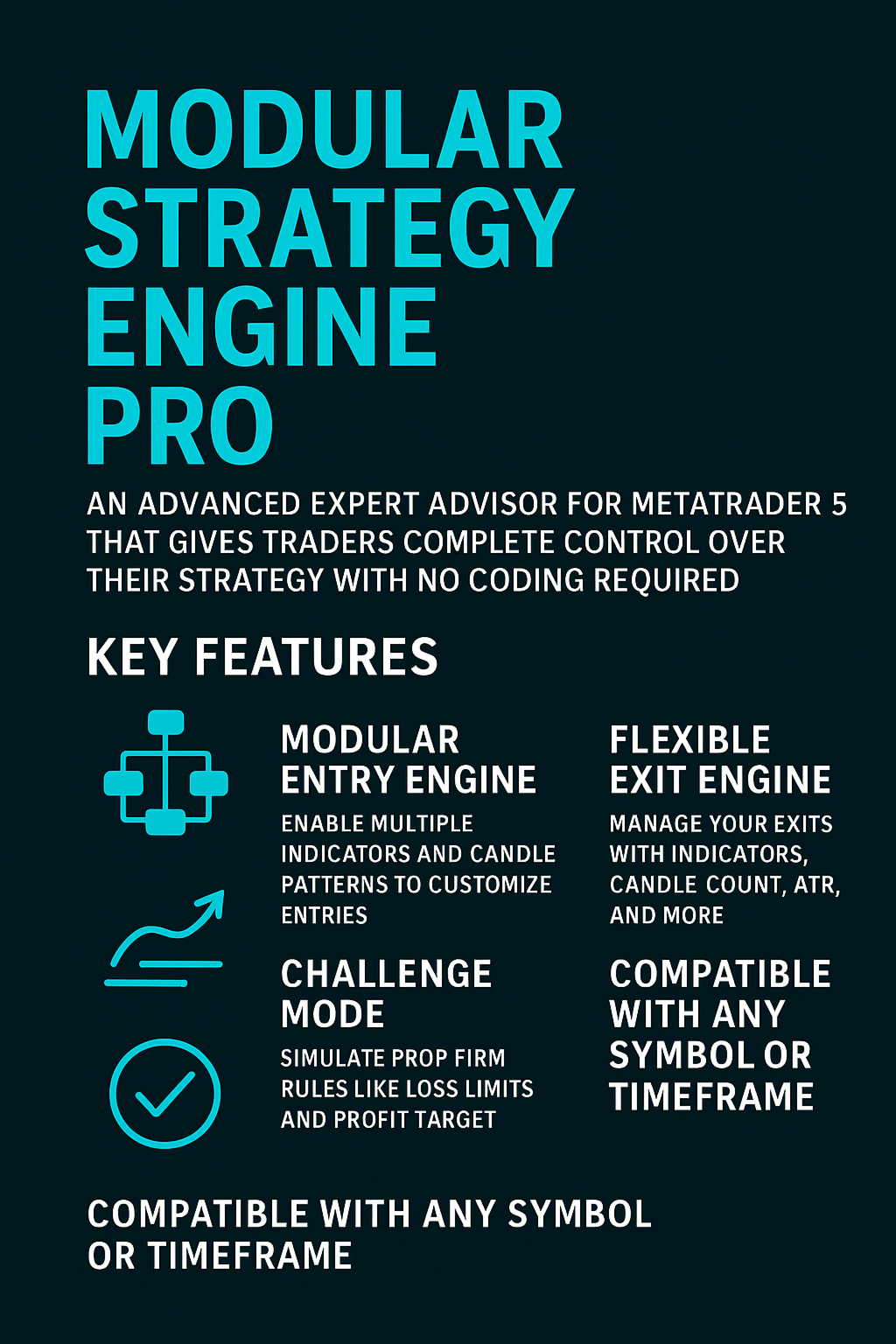
Modular Strategy Engine Pro is an advanced Expert Advisor for MetaTrader 5 designed for traders who want total control over their strategy without writing a single line of code.
The EA is built as a true modular engine: you can enable or disable each filter, select entry and exit conditions, choose indicator timeframes and combine multiple logics together.
The goal is not to sell a “magic strategy”, but to give you a flexible tool to build, test and refine your trading ideas: trend following, pattern reversals, breakouts, range trading, multi-timeframe filters, challenge mode, and more.
🔷 Main Features
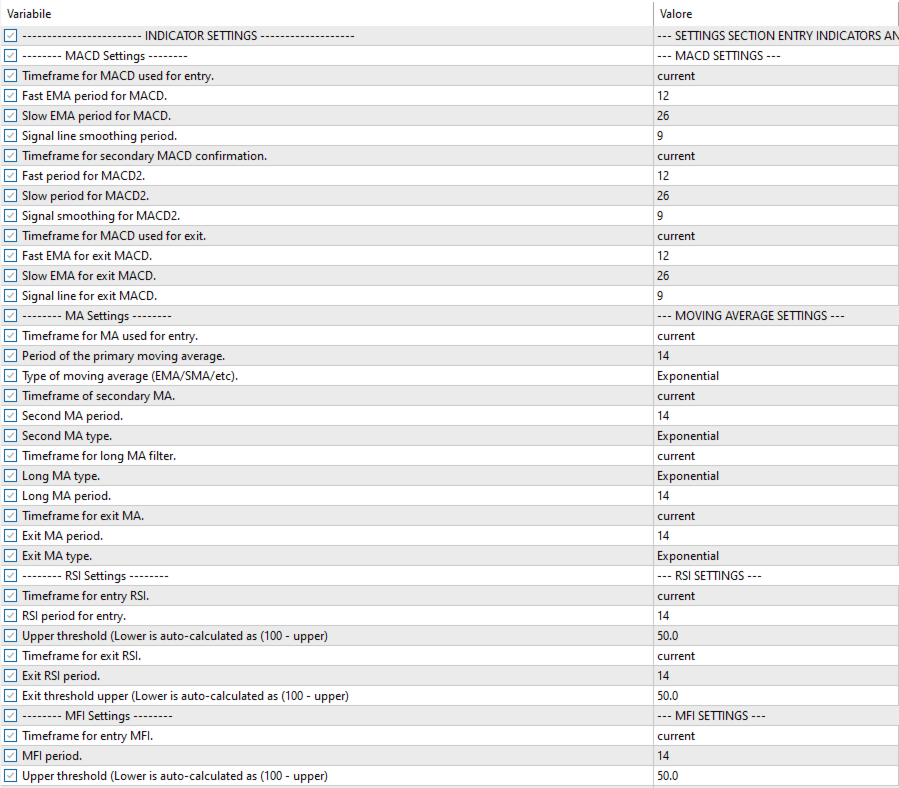
- Modular entry engine with dozens of filters enabled via inputs (useMACD_xxx, useRSI_xxx, etc.).
- Flexible exit engine: exit via indicators, fixed percentage, dynamic ATR or candle count.
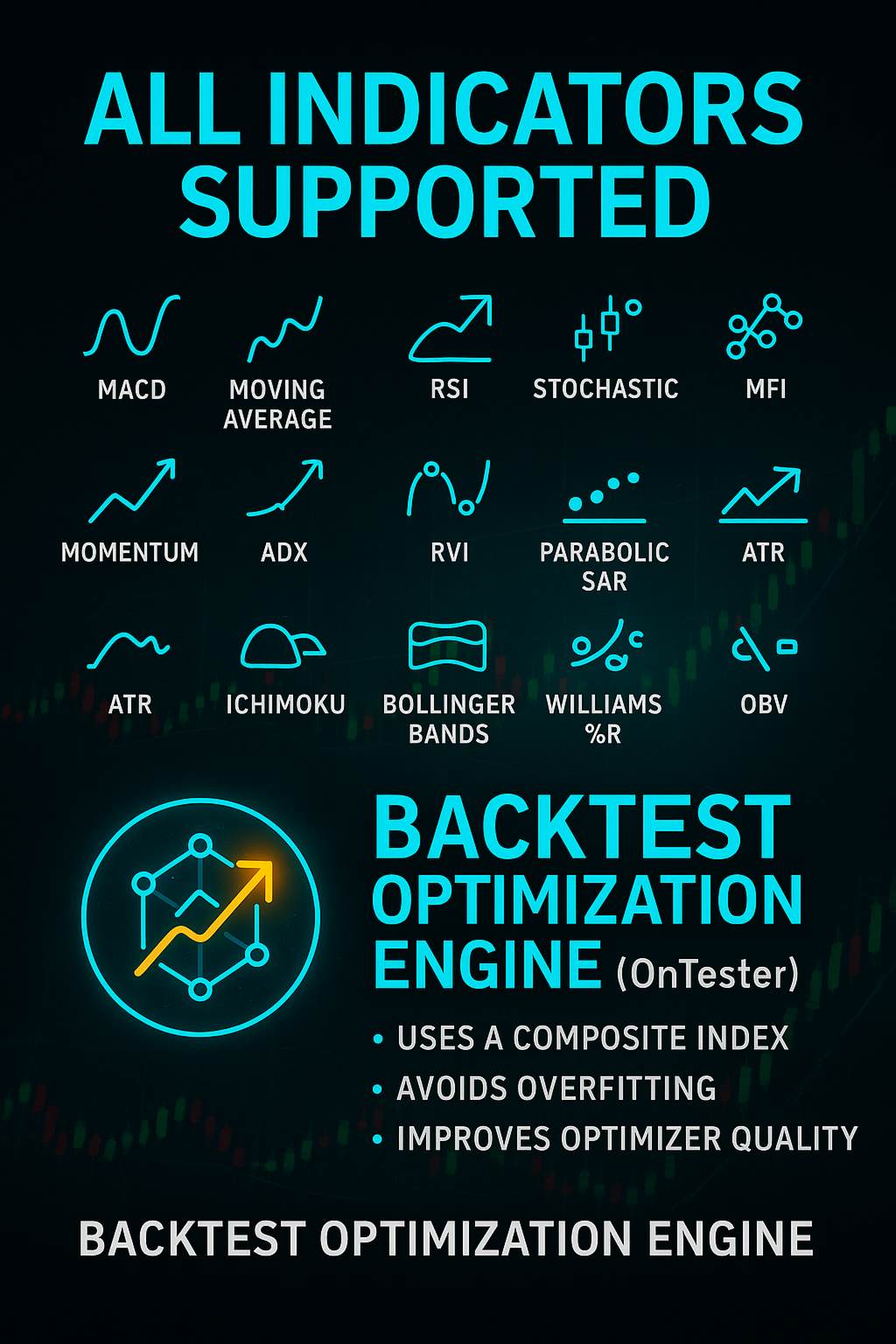
- Wide set of built-in indicators: MACD, MA, RSI, CCI, Stochastic, MFI, Momentum, ADX, RVI, SAR, ATR, Ichimoku, Bollinger, Williams %R, OBV, Volume, StrengthLength, SuperTrend.
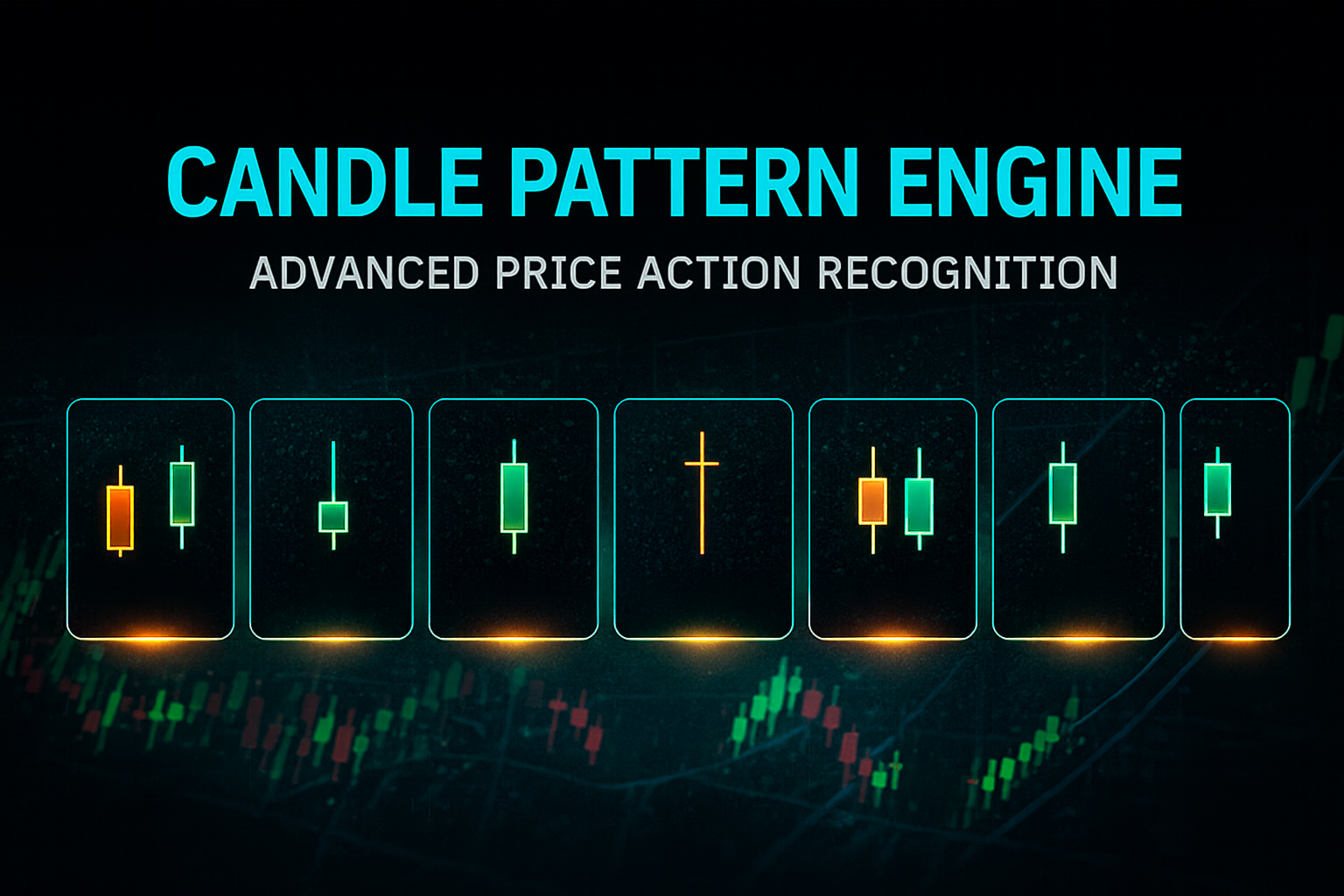
- Advanced Japanese candlestick pattern engine.
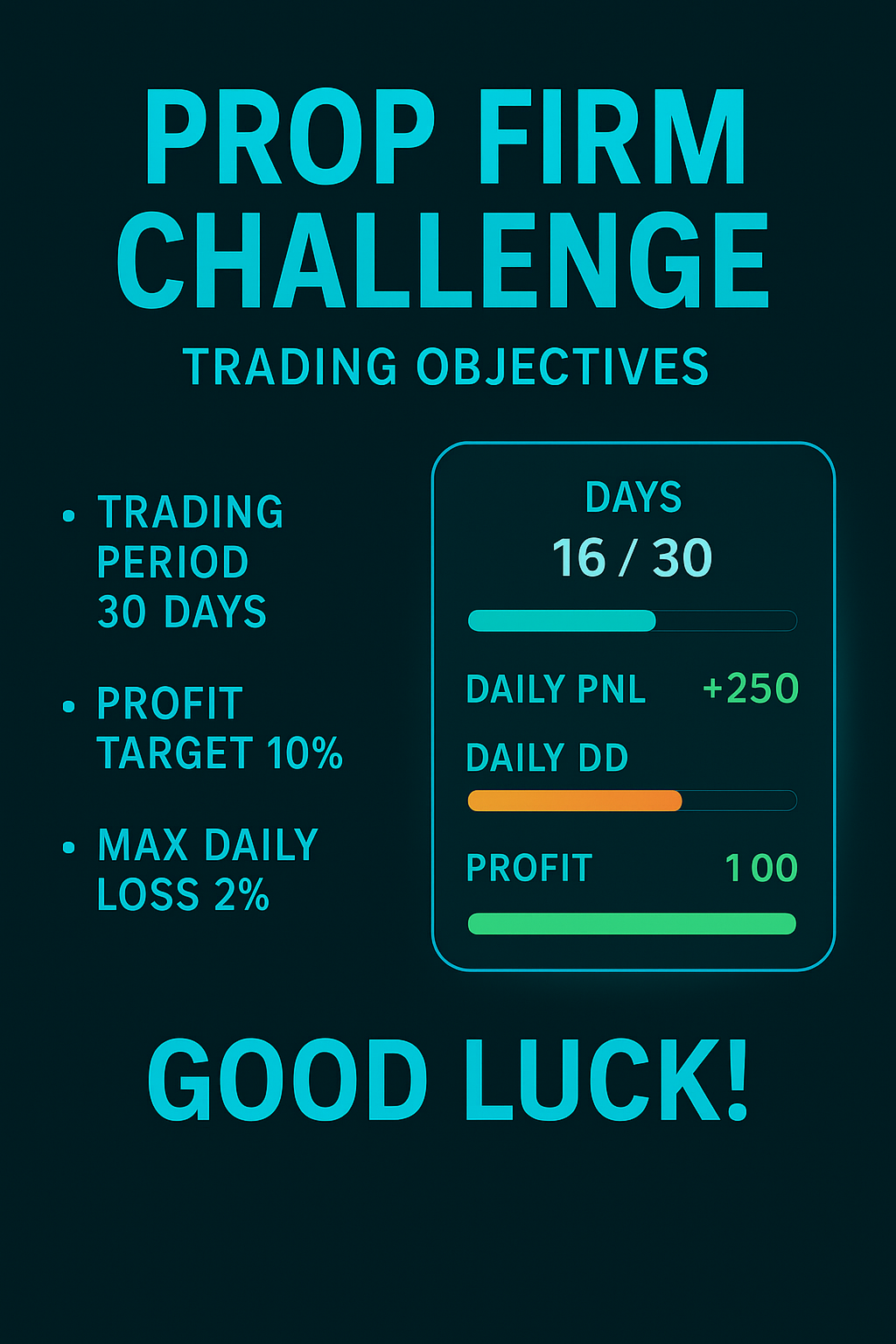
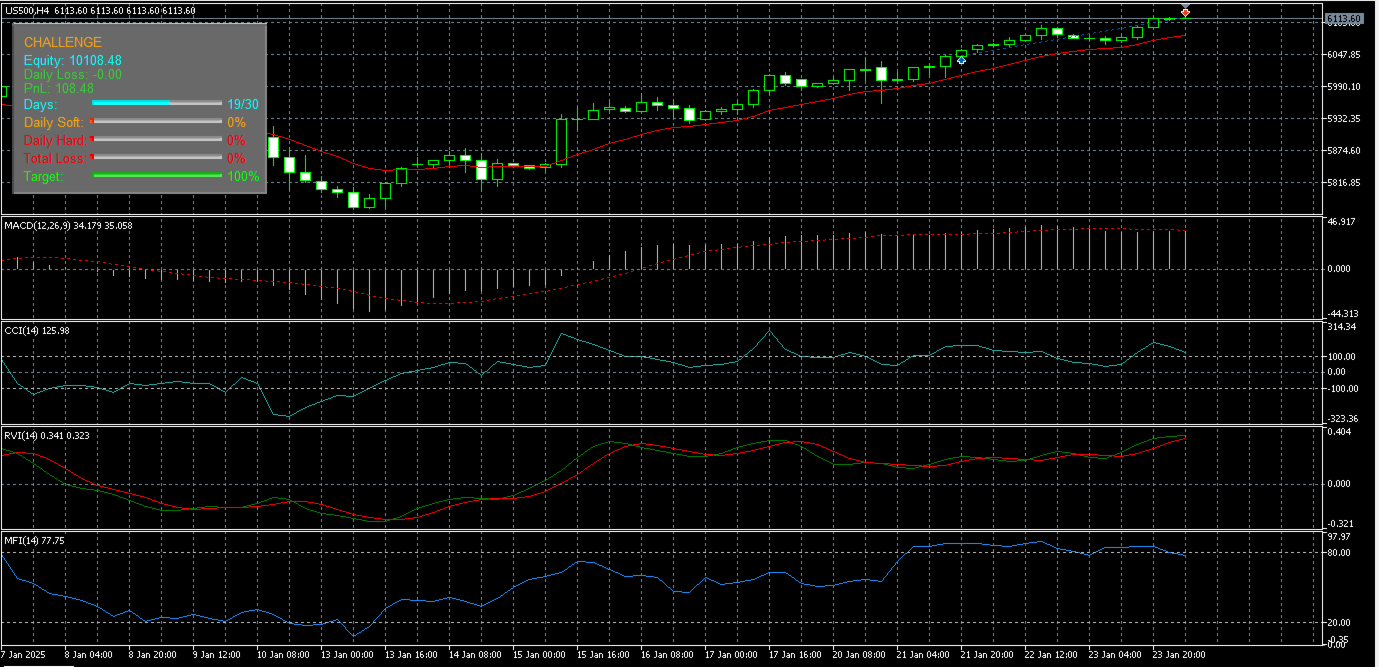
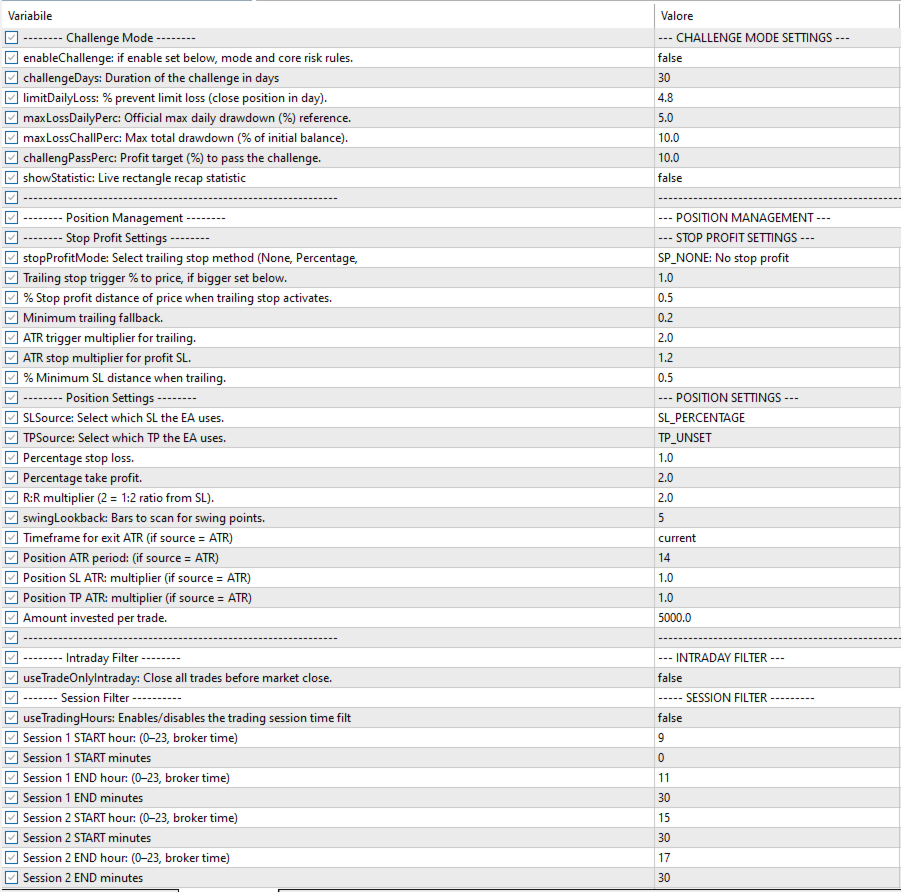
- Challenge Mode to simulate prop firm rules.
- Complete position management: SL/TP percentages, ATR trailing, dynamic trailing and minimum trailing.
- Optional intraday filter: automatic close at end of day.
- Configurable trading session filter: up to two daily trading sessions.
- Compatible with all symbols (Forex, Indices, Crypto, Commodities, Stocks).
- Constantly updated EA.
⚙️ Entry Engine
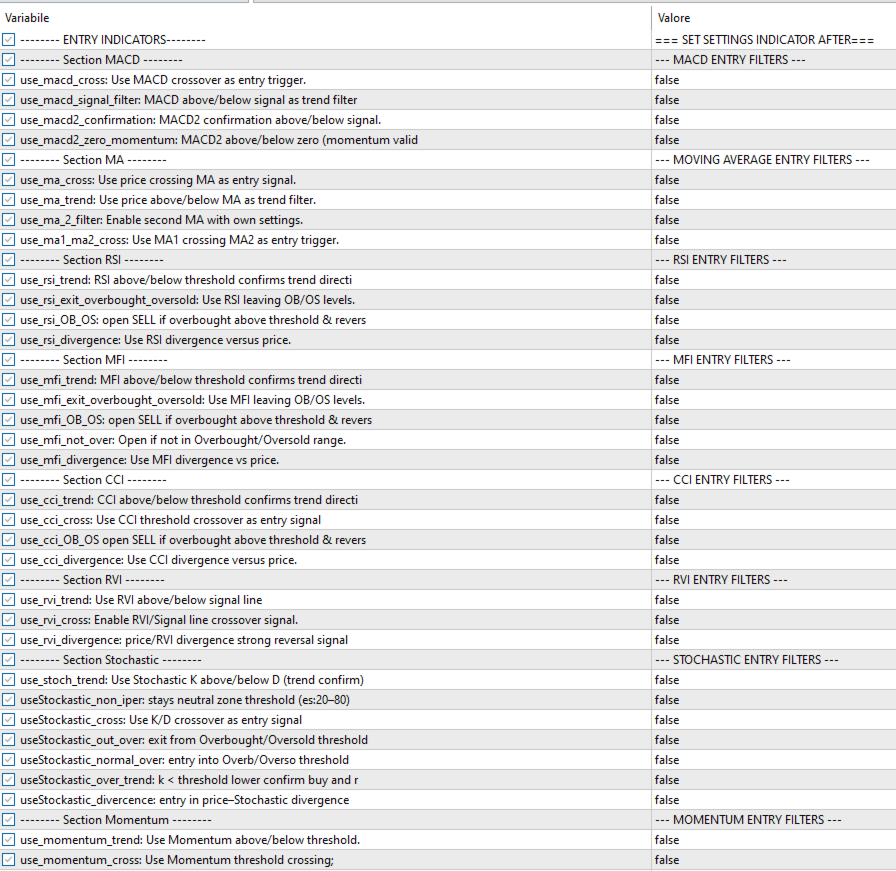
The heart of the EA is the entry engine: through the use_... inputs you can decide which filters to activate and how to combine them.
- MACD: MACD/Signal crossover, MACD above/below Signal, MACD2 confirmation.
- Moving Average: directional trend, price/MA crossover, double MA alignment.
- RSI: trend filter, overbought/oversold, divergences.
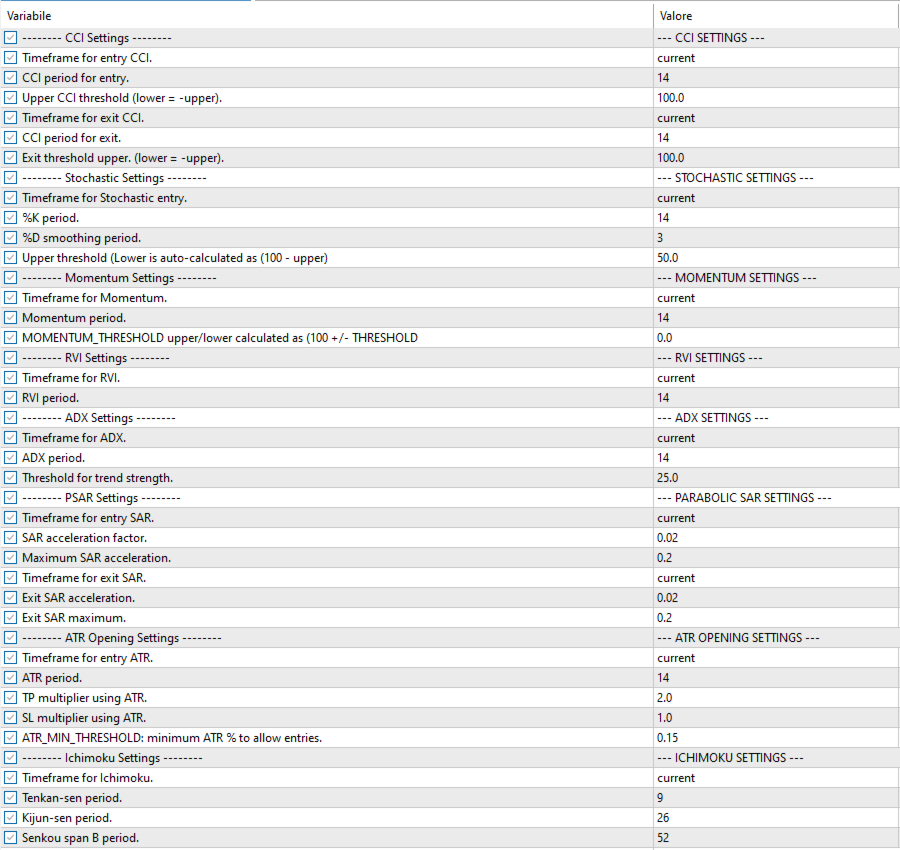
- CCI: threshold break, OB/OS, divergences.
- Stochastic: K/D cross, neutral zones, OB/OS.
- MFI / Momentum / RVI: flow, strength, divergences.
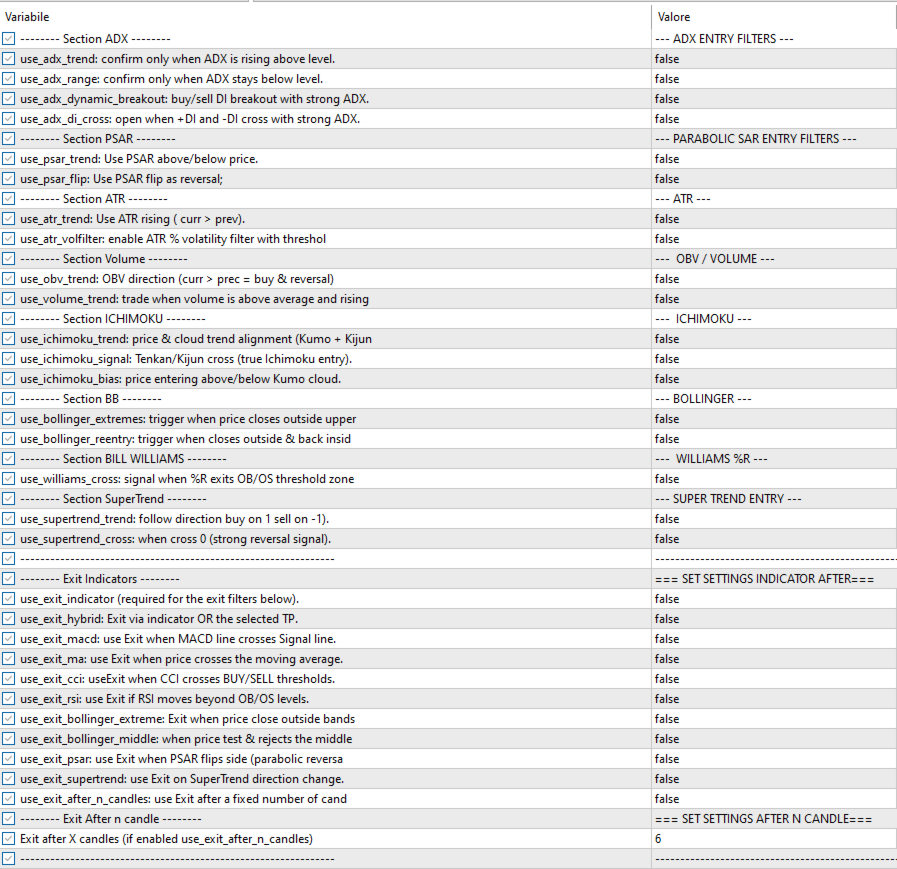
- ADX: strong trend, dynamic breakouts.
- PSAR: reversals and trend filter.
- ATR / OBV / Ichimoku: volatility, volume, cloud direction.
- Bollinger / Williams %R: volatility extremes.
- SuperTrend: fast trend change.
Thanks to the textual separators (e.g. sep_macd = "--- MACD ENTRY FILTERS ---") the input panel is clean and easy to navigate.
⚠️ Closed Candle Execution
The Modular Strategy Engine Pro works exclusively on closed candles:
➡️ no intrabar executions
➡️ signals are validated only at candle close
➡️ positions are opened on the next candle
- ✔ no spike false signals
- ✔ backtest and live trading almost identical
- ✔ maximum stability
📉 Exit Engine
The exit engine manages all non-SL/TP exits.
- Exit via indicators: MACD, MA, RSI, CCI, Bollinger, PSAR, SuperTrend.
- Automatic exit after fixed number of candles (time-based exit).
These logics act only after entry and operate independently from the SL/TP method.
🧩 Position Management
Advanced management of Stop Loss, Take Profit and Trailing Stop.
Stop Loss Modes
- SL_PATTERN – Pattern high/low based stop
- SL_SWING – Last swing stop
- SL_ATR – ATR × multiplier stop
- SL_PERCENT – Percentage stop
- SL_UNSET – No predefined SL
Take Profit Modes
- TP_SWING
- TP_PATTERN
- TP_RR
- TP_ATR
- TP_PERCENT
- TP_UNSET
Trailing Stop
- SP_PERCENT
- SP_ATR
- SP_NONE
Base Parameters
- stopLossPercent / takeProfitPercent
- TP_RR_Multiplier
- swingLookback
- MinTrailingPercent
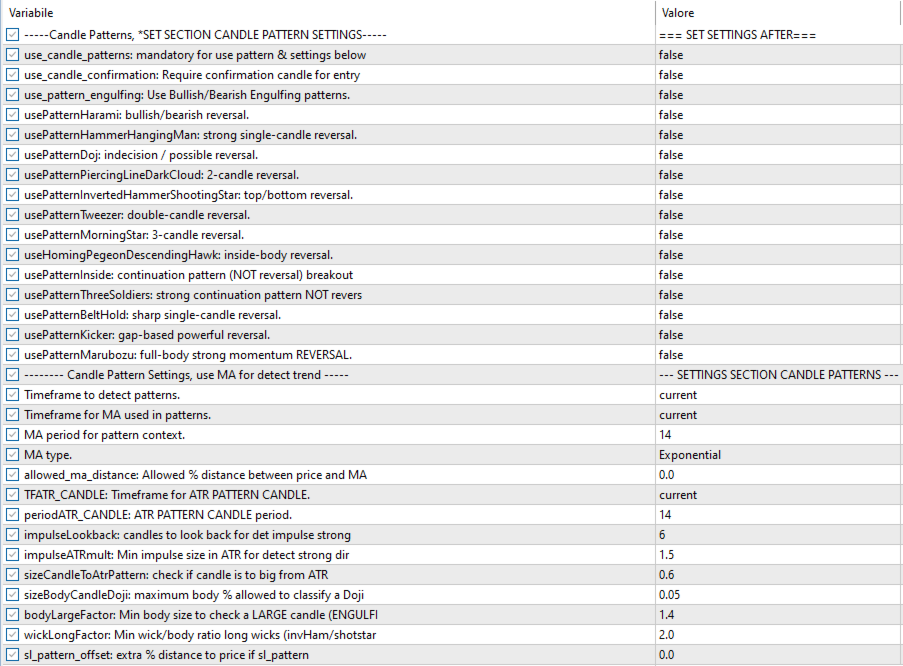
📊 Japanese Candlestick Pattern Engine
The EA integrates an advanced Japanese candlestick pattern recognition engine with validation on volatility, trend and directional strength.
- Engulfing, Harami
- Hammer / Hanging Man
- Inverted Hammer / Shooting Star
- Doji
- Piercing Line / Dark Cloud Cover
- Tweezer Top / Bottom
- Morning Star / Evening Star
- Homing Pigeon / Descending Hawk
- Inside Bar
- Three Soldiers / Three Crows
- Belt Hold
- Kicker Pattern
- Marubozu
Available filters:
- Confirmation candle
- Body & shadow filters
- Configurable trend lookback
- MA/structure trend validation
- ATR volatility filter
- Directional impulse detection
Patterns can work alone or combined with indicators.
🛡️ Challenge Mode
- Initial capital
- Daily protection loss
- Daily challenge loss
- Total challenge loss
- Profit target
If any rule is violated, the EA blocks new trades.
📅 Intraday Trading Filter
- useTradeOnlyIntraday: closes positions before market close.
🕒 Trading Sessions Filter
Modular Strategy Engine Pro includes a trading time session filter that allows you to decide when the EA is allowed to open new trades.
The filter is configurable via inputs and allows you to define up to two daily trading sessions (e.g. Europe and USA).
- useTradingHours – Enables/disables the filter.
- Session 1 – Main trading session.
- Session 2 – Optional secondary session.
- ✔ Opens trades only during allowed hours
- ✔ Automatically blocks trades outside the session
- ✔ Position management always remains active
- • Reduces trading during low liquidity periods
- • Avoids high spreads and false signals
- • Compatible with prop firm rules and backtesting
🔧 OnTester Function
- profit
- drawdown
- equity stability
- number of trades
- risk/reward
📘 Usage Tips
- H1–H4 for trend • M15–M30 for patterns
- Start with few filters
- Avoid over-optimization
- Use realistic SL in Challenge Mode
- Always test first in demo
📝 CONCLUSION
Modular Strategy Engine Pro is a professional modular engine capable of building any trading strategy.
🔄 Continuous Development
The EA is constantly updated. Feedback is welcome.
💲 PRICE
🚀 Launch price: $49 – limited offer.
Lifetime license • Free updates included
━━━━━━━━━━━━━━━━━━━━━━━━━━━━━━━━━━━━━━━━━━━━━━
📘 Technical Documentation & Input Explanation
The Modular Strategy Engine Pro allows you to build fully customizable strategies without writing code. Every filter, indicator, and module is controlled via use_... flags and adjustable parameters for professional-level precision.
In this documentation you will find:
- how each filter and indicator works,
- their operational effect on entries and exits,
- how to combine modules for trend, reversal, breakout, scalping and challenge mode strategies,
- the most important inputs to obtain high-quality signals.
The engine uses a multi-indicator, multi-timeframe and multi-confirmation structure.
Operational logic:
• Entry = AND → all conditions must be true
• Exit = OR → only one condition is enough to close
• Patterns = OR → alternative signals between each other
This approach guarantees selective entries and fast exits in the presence of risk or weakness.
1. ENTRY ENGINE – Synthetic Logic of the Indicators
The entry section is composed of more than 50 independent filters. They are grouped by indicators and each section is visually separated in the MT5 terminal through the "--- SETTINGS ---" fields.
1.1 MACD – Momentum Core
- useMACD_cross – Main signal: MACD/Signal crossover.
- useMACD_signal_filter – Directional filter: MACD above Signal = LONG bias.
- useMACD2_confirmation – Second MACD for confirmation on a different timeframe.
- useMACD2_zero_momentum – MACD2 above/below zero = valid or weak momentum.
1.2 Moving Average – Trend Detection
- useMA_trend – price above/below MA to define trend.
- useMA_cross – entry when price breaks the MA.
- useMA_2_filter – second moving average used to define trend.
- useMA1_MA2_cross – MA1/MA2 crossover as an operational trigger.
1.3 RSI / MFI / CCI – OB/OS, Trend and Divergences
Indicators for reversal, trend confirmation and momentum, usable both in overbought/oversold zones and in the neutral area, with support for divergences.
- RSI: trend filters, exit from overbought/oversold, divergences and reversal signals.
- MFI: trend confirmation, exit from OB/OS, filter in the neutral zone and volume divergences.
- CCI: trend reading, signals on ±100 thresholds and momentum divergences.
Note: for all of them, the upper threshold must be set. The lower threshold is automatically calculated as:
Lower = 100 − Upper. Example: MFI_THRESHOLD_UPPER = 80, LOWER = 20. For CCI instead, the lower is -CCI_THRESHOLD_UPPER.
1.4 Stochastic – Timing Engine
- useStoch_cross – classic K/D crossover.
- useStoch_neutral_zone – signals only in the neutral zone (e.g. 20–80).
- useStoch_enter_over – entry when Stochastic enters Overbought/Oversold.
- useStoch_divergence – strong momentum divergences.
1.5 Momentum / RVI
- useMomentum_cross – crossing above 100 = acceleration.
- useRVI_cross – RVI/Signal crossover.
- useRVI_divergence – directional divergences.
1.6 ADX / DI Cross / Dynamic Breakout
- useADX_trend – strong trend (ADX above threshold).
- useADX_range – sideways phase (ADX below threshold).
- useADX_dynamic_breakout – breakout combined with DI + ADX.
- useADX_DI_cross – BUY on +DI/-DI crossover, SELL vice versa.
1.7 Bollinger, Re-Entry & Williams %R
- useBollinger_extremes – price outside the bands.
- useBollinger_reentry – outside band + re-entry = clean reversal.
- useWilliams_cross – exit from Overbought/Oversold on %R.
1.8 OBV & Volume
- useOBV_trend – rising OBV = bullish pressure.
- useVolume_trend – volume above average = trend confirmation.
1.9 ATR – Trend & Volatility Filter
- useATR_trend – rising ATR → volatility expansion.
- useATR_volFilter – requires a minimum ATR in %.
1.10 Ichimoku
- useIchimoku_trend – price above/below the Kumo.
- useIchimoku_signal – Tenkan/Kijun crossover.
- useIchimoku_bias – directional bias from the cloud.
📉 EXIT ENGINE – Indicators, ATR and Time-Based Logic
The exit logic replicates the modular model of the entry: you can choose to exit via indicators, fixed percentages, ATR or time.
Exits via indicators
- use_exit_macd – exit on reverse crossover.
- use_exit_ma – exit when price moves against the MA.
- use_exit_cci – exit on opposite CCI thresholds.
- use_exit_rsi – RSI in opposite OB/OS.
- use_exit_bollinger_extreme – exit on spike outside the band.
- use_exit_bollinger_middle – return to the middle band.
- use_exit_psar – PSAR flip.
- use_exit_supertrend – SuperTrend color change.
- use_exit_after_n_candles – closing after X candles.
🎯 3. STOP PROFIT SETTINGS – Percentage & ATR Trailing
MSE Pro offers two Stop Profit (trailing) modes: percentage-based and dynamic ATR. The Stop Profit is applied after the order is opened, regardless of the initial TP.
3.1 ATR Trailing Stop
- SP_ATR – dynamic trailing based on ATR volatility.
- ATR_Mult_Trigger – activation threshold: when price moves by ATR × trigger, the trailing is activated.
- ATR_Mult_Stop – Stop Profit distance: ATR × multiplier.
- minimaStopLossTrail – minimum safety distance in %.
3.2 Percentage Trailing Stop
- SP_PERCENT – percentage-based trailing stop.
- trailingStopPerc – movement required to activate trailing (price must exceed X%).
- stopLossTrail – trailing distance in % once activated.
- MinTrailingPercent – minimum guaranteed distance.
3.3 No Trailing
- SP_NONE – Stop Profit is not applied.
🕯️ 4. JAPANESE CANDLE PATTERN MODULE
The module automatically recognizes the main price action patterns and uses them as operational signals only if they are validated by trend, volatility and strength of the move.
Basic logic:
Price above the MA → bullish trend → only SELL patterns are valid.
Price below the MA → bearish trend → only BUY patterns are valid.
General settings
- use_candle_patterns – enables/disables the module.
- use_candle_confirmation – requires a confirmation candle after the pattern.
Advanced settings
- TFCandle – timeframe of the patterns.
- TFMediaApeCandle – timeframe of the contextual MA.
- periodMACandle – period of the moving average.
- modeMACandle – MA type.
- percDiffMedia – maximum % distance between price and MA to validate the pattern.
- sizeCandleToPricePerc – minimum candle size relative to price.
- sizeBodyCandle – maximum body size for the definition of a Doji.
- percDiffStopLoss – additional offset for the pattern-based stop loss.
- ATR filter on the pattern size to avoid signals in low-volatility conditions.
- impulseLookback – Number of previous candles analyzed to detect a strong directional impulse.
- impulseATRmult – Minimum size of the impulse required, expressed in ATR multiples, to validate a move as significant.
The patterns use a dedicated ATR (configurable timeframe and period) and an optional filter on the % distance between price and Moving Average to operate only on strong trend extensions.
The trend is confirmed through the moving average and/or price structure (HL/LH), analyzing a configurable number of previous bars. The pattern is accepted only if the market context is consistent with a genuine reversal logic.
Operational note: Inside Bar and Three Soldiers / Three Crows are managed as continuation patterns and not as reversal patterns. All reversal patterns are instead filtered with directional impulse, ATR volatility and trend context.
🧩 5. Combined Strategy Examples
Trend Following
- MACD cross
- MA Trend
- SuperTrend Trend
- ADX Trend
Reversal
- Pattern + confirmation
- RSI reversal
- Stochastic cross
Breakout
- ADX Dynamic Breakout
- ATR Trend
- OBV Trend
🛡️ 6. CHALLENGE MODE – Risk Engine in Prop Firm Style
Challenge Mode automatically respects the rules of prop firms: it monitors daily drawdown, total drawdown, duration, and target.
Main functions
- Real-time monitoring of daily loss.
- Automatic blocking of new trades.
- Control of overall drawdown.
- Management of percentage target.
- Challenge timer.
- Optional graphical panel.
⚖️ 7. POSITION SIZING ENGINE – Automatic Lot Calculation
The Modular Strategy Engine Pro includes an advanced system that automatically calculates the lot size to open based on the amount you want to invest (nominal value of the position, leverage included).
Operating Principles
- Fixed amount to invest – you set the nominal value of the position (e.g. €5,000) and the EA automatically calculates the lot size.
Note: you can set €5,000 even if you have a €1,000 account, because leverage covers the difference. - Automatic conversion – lot calculation takes instrument specifications into account (tick size, tick value, contract size, etc.).
- Independent from SL/TP – the volume does not depend on the risk set, but only on the position value.
- Compatible with all instruments – Forex, Gold, Indices, Crypto, Stocks, etc.
Advantages
- Uniform capital management.
- No manual calculations required.
- Precise and consistent exposure.
- Works with any strategy or entry logic.
Result:
The EA automatically opens the correct volume in lots to obtain the desired exposure (including leverage).
✅ 8. BEST PRACTICES
- Activate only a few filters at a time.
- Avoid having more than 6–7 filters active simultaneously.
- MACD/MA/ADX for trend structure, RSI/Stoch/MFI for timing.
- Reversal: Engulfing + RSI + Stochastic.
- Trend: MACD cross + MA Trend + SuperTrend.
⚠️ Fundamental Requirements for the EA to Work
By default, all filters and all logics are disabled (all use_... inputs are set to false). This means that the Expert Advisor will not open any trade until the user manually enables at least one entry logic.
- 1) At least one ENTRY logic must be enabled
(e.g. useMACD_cross, useMA_trend, useRSI_exit_overbought_oversold, useStoch_cross, etc.) - 2) It is strongly recommended to enable at least one EXIT logic
Exits can be:- Indicator-based (MACD, MA, RSI, CCI, Bollinger, SuperTrend, PSAR, ATR, etc.)
- Candle-pattern
- Take Profit/Stop Loss via TPSource and SLSource
- Time-based exit via use_exit_after_n_candles
Note: it is not enough to activate an entry strategy; without an active exit logic the EA will not close trades.
🛠 9. Debug & Logs (Optional)
The useDebugPrints parameter allows you to display diagnostic messages in the Journal that are useful for advanced analysis and troubleshooting. It is recommended to keep this option set to false during normal use, as it generates detailed logs.
Enable it only if you need to:
- verify the correct functioning of an indicator or pattern;
- analyze entry and exit conditions in detail;
- diagnose any inactive filters or missing signals.
By keeping the option disabled, the EA remains lighter and the Journal stays clean, making it easier to spot important messages.
Note: blocking errors will be displayed regardless.
📘 Practical User Guide
The following sections collect essential information for the daily use of the EA: common mistakes, reasons why the EA may not open positions, and a practical example of a simple but effective strategy with only three filters.
⚠️ Common User Mistakes
- No entry logic enabled → the EA cannot open positions if all use_... inputs are set to false.
- No exit logic enabled → the EA opens positions but does not close them in profit, stop loss is mandatory.
- Indicator Exit does not work → to use an indicator-based exit you must enable:
use_exit_indicator = true
and at least one of the exit indicators (e.g. useMACD_exit, useMA_exit, useRSI_exit). - Japanese Candle Patterns do not work → to use candle patterns you must enable:
use_candle_patterns = true
and select one or more exit patterns. - Too many filters active at the same time → 6–7 filters together can block almost all signals.
- Wrong timeframe with respect to the chosen logic
Trend → H1–H4
Reversal/Patterns → M15–M30
Scalping → M1–M5 - StopLoss not configured → if all SL logics are disabled, the EA will not open the position (protection).
- Challenge Mode active → if you exceed daily/total limits, the EA voluntarily blocks itself.
❓ Why is the EA not entering the market?
The EA will never open positions until this requirement is met:
➡ You must enable at least ONE entry logic
🔍 Quick checklist
- Is an entry logic enabled?
(e.g. useMACD_cross, useMA_trend, useMFI_trend, useStoch_cross) - Is an exit logic enabled?
- For indicator-based exit → use_exit_indicator = true + chosen indicators
- Or TP or SL - Are the filters not too restrictive?
- Correct symbol and market open?
- Minimum volume compatible with broker?
- Is Challenge Mode not blocking?
Tip: enable useDebugPrints = true to see which filters are blocking entries.
🧠 How to Build a Strategy from Scratch (3-Filter Example)
Here is a simple and professional method to create an effective strategy without enabling dozens of filters.
1️⃣ Trend Direction – MACD Cross
Enable: useMACD_cross
MACD provides the main trend direction.
2️⃣ Trend Filter – Moving Average
Enable: useMA_trend
Confirms that price is above/below the chosen moving average.
3️⃣ Momentum Filter – MFI Above Threshold
Enable: useMFI_trend
The MFI value must exceed the chosen threshold, for example:
MFI_THRESHOLD_UPPER = 50
This avoids weak entries without momentum.
📌 Example Configuration
- Trend: MACD Cross
- Trend Filter: MA Trend
- Momentum: MFI above 50
🚪 Example Exit
- Bollinger Exit: useBollinger_exitExtreme
- tpSource: TP_ATR (Position TP ATR = 2.0)