MQL5 Programming Articles

Study the MQL5 language for programming trading strategies in numerous published articles mostly written by you - the community members. The articles are grouped into categories to help you quicker find answers to any questions related to programming: Integration, Tester, Trading Strategies, etc.
Follow our new publications and discuss them on the Forum!
Add a new article

You are missing trading opportunities:
- Free trading apps
- Over 8,000 signals for copying
- Economic news for exploring financial markets
Registration
Log in
You agree to website policy and terms of use
If you do not have an account, please register


Interview with Achmad Hidayat (ATC 2012)
Throughout the entire duration of the Automated Trading Championship 2012, we will be providing live coverage of the events - hot reports and interviews every week. This report spotlights Achmad Hidayat (achidayat), the participant from Indonesia. On the first day of the Championship his Expert Advisor secured its position in the third ten, which is a good start. Achmad has sparked our interest with his active participation in the MQL5 Market. He has already published over 20 products thus far.


Automating Trading Strategies in MQL5 (Part 9): Building an Expert Advisor for the Asian Breakout Strategy
In this article, we build an Expert Advisor in MQL5 for the Asian Breakout Strategy by calculating the session's high and low and applying trend filtering with a moving average. We implement dynamic object styling, user-defined time inputs, and robust risk management. Finally, we demonstrate backtesting and optimization techniques to refine the program.

OOP in MQL5 by Example: Processing Warning and Error Codes
The article describes an example of creating a class for working with the trade server return codes and all the errors that occur during the MQL-program run. Read the article, and you will learn how to work with classes and objects in MQL5. At the same time, this is a convenient tool for handling errors; and you can further change this tool according to your specific needs.

Studying candlestick analysis techniques (Part II): Auto search for new patterns
In the previous article, we analyzed 14 patterns selected from a large variety of existing candlestick formations. It is impossible to analyze all the patterns one by one, therefore another solution was found. The new system searches and tests new candlestick patterns based on known candlestick types.

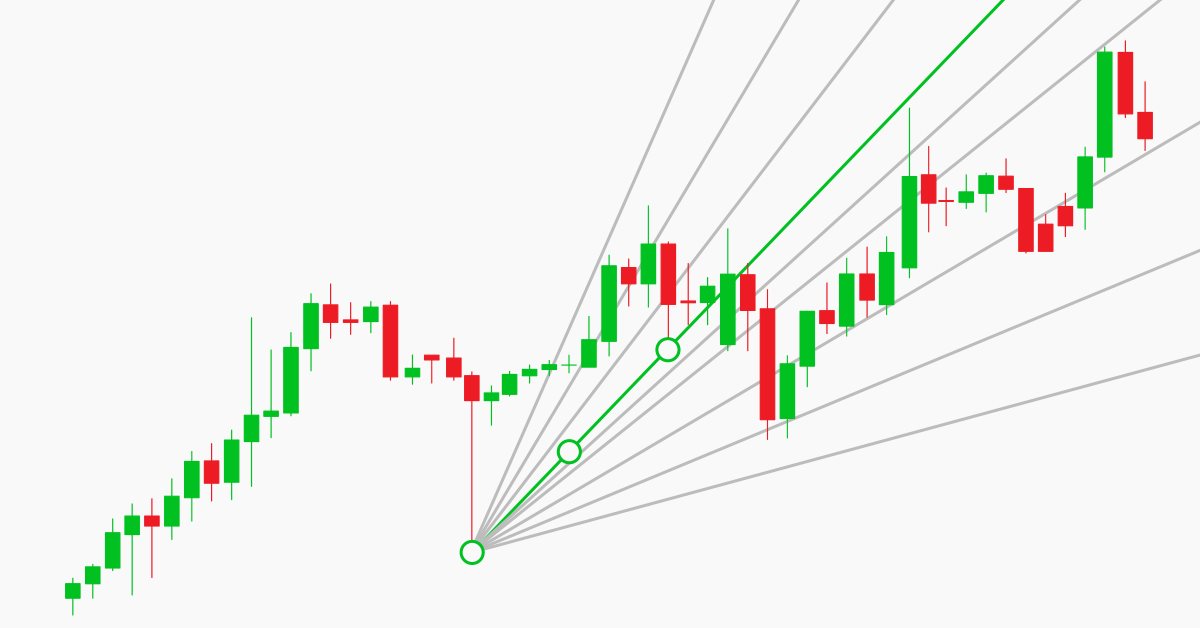
Manual charting and trading toolkit (Part II). Chart graphics drawing tools
This is the next article within the series, in which I show how I created a convenient library for manual application of chart graphics by utilizing keyboard shortcuts. The tools used include straight lines and their combinations. In this part, we will view how the drawing tools are applied using the functions described in the first part. The library can be connected to any Expert Advisor or indicator which will greatly simplify the charting tasks. This solution DOES NOT use external dlls, while all the commands are implemented using built-in MQL tools.

Graphical Interfaces I: Functions for the Form Buttons and Deleting Interface Elements (Chapter 4)
In this article, we are going to continue developing the CWindow class by adding methods, which will allow managing the form by clicking on its controls. We will enable the program to be closed by a form button as well as implement a minimizing and maximizing feature for the form.


Dealing with Time (Part 2): The Functions
Determing the broker offset and GMT automatically. Instead of asking the support of your broker, from whom you will probably receive an insufficient answer (who would be willing to explain a missing hour), we simply look ourselves how they time their prices in the weeks of the time changes — but not cumbersome by hand, we let a program do it — why do we have a PC after all.

Using MATLAB 2018 computational capabilities in MetaTrader 5
After the upgrade of the MATLAB package in 2015, it is necessary to consider a modern way of creating DLL libraries. The article uses a sample predictive indicator to illustrate the peculiarities of linking MetaTrader 5 and MATLAB using modern 64-bit versions of the platforms, which are utilized nowadays. With the entire sequence of connecting MATLAB considered, MQL5 developers will be able to create applications with advanced computational capabilities much faster, avoiding «pitfalls».

Kernel Density Estimation of the Unknown Probability Density Function
The article deals with the creation of a program allowing to estimate the kernel density of the unknown probability density function. Kernel Density Estimation method has been chosen for executing the task. The article contains source codes of the method software implementation, examples of its use and illustrations.

Bi-Directional Trading and Hedging of Positions in MetaTrader 5 Using the HedgeTerminal API, Part 2
This article describes a new approach to hedging of positions and draws the line in the debates between users of MetaTrader 4 and MetaTrader 5 about this matter. It is a continuation of the first part: "Bi-Directional Trading and Hedging of Positions in MetaTrader 5 Using the HedgeTerminal Panel, Part 1". In the second part, we discuss integration of custom Expert Advisors with HedgeTerminalAPI, which is a special visualization library designed for bi-directional trading in a comfortable software environment providing tools for convenient position management.

Universal Oscillator with a GUI
The article describes the process of creation of a universal indicator based on all oscillators available in the terminal, with its own graphical interface. The GUI allows users to quickly and easily change settings of each oscillator straight from the chart window (without having to open its properties), as well as to compare their values and to select an optimal option for a specific task.

Graphical Interfaces III: Groups of Simple and Multi-Functional Buttons (Chapter 2)
The first chapter of the series was about simple and multi-functional buttons. The second article will be dedicated to groups of interconnected buttons that will allow the creation of elements in an application when a user can select one of the option out of a set (group).


Python-MetaTrader 5 Strategy Tester (Part 01): Trade Simulator
The MetaTrader 5 module offered in Python provides a convenient way of opening trades in the MetaTrader 5 app using Python, but it has a huge problem, it doesn't have the strategy tester capability present in the MetaTrader 5 app, In this article series, we will build a framework for back testing your trading strategies in Python environments.

Cross-Platform Expert Advisor: Custom Stops, Breakeven and Trailing
This article discusses how custom stop levels can be set up in a cross-platform expert advisor. It also discusses a closely-related method by which the evolution of a stop level over time can be defined.

Graphical Interfaces X: Updates for Easy And Fast Library (Build 2)
Since the publication of the previous article in the series, Easy And Fast library has received some new features. The library structure and code have been partially optimized slightly reducing CPU load. Some recurring methods in many control classes have been moved to the CElement base class.

Custom indicators and infographics in CCanvas
The article considers new types of indicators with more complex structural implementation. It also describes the development of pseudo-3D indicator types and dynamic infographics.

The Box-Cox Transformation
The article is intended to get its readers acquainted with the Box-Cox transformation. The issues concerning its usage are addressed and some examples are given allowing to evaluate the transformation efficiency with random sequences and real quotes.


Neural networks made easy (Part 4): Recurrent networks
We continue studying the world of neural networks. In this article, we will consider another type of neural networks, recurrent networks. This type is proposed for use with time series, which are represented in the MetaTrader 5 trading platform by price charts.


Neural networks made easy (Part 2): Network training and testing
In this second article, we will continue to study neural networks and will consider an example of using our created CNet class in Expert Advisors. We will work with two neural network models, which show similar results both in terms of training time and prediction accuracy.

MQL5 Cookbook: How to Avoid Errors When Setting/Modifying Trade Levels
In continuation of our work on the Expert Advisor from the previous article of the series called "MQL5 Cookbook: Analyzing Position Properties in the MetaTrader 5 Strategy Tester", we will enhance it with a whole lot of useful functions, as well as improve and optimize the existing ones. The Expert Advisor will this time have external parameters that can be optimized in the MetaTrader 5 Strategy Tester and will in some ways resemble a simple trading system.


Learn how to deal with date and time in MQL5
A new article about a new important topic which is dealing with date and time. As traders or programmers of trading tools, it is very crucial to understand how to deal with these two aspects date and time very well and effectively. So, I will share some important information about how we can deal with date and time to create effective trading tools smoothly and simply without any complicity as much as I can.

MQL5 Cookbook - Creating a ring buffer for fast calculation of indicators in a sliding window
The ring buffer is the simplest and the most efficient way to arrange data when performing calculations in a sliding window. The article describes the algorithm and shows how it simplifies calculations in a sliding window and makes them more efficient.


Larry Williams Market Secrets (Part 1): Building a Swing Structure Indicator in MQL5
A practical guide to building a Larry Williams–style market structure indicator in MQL5, covering buffer setup, swing-point detection, plot configuration, and how traders can apply the indicator in technical market analysis.

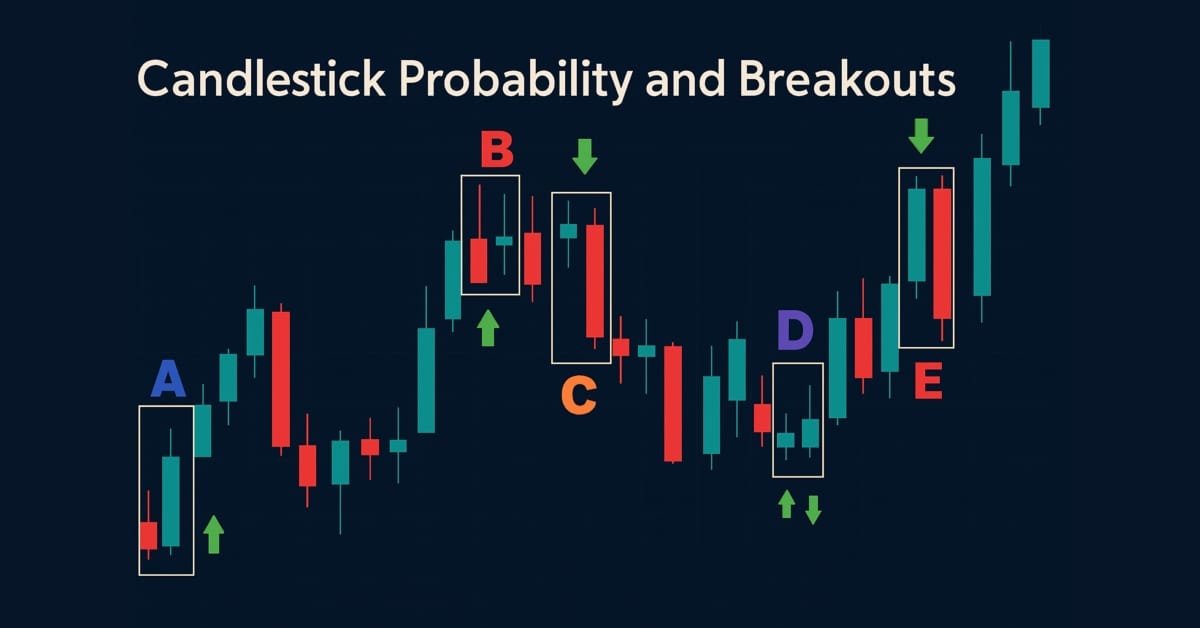
Price Action Analysis Toolkit Development (Part 43): Candlestick Probability and Breakouts
Enhance your market analysis with the MQL5-native Candlestick Probability EA, a lightweight tool that transforms raw price bars into real-time, instrument-specific probability insights. It classifies Pinbars, Engulfing, and Doji patterns at bar close, uses ATR-aware filtering, and optional breakout confirmation. The EA calculates raw and volume-weighted follow-through percentages, helping you understand each pattern's typical outcome on specific symbols and timeframes. On-chart markers, a compact dashboard, and interactive toggles allow easy validation and focus. Export detailed CSV logs for offline testing. Use it to develop probability profiles, optimize strategies, and turn pattern recognition into a measurable edge.

Rope Indicator by Erik Nayman
The article reveals how the "Rope" indicator is created based on "The Small Encyclopedia of Trader" by Erik L. Nayman. This indicator shows the direction of the trend using the calculated values of bulls and bears over a specified period of time. The article also contains principles of creating and calculating indicators along with the examples of codes. Other subjects covered include building an Expert Advisor based on the indicator, and the optimization of external parameters.

Resolving entries into indicators
Different situations happen in trader’s life. Often, the history of successful trades allows us to restore a strategy, while looking at a loss history we try to develop and improve it. In both cases, we compare trades with known indicators. This article suggests methods of batch comparison of trades with a number of indicators.

Interview with Dmitry Terentew (ATC 2012)
Is it really necessary to be a programmer to develop trading robots? Do we need to spend years monitoring price charts to be able to "feel" the market? All these issues have been discussed in our interview with Dmitry Terentew (SAFF), whose trading robot has been occupying the first page of the Championship from the very beginning.

Library for easy and quick development of MetaTrader programs (part XXXIII): Pending trading requests - closing positions under certain conditions
We continue the development of the library functionality featuring trading using pending requests. We have already implemented sending conditional trading requests for opening positions and placing pending orders. In the current article, we will implement conditional position closure – full, partial and closing by an opposite position.

MQL5 Cookbook: Saving Optimization Results of an Expert Advisor Based on Specified Criteria
We continue the series of articles on MQL5 programming. This time we will see how to get results of each optimization pass right during the Expert Advisor parameter optimization. The implementation will be done so as to ensure that if the conditions specified in the external parameters are met, the corresponding pass values will be written to a file. In addition to test values, we will also save the parameters that brought about such results.

Ready-made Expert Advisors from the MQL5 Wizard work in MetaTrader 4
The article offers a simple emulator of the MetaTrader 5 trading environment for MetaTrader 4. The emulator implements migration and adjustment of trade classes of the Standard Library. As a result, Expert Advisors generated in the MetaTrader 5 Wizard can be compiled and executed in MetaTrader 4 without changes.

Multicurrency monitoring of trading signals (Part 4): Enhancing functionality and improving the signal search system
In this part, we expand the trading signal searching and editing system, as well as introduce the possibility to use custom indicators and add program localization. We have previously created a basic system for searching signals, but it was based on a small set of indicators and a simple set of search rules.


The correct way to choose an Expert Advisor from the Market
In this article, we will consider some of the essential points you should pay attention to when purchasing an Expert Advisor. We will also look for ways to increase profit, to spend money wisely, and to earn from this spending. Also, after reading the article, you will see that it is possible to earn even using simple and free products.

Developing graphical interfaces based on .Net Framework and C# (part 2): Additional graphical elements
The article is a follow-up of the previous publication "Developing graphical interfaces for Expert Advisors and indicators based on .Net Framework and C#". It introduces new graphical elements for creating graphical interfaces.

Creating a trading robot for Moscow Exchange. Where to start?
Many traders on Moscow Exchange would like to automate their trading algorithms, but they do not know where to start. The MQL5 language offers a huge range of trading functions, and it additionally provides ready classes that help users to make their first steps in algo trading.

MQL5 Cookbook - Programming moving channels
This article presents a method of programming the equidistant channel system. Certain details of building such channels are being considered here. Channel typification is provided, and a universal type of moving channels' method is suggested. Object-oriented programming (OOP) is used for code implementation.


Using AutoIt With MQL5
Short description. In this article we will explore scripting the MetraTrader 5 terminal by integrating MQL5 with AutoIt. In it we will cover how to automate various tasks by manipulating the terminals' user interface and also present a class that uses the AutoItX library.

Tips for Selecting a Trading Signal to Subscribe. Step-By-Step Guide
This step-by-step guide is dedicated to the Signals service, examination of trading signals, a system approach to the search of a required signal which would satisfy criteria of profitability, risk, trading ambitions, working on various types of accounts and financial instruments.

Graphical Interfaces X: Text Edit box, Picture Slider and simple controls (build 5)
This article will consider new controls: Text Edit box, Picture Slider, as well as additional simple controls: Text label and Picture. The library continues to grow, and in addition to introduction of new controls, the previously created ones are also being improved.

Developing a cross-platform grider EA (part II): Range-based grid in trend direction
In this article, we will develop a grider EA for trading in a trend direction within a range. Thus, the EA is to be suited mostly for Forex and commodity markets. According to the tests, our grider showed profit since 2018. Unfortunately, this is not true for the period of 2014-2018.

Charts and diagrams in HTML
Today it is difficult to find a computer that does not have an installed web-browser. For a long time browsers have been evolving and improving. This article discusses the simple and safe way to create of charts and diagrams, based on the the information, obtained from MetaTrader 5 client terminal for displaying them in the browser.