
FundedBridge EA for Prop Firms
- Эксперты
- Версия: 3.0
- Обновлено: 22 октября 2026
- Активации: 20

Overview
FundedBridge MT5 is not just a simple multi-strategy EA: it is a complete system for MetaTrader 5 designed for those who want to automate trading while maintaining control over risk, drawdown, profit targets, presets and the operational rules typically used by Prop Firms.
It is designed for Challenges, Verification, Funded accounts and personal accounts, with the goal of making trading activity more structured, controllable and measurable.
It includes 6 selectable strategies, advanced risk management, a high-impact news filter, daily and total drawdown control, automatic profit target management, ready-to-use presets and support for multi-instance mode.
Official MQL5 link for tutorials, manual, presets, updates and complete guide: https://www.mql5.com/it/blogs/post/765071
The purchase also includes FundedBridge Manager, a dedicated desktop app that simplifies preset management, configuration creation, account organization and the preparation of files to be used on MetaTrader 5. To receive FundedBridge Manager, simply contact me after purchase through MQL5.
Before and after purchase, you can contact me directly to clarify doubts, better understand how FundedBridge works and receive support with the initial configuration.
- Platform: MetaTrader 5.
- Available strategies: 6.
- Markets: Forex and Indices.
- Main focus: Prop Firms, Challenges, Funded accounts and risk management.
- Support: pre-purchase clarification, technical guidance, presets, manual and configuration assistance.
Why FundedBridge
Many traders do not fail a challenge only because of a wrong strategy, but because of management mistakes: uncontrolled risk, exceeded drawdown, missed targets, trades left open for too long or decisions made emotionally.
FundedBridge was created to automate these critical aspects and make trading activity more controlled, consistent and measurable. It respects daily and total drawdown limits, automatically manages the configured profit target and eliminates manual intervention and emotional impact.
The system also allows you to use ready-made presets, monitor trading activity through optional Telegram integration and organize configurations and accounts through FundedBridge Manager in order to diversify as much as possible.
Main features
- Automatic risk management with lot calculation based on the configured risk and stop loss.
- Daily, total or monthly drawdown control.
- Automatic profit target management with position closure when the configured objective is reached.
- Configurable breakeven and partial take profit functions.
- Spread protection to avoid new entries in abnormal conditions.
- Optional news filter to pause new entries around high-impact news relevant to the symbol on the chart, with windows of ±5, ±15 or ±30 minutes.
- Operational filters to limit trading based on days, times and specific conditions.
- Optional Telegram integration with trading notifications and remote pause/reactivation commands for the bot.
- More than 30 ready-to-use presets, updated every month and tested on FTMO historical data.
- Multi-instance mode with different Magic Numbers.
- Prop Firm-oriented backtests, with monthly analysis of targets, drawdown and operational stability.
Available strategies
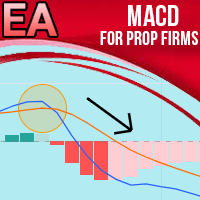
- MACD Strategy: based on the Moving Average Convergence Divergence.
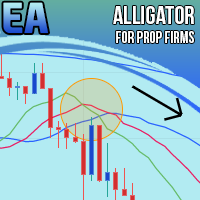
- Alligator Strategy: uses Bill Williams’ Alligator indicator.
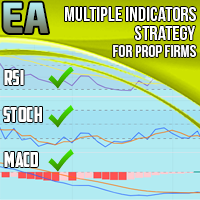
- MACD + RSI + Stochastic: combines multiple indicators to filter signals.
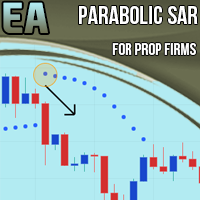
- PSAR Strategy: based on the Parabolic SAR.
- Ichimoku Strategy: based on Ichimoku Kinko Hyo.
- SuperTrend Strategy: trend-following system adapted to market volatility.
On a single FundedBridge instance, it is possible to activate one strategy at a time and customize its parameters. Each strategy can be configured with a fixed risk/reward ratio or with automatic closure on opposite signal.
FundedBridge can also be used in multi-instance mode, applying the EA to multiple charts with different Magic Numbers. This makes it possible to combine multiple presets, instruments or strategies on the same account, while keeping each configuration separate and easier to control.
To make this process simpler, FundedBridge Manager can prepare preset files already adapted for multi-instance mode, setting the required parameters and reducing the risk of manual configuration errors.
Risk and Prop Firm management
FundedBridge is built with particular attention to the typical rules of Prop Firms. The goal is not only to open trades, but to control the entire trading process: risk, drawdown, target, exposure and account status.
The system allows you to set risk per trade, control daily and total drawdown, block trading when certain limits are reached, automatically close positions when the target is reached and manage trading based on configurable times and days.
Many Prop Firms restrict trading around major economic news releases. To help you manage these windows, FundedBridge can automatically pause new entries before and after high-impact news. The currencies to monitor are identified automatically based on the symbol on the chart: simply choose your preferred window. Management of existing positions continues as usual.
These functions make it possible to have a more structured and consistent approach, especially when working with accounts that have precise rules to respect.
Multi-instance mode
FundedBridge can be used on multiple charts at the same time, configuring each instance with a different Magic Number.
This makes it possible to use multiple presets, instruments or strategies on the same account, while keeping the management of each configuration separate. This approach is useful for building larger overall targets starting from presets with smaller targets.
In Prop Firms, instead of relying entirely on a single preset with a high target, it is possible to combine multiple valid presets for smaller targets and work on the sum of the overall results.
FundedBridge Manager is very useful in this scenario, because it allows you to transform the selected presets into files already prepared for use in multi-instance mode, automatically setting the necessary parameters such as Magic Numbers, targets, risk and specific configurations for each instance.
Multi-instance mode must still be configured carefully, evaluating overall risk, total exposure and compatibility between the presets used.
FundedBridge Manager included
The purchase also includes FundedBridge Manager, a desktop app designed to simplify the practical use of FundedBridge.
FundedBridge Manager makes it easier to manage presets, configurations, accounts and Telegram setups, reducing the manual work required to prepare the files to be used on MetaTrader 5.
It is particularly useful when working in multi-instance mode, because it allows you to select multiple presets and transform them into ready-to-use configurations, setting the required parameters to run FundedBridge on multiple charts in an organized and consistent way.
To receive FundedBridge Manager, contact me after purchase through MQL5. This way I can provide you with the necessary instructions and help you understand how to use it correctly together with the EA.
- Preset management and organization.
- Guided creation of customized configurations.
- Preparation of files to load on MetaTrader 5.
- A single news filter setting applied to all exported presets.
- Support for multi-instance mode with multiple presets and multiple Magic Numbers.
- Management of optional Telegram configurations.
- Organization of accounts and setups used.
Presets and backtests
FundedBridge includes more than 30 ready-to-use presets, tested every month, and backtest reports designed to help you evaluate different configurations before using them on demo accounts, challenges or real accounts.
The presets are built by considering elements such as monthly target, drawdown, risk per trade, instrument, timeframe and historical behavior. The monthly reports help analyze the behavior of the configurations with a focus on target and drawdown, not only on final profit.
Backtests do not guarantee future results, but they are useful for comparing configurations, understanding the system’s behavior and choosing risk profiles more suitable for your approach.
Optional Telegram
FundedBridge can also be configured with Telegram to receive trading notifications and monitor the bot status remotely. Telegram integration is optional and is not required to use the EA.
Telegram can send notifications for trade openings and closures, alerts on profit targets, drawdown and operational status, daily, weekly and monthly reports, as well as remote commands to pause or reactivate the bot.
Telegram configuration can be performed manually or organized more easily through FundedBridge Manager.
Assistance and support
I am available both before and after purchase to answer questions, explain how FundedBridge works and help with understanding the main functions of the system.
Before purchase, you can contact me to clarify whether FundedBridge is suitable for your way of working, which functions it includes, how the presets work, how FundedBridge Manager is used and which technical aspects are necessary to use it correctly.
After purchase, support may include practical assistance with installing the EA on MetaTrader 5, loading presets, configuring the main parameters, optional Telegram configuration, using FundedBridge Manager and explaining the risk controls.
Assistance concerns the understanding and technical use of the software. It does not constitute financial advice, assisted investment or a guarantee of results.
Included with purchase
- FundedBridge Expert Advisor for MetaTrader 5.
- FundedBridge Manager desktop app, available by contacting me after purchase.
- Ready-to-use presets for different trading scenarios.
- Manual, tutorials and complete guide through the MQL5 blog.
- Future product updates.
- Direct assistance with configuration and technical use.
- Possibility to contact me for doubts and clarification about how the product works.
Ideal for
- Traders who want to automate risk management.
- Traders who trade challenges or funded accounts.
- Those looking for a more structured system to manage targets, drawdown and presets.
- Those who want to monitor the bot remotely through Telegram, if configured.
- Those who use multiple configurations or multiple accounts and want to organize them better.
- Those who want to combine multiple presets in multi-instance mode in a more organized way.
Important risk note
Risk warning: trading involves significant risks and can cause losses. Past performance, backtests and presets do not guarantee future results. FundedBridge is a software tool for automation and risk management, not a financial advisory service. It is the user’s responsibility to test each configuration, understand the parameters used and trade with appropriate risk management.





































Un expert advisor davvero ben progettato e professionale. nel primo mese ho iniziato due challenge, una di queste è già funded mentre l'altra ha appena superato la fase 1. ovviamente non andrà sempre così ma è un'ottima partenza! ho apprezzato molto il sito di fundedbridge che include una guida all'utilizzo e mi ha permesso di scegliere in autonomia i preset adatti a ogni fase, con statistiche dettagliate dei backtest. Ringrazio anche il team per il supporto continuo