ERV Forex Factory Economic News and Calendar

ERV Forex Factory Economic News and Calendar

ERV Forex Factory is a news calendar panel for MetaTrader 5. It shows upcoming and recent economic events on your chart, marks each release time with a vertical line, and alerts you before important news. It is a utility only: it does not open, modify, or close trades.

Features:

  • Timeline panel grouped by date, showing time, currency, event name, and impact level.
  • Filter by impact (High, Medium, Low) and by currency (All, or a single currency such as USD, EUR, GBP, JPY, and more). You can also show only the currencies of the current chart.
  • Times can be displayed in any GMT offset from GMT-12 to GMT+14, including half-hour zones, or in server time.
  • Events released at the same time are merged into one row with a "+N" counter, so the panel stays readable during busy release windows.
  • An event being released right now is highlighted with "NOW".
  • Two pre-release alerts (default 15 and 5 minutes before) and a "released" alert, with popup and sound. Each alert can be changed or disabled.
  • Dotted lines on the chart at each event time, colored by impact. Hover over a line to see the forecast and previous values.
  • ON/OFF and minimize buttons, plus a REFRESH button for manual updates.
  • The calendar is cached, so it appears immediately after a restart or a timeframe change.

How it works:
News data is downloaded from a public weekly economic calendar feed. The calendar refreshes automatically once every 24 hours. If a download fails, the panel does not retry automatically, so press REFRESH to try again. The panel does not run in the Strategy Tester.

Setup:

  1. Attach the EA to any chart.
  2. Go to Tools > Options > Expert Advisors, enable "Allow WebRequest for listed URL", and add https://nfs.faireconomy.media
  3. Set your time zone, filters, and alert options in the inputs.

Disclaimer:

ERV Forex Factory is not affiliated with Forex Factory. News data comes from a third-party feed and may be delayed or incomplete. Always verify important release times with official sources.

Recommended products
100% FREE — full version, no limitations, no registration. WHAT IT DOES - Chart markers — vertical lines for upcoming events over the next few days, color-coded by importance, with the event name in the tooltip. - Countdown panel — shows the next event, its currency/importance, and how long until the pause window begins. - Pause flag for your EAs — during the window it sets a Global Variable (default name FXEA_NEWS_PAUSE = 1). Your own EAs can read it with GlobalVariableGet and skip new entr
FREE
Trend Alignment Scanner Lite The Essential Volatility Direction Tool for MetaTrader 5 Looking for a reliable way to gauge market direction without cluttering your charts? Trend Alignment Scanner Lite delivers our core, powerful mathematical engine to your terminal for free. This version is designed for retail day-traders who want to experience the accuracy of our Volatility Direction Score (VDS) on major pairs before scaling up to institutional-grade multi-asset scanning. Pro vs. Lite Compari
FREE
Get your DuoFX indicator alerts on Telegram and Discord, with a chart screenshot, without staring at the terminal. Free, for DuoFX products only This relay forwards alerts from DuoFX indicators and tools that have the "Send to DuoFX Alert Relay" option. It does not forward alerts from other indicators or Expert Advisors. Supported today: DuoFX Divergence Scanner (version 1.3 and later and DuoFX Currency Strength Meter 1.1 and later). More DuoFX tools get the option in their next updates; the cur
FREE
Countdown Clock
Alexandre Borela
4.9 (29)
If you like this project, leave a 5 star review. This indicator draws a compact countdown clock of the time remaning for the candle to close and: It can be positioned on any corner of the chart; Multiple timeframes; You can add it to an indicator window by dragging it from the MT5 navigator. Different color when the candle has 10 seconds left to close. Customizable colors for better integration with the chart.
FREE
This indicator automatically detects harmonic price patterns on your chart, both bullish and bearish, and shows them as soon as they form, including potential patterns that are still developing. For every pattern it draws the Potential Reversal Zone (PRZ), and for completed patterns it also draws two take-profit and two stop-loss levels. Supported Patterns: Gartley, Bat, Butterfly, Crab, Deep Crab, Shark and Cypher. Each pattern can be switched on or off individually. Key Features: Completed
FREE
Candle Timer and Spread and Session  in a smart way displays the remaining time before the current bar closes and a new bar forms and also the Current Session in place. It can be used for time management and at the same time you keep an eye on Spread changes and Session Change. Real-Time Edge in Your Trading: Candle Timer & Spread Overlay – FREE for a Limited Time! Smart Display of  Candle Timer and Spread and Session in a single place Lightning-Fast Candle Countdown Timer Instant Spread Monito
FREE
Colored Candle Timer
Saeed Hatam Mahmoudi
Candle Time (MT5) The Candle Time indicator shows the remaining time for the current candle on the active chart timeframe. It adapts automatically to the chart period and updates on every tick. This is a charting utility; it does not provide trading signals and does not guarantee any profit. Main functions Display the time remaining for the current candle on any timeframe (M1 to MN). Color-coded state: green when price is above the open (up), gray when unchanged, and red when below the open (do
FREE
Multi TF Signal Dashboard
Stefan Helmut Domdey
5 (1)
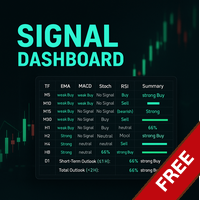
Link to the full version: https://www.mql5.com/de/market/product/138246?source=Site +Profile+Seller#description Feature enhancements or comments are always welcome!  Description: This powerful script provides traders with a comprehensive real-time signal overview across multiple timeframes using some of the most reliable technical indicators. It is designed as a clear, compact table on the chart and displays actionable insights for selected timeframes - helping traders make informed decisions ba
FREE
NEXA Breakout Velocity NEXA Breakout Velocity is an automated trading system based on channel breakout logic combined with momentum (ROC), volume filtering, and ATR-based risk management. The system is designed to detect volatility expansion phases where price breaks beyond recent ranges with increasing speed and participation. All signals are calculated on closed bars only. Only one position per symbol is maintained at a time. Strategy Overview The system combines the following components: Chan
FREE
The Margin Stress Index (MSI) was created to represent the current load on a trading account as accurately as possible. A value of 100% indicates an account with no margin usage, and the value decreases proportionally as margin is utilized. A value of 0% corresponds to a trading account under maximum margin stress. In addition, the Expert Advisor stores the highest and lowest values for margin, free margin, margin level, MSI, and equity.
FREE
This utility displays economic news directly on the chart. It shows upcoming events, the time until their release, their importance, and sends notifications. For: For traders who follow economic news For those who trade on the news For traders who want to receive timely alerts For users who need a simple and intuitive calendar right on the chart Key Features News Panel - Shows the nearest economic event on the chart Currency Filter - Displays only news for the currencies of your trading
FREE
The Candlestick Pattern
Onyekachi Franklin Agbo
1 (1)
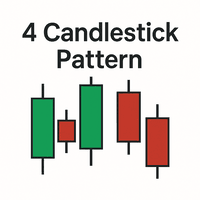
Here’s your MQL5 description for "4 Candlestick Pattern": 4 Candlestick Pattern is a powerful tool designed for MetaTrader 5 that detects reliable price action patterns based on consecutive four-candle formations. This indicator simplifies pattern recognition for both reversal and continuation signals, enhancing your technical analysis. Whether you are a beginner or professional trader, this tool helps identify critical market turning points and potential trade setups with ease. Features: Detect
FREE
This indicator allows to hide Bill Williams Fractals (on all MT5 timeframes) from a date define by the user with a vertical line (Alone) or a panel (with "Hidden Candles"). Indicator Inputs: Indicator Color Indicator Width  Information on "Fractals" indicator is available here:   https://www.metatrader4.com/en/trading-platform/help/analytics/tech_indicators/fractals ************************************************************* Hey traders!!  Give me your feeds!  We are a community here and we ha
FREE
️ FWS Storm Watch — Economic News Radar & Storm Warning System Never get blindsided by news again. Storm Watch monitors the MT5 Economic Calendar in real time, filters upcoming events by currency and impact level, calculates a weather-style severity rating, and alerts you before high-impact releases. All from a compact on-chart panel with a stunning browser-based web dashboard. Part of the Forex Weather Station suite. Uses MT5's built-in calendar. What It Shows Severity Rating — Weather-styl
FREE
Global Exchange Sessions Global Exchange Sessions is an MQL5 indicator that marks the regular trading hours of the world’s main stock exchanges directly on your chart. Each session is shown as a colored rectangle. The rectangle starts at the official market open and ends at the official market close. Its upper and lower edges follow the session high and low as new prices arrive. This makes it easy to see when major equity markets are active, where each session formed its range, and how price rea
FREE
The utility draws pivot levels based on a selection from day week month The previous candlestick of the selected timeframe is taken and the values for the levels are calculated using the following formulas: Pivot = (high + close + low) / 3 R1 = ( 2 * Pivot) - low S1 = ( 2 * Pivot) - high R2 = Pivot + (R1 -S1) R3 = high + ( 2 * (Pivot - low)) S2 = Pivot - (R1 - S1) S3 = low - ( 2 * (high - Pivot)); The style and thickness for all lines are adjusted. The colors for the R, Pivot and S lines ar
FREE
ZeroG CyberClock Pro
Pedro Matias Ambrosio
ZeroG CyberClock Pro   is not just another standard MetaTrader clock—it is a premium, beautifully crafted, cyberpunk-style desktop utility designed for the modern algorithmic and manual trader. Tired of basic, ugly text overlapping your charts? CyberClock Pro introduces a sleek, draggable Neon HUD that seamlessly blends into your trading environment without cluttering your analysis. Stay perfectly synchronized with the world’s major financial hubs thanks to its real-time Smart Session Engine.
FREE
TradeInfo MT5
Manuraj Dhanda
4.44 (16)
TradeInfo is a utility indicator which displays the most important information of the current account and position. Displayed information: Information about the current account (Balance, Equity, Free Margin). Current spread, current drawdown (DD), planned profit, expected losses, etc. Number of open position(s), volume (LOT), profit. Today’s and yesterday’s range. Remaining time to the next candle. Last day profit information. MagicNumber filter. Comment filter. Indicator parameters: ShowPro
FREE
This library returns the largest lot whose loss at your stop does not exceed the money you allow it to risk, correct for any volume step, tick size and tick value the symbol reports. I wrote it for the MQL5 developer who has pasted a lot-normalising block into every EA and can no longer say which copy is right. One import, one version, and a call that refuses rather than oversizing. WHAT IT DOES It refuses instead of oversizing: when the smallest lot the symbol accepts would risk more than your
FREE
SX Sessions
Nikolett Gorjanacz Toth
SX Sessions draws the Asia, London and New York sessions as clean boxes on your chart, with the daily open and the high and low of the previous day. The session times follow the clock changes in summer and winter by themselves, so the boxes stay in the right place all year.  What you get: - Asia, London and New York boxes from the session high to the session low, with a light fill and the session name - The running session is drawn with a dashed border and grows with the price - Asia: its size
FREE
SC MTF Rsi MT5
Krisztian Kenedi
5 (7)
Relative Strength Index (RSI) indicator with multi-timeframe support, customizable visual signals, and configurable alert system. Freelance programming services, updates, and other TrueTL products are available on my MQL5 profile . Feedback and reviews are highly appreciated! What is RSI? Relative Strength Index (RSI) is a momentum oscillator that measures the speed and magnitude of price changes. The indicator oscillates between 0 and 100, comparing the magnitude of recent gains to recent lo
FREE
SC MTF Ma for MT5 with alert
Krisztian Kenedi
4.62 (13)
Moving Average (MA) indicator with multi-timeframe support, customizable visual signals, and configurable alert system. Freelance programming services, updates, and other TrueTL products are available on my MQL5 profile . Feedback and reviews are highly appreciated! What is MA? Moving Average (MA) is one of the most widely used technical indicators in trading. It smooths out price data by calculating an average over a specified number of periods, helping traders identify the direction of a tr
FREE
Gold News HUD PRO
Philipp Josef Kaya
Gold News HUD PRO for XAUUSD Gold News HUD PRO is a professional news and economic calendar dashboard (HUD) for XAUUSD / Gold traders in MetaTrader 5. It displays gold-relevant economic news directly on the chart , evaluates their potential market relevance and helps traders identify news-related volatility risks early . ️ Important Notice: This product is a pure information tool . It does not place trades , does not generate trading signals , and does not block trading . Features & Overvie
FREE
XAUUSD 5 minute
Bridzik Technologies s. r. o.
4.45 (186)
Free EA with Real Edge? In a world of lies and shiny names, I want to give a little light—a small light in the darkness. I want to show that a real robust bot doesn't have to cost thousands, but in fact can be found in the free section. XAUUSD 5 Minute is not my best project, but it is reliable, and simple. It might not make millions, but has a real edge. No promises, no "Future-AI-never-losing system"—but a real Expert Advisor. Please read short manual before using:  Download File Trading Ap
FREE
Trading Session MT5
Kevin Schneider
3 (1)
Trading Session Indicator The Trading Session Indicator visualizes the high and low points as well as the start and end times of the Asian, London, and New York trading sessions directly on your chart. Features: Visualization of major trading sessions Highlighting of high and low points Display of start and end times for each session Customizable session times User-friendly and efficient Customizability: Each trading session (Asian, London, New York) can be individually customized to match speci
FREE
Piyo Trader US30
Noriyuki Suzuki
5 (1)
Important: In live trading, drawdowns may be significant. Please trade only with funds you can afford to lose, and avoid setting LotFactor too high (recommended: 0.1-0.2). Piyo Trader US30 is a trading robot optimized and tuned specifically for US30. It uses percentage-based Take Profit and Stop Loss levels so that it can adapt to changes in price. Since US30 tends to exhibit strong upward trends, the EA often detects trends and enters buy positions. US30 refers to the Dow Jones Industrial Av
FREE
Pin Bars MT5
Yury Emeliyanov
Main purpose:   "Pin Bars"   is designed to automatically detect pin bars on financial market charts. A pin bar is a candle with a characteristic body and a long tail, which can signal a trend reversal or correction. How it works:   The indicator analyzes each candle on the chart, determining the size of the body, tail and nose of the candle. When a pin bar corresponding to predefined parameters is detected, the indicator marks it on the chart with an up or down arrow, depending on the directi
FREE
1. The principle of UnbalanceEurUsdAud2 intelligent trading system:  The three currency hedge unbalanced arbitrage is the extension and continuation of the triangle arbitrage. As a common arbitrage method, triangle arbitrage has been used by many investors in foreign exchange trading. Triangle arbitrage is based on cross exchange rates, which is the basis of triangle arbitrage. The so-called cross exchange rate refers to the price of a non-US dollar currency expressed by another non-US dollar c
FREE
1. The principle of InequationEurUsdChf4 intelligent trading system:   The three currency hedge unbalanced arbitrage is the extension and continuation of the triangle arbitrage. As a common arbitrage method, triangle arbitrage has been used by many investors in foreign exchange trading. Triangle arbitrage is based on cross exchange rates, which is the basis of triangle arbitrage. The so-called cross exchange rate refers to the price of a non-US dollar currency expressed by another non-US dollar
FREE
1. The principle of ImbalanceEurUsdCad3 intelligent trading system:  The three currency hedge unbalanced arbitrage is the extension and continuation of the triangle arbitrage. As a common arbitrage method, triangle arbitrage has been used by many investors in foreign exchange trading. Triangle arbitrage is based on cross exchange rates, which is the basis of triangle arbitrage. The so-called cross exchange rate refers to the price of a non-US dollar currency expressed by another non-US dollar c
FREE
Buyers of this product also purchase
Trade Assistant MT5
Evgeniy Kravchenko
4.43 (216)
It helps to calculate the risk per trade, the easy installation of a new order, order management with partial closing functions, trailing stop of 7 types and other useful functions. Additional materials and instructions Installation instructions - Application instructions Line function -   shows on the chart the Opening line, Stop Loss, Take Profit. With this function it is easy to set a new order and see its additional characteristics before opening.   Risk management  - The risk calculation
Forex Trade Manager MT5
InvestSoft
4.98 (689)
Trade Manager MT5 is an advanced position size calculator and trade management tool for MetaTrader 5, designed to help traders plan trades faster, control risk more precisely, and manage open positions directly from the chart. It combines order placement, risk based lot calculation, Stop Loss and Take Profit management, Break Even, Trailing Stop, Partial Close, Equity Protection, and external trade management in one panel. Whether you trade forex, indices, metals, commodities, crypto, or future
FarmedHedge Pair Trading Dashboard
Tanapisit Tepawarapruek
5 (7)
Farmed Hedge Yield Farming | All Markets (Manual - Hybrid - Semi/Automated EA) VERIFIED TRADING RESULTS - Farmed Hedge Yield Axi Copy:  https://www.mql5.com/en/signals/2356376 - Farmed Hedge Yield Exn Copy:   https://www.mql5.com/en/signals/2356404 - Farmed Hedge Yield V Copy:  https://www.mql5.com/en/signals/2357156 IMPORTANT NOTICE: FarmedHedge is a MANUAL-FOCUSED TRADING UTILITY ,not a fully automated EA. Results shown on this Signal include manual trades and overall strategic management.
Telegram to MT5 MultiChannel Copier
Sergio Marquez Uroz
4.68 (22)
Telegram to MT5 Multi-Channel Copier   automatically copies trading signals from your Telegram and Discord channels straight to MetaTrader 5. No bots, no browser extensions, no manual copying. A signal arrives in Telegram or Discord and the EA opens the trade in your terminal within seconds. And before you copy a channel, the built-in backtester shows you what that channel would have done in your account. The product has two components: a Windows application that listens to your Telegram channel
Local Trade Copier EA MT5
Juvenille Emperor Limited
4.94 (150)
Local Trade Copier EA MT5 is a fast and flexible trade copier for copying and managing trades between multiple MetaTrader 5 accounts on the same Windows computer or Windows VPS. It combines local trade synchronization with Receiver-side controls for lot sizing, risk management, trade filtering, symbol mapping, trade management and account protection. Set up your Transmitter and Receiver terminals in about 1 minute and copy manual or EA trades between accounts at the same or different brokers. U
TradePanel MT5
Alfiya Fazylova
4.88 (173)
Trade Panel is a multi-functional trading assistant. The app contains over 50 trading functions for manual trading and allows you to automate most trading tasks. Application instructions: https://www.mql5.com/en/blogs/post/756482 Trial version of the application for a demo account: https://www.mql5.com/en/blogs/post/750865 How to install the application: https://www.mql5.com/en/blogs/post/756239 How to test the application in visual mode: https://www.mql5.com/en/blogs/post/770277 How to install
Copy Telegram signals with your own trading rules Telegram to MT5 Signal Trader automatically copies text-based trading signals from public and private Telegram channels and groups into MetaTrader 5. Manage multiple providers and MT5 accounts from one desktop app, with individual risk and trade settings for each provider . No Telegram bot or API setup needed for copying. Simply sign in with your own Telegram account by phone or QR code and select the channels or groups you have already joined. Y
EA Overfitter
Stephen J Martret
5 (4)
That backtest looks great. But will it still be making money tomorrow, next week, next month? EA Overfitter re-runs your EA on 100 price histories it has never seen. One score tells you if the edge is real. A backtest tells you what an EA did on one price history — the one that happened to occur. What you cannot tell from it is how much of that result was the strategy and how much was the particular path. EA Overfitter answers that. It builds up to 100 synthetic price histories your EA has n
Strategy Ledger Pro
Abdullah Uygar Tuna
5 (15)
Strategy Ledger Pro is a read-only account analysis panel for MetaTrader 5. It separates account results by Expert Advisor, strategy, symbol, and magic number, so you can see what each one really contributes. The panel is available in 11 languages: English, Français, Deutsch, Español, Italiano, Português, Русский, Türkçe, 中文, 日本語 and 한국어. Before you download the demo. The Market runs the demo of any paid product in the Strategy Tester only. This panel analyses the trades on your own account, and
Exp COPYLOT CLIENT for MT5
Vladislav Andruschenko
3.97 (35)
Professional Trade Copier for MetaTrader 5 Fast, professional, and reliable trade copier for MetaTrader . COPYLOT allows you to copy Forex trades between MT4 and MT5 terminals with support for Hedge and Netting accounts. COPYLOT MT5 version supports: - MT5 Hedge to MT5 Hedge - MT5 Hedge to MT5 Netting - MT5 Netting to MT5 Hedge - MT5 Netting to MT5 Netting - MT4 to MT5 Hedge - MT4 to MT5 Netting MT4 version Full Description +DEMO +PDF How To Buy How To Install How to get Log Files H
The product will copy all telegram signal to MT5 ( which you are member) , also it can work as remote copier.  Easy to set up, copy order instant, can work with almost signal formats, image signal,  s upport to translate other language to English Work with all type of channel or group, even channel have "Restrict Saving Content", work with  multi channel, multi MT5 Work as remote copier: with signal have ticket number, it will copy exactly via ticket number. Support to backtest signal. How to s
News Trade EA MT5
Konstantin Kulikov
4.55 (11)
Present to you the useful robot that I have been using for several years. It can be used in both semi-automatic mode and fully automatic mode. >>> Chat <<< The program contains flexible settings for trading on the news of the economic calendar. It cannot be checked in the strategy tester. Only real work. Download the latest archive of settings: https://www.mql5.com/en/blogs/post/747929 Signals monitoring: https://www.mql5.com/en/signals/author/test-standart When creating your own sets of setti
================================================================================ POC BREAKOUT - V20.72. Full Professional Grade Toolkit ================================================================================ POC Breakout is a full MetaTrader 5 trading dashboard for discretionary traders who want breakout signals, Point of Control (POC) context, volume profiles, order flow, market structure, news, alerts, and advanced trade planning in one professional workspace. Attached directly to you
Welcome to Entry In The Zone with SMC Multi Timeframe  —  COMPLETE SMC ANALYSIS SYSTEM — ALL IN ONE INDICATOR  Entry In The Zone with SMC Multi Timeframe  An indicator designed for market analysis based on Smart Money Concepts (SMC), displaying Market Structure, Key Zones (Order Blocks, Supply & Demand Zones, and Fair Value Gaps), Liquidity, and real-time BUY / SELL signals. It supports both Single-Timeframe and Multi-Timeframe analysis, along with the Confluence at Zone feature, which helps you
EA Auditor
Stephen J Martret
5 (7)
EA Auditor is an independent analysis tool for traders evaluating Expert Advisors and trading signals on MetaTrader 5. It audits backtest reports, reviews posted developer signals, and cross-verifies the two against each other to help traders assess strategies before committing capital. The MQL5 market offers a wide range of Expert Advisors from many developers, with varying approaches, quality, and transparency. EA Auditor provides a consistent, data-driven framework for reviewing them, answer
Telegram To MT5 Ultra
Mirel Daniel Gheonu
5 (5)
Telegram To MT5 — Signal Copier Turn the trading calls from your Telegram channels into real MT5 orders — automatically, on as many accounts as you like, with risk and rules fully under your control. Telegram To MT5 connects the VIP / signal channels you already follow on Telegram to your MetaTrader 5 terminal. A free companion desktop app reads the messages (even from channels that block bots), and this Expert Advisor executes them on your account — applying your own risk settings, symbol mappi
Telegram to MT5 Coppy
Sergey Batudayev
5 (10)
Telegram to MT5: The Ultimate Signal Copying Solution Simplify your trading with Telegram to MT5, the modern tool that copies trading signals directly from Telegram channels and chats to your MetaTrader 5 platform, without the need for DLLs. This powerful solution ensures precise signal execution, extensive customization options, saves time, and boosts your efficiency. [ Instructions and DEMO ] [ FAQ ] [ How atach logs properly ] [ Settings descrition ] Key Features Direct Telegram API Integrati
AW Shepherd Safety MT5
AW Trading Software Limited
5 (5)
AW Shepherd Safety EA is an Expert Advisor for managing open positions. The trader opens the first order from the panel, and from there the EA runs the basket on its own: it adds recovery orders with a trend filter, closes a side on TakeProfit, trailing or stop, and shows the close levels on the chart. Buys and sells are managed separately, and both sides can be open at the same time. A recovery order opens not just on a price step but once Parabolic SAR, two MAs or candle color show a reversal
HINN MagicEntry Extra
ALGOFLOW OÜ
4.74 (19)
HINN MAGIC ENTRY – the ultimate tool for entry and position management! SIMPLE. FASTEST. INTUITIVE. MAX AUTOMATED. Place orders by selecting a level directly on the chart! full description   ::  demo-version  :: 60-sec-video-description Key features: - Market, limit, and pending orders - Automatic lot size calculation - Automatic spread and commission accounting - Unlimited partitial take-profits  - Breakeven and trailing stop-loss and take-profit  functions - Invalidation leves - Intuitive, a
News Filter EA
Rashed Samir
5 (2)
News Filter EA: Advanced Algo Trading Assistant News Filter EA is an advanced algo trading assistant designed to enhance your trading experience. By using the News Filter EA , you can integrate a Forex economic news filter into your existing expert advisor, even if you do not have access to its source code. In addition to the news filter, you can also specify trading days and hours for your expert. The News Filter EA also includes risk management  and equity protection features. MT4 Version Ma
MT5 to Telegram Signal Provider turns your trading account into a signal provider. Every trade action, whether manual, by EA or from your phone, is instantly sent as a message to Telegram. You can fully customize the format or use a ready-made template for quick setup. [ Demo ] [ Manual ] [ MT4 Version ] [ Discord Version ]     New: [ Telegram To MT5 ] Setup A step by step user guide is available. Key Features Ability to customize order details sent to subscribers You can create a tiered subs
RETAILBERG FOOTPRINT CHART PRO — Order-Flow Workspace for MetaTrader 5 Version 7.00  |  Professional System  |  31 tools  |  One chart A full 150-page illustrated User Manual is included. Please read the full manual to understand this feature packed footprint chart elements and ui. https://www.mql5.com/en/blogs/post/777982 DEMO / STRATEGY TESTER — PLEASE READ FIRST
Timeless Charts
Samuel Manoel De Souza
5 (9)
Timeless Charts is an all-in-one trading utility for professional traders. It combines custom chart types such as Seconds Charts and Renko with advanced order flow analysis using Footprints , Clusters , Volume Profiles , VWAP studies, and anchored analysis tools for deeper market insight. Trading and position management are handled directly from the chart through an integrated trade management panel , while Market Replay and Virtual Accounts provide environments for practicing trading skills and
VirtualTradePad PRO SE MT5 — professional trading control center for MetaTrader 5 VirtualTradePad PRO SE is a premium chart-based trading panel and trade-management workspace for MetaTrader 5 . It is designed for traders who want faster execution, clearer position control, structured trade management, visual level planning and a professional workflow directly from the chart. This is not only a BUY / SELL panel. PRO SE combines manual trading, pending orders, position management, partial exits, b
Trader Evolution
Siarhei Vashchylka
5 (7)
" Trader Evolution " - A utility designed for traders who use wave and technical analysis in their work. One tab of the utility is capable of money management and opening orders, and the other can help in making Elliott wave and technical analysis. Manual (Be sure to read before purchasing) | Version for MT4 Advantages 1. Trading in a few clicks. Immediate and pending orders are available in the panel 2. Money management. The program automatically selects the appropriate lot size 3. Simplifies
Trade copier MT5
Alfiya Fazylova
4.61 (57)
Trade Copier is a professional utility designed to copy and synchronize trades between trading accounts. Copying occurs from the account / terminal of the supplier to the account / terminal of the recipient, which are installed on the same computer or VPS . Before buying, you can test the demo version on a demo account. Demo version here . Full instruction here . Main functionality and benefits: Supports copying MT5> MT5, MT4> MT5, MT5> MT4, including MT5 netting accounts. * Supports copying Dem
AW Trade Manager
AW Trading Software Limited
AW Trade Manager is a trade panel for MetaTrader 5 with a risk/reward tool on the chart. A trade is planned with Entry, Stop Loss and Take Profit lines dragged with the mouse: plates show price, distance and money, zones show profit and loss, and the volume is calculated from the risk. Before sending, the confirmation window shows the whole trade with risk, margin and the rules of the position. Manual and instruction -> HERE / Free LIVE Demo -> HERE To manage a position after the entry the panel
VirtualTradePad One Click Trading Panel
Vladislav Andruschenko
4.59 (74)
Trading Panel for MetaTrader 5 — professional one-click trading from chart and keyboard A powerful trading panel for active manual trading, designed to open, manage, and close trades far faster and more efficiently than the standard MetaTrader interface. This panel is built for traders who want full control over positions, pending orders, profit management, and trading execution inside one professional workspace. This is not just another utility. It is a complete trading cockpit for MetaTrader
On-Chart Trade Assistant & Risk Management Panel Ergotick Trade Manager gives you a complete set of trading tools directly on your MetaTrader 5 chart: a trade panel with lot size calculator, visual R:R tool, and daily loss limit protection; a separate statistics panel that tracks your performance and past trades; and an economic calendar you can toggle with one click. Built for scalpers, day traders, and prop firm traders. Ergotick Trade Manager is fast , light on resources , and stable , so it
RS Trade Copier - the ultra-fast local trade copier with a real graphical interface. Stop typing account numbers manually. No more 200+ cryptic inputs. A reliable and flexible tool for copying trading operations between multiple MT5 and MT4 terminals. It suits experienced traders, signal providers, and individual investors. It enables trade synchronization from one or multiple Providers to one or multiple Clients with high precision and minimal latency. It supports simple automatic configuration
More from author
ERV FIBO – Auto & Manual Fibonacci Retracement ERV FIBO is a Fibonacci retracement indicator for MetaTrader 5. It draws the Fibonacci levels automatically between the extreme high and extreme low of recent bars, or lets you place them manually. How it works The indicator scans the last 75 bars (adjustable) for the extreme high and extreme low, then draws a Fibonacci retracement across that range. In Auto mode , the drawing updates on every new bar. In Manual mode , you can drag the Fibo yourself
FREE
ERV Trend Meter is a multi-timeframe trend and strength dashboard for MetaTrader 5. It shows the trend direction and strength of the current symbol across eight timeframes (M1 to D1) in one compact panel on your chart. What it shows Trend direction (Up, Down, Sideways) and strength for each timeframe Trend duration in DD : HH : MM, so you can see how long the current move has been running Overall weighted score and badge, where higher timeframes carry more weight UP / DOWN / SIDEWAYS counters an
FREE
Erv Smart Scalp
Ervin Wahyu Hermawan
ERV SMART SCALP v15.79 Smart Zone-Based Multi-Layer Trading System for MetaTrader 5 ERV SMART SCALP is an integrated trading system designed to combine SMARTZONE analysis, multi-layer trading management, Fibonacci-based price levels, market structure visualization, and an economic news calendar. The EA provides a customizable trading environment with flexible order management and an interactive chart panel, allowing traders to manage their trading activities according to their own strategies. KE
ERV Candle Time shows a live countdown to the close of the current candle, right on your chart. See exactly how much time is left before the candle closes, without watching the clock. Key features: Live countdown for the current candle, updated every 200 ms Time format HH : MM : SS for H1 and higher, MM : SS for lower timeframes, with the timeframe name shown Two position modes: next to the last candle on the Bid/Ask line, or at a fixed X/Y position on the chart Optional background box with fill
FREE
ERV SMARTZONE is an MT5 indicator that maps supply and demand zones based on RBR, DBD, RBD, and DBR patterns. It also shows market structure, Fibonacci levels, and BOS/CHoCH, all controlled from a button panel on the chart. Key features: RBR and DBD zones (trend continuation), plus RBD and DBR zones (reversal) Two detection modes, BASE first or PIVOT first, switchable from the panel Two display modes: TRADE (zones worth trading) and PATTERN (all detected patterns) SNR zones with zone merging, fr
ERV TRADE PANEL Trade Smarter, Manage Better. ERV Trade Panel is an advanced trading management Expert Advisor for MetaTrader 5, designed to make order placement, trade planning, and risk management more convenient and efficient. With an interactive on-chart trading panel, traders can configure entry prices, Stop Loss, Take Profit, Risk-to-Reward ratios, and multiple take-profit targets directly from the chart. Whether you prefer market execution or pending limit orders, ERV Trade Panel gives yo
Filter:
No reviews
Reply to review