AurumEdge Risk Guard MT4

  • Utilities
  • Anthony Nwabueze Onyenweaku
    Anthony Nwabueze Onyenweaku
    • Executive Director at  Amchery Season One Ltd
    • Nigeria
    • 1313
    I’m Tony, founder of AurumEdge Tech. I build Expert Advisors and indicators for MetaTrader 5 in MQL5, focusing on gold (XAUUSD), forex and indices (US30, NAS100, GER40).
    What I do:
    • Custom EAs from your strategy rules: breakout, trend, session-based, grid-free risk-managed systems
  • Version: 1.0

AurumEdge Risk Guard MT4 is a free position-size calculator that sits on your chart.


HOW IT WORKS

Two dashed lines appear on the chart: a red stop-loss line and a green take-profit line. Drag the red line to where you would place your stop. The panel instantly shows:

- the lot size for your chosen risk (type the risk % directly into the panel)

- the money at risk, and the actual % after rounding to your broker's lot step

- BUY or SELL, worked out from the side of price your stop is on

- reward:risk and the profit at the take-profit line

- the margin required and the current spread


SAFE BY DESIGN

- The lot size is always rounded down, so you never risk more than you set.

- If even the minimum lot would risk more than your setting, the panel warns you.

- It only calculates: it never opens, closes or changes trades.


SETTINGS

- Risk per trade (%), based on balance or equity

- Optional fixed risk in your account currency

- Starting stop distance (ATR-based) and starting reward:risk

- Take-profit line on/off, line colours

- Panel position and font size (the panel adjusts to Windows display scaling)


Works on any symbol: forex, gold, indices and more. The lines are kept when you change timeframe, and the "Reset lines" button puts them back near the current price.


ABOUT AURUMEDGE TECH

We build MetaTrader tools and Expert Advisors with clear rules and visible risk controls.


Also available for MetaTrader 5: search "AurumEdge Risk Guard" on the Market.


Recommended products
True Risk MT4
Oleksii Lishchenko
Your lot may risk more than the percent you set. True Risk shows the real risk of your next trade before you open it. The problem Brokers round every lot down to a step and never go below the minimum lot. On a small account the minimum lot alone can be many times your plan. With 300 dollars and a gold stop 25 dollars away, 0.01 lot already risks 25 dollars, which is 8.3 percent and not the 1 percent you set. The spread and the commission are part of the loss as well. Most calculators show the lo

FREE
Profitstat free
Tonny Obare
4 (2)
Profitstat is a free indicator that scans your history and displays it on the chart. The free version shows the number of trades and profit made on the current and previous day. The data is updated instantly as soon as a trade closes. Simply attach it to any chart and it gives the account data irrespective of the chart currency nor timeframe.
FREE
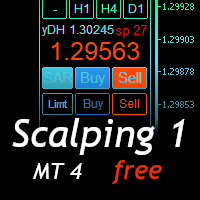
Scalping Day Trading Support Utility Scalping One MT4 free One position is displayed with one button. View P & L, Lot, and Point in real time. It is possible to switch the display of positions of only chart currencies and all currency pairs.  (The free version has only 3 positions) Supports automatic identification in Japanese and English   Account currency notation corresponds to dollar, euro, pound, yen (automatic identification) The timeline drawing function can be linked with the clock disp
FREE
IceFX TradeInfo
Norbert Mereg
4.77 (44)
IceFX’s TradeInfo is an utility indicator which displays the most important information of the current account and position. Displayed information: Information about the current account (Balance, Equity, Free Margin). Current spread, current drawdown (DD), planned profit, expected losses, etc. Number of open position(s), volume (LOT), profit. Today’s and yesterday’s range. Remaining time to the next candle. Last day profit information (with integrated IceFX ProfitInfo indicator). Risk-based LOT
FREE
Trade Panel Pro by RunwiseFX
Runwise Limited
4.86 (36)
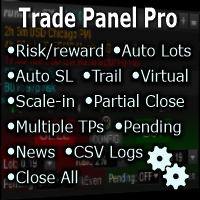
Fully functional manual trade panel with risk/reward, auto SL, lot size calculation, one-click trading, hidden (virtual) stop loss/take profit and pending orders, scale in and out of trades (partial close), news events and more. Works with all symbols not just currency pairs. Brings an incredible amount of functionality to MetaTrader for free and for both demo and live accounts. Features Lot size calculation - based on % of account to risk, fixed amount or dynamic lots Automatic take profit base
FREE
Show Pips
Roman Podpora
4.27 (59)
This information indicator will be useful for those who always want to be aware of the current situation on the account. The indicator displays data such as profit in points, percentage and currency, as well as the spread for the current pair and the time until the bar closes on the current timeframe. VERSION MT5 - More useful indicators There are several options for placing the information line on the chart: 1. To the right of the price (runs behind the price); 2. As a comment (in the upper
FREE
Account Info EA It is a tool that presents on the graph all the positions of the account, and specific information concerning the positions, but also the account. It enables the user to have an image of his account at a glance. Use like any expert advisor. You can't attach it in the same chart with other expert advisor. It does not have the ability to open or manage positions. You can attach it on any chart and any timeframe.
FREE
NAS100 Auto Sl And TP
Moustapha Boulouz
5 (2)
Introducing NAS100 Auto SL and TP Maker for MT4: Never miss setting StopLoss and TakeProfit again with our NAS100 Auto SL and TP Maker, an indispensable assistant for traders navigating the Nasdaq 100 market on MetaTrader 4. This tool is designed for those who seek a seamless solution to automate the management of StopLoss and TakeProfit levels. Key Features: Effortless Automation: Automatically monitors Nasdaq 100 trades without StopLoss and/or TakeProfit. Dynamically adjusts levels based on us
FREE
MQLTA Auto Close Demo
MQL4 Trading Automation
Auto Close is an expert advisor that can assist you with your money and risk management rules. The EA can monitor your Balance, Equity, Margin, Global Profit and Global Loss and alert you in case any of these reaches a specified threshold. This Demo Version has Notification and Close features disabled, full version can be found https://www.mql5.com/en/market/product/29141 How does it work? Load the Auto Close EA in the chart and set the parameters you want to keep monitored. If any of the risk
FREE
PZ Trade Pad EA
PZ TRADING SLU
4.29 (31)
This simple visual expert advisor allows you to trade easily from the chart. It handles risk management for you and can perform several useful tasks with your existing trades, saving time and making risk-management for each individual trade easier.  [ Installation Guide | Update Guide | Troubleshooting | FAQ | All Products   |  Get Help ] Trade easily from the chart Trade with precise risk management, hassle free Trade pending order with drag and drop price selection Set SL and TP levels with
FREE
Activation initiates the sequence from the initial symbol in the Market Watch roster, forming a perpetual loop that continues until deactivation. The system employs global terminal variables to sustain operational continuity amid symbol-induced reinitializations, thereby ensuring uninterrupted performance. This EA should not be checked off as 'Allowed live Trading' and is functional with that checkmark box, when uploading the EA. Principal advantages encompass augmented productivity in overseein
FREE
Pin Bars
Yury Emeliyanov
4.83 (6)
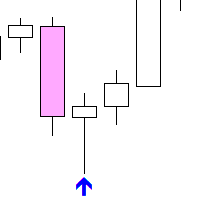
Main purpose: "Pin Bars" is designed to automatically detect pin bars on financial market charts. A pin bar is a candle with a characteristic body and a long tail, which can signal a trend reversal or correction. How it works: The indicator analyzes each candle on the chart, determining the size of the body, tail and nose of the candle. When a pin bar corresponding to predefined parameters is detected, the indicator marks it on the chart with an up or down arrow, depending on the direction of
FREE
This indicator alerts you when/before new 1 or 5 minute bar candle formed. In other words,this indicator alerts you every 1/5 minutes. This indicator is especially useful for traders who trade when new bars formed. *This indicator don't work propery in strategy tester.Use this in live trading to check functionality. There is more powerful Pro version .In Pro version,you can choose more timeframe and so on. Input Parameters Alert_Or_Sound =Sound ----- Choose alert or sound or both to notify y
FREE
Free. Set your risk, click Buy or Sell, done. TrueRisk Trade Panel works out the lot size for you. Type how much of your account you want to risk (for example 1%), set the stop loss in points or drag it on the chart, and the BUY and SELL buttons already show the right lot. No lot calculator, no guessing, no trade that risks ten times more than you meant. TrueRisk Account Dashboard MT4 (free) | TrueRisk Symbol Changer MT4 (free) | MT5 version | All TrueRisk tools NEW (free): a picture of every tr
FREE
Lot Calculate
Maksim Neimerik
This simple but useful script calculates the lot in % of the deposit. It is indispensable for risk management. There is only one customizable parameter: MaxRisk - risk in % for lot calculation. The product works as a standard script. Launch it once on an appropriate chart and start trading using the calculated lot value. Genious is simplicity! Happy trading!
FREE
Neonplox Trade Manager
Mr Roberto Carlos Ferreira Silva
n3oNpLoX Trade Manager Market Order. Stop Order. Limit Order. To help you Place trades based on the amount of Money in Dollars you want to risk. As it will show in the screenshots you can calculate the right Lot size for the money you want to risk. Calculates Lot Size based on the distance between Stop Loss and Entry Point. 5 Options for TP - (1RR,2RR,3RR,4RR,5RR) It will help you manage your risk and Place trades with the correct Lot Size. So you will not over expose yourself and your money
FREE
Countdown Bar Timer
Makarii Gubaydullin
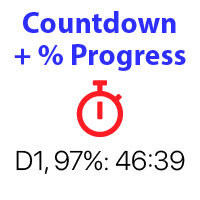
Countdown timer till the bar closure, + % Progress status:  #1 multifunctional utility :   66+ features, including this tool  |   Contact me  if you have any questions   |    MT5 version In the settings of the indicator, you can configure: Timeframe for Calulculation; true / false: Higher TimeFrame option (next from the currently used: M15->M30, H4->D1...) Position: 1 = Bottom Left corner; 2 = Bottom Right corner; 3 = Top Left corner; 4 = Top Right corner; Font Size; Color; Font Style;
FREE
Symbol Cycler is a lightweight on-chart utility that lets you quickly switch between symbols in your Market Watch list using two simple arrow buttons (). With a single click, you can scroll forward or backward through your predefined symbols without leaving the chart. Key Features: One-click symbol switching from the chart Works with your Market Watch list order Buttons can be placed in any chart corner or even the center Timeframe remains locked while switching symbols Clean, responsive UI
FREE
R 2EMA Color
Rwy Ksyby
5 (2)
The R 2EMA Color indicator for MT4 provides solid trading signals based on the crossover of 2 EMA’s. Key Points When price crosses and closes above the two green EMA’s, it creates a buy trade signal. When price crosses and closes above the two red EMA’s, it creates a sell trade signal. The R 2EMA Color Forex indicator makes it even more easy to determine when it’s time to buy and sell A buy signal occurs when the 2 EMA lines turn green . A sell signal occurs when the 2 EMA lines turn red . How
FREE
Trendline indicator
David Muriithi
2 (1)
Are you tired of drawing trendlines every time you're analyzing charts? Or perhaps you would like more consistency in your technical analysis. Then this is for you. This indicator will draw trend lines automatically when dropped on a chart. How it works Works similar to standard deviation channel found on mt4 and mt5. It has 2 parameters: 1. Starting Bar 2. Number of bars for calculation The   starting bar   is the bar which drawing of the trend lines will begin, while the   number of bars for c
FREE
Rainbow MT4
Jamal El Alama
Rainbow MT4 is a technical indicator based on Moving average with period 34 and very easy to use. When price crosses above MA and MA changes color to green, it’s a signal to buy. When price crosses below MA and MA changes color to red, it’s a signal to sell. The Expert advisor ( Rainbow EA MT4) based on Rainbow MT4 indicator, as you can see in the short video below is now available here .
FREE
SL and TP Setter
Giacomo Barone
4 (1)
You can manually open a trade (one click), and this EA will take care of setting the SL and TP. SL and TP are set based on the number of pips you specify in the input screen. You can also choose monetary SL and TP. SL and TP are determined based on the weighted average price (WAP), so if you open a new trade, SL and TP will be updated according to the new WAP. The WAP is not unique but differentiated between buy and sell trades (this is useful only if you open opposite trades on the same chart)
FREE
️ This is a FREE version of the tool. Developed by a practicing trader with 12 years of live trading experience (verified tax records, 51 Finam certificates). Looking for professional trading solutions (Volume Profile, SMC, Risk Manager)? Author's full lineup of PRO indicators: https://www.mql5.com/en/users/musa1994/seller Official website and portfolio: https://developer-mql4-mql5.netlify.app/ SpreadMonitor is a professional indicator for MetaTrader 4 that color-codes candlesticks based
FREE
InnovaDash Smart Sync is the official data connector designed to bridge your MetaTrader terminal directly to your InnovaDash Analytics dashboard. Built for professional traders, this lightweight utility runs silently in the background, automatically pushing your live equity updates, open positions, and historical trading data to InnovaDash. Why InnovaDash? InnovaDash is a premium, cloud-based quantitative analytics suite that transforms your raw trade data into actionable insights to improve
FREE
Period Change Button
Rainer Albrecht
3 (1)
Fastest way to change the period. Suitable for traders who use many charts and timeframes. Size, shape and color can be customized. Inputs Parameters Corner — Choose corner placement Standart is "Right lower chart corner" Color — Background color of the button ColorText — Text color of the button ColorOn — Background color of the button for the current period ColorOnText — Text color of the button for the current period Font — Arial, Verdana... FontSize — Size of the font in pixels DistanceX —
FREE
Levels and risk calculator for the Antimartingale (or Antimartingala) technique Totally visual, setup everything from control panel Decide your risk and margin, it will calculate and show trading lavels on the chart Free version of the orginal Antimartingale EA:  https://www.mql5.com/en/market/product/53653 Public Signals using the Antimartingale's technique: https://www.mql5.com/en/signals/1016250 https://www.mql5.com/en/signals/1018964 This EA does not open trades, it only shows the trading le
FREE
Perfect for one minutes high trading and scalping. This indicator is very effective for trading on one minutes, in the hour. A combination of moving averages and STOCHASTICS calculation to produce a very convincing signal every hour. Blue colour signals a buy opportunity. Follow the X signs for possible buy points. The Blue average line serves as possible trend direction and support. Red colour signals a sell opportunity. Follow the X signs for possible sell points. The Red average line serves a
FREE
PZ Penta O MT4
PZ TRADING SLU
2.33 (3)
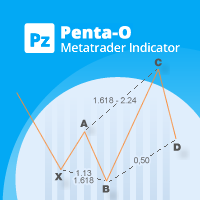
The Penta-O is a 6-point retracement harmonacci pattern which usually precedes big market movements. Penta-O patterns can expand and repaint quite a bit. To make things easier this indicator implements a twist: it waits for a donchian breakout in the right direction before signaling the trade. The end result is an otherwise repainting indicator with a very reliable trading signal. The donchian breakout period is entered as an input. [ Installation Guide | Update Guide | Troubleshooting | FAQ | A
FREE
Master the market rhythm with the Advanced Market Sessions indicator. Timing is everything in trading. Knowing exactly when major financial centers open and close is the key to understanding market volatility, liquidity, and directional bias. This indicator gives you crystal-clear visibility into the three major trading sessions: Asia, London, and New York. By automatically mapping the exact High and Low of each session in real-time, this tool empowers you to trade with true institutional contex
FREE
Daily Sacrifice Pro
Jesse Frank Cornelson
3 (1)
This is an expanded version of my Daily Sacrifice EA that closes old losing trades at the expense of a portion of your profits. This helps to slowly work away drawdown and accelerate the closure of martingale grids *** Pro Features *** Include/Exclude symbols.   These fields are empty by default, but if populated allow you to include only specific symbols or alternatively exclude specific symbols Execute on an hourly interval.   Allows the EA to be ran every so many hours rather than on a fixed
FREE
Buyers of this product also purchase
Forex Trade Manager MT4
InvestSoft
4.98 (447)
Trade Manager MT4 is an advanced position size calculator and trade management tool for MetaTrader 4, designed to help traders plan trades faster, control risk more precisely, and manage open positions directly from the chart. It combines order placement, risk based lot calculation, Stop Loss and Take Profit management, Break Even, Trailing Stop, Partial Close, Equity Protection, and external trade management in one panel. Whether you trade forex, indices, metals, commodities, or crypto, Trade M
Exp COPYLOT CLIENT for MT4
Vladislav Andruschenko
4.69 (65)
Professional Trade Copier for MetaTrader 4 Fast, professional, and reliable trade copier for MetaTrader 4 . COPYLOT helps you copy Forex trades between MetaTrader 4 and MetaTrader 5 terminals with flexible synchronization for different account setups. COPYLOT MT4 version supports: MetaTrader 4 to MetaTrader 4 MetaTrader 5 Hedge to MetaTrader 4 MetaTrader 5 Netting to MetaTrader 4   MT5 version Full Description + DEMO + PDF How To Buy How To Install How to get Log Files How To Test and Optimize A
Trade Assistant MT4
Evgeniy Kravchenko
4.43 (197)
It helps to calculate the risk per trade, the easy installation of a new order, order management with partial closing functions, trailing stop of 7 types and other useful functions. Additional materials and instructions Installation instructions   -   Application instructions   Line function -   shows on the chart the Opening line, Stop Loss, Take Profit. With this function it is easy to set a new order and see its additional characteristics before opening.   Risk management  - The risk calcu
Local Trade Copier EA MT4
Juvenille Emperor Limited
4.96 (111)
Local Trade Copier EA MT4 is a fast and flexible trade copier for copying and managing trades between multiple MetaTrader 4 accounts on the same Windows computer or Windows VPS. It combines local trade synchronization with Receiver-side controls for lot sizing, risk management, trade filtering, symbol mapping, trade management and account protection. Set up your Transmitter and Receiver terminals in about 1 minute and copy manual or EA trades between accounts at the same or different brokers. U
The product will copy all telegram signal to MT4   ( which you are member  ) , also it can work as remote copier.  Easy to set up, copy order instant, can work with almost signal formats, image signal, s upport to translate other language to English Work with all type of channel or group, even channel have "Restrict Saving Content", work with  multi channel, multi MT5 Work as remote copier: with signal have ticket number, it will copy exactly via ticket number. Support to backtest signal. How to
News Filter EA MT4
Rashed Samir
5 (10)
News Filter EA: Advanced Algo Trading Assistant News Filter EA is an advanced algo trading assistant designed to enhance your trading experience. By using the   News Filter EA , you can integrate a Forex economic news filter into your existing expert advisor, even if you do not have access to its source code. In addition to the news filter, you can also specify   trading days   and   hours   for your expert. The News Filter EA also includes   risk management   and   equity protection   features
TradePanel MT4
Alfiya Fazylova
4.84 (95)
Trade Panel is a multi-functional trading assistant. The app contains over 50 trading functions for manual trading and allows you to automate most trading tasks. Application instructions: https://www.mql5.com/en/blogs/post/756482 Trial version of the application for a demo account: https://www.mql5.com/en/blogs/post/750865 How to install the application: https://www.mql5.com/en/blogs/post/756239 How to test the application in visual mode: https://www.mql5.com/en/blogs/post/770277 How to install
Telegram to MT4 Coppy
Sergey Batudayev
4.09 (11)
Telegram to MT4: The Ultimate Signal Copying Solution Streamline your trading with Telegram to MT4 , the cutting-edge utility designed to copy trading signals directly from Telegram channels and chats to your MetaTrader 4 platform—without the need for DLLs. This robust solution ensures seamless execution of signals with unparalleled precision and customization options, saving you time and boosting your efficiency. [ Instructions and DEMO ] [ FAQ ] [ How atach logs properly ] [Settings descrition
Copy Cat More Trade Copier MT4 is not just a simple local trade copier; it is a complete risk management and execution framework designed for today’s trading challenges. From prop firm challenges to personal portfolio management, it adapts to every situation with its blend of robust execution, capital protection, flexible configuration, and advanced trade handling. Need Support? How to setup? Has questions? Ask here in your language , fast reply: https://www.mql5.com/en/market/product/139089/co
CloseIfProfitorLoss with Trailing
Vladislav Andruschenko
4.88 (32)
Close If Profit or Loss with Trailing for MetaTrader 4 — automatic closing by total profit or loss A reliable trade-management utility for MetaTrader 4 that automatically closes positions when the total profit or total loss reaches the level you set. The Expert Advisor monitors open trades, calculates floating profit and loss, can trail profit, and helps close positions faster than manual reaction. MetaTrader 4 is still used by many manual traders, grid traders, scalpers, and Expert Advisor use
Trade copier MT4
Alfiya Fazylova
4.62 (37)
Trade Copier is a professional utility designed to copy and synchronize trades between trading accounts. Copying occurs from the account / terminal of the supplier to the account / terminal of the recipient, which are installed on the same computer or VPS . Before buying, you can test the demo version on a demo account. Demo version here . Full instruction here . Main functionality and benefits: Supports copying MT4> MT4, MT4> MT5, MT5> MT4, including MT5 netting accounts. * Supports copying Dem
DoIt Trade Manager - Risk Panel and EA Position Manager for MT4 Finding an entry is only half the job. Many execution mistakes happen in position sizing, partial exits, breakeven, trailing and account protection. DoIt Trade Manager puts the complete workflow on the chart. Plan the risk before entry, execute the order and apply consistent management rules to your manual trades and selected positions opened by other EAs. Full setup guide + how the free version works and where PRO starts :  https:/
Trade Indicator Assistant is a powerful MT4 utility designed to turn indicators into automated trading systems. Its main feature is the ability to automatically detect an indicator’s   BUY and SELL signal buffers , without requiring you to know the buffer numbers, search through indicator settings, or modify the indicator source code. Bonus Indicator: After purchasing Trade Indicator Assistant, contact me to receive Trade Signal Pro completely free as a bonus indicator. [Download Demo Version]
PZ Trade Pad Pro MT4
PZ TRADING SLU
3.67 (3)
Effortlessly calculate lot sizes and manage trades to save time and avoid costly errors The Trade Pad Pro EA is a tool for the Metatrader Platform that aims to help traders manage their trades more efficiently and effectively. It has a user-friendly visual interface that allows users to easily place and manage an unlimited number of trades, helping to avoid human errors and enhance their trading activity. [ Installation Guide | Update Guide | Troubleshooting | FAQ | All Products ] One of the k
The program is use to copy trading from MT4   to MT4 and MT5  on same Windows   PC or VPS .   Now you can easy copy trades to any MT4 account or MT5 account. Instants copy, speed smaller 0.1 seconds, easy to setup. Need run EA as Signal provider on one MT4 account, other MT4 / MT5 will run EA as Trade copier. You can download and try demo version on demo account Copi Trade MT4 demo   version   here   Copi Trade MT5 demo   version  here  
DMI Drawdown Watcher: Track your Drawdowns in Real Time 100% free, functional and without limitations! The DMI Drawdown Watcher is an essential tool for traders, designed to monitor your drawdowns in real time. Ideal for optimizing your risk management, this indicator tracks your current and maximum losses, helping you meet the strict criteria of prop firms and protect your capital. Key Features: Max DrawDown Value Alert: Triggers an alert when the maximum drawdown threshold is reached. (Def
This is the simplest Lot Multiplier to manage trades open by signal, expert or manually.   How The Program Works: When a new trade is open in the terminal from any source (advisor, manually, signal), the program opens an additional trade (duplicates / copies the source with the specified parameters) in the same terminal and controls it as per source, when the source trade parameters (SL, TP) change, the program will automatically change the parameters of additional trade as well, when closing th
Az OrderGun
Jose Antonio Valle Magana
AZ_OrderGun MT4 - Professional 1-Click Trading Panel AZ_OrderGun is the all-in-one panel to execute and manage your trades without wasting time setting up SL/TP. KEY FEATURES: 1. 4 INSTANT ENTRIES: Buy SLL - Buy with SL on Low of previous candle Sell SLH - Sell with SL on High of previous candle Buy SLO / Sell SLO - SL on Open of previous candle > Fully configurable % Risk 2. ADVANCED VISUAL MANAGEMENT: Draggable lines for Pending and Market orders Auto calculation of Lot Size, $ Ri
Trade Manager Pro MT4
Bryan Djoufack Nguessong
This is an Utility to make your trading easier by putting at   one click or a few clicks   time-consuming tasks as order management and risk management. Contact for a free trial. Features Risk Management   Calculates automatically lots based on risk specified in either   % or $  in the risk field and let you enter just   by placing lines for SL TP   etc and display   real-time Risk Reward . TrueRisk   so   it includes commissions when calculating lot size on FX pairs only so you risk 1% with
Trading History MT4
Siarhei Vashchylka
5 (9)
Trading History - A program for trading and money management on the history of quotes in stratagy tester. It can work with pending and immediate orders, and is equipped with trailing stop, breakeven and take profit functions. Very good for training and testing different strategies. Manual (Be sure to read before purchasing) Advantages 1. Allows you to test any trading strategy in the shortest possible time 2. An excellent simulator for trading training. You can gain months of trading experience
Shepherd Safety EA
AW Trading Software Limited
4.92 (13)
AW Shepherd Safety EA is an Expert Advisor for managing open positions. The trader opens the first order from the panel, and from there the EA runs the basket on its own: it adds recovery orders with a trend filter, closes a side on TakeProfit, trailing or stop, and shows the close levels on the chart. Buys and sells are managed separately, and both sides can be open at the same time. A recovery order opens not just on a price step but once Parabolic SAR, two MAs or candle color show a reversal
Trade Assistant Pro 36 in 1
Makarii Gubaydullin
4.76 (21)
Multifunctional tool: Lot Calculator, Grid Orders, R/R ratio, Trade Manager, Supply and Demand zones, Price Action and much more Demo version   |   User manual Trade Assistant   doesn't work in the strategy tester: you can download the Demo Version HERE  to test the utility . Contact me for any questions  / ideas for improvement / in case of a bug found If you need a MT5 version, it is available   here Simplify, speed up and automate your trading process . Expand the standard terminal capabilit
RS Trade Copier
Boris Sedov
5 (1)
RS Trade Copier - the ultra-fast local trade copier with a real graphical interface. Stop typing account numbers manually. No more 200+ cryptic inputs. A reliable and flexible tool for copying trading operations between multiple MT4 and MT5 terminals. It suits experienced traders, signal providers, and individual investors. It enables trade synchronization from one or multiple Providers to one or multiple Clients with high precision and minimal latency. It supports simple automatic configuration
Telegram to MT4 Multi-Channel Copier   automatically copies trading signals from your Telegram and Discord channels straight to MetaTrader 4. No bots, no browser extensions, no manual copying. A signal arrives in Telegram or Discord and the EA opens the trade in your terminal within seconds. And before you copy a channel, the built-in backtester shows you what that channel would have done in your account. The product has two components: a Windows application that listens to your Telegram channel
Rhino Chart Drawing Tools provides a TradingView-style drawing workflow for MetaTrader 4. It includes 54 drawing tools , a customizable toolbar, Favorites, quick styling, object settings, templates and an object manager. User manual: How to use the product Free demo version: Download the demo MetaTrader 5 version: Rhino Drawing Tools for MT5 Drawing Tools Group Object List Lines Trend line, ray, extended line, horizontal line, vertical line, horizontal ray, cross line, trend angle, arrow, path
Equity Protect Pro: Your Comprehensive Account Protection Expert for Worry-Free Trading If you're looking for features like account protection, equity protection, portfolio protection, multi-strategy protection, profit protection, profit harvesting, trading security, risk control programs, automatic risk control, automatic liquidation, conditional liquidation, scheduled liquidation, dynamic liquidation, trailing stop loss, one-click close, one-click liquidation, and one-click restore, Equity P
MT4 to Telegram Signal Provider   turns your trading account into a signal provider. Every trade action, whether manual, by EA or from your phone, is instantly sent as a message to Telegram. You can fully customize the format or use a ready-made template for quick setup. [ Demo ] [ Manual ] [ MT5 Version ] [ Discord Version ]  New: [ Telegram To MT5 ] Setup A step by step user guide is available. Key Features Ability to customize order details sent to subscribers You can create a tiered subs
Multi Account Local Trade Copier is a fast local trade copier for MetaTrader: copy trades between MT4/MT5 terminals running on the same Windows PC or VPS, from one master account to multiple receiver accounts — your own real, demo and prop firm accounts, at the same broker or at different ones. It is event-driven : the master publishes every trade the instant it happens, and the receiver measures and logs the real copy latency of every single trade — typically 50-150 ms . No DLLs, no internet br
Magnifier Ruler Crosshair
Taras Slobodyanik
5 (2)
The indicator has three main tools: Magnifier (Zoom chart), Ruler  ( Time and Price scales ),   and Crosshair. You can move it all around with your mouse and customize different formats for  displaying , customize   size and color of each element. The Magnifier (zoom chart) allows you to display candles from any time frame and at different scales. Hotkeys: 'Q' - higher timeframe, 'A' - lower timeframe, 'W' - decrease candle size, 'S' - increase candle size, 'Z' - show/hide zoom chart You can
Automatic Trailing Stop Based on Take Profit Percentage with Profit Lock EA MT4   Lock in your profits and "let your winners run" past your 100% take profit target with this EA.  This Expert Advisor automatically adjusts your Stop Loss based on up to 4 user-defined Take Profit Target Percentages, locking in your profit.  If price pushes past your 100% take profit target, the EA will automatically trail the price by user-defined pips, so you won't miss that runaway train again.   EA Features The
More from author
AurumEdge News Countdown
Anthony Nwabueze Onyenweaku
AurumEdge News Countdown keeps the economic calendar on your chart, so a big release never catches you by surprise. What it shows - The next event for this chart's currencies, with a large live countdown (turns red in the last 15 minutes) - Forecast and previous values for the next event - A list of upcoming events: time, currency, event name and countdown - The latest released event with its actual result next to the forecast - Optional dotted vertical lines on the chart at each event time (h
FREE
AurumEdge Risk Guard
Anthony Nwabueze Onyenweaku
Free lot size calculator for MetaTrader 5. Drag the stop-loss line and instantly see the lot size for your risk, the money at risk, reward:risk, margin and spread. AurumEdge Risk Guard is a free position-size calculator that sits on your chart. HOW IT WORKS Two dashed lines appear on the chart: a red stop-loss line and a green take-profit line. Drag the red line to where you would place your stop. The panel instantly shows: - the lot size for your chosen risk (type the risk % directly into th
FREE
AurumEdge Level Grid MT4
Anthony Nwabueze Onyenweaku
Daily, weekly and monthly pivot levels in Classic, Fibonacci, Camarilla or Woodie style, drawn before the session starts, with clear labels and prices. AurumEdge Level Grid MT4 draws the pivot levels many traders use for support, resistance and targets. Every level is calculated from the previous period, so it is on the chart before price gets there. WHAT IT SHOWS - Pivot (P), resistance R1 to R3 and support S1 to S3 (Camarilla adds R4 and S4) - Daily, weekly and monthly pivots, each with its
AurumEdge Trend Compass MT4
Anthony Nwabueze Onyenweaku
Labels swing highs and lows (HH, HL, LH, LL), marks breaks of structure and changes of character, and shows the higher-timeframe trend. Non-repainting. AurumEdge Trend Compass MT4 reads market structure for you, so you can see at a glance whether the market is making higher highs and higher lows, or lower highs and lower lows. WHAT IT SHOWS - Swing labels: HH (higher high), HL (higher low), LH (lower high), LL (lower low) - BOS (break of structure): price closes beyond the last swing in the d
AurumEdge Sweep Radar MT4
Anthony Nwabueze Onyenweaku
Shows the session and daily levels where liquidity sits, marks when price sweeps them, and highlights fair value gaps. Non-repainting. AurumEdge Sweep Radar MT4 draws the key reference levels many intraday traders watch, and tells you when price runs through one of them and is pushed back. WHAT IT SHOWS - Asian session high and low, with the Asian range shaded - Previous day's high and low (PDH / PDL) - Liquidity sweeps: an arrow when a candle trades beyond one of these levels and closes back
AurumEdge Turning Zones MT4
Anthony Nwabueze Onyenweaku
Shades the area where a pullback is most likely to turn, before price gets there, and grades it by how many independent tools agree on that area. AurumEdge Turning Zones MT4 finds the latest significant swing and marks its pullback zone. It then checks whether other tools point to the same area, and makes the zone brighter when they do. WHAT IT SHOWS - The latest significant swing (a dotted line from its start to its end) and its pullback levels: 38.2%, 50%, 61.8%, 78.6% and 100% - The turnin
AurumEdge Rejection Signal MT4
Anthony Nwabueze Onyenweaku
Marks rejection candles that form at meaningful price areas, graded A, B or C by how many areas agree. Confirmed on the candle close: never repaints. AurumEdge Rejection Signal MT4 looks for candles with a long wick that pushed into an area and was pushed back. It only shows them when they form somewhere meaningful. THE AREAS IT CHECKS - Daily pivot levels (P, R1 to R3, S1 to S3) - The pullback zone of the latest swing (61.8% to 78.6% by default) - The outer Bollinger Bands THE GRADE - A: th
AurumEdge Market Scanner MT4
Anthony Nwabueze Onyenweaku
AurumEdge Market Scanner saves you from flicking through charts. One panel shows where the trend stands on many symbols and timeframes at once, so you can spend your time on the charts that matter. Each row shows - Trend on each timeframe (default M15, H1, H4, D1):   strong up, up, no clear trend, down, strong down - RSI on a timeframe you choose (default H1), highlighted at 70 and above or 30 and below - Day range: how much of the average daily range (daily ATR) today has already covered, hig
AurumEdge Prop Guardian MT4
Anthony Nwabueze Onyenweaku
Account guard for prop firm challenges: closes all trades before your daily-loss or maximum-drawdown limit is reached, then blocks new trades until it is safe. AurumEdge Prop Guardian MT4 watches your whole account and acts before a prop firm rule is broken. Attach it to one chart and it protects every trade on the account, whether opened by you or by any EA. WHAT IT DOES - Daily loss guard: when equity falls to your daily safety line, it closes all trades and blocks trading until the next da
AurumEdge Risk Guard Pro MT4
Anthony Nwabueze Onyenweaku
One-click trade panel for MT4: drag your stop-loss line, click BUY or SELL, and the lot size is calculated from your risk. Break-even and trailing stop included. AurumEdge Risk Guard Pro MT4 is a trade panel that sizes every trade from your risk, so each trade risks what you planned, no more. HOW IT WORKS 1. Dra- Warns when the stop is so close to the price that the spread alone can hit it- Warns when the stop is so close to the price that the spread alone can hit itg the red stop-loss line t
AurumEdge Standard Gold
Anthony Nwabueze Onyenweaku
AurumEdge Standard is an Expert Advisor for gold (XAUUSD) on MetaTrader 5. It combines four independent trading engines in one EA. Each engine looks for its own type of opportunity, so the EA does not rely on a single idea. It trades in both directions. Main features - Four independent engines in one EA, buys and sells. - Stop loss on every trade, placed on the server when the position opens. - No grid, no martingale, no averaging down. - Risk per trade set as a percentage of equity, with a ca
AurumEdge Fusion Gold
Anthony Nwabueze Onyenweaku
AurumEdge Fusion is an Expert Advisor for gold (XAUUSD) on MetaTrader 5. It runs five independent engines spread across the trading day, aiming for steady growth with smaller drawdowns. Main features - Five independent engines in one EA. - Stop loss on every trade. No grid, no martingale, no averaging down. - Risk per trade as a percentage of equity, with a cap on total open risk. - Daily loss lock and drawdown lock that pause trading automatically. - High-impact news filter: no new trades 5 m
AurumEdge Turbo Gold
Anthony Nwabueze Onyenweaku
AurumEdge Turbo is a higher-risk Expert Advisor for gold (XAUUSD) on MetaTrader 5. It runs five engines in one EA at 1% risk per trade by default, for traders who want faster growth and accept deeper drawdowns. Main features - Five engines in one EA, buys and sells. - Stop loss on every trade. No grid, no martingale, no averaging down. - Risk per trade adjustable (1% default; 0.5% roughly halves both growth and swings). - Weekend gap protection and a cap on total open risk. - Daily loss lock a
AurumEdge Prop Firm Gold
Anthony Nwabueze Onyenweaku
AurumEdge Prop is an Expert Advisor for gold (XAUUSD) on MetaTrader 5, made for prop-firm challenges and funded accounts. Two trading engines run inside prop-firm guards that you set to your firm's rules. Prop-firm guards - Enter your firm's daily loss limit, maximum loss (static or trailing) and profit target. - The EA stops trading a safety buffer before each limit is reached. - Optional: close trades when the profit target is reached; stop after a daily profit cap; close before news for fir
AurumEdge Sweep Radar
Anthony Nwabueze Onyenweaku
Shows the session and daily levels where liquidity sits, marks when price sweeps them, and highlights fair value gaps. Non-repainting. AurumEdge Sweep Radar draws the key reference levels many intraday traders watch, and tells you when price runs through one of them and is pushed back. WHAT IT SHOWS - Asian session high and low, with the Asian range shaded - Previous day's high and low (PDH / PDL) - Liquidity sweeps: an arrow when a candle trades beyond one of these levels and closes back ins
AurumEdge Trend Compass
Anthony Nwabueze Onyenweaku
Labels swing highs and lows (HH, HL, LH, LL), marks breaks of structure and changes of character, and shows the higher-timeframe trend. Non-repainting. AurumEdge Trend Compass reads market structure for you, so you can see at a glance whether the market is making higher highs and higher lows, or lower highs and lower lows. WHAT IT SHOWS - Swing labels: HH (higher high), HL (higher low), LH (lower high), LL (lower low) - BOS (break of structure): price closes beyond the last swing in the direc
AurumEdge Level Grid
Anthony Nwabueze Onyenweaku
Daily, weekly and monthly pivot levels in Classic, Fibonacci, Camarilla or Woodie style, drawn before the session starts, with clear labels and prices. AurumEdge Level Grid draws the pivot levels many traders use for support, resistance and targets. Every level is calculated from the previous period, so it is on the chart before price gets there. WHAT IT SHOWS - Pivot (P), resistance R1 to R3 and support S1 to S3 (Camarilla adds R4 and S4) - Daily, weekly and monthly pivots, each with its own
AurumEdge Turning Zones
Anthony Nwabueze Onyenweaku
Shades the area where a pullback is most likely to turn, before price gets there, and grades it by how many independent tools agree on that area. AurumEdge Turning Zones finds the latest significant swing and marks its pullback zone. It then checks whether other tools point to the same area, and makes the zone brighter when they do. WHAT IT SHOWS - The latest significant swing (a dotted line from its start to its end) and its pullback levels: 38.2%, 50%, 61.8%, 78.6% and 100% - The turning zo
AurumEdge Rejection Signal
Anthony Nwabueze Onyenweaku
Marks rejection candles that form at meaningful price areas, graded A, B or C by how many areas agree. Confirmed on the candle close: never repaints. AurumEdge Rejection Signal looks for candles with a long wick that pushed into an area and was pushed back. It only shows them when they form somewhere meaningful. THE AREAS IT CHECKS - Daily pivot levels (P, R1 to R3, S1 to S3) - The pullback zone of the latest swing (61.8% to 78.6% by default) - The outer Bollinger Bands THE GRADE - A: the wi
AurumEdge Risk Guard Pro
Anthony Nwabueze Onyenweaku
One-click trade panel for MT5: drag your stop-loss line, click BUY or SELL, and the lot size is calculated from your risk. Break-even and trailing stop included. AurumEdge Risk Guard Pro is a trade panel that sizes every position from your risk, so each trade risks what you planned, no more. How it works 1. Drag the red stop-loss line to where your stop belongs. Below the price = BUY, above the price = SELL. 2. Drag the green take-profit line to your target (optional). 3. Click the BUY or SELL b
AurumEdge Prop Guardian
Anthony Nwabueze Onyenweaku
AurumEdge Prop Guardian watches your whole account and acts before a prop firm rule is broken. Attach it to one chart and it protects every trade on the account, whether opened by you or by any EA. What it does - Daily loss guard: when equity falls to your daily safety line, it closes all trades and blocks trading until the next day starts. - Maximum drawdown guard: static, trailing equity or trailing balance. When equity reaches the safety line, it closes all trades and blocks trading until
AurumEdge Market Scanner
Anthony Nwabueze Onyenweaku
AurumEdge Market Scanner saves you from flicking through charts. One panel shows where the trend stands on many symbols and timeframes at once, so you can spend your time on the charts that matter. Each row shows - Trend on each timeframe (default M15, H1, H4, D1):   strong up, up, no clear trend, down, strong down - RSI on a timeframe you choose (default H1), highlighted at 70 and above or 30 and below - Day range: how much of the average daily range (daily ATR) today has already covered, hig
Filter:
No reviews
Reply to review