ADR Matrix MT4
- Indicators
- Version: 1.30
- Updated: 2 November 2026
- Activations: 5

ADR Matrix & Panel Overview
Core Functionality & Market Watch Integration
-
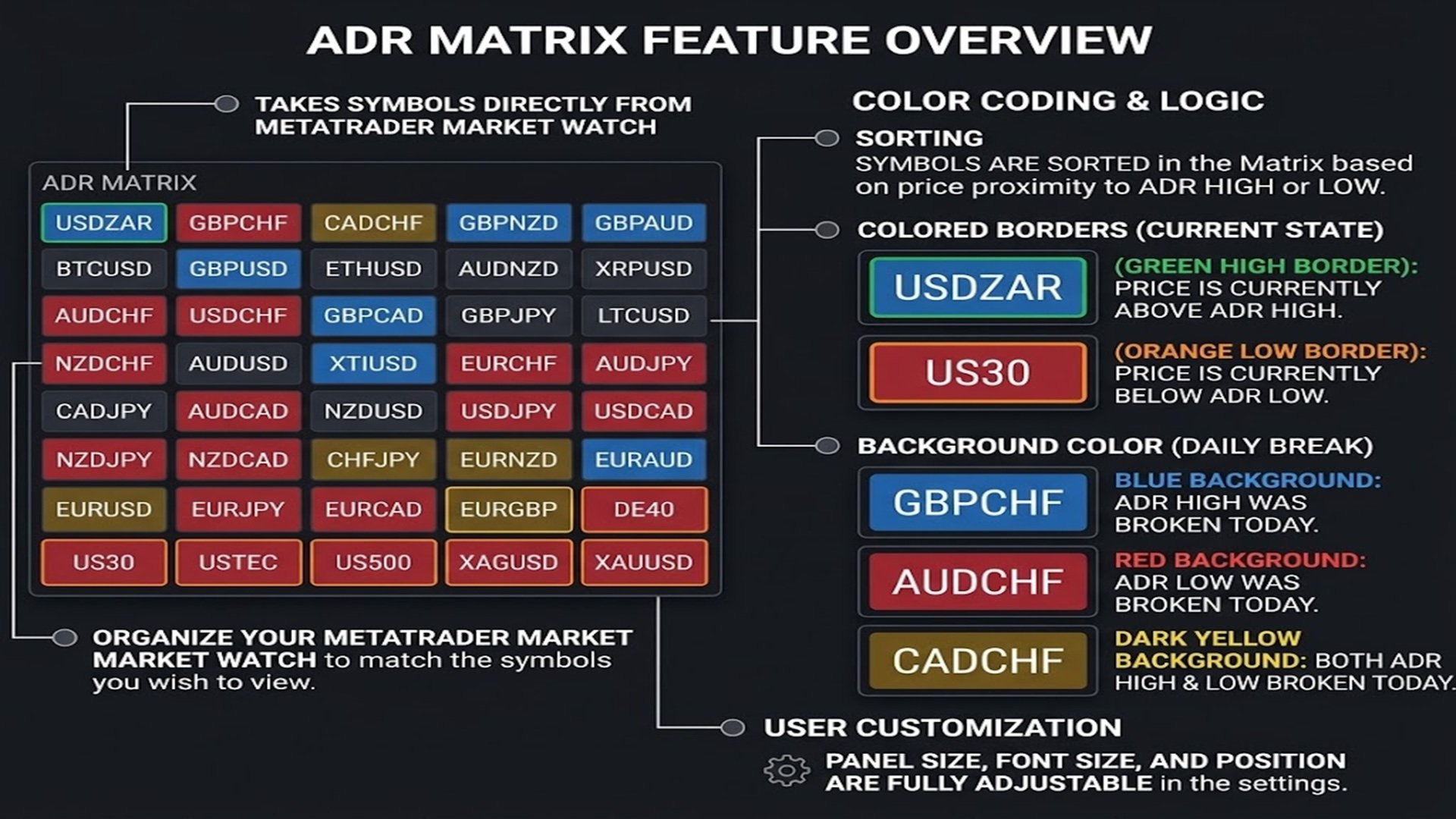
Direct Market Watch Sync: ADR (Average Daily Range) Matrix automatically pulls its symbol list directly from your MetaTrader Market Watch.
-
Custom Symbol Ordering: Simply organize and arrange your symbols inside MetaTrader's Market Watch to display exactly the assets you want to monitor in your desired sequence.
Interactive Chart Switching
-
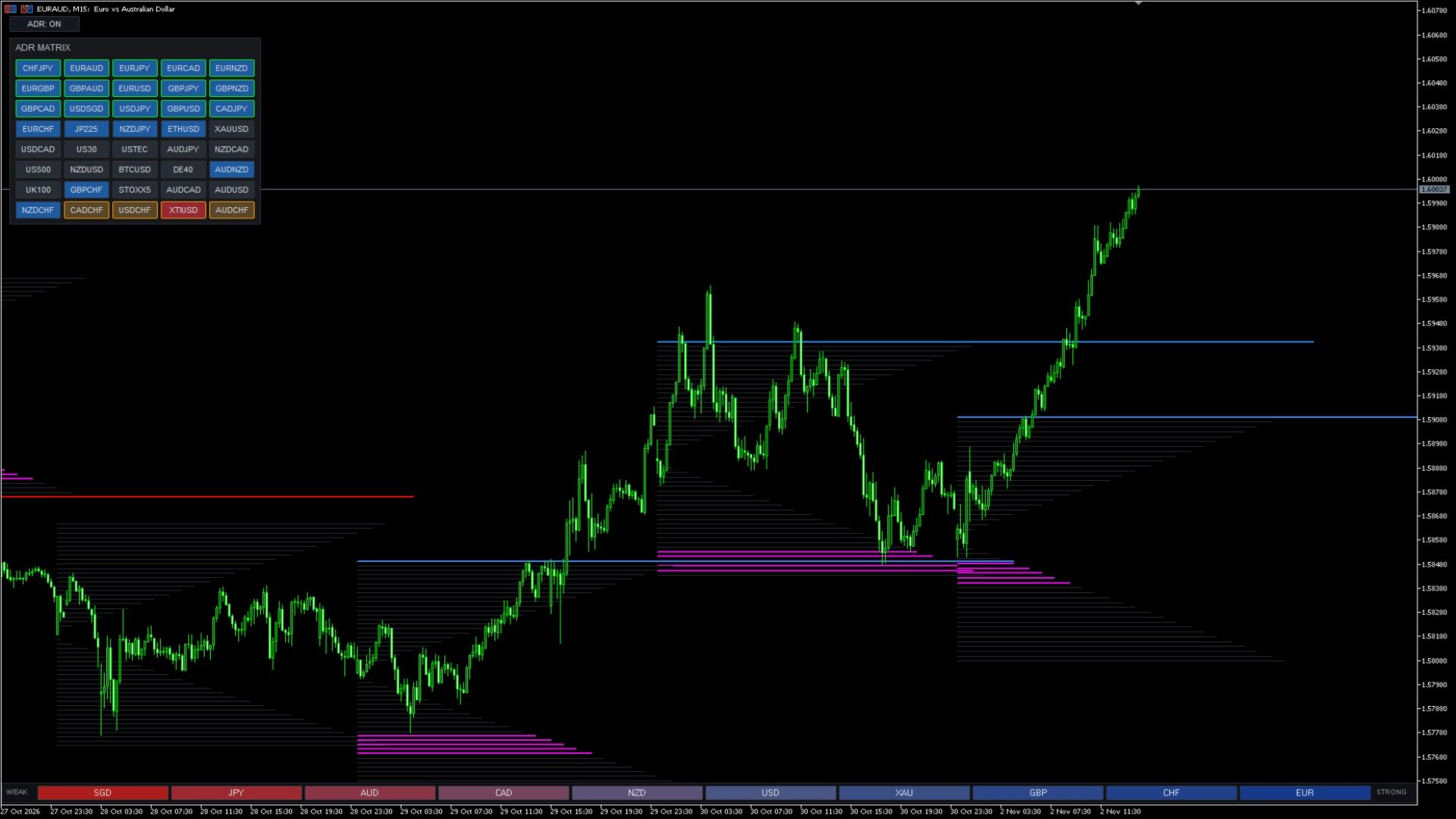
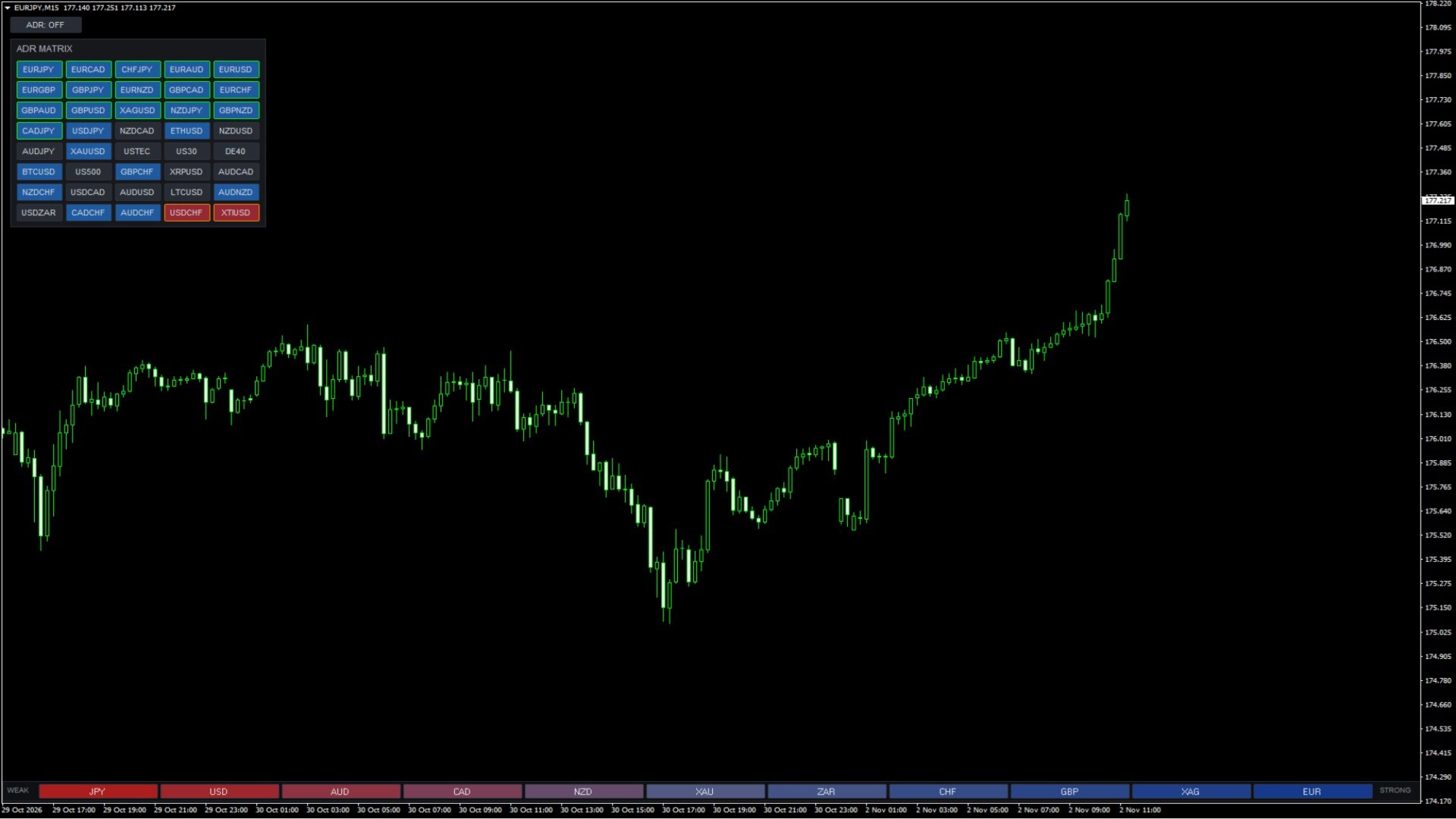
Quick Symbol Switcher: The matrix buttons double as interactive shortcut keys . Clicking any symbol button instantly switches the active chart to that specific symbol.
Visual ADR Display & Control
-
On-Chart ADR Visualization: The ADR levels and zones are visually rendered directly on the open chart.
-
ADR Toggle Button: A dedicated ADR ON/OFF button is provided on the chart to easily show or hide the visual ADR indicator elements.
Dynamic Matrix Sorting
-
Smart Proximity Ranking: Symbols within the matrix are intelligently sorted based on how close the current price is to the ADR High or ADR Low levels.
-
Instant Extremes: Assets that have broken beyond the boundaries instantly prioritize to the absolute top (above High) or bottom (below Low) of the matrix.
Color Coding & Visual Logic:
Current State (Button Borders)
-
Green High Border: Indicates that the price is currently trading above the ADR High level.
-
Orange Low Border: Indicates that the price is currently trading below the ADR Low level.
Daily Break Status (Button Backgrounds)
-
Blue Background: Signifies that the ADR High level has been broken during the current day.
-
Red Background: Signifies that the ADR Low level has been broken during the current day.
-
Dark Yellow Background: Indicates that both ADR High and Low levels have been broken during the session.
Full Customization
-
Tailored Display: The panel size (Panel_Scale), font size (Panel_FontScale), and on-screen position (Panel_X, Panel_Y) are fully customizable directly through the indicator input settings.