Gold Phantom Sniper EA
- Experts
- Version: 1.20
- Activations: 5

Automated Grid Trading System with Basket Profit Management
Build your trading process around structured entries, configurable position sizing, and basket-level trade management.
XAU Fortress Engine is an automated Expert Advisor for MetaTrader 5, designed around a dual-direction trading concept, grid-based position management, and configurable trading controls.
The system combines automated trade execution with spread filtering, volatility filtering, adjustable position sizing, and basket-level profit management. Its parameters allow traders to configure how the EA enters the market, adds positions, and manages a group of trades.
Whether you are evaluating an automated trading strategy or testing different grid configurations, XAU Fortress Engine provides an adjustable framework for systematic trading.
KEY FEATURES
-
Automated Trade Management — Executes trading operations according to the EA's programmed rules and configured parameters.
-
Grid-Based Position Management — Uses a configurable distance between entries when the market moves against an existing position.
-
Adjustable Position Sizing — Configure the initial lot size and martingale multiplier, subject to the EA's limits and broker volume rules.
-
Basket Profit Target — Monitors the combined floating profit and swap of the EA's positions and attempts to close them when the configured target is reached.
-
Spread Filter — Avoids initiating new trading logic when the current spread exceeds the configured threshold.
-
Volatility Filter — Uses the range of the previous one-minute candle to filter trading activity during unusually large candle movements.
-
Position Limits — Configure the maximum number of positions per direction and the maximum multiplier.
-
Entry Delay — Set a minimum interval between successful order submissions.
-
Equity Drawdown Guard — Blocks new entries when the calculated drawdown reaches the configured threshold.
-
Configurable Trading Parameters — Adjust the principal strategy settings to suit your testing requirements.
HOW DOES IT WORK?
1. Automated Market Entry
The EA evaluates the current symbol's spread and the previous M1 candle range before proceeding with its trading logic.
Its entry logic is designed around an initial market position followed by additional entries when price moves by the configured grid distance.
2. Grid Position Management
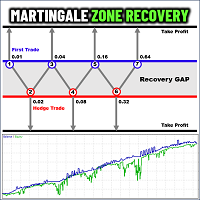
When price moves against an existing position by the specified grid distance, the EA can add another position in that direction, subject to the maximum level, entry delay, spread, volatility, margin, and equity-drawdown controls.
The position size is calculated using the configured martingale multiplier and capped by the maximum multiplier.
3. Basket Profit Management
Instead of assigning an individual take-profit price to every position, the EA monitors the combined profit and swap of its positions.
When the basket reaches the configured monetary target, it attempts to close the EA's positions for the current symbol and magic number.
Important: Basket-profit management is not a guarantee that all positions will close at the target. Execution conditions, slippage, and broker restrictions may affect the result.
CONFIGURATION OPTIONS
The EA provides the following principal settings:
| Parameter | Purpose |
|---|---|
| Initial Lot | Starting position volume |
| Martingale Multiplier | Controls how position volume increases |
| Grid Step | Distance between grid entries, in points |
| Take Profit Target | Basket profit target in account currency |
| Maximum Spread | Maximum permitted spread, in points |
| Maximum Volatility | Maximum previous M1 candle range, in points |
| Maximum Levels per Side | Limits the number of positions in each direction |
| Maximum Multiplier | Caps the calculated position multiplier |
| Aggression Factor | Adjusts the multiplier calculation at higher grid levels |
| Minimum Seconds Between Entries | Sets the entry delay |
| Equity Drawdown Guard | Blocks new entries at the configured drawdown threshold |
| Magic Number | Identifies the EA's positions |
| Allow Trade | Enables or disables the EA's trading logic |
| Trial Days | Configures the local trial duration |
Actual trading behavior depends on the configured values, symbol specifications, broker execution, and available margin.
ACCOUNT REQUIREMENTS
-
MetaTrader 5 platform.
-
An MT5 hedging account is required for the intended simultaneous BUY/SELL strategy.
-
Sufficient free margin for the initial positions and any additional grid entries.
-
Correct configuration for the broker's symbol, point size, volume limits, and trading conditions.
-
Testing in the Strategy Tester and on a demo account before live deployment.
FREE TRIAL
The provided build includes a configurable local trial period, set to 30 days by default.
The trial start is stored in the terminal's local global variables and associated with the account login, magic number, and symbol. This is a basic local mechanism, not tamper-proof commercial licensing.
After the trial expires, the EA blocks new entries while retaining its basket-profit management logic, provided the EA remains enabled and running.
IMPORTANT RISK DISCLOSURE
This EA uses grid and martingale-style position sizing. Adding positions when the market moves against existing trades can increase exposure and floating losses substantially.
The drawdown guard blocks new entries; it does not guarantee a maximum account loss or automatically liquidate positions when the threshold is reached. The strategy does not place an individual hard Stop Loss on each position.
A strong directional market, widening spreads, insufficient margin, gaps, or execution problems can cause significant losses, including the loss of the trading account.
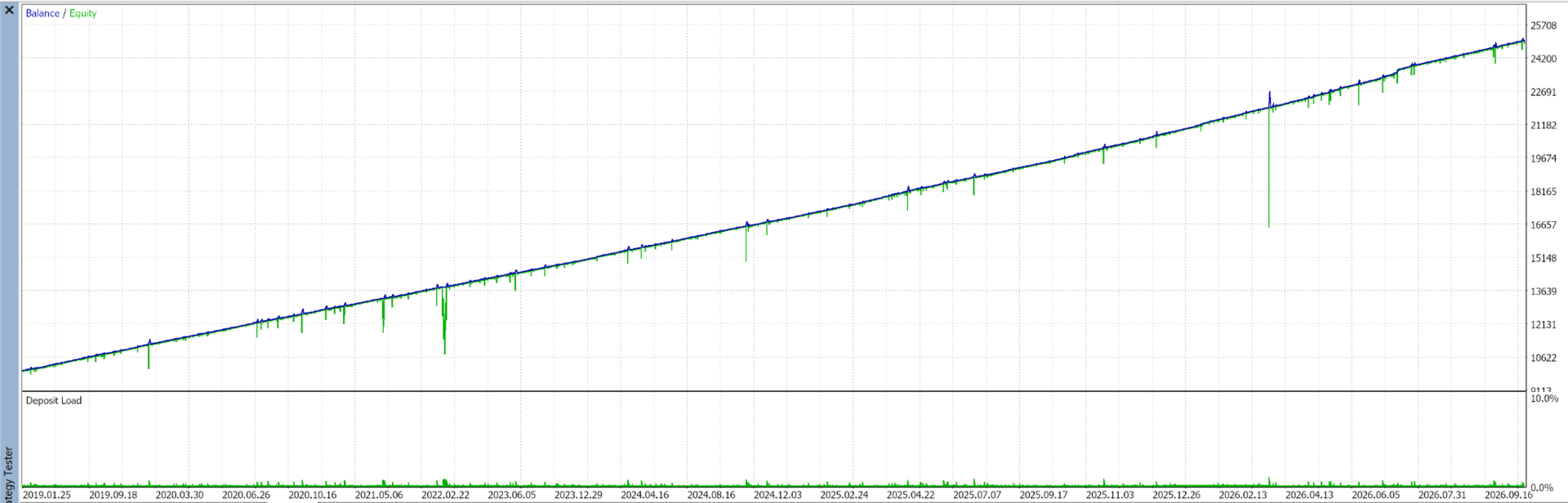
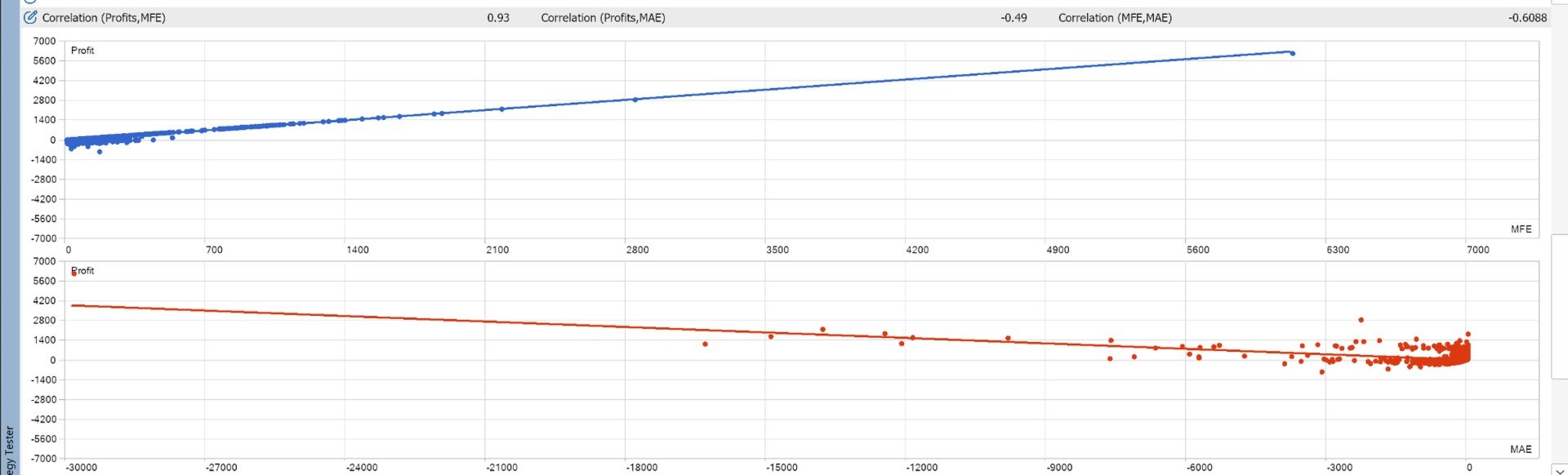
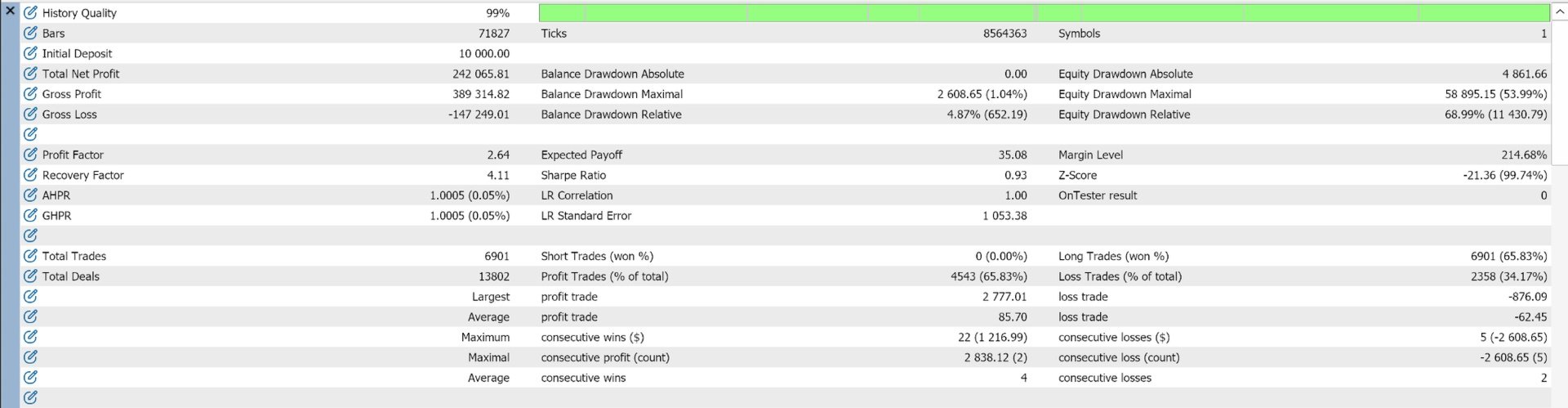
No profit, win rate, drawdown level, or future performance is guaranteed. Backtest results may differ from live trading.
Test thoroughly on a demo account and use conservative settings before considering live trading.