OmniTrend PRO
- Experts
-
Iurii Cherepanov
 I have been active in the financial markets since 2008. The core of my work involves Forex trading as a signal provider on the ZuluTrade platform, where I have successfully operated and navigated three corporate reorganizations. I have gained extensive experience in manual trading. I have
 - Version: 2.10
- Activations: 5
🔥 OMNITREND PRO
STOCHASTIC + MACD • SEQUENTIAL TRADING • PROFIT MANAGEMENT • MT5
OmniTrend PRO
— an automated trading advisor for MetaTrader 5 that combines Stochastic and MACD analysis with a sequential position management system.
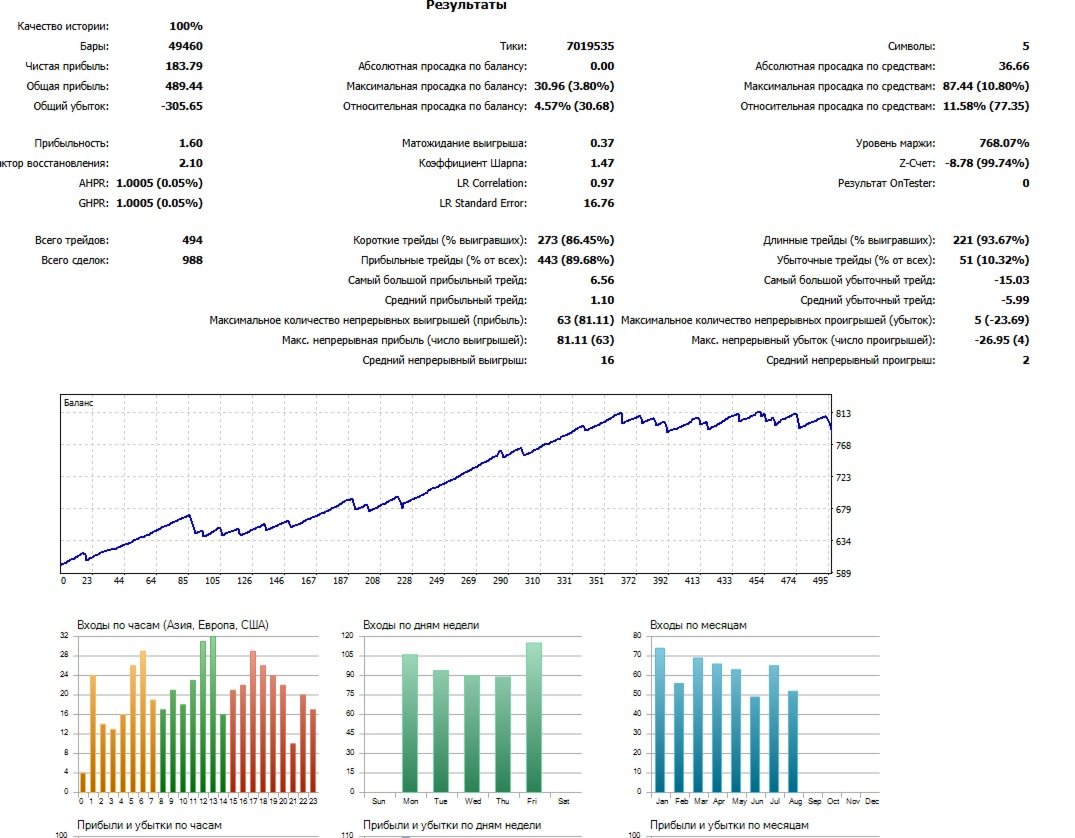
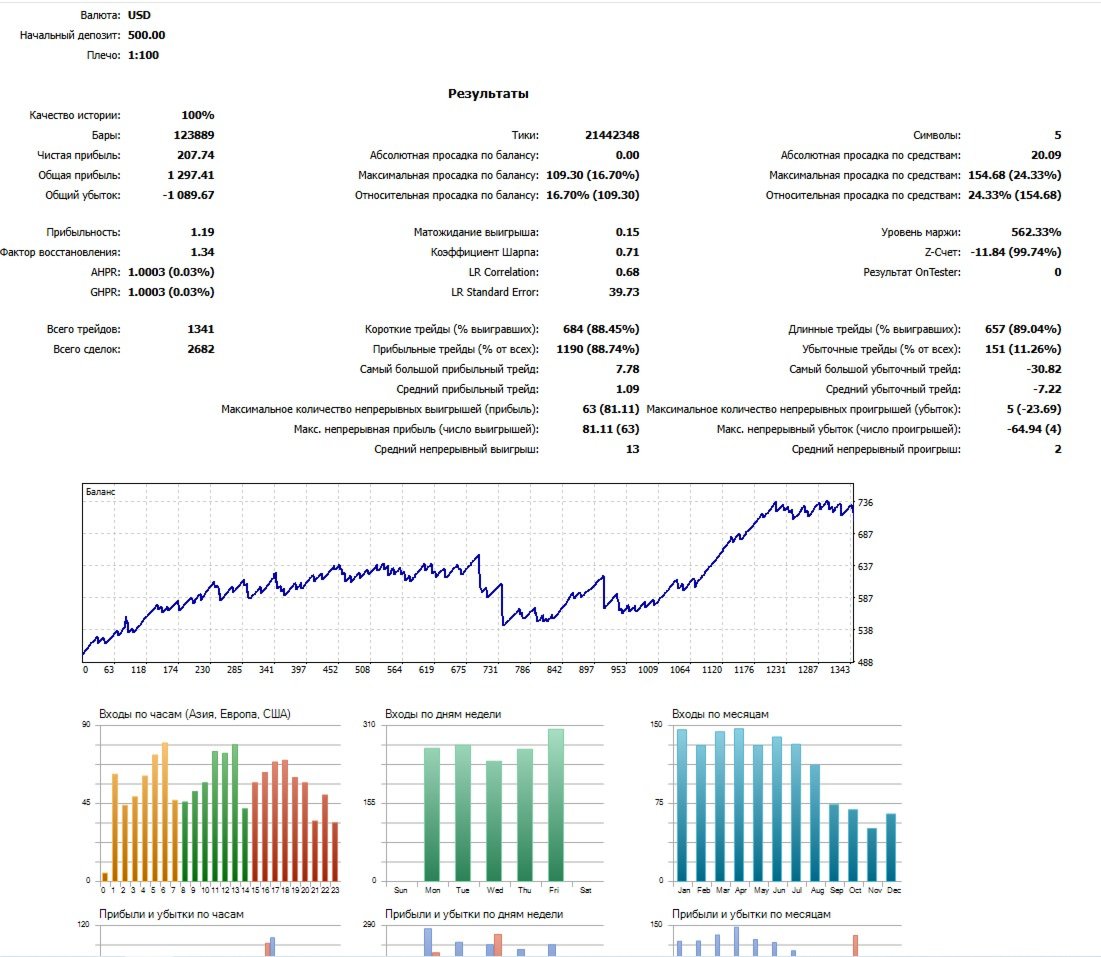
The advisor is designed for experienced traders who prefer to adjust settings themselves rather than buying a new advisor whenever market conditions change. The process is straightforward: select a trading instrument from the list and disable the others. Choose a timeframe relevant to your needs (3–6 months) and gradually tweak the settings in either direction. Testing takes little time; your goal is to achieve a steady, upward-sloping price curve without sharp dips or fluctuations. These will be your settings for the immediate future.
This advisor is designed to protect you from losses.
It features:
- Global SL (%): This applies across all pairs, calculating the Stop Loss percentage based on the total deposit across all active pairs.
- Individual monetary SL: Each pair has its own specific Stop Loss value in monetary terms.
- Automatic trading halt: If an SL is triggered for a specific pair, trading on that pair stops. This gives you time to assess the situation and make a considered decision. You can restart trading using the on-screen button. Other pairs continue to operate without interruption.
- Continuous testing mode: In test mode, trading does not stop after an SL is triggered, allowing you to observe price movements without interruption.
After the first position opens, SL and TP levels are automatically set based on your configuration.
If the trade does not close at the Take Profit (TP) level and moves in the opposite direction, the advisor begins looking for a signal for a new (second) trade. This trade is opened in the same direction as the first one. The minimum distance between trades (step) is user-configurable, with a minimum value of 100.
The Take Profit (TP) for the second trade is calculated as a percentage of the distance between the first and second positions (the step). This is user-configurable.
Once the price moves into profit and covers 50% of the TP distance, a stop is placed to protect the accrued profit. This function is available in the settings as "ProfitLock" and is calculated as a percentage (25%–45%).
The Expert Advisor (EA) comes with default settings for testing purposes. If you want to make trading more "dynamic," you can adjust the settings to lower values—for example, MACD 9, 26, 8 (this is not a fixed standard) and Stochastic 7, 5, 5.
⚡ HOW IT WORKS
1. Market Analysis
The EA monitors the selected instrument and looks for suitable trading conditions.
2. Stochastic
Helps identify potential zones where market movement might change direction.
3. MACD
Used as additional confirmation of the trend direction.
4. Market Entry
A trading signal is generated once the necessary conditions are met.
5. Sequential Position Management
As the situation develops, the EA manages the sequence of positions according to the established parameters.
6. Profit Management
Positions are managed using Take Profit and the Profit Lock mechanism.
7. Risk Control
Built-in risk management mechanisms help control the trading load on the account.
🚀 KEY ADVANTAGES
✓ Stochastic + MACD
A combination of two technical tools to establish and confirm trading conditions.
✓ Sequential Trading
The EA operates not just with a single trade, but with a sequence of positions.
✓ Position Management
Position management is an integral part of the overall trading logic.
✓ Profit Lock
A mechanism to protect accumulated profit as the trading sequence develops.
✓ Take Profit
Automatic management of profit realization. ✓ Multi-Symbol
Capable of trading multiple instruments.
✓ Flexible Settings
The Expert Advisor’s parameters allow you to adapt the trading system to various instruments and market conditions.
✓ MetaTrader 5
Fully designed for the MT5 environment.
💡 WHAT MAKES OMNITREND DIFFERENT?
Many trading robots operate on a simple scheme:
SIGNAL → TRADE → CLOSE
OmniTrend takes a different approach:
ANALYSIS → CONFIRMATION → ENTRY → SEQUENCE → MANAGEMENT → PROFIT PROTECTION
The core concept of the Expert Advisor is not merely to find an entry point, but to manage the evolution of the trade after entry.
🎯 WHO IS OMNITREND FOR?
OmniTrend is designed for traders who:
want to automate their trading process;
prefer a systematic approach over manual trading;
understand how indicators work;
are interested in sequential position management;
are willing to test and fine-tune the trading system for their chosen market.
⚠️ IMPORTANT
OmniTrend does not guarantee profit.
Automated trading results depend on market conditions, chosen instruments, Expert Advisor settings, spreads, slippage, commissions, account size, and other factors.
Before using real funds, it is recommended to conduct your own testing using the MetaTrader 5 Strategy Tester and a demo account.
🔥 OMNITREND
STOCHASTIC + MACD
SEQUENTIAL TRADING
PROFIT MANAGEMENT
MT5
Analyze. Confirm. Trade. Manage the Sequence.