Orderbook Pro
- Utilities
-
Antonello Belgrano
 MQL5 Programmer specialized in creating professional Expert Advisors and Indicators.
I develop high-quality strategies as well as custom solutions, optimizations, and personalized Expert Advisors tailored to your specific needs.
Feel free to contact me for any requests or custom projects. - Version: 2.10
- Activations: 5
OrderBook Pro: Professional Order Book & Time & Sales Panel for MetaTrader 5
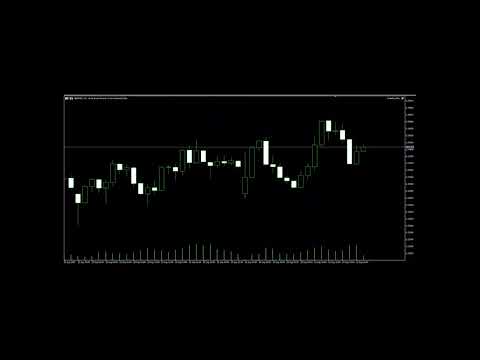
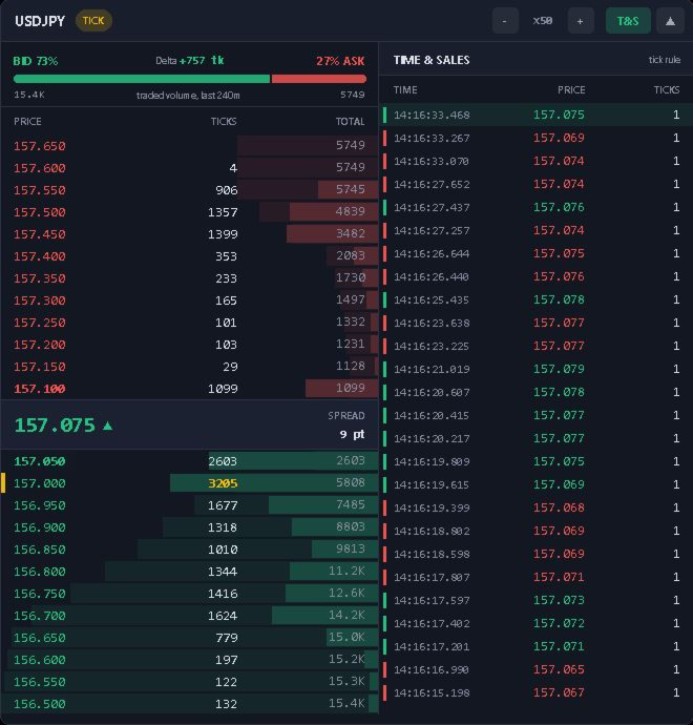
OrderBook Pro adds a clean, modern Depth of Market panel directly on your chart, with a live Time & Sales tape alongside it. It is a visual analysis tool: it does not place, modify or close any trades.
Key features
- Order book ladder: up to 50 levels per side, with size, cumulative depth and price grouping (automatic or manual).
- Chart-synced grouping (LOCK): one click makes each book row match the price range of a chart row, so the ladder follows your vertical zoom.
- Liquidity walls: unusually large orders are highlighted automatically.
- Bid/Ask imbalance: a live bar and percentage show which side dominates the visible depth.
- Session delta: buying vs. selling pressure, reset daily.
- Time & Sales: a scrolling tape with buy/sell coloring, millisecond timestamps and highlighting of large prints. It can be placed right, left or below the book.
- Works without broker DOM: if your broker provides no order book data (most Forex/CFD symbols), the panel switches automatically to TICK mode, which shows a rolling traded-volume profile built from ticks.
- Modern interface: draggable and collapsible, three themes (Dark, Midnight, Light), HiDPI-aware, with live scale adjustment (+/−) from the header and customizable colors. Position, scale and settings are remembered per chart and symbol.
Notes
- Real DOM data is shown only if your broker supplies it (typically exchange-traded instruments). Otherwise TICK mode is used, based on real traded volume where available, or on the tick rule for quote-based symbols.
- If the broker's book is shallower than the number of levels requested, the missing levels keep their price but are marked "n/a".
- Not designed for the Strategy Tester (except visual mode), since historical order book data is not available.
Quick start: attach it to any chart, and use the header buttons to change grouping (+/−) or enable LOCK, resize the panel, toggle Time & Sales, or collapse it.