ApexForge Economic Calendar Safety
- Utilities
-
Po-hsiung Huang
 Founder and developer of ApexForge.
I develop practical trading tools for MetaTrader 5, focusing on usability, efficiency, stability, and low system resource usage. - Version: 1.10
- Activations: 10
MT5 Economic Calendar | Forex Calendar | News Filter | High Impact News Alert | Economic Event Countdown | Emergency Close | Close All | Market Holiday Alert | Early Close Reminder | KTimer | Candle Countdown | Mobile Push Notification | 12 Languages + Auto
ApexForge Economic Calendar Safety Dashboard is an integrated MetaTrader 5 trading information dashboard combining an MT5 Economic Calendar, Forex News Filter, High Impact News Alert, Economic Event Countdown, Emergency Close, Market Holiday Alert, Early Close Reminder, KTimer / Candle Countdown, Mobile Push Notification, and 12 Languages + Auto Language Detection.
Designed for Forex, XAUUSD Gold, Index, Scalping, Intraday, and Manual Traders.
◆ Demo Version
Test ApexForge Economic Calendar Safety on an MT5 Demo Account before purchasing the full version.
Demo Download, Installation & User Guide: ApexForge Economic Calendar Safety – MT5 Demo Version
Core Features
MT5 Economic Calendar • High Impact News Filter • Economic Event Countdown • + / − Color-Changing Event Indicator • Market Holiday Alert • Early Close Reminder • Close All / Close Buy / Close Sell • Released Economic Data • KTimer • Candle Countdown • Mobile Push Notification • 12 Languages + Auto
◆ The Information Exists — But Did You Remember to Check It?One of the biggest problems during active trading is often not a lack of information.
It is this:
You knew — but you forgot.
While watching charts, waiting for an entry, managing positions, or switching between instruments, it is easy to overlook something you already knew.
The market suddenly becomes highly volatile, and only then do you remember:
A major economic release was approaching.
You have been trading for several hours before suddenly realizing:
Today is a market holiday.
You follow your normal trading schedule and only later discover:
Today has an Early Market Close.
Or unexpected market conditions suddenly appear and you need to manage your positions immediately, but you still have to locate and close them one by one inside MT5.
ApexForge Economic Calendar Safety Dashboard was designed around these situations.
Keep important information that is easy to forget — and emergency functions that need to be accessed quickly — directly on the MT5 chart.
◆ + / − Color-Changing Event Indicator — Minimize the Panel, Keep the ReminderThe Economic Calendar does not need to remain fully expanded and occupy chart space all day.
When the panel is minimized, the + / − button also works as an event indicator.
If relevant economic events exist today, the button will automatically change color as a reminder.
This means that even when the full Economic Calendar is minimized, you can still see at a glance:
There are events today.
Expand the panel when you need detailed information.
Keep it minimized when you do not, leaving more space for your chart.
Minimize the panel — not the reminder.
◆ MT5 Economic Calendar — Economic Calendar / Forex CalendarThe integrated MT5 Economic Calendar displays economic events directly on the trading chart.
Available information includes:
- Event Time
- Currency
- Importance
- Economic Event Name
- Actual
- Forecast
- Previous
- Upcoming Events
- Today's Released Events
The data comes from the MetaTrader 5 built-in Economic Calendar.
There is no need to keep an external financial calendar website open all the time while trading.
It can be used to monitor events such as:
CPI, NFP, Retail Sales, GDP, Inflation, Employment Data, Central Bank Events, and other important economic releases.
◆ High / Medium / Low — Economic News Importance FilterThe Economic Calendar can filter events by importance:
High / Medium / Low
If you only want to monitor major economic releases, you can focus on High Impact News.
If you prefer a more complete Economic Calendar, Medium and Low events can also be included.
This allows ApexForge to function as both an:
MT5 Economic Calendar
and an:
MT5 News Filter / High Impact News Monitor
within the same dashboard.
◆ Currency Filter — Keep Only the Currencies You NeedEconomic events can also be filtered by currency.
Depending on the data available from the MT5 Economic Calendar, currencies such as:
USD / EUR / GBP / JPY / CAD / AUD / NZD / CHF
can be selected.
For example, an XAUUSD / Gold trader can focus on USD Economic News and reduce information unrelated to the instrument being traded.
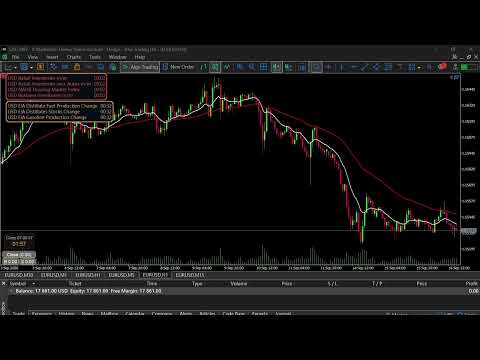
◆ Economic Event Countdown — Live News CountdownUpcoming economic events can display a live countdown directly on the MT5 chart.
For example:
USD Retail Sales m/m 00:24
As the release time approaches, the countdown continues to update.
You do not need to repeatedly open the full Economic Calendar just to see how much time remains before the next important event.
◆ Economic News Status Bar — Blue / Orange / Red / WhiteThe independent Economic News Status Bar can keep important events visible even when the full Economic Calendar panel is not expanded.
Normal events automatically progress through four visual states:
BLUE → ORANGE → RED → WHITE
🔵 BLUE — Upcoming
The event has not yet occurred and is more than 60 minutes away.
🟠 ORANGE — Approaching
The event is within 60 minutes of release.
🔴 RED — Imminent
The event is within 30 minutes of release.
⚪ WHITE — Released
The event has already been released.
When MT5 has received the Actual value, the released result can be displayed directly in the Status Bar.
◆ Status Bar Display PriorityWhen there are more events than the Status Bar can display, the priority is:
Red → Orange → Blue → White
Events closest to release receive higher display priority.
In addition:
The Status Bar maximum row count and the Economic Calendar main-panel event count are two independent settings.
The full Economic Calendar and compact Status Bar can therefore be configured separately.
◆ Lock R / O / B / W — Independent Limits for Four Event StatesEnable:
Lock R / O / B / W Rows
to independently configure the maximum number of rows for:
Red / Orange / Blue / White
The combined limits of the four states cannot exceed the total maximum number of rows configured for the Status Bar.
When the lock is disabled, the system returns to automatic allocation using the priority:
Red → Orange → Blue → White
◆ Released — Today's Released Economic DataAn economic event does not become inaccessible simply because its release time has passed.
The dedicated Released function allows you to review economic events that have already occurred during the current day.
Available data includes:
Actual / Forecast / Previous
This makes it easy to compare:
Actual vs Forecast vs Previous
after the data has been released.
◆ Released Event Retention TimeThe Status Bar allows you to configure how long released events remain visible.
Released events do not disappear immediately from the Status Bar.
They are automatically removed after the configured retention period expires.
This prevents newly released information from disappearing too quickly while also preventing old events from occupying the Status Bar for too long.
◆ Market Holiday Alert — Market Holiday ReminderMajor economic releases are not the only information that can be forgotten.
Market holidays can also be overlooked after spending hours focused on the charts.
ApexForge integrates available Market Holiday information directly into the MT5 trading environment.
Holiday events are handled using separate logic and are not incorrectly treated as normal released economic data.
◆ Early Close Reminder — Special Market Closing ReminderNormal trading hours are easy to remember.
What is easier to forget is:
Today is different from a normal trading day.
Special trading days or holiday periods may involve an:
Early Close / Early Market Close
ApexForge integrates Early Close detection and reminders into the trading environment.
When relevant information is available and detected, the special closing time can be included in the reminder system.
The purpose is simple:
Do not wait until the market is about to close before realizing that today has an Early Close.
◆ Emergency Close — Three Emergency Position Closing FunctionsAlerts help you notice risk in advance.
But sometimes what you need is:
Immediate position management.
When the market suddenly becomes highly volatile, market conditions change unexpectedly, or you decide to reduce exposure immediately, locating and closing positions one by one can waste valuable time.
ApexForge integrates three MT5 Emergency Close / Panic Close functions directly into the Dashboard.
Close All — Close All Positions
Quickly closes all applicable positions.
Use it when you want to exit without separating Buy and Sell positions.
Close Buy — Close Buy Positions Only
Closes Buy Positions only.
Sell positions remain untouched.
Close Sell — Close Sell Positions Only
Closes Sell Positions only.
Buy positions remain untouched.
There is no need to enter the MT5 Toolbox and locate positions one by one.
Market alerts help you see risk. Emergency Close reduces the number of steps when you decide to manage your positions immediately.
◆ MT5 KTimer / Candle Timer — Candle Close CountdownThe integrated KTimer / Candle Countdown Timer directly displays the remaining time before the current candle closes.
It can be used with:
M1 / M5 / M15 / M30 / H1 / H4 and other MT5-supported timeframes.
It is useful for trading methods that require candle-close confirmation.
The KTimer can be dragged directly to your preferred chart position.
After dragging and releasing it, the last position is remembered and can be restored after restarting MT5 or reloading the EA.
◆ MT5 Push Notification — Mobile NotificationsSupports MetaTrader 5 Mobile Push Notifications.
After configuring MT5 Notifications / MetaQuotes ID, important reminders can be sent to the mobile MT5 application.
Even when you temporarily leave your trading computer, you can continue to receive important event reminders.
◆ 12 Languages + Auto Language DetectionApexForge is designed for users in different countries and different MT5 language environments and currently supports 12 languages:
English • Traditional Chinese • Simplified Chinese • Russian • Spanish • Portuguese • Japanese • German • Korean • French • Italian • Turkish
Auto — Automatic Detection
Select Auto, and ApexForge will attempt to detect the current MetaTrader 5 terminal language and automatically switch to the corresponding supported language.
Manual — Manual Selection
Users can also manually select their preferred supported language at any time.
Built-in Fallback
If Auto cannot obtain the required language resource, the system can use its built-in language resource as a fallback.
12 supported languages + Auto Language Detection — all included in one product.
There is no need to purchase separate language editions.
◆ Economic Calendar Mouse Wheel + Draggable ScrollbarWhen a day contains many economic events, there is no need to make the panel excessively large.
The event list supports:
Mouse Wheel Scrolling
and:
Direct Vertical Scrollbar Dragging
You can grab the scrollbar directly with the mouse and drag it up or down to quickly browse a large number of events.
◆ Today / Released Quick NavigationThe Economic Calendar can quickly switch between:
Today
and:
Released
Today displays current and upcoming events.
Released displays economic events that have already been published during the current day.
◆ Adjustable DashboardThe dashboard can be configured according to your own trading environment, including:
- Economic Calendar
- High / Medium / Low
- Currency Filter
- Status Bar
- Status Bar Maximum Rows
- Status Bar Font Size
- Red / Orange / Blue / White Maximum Rows
- Released Event Retention Time
- Market Holiday
- Early Close Reminder
- Emergency Close
- KTimer
- Push Notification
- Alerts
- Language
- Auto Language Detection
This allows different traders to decide how much information they want to keep visible on the chart.
◆ Designed for Forex / XAUUSD / Gold / Index TradersApexForge is suitable for:
Forex Trading • XAUUSD / Gold Trading • Index Trading • Scalping • Intraday Trading • Manual Trading
Typical uses include:
- Avoiding forgotten High Impact News
- Monitoring USD Economic News while trading XAUUSD
- Knowing that there are events today even when the Economic Calendar is minimized
- Monitoring the Economic Event Countdown
- Reviewing Actual / Forecast / Previous
- Avoiding forgotten Market Holidays
- Avoiding overlooked Early Close schedules
- Emergency Close All Positions
- Emergency Close Buy Positions
- Emergency Close Sell Positions
- Using KTimer to wait for candle close
- Receiving mobile reminders while away from the computer
- Using the same product across 12 supported MT5 languages
Economic Calendar Data
Event times, names, importance, Actual, Forecast, and Previous values depend on information provided by the MetaTrader 5 Economic Calendar.
ApexForge does not independently publish economic data.
Economic Data Update Delay
Official economic data may already have been released while the MT5 Economic Calendar has not yet updated the Actual value.
ApexForge only displays data actually received from MT5 and does not guess or generate missing Actual values.
Holiday / Early Close
Market Holiday and special trading-hour information depends on the information available to the system.
If the exact closing time is critical to your trading, you should also verify the official trading schedule provided by your Broker or the relevant market.
Emergency Close
Actual closing execution is affected by:
Broker conditions, network connection, market liquidity, trading status, and the MetaTrader 5 execution environment.
Emergency Close cannot guarantee that every position will be closed at a specific price or under every possible market condition.
Push Notification
Mobile Push Notifications require MT5 Notifications / MetaQuotes ID to be configured by the user.
◆ No Trading SignalsApexForge Economic Calendar Safety Dashboard is a:
Market Information + Risk Reminder + Time Management + Emergency Position Management Utility
It does not provide:
- Buy Signals
- Sell Signals
- Market Direction Predictions
- Automatic Trading Decisions
- Guaranteed Trading Results
Trading decisions remain with the trader.
ApexForge keeps important information that is easy to overlook — and safety tools that need to be accessed quickly — directly inside your MT5 trading environment.