Position Prime
- Utilities
- Version: 2.3
- Updated: 5 May 2026
- Activations: 5

Download the free demo version now and test all the risk management features within your Strategy Tester before you buy!
Position Prime is an institutional-grade visual execution assistant and risk manager for MetaTrader 5. Designed for traders who demand speed and precision, it eliminates the need for manual lot calculations and transforms your chart into a true trading desk. Plan, execute, and protect your trades in fractions of a second.
🛡️ Risk Management & Automatic Lot Calculation
-
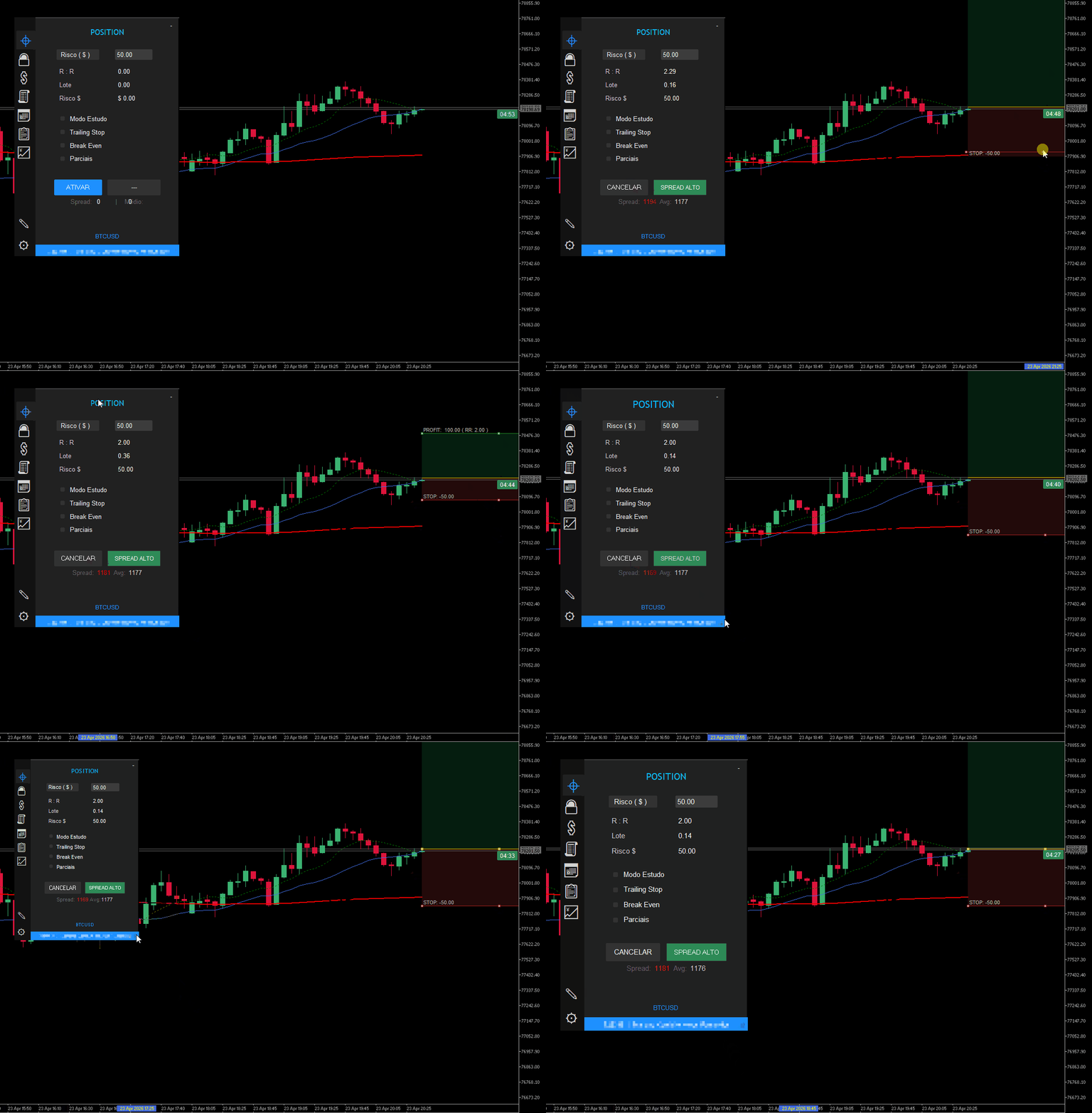
Dynamic Calculation: Define how much you want to risk in Money ($) or Account Percentage (%). The panel automatically calculates the exact lot size as you drag the Stop Loss line on the chart.
-
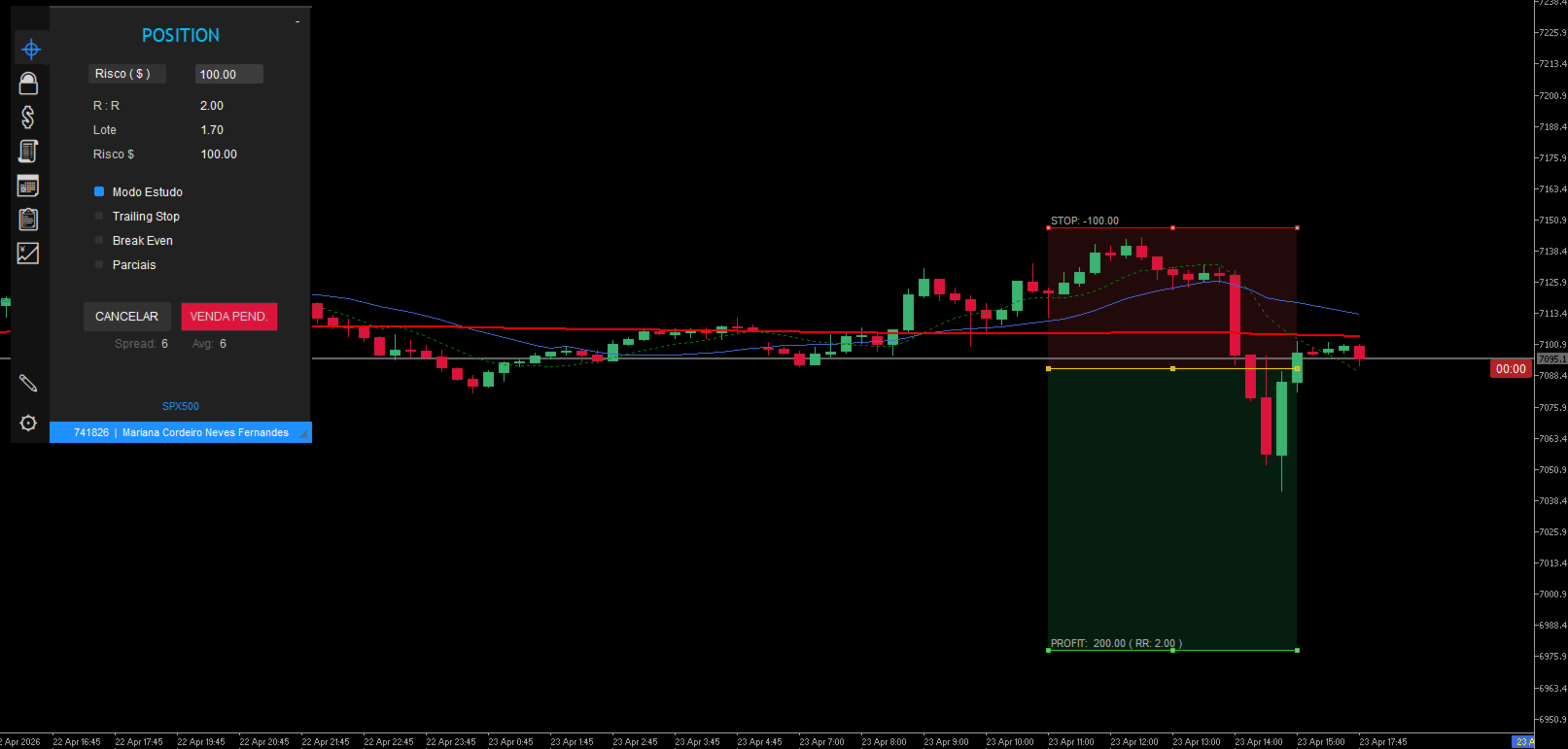
Real-Time Projection: Visualize your Risk/Reward (RR), projected profit, and potential loss directly on the screen before opening the order.
-
Daily Loss Lock: Set a maximum daily financial loss limit. If reached, the panel blocks new operations, protecting your capital from overtrading and emotional mistakes.
⚡ Visual Operations & Extreme Speed (Hotkeys)
-
Hotkeys: Trade at the speed of light. Map keyboard keys to switch tabs, change risk, enable protections, execute orders, or trigger the Panic button, all without touching the mouse.
-
Interactive Lines (Drag & Drop): Freely drag the Entry, Stop Loss (SL), and Take Profit (TP) lines across the chart.
-
Hybrid Execution: Send Market orders or place Pending Orders (Limit/Stop) using the exact same visual interface.
-
Colored Risk Zones: Visual rectangles fill the space between the entry and your targets/stops for immediate graphical reading of the assumed risk.
⚙️ Advanced Trade Management (100% Automated)
Forget the screen after opening the order. Position Prime manages the trade for you:
-
Auto Break Even: The robot moves your SL to entry (zero risk) as soon as the price hits your defined target.
-
Smart Trailing Stop: Make your Stop Loss follow the price in favor of the trend to lock in profits.
-
Partial Close System (Up to 3 Levels): Set up to three partial exits (in % of the lot) based on your Risk/Reward targets.
🔒 Institutional Protection (Spread & News)
-
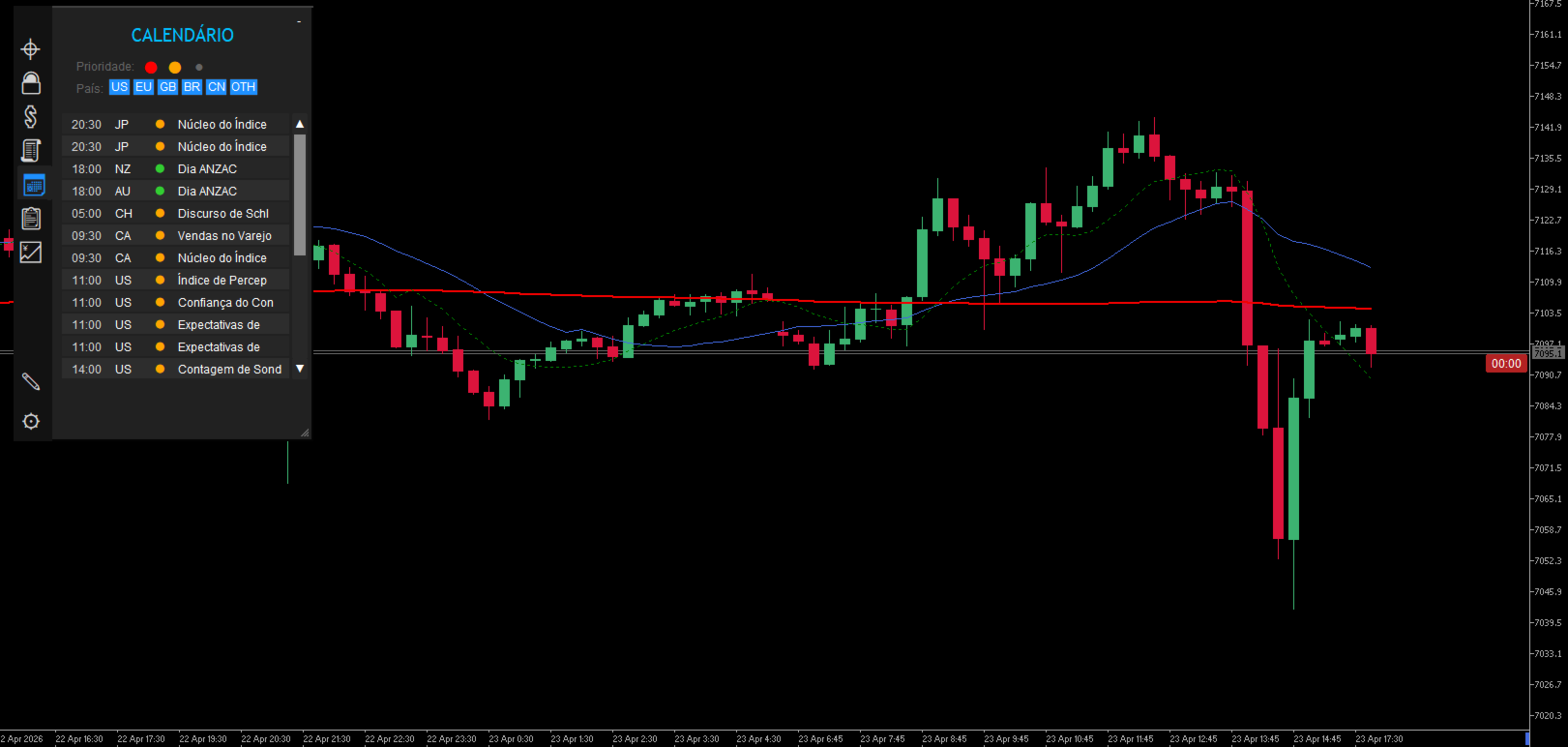
Economic Calendar & News Alert: The panel monitors global events in real time. The execution button warns and requires double confirmation if you try to trade minutes before a High-Impact news release.
-
Spread Monitoring: The system visually warns you if the broker's spread is dangerously above average, preventing executions with massive slippage.
🖥️ Total Customization: Built for Your Setup
-
Multi-OS Architecture (Windows & Mac): The code automatically recognizes if you are using Windows or MacBook, adapting fonts, emojis, window sizes, and spacing to ensure a flawless, bug-free interface on any operating system.
-
Light & Dark Themes: Switch the panel's design with a single click to match your MetaTrader look, protecting your eyes at night or improving contrast during the day.
-
Bilingual (English & Portuguese): Native and instant translation of the entire interface and reports with just one click.
-
Ghost Drag & Resize: Resize the panel freely. The "ghost" rendering system ensures MetaTrader won't freeze while you adjust your workspace.
📊 An "Operating System" Inside Your Chart (The 9 Tabs)
-
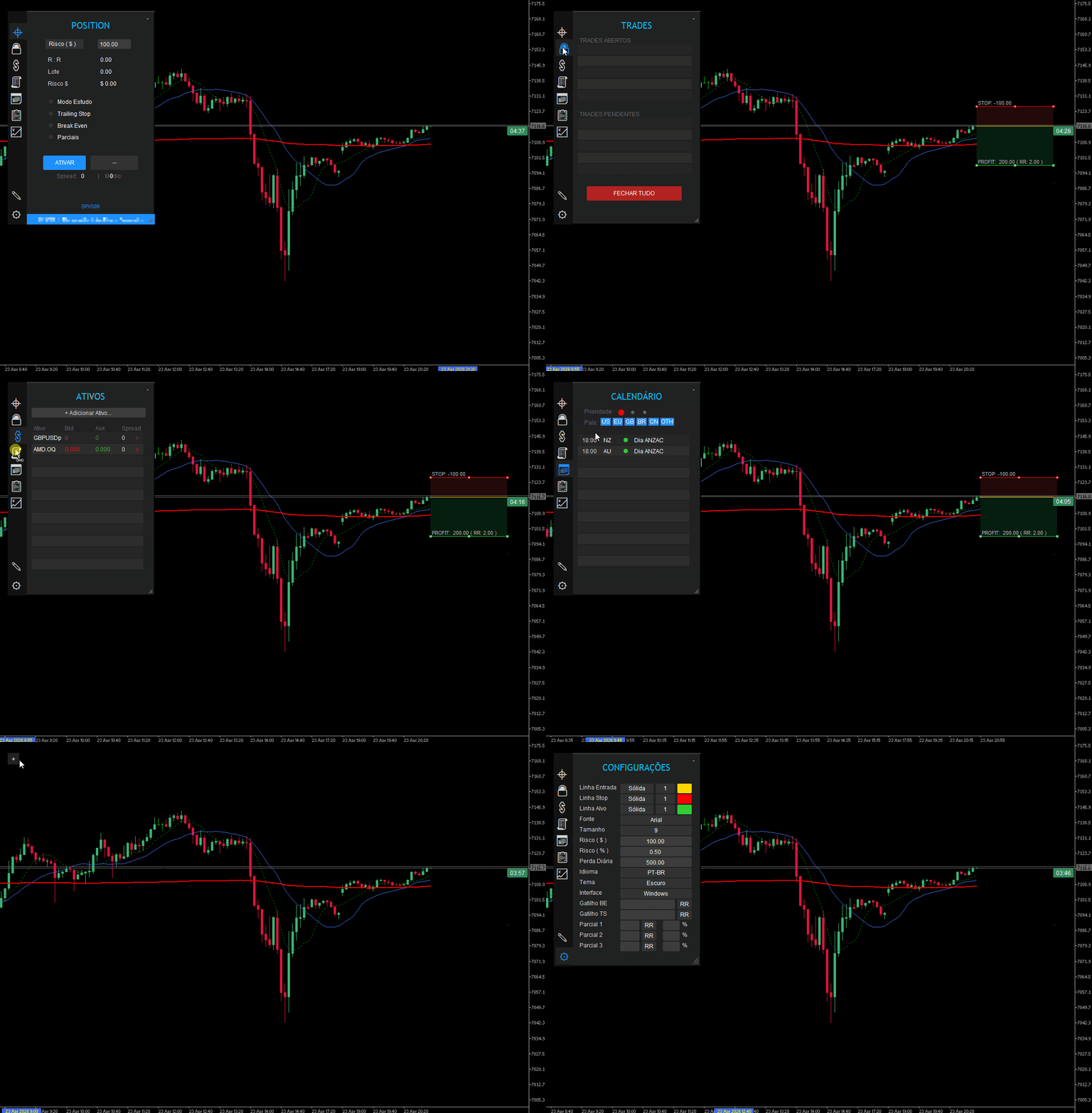
POSITION (⌖): The main screen for calculations, risk, quick shortcuts, and execution.
-
TRADES (🔓): List of all open and pending operations, with individual closing options.
-
SYMBOLS (💲): Create your favorite watch list to switch charts quickly. Displays live spread and bid/ask.
-
HISTORY (🧾): Daily summary of all closed operations.
-
CALENDAR (📅): Filter the day's news by impact level and country.
-
REPORT (📋): Dashboard with financial results (Today, Week, Month) and Risk/Reward metrics.
-
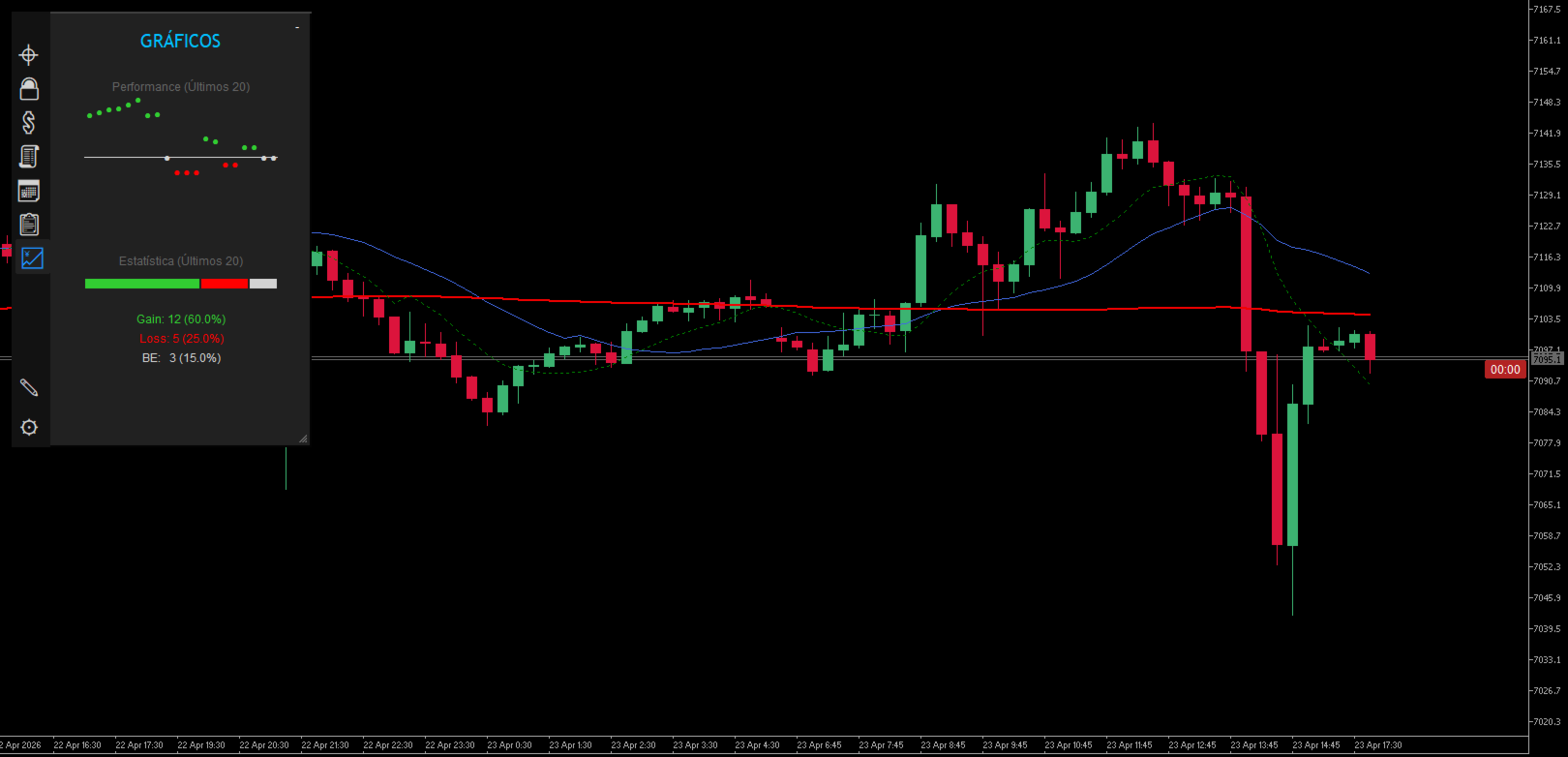
CHARTS (💹): Scatter and pie charts showing the performance (Gain, Loss, BE) of your last 20 operations.
-
NOTES (✎): Built-in notepad on the chart to record the context of the day.
-
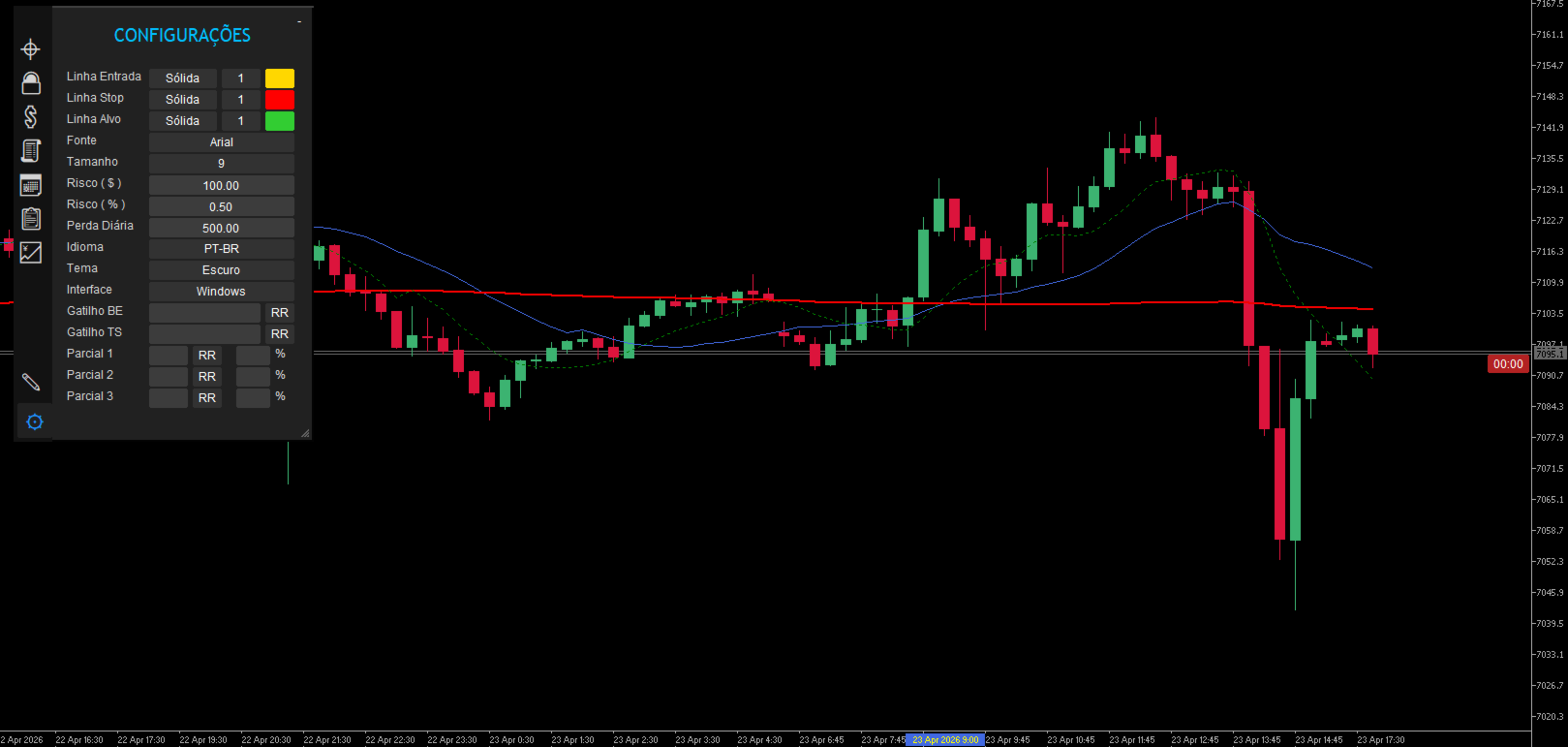
SETTINGS (⚙): Customization hub for graphics, language, theme, daily loss limits, and fonts.