StatCard Trading Results Card

  • Utilities
  • Keisho Yoshida
    Keisho Yoshida
    MQL4 / MQL5 developer from Japan | Expert Advisors, indicators, MT4-to-MT5 conversion
    I build trading tools for MetaTrader 4 and 5, with a focus on clean code and verified behaviour.
    What I do
  • Version: 1.0
  • Activations: 5

StatCard turns your trading results into a clean image card that you can post on social media, send to your community or keep as a record. Pick a period, press Save PNG, done.

WHAT THE CARD SHOWS

  • Return in % of the starting balance, net profit and pips
  • Trades, win rate, profit factor, maximum drawdown, won / lost
  • Average win and loss, best and worst trade
  • Growth curve of the closed trades
  • Your title (name or @account), the period, and a REAL / DEMO badge

PERIODS

Today, this week, this month, this year or all time. Switch with the buttons on the chart; the card on the chart updates by itself when trades close.

OUTPUT

  • Save PNG: a 1200 x 675 image in MQL5\Files\StatCard (File > Open Data Folder)
  • Telegram (optional): sends the card with a short summary to your chat or channel
  • Automatic cards at a time you choose: today's card every weekday, this week's card on Fridays, this month's card on the last weekday of the month

PRIVACY

  • Percent-only mode: return and averages are shown as % of the starting balance, the money amounts are never shown
  • The account number is never shown; the broker name is optional

OPTIONS

Dark or light colors, your own footer text (for example a link), filter by magic number or symbols to show the results of a single EA.

HOW THE NUMBERS ARE CALCULATED

A trade is a position closed (fully or partly) in the period; its result includes commission, swap and fees. Deposits and withdrawals are not counted as profit. Pips are points for non-forex symbols. Drawdown is measured on the closed-trade balance.

TELEGRAM SETUP

Create a bot with @BotFather, enter its token and your chat ID in the inputs, and add https://api.telegram.org in Tools > Options > Expert Advisors > Allow WebRequest for listed URL.

STRATEGY TESTER / DEMO

In the Strategy Tester StatCard opens small demonstration trades so that the card has data, and shows the all-time card at the end (visual mode). This never happens on a live or demo account: StatCard does not open, modify or close trades on your account.

Recommended products
UMNi-CMND MT5 Remote Command & Trade Control System UMNi-CMND turns Telegram into a full remote control panel for your MetaTrader terminal. Send commands from your phone to open trades, manage positions, query account status, and receive complete trade telemetry — all without touching the platform. KEY FEATURES Full remote trade execution via Telegram Open, close, and manage positions by command Move SL/TP, set breakeven, partial close Live status, account, and position q
Chart Time Plus MT5
Isaac Montesinos Valdes
Description:   -   Chart Time + Indicator is very simple and easy, but it can be very important to control the time before opening any manual trade. This indicator shows the time in a panel between 3 different options. Can be possible to move the panel with mouse or with fixed coordinates on the chart. Input Parameters:   -   Local Time : Enable Local Time if you want to show it (Personal Computer Time).   -   Server Time : Enable Server Time if you want to show it (Broker Time).   -   GMT Time
Quick start (2 minutes) Drag the utility onto the chart of the symbol you trade. "Allow Algo Trading" can stay off: it never sends orders. The mini HUD shows the live spread. Click Open for the full panel. Tabs on top: Session · Trades · News . Small pills below choose the view. News › Broker profile : how far your broker widens the spread on NFP, CPI and rate decisions, ready after about one minute. Details › HTML report : a one-page summary you can open in any browser. Unsure what a value mea
FX Live — Stats Export Works only with   https://fxlive.trading Monitor all your MetaTrader accounts from a single dashboard, in real time, across every broker. FX Live Stats Export is an utility, not a trading robot. It never opens, modifies or closes a position. It reads your account and sends the data to your private FX Live dashboard, so you can follow every account you own from one place — on your computer or your phone — without switching between MetaTrader terminals. WHAT IT DOES Attac
FREE
Close exactly the trades you want, in one click. Smart Close Panel puts six buttons on your chart: close all, only the winners, only the losers, only buy, only sell, or delete pending orders. Each button shows how many trades it will close and their profit, before you click. When the market turns fast, closing trades one by one in the Trade tab is slow and easy to get wrong. With this panel you take the profit of all winning trades, or cut all losing trades, in one second. THE SIX BUTTONS Close
Trade Control Panel
Jerry Jilun Anak Liban
Trade Control Panel Function Normal One Click Function Close All Close All Profit Close All Loss Close All Pending Order Close All Sell Close All Buy Advance One Click Function 1.  Close Partial Lot Sell by Percent It will help you partial close for all open position by desire percent you wanted. No longer partial close one by one for every open position Manual input for desire percent 2. Close Partial Lot Buy by Percent It will help you partial close for all open position by desire percent
ProBridger
Marius Ovidiu Sunzuiana
How Traders and Analysts Can Use the Data Export Bridge to Improve Their Analytics The MQL Data Export Bridge unlocks a new level of analytical power by transforming MetaTrader into a real‑time data provider for any external research environment. Here are the most impactful ways different users can apply the bridge to enhance their trading performance. Build Predictive Models with Machine Learning Who benefits: Quantitative traders, data scientists, algorithm developers How it helps: Export t
Position Prime
Mariana Cordeiro Neves Fernandes
Download the free demo version now and test all the risk management features within your Strategy Tester before you buy! Position Prime is an institutional-grade visual execution assistant and risk manager for MetaTrader 5. Designed for traders who demand speed and precision, it eliminates the need for manual lot calculations and transforms your chart into a true trading desk. Plan, execute, and protect your trades in fractions of a second. ️ Risk Management & Automatic Lot Calculation Dyna
One Click Trader  is a tool designed for MetaTrader 4 platform, which enables you to take your trading to the next level. It enables you to open, manage and close your trades in simple an efficient way by just one click of your mouse button. "-"   ,  "+"  change OCT window size  Up arrow minimizes the OCT panel Down arrow maximizes the OCT panel Right arrow displays the next panel with additional features Left arrow hides the panel with additional features Red  SELL  button enables you to open s
Tele PulseProMax MT5
Abdallah Bentelkhoukh
Tele PulsePro is a professional MetaTrader 5 utility designed to seamlessly bridge your trading terminal with Telegram. It instantly captures your market actions and sends clear, formatted trade execution alerts directly to your Telegram channel or group. Launch Special Offer: Available at $49 for the first 10 subscribers only, after which the price will increase permanently! Key Features: - Fully Customizable Message Templates: Tailor your message format completely to match your brand sty
[ My Channel ]   ,   [ My Products ]  ,  [ ABOUT ME ]   OMG Market Heat — Multi-Symbol Volatility & Breakout Scanner OMG Market Heat is a dashboard indicator that scans up to 50 symbols at once and shows how "hot" each market is right now on the M15, H1, H4 or D1 timeframe. At a glance you see which symbols are moving strongly, which ones are waking up after a quiet period and which ones are asleep — so you spend your time only on markets that are worth trading. It works with Forex, Gold, indic
One chart. Total control. Stop wasting time managing objects, colors, and settings on every chart separately. With   Chart Sync Manager , you can   sync, copy, and control all your MetaTrader charts   instantly—using just one panel and a few shortcuts. Draw once, update everywhere. Open and close charts with a single click. Keep your workspace clean with   symbol-based object management . And never miss important details with   spread display, countdown timers, and candle-close alerts. Save t
Telegram to mt5 signal copier
Chukwuemeka Kingsley Anyanwu
5 (2)
Copies Signal from any Telegram channel and instantly executes the trade on MT5 without admin rights! Do you receive trading signals on Telegram and wish they could execute instantly on Meta Trader 5? Telegram to MT5 Signal Copier  is a powerful bridge between your Telegram signal channels and MetaTrader 5. It listens to messages from a specific Telegram channel and automatically extracts trading signals — including symbol, action, entry price, stop loss, and take profit — then executes them in
ApexForge Dynamic MA Exit Manager MT5 Dynamic Moving Average TP & SL Management | Moving Average TP SL | EMA SMA Dynamic Exit | Multi-Timeframe MA Support & Resistance | Automatic TP SL Updates | Position Manager Demo Version Before purchasing the full version, you can test ApexForge Dynamic MA Exit Manager on an MT5 Demo Account. Demo Download, Installation & User Guide: ApexForge Dynamic MA Exit Manager – MT5 Demo Version Are you a manual trader? Do you use MA, EMA, or SMA as part of your te
Free Windows Telegram Bridge Required SENDORIQ Telegram Signal Copier MT5 requires the free SENDORIQ Telegram Bridge for both Bot API and MTProto operation. The Bridge is installed separately on Windows x64 and must run while Telegram messages are received. The SENDORIQ Control Center is not required. The MQL5 Market product is the MetaTrader 5 Expert Advisor. The free Bridge receives messages from authorized Telegram sources, applies source profiles and deterministic parsing, and transfers vali
Trade Panel HotKey – MT5 Scalping Utility Fast Trade Panel HotKey is a lightweight MT5 trading utility designed for traders who need to open, manage, and close positions as quickly as possible . The main purpose of this tool is to reduce the time between a trading decision and execution. Instead of moving the mouse, opening order windows, or manually modifying multiple positions, most important actions can be performed instantly through customizable keyboard hotkeys or directly from the compact
Pro Trade Manager Panel puts your whole manual-trading workflow on one on-chart panel for MetaTrader 5: plan the trade visually, let the panel size the position from your risk, send the orders, then manage and protect them. Works on Forex, metals, indices and other symbols. VISUAL TRADE PLANNING Entry, Stop Loss and Take Profit boxes drawn on the chart; drag them to adjust. 1, 2 or 3 take-profit levels (split lot). Optional Step SL: SL moves to entry after TP1 and to TP1 after TP2. One-click BUY
Gold Scalping Matrix MT5
Mohamed Abdulmohsen Mohamed Saeed Ali
The Gold Scalping Matrix is an advanced trading algorithm designed to capitalize on market action and price reversals in the gold market. This innovative bot employs real time market behavior trading strategy, intelligently placing buy and sell orders at predetermined intervals around the current market price.  All Configuration Set Files for back-test and live accounts   All Experts for back-Test find the new free versions before change to paid Recommended Broker Support group   or DM for any
Reality Engine Standard | Live Spread · Slippage · Latency Monitor What is Reality Engine? Reality Engine is a non-invasive monitoring utility that simulates and logs the real-world execution conditions your algorithmic strategies actually face — spread widening, slippage, and network latency — in real time, on any symbol, for any EA running on your terminal. It does not place trades. It does not interfere with your existing strategies. It attaches silently to a separate chart and watches everyt
You can see Binance Spot data instantly in Metatrader 5 and it allows you to use all the features that Metatrader has provided to you. You can access the data of all symbols listed on Binance Futures. Don't forget to set the timezone. Binance it's 00:00 UTC. You need to fix it according to your own country You need to install the free Binance Spot Symbol List plugin. https://www.mql5.com/tr/market/product/83507 After loading, it automatically downloads the data of the cryptos in the market obser
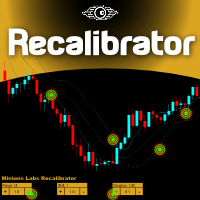
Minions Labs Recalibrator
Flavio Javier Jarabeck
5 (1)
Once again, We Nailed It! Imagine a faster and smoother way to recalibrate ANY Indicator using just obvious and intuitive mouse clicks, realtime, real fast, real results on your chart just right after the Click... Instead of the boring "Open Settings dialog / Change one setting / Click OK / See what happens on Chart...",  then repeat this process endlessly until you kill yourself! Well... No More... Welcome to the Minions Labs Recalibrator tool! Now you can Study, Trial, Experiment and Play with
Market View MT5
Kyra Nickaline Watson-gordon
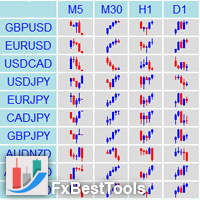
Definition : Market View is a dashboard (scanner) to view price graphs of all symbols and all timeframes at a glance. The utility is designed user friendly and added a wide range of customization options. Main features of Market View : Visual settings window on the chart Customizable list of symbols and timeframes Different shapes : Real Candles, Schematic Candles, Arrows Customizable number of candles Changeable size of dashboard (scanner) Highlight timeframes with gaps on candles Open approp
Why execution quality matters more than you think You can have the best trading strategy, perfect entry points, and proper risk management. But if your broker consistently executes orders at worse prices, you lose money before the market even moves. A slippage of 0.01% seems insignificant. But over 100 trades per month, it becomes a noticeable amount. Over 1000 trades, it becomes a serious problem. Scalpers and algorithmic traders understand this well: execution quality directly affects your bot
The real‑time view of what is happening inside the market. Footprint Secrets brings detailed analysis directly into MetaTrader 5. It shows where volume is trading, how buyers and sellers are interacting, and how liquidity shifts as the market evolves. Designed for traders who want a precise, real‑time understanding of market behavior. Check out the free preview version here:  https://www.mql5.com/en/market/product/172398 Benefits for the Trader See the real activity behind price . Footprint ch
Market Watch Panel
Dmitriy Skub
5 (1)
Introducing a compact and handy panel for watching the market and estimating multicurrency price movements. It shows main parameters for a user defined group of symbols in the form of a table. Its functionality is checked on Forex and FORTS. The following information is displayed: Financial instrument name . Last price value - can be turned off for off-exchange markets. Ask price value . Bid price value . Spread size in pips. Stop level in pips - can be turned off for off-exchange markets. Chang
ApexForge Economic Calendar Safety Dashboard MT5 Economic Calendar | Forex Calendar | News Filter | High Impact News Alert | Economic Event Countdown | Emergency Close | Close All | Market Holiday Alert | Early Close Reminder | KTimer | Candle Countdown | Mobile Push Notification | 12 Languages + Auto ApexForge Economic Calendar Safety Dashboard is an integrated MetaTrader 5 trading information dashboard combining an MT5 Economic Calendar, Forex News Filter, High Impact News Alert, Economic Even
This tool can help you close all open orders with one click, just click "Close all". If you only want to close profitable orders, click the "Close profitable" button. After clicking, all floating orders will be closed; If you only want to close the orders with floating losses, click the "Close losable" button. After clicking, all orders with floating losses will be closed. This tool has been tested for a year. The one-click position closing function is very complete, the position closing is time
# Telegram Signal Forwarder EA for MetaTrader 5 ## Overview This Expert Advisor automatically forwards all trading activity to a Telegram channel or group. It tracks **positions AND pending orders** in real-time and sends formatted signals. **Key Feature:** All follow-up messages (close, partial close, modify, delete) are sent as **replies to the original signal** in Telegram, creating a clean threaded conversation for each trade. ## Signal Types ### For Positions (Market Orders) - **OPEN
Advanced Trailing Stop & Break-Even Expert Advisor with Partial Profit Taking Overview Unlock the full potential of your trading strategy with this Expert Advisor that automates trade management to maximize profits and minimize losses. Designed for both novice and experienced traders, this EA offers precise control over your trades with customizable trailing stops, break-even protection, and partial profit taking — all working seamlessly to protect your capital and lock in gains. Key Features Dy
T Manager for Price action Traders
Haidar Lionel Haj Ali
4.5 (10)
T Manager, the ultimate trade management solution designed by traders for traders. If you are searching for a simple and efficient trade panel, trade manager, or trade assistant, you are at the right place.   The market contains a diverse number of those tools , but this one is designed by traders for traders . I designed this tool, and I am using it daily. Take my advice and stop buying tools blended with un-useful features that you will never use,   T Manager provides you with the essential y
Buyers of this product also purchase
Trade Assistant MT5
Evgeniy Kravchenko
4.43 (216)
It helps to calculate the risk per trade, the easy installation of a new order, order management with partial closing functions, trailing stop of 7 types and other useful functions. Additional materials and instructions Installation instructions - Application instructions Line function -   shows on the chart the Opening line, Stop Loss, Take Profit. With this function it is easy to set a new order and see its additional characteristics before opening.   Risk management  - The risk calculation
FarmedHedge Pair Trading Dashboard
Tanapisit Tepawarapruek
5 (7)
Farmed Hedge Yield Farming | All Markets (Manual - Hybrid - Semi/Automated EA) VERIFIED TRADING RESULTS - Farmed Hedge Yield Axi Copy:  https://www.mql5.com/en/signals/2356376 - Farmed Hedge Yield Exn Copy:   https://www.mql5.com/en/signals/2356404 - Farmed Hedge Yield V Copy:  https://www.mql5.com/en/signals/2357156 IMPORTANT NOTICE: FarmedHedge is a MANUAL-FOCUSED TRADING UTILITY ,not a fully automated EA. Results shown on this Signal include manual trades and overall strategic management.
Forex Trade Manager MT5
InvestSoft
4.98 (689)
Trade Manager MT5 is an advanced position size calculator and trade management tool for MetaTrader 5, designed to help traders plan trades faster, control risk more precisely, and manage open positions directly from the chart. It combines order placement, risk based lot calculation, Stop Loss and Take Profit management, Break Even, Trailing Stop, Partial Close, Equity Protection, and external trade management in one panel. Whether you trade forex, indices, metals, commodities, crypto, or future
Telegram to MT5 MultiChannel Copier
Sergio Marquez Uroz
4.68 (22)
Telegram to MT5 Multi-Channel Copier   automatically copies trading signals from your Telegram and Discord channels straight to MetaTrader 5. No bots, no browser extensions, no manual copying. A signal arrives in Telegram or Discord and the EA opens the trade in your terminal within seconds. And before you copy a channel, the built-in backtester shows you what that channel would have done in your account. The product has two components: a Windows application that listens to your Telegram channel
Local Trade Copier EA MT5
Juvenille Emperor Limited
4.94 (150)
Local Trade Copier EA MT5 is a fast and flexible trade copier for copying and managing trades between multiple MetaTrader 5 accounts on the same Windows computer or Windows VPS. It combines local trade synchronization with Receiver-side controls for lot sizing, risk management, trade filtering, symbol mapping, trade management and account protection. Set up your Transmitter and Receiver terminals in about 1 minute and copy manual or EA trades between accounts at the same or different brokers. U
TradePanel MT5
Alfiya Fazylova
4.88 (172)
Trade Panel is a multi-functional trading assistant. The app contains over 50 trading functions for manual trading and allows you to automate most trading tasks. Application instructions: https://www.mql5.com/en/blogs/post/756482 Trial version of the application for a demo account: https://www.mql5.com/en/blogs/post/750865 How to install the application: https://www.mql5.com/en/blogs/post/756239 How to test the application in visual mode: https://www.mql5.com/en/blogs/post/770277 How to install
News Trade EA MT5
Konstantin Kulikov
4.55 (11)
Present to you the useful robot that I have been using for several years. It can be used in both semi-automatic mode and fully automatic mode. >>> Chat <<< The program contains flexible settings for trading on the news of the economic calendar. It cannot be checked in the strategy tester. Only real work. Download the latest archive of settings: https://www.mql5.com/en/blogs/post/747929 Signals monitoring: https://www.mql5.com/en/signals/author/test-standart When creating your own sets of setti
Copy Telegram signals with your own trading rules Telegram to MT5 Signal Trader automatically copies text-based trading signals from public and private Telegram channels and groups into MetaTrader 5. Manage multiple providers and MT5 accounts from one desktop app, with individual risk and trade settings for each provider . No Telegram bot or API setup needed for copying. Simply sign in with your own Telegram account by phone or QR code and select the channels or groups you have already joined. Y
Strategy Ledger Pro
Abdullah Uygar Tuna
5 (14)
Strategy Ledger Pro is a read-only account analysis panel for MetaTrader 5. It separates account results by Expert Advisor, strategy, symbol, and magic number, so you can see what each one really contributes. The panel is available in 11 languages: English, Français, Deutsch, Español, Italiano, Português, Русский, Türkçe, 中文, 日本語 and 한국어. Before you download the demo. The Market runs the demo of any paid product in the Strategy Tester only. This panel analyses the trades on your own account, and
================================================================================ POC BREAKOUT - V20.72. Full Professional Grade Toolkit ================================================================================ POC Breakout is a full MetaTrader 5 trading dashboard for discretionary traders who want breakout signals, Point of Control (POC) context, volume profiles, order flow, market structure, news, alerts, and advanced trade planning in one professional workspace. Attached directly to you
Exp COPYLOT CLIENT for MT5
Vladislav Andruschenko
3.97 (35)
Professional Trade Copier for MetaTrader 5 Fast, professional, and reliable trade copier for MetaTrader . COPYLOT allows you to copy Forex trades between MT4 and MT5 terminals with support for Hedge and Netting accounts. COPYLOT MT5 version supports: - MT5 Hedge to MT5 Hedge - MT5 Hedge to MT5 Netting - MT5 Netting to MT5 Hedge - MT5 Netting to MT5 Netting - MT4 to MT5 Hedge - MT4 to MT5 Netting MT4 version Full Description +DEMO +PDF How To Buy How To Install How to get Log Files H
The product will copy all telegram signal to MT5 ( which you are member) , also it can work as remote copier.  Easy to set up, copy order instant, can work with almost signal formats, image signal,  s upport to translate other language to English Work with all type of channel or group, even channel have "Restrict Saving Content", work with  multi channel, multi MT5 Work as remote copier: with signal have ticket number, it will copy exactly via ticket number. Support to backtest signal. How to s
EA Overfitter
Stephen J Martret
5 (3)
That backtest looks great. But will it still be making money tomorrow, next week, next month? EA Overfitter re-runs your EA on 100 price histories it has never seen. One score tells you if the edge is real. A backtest tells you what an EA did on one price history — the one that happened to occur. What you cannot tell from it is how much of that result was the strategy and how much was the particular path. EA Overfitter answers that. It builds up to 100 synthetic price histories your EA has n
Power Candles Strategy Scanner - Self-Optimizing Multi-Symbol Setup Finder Self-optimizing settings work one chart at a time, and finding where they pay off right now means opening chart after chart. Power Candles Strategy Scanner runs the same self-optimizing engine as the Power Candles indicator on every symbol in your Market Watch, side by side. One panel ranks where it pays off: the winning strategy per symbol, its optimized Stop Loss and Take Profit. An alert fires the moment a fresh signal
Telegram To MT5 Ultra
Mirel Daniel Gheonu
5 (5)
Telegram To MT5 — Signal Copier Turn the trading calls from your Telegram channels into real MT5 orders — automatically, on as many accounts as you like, with risk and rules fully under your control. Telegram To MT5 connects the VIP / signal channels you already follow on Telegram to your MetaTrader 5 terminal. A free companion desktop app reads the messages (even from channels that block bots), and this Expert Advisor executes them on your account — applying your own risk settings, symbol mappi
Timeless Charts
Samuel Manoel De Souza
5 (9)
Timeless Charts is an all-in-one trading utility for professional traders. It combines custom chart types such as Seconds Charts and Renko with advanced order flow analysis using Footprints , Clusters , Volume Profiles , VWAP studies, and anchored analysis tools for deeper market insight. Trading and position management are handled directly from the chart through an integrated trade management panel , while Market Replay and Virtual Accounts provide environments for practicing trading skills and
Telegram to MT5 Coppy
Sergey Batudayev
5 (10)
Telegram to MT5: The Ultimate Signal Copying Solution Simplify your trading with Telegram to MT5, the modern tool that copies trading signals directly from Telegram channels and chats to your MetaTrader 5 platform, without the need for DLLs. This powerful solution ensures precise signal execution, extensive customization options, saves time, and boosts your efficiency. [ Instructions and DEMO ] [ FAQ ] [ How atach logs properly ] [ Settings descrition ] Key Features Direct Telegram API Integrati
VirtualTradePad One Click Trading Panel
Vladislav Andruschenko
4.59 (74)
Trading Panel for MetaTrader 5 — professional one-click trading from chart and keyboard A powerful trading panel for active manual trading, designed to open, manage, and close trades far faster and more efficiently than the standard MetaTrader interface. This panel is built for traders who want full control over positions, pending orders, profit management, and trading execution inside one professional workspace. This is not just another utility. It is a complete trading cockpit for MetaTrader
Anchor Trade Manager
Kalinskie Gilliam
5 (8)
Your EAs cannot see each other, but Anchor can. Anchor gives you one place to coordinate your EAs, manage risk, and decide when trading is allowed. It works alongside the trading bots you already use without any changes to them. The Problem One EA opens a trade. Then another starts trading. The next thing you know, you wake up to multiple grids built across your account. Each EA may be doing exactly what it was designed to do, but together they can place far more risk on your account than you in
Welcome to Entry In The Zone with SMC Multi Timeframe  —  COMPLETE SMC ANALYSIS SYSTEM — ALL IN ONE INDICATOR  Entry In The Zone with SMC Multi Timeframe  An indicator designed for market analysis based on Smart Money Concepts (SMC), displaying Market Structure, Key Zones (Order Blocks, Supply & Demand Zones, and Fair Value Gaps), Liquidity, and real-time BUY / SELL signals. It supports both Single-Timeframe and Multi-Timeframe analysis, along with the Confluence at Zone feature, which helps you
VirtualTradePad PRO SE MT5 — professional trading control center for MetaTrader 5 VirtualTradePad PRO SE is a premium chart-based trading panel and trade-management workspace for MetaTrader 5 . It is designed for traders who want faster execution, clearer position control, structured trade management, visual level planning and a professional workflow directly from the chart. This is not only a BUY / SELL panel. PRO SE combines manual trading, pending orders, position management, partial exits, b
Trade Indicator Assistant   is a powerful MT5 utility designed to turn indicators into automated trading systems. Its main feature is the ability to automatically detect an indicator’s   BUY and SELL signal buffers , without requiring you to know the buffer numbers, search through indicator settings, or modify the indicator source code. Bonus Indicator:   After purchasing Trade Indicator Assistant, contact me to receive   Trade Signal Pro   completely free as a bonus indicator. [Download Demo V
EA Auditor
Stephen J Martret
5 (7)
EA Auditor is an independent analysis tool for traders evaluating Expert Advisors and trading signals on MetaTrader 5. It audits backtest reports, reviews posted developer signals, and cross-verifies the two against each other to help traders assess strategies before committing capital. The MQL5 market offers a wide range of Expert Advisors from many developers, with varying approaches, quality, and transparency. EA Auditor provides a consistent, data-driven framework for reviewing them, answer
Trade Manager DaneTrades
Levi Dane Benjamin
4.13 (31)
DaneTrades Trade Manager is a professional trade panel for MetaTrader 5, designed for fast, accurate execution with built‑in risk control. Place market or pending orders directly from the chart while the panel automatically calculates position size from your chosen risk, helping you stay consistent and avoid emotional decision‑making. The Trade Manager is built for manual traders who want structure: clear risk/reward planning, automation for repeatable management, and safeguards that help reduc
MT5 to Telegram Signal Provider turns your trading account into a signal provider. Every trade action, whether manual, by EA or from your phone, is instantly sent as a message to Telegram. You can fully customize the format or use a ready-made template for quick setup. [ Demo ] [ Manual ] [ MT4 Version ] [ Discord Version ]     New: [ Telegram To MT5 ] Setup A step by step user guide is available. Key Features Ability to customize order details sent to subscribers You can create a tiered subs
RETAILBERG FOOTPRINT CHART PRO — Order-Flow Workspace for MetaTrader 5 Version 7.00  |  Professional System  |  31 tools  |  One chart A full 150-page illustrated User Manual is included. Please read the full manual to understand this feature packed footprint chart elements and ui. https://www.mql5.com/en/blogs/post/777982 DEMO / STRATEGY TESTER — PLEASE READ FIRST
Trader Evolution
Siarhei Vashchylka
5 (7)
" Trader Evolution " - A utility designed for traders who use wave and technical analysis in their work. One tab of the utility is capable of money management and opening orders, and the other can help in making Elliott wave and technical analysis. Manual (Be sure to read before purchasing) | Version for MT4 Advantages 1. Trading in a few clicks. Immediate and pending orders are available in the panel 2. Money management. The program automatically selects the appropriate lot size 3. Simplifies
Trade copier MT5
Alfiya Fazylova
4.61 (57)
Trade Copier is a professional utility designed to copy and synchronize trades between trading accounts. Copying occurs from the account / terminal of the supplier to the account / terminal of the recipient, which are installed on the same computer or VPS . Before buying, you can test the demo version on a demo account. Demo version here . Full instruction here . Main functionality and benefits: Supports copying MT5> MT5, MT4> MT5, MT5> MT4, including MT5 netting accounts. * Supports copying Dem
DrawDown Limiter
Haidar Lionel Haj Ali
5 (23)
DrawDown Limiter v5.0 — Advanced Account Protection Controller DrawDown Limiter v5.0 is a client-side account protection controller designed to supervise your trading account and automatically react when configured risk, profit, news, schedule, rollover, or position limits are reached. It can monitor manual trades, automated strategies, multiple Expert Advisors, pending orders and floating positions from one dedicated chart. It can protect the complete account or be configured to supervise a spe

RS Trade Copier - the ultra-fast local trade copier with a real graphical interface. Stop typing account numbers manually. No more 200+ cryptic inputs. A reliable and flexible tool for copying trading operations between multiple MT5 and MT4 terminals. It suits experienced traders, signal providers, and individual investors. It enables trade synchronization from one or multiple Providers to one or multiple Clients with high precision and minimal latency. It supports simple automatic configuration
More from author
PropGuard is a safety utility for prop-firm challenges and funded accounts. It watches the whole account and acts before a daily loss or max drawdown rule is broken.Most challenges are not failed by the strategy, but by a rule breach: a losing day that went one step too far, a position held over the weekend, or an EA that kept trading after a bad run. PropGuard handles these situations mechanically, for manual trading and for any EA. HOW IT WORKS 1. Monitors equity every second against your limi
LinkCopier copies positions from one MetaTrader 5 terminal to one or more other MT5 terminals running on the same computer or VPS. Use it to run one strategy on several accounts, to mirror a prop-firm account, or to copy between brokers. The same file is used on both sides: choose Master on the source account and Slave on each receiving account, with the same channel name. WHAT IS COPIED New positions (market execution) Stop loss and take profit, including later changes Partial closes (proportio
TradeTeller sends the trades of your MetaTrader 5 account to Telegram as they happen. Use it to run a signal channel, to keep a trading group or investors informed, or simply to follow your EA on your phone. Attach it to ONE chart. It reports the whole account: manual trades and every EA, or only the magic numbers and symbols you choose. WHAT IS SENT New positions: direction, symbol, entry price, SL, TP, lot SL/TP changes (break-even, trailing, manual edits) Partial closes: closed and remaining
NewsGuard keeps your account out of the market around high-impact economic news. It reads the economic calendar that is built into MetaTrader 5, so there is no website to allow, no DLL and no external service. Many prop firms do not allow trading a few minutes before and after high-impact news, and a single release can wipe out a day of profits. NewsGuard handles this mechanically, for manual trading and for every EA on the account, including EAs that have no news filter. HOW IT WORKS Warning: a
TradeDeck is a compact trading panel for MetaTrader 5 that sizes every trade from your risk. Enter the risk %, set the stop, press BUY or SELL: the lot is calculated so that a stop-out loses exactly the amount you chose. The loss at the stop and the profit at the target are shown on the panel before you click. PLACE TRADES Risk % of balance or equity Stop in pips (points for gold, indices and other non-forex symbols), take profit by R:R Line mode: drag the SL and TP lines on the chart; TP follow
Filter:
No reviews
Reply to review