Fixed Range VP MT5
- Indicators
- Version: 1.0

Fixed Range VP MT5
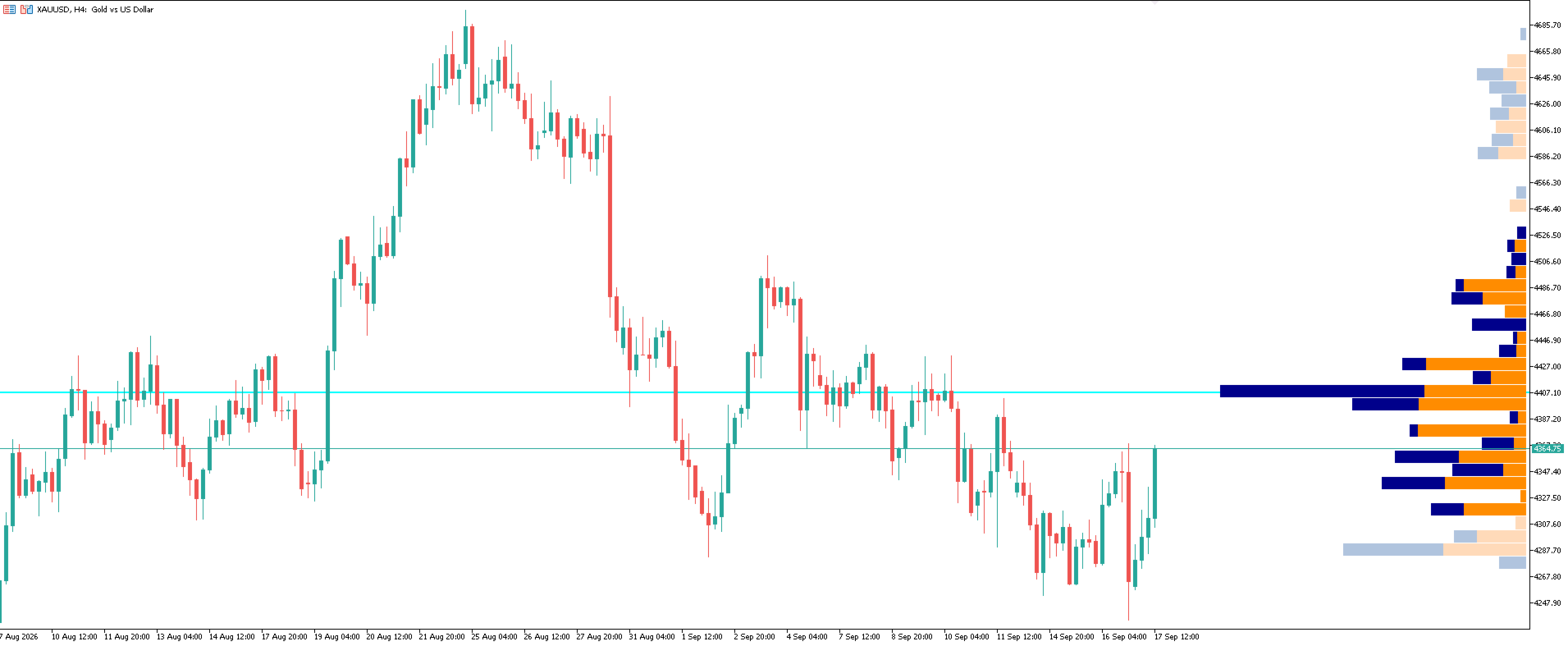
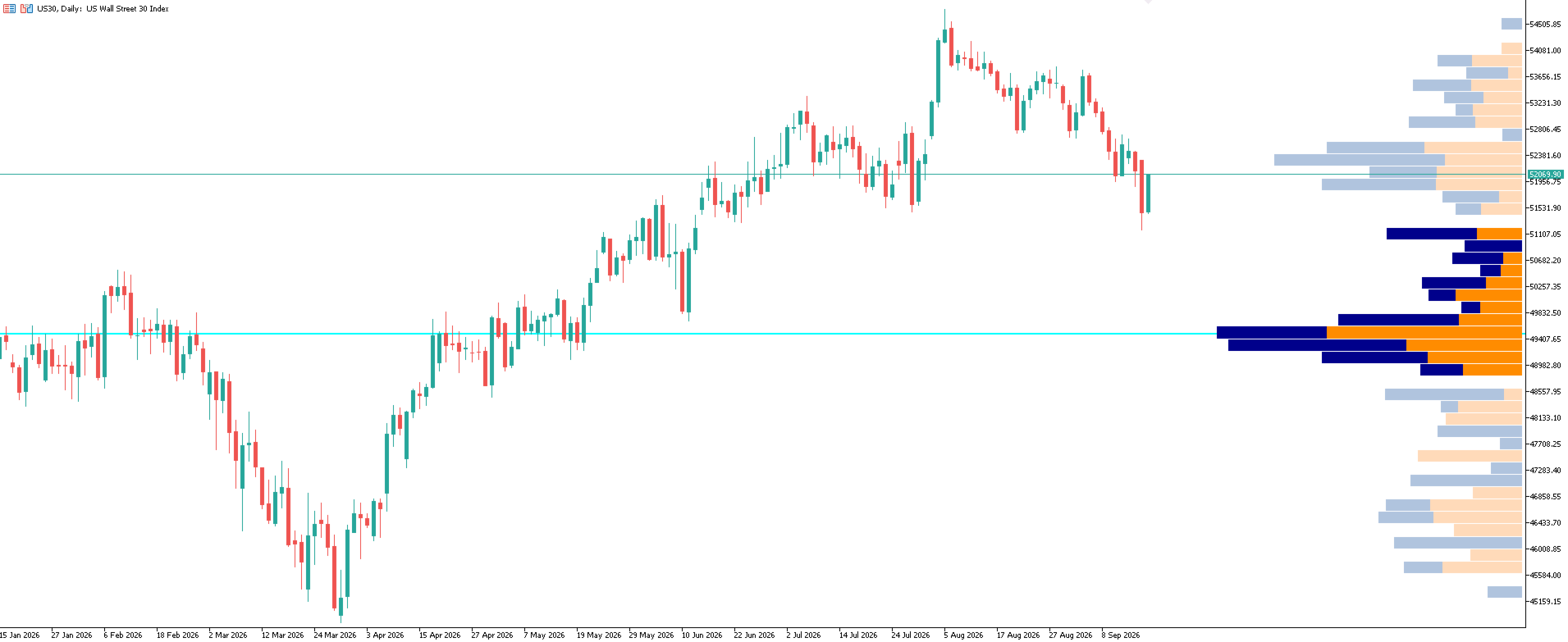
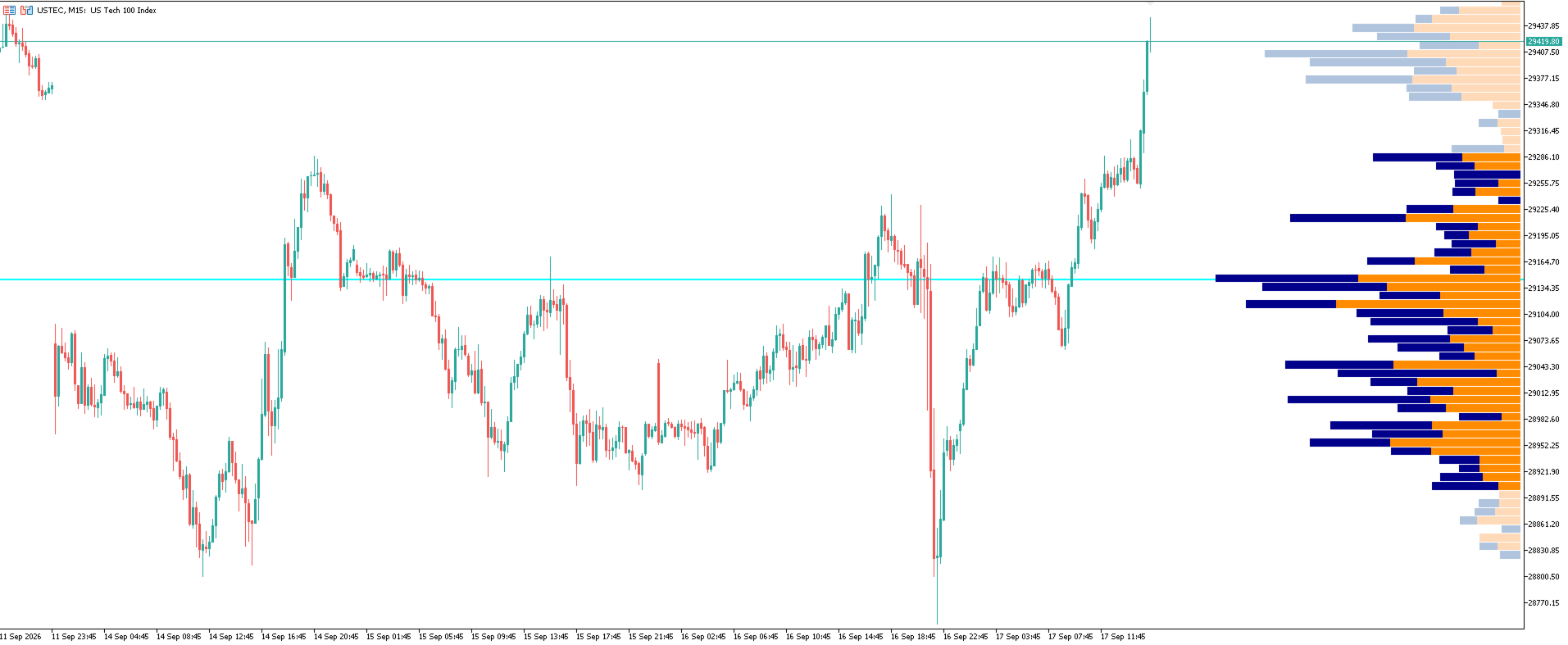
The Fixed Range Volume Profile (FRVP) is a high-performance institutional-grade analysis tool designed for MetaTrader 5. It maps trading activity over a specific user-defined time period, revealing crucial high-volume and low-volume nodes. Unlike traditional volume profiles that merge buy and sell data, this indicator splits total tick volume into separate buying and selling structures . This division gives you a transparent look at order flow directly on your main chart window.
Built using the ultra-fast MT5 Canvas library, the indicator renders smooth, lag-free graphics. It bypasses standard MetaTrader charting bottlenecks by processing complex structural data behind the scenes without dragging down your terminal's performance.
Key Features:
- Bid / Ask Volume Split: Instantly identify whether buyers or sellers dominated specific price levels with distinct color-coded sub-histograms.
- Dynamic Value Area (VA) Engine: Automatically calculates and displays the custom-percentage Value Area (default 70%) where the most intense trading took place.
- Point of Control (POC) Tracking: Clearly marks the single price level with the highest concentrated volume across your selected time range.
- High-Performance Canvas Render: Draws custom pixel-perfect shapes using direct canvas memory mapping. This ensures your MT5 workspace stays responsive.
- Smart Performance Throttling: Built-in computation filters protect your system resources. The engine safely skips unnecessary updates during extreme market spikes.
- Fully Customizable Workspace: Control screen width percentages, placement margins, row sizes (ticks per row), and individual color schemes for standard and Value Area zones.
Market Analysis Benefits:
- Spot True Institutional Blocks: Find exactly where heavy institutional positioning took place over a specific session or news event.
- Track Hidden Order Flow: Stop guessing who won the battle at key support or resistance levels. Look at the volume split to see if buyers or sellers dominated.
- Pinpoint Clean Targets: Use the Point of Control (POC) and Value Area edges as highly precise profit targets, stop placements, or breakout confirmation zones.
Input Parameters:
Profile Window Constraints
- Fixed Range: Start Date & Time ( InpRangeFrom ): The exact start date and time for volume tracking.
- Fixed Range: End Date & Time ( InpRangeTo ): The exact end date and time for volume tracking.
- Profile Position ( InpPosition ): Screen layout alignment. Set to POSITION_LEFT to face right, or POSITION_RIGHT to face left.
- Profile Width (% of Screen) ( InpProfileWidthPct ): The maximum space the histogram takes up as a percentage of your screen width.
Profile Calculation:
- Row Size (Ticks Per Row) ( InpTicksPerRow ): Base vertical precision filter that determines the height of each volume row.
- Value Area (%) ( InpValueAreaPct ): The target percentage of total volume used to calculate the high-intensity trading zone.
Design & Colors:
- Buying Volume Color ( InpBuyColor ): Visual color for standard buying volume blocks outside the Value Area.
- Selling Volume Color ( InpSellColor ): Visual color for standard selling volume blocks outside the Value Area.
- Buying Vol (Value Area) ( InpBuyColorVA ): Visual color for high-intensity buying volume blocks inside the Value Area.
- Selling Vol (Value Area) ( InpSellColorVA ): Visual color for high-intensity selling volume blocks inside the Value Area.
Point of Control (POC):
- Show POC Line ( InpShowPOC ): Toggle switch to display or hide the primary Point of Control line.
- POC Line Color ( InpPOCColor ): The color of the critical POC line.
- POC Line Width ( InpPOCWidth ): The thickness of the critical POC line.
Ideal Trading Styles:
This indicator is tailor-made for order flow practitioners, auction theorists, high-frequency scalpers, and precision price action traders. It provides a reliable foundation for identifying structural entry triggers and mapping out profit targets across Forex, Indices, Commodities, Crypto, and Metals grids.
Installation & Performance Tips
- Gold / XAUUSD Setup: For highly accurate intraday block formations, configure Row Size (Ticks Per Row) to 500 ($5.00 intervals) or 1000 ($10.00 intervals), or any other asset class as per Broker specifications.
- Widescreen Monitor Optimization: Keep the Profile Width Pct between 20.0 and 35.0 to maintain a clean layout that doesn't overlap your current live candlestick bars.
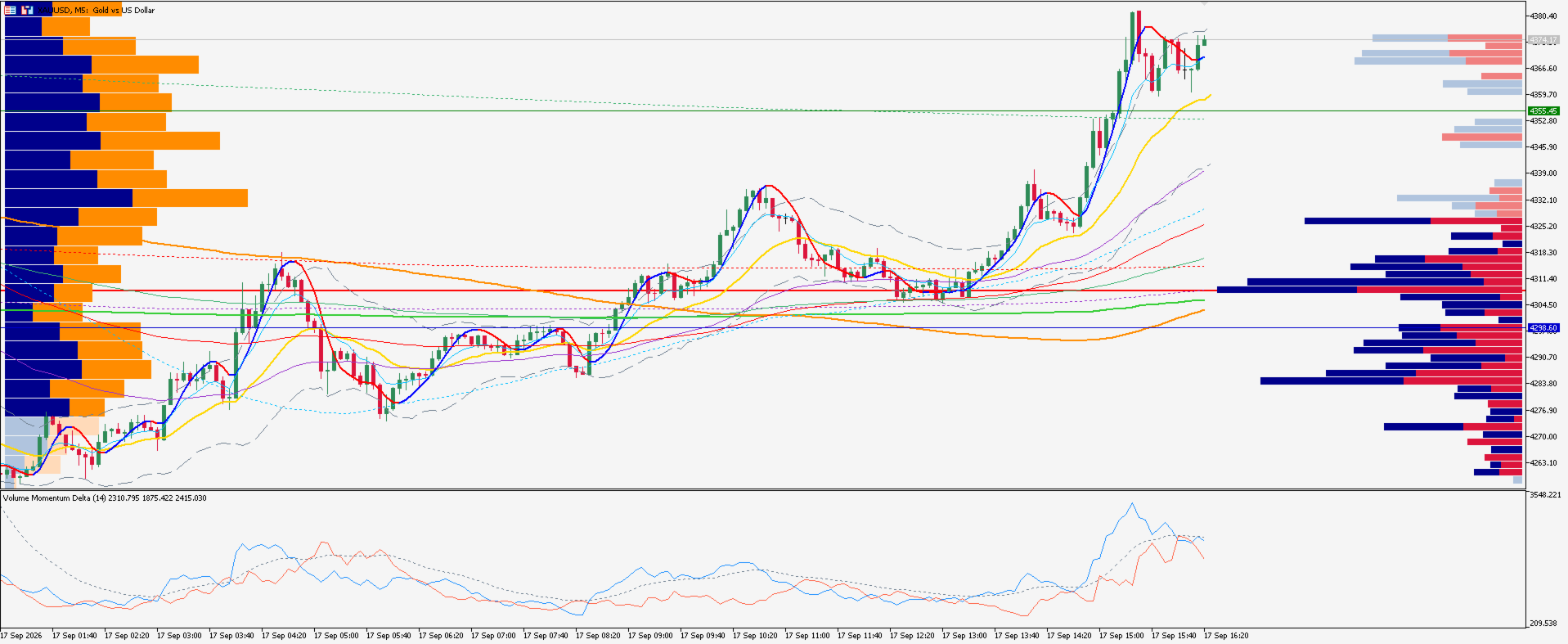
- Dynamically pair this indicator with the Anchored Volume Profile MT5: Place this indicator to POSITION_LEFT (facing right) for extended volume periods and place the Anchored Volume Profile indicator to POSITION_RIGHT (facing left) for shorter anchored volume periods (Intra-Day). For the "Best of Both Worlds" refer to Screenshot 4.