Market Watch Bulk Loader Starter
- Utilities
-
Evgenii Mamonov
 MT5 utilities that save traders time. Author of Market Watch Bulk Loader
 - Version: 1.5
Starter version of Market Watch Bulk Loader: paste a list of tickers and add them to Market Watch in one click. Up to 5 tickers per load.
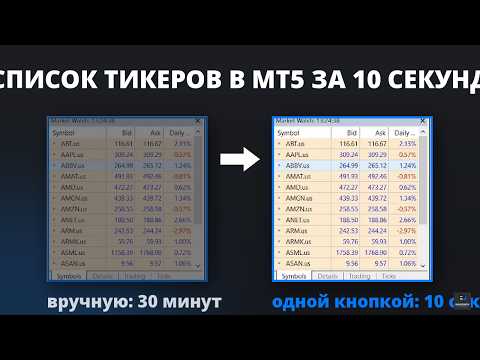
Add tickers to Market Watch from the clipboard instead of typing them one by one.
This is the starter version of Market Watch Bulk Loader. It works exactly like the full product, with one limit: 5 tickers per load. Use it to check that the utility recognises how your broker spells its symbols.
How it works
1. Copy a list of tickers to the clipboard (screener, spreadsheet, chat message, plain text - anywhere).
2. In MetaTrader 5, click the TXT button on the panel. An input field appears.
3. Paste the list (Ctrl+V or right-click).
4. Press Copy.
The utility matches every ticker against the symbols your broker actually provides and adds the matches to Market Watch. The first 5 recognised tickers are loaded, the rest are reported in the Experts log.
Why it is needed
The same instrument is named differently by different brokers. Apple can be AAPL, AAPL.US, US.AAPL, #AAPL or AAPL.cash. A plain list copied from a screener does not match your broker's naming, so MetaTrader 5 finds nothing and you are back to searching by hand.
The utility knows common broker prefixes and suffixes and picks the closest available match automatically. Symbols your broker does not offer are simply skipped - nothing breaks, nothing is duplicated.
What you get in the starter version
- Bulk loading of tickers straight from the clipboard (up to 5 per load)
- Automatic matching of broker prefixes and suffixes
- Duplicate protection - existing symbols are not added twice
- Missing symbols are skipped without errors
- Built-in instruction in 12 languages (the ? button)
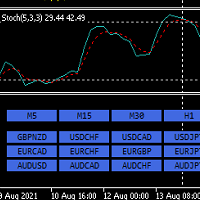
- Three-button interface, nothing to configure
- Works with stocks, indices, crypto, forex - any symbol your broker provides
- No DLL imports, no external libraries, no internet requests. The utility runs entirely inside the terminal and works only with the symbols of your connected account. Nothing leaves your computer.
Accepted formats
The pasted text is split by commas, spaces and semicolons:
AAPL, MSFT, NVDA, TSLA
AAPL MSFT NVDA TSLA
AAPL;MSFT;NVDA;TSLA
Please note: a list copied as a single column (one ticker per line) is not processed correctly - only the first line may be pasted into the input field. Put the tickers in one line, or separate them with commas, spaces or semicolons before copying.
Interface
? - built-in instruction (12 languages)
TXT - opens the input field for your ticker list
Copy - processes the list and fills Market Watch
Important
This is a utility, not a trading robot. It does not trade, does not open or close positions, does not send signals and does not give financial advice. It only prepares the symbol list in Market Watch.
Run it on a live chart (any symbol, any timeframe). Tip: before loading a list, right-click Market Watch and choose Hide All - you get a clean watchlist with exactly the tickers you need.
Full version
The full version has no 5-ticker limit: lists of 30, 100 or more tickers are loaded in one go - 100 tickers in 10-15 seconds instead of 30-50 minutes by hand.
Market Watch Bulk Loader (full version):
If the starter version recognises your broker's symbols, the full version will handle your entire watchlist the same way.