TradeGuard Pro MT4
- Utilities
- Version: 1.1
- Activations: 5

TradeGuard Pro MT4 is a position management utility designed for traders who want their existing MetaTrader 4 positions managed automatically.
The utility does not generate trading signals and does not open positions. It manages existing BUY and SELL positions according to the settings selected by the user.
Main Features
-
Automatic Stop Loss management
-
Automatic Take Profit management
-
Break-Even protection
-
Break-Even Profit Lock
-
Trailing Stop management
-
Current-symbol or multi-symbol position management
-
Magic Number filtering
-
Manual trade support
-
BUY and SELL position counters
-
Floating profit/loss display
-
On-chart management dashboard
-
Support for 4/5-digit and 2/3-digit symbols
-
Broker StopLevel and FreezeLevel protection
-
Protection against unnecessary repeated order modifications
How It Works
Attach TradeGuard Pro MT4 to a chart and configure the required management options.
The utility scans existing market positions and manages positions that match the selected symbol and Magic Number settings.
When automatic Take Profit or Stop Loss is enabled, TradeGuard can add the selected protection level to positions that do not already have that level.
Break-Even can automatically move the Stop Loss after the position reaches the selected profit distance.
Break-Even Lock can place the Stop Loss beyond the original entry price to lock a selected number of pips.
The Trailing Stop can continue adjusting the Stop Loss as price moves in the favorable direction.
TradeGuard does not intentionally move an existing protective Stop Loss backward.
Main Parameters
TrailAllTrades
True — manage qualifying positions on all available symbols.
False — manage qualifying positions only for the symbol of the chart where TradeGuard is attached.
TrailPipsEnabled
Enables or disables Trailing Stop management.
TrailPips
Sets the trailing distance in pips.
BreakEvenPipsEnabled
Enables or disables Break-Even management.
BreakEvenPips
Sets the profit distance in pips required before Break-Even is activated.
BreakEvenLockPips
Sets the number of pips beyond the entry price to protect when Break-Even activates.
Example:
BreakEvenPips = 20
BreakEvenLockPips = 2
After the position reaches the required 20-pip distance, TradeGuard attempts to move the Stop Loss to approximately 2 pips beyond the entry price, subject to broker trading conditions.
MagicNumber
0 — manage positions regardless of Magic Number.
Any other value — manage positions matching the specified Magic Number.
EnableTakeProfit
Enables automatic Take Profit placement for qualifying positions that do not already have a Take Profit.
TakeProfit
Take Profit distance in pips.
EnableStopLoss
Enables automatic Stop Loss placement for qualifying positions that do not already have a Stop Loss.
StopLoss
Stop Loss distance in pips.
Dashboard
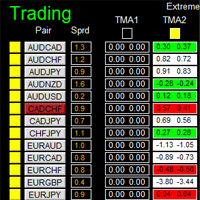
The on-chart dashboard provides information about the utility and the positions currently being managed, including BUY and SELL position counts and floating profit/loss.
Dashboard appearance can be adjusted through the available color, font-size and background settings.
Important Information
TradeGuard Pro MT4 is a trade management utility. It does not analyze the market to determine entries and does not automatically open positions.
The utility manages positions according to the selected settings and available broker trading conditions.
Stop Loss, Take Profit, Break-Even and Trailing Stop execution can be affected by spread, price movement, symbol specifications, broker minimum stop distances, freeze levels and other execution conditions.
Test the selected settings in a suitable environment before using them on a live account.