
Sessions MT5
- Indicators
-
Mykola Fomin
 Hi, my name is Nicholas. I am an intraday trader and software developer creating practical tools for MetaTrader 5. I have been involved in trading for a sufficient amount of time, and during this period I have especially focused on risk management, position management, and making everyday trading
 - Version: 1.0
TM Sessions MT5 from the Trade Manager family is an interactive trading sessions indicator for MetaTrader 5 with a premium control panel in dark and light styles, automatic calculation of price ranges (Range) in points, and accurate time display with the broker’s UTC offset taken into account.
Also check out our other products
View the full catalog of Trade Manager tools for MetaTrader 5Standard Session Settings (UTC)
-
Tokyo Session (Default UTC : 00:00-09:00)
-
London Session (Default UTC : 07:00-16:00)
-
New York Session (Default UTC : 12:00-21:00)
-
Sydney Session (Default UTC: 21:00-06:00)
TM Sessions MT5 was created to save you from having to calculate exchange operating hours in your head. It is a modern interactive panel: you can control the visibility of trading zones with one click, switch design themes on the fly, and track the activity and movement range of each session in real time.
The main idea of TM Sessions MT5 is maximum informativeness with minimal chart clutter. All session controls are always at hand directly on the screen.
TM Sessions MT5 Panel Interface
The panel is designed in a modern minimalist style and easily adapts to your preferences. It has no overloaded menus or unnecessary windows - all key information is visible at once.
The panel includes:
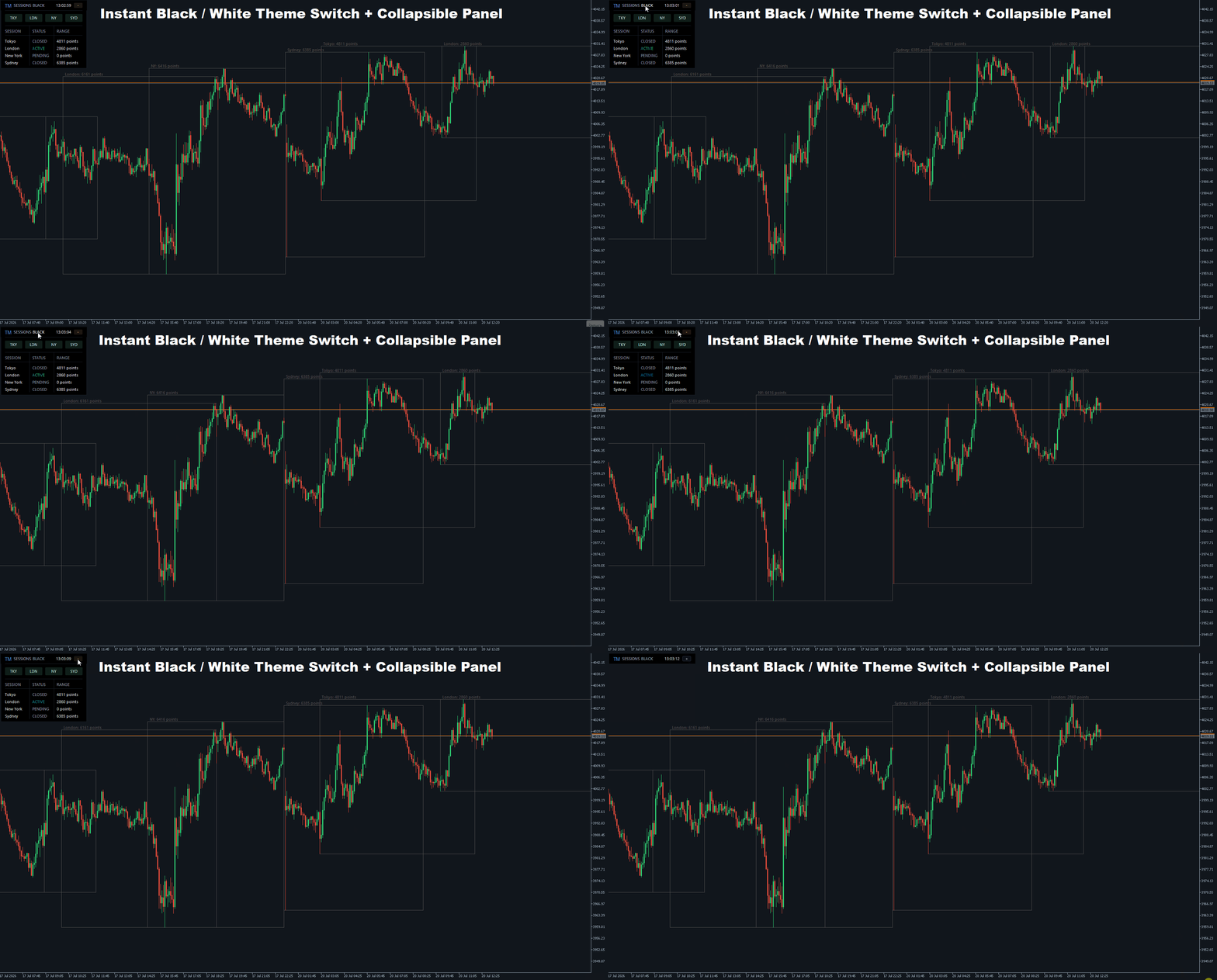
- dark and light design themes;
- one-click theme switching directly from the screen;
- compact panel collapse mode (“+/-” button);
- a clock on the panel with the ability to automatically detect your UTC offset (Local PC) or set it manually;
- a session monitoring table with statuses and their range in real time.
Interactive Controls and Features
Quick session visibility switching:
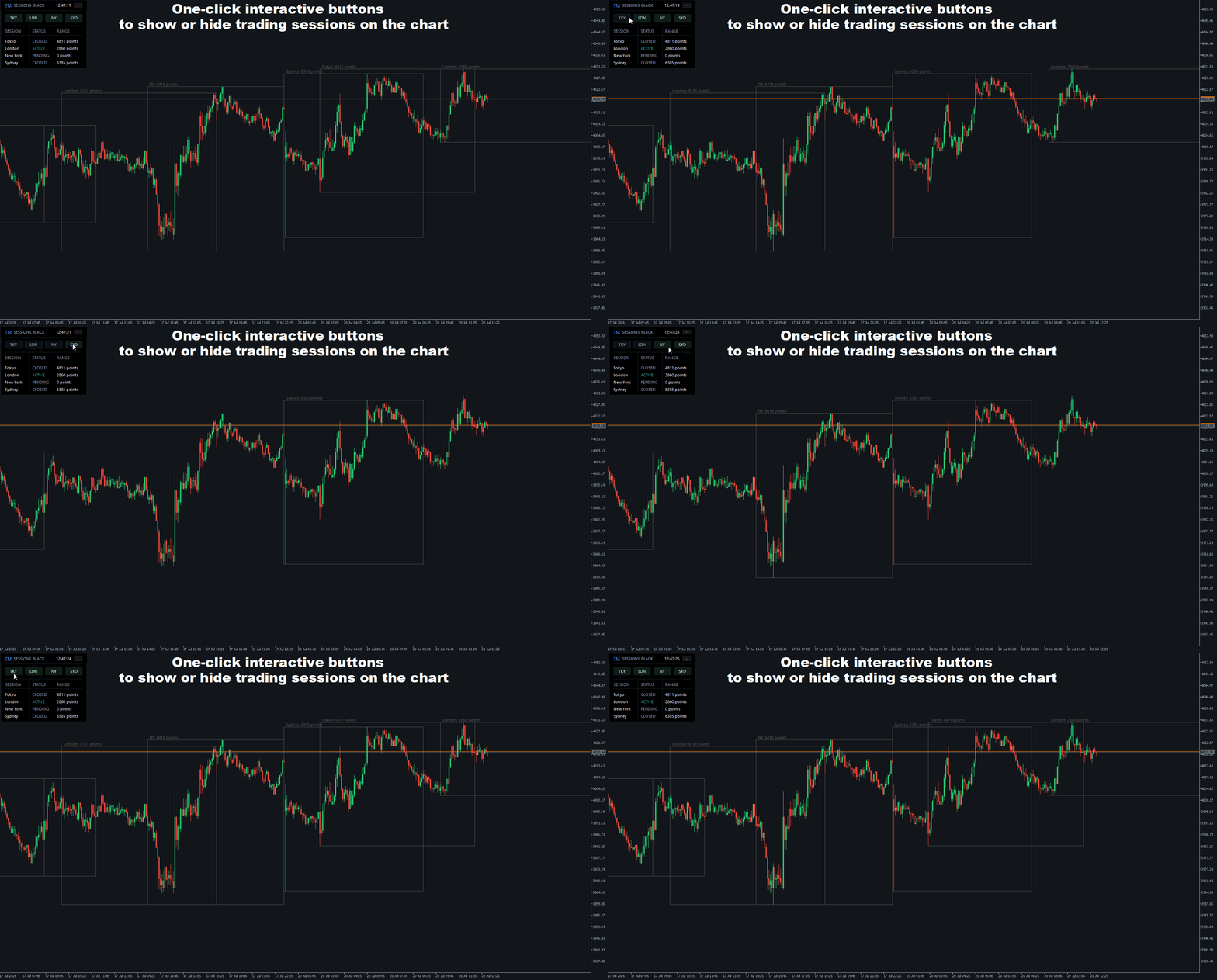
The TKY (Tokyo), LDN (London), NY (New York), and SYD (Sydney) buttons on the panel allow you to instantly hide or display the corresponding sessions on the chart. There is no longer any need to open the indicator settings just to temporarily disable an unnecessary zone.
Dynamic Range calculation (price range):
The indicator automatically calculates the movement range (High - Low) for each session of the current day in real time and displays the information in points on the panel. This helps you instantly assess volatility and understand where price made the largest move.
Main Features
- Support for 4 major trading sessions: Tokyo, London, New York, Sydney.
- Premium interactive control panel on the chart.
- Dark (Black) and light (White) panel themes, switchable with one click.
- Compact mode (collapsing the panel to one row).
- Instant hiding/showing of sessions using the interactive TKY, LDN, NY, SYD buttons.
- Real-time session status monitoring (ACTIVE / CLOSED / PENDING).
- Calculation and display of the session range (volatility) in points directly in the panel table and on the chart.
- Smart automatic detection of the broker’s UTC offset (Broker UTC Offset) with the option for manual adjustment.
- Automatic UTC offset calculation for the clock on the panel.
- Individual color settings for each session separately for dark and light themes.
- History depth limit (Days to Draw) for optimizing terminal performance and saving PC resources.
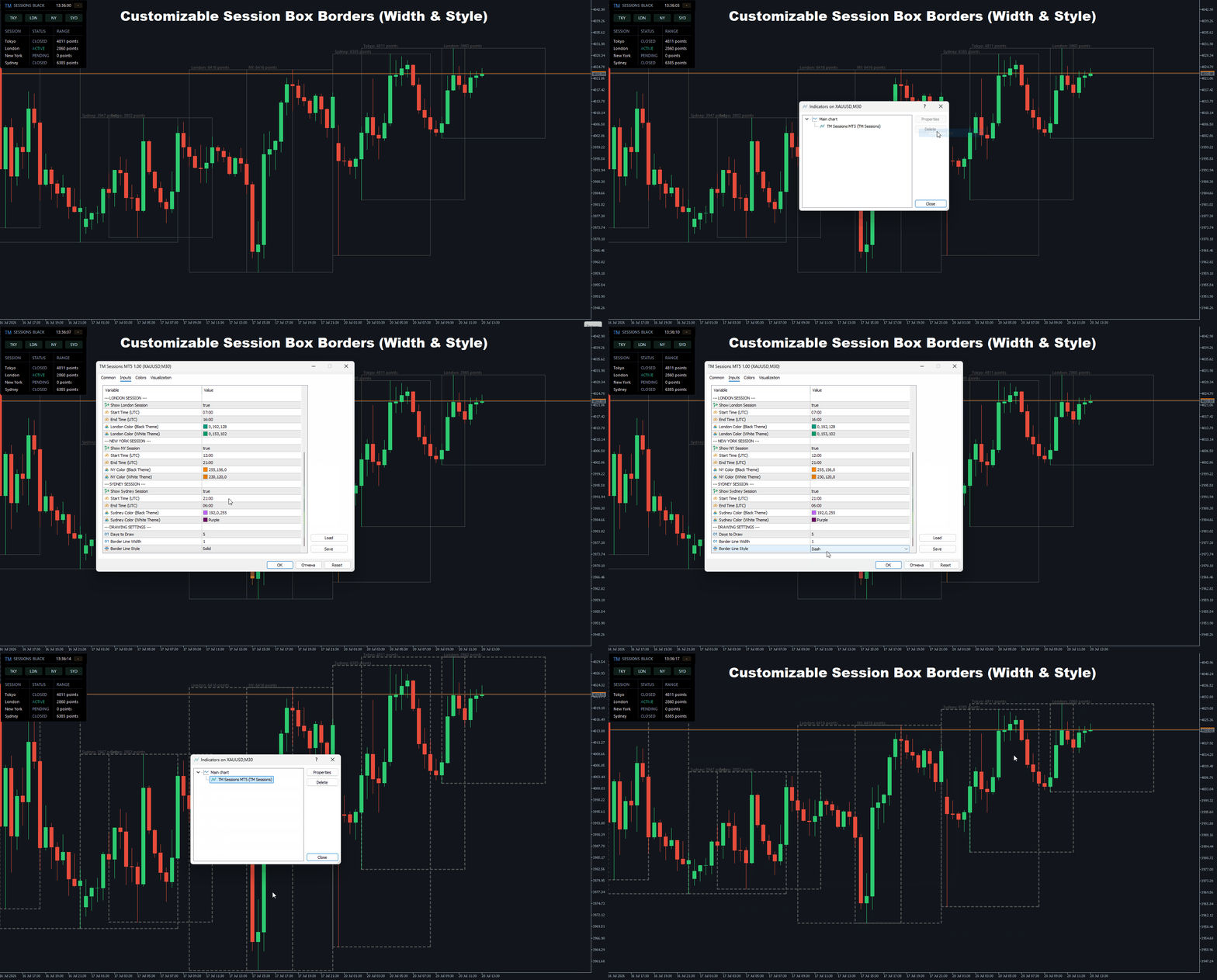
- Customizable thickness and style of session boundary lines.
- Automatic disabling of markup on higher timeframes (starting from H4) to keep the chart clean.
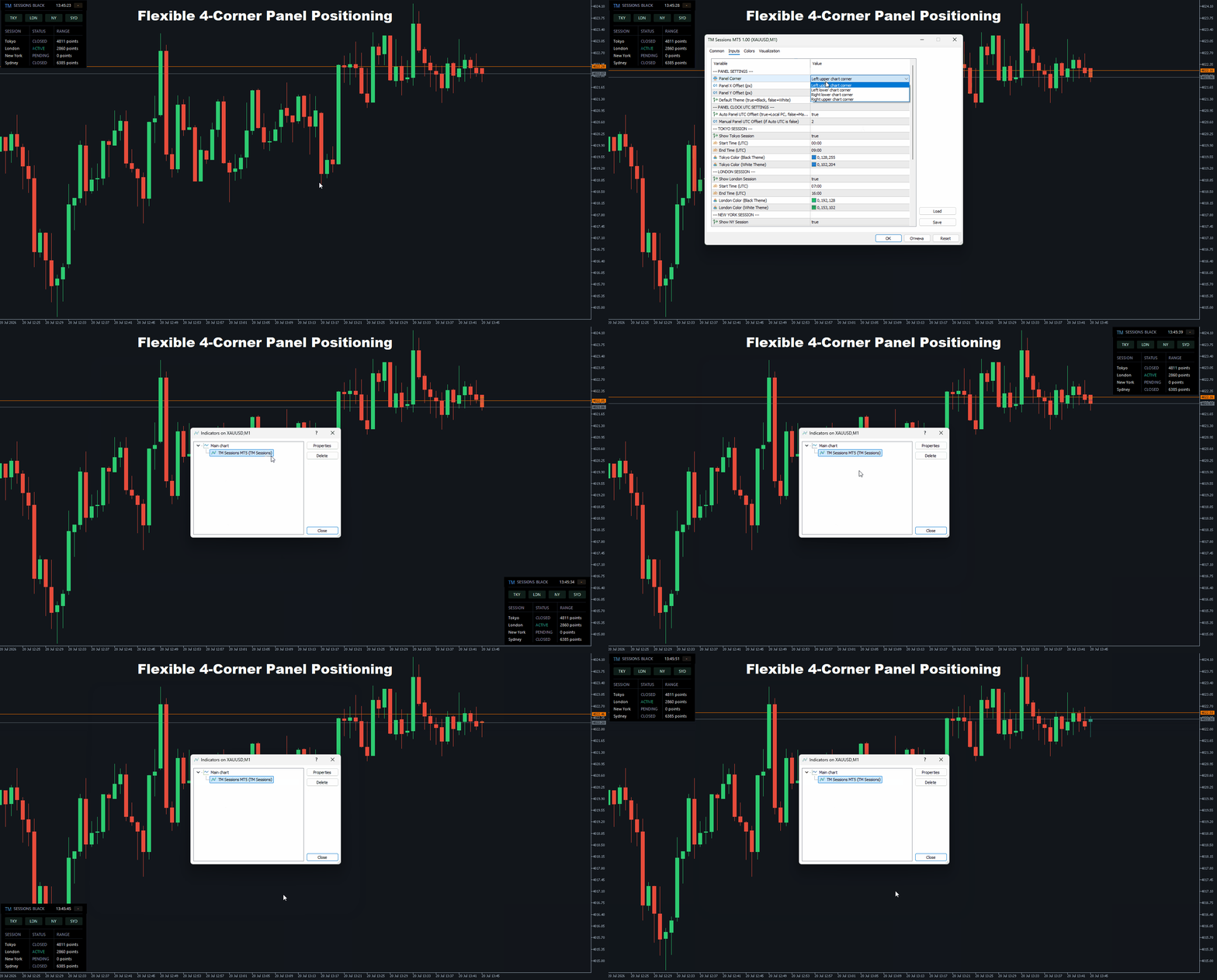
- Panel placement in any of the 4 chart corners with customizable margins.
Important
TM Sessions MT5 is a visual and analytical tool that helps you navigate market time and volatility structure. It does not generate trading signals and does not open trades. Before use, it is recommended to configure the session times according to your broker’s specifications and your trading strategy.












































User didn't leave any comment to the rating