Volatility Breakout System MT5
- Experts
- Version: 1.0
- Activations: 12

VBS (Volatility Breakout System) is an expert advisor that trades volatility-based range breakouts. It waits for the market to form a price range whose width fits within a band defined by current volatility, and enters only when price leaves that range with a closing confirmation and a minimum strength measured in ATR.
This Expert Advisor is NOT for you if:
- You are looking for a system with no losing trades or guaranteed rapid account growth.
- You prefer flawless backtest curves, even if they are the result of overfitting.
- You are looking for high-frequency trading and find it uncomfortable when the system goes through periods without trading.
- You prefer martingale, grid, or averaging strategies.
- You do not consider risk management important.
This Expert Advisor may interest you if:
- You value a strategy based on objective, repeatable rules.
- You understand that losing trades are part of any trading system.
- You prioritize robustness over an artificially perfect backtest.
- You want to clearly understand why the system enters and exits the market on each trade.
- You value trading with proper risk management.
HOW IT WORKS
The system evaluates signals at the close of each candle, using closed candles only. It does not use data from the candle currently forming, so signals do not repaint and the Strategy Tester's behavior stays consistent with live trading. An alternative intrabar confirmation mode is also available, which is not part of the delivered configuration.
The decision process has four stages:
- Range formation and validation. Over a configurable window of bars, the system records the recent high and low. The range is only accepted if its width is consistent with recent market volatility, discarding ranges that are either too narrow or too wide. It is also discarded when the range is actually the result of a single sharp move rather than genuine consolidation.
- Breakout confirmation. Price must break the range extreme with minimum strength and a confirmed close that filters out weak or questionable breakouts. If both directions break on the same candle, the system trades only the stronger one.
- Context filters. The breakout must align with the direction of a trend moving average on the working timeframe and, if the higher timeframe filter is enabled, also with a moving average on that higher timeframe. On top of this, the volume filter and, optionally, the volatility expansion filter apply.
- Execution and cycle reset. Once a trade is opened, the detected range is discarded and a new one must form before another signal can occur. The waiting period between trades also pauses range tracking while it is active.
POSITION MANAGEMENT
- Stop loss as an ATR multiple or, optionally, in structural mode based on fractals, with configurable minimum and maximum ATR limits and a safety margin.
- Single-tier trailing stop, enabled by default, which activates once profit reaches a level expressed in ATR and advances in minimum steps to reduce unnecessary order modifications.
- Two additional trailing tiers, disabled by default: when enabled, each one activates later and trails the stop at a tighter distance than the previous tier. The advisor automatically checks and corrects the ordering of the tiers if the entered configuration is not consistent.
- Break-even enabled by default, with activation and locked profit defined in ATR.
- Optional fixed take profit. Disabled by default, so the trailing stop manages the exit.
- Protection against opening gaps: if price opens with a significant gap against the position, the losing trade is closed.
- Scheduled close before the weekend, enabled by default, and an optional daily close at a set time. Both retry the close if any trade could not be closed on the first attempt.
Every distance in the system (stop loss, trailing, break-even, range width, breakout strength, spread filter, gap threshold) is expressed as an ATR multiple, so they are recalculated according to current volatility instead of relying on fixed point distances.
RISK MANAGEMENT
Trade size is defined using three volume calculation modes:
- Fixed lot.
- Percentage risk on the current balance (compounding).
- Percentage risk on a fixed base capital.
Volume is always derived from the actual stop loss distance of that specific trade, not from a lot table.
It also includes a risk limiter. Before sending the order, the advisor recalculates the actual monetary risk and skips the entry if it exceeds the defined tolerance over the intended risk. Available free margin is also checked before trading, and volume is reduced if the required margin would exceed the safety threshold.
By default, the system holds only one trade at a time, with a waiting period between entries.
WHAT THIS ADVISOR DOES NOT DO
- It does not use martingale, averaging, grids, or loss-recovery techniques.
- It does not open opposite positions simultaneously.
- It does not rely on arbitrage, latency, or unusual execution conditions.
- It does not hold positions without a stop loss.
ADDITIONAL FILTERS
The volume filter, enabled by default, requires the breakout candle to register volume above its recent average. If the symbol does not provide sufficient volume data, the filter does not block trading; it simply stops contributing selectivity.
The volatility slope filter, disabled by default, requires ATR to have been expanding ahead of the breakout. It is measured excluding the breakout candle itself, so it assesses the preceding context rather than the move itself.
BROKER COMPATIBILITY
The advisor reads and respects the minimum stops level, the freeze level, the minimum and maximum volume and the volume step, and the symbol's combined volume limit accounting for already open exposure. Volume is normalized to the symbol's volume step. As it trades using market orders only, it does not depend on pending order expiration modes. Own positions are identified by symbol and magic number, which is relevant on hedging accounts if several advisors trade the same symbol.
It is suitable for both hedging and netting accounts.
INFORMATION PANEL
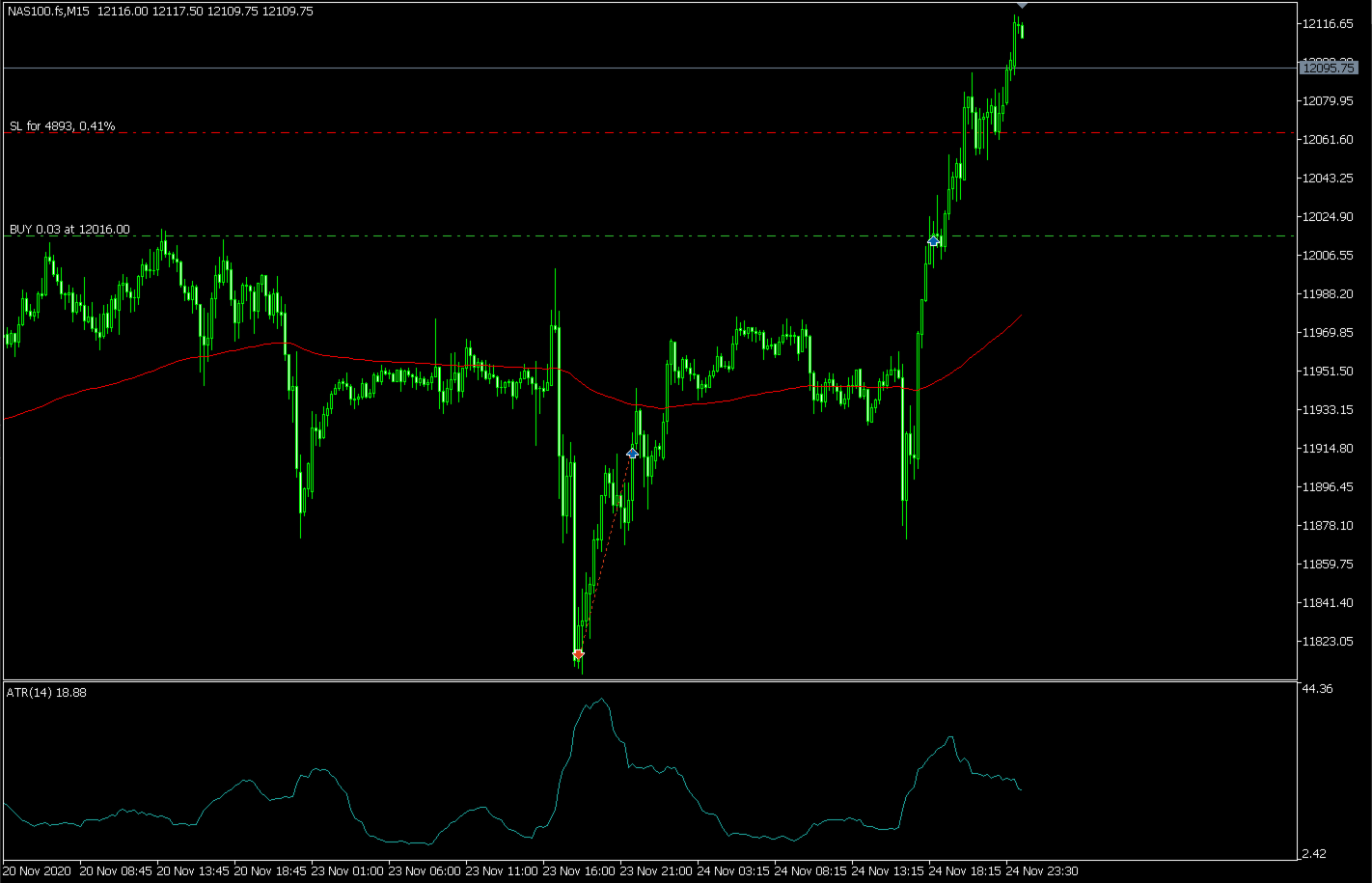
The advisor displays a text summary on the chart with the real-time state of the system: volume calculation mode and trading direction, stop loss mode and distance, current ATR reading, spread against the maximum allowed, open trades against the configured maximum, bars elapsed since the last entry, detected range and its size in ATR, take profit and break-even status, active trailing tier configuration, and the status of the volume filter, volatility filter, gap protection, and dominant-candle rejection.
It is an informational summary that does not influence trading decisions.
INCLUDED CONFIGURATION
The advisor's default parameters are prepared for NASDAQ 100 on M15. For other instruments or timeframes, it is recommended not to change the configuration directly, but to validate any adjustment through a rigorous testing process before trading it live.
VALIDATION PROCESS
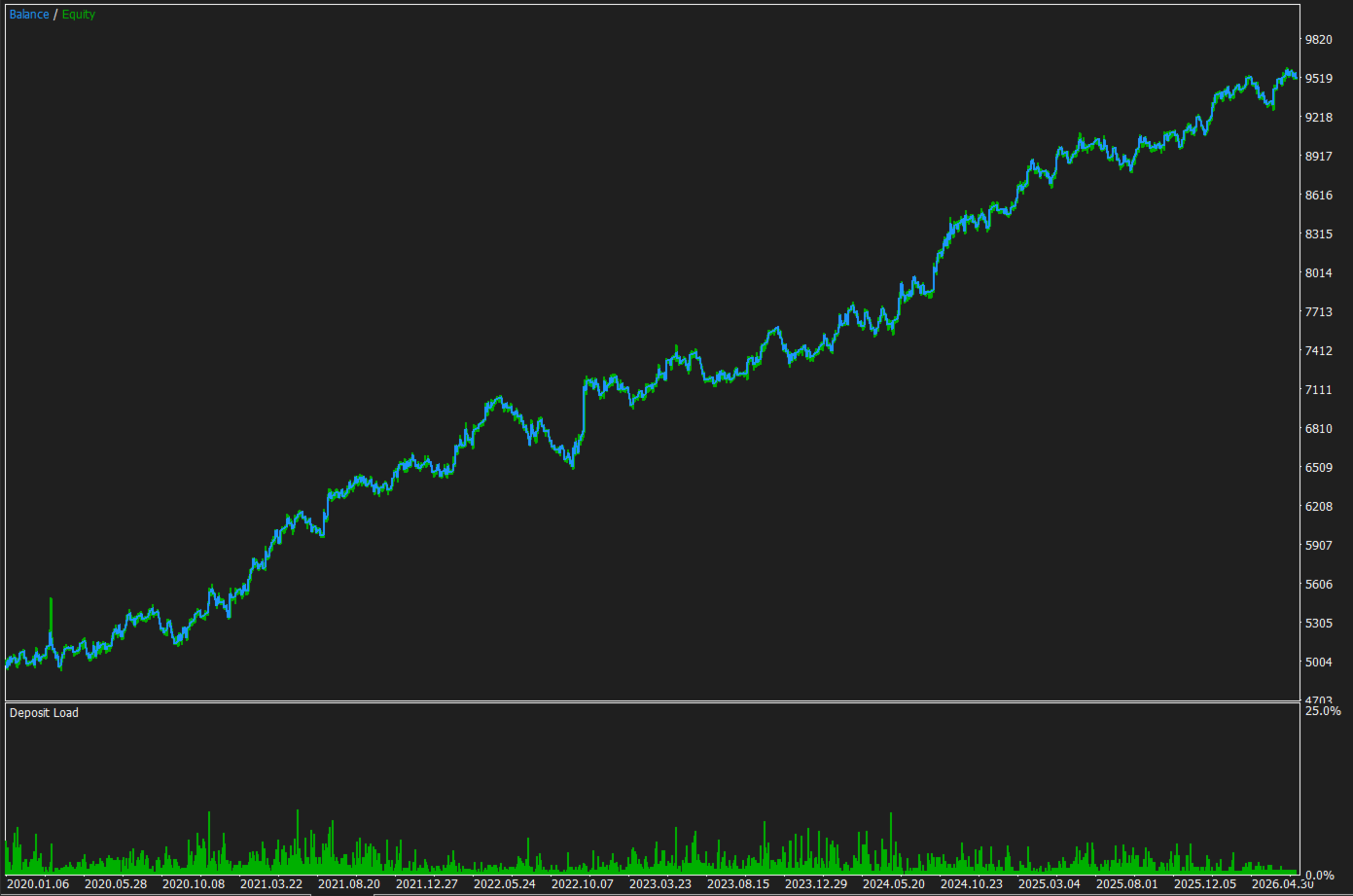
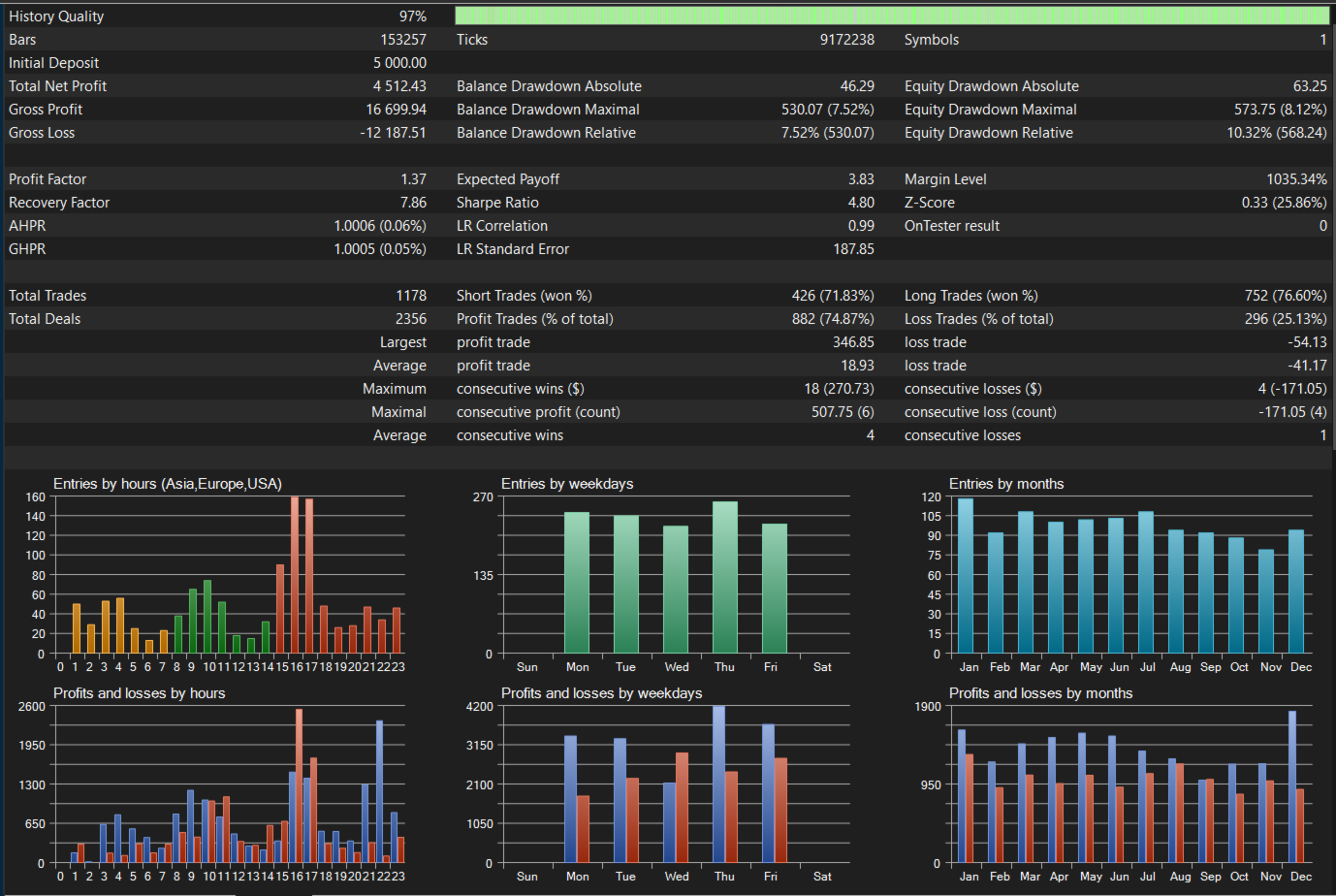
The configuration included for NASDAQ 100 on M15 was developed through in-sample selection, out-of-sample confirmation, and an additional forward test on a later period not used during development. The goal of this process is greater robustness of behavior, not fitting the system to a specific historical dataset.
REQUIREMENTS
- MetaTrader 5.
- Algorithmic trading enabled in the terminal and allowed on the account.
- Active connection to the broker's server.
- Sufficient history on the symbol and timeframe used to calculate the ATR and the trend moving average.
- History available on the higher timeframe, if the HTF filter is enabled.
- A broker providing tick value for the symbol, if volume is calculated as a percentage of risk.
- Sufficient free margin for the volume calculated for each trade.
HIGHLY RECOMMENDED
- Test on a demo account before trading on a live account.
- Test and fine-tune on a demo account using the actual capital you intend to trade with, since if the available capital is very small the system may not execute trades because the actual risk would exceed the configured limits, not because the EA is malfunctioning.
- Use this EA on NASDAQ 100 on the M15 timeframe, although testing and validation on other symbols and timeframes is possible. The exact instrument name varies by broker (US100, NAS100, USTEC, NQ100, US Tech 100, among others); make sure to attach the EA to the chart corresponding to the NASDAQ 100 index.
- Check that the symbol provides reliable volume data, since the volume filter is enabled by default.
- Check the time offset of the broker's server relative to the schedule you want to apply, since the session filter and the scheduled closes are calculated using the broker's server time, not the trader's local time.
- Use an account type with no commission per trade, although this is not mandatory.
- Use a VPS to keep the EA running continuously.
- Use a different magic number per chart if running several instances.
BEFORE BUYING
The free trial version can be run in the Strategy Tester. We recommend testing it on the instrument and broker you intend to trade with, and then on a demo account, adjusting risk to your available capital, before going live. Past results do not guarantee future results; trading financial products involves risk, and each trader is responsible for their own investment decisions.
For questions, parameter adjustments, or support, please use the MQL5 chat.