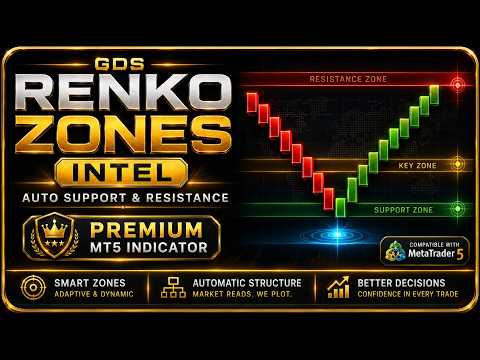
GDS Renko Zones Intelligence
- Indicators
- Andrey Goida
- Version: 1.0
- Activations: 15
GDS Renko Zones Intelligence
Renko Zones Indicator MT5 with Score, Freshness and Active Zone Verdict
GDS Renko Zones Intelligence is a premium Renko zones indicator for MetaTrader 5. It adds zone score, freshness lifecycle, active zone verdict, Top Zones and flip-level context to Renko support and resistance analysis.
Free Renko Zones shows where the zones are. GDS Renko Zones Intelligence helps explain what they mean.
The indicator does not give buy or sell signals. It does not predict price movement. It provides a structured zone-quality context layer so the trader can review support and resistance areas with more information before making a manual decision.
The core idea
Not all Renko zones have the same quality.
Some zones are fresh. Some are already tested. Some are losing strength. Some have already flipped from support to resistance or from resistance to support.
GDS Renko Zones Intelligence adds a decision-support layer that helps the trader understand the current condition of each important Renko zone.
What it adds
Zone Score 0-100
A visual score that helps estimate the current quality and relevance of a zone. The score is a context value, not a probability and not a trading signal.
Freshness lifecycle
Zones can be fresh, tested, exhausted or broken. This helps the trader avoid treating every zone as equal.
Active Zone Verdict
A clear context label for the zone currently being watched. It helps describe whether the active zone looks clean, mixed or weakening.
Top Zones panel
A compact panel showing the most relevant zones and their current quality state.
Flip-level context
Helps observe when a previous support area behaves more like resistance, or when previous resistance begins acting like support.
Enhanced Renko visualization
Designed to make support and resistance context easier to read on Renko charts.
Free Zones vs Zones Intelligence
GDS Auto Renko Support and Resistance Zones shows important Renko zone areas on the chart.
GDS Renko Zones Intelligence adds more context around those areas:
- How strong is the zone right now?
- Is the zone fresh or already tested?
- Is the active zone still relevant?
- Which zones are most important now?
- Has a level started to flip its role?
Free Renko Zones shows where the zones are. Zones Intelligence helps explain what they mean.
Typical workflow
- Build or open a Renko chart in MetaTrader 5.
- Add GDS Renko Zones Intelligence to the chart.
- Review the active support and resistance zones.
- Check the zone score, freshness and active verdict.
- Watch how price reacts around the zone.
- Combine zone context with structure, momentum and risk control before any manual decision.
How it fits the Golden Delta ecosystem
- GDS Auto Renko Support and Resistance Zones - free Renko support and resistance zone layer.
- GDS Renko Entry Helper Pro - setup-quality context around Renko zone interaction.
- GDS Renko Gold Dollar - XAUUSD macro pressure context between gold and the US dollar.
- GDS Renko Mirror MT5 - multi-scale Renko structure comparison across different brick sizes.
- GDS RiskLab TradeDesk Renko Pro Edge - advanced manual execution and risk-control cockpit.
Who it is for
- Renko traders who use support and resistance zones
- MetaTrader 5 users who want more zone-quality context
- XAUUSD, forex, index or crypto traders using Renko charts
- manual traders who prefer context layers instead of signal arrows
- users building a Golden Delta Renko analysis workspace
Useful for
- Renko support and resistance analysis
- zone quality review
- freshness and tested-zone context
- active zone monitoring
- Top Zones overview
- flip-level observation
What it is not
- not a buy/sell signal indicator
- not an automatic trading robot
- not a prediction tool
- not financial advice
- not a guarantee of trading results
Important: GDS Renko Zones Intelligence is a visual context tool for manual Renko zone analysis. It does not place trades, does not predict price movement and does not guarantee any trading result. Always test settings on a demo account before live trading and use proper risk management.
Renko, MT5, Renko Zones, Support Resistance, Zone Score, XAUUSD, Renko Indicator, MetaTrader 5, Zone Analysis, Manual Trading, Freshness, Top Zones, Golden Delta