Copy Trader Pro FAST 1 MT5

CopyTrader Pro FAST MT5 — FREE

Real-Time Trade Copier | MT4 ↔ MT5 Cross-Platform | 20ms Latency

CopyTrader Pro FAST is a professional trade copier Expert Advisor that copies trades between MetaTrader terminals in real time using a high-speed file-based communication system. No VPS, no network setup, no DLL — just attach and copy.

⚡ FREE VERSION: Copies up to 1 trade at a time. Upgrade to the full version, Copy Trader Pro FAST MT5, for unlimited copying.

🚀 Key Features

  • ✅ 20ms refresh rate — independent of tick arrival, uses millisecond timer
  • ✅ Cross-platform: MT4 → MT5, MT5 → MT4, MT4 → MT4, MT5 → MT5
  • ✅ 1 Master → Multiple Slaves — all on the same PC
  • ✅ 3 Lot modes: Multiplier, Fixed, Balance Ratio
  • ✅ Live settings panel — change everything on-chart without restarting
  • ✅ TP/SL copy, Reverse signal — flexible strategy options
  • ✅ MASTER01–10 / SLAVE01–10 ID system — no configuration files needed
  • ✅ File-based communication — works with any broker, any account type

⚙️ How It Works

The EA uses MetaTrader's shared Common Files folder (%AppData%\MetaQuotes\Terminal\Common\Files) which is accessible by all MT4 and MT5 terminals on the same Windows user account.

  1. Master terminal writes open positions to a signal file every 20ms
  2. Slave terminal reads the file and opens/closes matching trades
  3. Latency: 20–200ms on the same machine

📊 FREE vs FULL Comparison

Feature FREE FULL
Max copied trades 1 Unlimited
Number of Slaves 1 Unlimited
All lot modes ✅ ✅
TP/SL copy ✅ ✅
Reverse signal ✅ ✅
Live settings panel ✅ ✅
MT4/MT5 cross-platform ✅ ✅
Limit warning alert Yes No

🛠️ Quick Setup (3 Steps)

Step 1 — Master Terminal

  1. Attach EA to any chart
  2. Set Trade Mode = MASTER
  3. Set Account ID = MASTER01

Step 2 — Slave Terminal

  1. Attach EA to any chart (same or different platform)
  2. Set Trade Mode = SLAVE
  3. Set Account ID = SLAVE01
  4. Set Follow ID = MASTER01
  5. Enable AutoTrading + Allow Live Trading (F7 → Common)

Step 3 — Verify Connection

The Slave panel shows ● CONNECTED when the Master signal file is detected. Open a trade on Master — Slave copies it within milliseconds.

📋 Input Parameters

Parameter Default Description
TradeMode MASTER MASTER = publish signals, SLAVE = copy signals
AccountID MASTER_01 Unique identity for this terminal
FollowMasterID MASTER_01 Which Master ID to follow (Slave mode)
MasterMagicNumber 0 Only copy trades with this magic (0 = all)
OnlyCurrentChart false Copy only trades on this chart's symbol
LotCalculationMode Multiplier Multiplier / Fixed / Balance Ratio
LotMultiplier 1.0 Lot multiplier applied to master's lot
FixedLot 0.1 Fixed lot size (Fixed mode)
MasterBalance 10000 Master balance for ratio calculation
SlaveBalance 10000 Slave balance for ratio calculation
CopyTPSL true Copy Take Profit and Stop Loss
ReverseSignals false Reverse buy/sell direction
SlippagePoints 5 Maximum slippage in points
MaxSpreadPoints 30 Skip trade if spread exceeds this value
CommentMode ID Only Copy / Add / ID Only — trade comment format
SlaveMagicNumber 999999 Magic number assigned to copied trades
RefreshRateMs 50 File check interval in milliseconds
DetailedLogs true Enable detailed journal logging

🖥️ Live Settings Panel

Click ⚙ Settings on the chart panel to open the 3-tab live configuration panel — no EA restart required.

  • TRADE tab — Lot mode, lot size, spread/slippage limits (Slave mode only)
  • CONFIG tab — Trade mode switch, Account ID, Follow ID, comment options, TP/SL, reverse
  • SYSTEM tab — Language, version info, magic number, refresh rate

✅ Requirements

  • MetaTrader 5 (any build)
  • Master and Slave terminals on the same Windows user account
  • AutoTrading enabled on Slave terminal
  • "Allow live trading" checked in EA properties (F7 → Common) on Slave

❓ FAQ

Q: Does it work between different brokers?
A: Yes. As long as both terminals run on the same Windows user account, broker does not matter.

Q: Does it work between MT4 and MT5?
A: Yes. The file format is compatible across platforms.

Q: What is the typical copy latency?
A: 20–200ms on the same machine. The 20ms timer runs independently of market ticks.

Q: How many Slaves can follow one Master?
A: Unlimited in the Full version. FREE version is limited to 1 copied trade at a time.

Q: Can I change settings without restarting?
A: Yes. Use the live ⚙ Settings panel on the chart.

💡 Try the FREE version first — upgrade to Full for unlimited trade copying.

Рекомендуем также
Copy your MT5 trades to accounts anywhere in the world with the   MetaToolsLab Master EA . Unlike local copiers that only work between terminals on the   same   PC or VPS, MetaToolsLab uses a secure cloud relay — so you can broadcast your trades to followers across   different computers, VPS providers, brokers, and continents , with   sub-second delivery   and   no broker passwords . Whether you're a signal provider, a multi-account trader, or an account manager, the Master EA installs in about
FREE
Trade Mirror Follower
Nguyen Thanh Cong
5 (1)
Advanced Trade Mirror   is a powerful Forex tool designed for traders who need instant, seamless trade replication across multiple terminals on the same machine. With lightning-fast execution, it ensures zero lag in copying trades, maintaining precision and efficiency in high-speed trading environments. Get the Trade Mirror Master here:  https://www.mql5.com/en/market/product/133891 Specification: Master ID: Identity value of master terminal, please use a unique value to prevent duplicated mas
FREE
Fast CopyTrade LAN — Local Trade Copier for MetaTrader 5 Overview Fast CopyTrade LAN is a fast, DLL-free local trade copier for MetaTrader 5. It instantly copies trades between MT5 accounts on the same PC — copying OPEN, PARTIAL, MOD (SL/TP) and CLOSE from a Provider to one or more Receivers. This copy trader uses the MT5 Files folder for secure local messaging, requires no external files, no DLLs, and is fully Market-compliant. Advantages Fastest local copy trading with very low latency Market
FREE
Trade Mirror Master
Nguyen Thanh Cong
5 (1)
Advanced Trade Mirror   is a powerful Forex tool designed for traders who need instant, seamless trade replication across multiple terminals on the same machine. With lightning-fast execution, it ensures zero lag in copying trades, maintaining precision and efficiency in high-speed trading environments. Get the Trade Mirror Follower here:  https://www.mql5.com/en/market/product/133890 Specification: Master ID: Identity value of master terminal, please use a unique value to prevent duplicated mas
FREE
Opening EA - Start Edition Is a tool to trade the OpeningStrategy! The Opening EA is a semi-automated EA for MetaTrader 5! This means that the trader must actively start the EA using the Start button and stop it using the Stop button. This EA pursues an opening strategy which, at the start of trading, e.g. on the DAX or Nasdaq, etc., opens a trading channel with predefined TP's (TakeProfit). Two pending orders with the same lot size are set at the beginning. As soon as one of the pending order
FREE
Tandem — локальный копировщик сделок для MetaTrader. Он копирует сделки между терминалами, которые работают на одном компьютере или VPS: из MT4 в MT4, из MT4 в MT5, из MT5 в MT5 и из MT5 в MT4. Для каждой платформы есть своя версия, и они работают друг с другом. Я сделал один советник для обеих сторон. Вы ставите его на график в каждом терминале, нажимаете MASTER на счёте, который торгует, и оставляете SLAVE на счетах, которые должны за ним следовать. Если номер канала одинаковый, ведомые счета
FREE
Copy your MT5 trades to accounts anywhere in the world with the   MetaToolsLab Slave EA . Unlike local copiers that only work between terminals on the   same   PC or VPS, MetaToolsLab uses a secure cloud relay — so you can broadcast your trades to followers across   different computers, VPS providers, brokers, and continents , with   sub-second delivery   and   no broker passwords . Whether you're a signal provider, a multi-account trader, or an account manager, the Slave EA installs in about a
FREE
Демо-копировщик сделок версии MetaTrader 5 на MetaTrader 5 ( есть версия MetaTrader 4<->MetaTrader 4 , при наличии двух версий - сможете копировать MetaTrader 5<->MetaTrader 4, MetaTrader 4<->MetaTrader 5, MetaTrader 5<->MetaTrader 5, MetaTrader 4<->MetaTrader 4). Работает только в режиме хеджинга Фильтр спреда. Выбор лучшей цены (начинать копировать с плюсовой или минусовой позиции). Настройка лота, фиксированный или коэффициент (можно копировать сигналы поставщиков повышенным лотом). Настройка
FREE
Aurum Matrix EA MT5
Melih Enes Bozkurt
1 (1)
Aurum Matrix EA — Advanced Algorithmic Gold Trading System Aurum Matrix EA is a state-of-the-art algorithmic Expert Advisor designed specifically for Gold trading (XAUUSD) on the MetaTrader 5 platform. It is inspired by the open-source GoldTraderEA framework, upgraded with a quantitative multi-strategy fusion engine , robust risk controls and modular architecture ready for advanced enhancements including machine learning integration. Why Aurum Matrix EA? In today’s volatile markets, single
FREE
Local Trade Copier by RWBTradeLab Local Trade Copier copies trades between MetaTrader 5 terminals that run on the same computer or VPS. One file is both sides: an input sets it to MASTER, which sends its trades, or to CLIENT, which copies them. Overview Attach the program to a chart on the account whose trades are to be copied and set the role to MASTER. Attach it to a chart on every account that should follow and set the role to CLIENT, each with its own Client ID. Give all of them the same
FREE
SMART GOLD PULSE 5M Automated Gold Trading with Built-In Risk Control Gold Focused XAUUSD M5 Controlled Entries EMA + Fibonacci + Candle Reversal Filter Risk Management Max DD + Emergency Equity Stop + Daily Order Control Stay Connected Telegram alerts directly to your mobile SMART GOLD PULSE 5M (SCALPING) Introducing SMART GOLD PULSE 5M , an automated Expert Advisor designed specifically for trading XAUUSD (Gold) on the 5-minute timeframe (M5) . The EA monitors the market and automatical
FREE
Latency Hunting
Syamsurizal Dimjati
Latency and connection stability are truly the "lifeblood" of a trader, especially if you do scalping or news trading, where a difference of just a few milliseconds (ms) can determine whether your order experiences slippage or not. Let's break it down step by step so everything is clear, starting from the connection path to how we can implement this dashboard idea in MQL5. 1. Connection Path: What Does the Number in the Bottom-Right Corner Actually Mean? When you see the traffic bars and latenc
FREE
AlgoTrade Loss Streak Guard helps you take a break after losing trades. It monitors your closed trades and pauses trading according to your rules. A trade opened during a pause is closed immediately or only reported, depending on your settings. The rules A wait after every losing trade (5 minutes by default). A longer pause after a specified number of losing trades in a row (3 losses and 1 hour by default). Each subsequent loss restarts the pause until a winning trade occurs. An optional stop fo
FREE
Overview Copy Trades Master is a high-performance local signal broadcaster for MetaTrader 5. It tracks active positions on your master account in real time and streams execution data directly to one or multiple SlaveCopier terminals running on the same PC or local network via ultra-fast local file IPC ( FILE_COMMON ). https://www.mql5.com/en/market/product/189485 Key Features Local Common-File IPC: Uses local file streaming ( MQL5\Files ) for near-zero latency execution without requiring externa
FREE
Gold Pulse Scalper  (Prop Firm) is an automated trading system developed for XAUUSD (Gold), designed to operate on the M5 timeframe. It uses algorithmic logic and data-driven analysis to identify trading opportunities based on predefined rules and systematic market evaluation. Discounted   price.     The price will increase by $50 with every 3 purchases. Final price $1800 Live Signal VT Markets:  CLICK HERE   (Coming Soon) Supported Settings Symbol : XAUUSD Recommended Brokers: IC Markets, VT Ma
FREE
Scalping Control Panel Scalping Control Panel is a simple and practical trading tool designed for scalpers and traders who use grid-style entries. The EA gives you direct control over your trading setup from a clean panel on the chart. Start a BUY or SELL grid with one click and customize the main parameters before entering the market. Main Features One-Click BUY & SELL Start a BUY or SELL sequence directly from the chart. Adjustable Lot Size Set the lot size you want to use before starting th
FREE
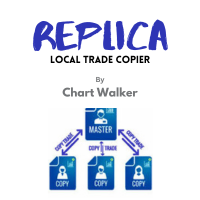
Replica Local Trade copier
Dushshantha Rajkumar Jayaraman
White label available. contact us for more info. dushshantharajkumar@gmail.com Replica Local Trade copier    by Chart Walker Replica, a MetaTrader 5 (MT5) local trade copier, is a powerful tool designed to streamline and automate trading processes for users within the MT5 platform. This innovative software allows traders to replicate trades from one account (master) to another (slave) in real-time, enabling efficient and synchronized trading across multiple accounts. With its user-friendly inte
FREE
Oil Barbarian
Thanasit Kerdprakhon
OIL Barbarian EA (Free Download) OIL Barbarian is a specialized grid-trading Expert Advisor designed specifically for XRBUSD / Brent Crude Oil . Unlike high-risk "get-rich-quick" EAs, OIL Barbarian is engineered with a Cash Flow First philosophy. It prioritizes capital preservation, long-term sustainability, and steady income over aggressive, high-risk gains. There is NO dangerous Martingale multiplier. Key Philosophy & Features Tailored for Brent Oil (XRBUSD): Built from the ground up around
FREE
Basket Grid EA
Faroq Yousef Ahmed Haidarah
FLF PRO – Smart Dual Basket Grid EA FLF PRO is a professional Expert Advisor developed exclusively for MetaTrader 5 . It combines advanced grid logic with intelligent dual basket management to provide flexible position handling, adaptive trade management, and efficient basket control across different market conditions. Main Features Smart Dual Basket Grid System Intelligent Grid Management Adaptive Lot Progression Automatic Lot Balance Attack Dynamic Lot Compensation Independent Buy and Sell Ba
FREE
IndiSig by Buffer Detect Signals from a Custom Indicator by Buffer & Send notifications to Telegram Channel or Open orders * Buy/Sell Buffer: You may get this info on MT4/5 Data Window (CTRL + D) * MT5 version: Add the indicator first, then the EA * MT4 version: Only works properly with default settings of the indicator Join  https://t.me/fxassistant_vn for more useful EAs!
FREE
Exp5 COPYLOT MASTER for MT5
Vladislav Andruschenko
4.42 (12)
Exp5 - COPYLOT MASTER - копировщик для МetaТrader 5 и MetaTrader 4. Копирует сделки Forex с любых счетов. Установка Данный эксперт - мастер копировщик. Устанавливайте данный эксперт в терминал, откуда хотите копировать сделки. В качестве pathWrite указывайте любое имя текстовой метки, например, "COPY". Установите COPYLOT MASTER for MT5 на терминал, с которого хотите копировать торговые операции.  На терминале, куда вы хотите копировать торговлю , установите  COPYLOT Client MT4   для терминала М
FREE
Master Weis
Leonel Alberto Jose Quintana
Master Waves для MetaTrader 5 Описание Master Waves является техническим индикатором для MetaTrader 5, который организует объем в волны движения цены. Индикатор анализирует направление каждой свечи и накапливает объем, пока движение продолжается в одном направлении. При изменении направления начинается новая волна. Волны отображаются в виде гистограммы в отдельном окне индикатора. Волны восходящего и нисходящего движения отображаются разными цветами для удобства визуального анализа. Анализ волн
FREE
Descrição Geral O Scalping Pattern 123 WDO & WIN é um robô de alta performance desenvolvido especificamente para operar os contratos futuros mais líquidos da B3: Mini Dólar (WDOFUT) e Mini Índice (WINFUT) . Baseado na clássica e respeitada metodologia de reversão de tendência (Setup 1-2-3), o algoritmo automatiza a leitura de fluxo de preço e correções de curto prazo, eliminando o fator emocional das suas operações. Principais Funcionalidades Operação Multiativo: Projetado com parâmetros otimiza
FREE
Free Slave Version – Remote Trade Receiver MT5. This is the FREE Slave version of our professional Remote Trade Copier system. It allows you to receive trades from a Master account running our full Copy Trade solution. Designed for simplicity and reliability, this version is read-only and cannot send trades or operate independently. Key Features: One-click setup – simply connect to the Master. Fast and accurate order copying. Supports all symbols, order types, and brokers. Minimal resource us
FREE
It adds the symbols listed on Binance Spot to the Metatrader5 market clock. With this free file you can list the entire list in seconds. You can easily upload it to your demo account. It is the first file uploaded for Binance Spot Tick and is available for free. Tools menu / Options / Expert Advisors / You need to select Use WebRequest for listed URL You can watch videos to add Metatrader.
FREE
Run one strategy across every account you trade. Revanche Miroir Local Copier is a free local trade copier that mirrors trades between MetaTrader 5 accounts on the same computer, in real time. One program plays both parts: set it as the Master on the account you trade, and as a Slave on each account that should follow. A complete copier, free. It copies on any symbol, in any account currency, and between different brokers. If the master falls silent, open trades are held rather than closed, and
FREE
Global Session Map turns one MetaTrader 5 chart into a clear session workspace. It shows which major trading sessions are active in broker time, when the next transition occurs, and where session overlaps appear. The panel is designed for discretionary traders who need reliable time context without entry signals or profit claims. Session windows and display preferences are configurable and remain available after chart or terminal restarts. Main functions • Sydney, Tokyo, London and New York s
FREE
Copyist MS MT5
Aleksei Moshkin
3.5 (4)
Copyist MS - простой и понятный в использовании копировщик сделок, работает как советник в виде одного файла с переключением режимов работы Master и Slave. Копировать ордера можно с МТ5 в МТ5, с МТ5 в МТ4, с МТ4 в МТ5. Для копирования в MetaTrader 4 вам понадобится ЕА для терминала MetaTrader 4. Текущая версия советника работает только на счетах  HEDGING. Настройки Type of work  - выбор режима работы: Master или Slave; Copy by magic number - копирование торговых ордеров по магическому номеру  
XAU VWAP Mean Reversion H4 Expert Advisor for MetaTrader 5 — Gold / XAUUSD focus Version: 1.00 What it is XAU VWAP Mean Reversion H4 is an Expert Advisor for gold on the H4 chart. Intraday VWAP mean-reversion style participation on gold H4. Built for structured automated participation — not grid , not martingale . Evaluate on your broker and risk profile before any live use. This product is a technical system . Exact thresholds and entry equations remain internal product design and are not publ
FREE
XAU Structure Pullback H1 Expert Advisor for MetaTrader 5 — Gold / XAUUSD focus Version: 1.00 What it is XAU Structure Pullback H1 is an Expert Advisor for gold on the H1 chart. Architecture is simple and deliberate: Impulse — a clear directional displacement is identified on structure. Pullback band — price retraces into a mapped structure participation band. Continue — the system joins the continuing direction with selectable exit style. Built for structured automated participation — not grid
FREE
С этим продуктом покупают
Trade Assistant MT5
Evgeniy Kravchenko
4.43 (216)
Помогает рассчитать риск на сделку, простая установка нового ордера с помощью линий, управление ордерами с функциями частичного закрытия, 7 типов трейлинг-стопа и другие полезные функции. Дополнительные материалы и инструкции Инструкция по установке - Инструкция к приложению Функция Линии   - отображает на графике линию открытия, стоп-лосс, тейк-профит. С помощью этой функции легко установить новый ордер и увидеть его дополнительные характеристики перед открытием. Управление риском   -   функ
Добро пожаловать в Trade Manager EA — лучший инструмент для управления рисками, предназначенный для упрощения, точности и эффективности торговли. Это не просто инструмент для размещения ордеров; это комплексное решение для удобного планирования торгов, управления позициями и усиленного контроля над рисками. Независимо от того, начинающий вы трейдер, опытный специалист или скальпер, нуждающийся в быстром исполнении, Trade Manager EA адаптируется к вашим потребностям и работает с любыми активами:
Local Trade Copier EA MT5
Juvenille Emperor Limited
4.94 (149)
Local Trade Copier EA MT5 — это быстрый и гибкий копировщик сделок для копирования и управления сделками между несколькими счетами MetaTrader 5 на одном компьютере с Windows или Windows VPS. Он сочетает локальную синхронизацию сделок с настройками на стороне Receiver для управления размером лота, рисками, фильтрацией сделок, сопоставлением символов, управлением сделками и защитой счета. Настройте терминалы Transmitter и Receiver примерно за 1 минуту и копируйте ручные сделки или сделки, открыты
Telegram to MT5 Multi-Channel Copier   автоматически копирует торговые сигналы из ваших Telegram- и Discord -каналов прямо в MetaTrader 5. Без ботов, без браузерных расширений, без ручного копирования. Сигнал приходит в Telegram или Discord — и советник открывает сделку в вашем терминале за считанные секунды. А перед тем как копировать канал, встроенный бэктестер покажет, что этот канал сделал бы на вашем счёте. Продукт состоит из двух компонентов: приложения для Windows, которое слушает ваши Te
Копируйте сигналы из Telegram по своим торговым правилам Telegram to MT5 Signal Trader автоматически копирует текстовые торговые сигналы из открытых и закрытых каналов и групп Telegram в MetaTrader 5. Управляйте несколькими поставщиками сигналов и счетами MT5 из одного приложения для компьютера, задавая индивидуальные параметры риска и торговли для каждого поставщика . Для копирования не нужны бот Telegram и настройка API. Просто войдите в свой аккаунт Telegram по номеру телефона или QR-коду и в
TradePanel MT5
Alfiya Fazylova
4.88 (170)
Trade Panel — это многофункциональный торговый помощник. Приложение содержит более 50 торговых функций для ручной торговли и позволяет автоматизировать большинство торговых операций. Инструкция к приложению: https://www.mql5.com/ru/blogs/post/756476 Пробная версия приложения для демо-счета: https://www.mql5.com/ru/blogs/post/750864 Как установить приложение: https://www.mql5.com/ru/blogs/post/750096 Как тестировать приложение в визуальном режиме: https://www.mql5.com/ru/blogs/post/770274 Как уст
Strategy Ledger Pro
Abdullah Uygar Tuna
5 (13)
Теперь доступно на русском языке. Strategy Ledger Pro — панель анализа счёта для MetaTrader 5, работающая только на чтение. Она разделяет результаты счёта по советникам, стратегиям, символам и magic-номерам, чтобы было видно, что на самом деле вносит каждый из них. Панель доступна на 11 языках: English, Français, Deutsch, Español, Italiano, Português, Русский, Türkçe, 中文, 日本語 и 한국어. Перед загрузкой демоверсии. Маркет запускает демоверсию любого платного продукта только в тестере стратегий. Эта
Farmed Hedge Yield Farming | All Markets (Manual - Hybrid - Semi/Automated EA) VERIFIED TRADING RESULTS - Farmed Hedge Yield Axi Copy:  https://www.mql5.com/en/signals/2356376 - Farmed Hedge Yield Exn Copy:   https://www.mql5.com/en/signals/2356404 - Farmed Hedge Yield V Copy:  https://www.mql5.com/en/signals/2357156 IMPORTANT NOTICE: FarmedHedge is a MANUAL-FOCUSED TRADING UTILITY ,not a fully automated EA. Results shown on this Signal include manual trades and overall strategic management.
================================================================================ POC BREAKOUT - V20.72. Full Professional Grade Toolkit ================================================================================ POC Breakout is a full MetaTrader 5 trading dashboard for discretionary traders who want breakout signals, Point of Control (POC) context, volume profiles, order flow, market structure, news, alerts, and advanced trade planning in one professional workspace. Attached directly to you
News Trade EA MT5
Konstantin Kulikov
4.55 (11)
Представляю полезного робота, которым пользуюсь сам уже несколько лет. Может использоваться как в полуавтоматическом, так и в полностью автоматическом режиме. >>> Chat <<< Программа содержит гибкие настройки торговли на новостях экономического календаря. В тестере стратегий проверить нельзя. Только реальная работа. В настройках терминала необходимо добавить новостной сайт в список разрешенных URL. Кликните Сервис > Настройки > Советники. Поставьте галочку в "Разрешить WebRequest для следующих U
Dealer's Panel No signal decides anything here — a hand does. One click, and the panel calculates what's underneath: lot size from risk, target from a 30-step balance ladder that remembers exactly how far an account has climbed. Toggle between market and pending without touching an input field. Set a stop, and the take-profit can write itself — a fixed share of the balance, translated into price with no arithmetic left for the trader to get wrong. One trade live at a time; it won't let a seco
RETAILBERG FOOTPRINT CHART PRO — Order-Flow Workspace for MetaTrader 5 Version 7.00  |  Professional System  |  31 tools  |  One chart A full 150-page illustrated User Manual is included. Please read the full manual to understand this feature packed footprint chart elements and ui. https://www.mql5.com/en/blogs/post/777982 DEMO / STRATEGY TESTER — PLEASE READ FIRST
Следующее обновление — версия 2.52 уже скоро! [НОВОЕ] Приготовьтесь к 4 новым важным функциям, призванным улучшить ваш анализ рынка и торговый процесс. Мы выводим анализ рынка на новый уровень с помощью 4 новых функций, разработанных с учётом ваших потребностей в трейдинге. Представляем: 1. TRADE OVERVIEW DASHBOARD 2. CONFLUENCE AT ZONE 3. STRONG & WEAK HIGH/LOW 4. OTE 1. TRADE OVERVIEW DASHBOARD Панель, которая помогает легче понимать общую картину рынка, предоставляя рекомендации для поддержк
Exp COPYLOT CLIENT for MT5
Vladislav Andruschenko
3.97 (35)
Профессиональный копировщик сделок для MetaTrader 5 Быстрый, профессиональный и надежный копировщик сделок для MetaTrader . COPYLOT позволяет копировать сделки Forex между терминалами MT4 и MT5 с поддержкой счетов Hedge и Netting . Версия COPYLOT для MT5 поддерживает: - MT5 Hedge → MT5 Hedge - MT5 Hedge → MT5 Netting - MT5 Netting → MT5 Hedge - MT5 Netting → MT5 Netting - MT4 → MT5 Hedge - MT4 → MT5 Netting Версия MT4 Полное описание + DEMO + PDF Как купить Как установить Как получить файлы жур
Trade copier MT5
Alfiya Fazylova
4.61 (57)
Trade Copier — это профессиональная утилита, предназначенная для копирования и синхронизации сделок между торговыми счетами. Копирование происходит от счета/терминала поставщика к счету/терминалу получателя, которые установлены на одном компьютере или vps. Перед покупкой вы можете протестировать демо-версию на демо-счете. Демо-версия здесь . Полная инструкция здесь . Основной функционал и преимущества: Русифицированный интерфейс, поддержка на русском языке. Поддерживает копирование МТ5 > МТ5, МТ
Telegram To MT5 Ultra
Mirel Daniel Gheonu
5 (5)
Telegram To MT5 — копировщик сигналов Превратите торговые сигналы из ваших Telegram-каналов в реальные ордера MT5 — автоматически, на любом количестве счетов, с полным контролем над риском и правилами. Telegram To MT5 связывает VIP / сигнальные каналы, на которые вы уже подписаны в Telegram, с вашим терминалом MetaTrader 5. Бесплатное приложение-компаньон для ПК читает сообщения (даже из каналов, которые не допускают ботов), а этот советник исполняет их на вашем счёте — применяя ваши настройки р
Grid Manual MT5
Alfiya Fazylova
4.73 (22)
Grid Manual — это торговая панель для работы с сеточными стратегиями. Утилита универсальная, имеет гибкие настройки и понятный интерфейс. Работает с сеткой ордеров не только в сторону усреднения убытков, но и в сторону наращивания прибыли. Трейдеру не нужно создавать и сопровождать сетку ордеров, это сделает утилита. Достаточно открыть ордер и Grid manual автоматически создаст ему сетку ордеров и будет сопровождать его до самого закрытия. Полная инструкция и демо-версия здесь . Основные особенно
HINN MAGIC ENTRY - лучший инструмент для входа и менеджмента позиций! ПРОСТО. БЫСТРО. ИНТУИТИВНО. МАКСИМАЛЬНО АВТОМАТИЗИРОВАНО. Выставляет ордера через выбор уровня на графике! полное описание    ::    demo-версия    ::   60-sec-video-description Основные функции: - Рыночные, лимитные и отложенные ордера -  Автоматический подсчет лоттажа  -  Автоматический учет спреда и комиссий -  Неограниченное количество промежуточных тейков для позиций - Перевод в безубыток и трейл стоп-лосса и тейк-проф
MT5 to Telegram Signal Provider — это простой в использовании полностью настраиваемый инструмент, который позволяет отправлять определённые сигналы в чат, канал или группу Telegram, превращая вашу учётную запись в провайдера сигналов . В отличие от большинства конкурирующих продуктов, он не использует импорт DLL. [ Демо ]   [ Руководство ] [ Версия MT4 ] [ Версия для Discord ] [ Канал в Telegram ]  New: [ Telegram To MT5 ] Настройка Доступно пошаговое руководство пользователя . Никаких знаний A
Anchor Trade Manager
Kalinskie Gilliam
5 (9)
Your EAs cannot see each other, but Anchor can. Anchor gives you one place to coordinate your EAs, manage risk, and decide when trading is allowed. It works alongside the trading bots you already use without any changes to them. The Problem One EA opens a trade. Then another starts trading. The next thing you know, you wake up to multiple grids built across your account. Each EA may be doing exactly what it was designed to do, but together they can place far more risk on your account than you in


The Patch
Mian Rameez Ali
The Patch It never opens a trade. It walks behind the ones that did. Every open position, every pending order — checked twice a second for the one thing that's easy to forget: a stop, a target. Found bare, it doesn't ask. It writes the missing number in, measured in points from wherever the position began, and moves on to the next. No strategy, no opinion on direction. Just the quiet assumption that nothing should ever sit on the market unprotected — not because someone decided it shouldn't,
RS Trade Copier - сверхбыстрый локальный копировщик сделок с полноценным графическим интерфейсом. Хватит вбивать номера счетов вручную. Никаких 200+ непонятных параметров в настройках. Надёжный и гибкий инструмент для копирования торговых операций между несколькими терминалами MT5 и MT4. Подходит как опытным трейдерам и сигнал-сервисам, так и частным инвесторам. Позволяет синхронизировать торговлю от одного или нескольких источников к одному или нескольким приёмникам с высокой точностью и минима
Power Candles Strategy Scanner — самооптимизирующийся инструмент для поиска настроек по нескольким инструментам Power Candles Strategy Scanner использует тот же самооптимизирующийся движок, что и индикатор Power Candles — для всех символов в вашем Market Watch, одновременно. На одной панели отображается информация о том, какие символы в данный момент являются статистически торгуемыми, какая стратегия выигрывает на каждом из них, оптимальная пара Stop Loss / Take Profit, а также отправляется увед
VirtualTradePad PRO SE MT5 — профессиональный торговый центр управления для MetaTrader 5 VirtualTradePad PRO SE — это премиальная торговая панель и рабочая среда управления сделками на графике для MetaTrader 5 . Она создана для трейдеров, которым нужны более быстрое исполнение, более понятный контроль позиций, структурированное управление сделками, визуальное планирование уровней и профессиональный рабочий процесс прямо с графика. Это не просто панель BUY / SELL. PRO SE объединяет ручную торговл
Prop Guardian Risk Manager MT5 – Drawdown, Risk & Hedge Protection for Prop Firm and Managed Accounts Prop Guardian Risk Manager is a professional risk-control utility for MetaTrader 5, designed for prop firm traders, money managers and anyone who wants strict account-level risk protection. It does not generate trading signals, strategy entries or trading decisions. Instead, it runs in the background, monitors your account risk and can automatically block new exposure, close managed positions or
The product will copy all telegram signal to MT5 ( which you are member) , also it can work as remote copier.  Easy to set up, copy order instant, can work with almost signal formats, image signal,  s upport to translate other language to English Work with all type of channel or group, even channel have "Restrict Saving Content", work with  multi channel, multi MT5 Work as remote copier: with signal have ticket number, it will copy exactly via ticket number. Support to backtest signal. How to s
Floor Watch
Syed Tauqeer Hussain Shah
Floor Watch One number, watched every thirty seconds: how far equity has fallen since the day began — or since its highest point, if it's told to trail the peak instead of the open. Cross the line and it doesn't argue. Every open position closes, every pending order vanishes, and anything that slips through afterward gets shut the moment it appears. Not asked. Removed. The floor holds until the clock turns 5 AM Pakistan time — then, and only then, does the day start over. One rule. No except
Торговая панель для MetaTrader 5 — профессиональная торговля в один клик с графика и клавиатуры Мощная торговая панель для активного ручного трейдинга, которая позволяет открывать, сопровождать и закрывать сделки значительно быстрее и удобнее, чем стандартными средствами MetaTrader. Панель создана для тех, кто хочет получить полный контроль над позициями, ордерами, прибылью и торговыми сценариями в одном рабочем пространстве. Это не просто вспомогательная утилита. Это полноценный торговый интер
EA Auditor
Stephen J Martret
5 (6)
EA Auditor is an independent analysis tool for traders evaluating Expert Advisors and trading signals on MetaTrader 5. It audits backtest reports, reviews posted developer signals, and cross-verifies the two against each other to help traders assess strategies before committing capital. The MQL5 market offers a wide range of Expert Advisors from many developers, with varying approaches, quality, and transparency. EA Auditor provides a consistent, data-driven framework for reviewing them, answer
Telegram to MT5 Coppy
Sergey Batudayev
5 (10)
Telegram to MT5: Идеальное решение для копирования сигналов Упростите свою торговлю с Telegram to MT5 — современным инструментом, который копирует торговые сигналы прямо из каналов и чатов Telegram на вашу платформу MetaTrader 5, без необходимости использования DLL. Это мощное решение обеспечивает точное исполнение сигналов, широкие возможности настройки, экономит время и повышает вашу эффективность. [ Instructions and DEMO ] [ FAQ ] [ How atach logs properly ] [ Settings descrition ] Ключевые
Другие продукты этого автора
Copy Trader Pro FAST MT5 – локальный копировщик сделок Copy Trader Pro FAST MT5 — это советник, который копирует сделки между терминалами MetaTrader, работающими на одном компьютере. Терминалы обмениваются данными через общую папку файлов; DLL и дополнительные программы не нужны. Его можно использовать для совместного управления несколькими счетами, синхронизации счетов проп-компаний или копирования сделок с основного счета на другие счета. Интервал обновления можно уменьшить до 50 мс. Типичная
PositionMap Pro — Account Overview Panel for MT5 A real-time panel that groups all open positions by symbol and shows Buy lots, Sell lots and net profit/loss directly on your chart — the whole account at a glance. Instead of counting lots symbol by symbol in the Terminal tab, PositionMap Pro groups everything automatically. You instantly see how much exposure you have on each symbol, split by direction. Panel example Symbol Buy Lot Sell Lot Net P/L EURUSD 0.50 — +12.30 XAUUSD — 1.00 −45.00 GBPUS
FREE
CopyTrader Pro FAST (Free) — trade copier for MetaTrader 4 Copies trades between MetaTrader terminals on the same computer in real time: MT4 to MT4, MT4 to MT5, MT5 to MT4 and MT5 to MT5 (the MT5 version is available separately). No DLL and no network setup. FREE version: copies 1 trade at a time. The full version, Copy Trader Pro FAST, copies an unlimited number of trades. How it works The master terminal writes its open trades to a file in the MetaTrader shared folder (Common\Files). Slave te
FREE
CopyTrader Pro FAST MT4 — FULL VERSION Real-Time Trade Copier | MT4 ↔ MT5 Cross-Platform | Unlimited Trades | 20ms Latency CopyTrader Pro FAST is a professional-grade trade copier Expert Advisor that copies trades between MetaTrader terminals in real time. Built on a high-speed file-based communication system, it delivers 20–200ms copy latency on the same machine — completely independent of tick frequency. No VPS, no network configuration, no DLL files. Just attach to a chart, set Master or Slav
Multi Indicator Scanner — 10 Indicators, One Panel (MT4) Multi Indicator Scanner reads 10 popular technical indicators at the same time and shows each one as BUY, SELL or NEUTRAL in a single on-chart panel, together with an overall summary. Instead of loading and checking ten indicators one by one, you see the full picture in one place. Indicators analyzed RSI (Relative Strength Index) Stochastic %K CCI (Commodity Channel Index) ADX (Average Directional Index) MACD Moving Average Williams %R Mom
Multi Pivot Pro — 5 Pivot Methods in One Indicator (MT4) Multi Pivot Pro draws daily pivot levels on your MetaTrader 4 chart using five different calculation methods. Switch between methods from a single dropdown — no need to install five separate indicators. Pivot points are widely used support and resistance levels that help traders plan entries, exits and stop placement. Pivot methods Classic Fibonacci Camarilla Woodie DeMark (DM) Features Pivot (P), resistance R1–R3 and support S1–S3 levels
StructureMap Pro — Market Structure Labels (HH / HL / LH / LL) for MT4 StructureMap Pro automatically marks market structure on your chart. Every confirmed swing high and swing low is labeled as Higher High (HH), Higher Low (HL), Lower High (LH) or Lower Low (LL), and consecutive pivots are connected with dotted lines, so the "staircase" of the trend is visible at a glance. No more drawing swing points by hand — the indicator does it consistently on any symbol and any timeframe. How to read the
Multi Pivot Pro — 5 Pivot Methods in One Indicator (MT5) Multi Pivot Pro draws daily pivot levels on your MetaTrader 5 chart using five different calculation methods. Switch between methods from a single dropdown — no need to install five separate indicators. Pivot points are widely used support and resistance levels that help traders plan entries, exits and stop placement. Pivot methods Classic Fibonacci Camarilla Woodie DeMark (DM) Features Pivot (P), resistance R1–R3 and support S1–S3 levels
Multi Indicator Scanner — 10 Indicators, One Panel (MT5) Multi Indicator Scanner reads 10 popular technical indicators at the same time and shows each one as BUY, SELL or NEUTRAL in a single on-chart panel, together with an overall summary. Instead of loading and checking ten indicators one by one, you see the full picture in one place. Indicators analyzed RSI (Relative Strength Index) Stochastic %K CCI (Commodity Channel Index) ADX (Average Directional Index) MACD Moving Average Williams %R Mom
GoldEdge Pro EA — XAUUSD Specialist Expert Advisor for MT5 Overview GoldEdge Pro EA is a professional algorithmic trading system built specifically for XAUUSD (Gold). It combines multi-timeframe trend confluence, Ichimoku cloud analysis, and a unique three-level drawdown protection system to trade Gold with precision and discipline. The EA enters only when the market structure, EMA alignment, RSI momentum, and Ichimoku conditions all confirm the same direction across three timeframes simultaneou
Фильтр:
serverana2012
202
serverana2012 2026.05.30 16:46 

Пользователь не оставил комментарий к оценке

atagsm
64
atagsm 2026.05.30 16:42 

Пользователь не оставил комментарий к оценке

Ответ на отзыв