Smart Entry Hulk KPG
- Indicators
- Version: 1.0

Smart Entry Hulk KPG – H-Band & Trend MTF Indicator for MT5
General Description
Smart Entry Hulk KPG is a technical analysis indicator developed by Billion KPG Club for MetaTrader 5. It combines the smoothing characteristics of the H-Band with the directional logic of the Trend algorithm.
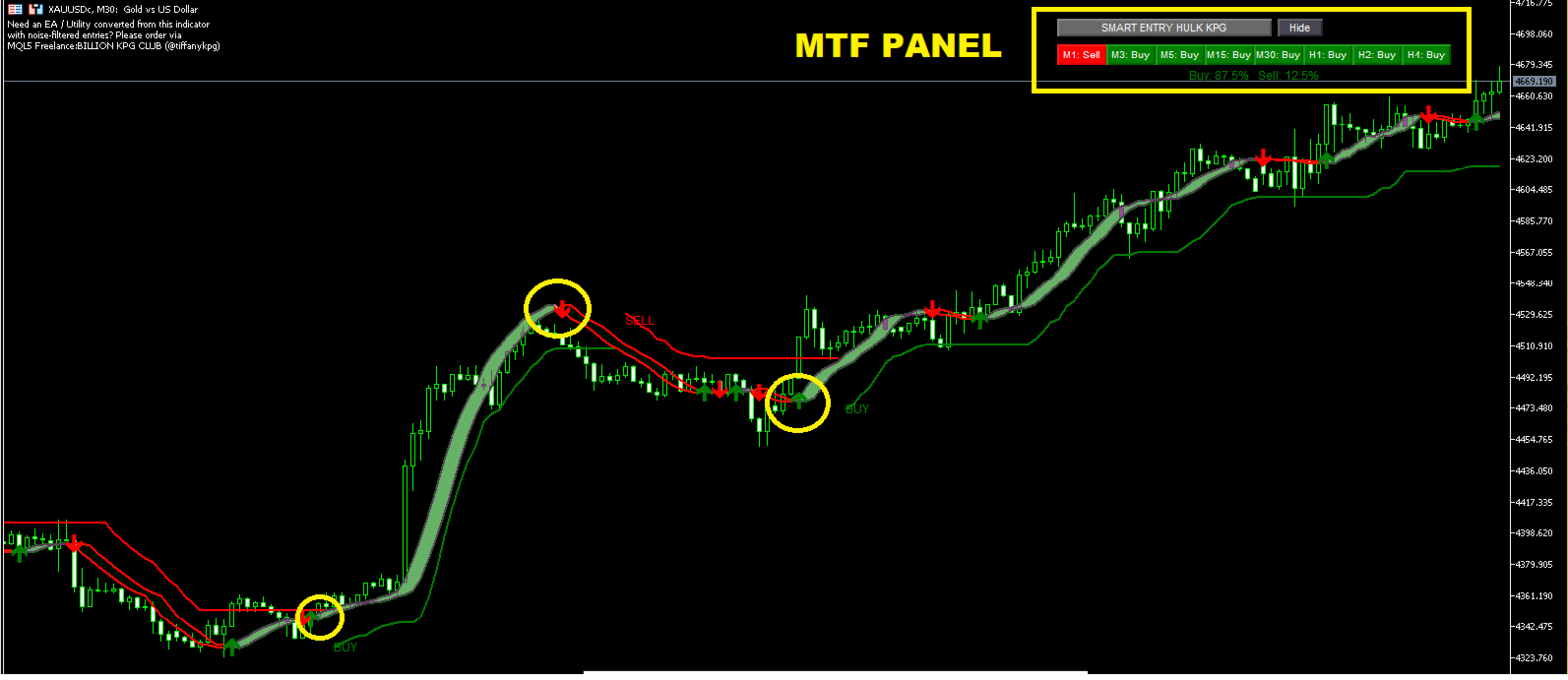
By applying the Trend calculation onto the smoothed H-Band data, this tool aims to filter market noise and provide clear visual representations of trend directions. It features a Multi-Timeframe (MTF) dashboard, Higher Timeframe (HTF) data injection, and a "Force Aggregation" summary to assist traders in analyzing market conditions across different timeframes.
Main Features
- H-Band Variations: Supports multiple calculation modes (Standard, Exponential, Triangular) to adapt to different asset volatilities.
- Trend on H-Band: Applies ATR-based Trend logic directly to the H-Band calculation, resulting in a smoother visual representation of the trend.
- Multi-Timeframe (MTF) Dashboard: Displays the current trend status for up to 8 customizable timeframes simultaneously.
- Force Aggregation Summary: Calculates the overall market bias by aggregating Buy/Sell states across selected timeframes, with an option to apply weighted importance to higher timeframes.
- Higher Timeframe (HTF) Injection: Allows the H-Band to be calculated using higher timeframe data without changing the current chart timeframe.
- Non-Repainting Alerts: Popup, Sound, and Push notifications are triggered strictly on closed bar confirmations.
- Customizable Interface: Draggable dashboard, adjustable band transparency, line thickness, and arrow sizes.
Visual Elements
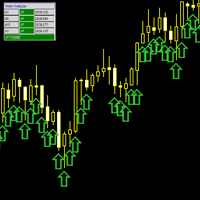
- Green/Red Filled Band: Represents the H-Band (Main and Secondary lines). Green indicates upward momentum; Red indicates downward momentum.
- Green/Red Trend Line: The Trend line applied to the H-Band. It acts as a dynamic reference line and primary trend filter.
- Band Change Arrows: Displayed when the H-Band changes color, indicating a shift in momentum.
- BUY / SELL Text Labels: Displayed on the chart when the Trend reverses its state, marking potential entry zones for analysis.
Multi-Timeframe Dashboard & Force Aggregation
The integrated dashboard provides an overview of the market across multiple timeframes:
- Individual TF Status: Shows "Buy" (Green), "Sell" (Red), or "N/A" (Gray) for each selected timeframe.
- Force Summary: Displays the percentage of Buy vs. Sell pressure across all monitored timeframes.
- Weighted Force: If enabled, higher timeframes will have a stronger impact on the final percentage, providing a broader market perspective.
Suggested Usage
- Recommended Assets: Can be applied to volatile assets including USOIL, US 30, BTC, XAUUSD, and major Forex pairs.
- Timeframes: M15 and M30 for intraday analysis; H1 and H4 for swing analysis.
- Analysis Strategy: Traders often look for confluence. A potential setup may be considered when the MTF Dashboard shows a strong directional force, the HTF H-Band aligns with the direction, and a signal label prints on the execution timeframe.
- Risk Management: The Green/Red Trend line can be used as a reference for trailing stops. Always place Stop Loss based on your personal risk management rules.
Input Parameters Overview
- H-Band Settings: H-Band Variation, Length, Multiplier, HTF Resolution, Band Transparency, and Arrow visibility.
- Trend Settings: ATR Period, ATR Multiplier, ATR Method, and Signal Label visibility.
- MTF Panel Settings: Timeframe list, Panel position, Cell dimensions, and Max bars to read.
- Force Aggregation: Enable summary, Weighted force toggle, Decimal places, and Force ATR settings.
- Alerts: Popup, Sound, and Push notification toggles.
- Performance: Panel refresh rate and Max signal labels to optimize terminal performance.
Support and Updates
Smart Entry Hulk KPG receives regular updates from the Billion KPG Club development team to ensure compatibility with the latest MT5 builds.
- Support is provided exclusively through the product comments section or via the mql5.com internal messaging system.
- Please note: Support is not offered via Telegram, other external messengers, or third-party websites.
Disclaimer:
- This tool provides analytical assistance. Trading involves risk. Past performance does not guarantee future results. Manage your capital responsibly.
Support:
- Support is provided through the product comments section or via the mql5.com internal messaging system.
- Assistance is not offered via Telegram, other messengers, or external websites.