ADX MultiTF Scanner Pro
- Indicators
- Version: 1.0
- Activations: 5

Overview
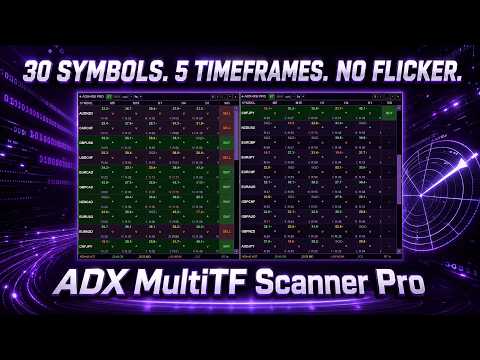
ADX MultiTF Scanner Pro — professional multi-currency trend scanner for MetaTrader 5. Displays trend strength and direction based on ADX and RSI simultaneously across up to 30 symbols and 5 timeframes in one compact Canvas panel with no flickering.
The panel is built on Canvas — no flickering during updates, smooth mouse drag, support for up to 30 trading instruments simultaneously.
The basic free version for a single symbol is available here: ADX MultiTF Dashboard
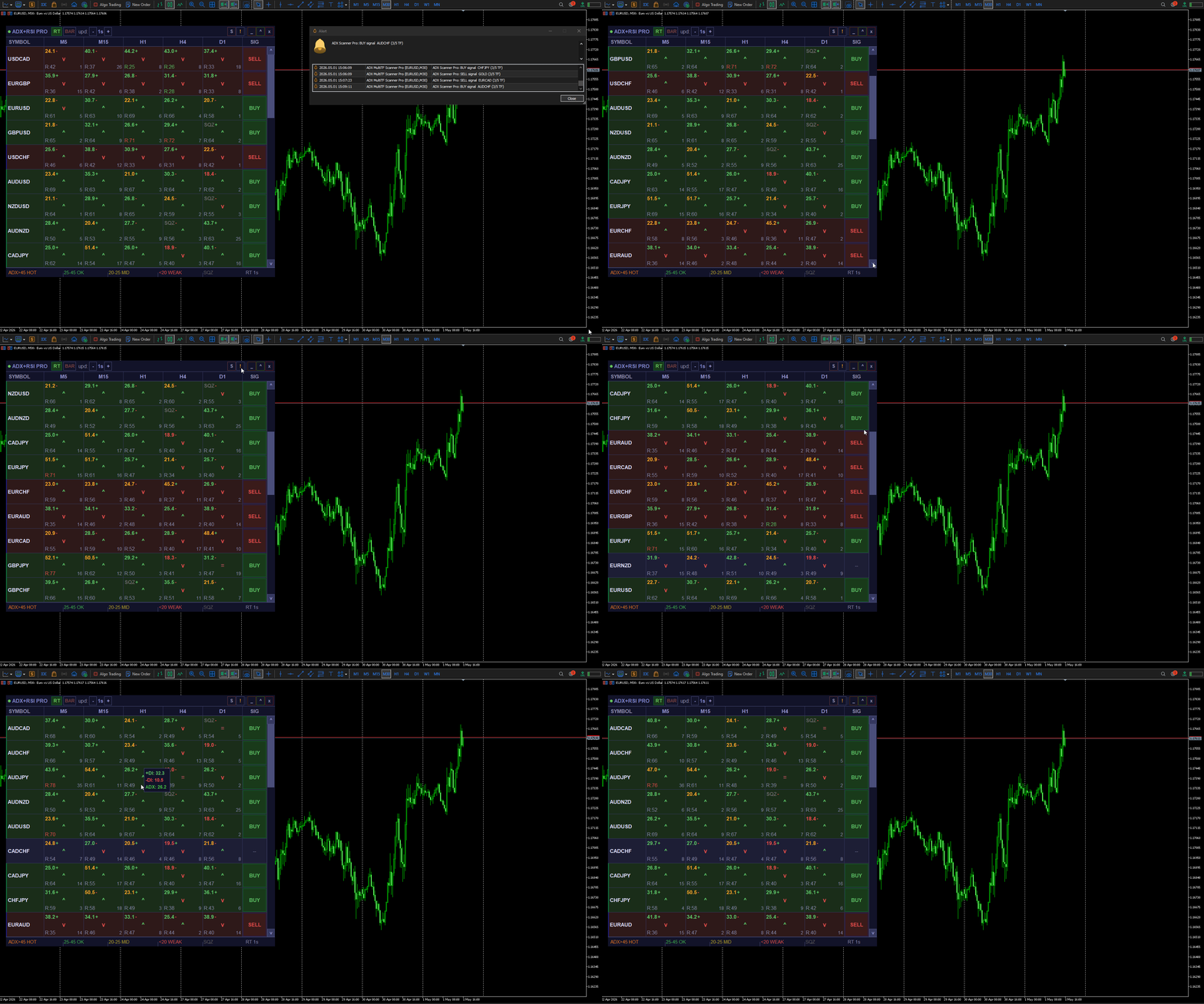
What Each Cell Shows
In each cell of the grid (symbol × timeframe):
- ADX value — color changes by trend strength: red (< 20 weak), yellow (20–25 medium), green (25–45 strong), orange (> 45 overheated)
- +/− next to ADX — trend is gaining strength or fading
- SQZ — market has been in a range for a long time, accumulating energy before the move
- Arrow ▲/▼/= — trend direction based on the relationship between +DI and −DI
- RSI — value with zone color (green = oversold, red = overbought)
- Bars ago — how many bars ago the current signal appeared
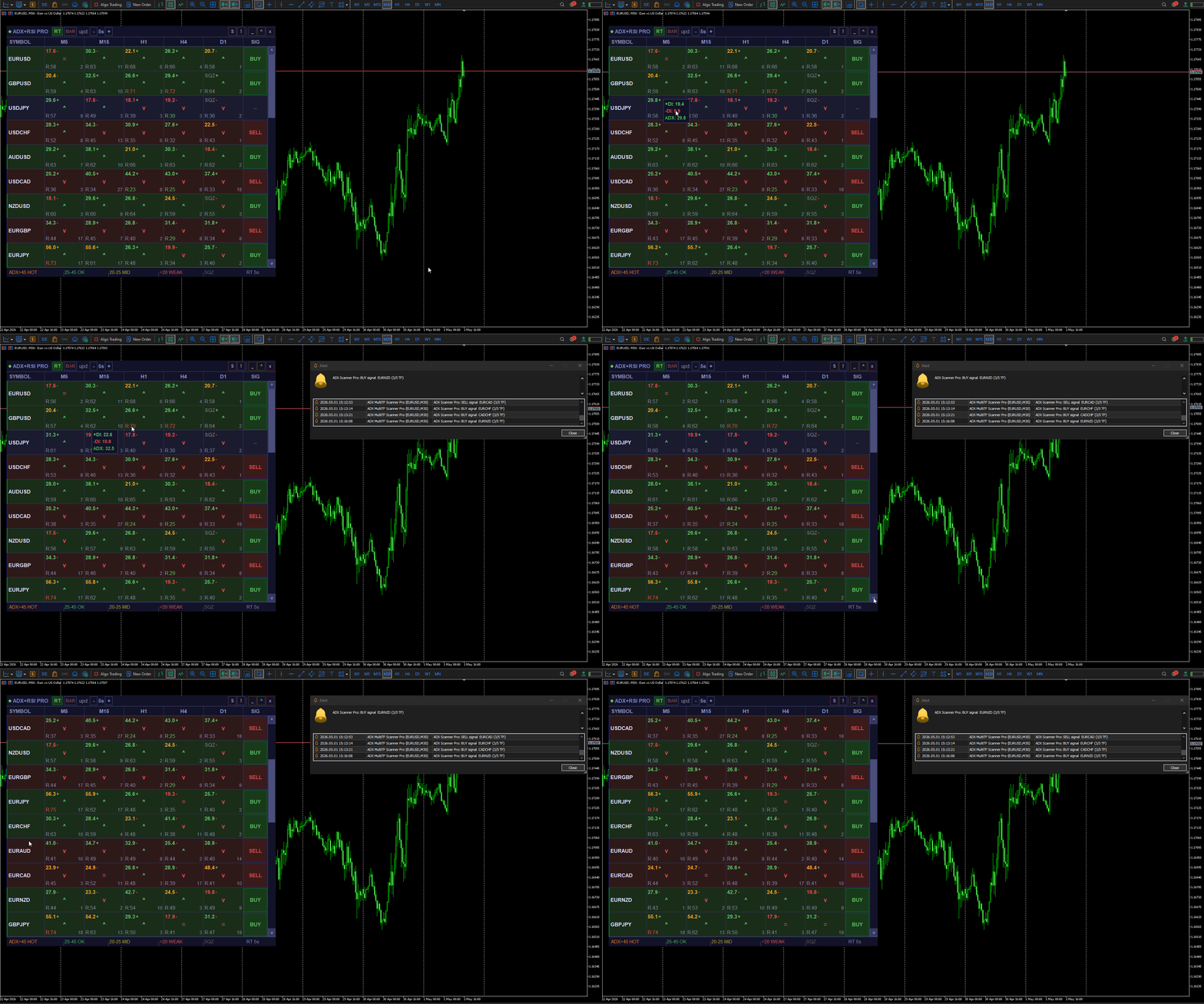
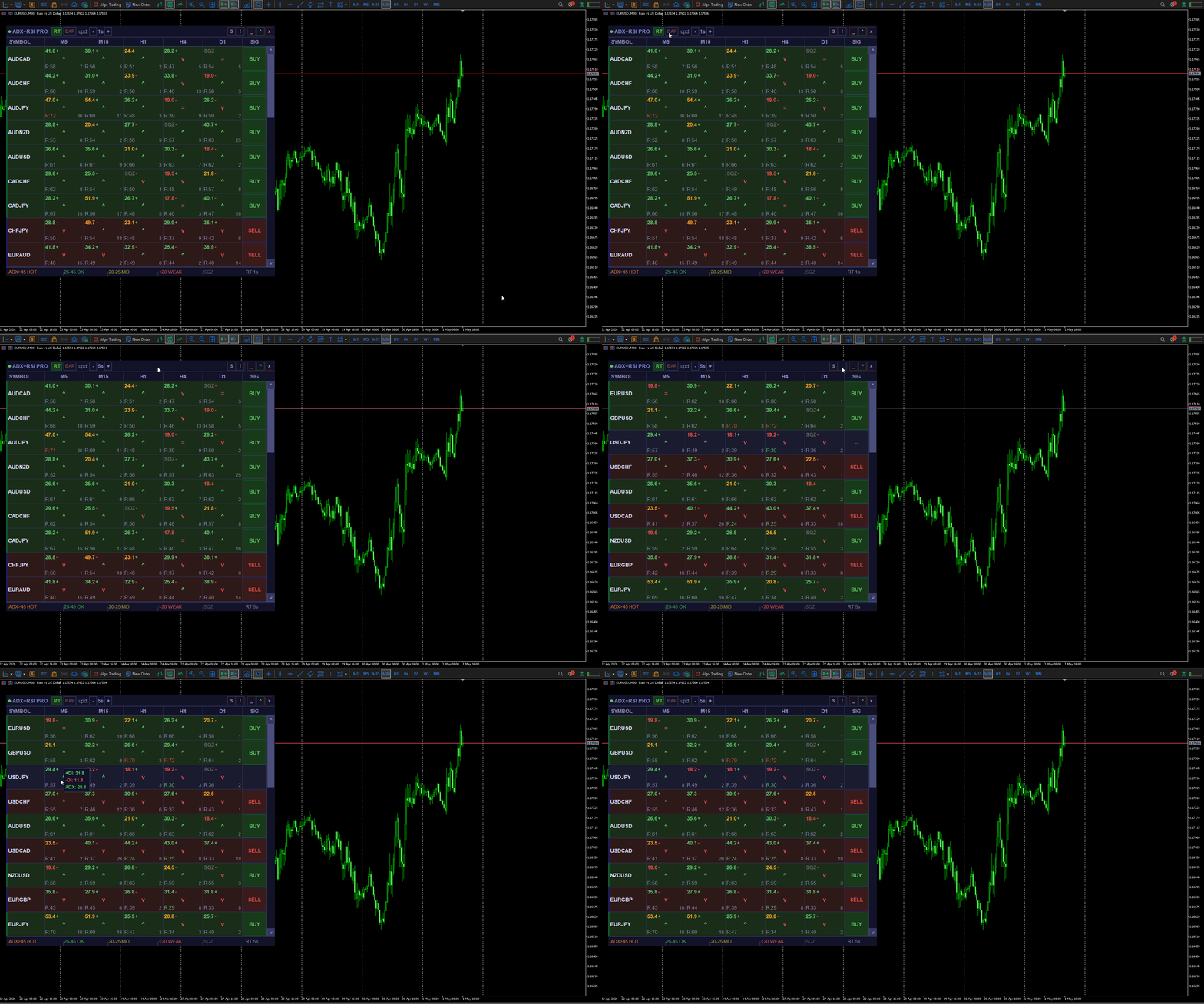
- Tooltip — on mouse hover shows exact values of +DI, −DI and ADX
Signals and Alerts
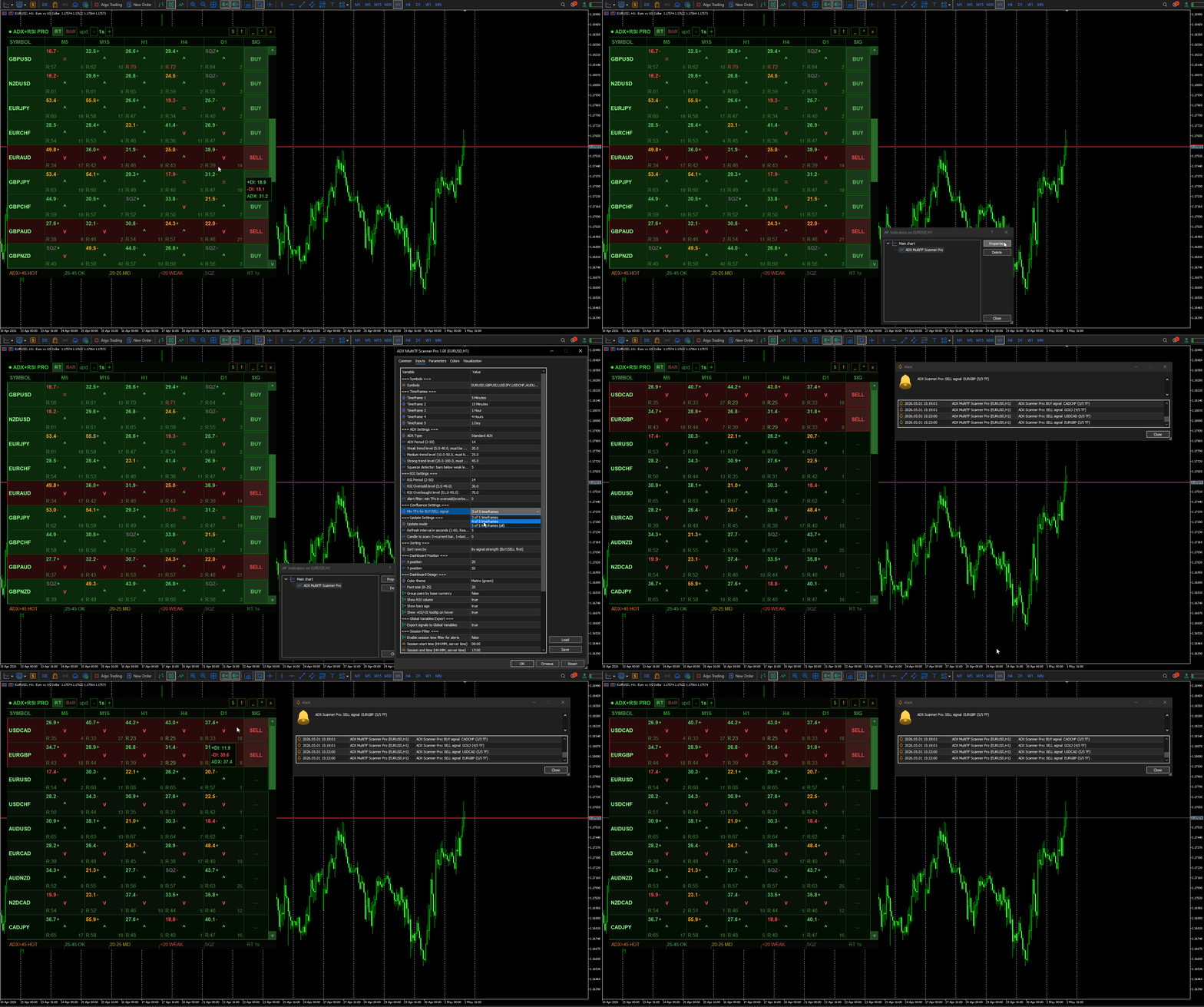
When the configured number of timeframes simultaneously agree in direction with sufficient ADX strength — the row is highlighted and BUY or SELL appears in the SIG column.
Smart alert filters:
- RSI filter — blocks BUY if the market is overbought on N timeframes, and SELL if oversold
- Session filter — alerts only during specified hours (e.g. London session only)
- Cooldown — repeated alert for the same pair no sooner than 60 seconds
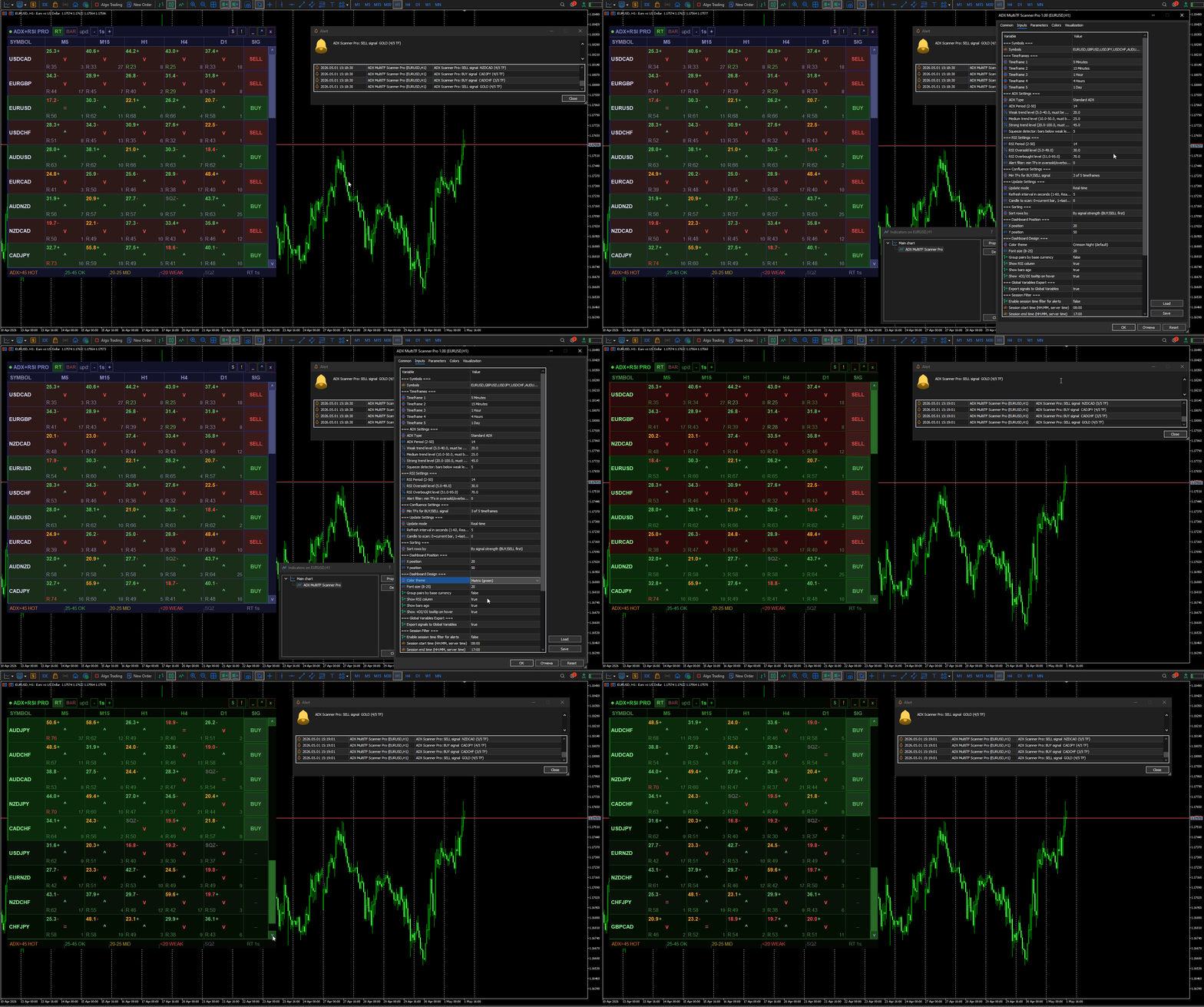
Notification channels: Popup, Sound, Push to mobile, Email.
Panel Controls
- Drag — hold the header and drag to any position on screen
- RT / BAR — switch between real-time and bar close mode directly on the panel
- −/+ — change the update interval in RT mode
- S — switch sort mode (Signal → ADX → Fixed → Alpha)
- ! — quickly enable/disable all alerts
- _ — minimize to tray (active signals visible in the tray)
- x — remove the indicator from the chart
- Click on cell — opens the chart of the symbol on the selected timeframe
- Click on pair name — enable/disable alerts for that pair
- Mouse wheel — scroll the pair list
Sorting
Signal — pairs with BUY/SELL on top, within the group sorted by number of matching TF
ADX — strongest trends on top by average ADX
Fixed — order as set in the Symbols parameter
Alpha — alphabetical order A→Z
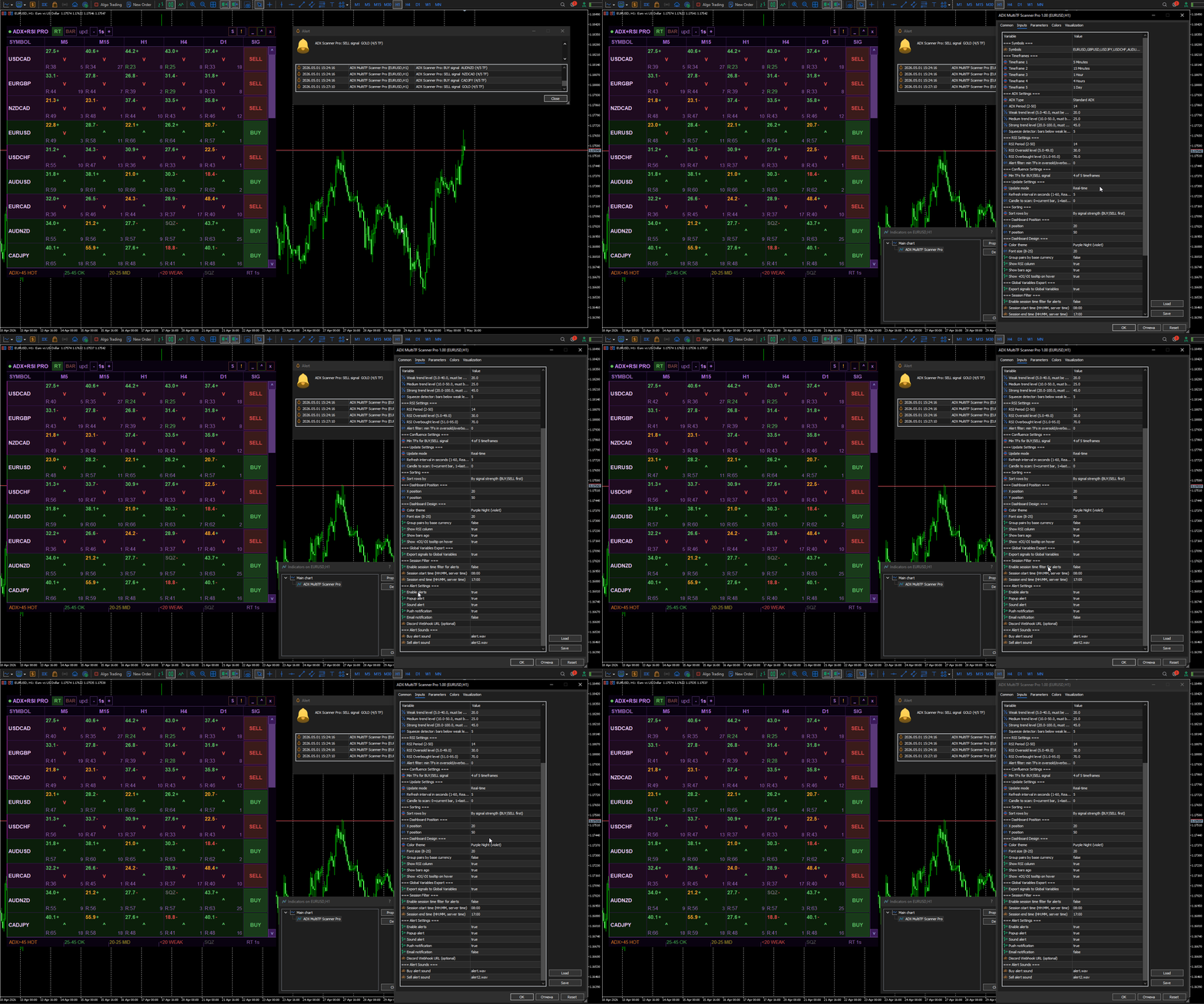
Parameters
Symbols
- Symbols — comma-separated list, up to 30 instruments (pairs, gold, indices, crypto)
Timeframes
- TF1–TF5 — any 5 timeframes (default M5, M15, H1, H4, D1)
ADX
- ADX Type — Standard or Wilder (smoothed)
- ADX Period — period 2–50 (default 14)
- ADX Weak / Medium / Strong — trend strength levels
- ADX Squeeze — bars below Weak for SQZ detector (2–20)
RSI
- RSI Period — period 2–50 (default 14)
- RSI Oversold / Overbought — zone levels
- RSI Alert Filter — minimum TF in extreme zone to block alert (0=disabled, 1–5)
Confluence
- Confluence Min — minimum matching TF for signal: 3/5, 4/5, 5/5
Update
- Update Mode — Real-time or On bar close
- Refresh Seconds — RT update interval 1–60 sec
- Scan Candle — 0=current bar, 1=last closed bar, 2=two bars ago
Design
- Theme — 8 themes: Crimson Night, Obsidian, Deep Ocean, Matrix, Sunset, Purple Night, Steel, Gold
- Font Size — font size 8–25
- Group By Currency — group pairs by base currency (EUR, GBP, USD...)
- Show RSI / Show Bars Ago / Show Tooltip — control element visibility
Session Filter
- Session Filter — enable time-based alert filter
- Session Start / End — time in HH:MM format (server time)
Alerts
- Alert Popup / Sound / Push / Email
Global Variables
- GV Export — export signals to global variables for EAs
- AMTSP_SYMBOL_SIGNAL (1=BUY, -1=SELL, 0=none)
- AMTSP_SYMBOL_CONF, AMTSP_SYMBOL_ADX, AMTSP_SYMBOL_RSI
EA Integration
The indicator exports signals via terminal Global Variables — any EA can read them in real time:
AMTSP_EURUSD_SIGNAL = 1 // BUY AMTSP_USDCAD_SIGNAL = -1 // SELL AMTSP_GBPUSD_SIGNAL = 0 // no signal AMTSP_EURUSD_CONF = 4 // 4 of 5 TF agree AMTSP_EURUSD_ADX = 34.5 // average ADX AMTSP_EURUSD_RSI = 58.2 // average RSI
In the EA a single line is enough:
double signal = GlobalVariableGet("AMTSP_EURUSD_SIGNAL");
One indicator can manage multiple EAs on different pairs simultaneously.
Requirements
- MetaTrader 5 Build 2390+
- Push notifications: configure MetaQuotes ID (Tools → Options → Notifications)