Proto 237
- Experts
- Version: 1.0
- Activations: 10

Proto 237 — Lock & Drain System
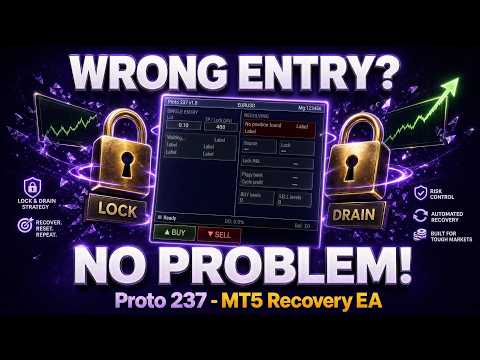
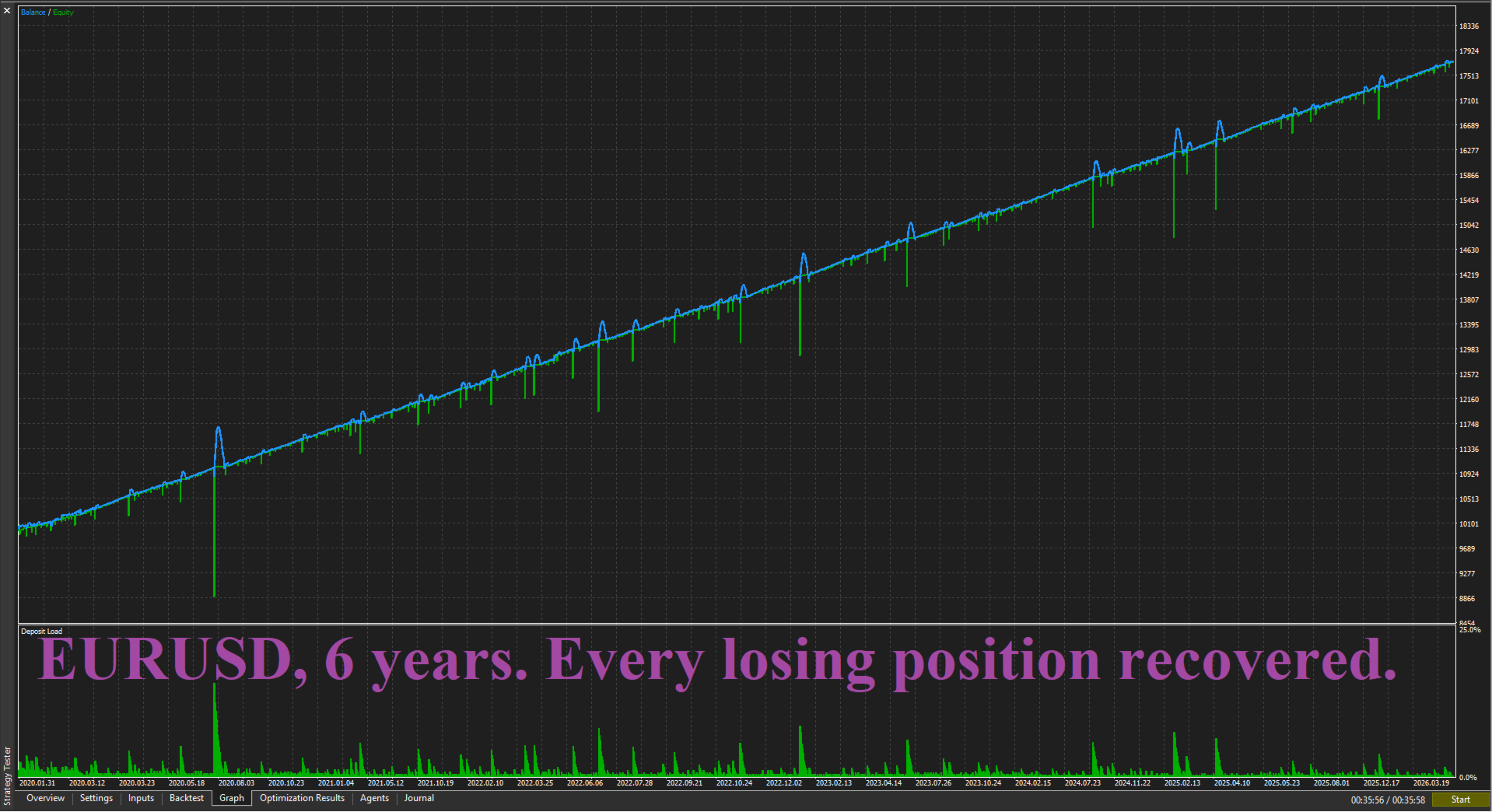
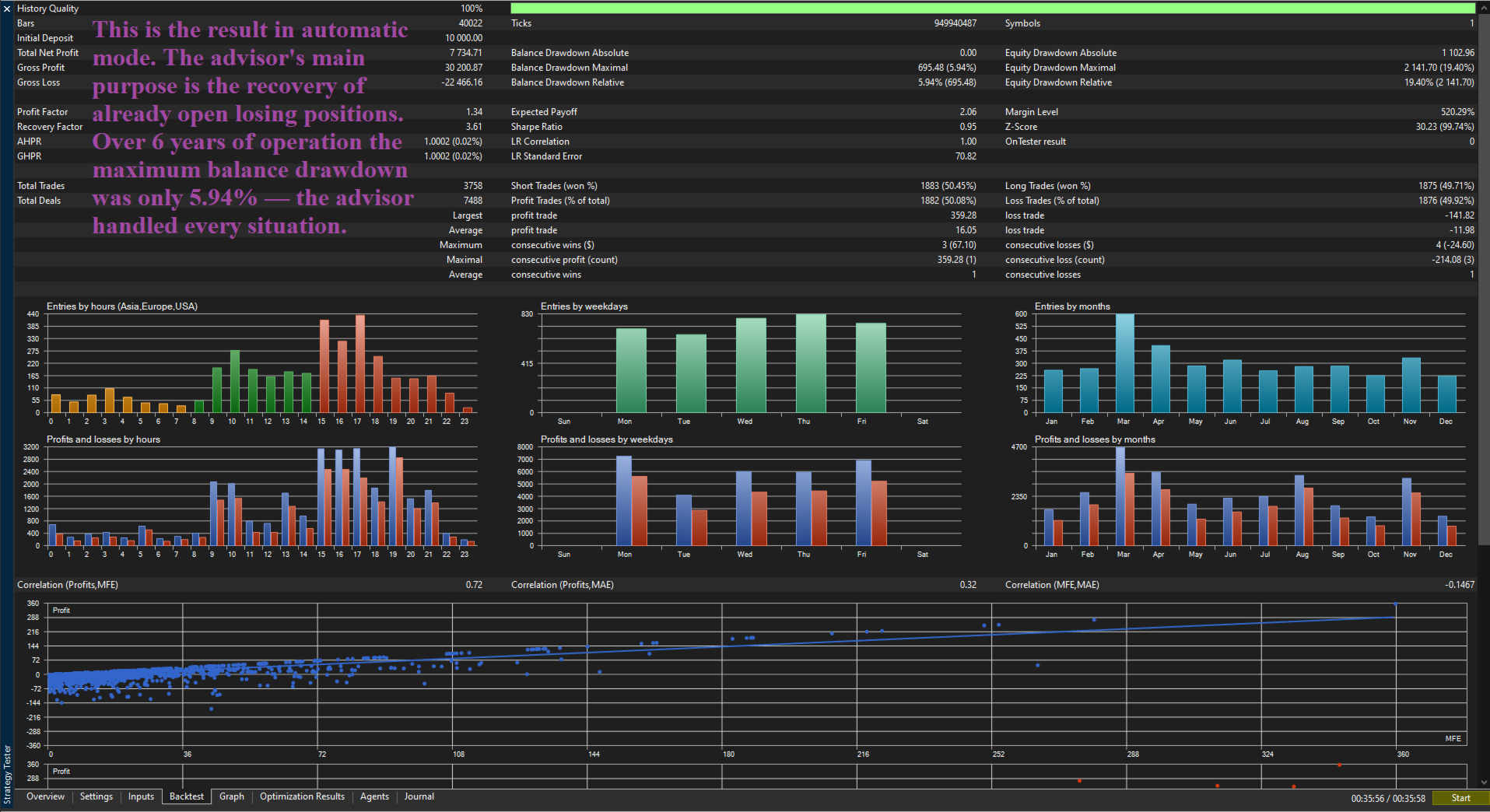
Proto 237 is a losing position recovery system. The advisor automatically locks the losing position when price moves against you by the set distance and starts the recovery process without your involvement. No stop-loss. No panic. Four operating modes — for manual trading, automatic trading, catching your positions and protecting another EA.
| IMPORTANT! After the purchase please send me a private message — I will send you ready-made settings and a detailed guide for your instrument and trading style. |
MODE 1 — MANUAL
You trade through the built-in panel directly on the chart. Press BUY or SELL — the advisor starts monitoring the position. Position closed in profit — advisor waits for your next entry. Position moved against you — advisor automatically takes control and manages it to closure. After completion buttons become active again. The advisor never opens positions on its own.
Suitable for those who want to trade at their own discretion but have reliable insurance against a bad entry.
Settings: EnableSimMode = false, LockTrigger — activation threshold in points.
MODE 2 — AUTOMATIC
The advisor operates entirely on its own without trader involvement. Opens a position in the set direction, waits for the outcome and acts accordingly.
Entry direction is set by AutoDirection. With the trend filter enabled (UseFilter = true) the advisor automatically adapts entry direction to current market conditions.
Continuous mode (AutoCycle = true, Repeat = true) — advisor works indefinitely.
One-time mode (AutoCycle = false, Repeat = false) — advisor stops after the first completion. Panel buttons remain active for manual entry.
Important: in this mode the advisor opens positions on its own. Do not use BUY and SELL buttons on the panel.
Settings: EnableSimMode = true, AutoCycle = true / false, Repeat = true / false, AutoLot — position size, AutoTP — distance to target and management activation threshold in points, AutoPause — pause between positions in minutes, AutoDirection — entry direction.
MODE 3 — CATCH MANUAL POSITION
You open a position manually through the standard MetaTrader interface. Proto 237 runs in the background and monitors your position. Position closed at take-profit — advisor waits for the next one. Position moved into loss by the set distance — advisor automatically takes control. After completion returns to standby mode.
Suitable for those who trade manually and want automatic insurance without changing their usual market entry process.
Settings: EnableSimMode = false, CatchMagic = 0, LockTrigger — activation threshold in points.
MODE 4 — WORKING ALONGSIDE ANOTHER EA
Proto 237 is installed on a second chart of the same instrument alongside the main EA. The main EA trades as usual — Proto 237 monitors its positions by Magic number. Position closed in profit — does not interfere. Position moved into loss — takes control. After completion returns to standby mode.
Additionally: Proto 237 supports an extended protection mode for the main EA positions. Details in the manual after purchase.
Important: Proto 237 monitors one position at a time. If SL appears on the monitored position the advisor issues an audio warning.
Settings: EnableSimMode = false, CatchMagic — Magic number of the main EA, LockTrigger — activation threshold in points, MagicBuy / MagicSell — unique identifiers for Proto 237.
CONTROL PANEL
An interactive panel displayed directly on the chart. Shows position status and P&L, distance to management mode activation, current advisor status, activity levels, account drawdown and balance.
Hotkeys: B — BUY, S — SELL, X — close position manually.
PARAMETERS
=== CORE === Lot — base lot size for advisor operation. Slippage — allowable price deviation on order execution. Recommended: Forex 10, Gold 50, Crypto 100. GridStep — determines the advisor's sensitivity to price movement. LotStep — controls the intensity of advisor operation during adverse conditions. MaxLevels — limits the scale of advisor operation in one direction. MinProfit — target financial result for completing one working cycle in dollars. MaxDrawdown — maximum allowable account drawdown in percent. When reached the advisor closes all operations. MaxSpread — maximum allowable spread at which the advisor opens new positions. MagicBuy — identifier for advisor buy orders. MagicSell — identifier for advisor sell orders.
=== MODE === Direction — base direction of advisor operation when trend filter is off. AutoCycle — sets operation mode: continuous (true) or one-time (false).
=== HEDGING === Hedge — enable risk management system during adverse price movement. HedgeMode — risk management algorithm: Classic, Variant A or A + Classic. HedgeEveryLevels — frequency of protective measures in Classic mode. HedgeLot — initial size of protective positions. HedgeLotStep — intensity of protective position scaling. HedgeBalanceRatio — target ratio for balancing in Variant A mode.
=== DIRECTION FILTER === UseFilter — enable automatic adaptation of entry direction to market conditions. FastMA — fast filter indicator period. SlowMA — slow filter indicator period. FilterTF — analysis timeframe for direction filter. MAMethod — filter indicator calculation method.
=== AUTO TRADE === EnableSimMode — enable automatic trading mode. AutoLot — position size in automatic mode. AutoTP — distance to target and management activation threshold in points. AutoPause — pause between positions in minutes. Repeat — continue after cycle completion (true) or stop (false). AutoDirection — entry direction in automatic mode when filter is off.
=== RECOVERY === QuickClose — closing sensitivity coefficient at the initial stage (0.05–2.0). UseGridFilter — enable automatic adaptation of working direction to daily trend. GridFastMA — fast indicator period for working direction filter. GridSlowMA — slow indicator period for working direction filter. GridMATF — analysis timeframe for working direction filter.
=== TESTER === FastMode — disable logs to speed up optimization in the strategy tester.
=== PANEL === CatchMagic — Magic number of the EA whose positions to monitor. 0 = manual positions without Magic. LockTrigger — distance in points after which management mode activates.
LOT SCALING
By default the advisor comes with settings for a working lot of 0.10. When changing the working lot, proportionally adjust Lot, LotStep, MinProfit, HedgeLot and HedgeLotStep.
Example: trading with lot 0.20 — multiply all five parameters by 2. Trading with lot 1.00 — multiply by 10. Other parameters do not depend on lot size.
SUPPORTED INSTRUMENTS
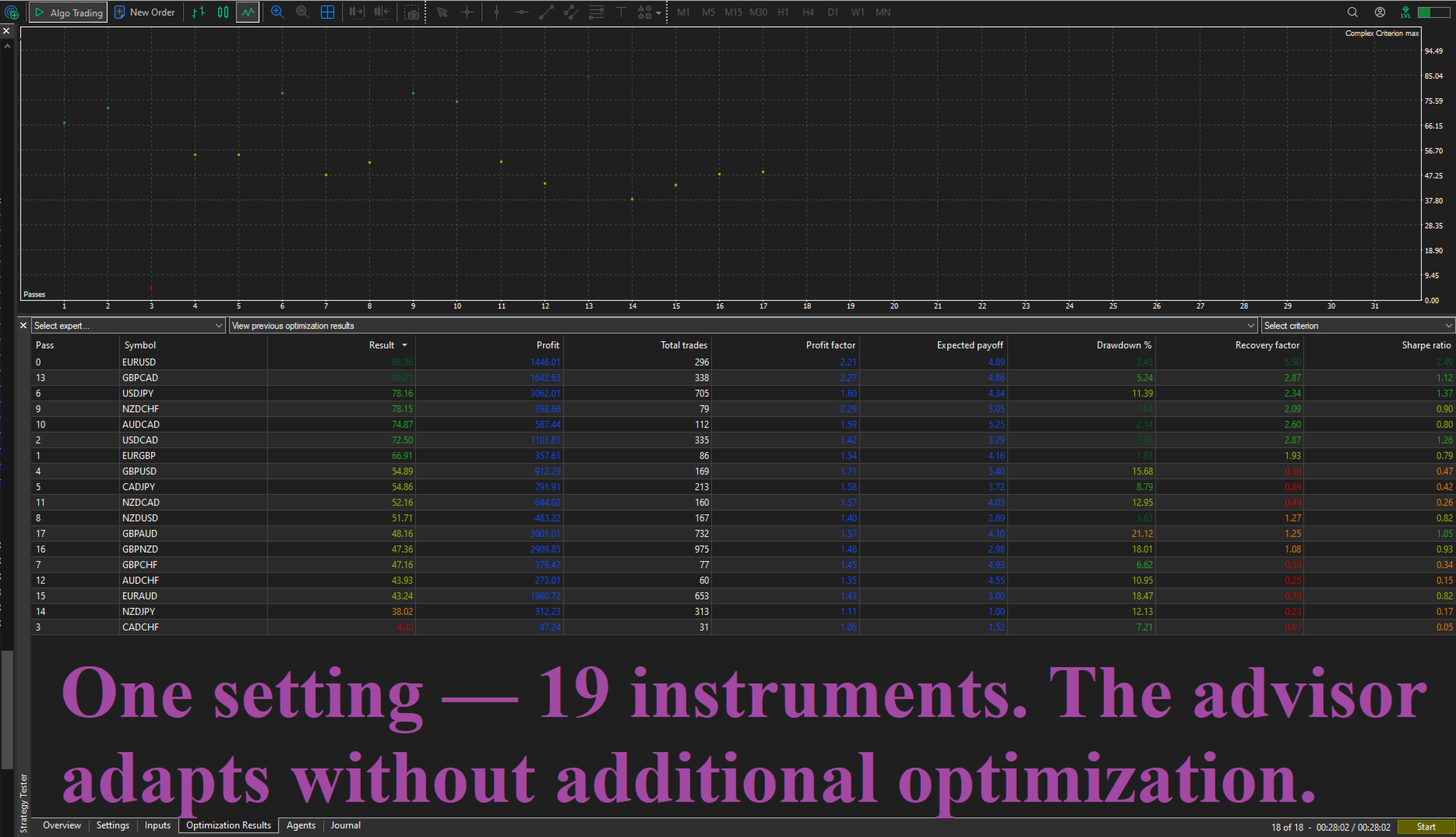
The advisor comes with ready-made settings files (.set) for: EURUSD, GBPUSD, EURGBP, NZDCHF, AUDCAD, USDCAD, NZDUSD, GBPCAD, GBPCHF, CADCHF, CADJPY, AUDCHF, USDJPY. With these settings the advisor is ready to use immediately after installation.
The advisor works on any currency pairs, metals and cryptocurrencies. For other instruments individual adjustment is recommended.
Recommended LockTrigger values: Forex majors 200–500, GBPJPY 300–600, XAUUSD 500–1000, ETHEREUM 2000–5000.
RECOMMENDATIONS
Before trading on a live account test the advisor on a demo account.
If you have any questions — write to me in private messages, I will respond promptly.
REQUIREMENTS
MetaTrader 5. Account with hedging support. Broker with minimal spread recommended.
DISCLAIMER
Trading on financial markets involves high risk and may result in loss of deposit. Past results do not guarantee similar results in the future. The advisor is a position management tool and does not guarantee profit. Use at your own risk.