MACD Divergence Radar Pro
- Indicators
- Version: 1.4
- Updated: 19 October 2026
- Activations: 10

Multi-Symbol Divergence Scanner & Visual Dashboard for MetaTrader 5
Regular & Hidden Divergence 20+ Pairs Simultaneous Scan Entry / SL / TP Levels History Statistics One-Click Chart Opening Auto Oscillator Sub-WindowOverview
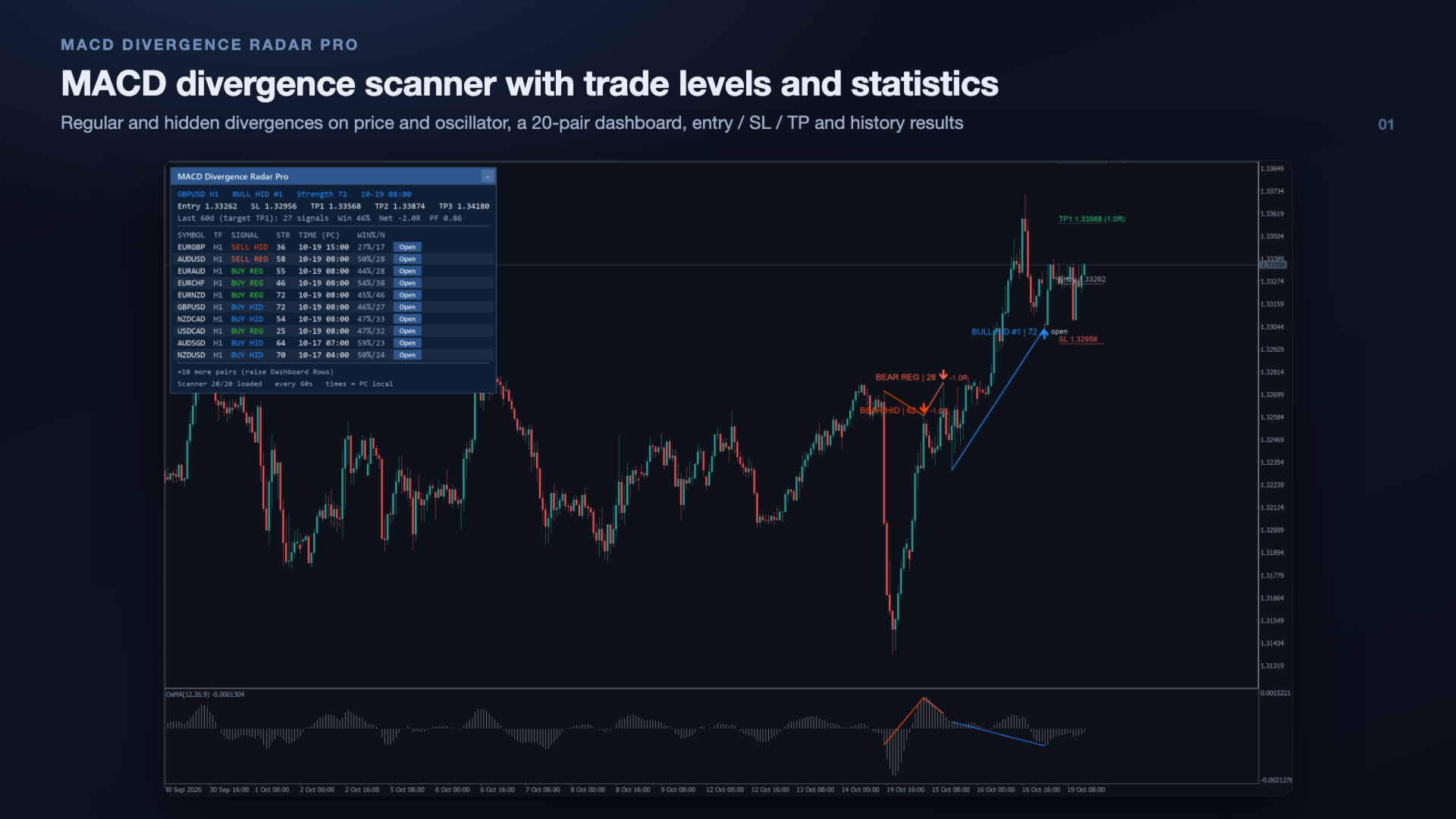
MACD Divergence Radar Pro is a professional-grade divergence detection indicator that continuously scans multiple currency pairs and timeframes in real time. It identifies both regular and hidden MACD divergences — bullish and bearish — and presents all findings in a sleek, draggable on-chart dashboard. Every signal is drawn directly on the price chart and the oscillator window, giving you instant visual confirmation without switching between charts. Each signal comes with a strength score, an entry, a stop loss and three take-profit levels, and the indicator shows how its past signals on every pair actually played out against those levels.
Why divergence matters: MACD divergence signals a weakening trend before price reverses. Catching divergence early can mean the difference between entering near the top/bottom and chasing the move. This indicator automates the tedious manual scanning, so you do not have to watch every chart yourself.
Key Features
📡 Multi-Symbol Real-Time Scanner
Scan 20+ forex pairs simultaneously on any timeframe. Configurable symbol list and scan intervals. You monitor one chart — the radar watches them all.
📊 Auto Oscillator Sub-Window
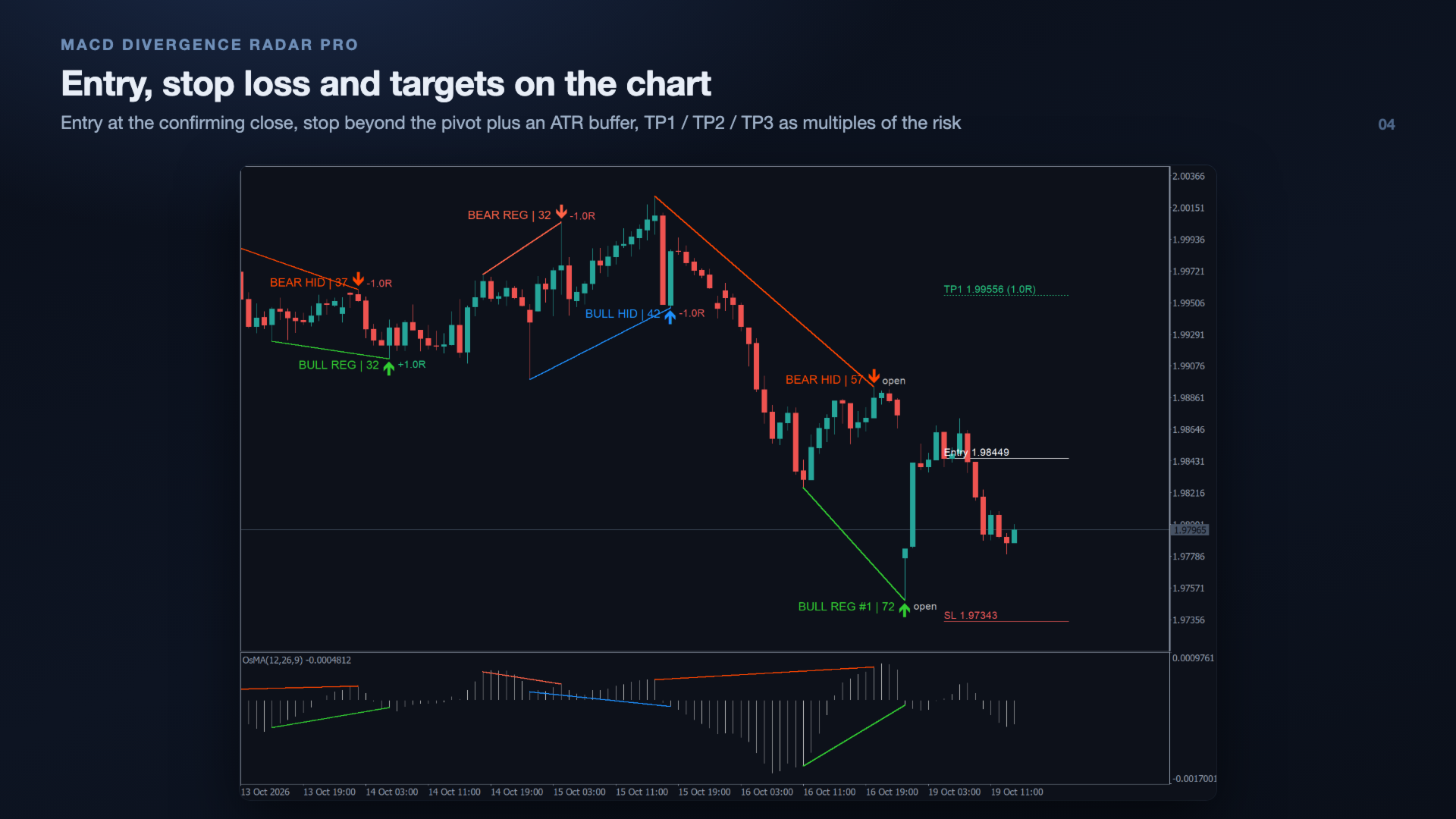
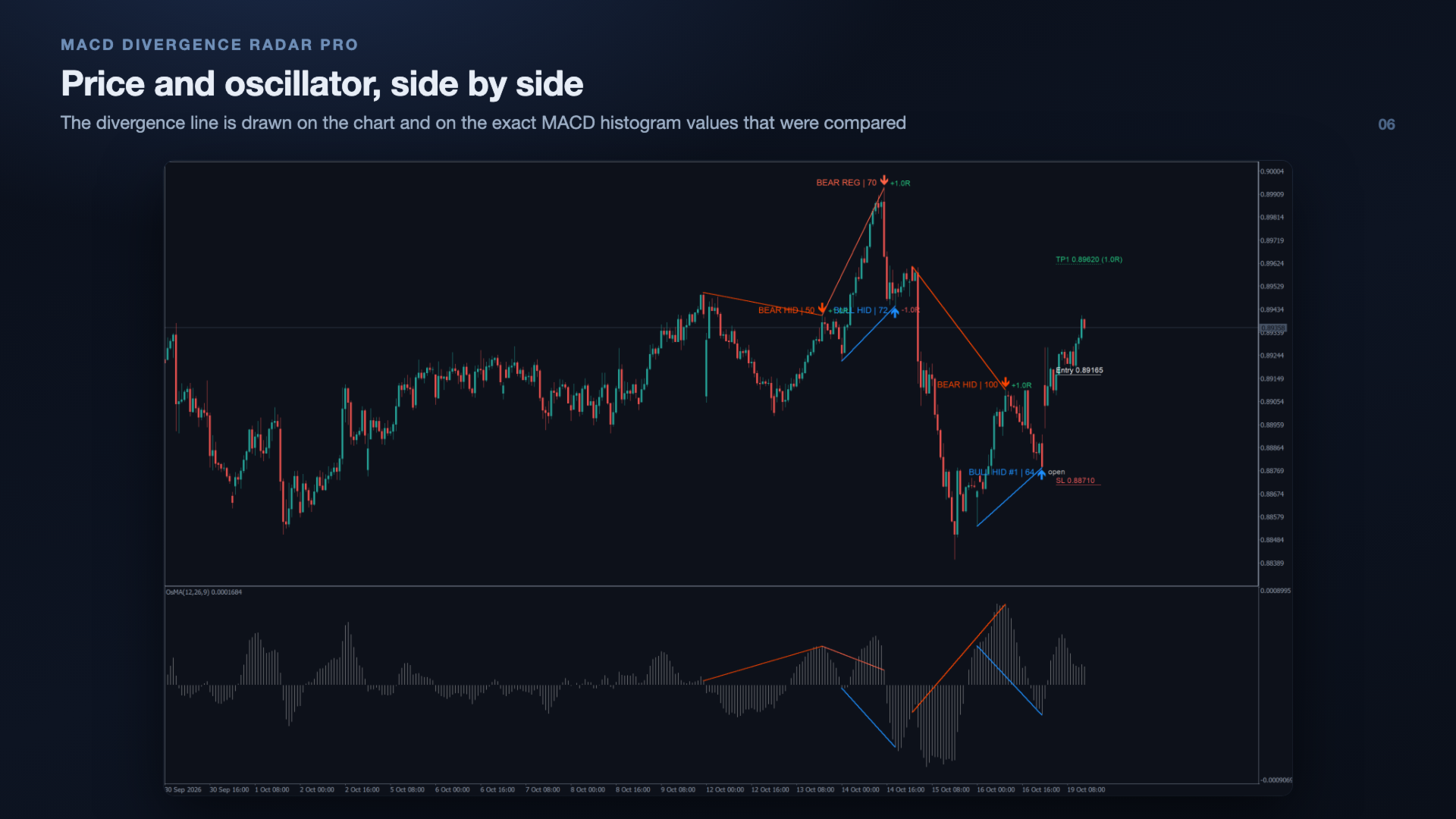
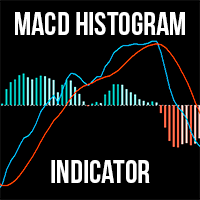
Automatically adds the oscillator the divergence is measured on below the chart: OsMA (the MACD histogram, main − signal) in Histogram mode, or MACD in Main Line mode. Divergence lines are drawn on both the price chart and that window, on the exact values that were compared. The window is removed again when the indicator is removed.
🔍 Regular & Hidden Divergence
Detects all four divergence types: Regular Bullish, Regular Bearish, Hidden Bullish, and Hidden Bearish. Each type is color-coded for instant recognition.
🖱️ Scanner Dashboard
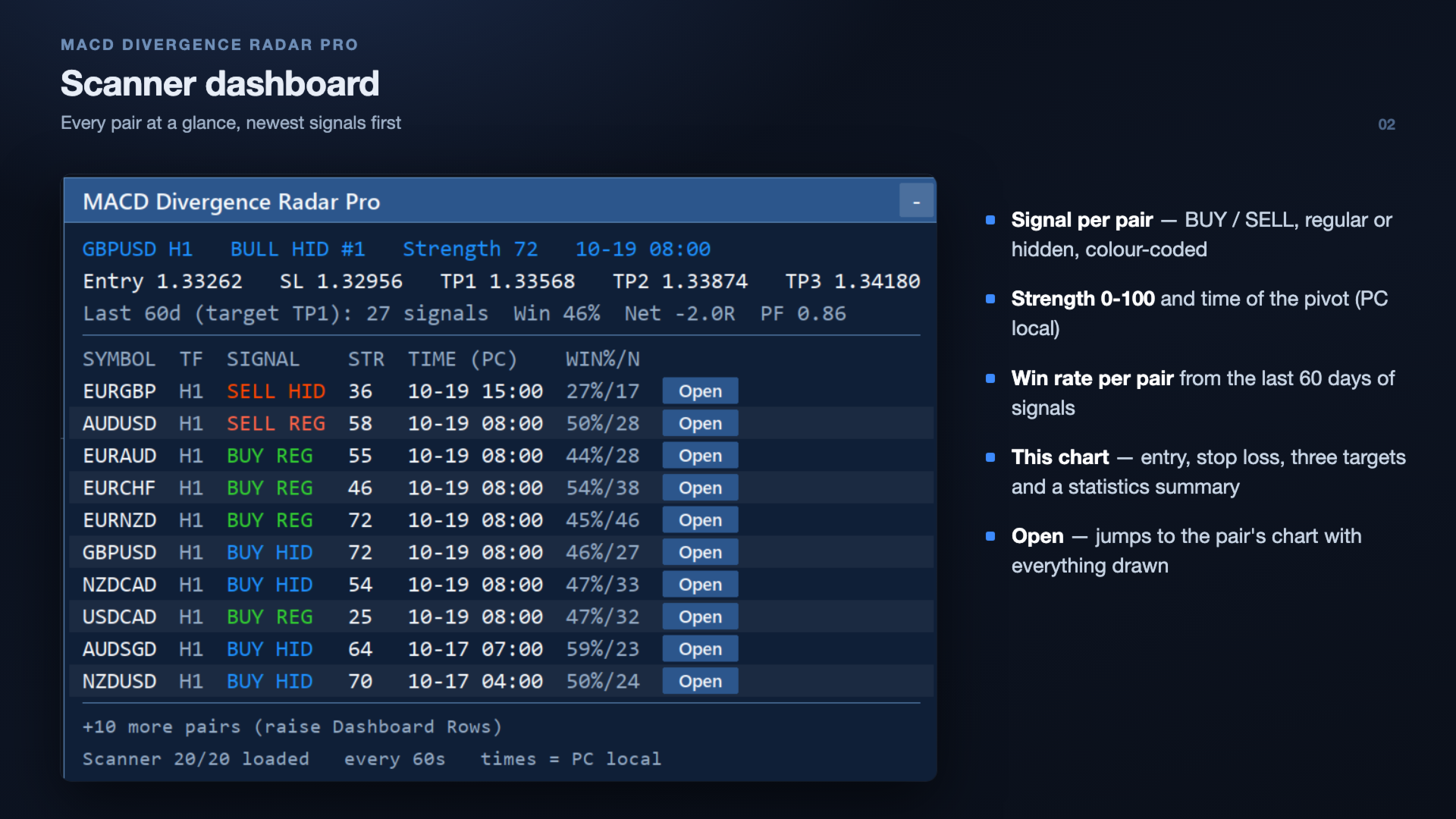
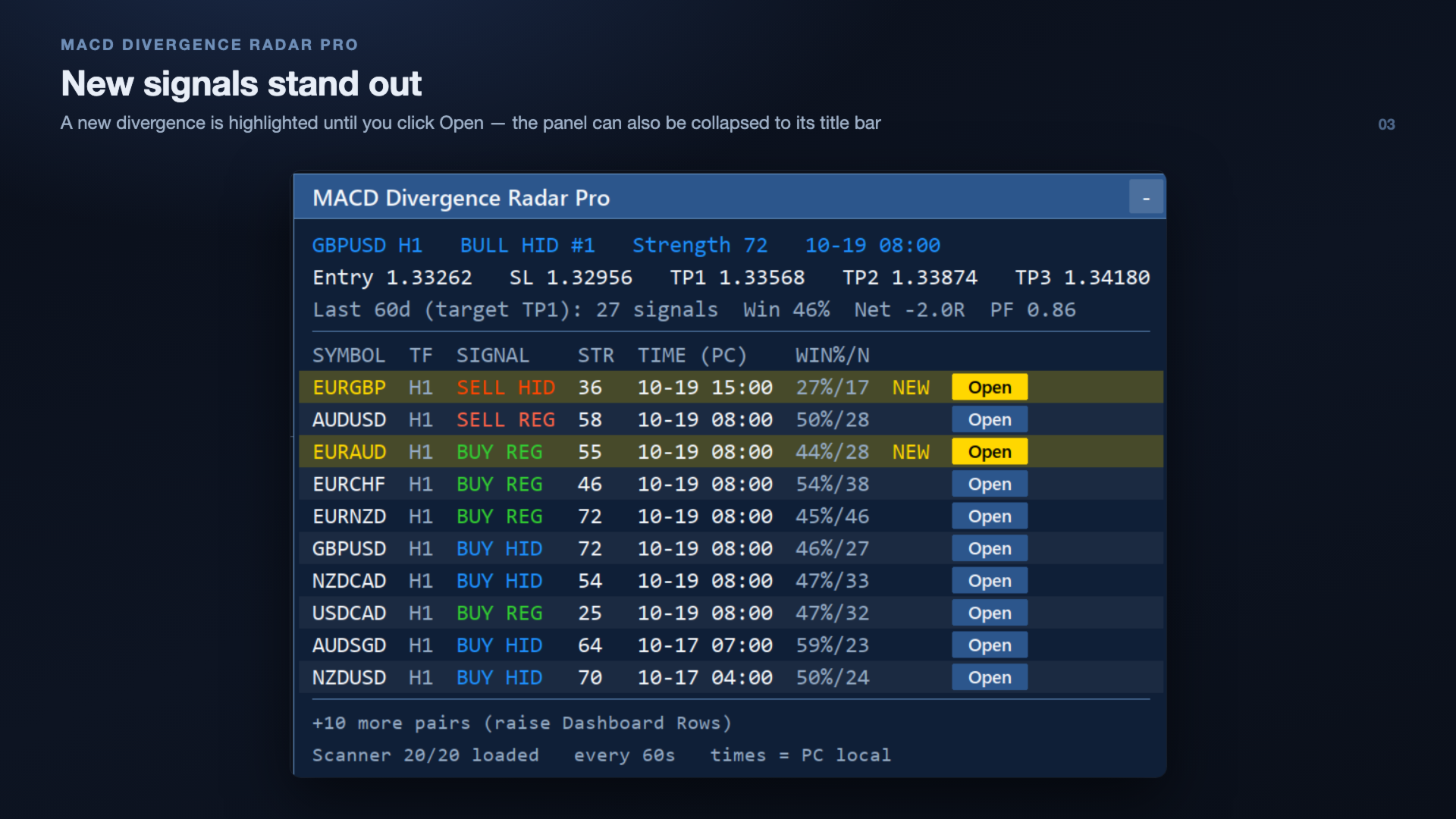
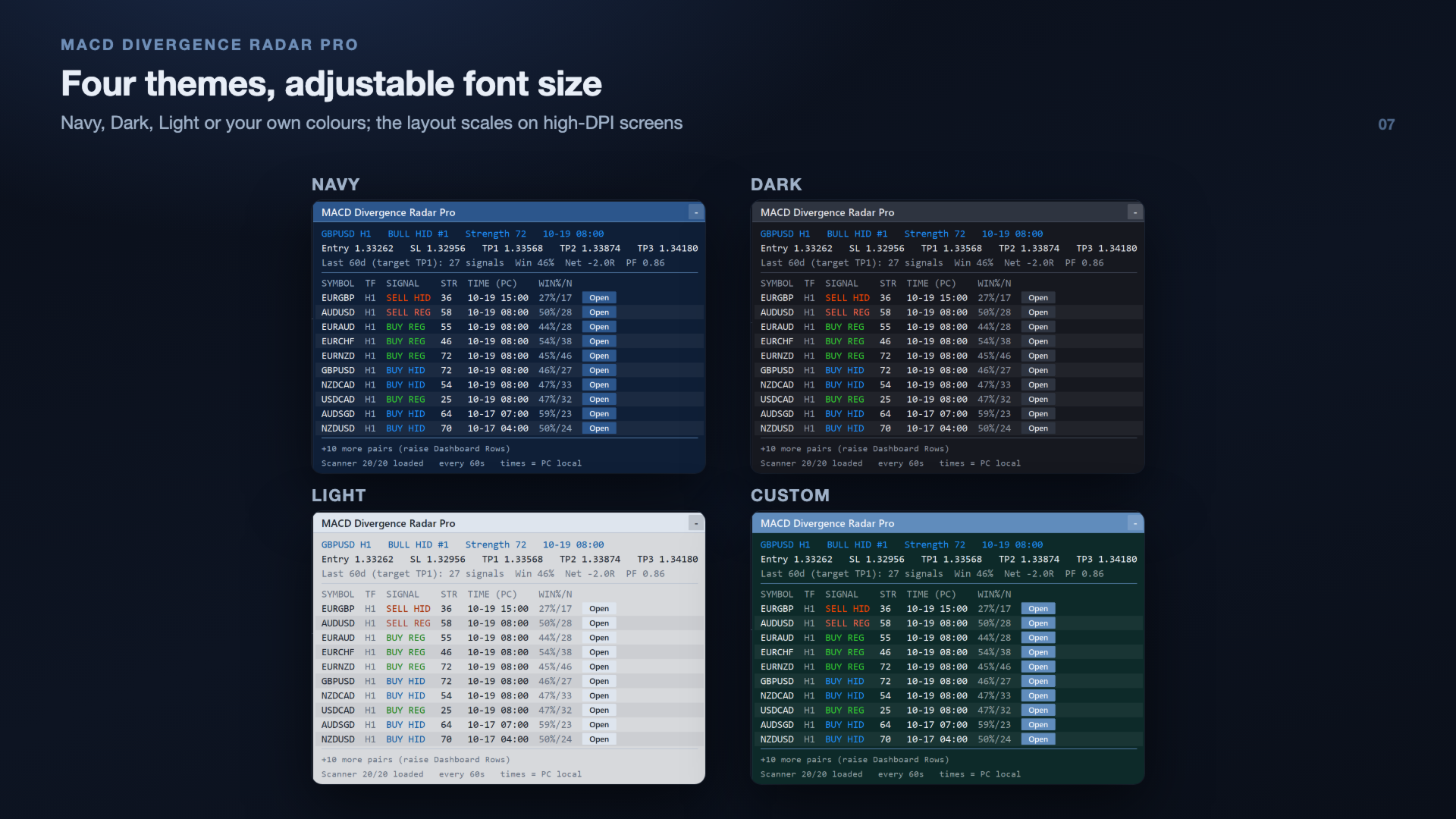
A clean table lists every scanned pair with columns for symbol, timeframe, signal (colour-coded BUY / SELL, regular / hidden), strength, time (PC local) and the pair's historical win rate, newest signals first. Above it the panel shows this chart's current signal with its entry, stop loss and targets, plus the statistics summary. A newly alerted divergence is highlighted (row background, NEW badge and Open button) until you click Open, so it stands out even with many pairs. The footer shows the scanner status and a "+N more pairs" line when rows are capped.
📂 One-Click Chart Opening
Each scanner entry has an Open button. Click it to open the symbol's chart with the oscillator sub-window and divergence lines already drawn. If a chart of that symbol and timeframe is already open, it is brought to the front instead of opening a duplicate. The chart shows every divergence of the last few days (History Days, default 7), not just the latest one.
🔔 Multi-Channel Alerts
Get notified via popup, push notification, email or a sound file the moment a new divergence is confirmed. Alerts fire only for freshly confirmed pivots — history loaded at start-up or after a reconnect updates the dashboard silently, so you are never flooded with old signals. Signals found in the same scan are combined into one email / push message, and pushes respect the MT5 limit of 10 per minute, so none are dropped. Each alert includes the signal strength, entry, stop loss and TP1. A one-off test alert and clear Experts-log messages help you check the push / email setup.
🎯 Entry, Stop Loss & Take-Profit Levels
For the latest signal the indicator draws an entry (close of the bar that confirmed the pivot), a stop loss beyond the pivot with an ATR buffer, and three targets (TP1 / TP2 / TP3) as multiples of the risk — by default 1R, 2R and 3R. The same levels appear on the panel, on charts opened from the panel and in the alerts.
📈 History Statistics & Result Labels
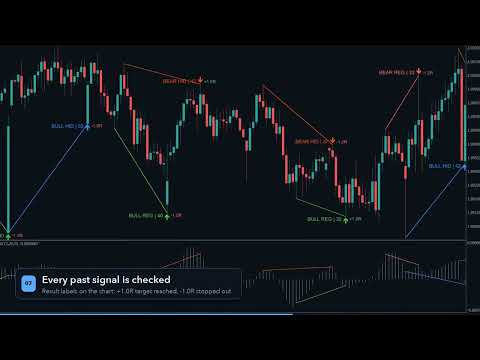
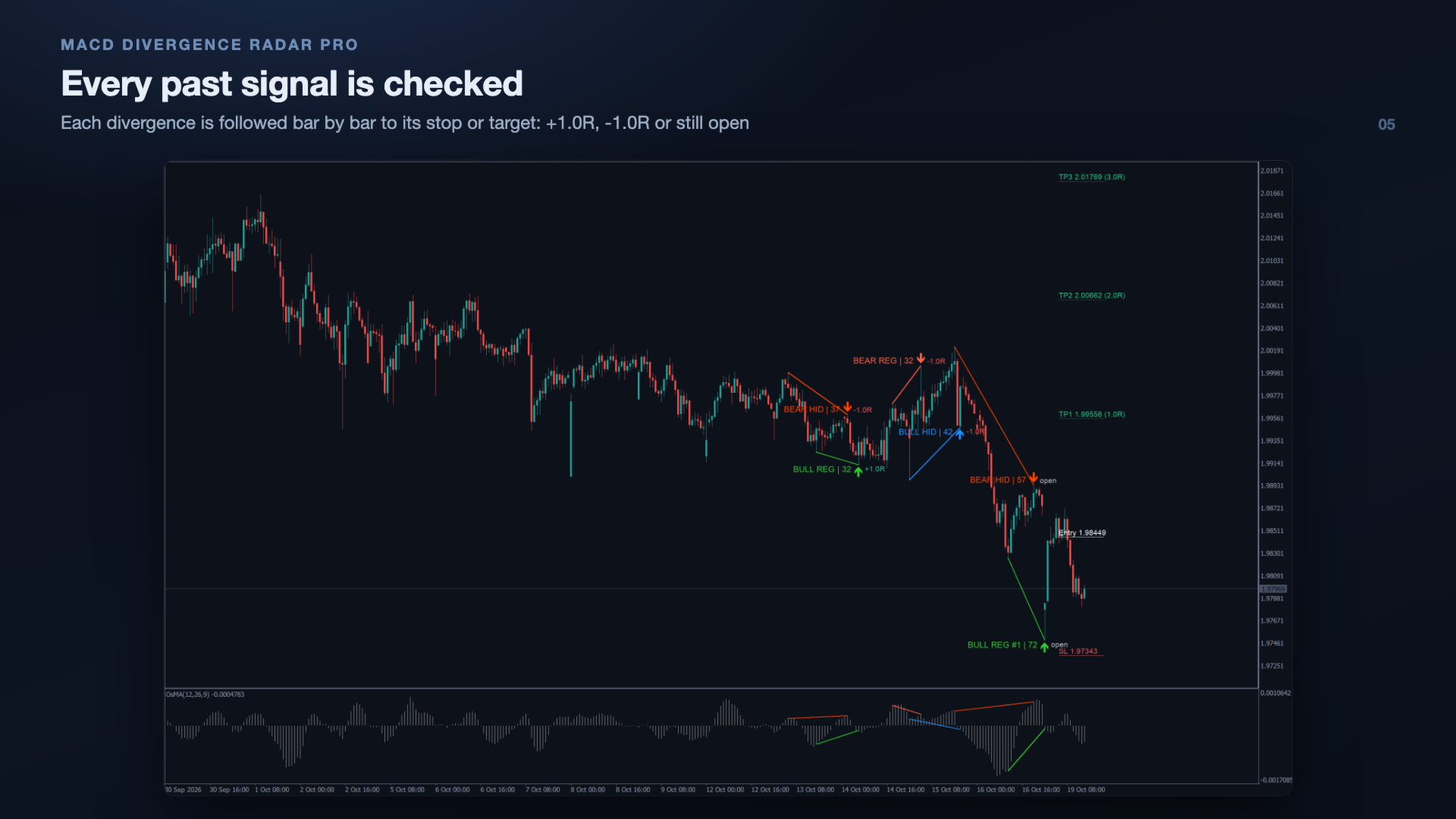
Every past divergence of the Statistics Period (default 60 days) is checked bar by bar against its stop loss and the chosen target. The panel shows the number of signals, win rate, net result in R and profit factor for this chart, and the win rate per pair in the scanner table. Past signals on the chart carry a result label (+1.0R, -1.0R or open), so you can judge each pair and each setting on real history.
💪 Signal Strength & Quality Filters
Each divergence gets a strength score from 0 to 100, based on the size of the price swing (in ATR), the size of the oscillator disagreement and the distance between the pivots. Optional filters: minimum strength, minimum / maximum bars between the pivots, and an EMA trend filter (only hidden divergences with the trend, or all signals with the trend) to cut counter-trend signals in strong trends.
🎨 Themes, Collapse & Scaling
Choose the Navy, Dark, Light or Custom theme and an adjustable font size; rows, buttons and panel size follow it, and the layout scales correctly on high-DPI / Retina screens. Collapse the panel to its header with one click (it then shows the number of new signals). Drag it anywhere by its header; position and collapsed state are kept when you switch timeframe. All inputs have readable names.
Divergence Types Detected
| Type | Price Action | MACD Action | Implication |
|---|---|---|---|
| Regular Bullish | Lower Low | Higher Low | Potential reversal UP |
| Regular Bearish | Higher High | Lower High | Potential reversal DOWN |
| Hidden Bullish | Higher Low | Lower Low | Trend continuation UP |
| Hidden Bearish | Lower High | Higher High | Trend continuation DOWN |
How It Works
- Attach to any chart — the indicator loads instantly. An OsMA (12, 26, 9) sub-window — or MACD (12, 26, 9) in Main Line mode — is added automatically below price.
- The scanner begins — it monitors all configured symbols/timeframes, detecting pivot highs and lows on price and comparing the oscillator at those pivots.
- Divergence identified — trend lines are drawn on the price chart AND the oscillator window, together with the entry, stop loss and take-profit levels. The dashboard updates and an alert fires.
- Click "Open" — open any symbol's chart directly from the dashboard with the oscillator window and the divergences of the last days pre-drawn; an already open chart is reused, and the NEW highlight on that row is cleared.
- Check the statistics — the panel and the result labels show how the past signals of each pair worked out, so you can focus on the pairs and settings that suit your trading.
Dual-View Divergence Visualization
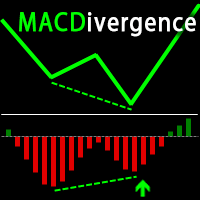
Unlike most divergence indicators that only mark price, MACD Divergence Radar Pro draws synchronized trend lines on both the main price window and the oscillator sub-window:
- Price chart: Trend line connecting the two pivot points + directional arrow + signal label with strength, a result label on past signals, and entry / stop loss / TP1-TP3 lines for the latest signal
- Oscillator window: trend line on the same oscillator values that were compared (OsMA histogram or MACD main line), connecting the same pivots, so the divergence is visually obvious
- Color-coded: ■ Bullish Regular ■ Bullish Hidden ■ Bearish Regular ■ Bearish Hidden
Input Parameters
Signal Engine
| Parameter | Default | Description |
|---|---|---|
| MACD Fast / Slow / Signal | 12 / 26 / 9 | MACD periods |
| Oscillator Source | MACD histogram (OsMA) | Main line or histogram (main − signal); also selects the sub-window (MACD or OsMA) |
| Pivot Span | 5 | Bars on each side to confirm a pivot |
| Lookback Bars | 300 | How many closed bars back to search for pivots |
| Min Price Delta (points) | 50 | Minimum price difference between pivots |
| Min Oscillator Delta | 0.00005 | Minimum oscillator difference between pivots |
| Regular / Hidden Divergence | On / On | Enable each divergence type |
| Max Same-Direction Signals | 4 | Cap repeated signals in one direction (0 = no limit) |
| Scan On New Bar Only | On | Reduce CPU usage on the current chart |
| Min / Max Bars Between Pivots | 0 / 0 | Allowed distance between the two pivots (0 = off) |
| Min Signal Strength | 0 | Hide signals with a lower strength score (0-100, 0 = off) |
| Trend Filter (EMA) | Off | Off, hidden divergences with the trend, or all divergences with the trend |
| Trend EMA Period | 200 | EMA used by the trend filter |
Trade Levels & Statistics
| Parameter | Default | Description |
|---|---|---|
| Show Entry / SL / TP Levels | On | Draw the levels of the latest signal on the chart and show them on the panel and in alerts |
| ATR Period | 14 | ATR used for the stop buffer and the strength score |
| Stop Loss Buffer beyond Pivot (x ATR) | 0.5 | Stop loss distance beyond the pivot high / low |
| TP1 / TP2 / TP3 (x risk) | 1 / 2 / 3 | Targets as multiples of the entry-to-stop distance |
| Statistics Period (days) | 60 | History used for the statistics (0 = off) |
| Statistics Target | TP1 | Target that counts as a win in the statistics and result labels |
| Show Result Labels on Past Signals | On | +R / -1.0R / open label next to each drawn signal |
Scanner / Dashboard
| Parameter | Default | Description |
|---|---|---|
| Enable Scanner | On | Toggle multi-symbol scanning |
| Scanner Symbols | 20 major & cross pairs | Comma-separated symbol list (auto-resolves broker suffixes) |
| Scanner Timeframes | H1 | Comma-separated: M5, M15, H1, H4, D1, etc. |
| Scanner Interval (seconds) | 60 | How often to re-scan all symbols |
| Dashboard Rows | 12 | Maximum scanner rows in the panel (newest signals first); 0 = show all |
| History Days drawn on charts | 7 | Divergences of the last N days drawn on the chart and on charts opened from the panel; 0 = latest only |
| Last Optimization Date / Optimization Reminder | 2026.03.16 / 7 | Shows a reminder on the panel when your settings are older than N days (0 = off) |
Alerts
| Parameter | Default | Description |
|---|---|---|
| Popup / Push / Email Alerts | On / Off / Off | Alert channels |
| Email Subject | MACD Divergence Radar | Subject of alert e-mails |
| Send Test Alert On Start | Off | Sends one test push / email when the indicator is attached, to check your setup |
| Sound Alerts / Sound File | Off / alert.wav | Play a sound file from the terminal Sounds folder on each alert |
Visuals
| Parameter | Default | Description |
|---|---|---|
| Show Signals on Chart | On | Draw divergence lines, arrows, labels and levels |
| Show Dashboard Panel | On | Display the dashboard panel |
| Panel Theme | Navy | Navy, Dark, Light or Custom (uses the panel colours below) |
| Panel X / Y | 12 / 18 | Initial panel position (drag to move) |
| Panel Font Size | 9 | Dashboard font size (6–24); rows, buttons and panel size follow it |
| Highlight New Signals / New Signal Colour | On / Gold | Highlight a newly alerted signal until its Open button is clicked |
| Signal Colours | — | Regular / hidden bullish and bearish colours |
| Panel Background Opacity | 192 | 0-255, blended with the chart background |
| Panel Background / Header / Text | — | Panel colours used by the Custom theme |
How the Statistics Are Calculated
For each past divergence the entry is the close of the bar that confirmed the pivot. The following closed bars are checked one by one: if the stop loss is touched first the signal counts as -1R, if the Statistics Target is reached first it counts as a win of that many R; a bar that touches both counts as a loss. Signals that reached neither level are shown as open. Spread, commission and slippage are not included. The statistics describe the past behaviour of the signals on your broker's data and are not a forecast of future results.
Push & Email Setup
- Push: in MT5 open Tools > Options > Notifications, tick "Enable Push Notifications" and enter the MetaQuotes ID shown in the MT5 mobile app (Settings > Messages). The "Test" button there must reach your phone first. Allow notifications for the MetaTrader 5 app on the phone. Android phones without Google Play services cannot receive MetaQuotes push messages.
- Email: fill in Tools > Options > Email (SMTP server, login, from / to). The indicator sends the mail at the moment of the alert; any further delay comes from the mail server.
- If a message cannot be sent, the reason is printed in the Experts log.
Optimized Performance
- MACD handle caching — indicator handles are created once and reused, avoiding the overhead of creating/releasing handles on every scan cycle.
- Panel text caching — dashboard text is rebuilt only when signals change or every 5 seconds, not on every tick.
- Smart drag rendering — during panel drag, only position properties are updated (no full redraw), ensuring smooth 60fps-like responsiveness.
- New bar filtering — optional scan-on-new-bar-only mode reduces CPU usage to near zero between bars.
Broker Compatibility
The built-in smart symbol resolver automatically matches your input symbols (e.g., EURUSD) to your broker's naming convention (e.g., EURUSD.i, EURUSDm, EURUSD.pro). No manual suffix configuration needed — just type the base pair name and the indicator handles the rest.
Recommended Usage
- Swing trading / Intraday: Use H1 or H4 timeframes for high-quality divergence signals.
- Multi-timeframe confirmation: Set scanner timeframes to H1,H4 and look for divergence alignment across timeframes.
- Combine with S/R levels: Divergence at key support/resistance zones can offer higher-probability entries.
- Risk management: Use the "Max Same Direction Signals" setting to avoid over-trading in choppy markets, and the trend filter or a minimum strength in strongly trending markets.
- Compare settings on history: change Pivot Span, filters or targets and watch the win rate and net R on the panel update for every pair.
Requirements
- MetaTrader 5 (build 2500 or later recommended)
- Any broker with standard OHLC data
- Recommended: VPS or always-on PC for continuous scanner monitoring and push alerts