 MetaTrader 5
 Experts
 Indicators
 Libraries
 Utilities
 Widgets
 Rules
Rules
Watch the Market tutorial videos on YouTube
How to buy а trading robot or an indicator
Run your EA on
virtual hosting
virtual hosting
Test аn indicator/trading robot before buying
Want to earn in the Market?
How to present a product for a sell-through
Trading utilities for MetaTrader 5 - 21
 Below are trading programs simplifying trading in MetaTrader 5. Hover over a utility to read its description and purpose.
Chart Pro Classic White is a lightweight MetaTrader 5 chart styling utility designed to give your charts a clean, professional, and easy-to-read white appearance with a single click. The utility automatically applies a carefully selected visual setup to your MT5 chart, including chart colors, candlestick colors, background, grid visibility, price lines, text colors, chart scale, and other visual preferences. Key Features Clean professional white chart theme White chart background Green bullish c
FREE

MQT Prop Guard DD protects prop firm accounts against daily drawdown and total drawdown breaches. It monitors your equity every second and closes everything before the daily loss limit of your prop firm challenge is hit — then locks trading until the next daily reset. Compatible with the rules used by prop firms such as FTMO, The5ers or FundedNext (always verify your firm's exact reset time and limits). How it works (logic summary): At your configured reset hour (server time) it snapshots the da
FREE

Level Assistant is an expert assistant for manually setting support and resistance levels.
Traders often form their own levels. If there are many charts of different periods, the level will be multiplied by all charts.
When placing a horizontal line on a chart, the Assistant suggests converting this line into a level. At the same time, he himself will determine the color and thickness of the line, depending on the period of the instrument and where it is relative to the price. Mark the level
FREE

Lucky Gold Mining Data Reader is a read-only account monitoring and audit utility for MetaTrader 5. It provides a clear dashboard for monitoring trading account activity without sending, modifying, closing or deleting orders and positions. READ ME BEFORE YOU LOVE ME
(SINCERELY — GOLD) Lucky Gold Mining — Automated XAUUSD Trading System - Trading Systems - 14 August 2026 - Traders' Blogs
FOX CUSTOMER BENEFITS Verified customers with qualifying MQL5 Market purchases may be eligible for complimen
FREE

Copy your MT5 trades to accounts anywhere in the world with the MetaToolsLab Slave EA . Unlike local copiers that only work between terminals on the same PC or VPS, MetaToolsLab uses a secure cloud relay — so you can broadcast your trades to followers across different computers, VPS providers, brokers, and continents , with sub-second delivery and no broker passwords . Whether you're a signal provider, a multi-account trader, or an account manager, the Slave EA installs in about a
FREE
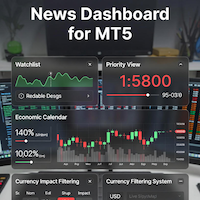
### MQL5 Marketplace Product Description News Dashboard for MT5 – with Live Sessions Map
#### Professional Real-Time Economic News Dashboard + Live Trading Sessions Map
Never get caught off-guard by high-impact news again. The ultimate all-in-one news tool trusted by thousands of professional traders – now with a beautiful embedded Live Sessions Map.
#### Core Features - Uses MT5’s built-in Economic Calendar (zero WebRequest, 100% compliant) - Real-time countdown timer to the
FREE

Run one strategy across every account you trade. Revanche Miroir Local Copier is a free local trade copier that mirrors trades between MetaTrader 5 accounts on the same computer, in real time. One program plays both parts: set it as the Master on the account you trade, and as a Slave on each account that should follow. A complete copier, free. It copies on any symbol, in any account currency, and between different brokers. If the master falls silent, open trades are held rather than closed, and
FREE

MT5 Time Zone Highlighter A simple and practical MetaTrader 5 tool designed to visually highlight up to three customizable trading time zones directly on the chart. Key Features: • Supports up to 3 independent time zones. • Set the start and end time for each zone according to your MT5 broker/server time. • Choose different colors for each time zone. • Adjustable transparency for better chart visibility. • Works directly on the MT5 chart without opening additional windows. • Helps traders quickl
FREE
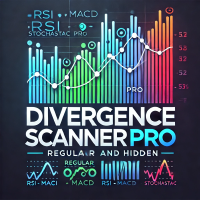
Divergence Scanner Pro is an advanced utility designed to detect both regular and hidden divergences across three powerful indicators: RSI , MACD , and Stochastic . With its robust algorithm and user-friendly interface, this tool is perfect for traders seeking an edge in the market. Key Features: Comprehensive Divergence Detection : Identifies regular and hidden divergences to highlight potential trend reversals or continuation opportunities. Multi-Indicator Support : Scans for divergences on RS
FREE
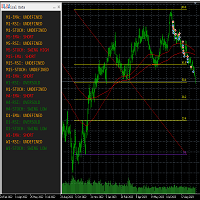
This tool helps to get a quick overview of a market. In one panel, indicators show trend, swing highs/lows and overbought/oversold information of various time frames (M1,M5,M15,H1,H4,D1,W1). Fibonacci can be used to identify different price levels. The input parameters of all indicators can be set by the user. The time frames can be changed as desired. The user can decide for himself which indicators he would like to see in the panel. Fibonacci appears on the chart at the next minute change at t
FREE

Precision Pro Trading Assist - Ultimate MT5 Execution Tool Elevate your trading with the Precision Pro Trading Assist, a high-end MetaTrader 5 Expert Advisor designed for professional traders who demand speed, discipline, and flawless risk management. This all-in-one execution panel streamlines your workflow, allowing you to focus on the charts w hile the EA handles the math and protection. Key Features Advanced One-Click Execution Execute trades instantly w ith pre-calculated Risk, Stop Loss,
FREE

UMNi-ALRT MT5 Advanced Trade Alert System UMNi-ALRT delivers structured, detailed Telegram alerts for every stage of your trading activity. More advanced than basic notifications, it provides full trade intelligence — including performance metrics, session context, and market data — in a clean, readable format. KEY FEATURES Full trade open / close alerts with deep detail MFE, MAE and exit efficiency tracking Session-aware candle and bias context Chart updates with spread,

Trade Manager Pro MT5 is a professional all-in-one trading panel designed to give traders complete control over every aspect of trade execution and position management from a single floating interface. Combining speed, precision, and intelligent automation, it transforms MetaTrader 5 into a powerful professional trading workstation while remaining lightweight, fast, and easy to use. Designed with MetaTrader 5's native trading classes for maximum stability, broker compatibility, and execution rel
FREE

Manage All Trades for MT5 Manage All Trades is a free MT5 utility that gives you fast and convenient control over open positions directly from the chart. Close all trades, BUY trades, SELL trades, profitable trades, losing trades, or positions on the current symbol with one click. Built for traders who want speed, simplicity, and better trade management in live market conditions. Manage All Trades is a lightweight and practical trade management utility for MetaTrader 5 that helps you close open
FREE

Trade Governor enforces trading discipline on manual trades or trades opened by another EA. It does not open trades and makes no market prediction - it is a pure risk-governor layer that protects your account with three rules.
Rules it enforces: - Trading-session window: positions held outside your allowed server-time window are closed (for example, keep only the Asian session). - Max trades per day: positions beyond your daily limit are closed (newest first); the counter resets each broker day
FREE

G Spikes Trade Assistant G Spikes Trade Assistant is a MetaTrader 5 utility panel designed to help users manage manual trading actions more efficiently. It provides quick access to order execution, stop-loss settings, target-price settings, and position-management controls from the chart. Main features Buy and Sell market order buttons. Pending order options. Stop-loss and target-price management. Close All and selected close options. Customizable display settings and trade comments. Interface t
FREE

This EA generates custom Line Break charts on a separate symbol using the following input settings: 1. LineBreak input int LineBreak = 3; Use: Defines the number of lines required for a reversal (e.g., 3-line break chart). Set to 1: For 1-line break charts (more responsive). Higher values: Create smoother, trend-following charts. 2. StartDate input datetime StartDate = D'2025.03.01';s Use: Specifies the date from which historical data should be loaded and processed. 3. LineBreakTime input bool L
FREE

AUTOTRAIL LM PRO MANAGER v3.30 Professional management of manual trades across all symbols Autotrail LM Pro Manager is a MetaTrader 5 Expert Advisor designed to automatically manage all manually opened positions, including trades on symbols other than the chart where the EA is installed. You do not need to attach the manager to every chart. For example, you can install it on a single XAUUSD chart and manage manual trades opened on: XAUUSD Forex pairs Indices Cryptocurrencies Metals Energies Othe
FREE

Close All – Fast Trade Manager for MetaTrader 5
Close All is a fast, simple trade manager built for scalpers, news traders, and manual traders. Instead of closing trades one by one, it sends close orders to your broker all at the same time in milliseconds.
What It Does
Close ALL: Closes every open trade immediately with one click.
Winners Only: Closes only profitable trades so you can bank your profit instantly.
Losers Only: Closes only trades in loss to cut drawdown and protect your accou
FREE

This MT5 trading utility is designed to provide quick access to commonly used trading functions directly from the chart. The tool includes Buy, Sell, Buy Limit, and Sell Limit order buttons, allowing traders to place orders efficiently without opening additional trading windows. Position management features include a Close Position button and an adjustable order quantity input with dedicated increase and decrease controls for fast lot size selection. The utility also displays the current profit
FREE

MTM Manual Trade Manager is a professional trading dashboard designed for manual traders who want better control over risk and trade management.
This Expert Advisor does NOT open trades automatically. All trading decisions and order executions are fully controlled by the trader.
Main Features: - Manual Buy and Sell execution from the dashboard - Visual Stop Loss and Take Profit using drag & drop lines - Fixed Lot and Risk Percentage position sizing - Automatic Break Even management - Multiple
FREE
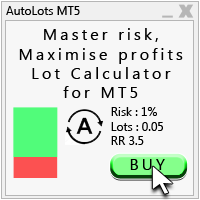
Auto Lots MT5
Auto Lots MT5 is an innovative and powerful application designed for traders on the MetaTrader 5 (MT5) platform. The application offers a user-friendly and intuitive interface, allowing traders to efficiently manage their positions, set precise entry levels and apply advanced risk management.
Key features: 1. Creation of SL/TP zones on the chart: The application allows users to create two customisable rectangles directly on the chart, making it easy to adjust entry points, take
FREE

Portfolio Monitor for MT5 Live Account Dashboard, Risk Guardian & Strategy Attribution Panel Portfolio Monitor is an all-in-one Expert Advisor (EA) that runs on any MT5 chart to give you complete visual control over your trading account. It aggregates every open position across all symbols and strategies into a clean, real-time dashboard. Note: Portfolio Monitor is a dedicated monitoring, risk management, and manual-mitigation tool—it does not place entry trades or run predictive signals. Five
FREE

Ritz Klik Trading Panel
In today’s fast-paced financial markets—ranging from highly volatile cryptocurrencies like BTCUSD to traditional forex pairs—execution speed, bulletproof risk management, and real-time capital awareness are the ultimate deciders of a trader's profitability. Ritz Klik Trading Panel is an institutional-grade, ultra-responsive One-Click Trading Dashboard designed exclusively for MetaTrader 5 (MT5). Built for scalpers, day traders, and aggressive layerers, this Expert Adviso
FREE

PTS Smart Trader is a capital-management and fast trade-execution expert for MetaTrader 5. Fast Stop Loss and Entry point placement using draggable chart lines Risk selection as a percentage, a fixed money amount, or a fixed volume Profit target definition based on R-multiple, with trade Split Market or Pending Limit execution Drawing, managing, hiding/rebuilding of setups directly on the chart Live profit/loss display and group-closing via the Close button
FREE

RMI • Position Size Pro V1.3 Precision Risk Management & Advanced Position Sizing for MetaTrader 5 Overview RMI • Position Size Pro is a professional-grade trading tool designed to give traders full control over risk, execution, and trade management directly on the chart. Built for precision and simplicity, this tool calculates optimal position sizes based on your defined risk parameters and provides an integrated dashboard to manage trades efficiently in real time. Whether you are a discretion
FREE

Manual Trading Assistant is a professional EA designed for manual traders who want institutional-level trade management without losing control. This tool does NOT open trades automatically - you remain in full control of your entries. Once you open a position manually, the EA takes over with advanced features: automatic TP/SL placement based on ATR or fixed pips, dynamic trailing stop that adapts to volatility, break even protection to eliminate risk after initial profit , partial close
FREE

— Ultra-Short-Term AI Decision Tool integrated with the dedicated chart indicator Super Fast Second Chart — This product is an AI auto-decision system fully integrated with a dedicated chart indicator . Simply save a screenshot of your chart and the AI will return, within seconds, multi-timeframe analysis + direction + confidence level + reversal conditions + next opportunity . When combined with the dedicated chart indicator, the AI also receives CSV data (10–20 bars of numerical information) t
FREE

Closed All Positions Closed All Positions is a simple and efficient MetaTrader 5 trade management utility designed to close open positions quickly with a single click. The utility provides a clear CLOSE ALL POSITIONS button directly on the chart, allowing traders to exit multiple open positions without manually closing them one by one. Main Features One-click close - close all matching open positions with one button press. Fast Close Mode - designed to dispatch closing requests quickly when mult
FREE

Indicator Test Report for MetaTrader 5 — a repaint checker and indicator tester that shows how any indicator actually behaves You cannot see inside a compiled indicator. The Indicator Test Report loads any indicator — bought, written, or built into MetaTrader — and answers the question a description cannot: does it repaint, how much history does it need, and what does it really publish? It reports behaviour. It does not grade. Load any indicator into the Strategy Tester and get a plain-language
FREE

EEFX Trade Manager is a practical trade management utility for MetaTrader 5, designed to make manual trading faster, clearer and easier to control directly from the chart. Instead of navigating through multiple MT5 windows, Trade Manager brings the key execution and position-management functions together into one simple interface. It can be used by discretionary traders as well as traders who want additional manual control over positions opened by other Expert Advisors. Main Features https://eef
FREE

Overview
This Expert Advisor (EA) for MetaTrader 5 is a robust tool designed to optimize money and risk management. It allows users to calculate position sizes based on account balance, desired risk percentage, and trade parameters like stop loss and entry points. Additionally, it offers a clear view of reward-to-risk ratios and allows for the inclusion of broker commission, recalculating data accordingly.
Key Features
1. Risk-Based Position Sizing
The EA calculates position sizes by taking
FREE
This indicator allows to hide Ichimoku Kinko Hyo (on all MT5 timeframes) from a date define by the user, with a vertical line (Alone) or a panel (with "Hidden Candles"). Indicator Inputs: Tenkan-sen Kijun-sen Senkou Span B Information on "Ichimoku Kinko Hyo" indicator is available here: https://www.metatrader4.com/en/trading-platform/help/analytics/tech_indicators/ichimoku ************************************************************* Hey traders!! Give me your feeds! We are a community here
FREE

Friends, join us!
Ask questions and connect with like-minded traders: MetaCOT Public Group
MetaCOT Information Channel: news, CFTC reports, and signals: MetaCOT Channel
Here’s to successful trading and new profitable signals for us all! Attention! Recently, certain countries have been blocking access to the cftc.gov website. As a result, users in these countries are giving the product low ratings. MetaCOT has always adhered to the highest quality standards and is in no way associated with th
FREE

Bring sniper-like focus to your manual trading. Forest Sniper is a lightweight, razor-precise trading panel for MetaTrader 5 built for active traders who want effortless execution and tight risk control across any currency pair. Whether you scalp, swing, or manage multiple positions, Forest Sniper gives you the essential controls on-screen so you trade faster, cleaner, and with confidence. Key benefits Execute with speed: One-click buy, sell, and position close controls remove friction so you en
FREE
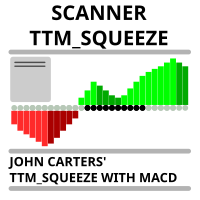
Market scanner based on the indicator published here Download the 'John Carters TTM Squeeze with MACD' Technical Indicator for MetaTrader 5 in MetaTrader Market (mql5.com) . Only the instruments that are in the Market Watch window are scanned. Maximum number of scanning tools up to 5000. The scan timeframe is selected from the timeframe panel of the terminal. To use it, open any chart and attach the Expert Advisor to the chart, the 'Search' button will appear in the upper left corner. When you
FREE

backtester buttons for testing strategies in the MT5 strategy tester.
load up strategy tester then click on visual test and once visual tester opened apply any chart template you'd like. To update the chart pause the visual tester and apply templates, colors and such like the normal chart. On the settings you can choose lot size and take profit and stop loss.
Enjoy
FREE

Running more than one EA on the same account makes it hard to tell which strategy is actually contributing to, or dragging down, your equity at a glance.
Phoenix Magic Number Dashboard automatically groups your open and closed trades by magic number, so you can see each EA's live and closed performance side by side, with account-wide totals.
How it keeps multi-EA accounts clear
- Auto-discovers active magic numbers, or track a manual list - Per-EA open positions, open profit, closed trades a
FREE

Symbol Spec Auditor puts the part of a symbol's contract specification that decides position size and trading cost into one panel on the chart: point value, spread cost, margin, swap, execution rules and trading sessions. Raw specification values are converted into money per 1.00 lot in the account currency, and the broker settings that quietly break lot-size code are listed as warnings. One button exports the same audit for every Market Watch symbol to a CSV file. It is a checking tool. It plac
FREE
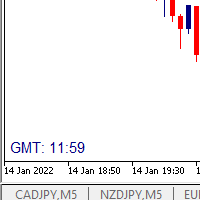
I wrote a small label to show GMT time. I t helps me to know the trading hours in Europe. I searched in the market but couldn't find it, hope it helps those who need it.
Functions: X_: Horizontal distance from border. Y_: Vertical distance from border. FontType: label color. FontSize : label font. Color3 : label color. WhatCorner : which chart corner will be drawn. If you have any request or errors please tell me to help it better.
Donate us , Thank u!
Telegram: 0388894014
FREE

Close Trade A simple, fast, and practical tool for managing and closing trades in MetaTrader
In the trading world, there are countless methods and strategies for opening and closing positions. Sometimes, due to volatile market conditions or multiple open trades, you need a tool that allows you to close all or specific trades instantly and efficiently. Close Trade is designed precisely for that, a lightweight, reliable, and easy-to-use tool for complete trade and order management in MetaTrader.
FREE

A lot of FX volume goes through a few benchmark fixes. Corporate and fund orders are filled at those prices every day, and on some days the orders are much bigger. Forex Fix Clock shows when each fix happens in your broker's server time. On a typical broker clock the London 4pm fix is at 18:00 for most of the year and at 19:00 for a few weeks each spring and autumn, and the Tokyo fix moves between 02:55 and 03:55. What it shows A small panel with the next Tokyo fix (09:55 Tokyo), Tokyo option cu
FREE

================================================================ MATRIX CONDITION MONITOR Live Trade Condition Panel for MetaTrader 5 Fully Automatic -- Works with ALL Matrix EAs ================================================================
NEVER MISS A TRADE SETUP AGAIN
Matrix Condition Monitor is a free utility that attaches to any chart and automatically checks all 10 trade conditions in real time -- showing you exactly why a trade will or will not open, and alerting you the moment ever
FREE

Sharing-Is-Caring Trade Copier
Features Local & Remote copy One tool can act as provider or receiver of trades Co-exist with other positions opened manually or from other expert advisors Can be stopped and restarted at any time without any issues such as deals getting closed mysteriously Copy same lot or adjust according to your balance and leverage Partial close/open Manage max funds to use One provider can copy to unlimited number of receivers One receiver can copy from unlimited number of p
FREE

DIVERGENCE SCANNER Find Divergences Faster. See What Others May Miss. Divergence Scanner is a specialized tool designed to automatically identify potential divergences across multiple trading instruments. It analyzes Stochastic and RSI , detects bullish and bearish divergences, and presents the results in a clear, structured table. Key Features: Automatic divergence detection; Stochastic analysis; RSI analysis; Bullish divergences; Bearish divergences; MOSTIPAN SMART TRADING
FREE

All-in-One MT5 Trading Panel EA Take full control of your trades directly from the chart using this intuitive and efficient MetaTrader 5 Expert Advisor. Built for precision, speed, and simplicity, this EA provides a fully integrated trading panel to manage your positions without navigating multiple menus. Key Features Instant Order Execution
Place trades instantly with six predefined buttons: BUY 0.5 – Open a buy position with 0.5 lot BUY 1.0 – Open a buy position with 1.0 lot BUY 2.0 – Open a
FREE

The Close In Quick Script is an optimized, high-performance MQL5 script designed to swiftly close all open positions for the current chart's symbol on the MetaTrader 5 platform. Engineered for speed and reliability, it leverages asynchronous trading, minimal system checks, and robust error handling to ensure seamless trade closure. Whether you're a day trader, scalper, or portfolio manager, this script is an essential tool for efficiently managing and exiting trades. Key Features: Asynchronous t
FREE

Overview Sessions Duck is a highly optimised, resource-efficient MetaTrader 5 indicator designed to automatically visualise the core global trading sessions (Asian, London, and New York) and display live, synchronised timezone data directly on your chart. Built specifically for performance, zero lag, and clean chart aesthetics, Sessions Duck provides day traders, scalpers, and session breakout traders with immediate market liquidity context without compromising terminal responsiveness—even when
FREE

Find Your Fibonacci Entry Levels Automatically Fibonacci Entries is a FREE trading utility that automatically displays key Fibonacci entry levels from the selected candle—so you can quickly identify potential pullback areas without manually drawing Fibonacci levels. KEY FEATURES Automatic Fibonacci Entries
Automatically calculate and display Fibonacci levels from the selected candle. Key Entry Levels
Displays: 23.6% • 38.2% • 50.0% Last Candle Analysis
Use the previous can
FREE

The tool is intended to help traders who cannot look at the chart all the time, or who use several charts, the trader can mark regions of interest as supports and resistances and as soon as the price approaches these regions an audible warning and on the screen will be presented for the trader to take some action, in addition the tool can automatically mark the highs and lows of the day and time.
FREE

The ZoomIN MT5 indicator is designed for quickly viewing the selected bar on the smaller timeframes in a pop-up window. Once launched, the indicator works in the background, does not take up space on the chart and does not consume system resources. When the indicator is activated by the Shift + i combination (can be changed in the settings), a pop-up window with a chart of a smaller timeframe is created. The displayed timeframe can be changed by a left-click on the magnifying glass icon. To hide
FREE

This MQL5 indicator creates a customizable grid of horizontal lines on your trading chart. Here's what it does:
**Main Functions:** - Draws equally spaced horizontal lines across the visible price range - Supports two line types: horizontal lines or trend lines with forward projection - Automatically adjusts to price scale changes
**Key Features:** 1. **Customizable Spacing**: Set grid distance in pips (20 pips by default) 2. **Flexible Starting Point**: Auto-calculates starting price or lets
FREE
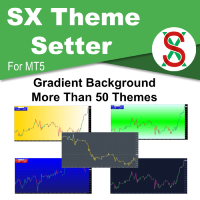
SX Theme Setter is intended for changing chart appearance in 2 modes: - Gradient background mode:
In this mode, the indicator creates a gradient background for your chart. Colors, steps and gradient type can be selected by user. - Color theme:
Color theme mode provides more than 50 built-in different color themes which can be selected from a list. Most of these themes are converted from official color themes of real trading platforms of the past and present. Try them out and see if they suit
FREE

Umagads Lot Calculation and Auto SL TP Assistant is a professional semi-automated trading utility for MetaTrader 5. It is specifically designed for traders who prioritize execution speed without compromising on strict risk management. With this assistant, you no longer need to calculate lot sizes manually or rush to set protection lines after an entry. Everything is calculated instantly and applied automatically. Core Features v2.40: Precision Lot Calculator: Real-time calculation of the ideal
FREE

Unlock lightning-fast trade replication across multiple MetaTrader 5 accounts on the same PC or VPS. The AW Local Trade Copier is designed for speed, reliability, and ease of use. Using an advanced shared-file architecture, it achieves near-zero latency (under 100ms) without locking your terminal or overloading your CPU. ️ IMPORTANT NOTICE: This system requires TWO files to work together (Master and Slave).
Get the FREE Slave version here: AW Trade Copier Slave KEY FEATURES Ultra-Fast Ex
FREE

COT Dashboard Basic — see what the smart money is doing, directly on your MT5 chart. Live CFTC Commitments of Traders data with zero manual work.
This version includes 3 instruments (EUR, USD Index, Gold) with 4 weeks of history. Perfect for testing the dashboard and understanding how COT data works before upgrading.
WHAT YOU GET - Live data from the official CFTC API — auto-refreshes automatically - 3 instruments: EUR, DXY (US Dollar Index), Gold - 4 weeks of historical data per inst
FREE

GOLD ESCAVATOR TRADING BOT
NB: PLEASE NOTE THAT THIS PROJECT WAS TAKEN DOWN A YEAR AGO DUE TO THE FEAR THAT IT MIGHT BE OVERFITTED. I WILL WORK ON IT TO RESTORE. MEANWHILE USE THE US30 TRADE BOT OR ACCOUNT FLIPPER BOTS WHICH ARE ALL FREE IN 2025. THANK YOU
A trading bot for XAUUSD. Lotsize is calculated by multiplying the lot factor by each 100 USD on account. You can adjust your risk level from 1 to 4 to suit your needs; Advisable to use account sizes of USD 200 and above. Account types: H
FREE

We apologize, but we are unable to provide service due to network issues. If you encounter any problems during installation or use, please contact 9048914@qq.com. Thank you. Binance is a world-renowned cryptocurrency exchange! In order to facilitate MT5 users to directly trade Binance Futures, the program provides the following trading functions:
1. Imitate the trading style of Binance Futures and provide a friendly operation panel;
2. Enter api and secret by yourself (you need to open futures
FREE

Trade Copier Local MT5 is a fast local trade copier for copying trades between multiple MT4 and MT5 accounts.
One EA works in both Master and Slave modes. Simply select the required Copier Mode and use the same product on your MetaTrader terminals.
Copy trades between:
• MT5 → MT5 • MT5 → MT4 • MT4 → MT5 • MT4 → MT4
Perfect for:
• Trading multiple accounts at once • Linking multiple trading accounts • Personal account mirroring • Signal providers • Account managers • Prop trading setups
#

PositionRelay Master Publisher sends your open position snapshot from MetaTrader 5 to the PositionRelay cloud relay. It is designed for traders who run a master account and want slave accounts on other terminals or brokers to mirror entries, exits, stop loss and take profit updates with low latency.
Companion product: PositionRelay Slave Subscriber (free). Install it on each follower account after this EA is publishing. Both EAs use the same PositionRelay User ID.
Requirements: - Active Positi
FREE

Axilgo Pip Piper CoPilot Elevate your trading game with the Axilgo Pip Piper CoPilot, the first in our revolutionary Pip Piper Series. This all-inclusive toolset is meticulously crafted for serious traders, focusing on key areas such as Risk Management, Trade Management, Prop Firm Rule Compliance, and Advanced Account Management . With CoPilot, you’re not just investing in a tool—you’re gaining a strategic partner in the intricate world of trading. Important Notice: To ensure you receive the fu
FREE

Easy Trade Copy (Client / Receiver) The easiest and most reliable way to copy trades to your account without missing a beat. If you want to copy trades from a master account to your own account, you need a tool you can trust. Most copiers glitch, miss trades, or accidentally open duplicates when your internet drops or your computer restarts. The Easy Trade Copy is built differently. It is a "smart" copier that double-checks every single trade to make sure your account perfectly matches the mast

Multi-Symbol Layered Take Profit Manager PRO Professional Trade Management Utility for MetaTrader 5 Copyright YUNZUH TRADING SYSTEMS WHAT THIS EA DOES The Multi-Symbol Layered Take Profit Manager PRO is a sophisticated trade management utility designed exclusively for closing existing positions. This Expert Advisor does NOT open any trades. It is specifically engineered to manage your take profit targets across multiple symbols simultaneously using an intelligent layered system. KEY CONCEPT: L
FREE

Position Limiter EA: Control Your Risk, Maximize Your Strategy Are you tired of manually managing your trades across multiple symbols? Do you want to ensure you never exceed your risk limits? Introducing the Position Limiter EA for MetaTrader 5! This powerful Expert Advisor automatically monitors all your open positions and pending orders for each symbol on your account. You set the maximum number of trades allowed per symbol, and the EA takes care of the rest. If the number of trades exceeds yo
FREE

TimeBar TimeBar is a simple information indicator that shows the remaining time until the bar closes, as well as the time elapsed since the bar opened and the current time. For ease of perception, two types of display modes have been added: in the form of a comment in the upper left corner of the graph, or in the form of a graphic object.
Advantages Font selection Font size. You can set any one. When commenting it is too small You can move objects. Any time can be selected by double clicking t
FREE

Capital Guard – Position Size & Risk Manager
An Amazing Software For Risk Calulcation & Trading Management!
Created by a Trader with over 27 years of Trading experience with
the tools and functions traders need. Not filled with features and
functions you just do not need.
For The Lowest Price Possible. And It will never go up. I am a trader
not a marketer. Here to help you get better in what you already do!
1st Class Support. You are never left alone. I am almost always
online and will r

TradeKeys Pro – Keyboard Trading Assistant for MetaTrader 5 TradeKeys Pro is a lightweight, keyboard‑driven trading assistant for MetaTrader 5 that combines the speed of shortcut keys with a clean configuration panel. It is designed for traders who prefer to keep their chart uncluttered and execute trades with a single keystroke, while still having full control over risk parameters and position management. Core Concept
The expert advisor places a compact graphical user interface (GUI) on the c
FREE

Propfirm Buddy - Your Ultimate Equity Protector [ TG group Propfirm experience sharing]
Are you tired of losing funded accounts or failing evaluations due to sudden market spikes or emotional revenge trading? Propfirm Buddy is an advanced, lightweight utility Expert Advisor designed to be your personal risk manager. Whether you are trading a prop firm challenge or protecting a live funded account, Propfirm Buddy runs quietly in the background, monitoring your equity 24/5. The moment a critica
FREE

AJUSTAR TP SEGÚN LÍNEA DE TENDENCIA — Modificación Dinámica de Take Profit en MT5 Este script para MetaTrader 5 permite proyectar el precio actual de cualquier línea de tendencia presente en el gráfico y asignarlo automáticamente como Take Profit (TP) a las posiciones abiertas que cumplan con los criterios de filtrado seleccionados. Es una herramienta imprescindible para traders que proyectan sus objetivos de salida basándose en estructuras diagonales, canales de precio, directrices de tendencia
FREE

AutoClose MT5 - Your 24/7 Automatic Capital Guardian Stop the bleeding. Lock in profits. Trade with peace of mind.
️ Why Your Trading Account Is Incomplete Without AutoClose MT5 You have your strategy, your EA, your analysis. But what's your automatic fail-safe ? One emotional decision, one missed market gap, one bad day can undo months of work. AutoClose MT5 is that non-negotiable layer of protection. It's not just a tool; it's your trading insurance policy that works 24/7. The Profession
FREE
The MetaTrader Market is a unique store of trading robots and technical indicators.
Read the MQL5.community User Memo to learn more about the unique services that we offer to traders: copying trading signals, custom applications developed by freelancers, automatic payments via the Payment System and the MQL5 Cloud Network.

You are missing trading opportunities:
- Free trading apps
- Over 8,000 signals for copying
- Economic news for exploring financial markets
Registration
Log in
You agree to website policy and terms of use
If you do not have an account, please register