 MetaTrader 5
 Experts
 지표
지표
 라이브러리
라이브러리
 유틸리티
유틸리티
 위젯
위젯
 규칙
규칙
MetaTrader 5용 트레이딩 유틸리티 - 21
 다음은 MetaTrader 5의 거래를 단순화하는 거래 프로그램입니다. 유틸리티의 설명과 목적을 읽으려면 유틸리티 위에 마우스를 놓으십시오.
ThemeChanger for MT5: Instantly Transform Your Chart Environment with One Click
In the dynamic world of trading, your chart's appearance is more than just aesthetics; it significantly impacts analytical efficiency, visibility, and even your psychological state. However, manually adjusting MT5's color settings can be time-consuming, and switching between preferred themes quickly is often a hassle.
ThemeChanger is the advanced MT5 indicator designed to revolutionize how you interact with your c
FREE

Trade Manager Panel is a free on-chart utility that helps you manage open positions quickly with a set of one-click buttons. It does not open trades on its own and generates no trading signals - it is a pure manual-trading assistant that works on any account with no restrictions.
Features: - Close All: close every open position at once. - Close Profit: close only the positions currently in profit. - Close Loss: close only the positions currently in loss. - Partial Close: close a configurable p
FREE

FOREX17 MOUSE TRADING ASSISTANT BASIC (F17MTA)
- Forex17 Mouse Trading Assistant Basic (F17MTA)는 마우스와 키보드를 사용하여 차트에서 직접 수동 주문을 실행할 수 있는 시각적 도구입니다 - 진입가, 손절, 익절을 동적으로 설정하고 표시합니다 - Basic 버전은 F17MTA 생태계의 입문용 간소화 버전입니다
====================== 중요 안내 ======================
- 본 버전은 무료 Basic 버전입니다
- Standard 버전은 영어로 제공되며 멀티 타겟 기능 등 고급 기능을 포함합니다
- 자세한 내용은 영어 설명을 참고하시기 바랍니다
- MetaTrader 5에서 AutoTrading을 활성화해야 합니다
====================== 주요 기능 ======================
- B 키를 누르고 있으면 Buy 모드 - S 키를 누르
FREE

차트 링크 보조 도구: 이 도구는 MetaTrader의 열린 차트와 메인 차트의 전문가 간의 인터페이스 역할을 합니다. 많은 다중 타임프레임 전문가들은 이 파일이 화면에 열린 차트와 통신하기 위해 필요합니다. 이 도구를 차트에서 실행하면 메인 차트의 전문가와 차트를 쉽게 연결할 수 있습니다. 이 파일의 주요 기능은 열린 차트에서 발생하는 모든 이벤트를 메인 차트의 전문가에게 보내는 것입니다. 예를 들어, 메인 차트에 가이드라인을 배치해도 이러한 가이드라인의 변경 사항이 메인 패널의 전문가 매개변수에 반영되지 않을 수 있습니다. 이 도구를 차트에 드래그 앤 드롭하거나 실행함으로써 차트를 연결하여 차트에서의 변경 사항이 메인 차트의 전문가에게 전달되도록 할 수 있습니다. 또한 이 도구에는 메인 차트 전문가의 디버거와 상태 확인 기능도 포함되어 있습니다. 메인 차트의 전문가와의 연결이 끊어지면 이 도구는 몇 가지 작업을 수행합니다: 먼저 MetaQuotes ID에 알림을 보내고, Tele
FREE
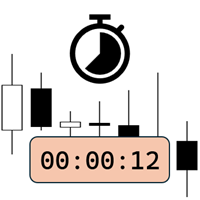
Candlestick Timer is a gadget by MT4Gadgets.com that quickly shows you the countdown to candle close / next candle. This information is useful in some strategies or when you need to be ready to react to news, volatility, market open/close and similar situations. The panels can be adjusted in position, size, color. You can also set a threshold to be alerted when the candle close/open, approach.
Features: Visual interface Size, position and colors adjustable Optional alert available Ease of use
FREE

Important: Do not download or install My Chart Control unless you already own My Chart Generator service. My Chart Control is not a standalone chart generator. It is designed to work together with the custom charts produced by My Chart Generator. Your Range/Volume chart, optimized for your indicator — automatically. My Chart Control is the on-chart dashboard and intelligence interface for My Chart Generator. Attach it to your My Chart custom symbol chart and it gives you complete control over
FREE

Exact Time — detailed time on the seconds chart. The utility shows the opening time of the selected candle. This is necessary when working with seconds charts. For example, it can be used on a seconds chart built using the Seconds Chart utility. Inputs Base corner — the chart corner to which an object Is attached. X distance — the horizontal distance from the chart corner. Y distance — the vertical distance from the chart corner. Text font — font name Font size — font size Color — text color
FREE

Simple Trade Terminal Simple Trade Terminal is a compact and performance-optimized on-chart panel for MetaTrader 5. It solves two of the biggest friction points in manual trading: time-consuming lot size calculations and inaccurate placement of Stop-Loss and Take-Profit levels. Instead of typing numbers into standard order masks, you plan your trade visually directly on the chart. The panel automatically calculates your exact position size based on your predefined risk and executes the order. Th
FREE

MT4 MT5 Trade Bridge for MetaTrader 5 is the MetaTrader 5 component of the MT4 MT5 Trade Bridge system. It allows a MetaTrader 5 terminal to work either as a Master or as a Slave in a local bridge connection with MetaTrader 4. When configured as Master , the MT5 component reads trading activity from the MetaTrader 5 terminal and writes structured trade data into a local bridge file. The connected MT4 component can then read this data and mirror the trading activity according to its selecte
FREE

Signalator Lot Size Evaluator MT5 는 수동 트레이더가 주문을 실행하기 전에 예상 포지션 크기를 계산할 수 있도록 설계된 무료 로컬 MetaTrader 5 유틸리티입니다. 선택한 심볼, BUY 또는 SELL 방향, 예정 진입 가격, Stop Loss, 선택적 Take Profit 및 리스크 비율을 사용하여 거래를 계획할 수 있습니다. 계산기는 현재 계좌 정보와 브로커가 제공하는 심볼 사양을 함께 사용하여 권장 랏 크기와 주요 리스크 값을 계산합니다. 사용 절차는 간단합니다: 거래 설정 정의 → 계좌 리스크 수준 선택 → 권장 랏 크기와 브로커 조건 확인 → 설정이 적절한 경우 수동으로 거래를 실행합니다. Signalator Lot Size Evaluator MT5 는 Signalator Trading and Analysis Ecosystem 의 일부입니다. 이는 거래 준비, 심볼 및 브로커 분석, 계좌 모니터링, 포지션 관리 및 일상적인 트레이딩 작업 흐름
FREE

1년 대여 시 월 $1.67에 모든 기능을 이용할 수 있습니다. 문의 사항이나 도움이 필요한 경우 빠른 지원을 제공합니다. 이 유틸리티는 Remote control, Trading Statistics, Auto Reports, Price Alerts 및 Trade Notifications 기능을 하나의 현대적인 Discord 모니터링 시스템에 통합한 전문 다기능 도구입니다. 이 유틸리티는 menu 명령을 사용하여 Discord 채널에서 직접 Remote control 기능을 지원합니다. MetaTrader 5 터미널로 돌아갈 필요 없이 Trade Reports를 전송하고, 열린 포지션을 확인하며, 활성 Price Alerts를 생성, 삭제 및 관리할 수 있습니다. 예약된 자동 Discord 보고서를 지원하며, Daily / Weekly / Monthly / Yearly / All Time 기간의 Trade Reports를 Discord에서 직접 수동으로 전송할 수도 있습니다. 이 유
FREE

UZFX Capital Control Command Center Panel v1.1은 자신의 거래 운영을 완벽하게 통제하고자 하는 전문 외환 트레이더를 위해 설계된 종합적인 거래 관리 및 리스크 관리 패널입니다. 이 올인원 솔루션은 MetaTrader 5 플랫폼을 실시간 모니터링, 고급 포지션 관리, 자동 드로다운 보호 기능을 갖춘 전문적인 명령 센터로 탈바꿈시킵니다.
이 패널은 수동 트레이더들이 바로 이러한 종류의 제어 기능을 필요로 하기 때문에, 사실 많은 자동 거래 도구보다 더 유용합니다. 완벽한 트레이딩 대시보드 단일하고 체계적인 인터페이스를 통해 거래 계좌의 모든 측면을 즉시 파악할 수 있습니다. 이 패널은 여러 종목에 걸친 모든 오픈 포지션을 표시하며, 포지션 유형, 랏(lot) 규모, 미실현 손익, 오픈 테이크 프로핏 값, 오픈 스톱 로스 값을 보여줍니다. 트레이더는 차트를 전환하거나 노출 규모를 수동으로 계산할 필요 없이 전체 포트폴리오를 모니터링할 수 있습니다.
FREE

Berikut adalah deskripsi profesional yang dapat digunakan untuk header source code , halaman MQL5 Market , GitHub, maupun dokumentasi EA Anda. Deskripsi ini disesuaikan dengan fitur yang ada pada versi terbaru panel trading. Berdasarkan file yang Anda unggah, panel ini merupakan Gold Manual Trading Panel - BangkacangFX v2.1 dengan fitur panel trading manual untuk MT5. BangkacangFX Gold Manual Trading Panel v2.20 BangkacangFX Gold Manual Trading Panel adalah panel trading manual profesional untuk
FREE

Introduction:
The RosMaFin Trading Panel is not just a standard order execution tool. It is a comprehensive, professional assistant designed for manual and price-action traders who want to save time, manage risk with mathematical precision, and maintain full market awareness. Say goodbye to manual lot size calculations and tedious Stop Loss adjustments. This panel streamlines your entire trading workflow from analysis to trade exit. KEY FEATURES & BENEFITS: Advanced Risk Management & Exec
FREE

Strangely enough, everyone seems to have their own idea of how you should measure support and resistance. Not every support and resistance zone is strong. The strongest support or resistance levels will more often than not be with trend . What this means is, if we are in a bull trend, pullback levels to support will more often than not be ‘stronger‘ than resistance levels above. These expert advisors use several mathematical models and statistical models to determine the strongest support and r
FREE

The utility draws pivot levels based on a selection from day week month The previous candlestick of the selected timeframe is taken and the values for the levels are calculated using the following formulas:
Pivot = (high + close + low) / 3 R1 = ( 2 * Pivot) - low S1 = ( 2 * Pivot) - high R2 = Pivot + (R1 -S1) R3 = high + ( 2 * (Pivot - low)) S2 = Pivot - (R1 - S1) S3 = low - ( 2 * (high - Pivot));
The style and thickness for all lines are adjusted.
The colors for the R, Pivot and S lines ar
FREE

DF Fib Trader Pro DF Fib Trader Pro는 MetaTrader 5용으로 설계된 자동 거래 시스템입니다. 피보나치 기반 가격 수준과 추세 및 구조 분석을 결합하여 진입 및 청산 시점을 정의합니다. EA는 롱 포지션과 숏 포지션을 모두 지원하며, 내장된 위험 관리 매개변수를 포함합니다.
핵심 기능: • 피보나치 되돌림 및 확장 로직을 사용하여 진입, 손절매, 이익실현 시점을 표시합니다. • 랏 크기 및 손절매/이익실현 수준 설정 가능 • 진입 시점 1개 또는 2개 선택 가능 • 시장 상황에 따라 고정 또는 동적 손절매 및 이익실현 지원 • 다양한 시간대 및 통화쌍 지원 • 최대 스프레드, 슬리피지, 거래 빈도 제어 옵션 포함 • 자동 거래 관리: 손익분기점, 트레일링 손절매, 부분 청산 옵션 • 원하는 경우 시장가 주문 지원 입력 개요: • 위험 관리: 랏 크기, 거래당 위험, 최대 거래 수 • 진입 조건: 피보나치 레벨 선택, 추세 필터 옵션 • 청산 관리:
FREE

PositionRelay Master Publisher는 MetaTrader 5의 열린 포지션 스냅샷을 PositionRelay 클라우드 릴레이로 전송합니다. 마스터 계좌를 운영하며 다른 터미널이나 브로커의 슬레이브 계좌에서 진입, 청산, 스톱로스 및 테이크프로핏 업데이트를 낮은 지연으로 미러링하려는 트레이더를 위해 설계되었습니다.
연관 제품: PositionRelay Slave Subscriber(무료). 이 EA가 게시를 시작한 후 각 팔로워 계좌에 설치하세요. 두 EA 모두 동일한 PositionRelay User ID를 사용합니다.
요구 사항: - 활성 PositionRelay 클라우드 구독(positionrelay.com 가입) - positionrelay.com 대시보드의 PositionRelay User ID - 각 팔로워 터미널에 PositionRelay Slave Subscriber - 마스터 터미널의 안정적인 인터넷 연결
설정: 1. positionrelay.
FREE

Day Close Hunter 이것이 중요한 이유 모든 트레이더가 이 상황을 알고 있습니다. 금요일 저녁, 시장이 곧 마감되려 하는데 주말 전에 포지션을 청산하는 것을 잊어버렸습니다. 월요일, 시장은 갭으로 열리고 피할 수 있었던 손실이 당신의 예치금에 발생합니다. 많은 자동 매매 시스템에는 금요일 청산 기능이 내장되어 있지 않습니다. 주말 내내 포지션을 유지하여 시장 갭에 취약해집니다. Day Close Hunter는 이 문제를 완벽하게 해결합니다. 청산 시간과 요일을 설정하기만 하면 전문가 어드바이저가 당신이 잊더라도 포지션을 관리해 드립니다. 목적 Day Close Hunter는 MetaTrader 5용 범용 전문가 어드바이저로, 선택한 요일과 지정된 시간에 모든 포지션과 대기 주문을 자동으로 청산합니다. 주말 갭으로부터 보호할 뿐만 아니라 시장 마감 전 일일 계좌 정리에도 완벽합니다. 주요 기능 선택 가능한 요일 — 체크박스를 통한 유연한 설정. 원하는 요일에 포지션을 청
FREE

KS Timing Alert Tool은 트레이더가 드래그 가능한 수직 타이머 라인을 사용하여 차트상에 정밀한 시간 기반 알림을 설정할 수 있도록 돕는 사용자 친화적인 MT5 지표입니다.
주요 기능:
클릭 한 번으로 타이머 라인 생성: "+ New Timer Line" 버튼(기본값 15분 오프셋)을 사용하여 즉시 수직 라인을 배치할 수 있습니다.
빠른 프리셋 버튼: 15분, 30분, 45분, 1시간, 2시간... 최대 12시간까지 원터치 프리셋을 제공합니다. 프리셋을 선택하면 해당 시간 단위에 맞춰 다음 정시 캔들 마감 시점(MT5의 내장 캔들 카운트다운과 동일한 방식)에 라인이 자동으로 배치됩니다. 예를 들어, 1시간(1H)을 선택하면 다음 정시 시작점에 라인이 배치됩니다.
자유로운 드래그 및 사용자 지정: 타이머 라인을 원하는 시간(과거 또는 미래)으로 자유롭게 드래그할 수 있습니다. 알림은 가격 변동이나 실제 캔들 마감 여부와 관계없이 순수하게 실제 서버 시간을 기준으로
FREE

Arixis Grid Risk Calculator — Understand Grid Exposure Before Trading
Arixis Grid Risk Calculator is a professional mathematical analysis tool for traders who use grid, recovery or progressive position-sizing systems. Configure the initial lot size, distance between entries, maximum number of levels and position-sizing progression to visualize how exposure evolves as additional positions are added. The calculator generates a detailed level-by-level representation including individual lot size,
FREE

AR Quant Binance Futures Bridge MT5 is a professional utility for MetaTrader 5 that allows you to bring selected Binance USDT-M Futures symbols into MT5 for charting, analysis, and indicator-based workflows.
With this product, you can load Binance Futures symbols, including altcoin futures, directly into MetaTrader 5 even if your broker does not offer those markets. Once loaded, you can open the generated charts in MT5, apply your indicators, use your templates, and analyze Binance Futures pri
FREE

This tool will allow you to export the Historical data (Open, High, Low, Close, Volume) for any financial instrument present in your MetaTrader 5. You can download multiple Symbols and TimeFrames in the same csv file. Also, you can schedule the frequency of download (every 5 minutes, 60 minutes, etc.). No need to open a lot of charts in order to get the last data, the tool will download the data directly. The CSV File will be stored in the folder: \MQL5\Files .
How it works Select the Symbols t
FREE

Pulse Trade Dashboard is an interactive trade management panel for MetaTrader 5, built for traders who want full control of their account without leaving the chart. Attach it to any chart and get a real-time overview of your balance, equity, open positions, and floating P&L — all updating live. Place market orders instantly with the one-click BUY and SELL buttons, adjusting your lot size, stop loss, and take profit directly on the dashboard without opening a single settings menu. What's included
FREE

Real-time profit monitor that projects your results directly onto the current price. Designed for traders who need total focus on the chart without distractions. Dynamic Visualization: Follow the price movement (Bid) for an immediate reading. Privacy Control: Activate or deactivate visibility instantly by pressing the "P" key. Precise Calculation: Includes net profit and swap of all open positions. Clean Interface: Automatic colors (green/red) to identify the status of your account at a glance.
FREE

ZyloFx Position Size Calculator MT5 is a free risk management utility designed to calculate the appropriate lot size before opening a trade. The tool calculates position size based on your selected risk, account balance or equity, and Stop Loss distance. It also displays useful information directly on the chart. Explore all available ZyloFx Trading Tools: https://www.mql5.com/en/users/rosamartinez2825/seller Main Features Automatic lot size calculation. Percentage or fixed-money risk mode. Balan
FREE
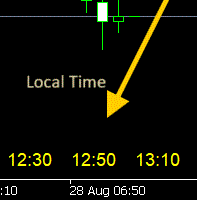
Window Time Display for Korea Tokyo - Manual Overview The Time Scale Korea Display is a custom MT5 indicator that displays local time (Korean time) on the chart's time scale. It shows the corresponding local time for each price bar, making it easier for traders to correlate market movements with their local timezone. Features Dynamic Time Display : Shows local time corresponding to each chart candle Multiple Position Options : Display at top, center, or bottom of chart Windows Time Integration :
FREE
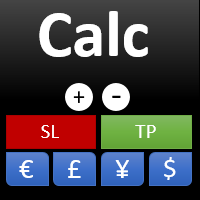
This indicator is designed to provide all useful information about symbol, account, positions and profit. It is developed for improving trader's money management.
Parameters Calc can be divided to separate blocks. Each block is possible to hide, set its own color and other properties. Block symbol: This block displays information about actual SPREAD, POINT VALUE (in deposit currency for 1 lot), SWAP LONG and SHORT. Show symbol info - display/hide this block Color of symbol info - color of this
FREE

BTD2 Market Data Exporter for MT5 BTD2 Market Data Exporter is a high-performance utility script designed to extract M1 historical bar data, symbol properties, and daily reset schedules from MetaTrader 5 into optimized binary files ( .btd ). Built specifically for quantitative research, backtesting engines, and custom analytics pipelines. Key Features UTC+0 Timestamp Standardization: Automatically normalizes server time candles to UTC+0 end-label timestamps, eliminating broker server timezone sh
FREE

Ritz_BUYnSELL_Detection
The Ritz_BUYnSELL_Detection is a custom MetaTrader 5 (MT5) indicator that detects BUY and SELL trading signals based on trend detection and ATR-based volatility filtering. It provides visual arrows , entry alerts , and mobile push notifications , making it suitable for traders using a VPS setup for 24/7 signal monitoring. How to Use the Indicator Install on MT5 : Place the .mq5 file in the MQL5/Indicators folder. Compile it in MetaEditor, then apply it to any chart. A
FREE

This MQL5 indicator creates a customizable grid of horizontal lines on your trading chart. Here's what it does:
**Main Functions:** - Draws equally spaced horizontal lines across the visible price range - Supports two line types: horizontal lines or trend lines with forward projection - Automatically adjusts to price scale changes
**Key Features:** 1. **Customizable Spacing**: Set grid distance in pips (20 pips by default) 2. **Flexible Starting Point**: Auto-calculates starting price or lets
FREE

Trade Copier Local MT5 is a fast local trade copier for copying trades between multiple MT4 and MT5 accounts.
One EA works in both Master and Slave modes. Simply select the required Copier Mode and use the same product on your MetaTrader terminals.
Copy trades between:
• MT5 → MT5 • MT5 → MT4 • MT4 → MT5 • MT4 → MT4
Perfect for:
• Trading multiple accounts at once • Linking multiple trading accounts • Personal account mirroring • Signal providers • Account managers • Prop trading setups
#

MQL5 블로그: https://www.mql5.com/en/blogs/post/765148 MT4 버전: https://www.mql5.com/en/market/product/154458 MT5 버전: https://www.mql5.com/en/market/product/154459
기간 한정 무료 제공
Telegram Order [tambangEA]는 더 빠르고 깔끔하며 체계적인 거래 실행 워크플로우를 원하는 트레이더를 위해 개발된 전문적인 반자동 거래 지원 도구입니다.
이 제품은 이미 자체적인 시장 분석을 보유하고 있으며 거래 실행, 관리 및 모니터링을 위한 더 나은 방법을 필요로 하는 트레이더를 위해 설계되었습니다. 경직된 블랙박스 전략을 강요하는 대신, 거래 결정을 효율적인 실행으로 전환하는 데 도움이 되는 실용적인 차트 대시보드를 제공합니다.
프리미엄급 시각적 레이아웃, 빠른 접근 버튼, 라인 트리거 기능, 심볼 변경 기능, 실시간 거래 통계 및 텔레그램 통합 기
FREE

The script in the form of an expert is created for the possibility of automatic installation of pending orders of the Stop Close Only type, which are not in MT5 by default. This type of order implies entering a long position in case the price closes above a given price level and opening a short position if the price closes below the price set by the trader. At the same time, level breakouts are not taken into account. The expert indicates the levels on the chart with lines, overcoming which will
FREE
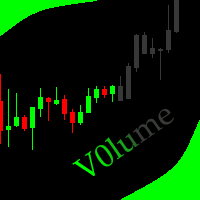
This indicator allows to hide Volume (on all MT5 timeframes) from a date define by the user with a vertical line (Alone) or a panel (with "Hidden Candles"). The color of each bar depends if this one is higher or lower of the previous bar. Indicator Inputs: No inputs for this indicator Information on "Volume" indicator is available in this post: https://www.mql5.com/en/forum/134260 ************************************************************* Hey traders!! Give me your feeds! We are a commun
FREE
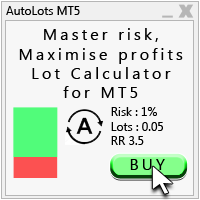
Auto Lots MT5
Auto Lots MT5 is an innovative and powerful application designed for traders on the MetaTrader 5 (MT5) platform. The application offers a user-friendly and intuitive interface, allowing traders to efficiently manage their positions, set precise entry levels and apply advanced risk management.
Key features: 1. Creation of SL/TP zones on the chart: The application allows users to create two customisable rectangles directly on the chart, making it easy to adjust entry points, take
FREE

Easy Trade Copy (Client / Receiver) The easiest and most reliable way to copy trades to your account without missing a beat. If you want to copy trades from a master account to your own account, you need a tool you can trust. Most copiers glitch, miss trades, or accidentally open duplicates when your internet drops or your computer restarts. The Easy Trade Copy is built differently. It is a "smart" copier that double-checks every single trade to make sure your account perfectly matches the mast

TrendLinesFromFiboAndTrend2 — Proyección Dinámica de Tendencias en Niveles Fibonacci Descripción general: TrendLinesFromFiboAndTrend2 es una herramienta para MetaTrader 5 diseñada para clonar el ángulo y la velocidad de una línea de tendencia existente y proyectarla automáticamente a través de todos los niveles clave (retrocesos y extensiones) de un objeto Fibonacci dibujado en el gráfico. Ventajas principales: Proyección geométrica exacta: Mantiene la inclinación y duración exacta de la línea d
FREE

FUNDING EA는 오늘부로 완전히 구식이 되었으며, PROP FIRM SAVER EA는 그 기반 위에 구축되어 더 나은 기능을 제공합니다. 우리는 이 EA를 무료로 배포하여 새 버전이 실시간으로 어떻게 작동하는지 보여드립니다. 프로프 펌 챌린지를 구매하고 손실로 끝나는 것에 지치셨습니까? FUNDING EA가 그 상황을 바꿔 드립니다. 이 EA는 챌린지를 성공적으로 통과할 수 있을 뿐만 아니라, 통과하지 못할 경우 환불도 보장합니다.
FUNDING EA와 함께라면 추가 비용 걱정 없이 원하는 만큼 챌린지를 시도할 수 있습니다. 어떻게 작동하나요? FUNDING EA는 고급 헤징 전략을 사용합니다. 챌린지를 성공적으로 통과하거나, 실패할 경우 비용을 보전해 줍니다.
즉, 첫 시도에서 실패하더라도 새로운 챌린지를 위해 다시 지불할 필요가 없습니다. 간단히 하기 위해, 이 EA는 단일 단계 챌린지에서 사용하는 것을 권장합니다. FUNDING EA를 사용하려면 두 개의 계정이 필요합니다
FREE

Capital Guard – Position Size & Risk Manager
An Amazing Software For Risk Calulcation & Trading Management!
Created by a Trader with over 27 years of Trading experience with
the tools and functions traders need. Not filled with features and
functions you just do not need.
For The Lowest Price Possible. And It will never go up. I am a trader
not a marketer. Here to help you get better in what you already do!
1st Class Support. You are never left alone. I am almost always
online and will r

KChrono Timer is a four-mode timing utility for MetaTrader 5. It keeps candle, countdown and trading-session time information visible directly on the chart.
Timer modes
1. Candle Close Timer
Displays the remaining time and progress of the active candle. The current chart timeframe or another candle timeframe can be selected.
2. Custom Countdown
Runs a user-defined countdown with optional automatic restart or reset when a new candle begins. Pause, Resume and Reset controls are available dire
FREE

PulsePanel FREE – The exact same clean, professional and powerful dashboard as the Pro, completely free so you can test it thoroughly before upgrading. Limited to USDCHF and GBPNZD , this free edition gives you full, unrestricted access to every core feature: What You Get in the FREE Version One-click instant execution (buy/sell) Real-time currency strength meter Precise momentum scanner Watchlist with trend, momentum and conviction Live position tracking: net P&L, dynamic risk/reward ratio, sto
FREE

See Your Key Trading Measurements at a Glance Smart Pips Meter is a free utility that displays important market measurements directly on your chart—so you can make faster trading decisions without manually calculating pip distances. WHAT IT SHOWS ADR (Average Daily Range)
See the current ADR pip value directly on your chart. Current Candle Size
Instantly see the size of the current candle in pips. Previous Candle Size
Quickly check the size of the last completed candle.
FREE
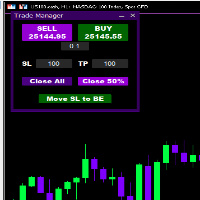
Introducing * *Trader Manager** for MetaTrader 5 - the most efficient tool for managing your trades and it's free! This smart assistant automatically sets **Stop Loss** and **Take Profit** immediately after opening a trade, saving you time and reducing the risk of errors.
With the ability to set a **Maximum Daily Loss** , you'll protect yourself from the dangers of **overtrading** and keep control of your finances.
Plus, you'll get a host of other features for easy position management: -
FREE

Tired of switching charts to check higher timeframe structure? ZeroG CandleContext draws the current candles from up to 3 higher timeframes DIRECTLY on your chart, with a real-time close countdown timer.
Trade on M1–M15 and keep H1, H4, and D context visible at all times. No chart switching. No losing focus.
## WHAT DOES IT DO?
The indicator displays the last N candles (default: 3) from each selected higher timeframe, drawn as real candles to the right of th
FREE

Multi-Symbol Layered Take Profit Manager PRO Professional Trade Management Utility for MetaTrader 5 Copyright YUNZUH TRADING SYSTEMS WHAT THIS EA DOES The Multi-Symbol Layered Take Profit Manager PRO is a sophisticated trade management utility designed exclusively for closing existing positions. This Expert Advisor does NOT open any trades. It is specifically engineered to manage your take profit targets across multiple symbols simultaneously using an intelligent layered system. KEY CONCEPT: L
FREE
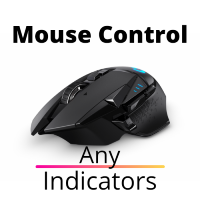
이 유틸리티는 마우스 휠을 스크롤하여 표시기의 모든 매개 변수를 제어합니다. 이 유틸리티를 설치하고 표준 터미널 배달에서 표시기의 인터페이스를 변경할 수 있습니다. 사용자 정의 지표뿐만 아니라"시장"에서 구입 한 지표의 경우 범용 스크롤러 유틸리티가 있습니다. Universal Scroller
작동 원리 이 유틸리티는 마우스 휠을 스크롤하여 변경하여 선택한 매개 변수 중 하나를 제어합니다. 스크롤 모드 활성화는 버튼 위에 커서를 가져 가거나 클릭하여 사용할 수 있습니다. 이 버튼은 차트에 자동으로 설정됩니다. 하나 이상의 정수 매개 변수가있는 모든 표시기가이 유틸리티에 적합합니다.
설치 방법 차트에 표시기를로드,당신이 제어 할 매개 변수의 값을 기억한다. 정수여야 합니다. 차트에"표준 스크롤러"를로드합니다. 설정 창에서 두 표시기를 동기화하십시오.이 작업을 수행하려면 매개 변수 필드에 표시기의 값을 입력하십시오. 예를 들어 표시기에 선택한 매개 변수가 14 인 경우"표준 스크롤
FREE

한 거래 계정(Master)에서 다른 계정(Slave)으로 BUY/SELL 거래의 개설을 자동으로 복사하며 동일한 방향에 대해 공유 Take Profit을 자동으로 동기화합니다. 그리드, 평균화 및 마틴게일 전략을 위해 설계되었습니다. Slave 계정은 Master 계정의 거래 동작을 그대로 반복하며 독립적인 거래 결정을 내리지 않습니다. 터미널은 동일한 장치에 설치될 필요가 없습니다. 작동 방식: Master 계정이 EURUSD에서 BUY 포지션 그리드를 열고 공통 Take Profit을 설정합니다. 몇 초 후 Slave 계정이 동일한 BUY 포지션 그리드를 자동으로 열고 TP를 복사합니다. 로트 크기는 Slave 계정의 잔액에 비례하여 계산되거나 1:1 비율로 설정될 수 있으며 이 параметр는 입력 설정에서 구성됩니다. Master가 열린 포지션의 TP를 변경하면 Slave도 동일하게 변경합니다. 필요 시 설정에서 Take Profit 동기화를 비활성화할 수 있습니다. 설정
FREE

Live Risk Dashboard MT5 EA Monitor your account risk clearly and trade within your limits Live Risk Dashboard MT5 EA is a practical account-monitoring utility for MetaTrader 5. It displays your most important trading and risk information directly on the chart, helping remove the "math anxiety" of managing open positions. Instead of repeatedly checking different MT5 windows or manually calculating floating profit, drawdown usage, and remaining limits, you can view everything in one clean, compact
FREE

A simple and useful Current Price Panel, which displays magnified current Bid, Ask prices and spread, movable anywhere on chart window using the mouse. Also provides an option to have as text at a static location showing bid or ask price along with spread, shown at any location on the chart. Allows display as pips or points along with spread highlighted in distinct color if it crosses the threshold point for the previous 100 ticks. Includes an option to show or hide the last digit (pipette) of t
FREE

MTM Manual Trade Manager is a professional trading dashboard designed for manual traders who want better control over risk and trade management.
This Expert Advisor does NOT open trades automatically. All trading decisions and order executions are fully controlled by the trader.
Main Features: - Manual Buy and Sell execution from the dashboard - Visual Stop Loss and Take Profit using drag & drop lines - Fixed Lot and Risk Percentage position sizing - Automatic Break Even management - Multiple
FREE

Welcome to my MMTrader Manager product. EA that allows You for simple managing trades and positions. Key Features: Position Opening – Open trades quickly with customizable Take Profit (TP), Stop Loss (SL), and lot size settings. Position Closing – Close trades with one click. Grid System – Automatically create a grid of orders. Recovery Mode – Loss recovery lot calculation. Trade History Data – Acces data to historical positions. User-Friendly Interface – A clear and simple panel designed. This
FREE

Tracking positions using trailing on the Parabolic SAR indicator. It is necessary to allow automated trading in the terminal settings. In testing mode, the utility opens Buy or Sell positions on the first ticks, which allows you to visually observe the given logic, changing the utility parameters. In real mode, the utility does not open positions. Discuss the complexities of Forex trading here: chat "Age of Expert Advisors" . Parameters Select_Magic - selection of magic numbers. Positions with
FREE

Optimize your trading management with Breakeven Bot, the essential tool for active traders managing multiple positions at once. No more wasting time manually adjusting your stops—one click is all it takes to secure your profits! Main Feature:
️ "BREAKEVEN" Button – Instantly set all profitable positions to breakeven and protect your gains quickly. ️ Customization Options:
Set breakeven in pips or currency, depending on your preference.
Choose whether breakeven should be at the entr
FREE
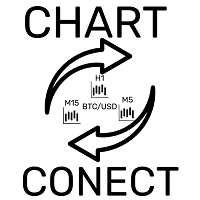
This EA does not perform trading operations. It's a auxiliary visual tool for graphics synchronization.
The “there are no trading operations” error in the validator is expected and intentional. CHARTCONNECT – Chart Synchronizer (Version 1.19) Connect all your charts to the same symbol with just one click.
What is CHARTCONNECT? ChartConnect is a lightweight and efficient tool designed to automatically synchronize the ticker symbol of all open charts in MetaTrader 5

RiskFlow Trading Panel MT5 A professional one‑click trading panel for MetaTrader 5 that helps you execute trades faster while maintaining consistent risk management. Designed for Forex, Gold (XAUUSD), Indices, Crypto, and any MT5 symbol. Key Features Draggable Panel – move anywhere on the chart
Minimize / Close – clean workspace anytime
Light / Dark Theme – switch instantly
Trade / Close / Settings Tabs
Risk/Reward Trading – RR ratio + SL/TP in points/pips + auto price calculation
A
FREE

Displays the countdown to the current candle’s close and shows the live server time clearly on your chart, including the GMT. It is a fuss-free indicator, plug and play. Accurate Candle Timer is a simple and practical tool for traders who want to monitor candle timing without unnecessary clutter. It shows how much time is left before the current candle closes, helping you stay aware of when the next candle will begin. This is useful for traders who prefer to wait for candle close confirmation be
FREE

Know your lot size before you click Buy or Sell.
The Chart Mechanics Risk and Position Size is a free panel for MetaTrader 5. Set how much you want to risk and where your stop goes, and it shows the lot size to use and the money actually at risk in your account currency. It is an indicator, so it never opens, changes or closes trades.
WHAT IT SHOWS - Lot size, rounded DOWN to your broker's lot step, so you never risk more than you set - Money at risk after rounding, in your account currency -
FREE

Your signals in Telegram, your trades in MetaTrader 5.**
Phoenix Telegram Copier reads trade signals from your Telegram channel or group and opens them on your account. It understands the usual signal layout: side, symbol, entry, stop loss and one or more take profits. Every take profit becomes its own position, so you can bank part of a trade early and let the rest run.
**How it works** 1. Create a Telegram bot (with @BotFather) and add it to your channel or group. 2. Put the bot token and t
FREE

Простая торговая панель, позволяет открывать и закрывать сделки в тестере стратегий МТ5, устанавливать stoploss и takeprofit, а так же управлять ими с помощью кнопок на панели. Панель находится в правом верхнем углу, что при включенном правом отступе графика позволяет удобное использование не перекрывая график. так же имеется возможность устанавливать количеством лотов/контрактов в сделках.
FREE

UEX Reader - Expert Advisor UEX 지표 기반의 완전 자동 트레이딩 EA입니다. https://www.mql5.com/en/market/product/152936
UEX Reader는 두 가지 유연한 트레이딩 방식을 제공합니다. 일반 방식과 평균화 방식
거래 포지션은 UEX 지표가 예측하는 시장 방향에 따라 개별적으로 또는 동시에 실행할 수 있습니다.
UEX Reader는 지표를 기반으로 작동하지만, MT5 테스터에서 테스트해 볼 수도 있습니다.
- - - - - - - -
UEX Reader Expert Advisor 사용 방법: https://www.mql5.com/en/market/product/166805/comments PDF document :
https://c.mql5.com/31/1830/UEX_Reader_ExpertAdvisor.zip
FREE

Manual Trade and Risk Manager Pro MT5 is an MT5 manual Trade Manager and Prop Firm Risk Manager for discretionary traders who need disciplined account risk control. Use it as an MT5 risk management tool and manual trading panel MT5 when you trade your own strategy, a prop firm challenge, an evaluation account, or a funded account. It combines MT5 position size calculation, drawdown protection MT5 monitors, and a trade execution panel MT5 so you can size, check limits, then execute manually. This
FREE

gives you the power to close every open chart window at once — no matter the symbol, timeframe, number of indicators, Expert Advisors, or objects on them. When you attach it, a confirmation dialog appears. Only after you explicitly grant permission does the script shut down all charts, leaving you on the clean gray screen with Market Watch still fully available. From there you can rebuild your layout from scratch exactly the way you want it. Ideal for: Quickly clearing a cluttered multi-chart wo
FREE

Foxtrip Zone Planner: Visual risk-reward b ox for MetaTrader 5
What it does:
Foxtrip Zone Planner dra ws a risk-reward zone (TP/SL b ox) on your chart. You se e entry, stop loss, and tak e-profit levels in one place, w ith a fixed risk:reward ratio. You can mov e the box, res ize it, and sw itch between buy and sell so your pla n matches you r idea. It do es not open o r manage trades : it is for analy sis and plann ing only.
How it works:
Box on chart : A green zo ne (ta
FREE

Utility Description: Auto TP & SL Manager for XAUUSD Overview The Auto TP & SL Utility is an automated Expert Advisor (EA) designed specifically for MetaTrader 5 (MT5). Its primary function is to monitor your open positions in real-time and automatically apply Stop Loss (SL) and Take Profit (TP) levels if they are missing. This is particularly crucial for volatile assets like XAUUSD (Gold), where price swings occur rapidly. Key Features Instant Protection: Automatically detects any manual or EA-
FREE

Your risk, sized before the trade. Set risk once - percent of balance, percent of equity, or a fixed amount - and the panel computes the lot for every trade from your stop distance. Drag the ENTRY, SL and TP lines on the chart; each carries a live label with price, money at risk and R multiple, with shaded risk and reward zones. An entry line placed away from price becomes a pending order. Orders you can account for. Every order, market or pending, is written to a durable journal before it is se
FREE

MGD Prop Risk Guard MT5 Professional Account Risk Monitoring for MetaTrader 5 — FREE MGD Prop Risk Guard MT5 is a free account risk monitoring utility designed to help traders stay informed about their daily loss limits, maximum drawdown, and available risk. Whether you trade manually, use Expert Advisors, or participate in proprietary trading firm challenges, MGD Prop Risk Guard provides a clear, real-time overview of your account's risk exposure. Monitor your trading risk directly from your MT
FREE
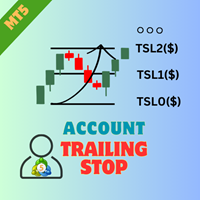
EA AccountTrailingStop MT5을 소개합니다. 이는 Expert Advisor로, MetaTrader 5에서 자동으로 수익을 관리하고 보호하여 거래 전략을 향상시키도록 설계되었습니다. 이 도구는 초보자와 전문 트레이더 모두에게 적합하며, 다양한 거래 환경에서 동적인 수익 잠금을 위한 강력한 솔루션을 제공합니다. EA AccountTrailingStop MT5을 사용하면 사용자들은 유리한 시장 조건에서 수익 유지가 개선되고 수동 모니터링 시간이 줄어드는 등의 상당한 이점을 경험합니다. forex, 지수 및 암호화폐에서 거래하는 트레이더들은 전반적인 수익성이 눈에 띄게 증가했다고 언급하며, 이 EA은 거래 성과를 최적화하려는 모든 사람에게 필수 자산입니다. MQL 제품 설치 가이드 | 구매한 MQL 제품 업데이트 MT4/MT5 | 일반 문제 해결 가이드 | 일반 설정 / 입력 가이드 | 백테스트 및 설정 파일 주요 기능 동적 수익 추적: 총 계좌 수익을 자동으로 추적하고
FREE

AutoTarget Guardian is a trade management utility for MetaTrader 5 that automatically sets Take Profit and Stop Loss levels for newly opened positions. Instead of calculating point distances manually or dragging order lines on the chart, the utility can set target levels based on a specified monetary amount in the account deposit currency, or by fixed points. The target levels are calculated and applied immediately when a position opens. Key Features The utility monitors positions and applies ri
FREE

Broker Preflight 는 Expert Advisor를 실행하기 전에 현재 거래 환경을 빠르게 점검할 수 있도록 설계된 무료 MetaTrader 5 유틸리티입니다. 자동매매에 영향을 줄 수 있는 주요 계좌, 터미널 및 심볼 조건을 분석하고 결과를 PASS / WARNING / FAIL 형식으로 명확하게 표시합니다. Broker Preflight는 거래를 개설하거나 수정하거나 종료하지 않습니다. 순수한 진단 도구로만 작동합니다. 주요 기능 계좌 모드 감지: Hedging, Netting 또는 Exchange 거래 및 Expert Advisor 권한 확인 터미널 연결 상태 및 시세 데이터 확인 심볼의 실행 모드 및 거래 제한 표시 최소/최대 거래량, 거래량 단계 및 제한 표시 Stops Level 및 Freeze Level 확인 현재 스프레드 및 심볼 사양 표시 테스트 거래량이 브로커 규칙에 맞는지 확인 테스트 스톱 거리가 브로커 제한에 맞는지 확인 거래를 실행하지 않고 사용 가
FREE
MetaTrader 마켓은 거래 로봇과 기술 지표들의 독특한 스토어입니다.
MQL5.community 사용자 메모를 읽어보셔서 트레이더들에게 제공하는 고유한 서비스(거래 시그널 복사, 프리랜서가 개발한 맞춤형 애플리케이션, 결제 시스템 및 MQL5 클라우드 네트워크를 통한 자동 결제)에 대해 자세히 알아보십시오.
