 MetaTrader 5
 Experts
 Indicators
 Libraries
 Utilities
 Widgets
 Rules
Rules
Watch the Market tutorial videos on YouTube
How to buy а trading robot or an indicator
Run your EA on
virtual hosting
virtual hosting
Test аn indicator/trading robot before buying
Want to earn in the Market?
How to present a product for a sell-through
Trading utilities for MetaTrader 5 - 16
 Below are trading programs simplifying trading in MetaTrader 5. Hover over a utility to read its description and purpose.
Multi currency and multi timeframe scanner. Scans all instruments in "market watch" and gives either pc-alert or push-notification to the phone on a breakout. A breakout is by default defined as when a candle becomes longer than three ATR with a period of 300.
If you have the need for a custom buildt scanner, to scan for your particular setup. Please add a personal jobb under the Freelance section.
Functionality
Has spread filter , to not open stupid mega spread crypto currency charts. Has lo
FREE

# MiniBull Guard v1.30
## Never trade without a stop again.
**You open the trade. MiniBull Guard sets the stop, shows the risk and keeps your head clear.**
- **No more naked positions.** Every new trade gets a stop loss within moments, even when you forget, hesitate or trade from your phone. - **A stop the market can breathe around.** Sized from real volatility (ATR) by default, or from a distance you choose. - **Know your loss before it happens.** In money and in percent of your equity, not
FREE

NewsFilter Pro — News Filter & Economic Calendar EA for MetaTrader 5
Automatically block trading during high-impact news events (NFP, FOMC, CPI). Uses MQL5 built-in Economic Calendar — no DLL, no external API, no configuration. Works with any EA, any broker, any currency pair.
Prop Firm Safe | NFP/CPI/FOMC Filter | Auto-Close Before News | Smart Currency Filter | 15 Activations
---
Why NewsFilter Pro?
Most trading EAs get destroyed during news events — NFP, FOMC, CPI, ECB — when spread

Rocket TF Countdown Stay in Sync with Every Candle Rocket TF Countdown is a lightweight utility for MetaTrader 5 that displays the remaining time until the current candle closes. Designed for traders who want a clear and convenient way to monitor candle timing directly on their charts. Key Features Live Candle Countdown: Displays the remaining time until the current candle closes. Flexible Positioning: Choose the chart corner and adjust the horizontal and vertical offsets. Customizable Font Size
FREE

News Guard & Slippage Shield Overview This Expert Advisor is a protective utility for MetaTrader 5 accounts. It pauses trading around high-impact news releases and automatically closes any position that fills with excessive slippage. It runs at account level, so it can protect every Expert Advisor and Magic Number on the same account, not only trades it opens itself. The EA does not place any trades of its own. It is designed to run alongside your existing trading robots as a risk-control layer.
FREE

Spread Profile by Hour builds the spread distribution of one symbol for every hour of the server day from your broker's own tick history, and draws it as 24 bars. Since version 1.10 the day can also be split into buckets of 1 to 30 minutes, up to 1,440 bars, to see where inside an hour the spread widens. The solid part of a bar is the median spread of that hour or bucket, the lighter cap reaches the 90th percentile. Enter the stop size you normally use and every bar is labelled with its median s
FREE

这是一款专为手动交易者设计的MT5工具。解决了MT5回测只能跑EA自动交易无法手动回测的问题。它通过图形化按钮(Buy / Sell / Close All)让您在图表上快速开平仓,并 自动记录每一笔交易 ,实时计算 胜率、盈亏比、平均盈亏、最大回撤、当前权益 等专业数据,将您的交易行为转化为直观的绩效报告。它将是您不可或缺的辅助利器。
1. 一键交易,操作流畅 Buy / Sell / Close All 按钮 2. 实时交易记录与图表标记 自动绘制买卖箭头 :开仓时在K线图上生成绿色向上(买)或红色向下(卖)箭头,复盘时一目了然。 3. 专业绩效统计面板 完整交易明细 :总交易次数、盈利次数、亏损次数。 胜率 & 盈亏比 :自动计算胜率百分比、平均盈利、平均亏损、盈亏比。 资金管理指标 :总盈利、总亏损、净利润、当前权益、虚拟余额。 风险控制 :基于虚拟余额与浮动盈亏计算最大回撤(金额与百分比),帮助评估策略稳健性。
FREE
EA Portfolio Analytics Dashboard Pro - Advanced Multi-EA Performance Monitor EA Portfolio Analytics Trading Dashboard Pro is a professional MetaTrader 5 tool designed for advanced portfolio management and real-time performance analytics. Monitor all your Expert Advisors simultaneously with institutional-grade metrics. Key Benefits: Multi-EA Performance Matrix: Track unlimited EAs and their statistics in a single view. Real-Time Risk Analytics: Monitor key metrics like Sharpe Ratio, Value at

ProTradeManager — Professional Trade Manager for MetaTrader 5 ProTradeManager is an all-in-one on-chart trade management utility that gives you everything you need to plan, execute, and protect trades with precision — from a clean visual panel directly on your chart. No scripting, no manual math. Just draw your lines, set your risk, and click. Whether you are a discretionary trader, a funded-account challenger, or someone managing multiple symbols at once, ProTradeManager handles the heavy lifti
FREE

TradeAssist Lot Calculator — the free position size calculator that cannot touch your account. Drag the stop-loss line on your chart and instantly see the correct lot size for your risk budget. No spreadsheets, no web calculators, no mental math — and no trading permissions needed, because this tool contains zero trading code. It calculates. That is all it does. WHY THIS ONE • 9 risk modes — fixed $, % of Balance / Equity / Free Margin / Custom base, % of previous Day / Week / Month balance, and
FREE

PEN Trade Manager is a professional trading, position management, and risk control tool designed for MetaTrader 5.
Its main purpose is simple: help traders plan a trade visually, calculate risk accurately, execute orders quickly, and manage open positions from one clean interface.
At the center of PEN Trade Manager is the PEN system — a visual trading tool that allows you to place and adjust your Entry, Stop Loss, and Take Profit directly on the chart. Instead of calculating levels manually, s
FREE

QuickTrade Manager for MT5 Professional One-Click Trade Execution & Management Panel for MetaTrader 5 Trade faster. Manage smarter. Execute with precision. QuickTrade Manager is a powerful chart-side trading panel built for traders who want instant execution, cleaner workflow, and precise control over every position directly from the chart. No more slow manual adjustments.
No more cluttered order management. Everything you need is in one professional panel . NEW IN THIS VERSION Modern Profession
FREE

Introducing the MQL5 utility button - the ultimate solution for effortless trade management! With just one click, you can instantly close all open positions, making your trading experience smoother and more efficient than ever before.
This innovative tool is designed with simplicity in mind, ensuring that it's easy to use for traders of all levels. Whether you're a seasoned professional or a beginner, the MQL5 utility button offers a hassle-free way to manage your trades with unparalleled ease.
FREE

Layer Smart Risk Trade Assistant – MT5 Trade Manager, Risk Management & Order Organizer Utility for MetaTrader 5 Are you looking for the most reliable trade assistant for MetaTrader 5 (MT5) ?
Layer Smart Risk Trade Assistant is the ultimate manual trading utility and trade panel , perfect for both beginner and advanced traders who want smarter risk management , order organization, and effortless multi-order management . Do you ever struggle with: Forgetting to update your stoploss or take profi

Trailing Stop Manager MT5 Trailing Stop Manager MT5 is a flexible trade management utility for MetaTrader 5 that automatically moves the Stop Loss as price moves in your favor. It is designed for traders who want to protect profits and manage open positions automatically while keeping control over how and which positions are managed. The manager currently includes two trailing methods: • Standard Trailing Stop
• Fractals Trailing Stop It also includes a compact trading panel for opening, managi
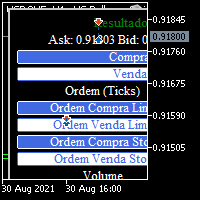
BOLETA TRADING PROFISSIONAL. Painel de negociação usado para facilitar operações manuais no MT5. -Botão para fechamento automático de ordens e posições. -Negociação facilitada usando teclado e mouse. -Sistema de ordens OCO (TP & SL pré configurados) -Normalização de volume para qualquer ativo. -Controle de limite horários para negociação. -Sistema de meta e limite de loss. -Martingale configurável. -Trailing Stop. -BreakEven. -Numero mágico (Expert Magic) para não entrar em conflito com outros r
FREE

A. Chart Manager: Designed by an experienced trader and web performance engineer. Developed and built with performance, speed and optimization in mind. Uses unique clean outline of events, even when there are multiple events. Restyles your chart with one of five color themes when you click it. Removes background images and the objects other tools leave on the chart. Never removes the rectangle labels that Expert Advisor panels are built from. Shows or hides the grid, volumes, trade levels, price
FREE
XXXX ATR (Average True Range) Position Manager: ATR StopLoss, ATR Target, ATR Breakeven, ATR Trailing StopLoss, with Risk % Calculation / Position. More about ATR: www.atr-trading.com
Key takeaways One click does it all: SELL and BUY button automatically places ATR stoploss, ATR target, ATR breakeven, ATR trailing stop and Risk % calculation of equity Entire position is calculated based on ATR No more manual position calculations = No more wasted time = No more late entries Position sizes c

GOM Trade Manager helps you execute trades the way you want it. Works on all instruments Forex, Commodities, & Crypto.
It helps you with lot calculations, spread addition and balance calculations so you can just focus on actual trading.
For full automatic planned management, stackable triggers and spread widening protection >> check out GOM Trade Manager Pro .
------------------------------------------NOTABLE FEATURES------------------------------------------ You set everything based on bid
FREE
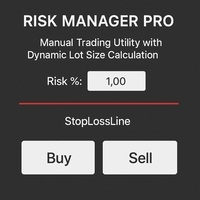
Risk Manager PRO – Manual Trading Utility with Dynamic Lot Size Calculation
Risk Manager PRO is a powerful yet simple utility for manual traders. It allows you to enter trades with calculated lot sizes based on your specified risk percentage and a visual stop-loss line. Just drag the red stop line to your desired level, input the risk %, and click Buy or Sell. Ideal for traders who want precise risk control without complex calculations.
Features:
Dynamic lot size calculation
Visual stop-lo
FREE
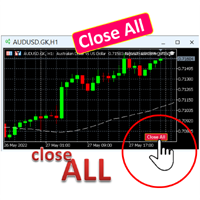
A simple button to completely close all existing open trades (both Buy and Sell) on the current chart .
Warning : Once the button is pressed, all open trades on the current chart will be deleted immediately without any more questions or dialogue.
Use this utility very carefully. We recommend that you do a trial of removing open trades on a demo account first, before trying to use this utility on a real account.
FREE

Ever wondered if there was a trading bot which could trade for you, under your exact entry and exit conditions. Well no need to worry, Pebble is here! Just set your trade parameters in the RSI Trading Panel and press "Start Trading" and that's it! Pebble will take care of the rest. Here are few advantages of using Pebble:- Removes human emotion from trading. Active 24/7 and searching for your trade conditions. Automatically placing orders and moving stop loss to breakeven. Positions can be exi
FREE

Daily Telegram Market Briefing — Professional FX Session Briefing for MT5
Daily Telegram Market Briefing is a MetaTrader 5 Expert Advisor that compiles a clean, actionable morning brief for the instrument on your chart and delivers it to your Telegram group or channel at a time you choose. It combines previous day OHLC levels, an Asia session range computed in your local time, a directional bias and short outlook, and a curated list of today’s high-impact macro events (from the ForexFactory cal
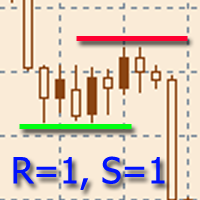
The indicator is designed to build horizontal support and resistance levels. The level search algorithm is based on the grouping of extremes. It is possible to display statistical information for each level, filter the display of levels by a number of properties, adjust the color scheme depending on the type of level (support or resistance). Features:
The indicator is ready to work and in most cases does not require special settings Manual or automatic selection of the range of extrema grouping
FREE

The PSM Trading Panel is a comprehensive, all-in-one trade management utility designed for both manual and automated traders. Whether you prefer executing precise manual entries, managing recovery with a Martingale system, or deploying a Grid strategy, this panel provides all the necessary tools directly on your chart. Built with advanced risk management and a highly intuitive interface, the panel minimizes the emotional stress of trading by automating complex calculations like Auto-Candle Stop
FREE

SuperPositionTerminal is a manual trading terminal for MetaTrader 5, built for discretionary and prop-firm traders who work to fixed daily risk limits. Build, size and execute every trade from one control panel: position sizing by account percentage, fixed money risk or fixed lot, multi-level partial exits, automatic break-even, and daily limits that refuse a trade before the money is at risk. It is not an automated strategy. It does not predict, signal or trade for you. It is the control surfac
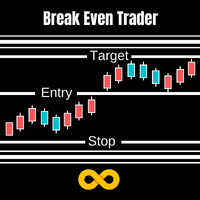
With Break Even Trader placed onto your chart, it will automatically place the stop loss and take profit levels when you open a buy or sell order. And when you are in profit by the amount defined in user settings, it will automatically move your stop loss to that break even level, thereby protecting your trade from a loss. Features :
Simple to trade with you just enter your trade it will place the stop loss and take profit as input in user inputs. Sends you an alert when your trade is in profit
FREE

ZeroLogics : Essential tool for trade execution, risk management, and planning—featuring visual levels, TPs, RR, lot sizing, and profit/loss calculation.
User Guide ZeroLogics — MetaTrader 5 (MQL5) • Official Manual 1. Real-Time Account Metrics TOTAL : Live consolidated floating P/L across all open positions on the active instrument. BALANCE : Consolidated account balance and account base currency. DAILY PROFIT : Closed net profit since 00:00 broker server time (includes intraday commissions
FREE

Alert Line Manager – FREE is a simple and reliable MT5 indicator that alerts you when price crosses horizontal lines . Designed for manual traders who work with key price levels. Features: Alerts on horizontal line crossing Popup and sound notifications Alert cooldown to prevent spam Alerts ON / OFF button on chart Works on any symbol and timeframe Limitations: Horizontal lines only No trend lines, channels or Fibonacci No push notifications Alert Settings Alert sound file
Sound file played
FREE

• Please test the product in the Strategy Tester before purchasing to understand how it works.
• If you face any issues, contact me via private message—I’m always available to help.
• After purchase, send me a screenshot of your order to receive a FREE EA as a gift. Dual Hedge Trading Panel — Professional Trading & Risk Management for MetaTrader 5 Short Description Professional one-click BUY, SELL, and DUAL hedge execution panel featuring an advanced on-chart trade planner with draggable En

Trade Panel QuantumAlgo — Professional Risk & Trade Management Utility for MetaTrader 5 QuantumAlgo Trade Panel is a professional trading utility for MetaTrader 5 that bridges institutional-style risk management with seamless one-click execution. Designed for scalpers, swing traders, and Smart Money Concept traders who want to focus on the setup — not the calculations. Why Traders Choose QuantumAlgo Trade Panel One-click trade execution with auto-calculated lot sizes Built-in risk-percentage pos
FREE

BOLETA ATA is a quick-execution trading panel for MetaTrader 5, built for manual traders who want to buy, sell, and manage positions without leaving the chart. Compact, straightforward, and with built-in protection automations. Main Panel Stop Loss and Take Profit with an on/off checkbox and an editable field — click and type the value directly, no need to open settings Lot size field (Qty) , editable at any time 3 clickable lot presets : a single click applies the value to the Qty field; a doub
FREE

Trade Visualizer (TVIZ) Description The provided code represents a highly efficient, interactive utility—which we will refer to as Trade Visualizer (TVIZ) —designed to plot both historical and active trade data directly onto the MetaTrader price chart. For professional developers and forex traders, reviewing raw ticket data in the terminal’s history tab can be tedious and visually disconnected from price action. Similar to other market solutions that bring trading data to life by plotting compl
FREE

PG Lot Calculator tells you the exact lot size for every trade, so you always risk the amount you planned. No spreadsheets, no guessing. It works on Forex, gold, silver, indices, crypto and stocks. Part of the PG tools for prop firm traders. For full challenge protection, see PropGuardian . HOW IT WORKS Choose how you risk: % of Balance, % of Equity or a fixed amount of money. Set your Stop Loss in pips (or drag the SL line on the chart). Read your lot size. Click BUY or SELL if you want to tr
FREE

T-Wallpaper. This is a very useful wallpaper that comes with trade manager panel. You can choose any wallpaper of your choice. Must add the WallPaper file to your MQL5 Data Folder. Follow this easy steps: Download the WallPaper files from our channel https://www.mql5.com/en/channels/transitbk98 Open MT5 Select files Open Data Folder Open MQL5 Open Files and past the Wallpaper folder Now the wallpaper will display. Wallpaper settings are found on the user input. Trade panel settings are found on
FREE

Overview:
The Drawdown Control Limiter MT5 is a robust and efficient tool designed for traders who aim to monitor and limit drawdown levels in their MetaTrader5 Live/Demo accounts. This Expert Advisor provides real-time tracking of drawdown percentages or amounts and automatically closes positions if the specified limits are exceeded, helping protect your capital. EA account drawdown protector is designed for normal trading Live and Demo accounts (not for Prop Firms) . Key Features: Customiza

Live Risk Dashboard MT5 EA Monitor your account risk clearly and trade within your limits Live Risk Dashboard MT5 EA is a practical account-monitoring utility for MetaTrader 5. It displays your most important trading and risk information directly on the chart, helping remove the "math anxiety" of managing open positions. Instead of repeatedly checking different MT5 windows or manually calculating floating profit, drawdown usage, and remaining limits, you can view everything in one clean, compact
FREE

Latency and connection stability are truly the "lifeblood" of a trader, especially if you do scalping or news trading, where a difference of just a few milliseconds (ms) can determine whether your order experiences slippage or not. Let's break it down step by step so everything is clear, starting from the connection path to how we can implement this dashboard idea in MQL5. 1. Connection Path: What Does the Number in the Bottom-Right Corner Actually Mean? When you see the traffic bars and latenc
FREE

Local Account Monitor MT5 is a read-only local monitoring utility for traders who run multiple MetaTrader terminals on the same PC or the same Windows VPS . It combines Agent mode and Dashboard mode so you can monitor local accounts from one place, spot stale terminals quickly, review account health states, and inspect risk details without switching between many terminals. Public channel: CLICK HERE
What it is for Monitoring multiple local MT5 terminals from one dashboard Quickly identifying
FREE
This is the script needed to use The News Filter . This script selects any chart that you want to filter and sends the inputs to The News Filter program. Every input is specific to that chart, so you have the flexibility of setting different inputs for every chart. Links to The News Filter (free demo) can be found below: The News Filter Guide + Download Links
News selection News source is Forex Factory's economic calendar . Feature to add your own custom news events . Selection can
FREE

Overview Simple Trade Panel EA is a clean, lightweight trade assistant designed for manual traders who want fast and visual order placement directly from the chart.
No more fiddling with order windows – place Market and Pending orders, adjust Stop Loss & Take Profit using draggable horizontal lines, and instantly see your risk/reward ratio, point distance, and dollar value.
The panel features a modern “dirty pastel” color scheme that perfectly fits light chart themes, and can be hidden with
FREE

U sing keyboard shortcuts to draw Fibonacci levels and rectangles quickly and efficiently.
Press F to create a Fibonacci retracement. Click with mouse (2x): -once on the chart to set the starting point and - again to set the ending point. The Fibonacci levels are drawn automatically using the configured ratios, colors, and styles.
Press T to instantly draw a pre defined rectangle at the closest highest or lowest price (based on trend).
All levels, colors, sizes, and styles ca
FREE

Trading Toolbox for MT5 Faster chart control. Clearer account tracking. Less friction. Trading Toolbox is a lightweight on-chart utility for MetaTrader 5 that brings essential trading controls directly to your chart. Track PnL from a marked balance, manage trade sound alerts, toggle Scale Fix instantly, and keep your preferred setup saved between sessions—all from one clean, compact panel. Main Features Real-Time PnL Tracking
Mark your current account balance and instantly see your profit or lo
FREE

Theme Switcher - Personalize Your Trading Terminal Description The Theme Switcher is an interactive panel that lets you quickly change the color scheme of your MetaTrader 5 chart. Designed for traders seeking a comfortable and personalized visual environment, This tool offers a variety of theme styles inspired by brands, movies, and professional designs. How to Use It Open the panel: Simply add the indicator to your chart, and a window with buttons for different themes will appear. Select a them
FREE

Unified Scroll – Effortless Multi-Timeframe Chart Synchronization (MQL5)
Tired of manually scrolling through multiple charts? Unified Scroll is the ultimate MQL5 utility that instantly syncs scrolling and panning across all charts of the same symbol—regardless of timeframe. No more misaligned charts, no more wasted time. Just smooth, synchronized analysis at your fingertips.
Seamless Scrolling & Panning – Move one chart, and all others follow in real time .
Works with Any Sym
FREE

Xauiq ATR Trade Manager is a position management utility designed for manually opened XAUUSD trades. It does not generate entry signals and does not decide whether to buy or sell. After a manual position is detected, the utility manages risk, partial profit taking and the remaining position according to the confirmed settings. Main Features Manual Position Management The utility manages eligible manually opened positions and detects the actual Buy or Sell direction before calculating any level.
FREE
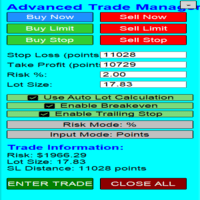
Overview Are you tired of complex manual calculations, emotional execution errors, and the constant fear of risking too much? The Advanced Trade Manager (ATM) is your all-in-one solution, a professional-grade Expert Advisor for MetaTrader 5 designed to give you institutional-level control over every aspect of your trade. From flawless risk calculation to intelligent, one-click execution, the ATM EA streamlines your entire trading process, allowing you to focus on your strategy, not the mechanics
FREE
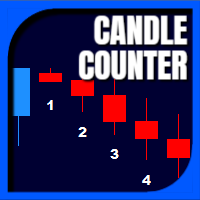
Candle Counter is a simple indicator that list the amout of candles in the day according to the current chart timeframe. It is specially useful for those teaching others how to trade, as it can draw attention to a specific candle of the day. Configuration:
Reverse mode - if on, the actual candle is the first one.
Position - Above or below the candles.
Vertical distance - Vertical distance from the candles in pipets/points.
Size - Font size. If you need help please don't hesitate to contact me.
FREE

A fast, chart-based MT5 trade manager with one-click BUY/SELL execution, editable Lot/SL/TP controls, and selective position-closing tools. One Click Trading MT5 is a lightweight trade-management Expert Advisor for MetaTrader 5. It is designed for traders who want to manage manual trades or trades opened by an EA directly from the chart, without repeatedly opening the Terminal window. The panel is draggable and automatically switches between light and dark modes based on the chart background. I
FREE

Symbol Cost Monitor is a professional analytical utility for MetaTrader 5 designed to provide fast control over trading costs across multiple instruments simultaneously. Spread and swap directly affect the final trading result. This is especially important for scalping, active intraday trading, holding positions for several days, and working with multiple symbols at the same time. The standard MetaTrader 5 interface does not provide a convenient way to compare all these parameters in one window,
FREE

Please leave a 5 stars rating if you like this free tool! Thank you so much :) The "Risk Management Assistant" Expert Advisor Collection is a comprehensive suite of tools designed to enhance trading strategies by effectively managing risk across various market conditions. This collection comprises three key components: averaging , switching , and hedging expert advisors, each offering distinct advantages tailored to different trading scenarios. This EA is a development of standard r
FREE

Overview
This Expert Advisor (EA) for MetaTrader 5 is a robust tool designed to optimize money and risk management. It allows users to calculate position sizes based on account balance, desired risk percentage, and trade parameters like stop loss and entry points. Additionally, it offers a clear view of reward-to-risk ratios and allows for the inclusion of broker commission, recalculating data accordingly.
Key Features
1. Risk-Based Position Sizing
The EA calculates position sizes by taking
FREE

This is a utility indicator that creates mini charts on left side of the chart you are looking at.
It is very useful to watch many timeframes simultaneously, without having to change between multiple charts. Its configuration is very simple. You can have up to 4 mini charts opened. They automatically load the template of the "parent" chart. If you have any doubt please contact me. Enjoy!
This is a free indicator, but it took hours to develop. If you want to pay me a coffee, I appreciate a lot
FREE

It is just an alternative fibo lines. mt4 have is a very strange drawing of fibo lines, this utilites was written for mt4, but for mt5 it may not be particularly useful. A simple Box (Rectangle) graphic element with adjustable levels binding: it is possible to specify up to 17 custom levels, all rectangles on the chart with the given prefix in their name are processed. Levels are specified in % of the height of the rectangle. A convenient graphical element for analyzing charts by growth-correct
FREE

TrumpFeed to Telegram – Lightweight News Forwarder especially for Gold-Trader This Expert Advisor reads the Trump Truth Social RSS (mirror feed) , classifies new posts via OpenAI , neatly shortens the quote, and forwards it to your Telegram group/topic – including a compact XAUUSD impact summary . Ideal if you want to be notified immediately of potentially market-moving statements. Key Features Fetch: EA reads the RSS feed https://trumpstruth.org/feed every 30 seconds. Parse & Clean: Removes HTM

See your broker's pending order limit, free margin with margin call and stop out, and your open charts at a glance - read-only, never trades. Limit Monitor shows the limits of your trading account on one clean panel, so you notice a problem before your broker rejects an order. What you see Pending orders – your pending orders right now against the server limit of your account, with the highest value seen, your open positions and the total. If the server reports no limit, the panel says so. Margi
FREE

Level Assistant is an expert assistant for manually setting support and resistance levels.
Traders often form their own levels. If there are many charts of different periods, the level will be multiplied by all charts.
When placing a horizontal line on a chart, the Assistant suggests converting this line into a level. At the same time, he himself will determine the color and thickness of the line, depending on the period of the instrument and where it is relative to the price. Mark the level
FREE

Trade Panel Manager — Master all trades in one dashboard Stop calculating volume manually, stop worrying about forgetting to set SL/TP. TTrade Panel Manager transforms MetaTrader 5 into a professional trading command center — drag and drop a few lines on the chart, the EA automatically calculates lot sizes according to your desired risk level, displaying SL/TP in pips and currency in real time, right before you press the button.
Why download now?
Accurate lot size calculation based on risk pe
FREE

Monthly Calendar MT5 simply presents your MT5 Trading History Beautifully. Your Entire Trading Month. At a Glance. Key Features
Download:
User can download screenshot by clicking Download icon.
Customizable Title:
Users can change the default “Monthly P/L Calendar” title to their preferred title.
Instant Profit/Loss Recognition:
Live tracking and P\L updates in seconds.
Click-to-Inspect:
Click any trading day to open detailed trade information.
Complete Trade Details:
Review time, sym
FREE

天机账户统计分析是一款账户交易统计面板 EA。它在图表内嵌悬浮窗口,将账户历史交易记录按日、周、月、季、年、品种、幻数(Magic)、注释八大维度自动汇总成可视化报表,一键切换查看。
每个维度展示总手数、最大手数、交易次数、连亏、连赢、最大亏损、最大盈利、胜率、百分比、利润、余额、出入金、最大浮亏、最大浮盈等十五项统计指标,列可按需开关显示。内置账户实时面板,三列布局呈现账户信息、资金状况(余额、净值、保证金、浮动盈亏等)与持仓明细(多空单数、总/最大/最小/平均手数、持仓盈亏等)。
性能方面,采用历史记录缓存与增量更新、统计指纹校验、浮盈浮亏独立跟踪,配合防抖节流与定时刷新,兼顾实时性与流畅度。界面支持拖拽、滚动条、DPI 自适应,颜色、语言、字体、缩放均可配置,。
该工具适合交易复盘、多策略账户监控与实时风险查看,当前版本 v6.9,由天机(官网 tianjigendan.cn)提供,专注跟单系统、量化系统与定制服务。
FREE

FOREXBOB AUTO CLOSER is a very handsome tool for :- Scalping Correlation Hedging Those who use averaging methods As this utility tool will help you by closing all your running trades when the universal floating P/L reaches a certain value that you will put in inputs. This tool consider all the trades that running on the your account either opened MANUALLY or with help of an EA.
Inputs USD - Put numeric value for required profit Group Mode - False Magic No. - Zero (0) to consider manually opene
FREE

The Swap Calculator Panel shows you what holding a position overnight really costs – before you open the trade. • Works with every symbol of your account: forex, indices, shares, commodities, metals, crypto • Enter direction, lots, opening and closing date – from a few days to several years • Counts swap nights automatically, including the triple-swap day (weekend swap) • Total in your account currency, plus swap per lot and night for long and short • Shows the full calculation with the real n
FREE

SHORT: Real-time trading dashboard: sessions & overlaps, spread, account, positions, trade history by magic number and the MQL5 economic calendar — all in one panel.
FULL: A clean, real-time information dashboard for MetaTrader 5. No trading logic — it never opens, modifies or closes positions and never interferes with your Expert Advisors.
TIME & SESSIONS • Server, local and GMT clocks • Sydney, Tokyo, London and New York sessions with live highlighting • Overlap detection and countdown to t
FREE

TradeStats Pro – Lot & Risk Analytics Panel for MT5 TradeStats Pro is an analytics panel for MetaTrader 5 that displays trading history and account statistics in a structured, readable format directly on the chart. Account Overview The panel shows real-time account data including balance, equity, margin, free margin, floating profit/loss, win rate, profit factor, and maximum drawdown in both value and percentage. Lot Exposure Tracking Total buy lot, sell lot, and net lot exposure from open posi
FREE

MT4 Version : https://www.mql5.com/en/market/product/91169 MT5 Version : https://www.mql5.com/en/market/product/110193 Live Signal : https://www.mql5.com/en/signals/2345410
Introducing the "Smart Trader" trading assistant expert advisor – the ultimate tool trusted by professional traders worldwide for its unparalleled adaptability and cutting-edge risk management strategies.
At the heart of "Smart Trader" lies its revolutionary risk management switching system, meticulously designed to dynami

PropSizer is a free lot calculator on the chart: drag an entry line and a stop line, and one text line shows the broker normalised lot size for your risk, the money on the line and the stop distance. A session candle counter and a news line come with it. Setup takes a minute: attach it to the chart you want to trade, set your risk per trade once, and drag the two lines. It never places an order. Try it first
It is free. Attach it to any chart, drag the lines, read the number. In the strategy te
FREE
Trading Manager Tool – Execute and Manage Your Trades with Professional Precision Introduction
The Trading Manager Tool is a complete solution for traders who want precise control over risk, execution, and trade management.
No more manual calculations or complex steps — this tool simplifies your trading process and enhances your efficiency. Key Features Smart Risk Management Define SL/TP in real values (e.g., “I risk $30”) and let the tool calculate the lot size automatically Visualize risk and
FREE

"Manual trading panel for MT5: trailing stop, daily targets and risk management in one click."
TradePanel Single is a professional manual trading panel for MetaTrader 5, built for traders who want speed, organization and automatic position protection, without juggling multiple tools or complex setups.
Everything you need lives in a single panel: one-click buy/sell, point-based stops and targets, trailing stop, and real-time daily/weekly/monthly results.
===== KEY FEATURES =====
- ONE-CLICK Q
FREE

Limiter Drawdown EA – Automatic Account Protection for MetaTrader 5
Description
Limiter Drawdown EA is a lightweight risk management tool for MetaTrader 5.
It monitors your account drawdown in real time and will automatically close all open trades once the threshold you define is reached. This provides a reliable safeguard for any trading strategy. Main Functions Monitors equity versus balance continuously Closes all positions when your chosen drawdown percentage is reached Optionally removes
FREE

Info Exporter MT5 supports exporting Terminal information, Account information, History Deals and History Orders to local csv file, send emails and export them directly to Google sheets using apps script deployed url. You can choose between exporting to csv or exporting using email or exporting to google sheets. and you can even modify the exported file names and sheet names too. Input parameters used: export terminal informations? : choosing whether to export terminal informations or not. You
FREE
MetaTrader Market - trading robots and technical indicators for traders are available right in your trading terminal.
The MQL5.community payment system is available to all registered users of the MQL5.com site for transactions on MetaTrader Services. You can deposit and withdraw money using WebMoney, PayPal or a bank card.

You are missing trading opportunities:
- Free trading apps
- Over 8,000 signals for copying
- Economic news for exploring financial markets
Registration
Log in
You agree to website policy and terms of use
If you do not have an account, please register