 MetaTrader 5
 Uzmanlar
 Göstergeler
 Kütüphaneler
 Yardımcı programlar
 Widget'lar
 Kurallar
YouTube'dan Mağaza ile ilgili öğretici videoları izleyin
Bir alım-satım robotu veya gösterge nasıl satın alınır?
Uzman Danışmanınızı
sanal sunucuda çalıştırın
sanal sunucuda çalıştırın
Satın almadan önce göstergeyi/alım-satım robotunu test edin
Mağazada kazanç sağlamak ister misiniz?
Satış için bir ürün nasıl sunulur?
MetaTrader 5 için alım-satım yardımcı programları - 21
 Aşağıda MetaTrader 5'te işlem yapmayı kolaylaştıran alım-satım programları bulunmaktadır. Açıklamasını ve amacını okumak için aşağıdaki listeden ürünün üzerine gelin.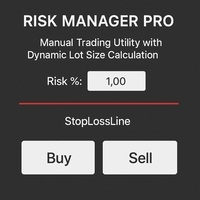
Risk Manager PRO – Manual Trading Utility with Dynamic Lot Size Calculation
Risk Manager PRO is a powerful yet simple utility for manual traders. It allows you to enter trades with calculated lot sizes based on your specified risk percentage and a visual stop-loss line. Just drag the red stop line to your desired level, input the risk %, and click Buy or Sell. Ideal for traders who want precise risk control without complex calculations.
Features:
Dynamic lot size calculation
Visual stop-lo
FREE

YuRaLytics Trade Analyzer reads the trade history of your account and breaks it down. You see which Expert Advisors and symbols make or lose money and how much commission and swap take out of the result. It also tests whether the average trade is large enough to tell apart from luck. The panel only reads history and never opens, changes or closes a trade, so you can run it next to live Expert Advisors. What it shows Summary: trades, win rate, profit factor, average trade, net result, gross resul
FREE

ThemeChanger for MT5: Instantly Transform Your Chart Environment with One Click
In the dynamic world of trading, your chart's appearance is more than just aesthetics; it significantly impacts analytical efficiency, visibility, and even your psychological state. However, manually adjusting MT5's color settings can be time-consuming, and switching between preferred themes quickly is often a hassle.
ThemeChanger is the advanced MT5 indicator designed to revolutionize how you interact with your c
FREE

Trade Manager Panel is a free on-chart utility that helps you manage open positions quickly with a set of one-click buttons. It does not open trades on its own and generates no trading signals - it is a pure manual-trading assistant that works on any account with no restrictions.
Features: - Close All: close every open position at once. - Close Profit: close only the positions currently in profit. - Close Loss: close only the positions currently in loss. - Partial Close: close a configurable p
FREE

FOREX17 MOUSE TRADING ASSISTANT BASIC (F17MTA)
- Forex17 Mouse Trading Assistant Basic (F17MTA), mouse ve klavye ile grafik üzerinden manuel emir vermeyi sağlayan görsel bir araçtır - Giriş, stop loss ve take profit seviyelerini dinamik olarak ayarlamaya ve görüntülemeye olanak tanır - Basic sürüm, F17MTA ekosistemine giriş için basitleştirilmiş bir versiyondur
====================== ÖNEMLİ BİLGİ ======================
- Bu ücretsiz Basic sürümdür
- Standard sürüm İngilizce olarak sunulmak
FREE

Chart Link Yardımcı Aracı: Bu araç, MetaTrader'deki açık grafikler ile ana grafikteki uzman arasında bir arayüz görevi görür. Birçok çok zaman dilimli uzman, ekrandaki açık grafiklerle iletişim kurmak için bu dosyaya ihtiyaç duyar. Bu aracı grafiğinizde çalıştırarak grafiğinizi ana grafikteki uzmana kolayca bağlayabilirsiniz. Bu dosyanın ana işlevi, açık grafikte meydana gelen tüm olayları ana grafikteki uzmana göndermektir. Örneğin, ana grafikte bir kılavuz çizgisi yerleştirilirse, bu kılavuz ç
FREE
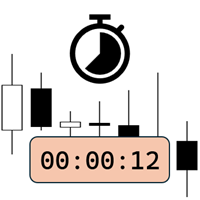
Candlestick Timer is a gadget by MT4Gadgets.com that quickly shows you the countdown to candle close / next candle. This information is useful in some strategies or when you need to be ready to react to news, volatility, market open/close and similar situations. The panels can be adjusted in position, size, color. You can also set a threshold to be alerted when the candle close/open, approach.
Features: Visual interface Size, position and colors adjustable Optional alert available Ease of use
FREE

Important: Do not download or install My Chart Control unless you already own My Chart Generator service. My Chart Control is not a standalone chart generator. It is designed to work together with the custom charts produced by My Chart Generator. Your Range/Volume chart, optimized for your indicator — automatically. My Chart Control is the on-chart dashboard and intelligence interface for My Chart Generator. Attach it to your My Chart custom symbol chart and it gives you complete control over
FREE

Exact Time — detailed time on the seconds chart. The utility shows the opening time of the selected candle. This is necessary when working with seconds charts. For example, it can be used on a seconds chart built using the Seconds Chart utility. Inputs Base corner — the chart corner to which an object Is attached. X distance — the horizontal distance from the chart corner. Y distance — the vertical distance from the chart corner. Text font — font name Font size — font size Color — text color
FREE

Simple Trade Terminal Simple Trade Terminal is a compact and performance-optimized on-chart panel for MetaTrader 5. It solves two of the biggest friction points in manual trading: time-consuming lot size calculations and inaccurate placement of Stop-Loss and Take-Profit levels. Instead of typing numbers into standard order masks, you plan your trade visually directly on the chart. The panel automatically calculates your exact position size based on your predefined risk and executes the order. Th
FREE

MT4 MT5 Trade Bridge for MetaTrader 5 is the MetaTrader 5 component of the MT4 MT5 Trade Bridge system. It allows a MetaTrader 5 terminal to work either as a Master or as a Slave in a local bridge connection with MetaTrader 4. When configured as Master , the MT5 component reads trading activity from the MetaTrader 5 terminal and writes structured trade data into a local bridge file. The connected MT4 component can then read this data and mirror the trading activity according to its selecte
FREE

Signalator Lot Size Evaluator MT5 , manuel işlem yapan traderların bir işlem açmadan önce tahmini pozisyon büyüklüğünü hesaplamaları için geliştirilmiş ücretsiz ve yerel bir MetaTrader 5 aracıdır. Seçilen sembol, BUY veya SELL yönü, planlanan giriş fiyatı, Stop Loss, isteğe bağlı Take Profit ve risk yüzdesini kullanarak işleminizi planlamanıza yardımcı olur. Hesaplayıcı, önerilen lot büyüklüğünü ve temel risk değerlerini tahmin etmek için mevcut hesap bilgilerini broker tarafından sağlanan sembo
FREE

1 yıllık kiralama ile ayda sadece $1.67 karşılığında tam erişim elde edin. Her türlü soru veya ihtiyaç duyabileceğiniz yardım için hızlı destek sunulmaktadır. Bu, Remote control, Trading Statistics, Auto Reports, Price Alerts ve Trade Notifications özelliklerini modern bir Discord izleme sisteminde bir araya getiren profesyonel ve çok işlevli bir araçtır. Araç, menu komutunu kullanarak doğrudan Discord kanalınız üzerinden Remote control özelliğini destekler. MetaTrader 5 terminaline geri dönmede
FREE

UZFX Capital Kontrol Komuta Merkezi Paneli v1.1, işlem faaliyetleri üzerinde tam denetim talep eden ciddi forex yatırımcıları için tasarlanmış kapsamlı bir işlem yönetimi ve risk kontrol panelidir. Bu hepsi bir arada çözüm, MetaTrader 5 platformunuzu gerçek zamanlı izleme, gelişmiş pozisyon yönetimi ve otomatik sermaye kaybı koruması özelliklerine sahip profesyonel bir komuta merkezine dönüştürür.
Manuel işlemcilerin tam da bu tür bir kontrole ihtiyaç duyması nedeniyle, bu panel aslında birçok
FREE

Berikut adalah deskripsi profesional yang dapat digunakan untuk header source code , halaman MQL5 Market , GitHub, maupun dokumentasi EA Anda. Deskripsi ini disesuaikan dengan fitur yang ada pada versi terbaru panel trading. Berdasarkan file yang Anda unggah, panel ini merupakan Gold Manual Trading Panel - BangkacangFX v2.1 dengan fitur panel trading manual untuk MT5. BangkacangFX Gold Manual Trading Panel v2.20 BangkacangFX Gold Manual Trading Panel adalah panel trading manual profesional untuk
FREE

Introduction:
The RosMaFin Trading Panel is not just a standard order execution tool. It is a comprehensive, professional assistant designed for manual and price-action traders who want to save time, manage risk with mathematical precision, and maintain full market awareness. Say goodbye to manual lot size calculations and tedious Stop Loss adjustments. This panel streamlines your entire trading workflow from analysis to trade exit. KEY FEATURES & BENEFITS: Advanced Risk Management & Exec
FREE

Strangely enough, everyone seems to have their own idea of how you should measure support and resistance. Not every support and resistance zone is strong. The strongest support or resistance levels will more often than not be with trend . What this means is, if we are in a bull trend, pullback levels to support will more often than not be ‘stronger‘ than resistance levels above. These expert advisors use several mathematical models and statistical models to determine the strongest support and r
FREE

The utility draws pivot levels based on a selection from day week month The previous candlestick of the selected timeframe is taken and the values for the levels are calculated using the following formulas:
Pivot = (high + close + low) / 3 R1 = ( 2 * Pivot) - low S1 = ( 2 * Pivot) - high R2 = Pivot + (R1 -S1) R3 = high + ( 2 * (Pivot - low)) S2 = Pivot - (R1 - S1) S3 = low - ( 2 * (high - Pivot));
The style and thickness for all lines are adjusted.
The colors for the R, Pivot and S lines ar
FREE

DF Fib Trader Pro DF Fib Trader Pro, MetaTrader 5 için tasarlanmış otomatik bir işlem sistemidir. Giriş ve çıkış noktalarını tanımlamak için Fibonacci tabanlı fiyat seviyelerini trend ve yapı analiziyle birleştirir. EA hem uzun hem de kısa pozisyonları destekler ve yerleşik risk yönetimi parametreleri içerir.
Temel Özellikler: • Giriş, SL ve TP noktalarını çizmek için Fibonacci geri çekilme ve uzatma mantığını kullanır. • Yapılandırılabilir lot büyüklüğü ve zarar durdurma/kâr alma seviyeleri •
FREE

PositionRelay Master Publisher, MetaTrader 5'teki açık pozisyon anlık görüntünüzü PositionRelay bulut aktarımına gönderir. Master hesap çalıştıran ve diğer terminallerde veya aracı kurumlardaki slave hesaplarda giriş, çıkış, stop loss ve take profit güncellemelerinin düşük gecikmeyle yansıtılmasını isteyen traderlar için tasarlanmıştır.
Tamamlayıcı ürün: PositionRelay Slave Subscriber (ücretsiz). Bu EA yayın yapmaya başladıktan sonra her takipçi hesaba kurun. Her iki EA da aynı PositionRelay Us
FREE

Day Close Hunter Bu Neden Önemli Her trader bu durumu bilir: Cuma akşamı, piyasa kapanmak üzeredir ve hafta sonundan önce pozisyonlarınızı kapatmayı unuttunuz. Pazartesi günü piyasa bir gap ile açılır ve hesabınız önlenebilir bir zarara uğrar. Birçok otomatik trading sistemi, Cuma günü kapatma işlevine sahip değildir. Tüm hafta sonu boyunca pozisyonları açık tutar ve sizi piyasa gap'lerine karşı savunmasız bırakır. Day Close Hunter bu sorunu kesin olarak çözer. Sadece kapatma saatini ve günlerin
FREE

KS Timing Alert Tool, yatırımcıların sürüklenebilir dikey zamanlayıcı çizgileri kullanarak doğrudan grafik üzerinde hassas, zamana dayalı uyarılar ayarlamasına yardımcı olmak için tasarlanmış, kullanıcı dostu bir MT5 göstergesidir.
Temel Özellikler:
Tıklayarak Zamanlayıcı Çizgisi Oluşturma: Anında dikey bir çizgi eklemek için "+ New Timer Line" (Yeni Zamanlayıcı Çizgisi) düğmesini kullanın (varsayılan olarak 15 dakikalık bir kayma süresiyle gelir).
Hızlı Hazır Ayar Düğmeleri: 15 dk, 30 dk, 45
FREE

Arixis Grid Risk Calculator — Understand Grid Exposure Before Trading
Arixis Grid Risk Calculator is a professional mathematical analysis tool for traders who use grid, recovery or progressive position-sizing systems. Configure the initial lot size, distance between entries, maximum number of levels and position-sizing progression to visualize how exposure evolves as additional positions are added. The calculator generates a detailed level-by-level representation including individual lot size,
FREE

AR Quant Binance Futures Bridge MT5 is a professional utility for MetaTrader 5 that allows you to bring selected Binance USDT-M Futures symbols into MT5 for charting, analysis, and indicator-based workflows.
With this product, you can load Binance Futures symbols, including altcoin futures, directly into MetaTrader 5 even if your broker does not offer those markets. Once loaded, you can open the generated charts in MT5, apply your indicators, use your templates, and analyze Binance Futures pri
FREE

This tool will allow you to export the Historical data (Open, High, Low, Close, Volume) for any financial instrument present in your MetaTrader 5. You can download multiple Symbols and TimeFrames in the same csv file. Also, you can schedule the frequency of download (every 5 minutes, 60 minutes, etc.). No need to open a lot of charts in order to get the last data, the tool will download the data directly. The CSV File will be stored in the folder: \MQL5\Files .
How it works Select the Symbols t
FREE

Pulse Trade Dashboard is an interactive trade management panel for MetaTrader 5, built for traders who want full control of their account without leaving the chart. Attach it to any chart and get a real-time overview of your balance, equity, open positions, and floating P&L — all updating live. Place market orders instantly with the one-click BUY and SELL buttons, adjusting your lot size, stop loss, and take profit directly on the dashboard without opening a single settings menu. What's included
FREE

Real-time profit monitor that projects your results directly onto the current price. Designed for traders who need total focus on the chart without distractions. Dynamic Visualization: Follow the price movement (Bid) for an immediate reading. Privacy Control: Activate or deactivate visibility instantly by pressing the "P" key. Precise Calculation: Includes net profit and swap of all open positions. Clean Interface: Automatic colors (green/red) to identify the status of your account at a glance.
FREE

ZyloFx Position Size Calculator MT5 is a free risk management utility designed to calculate the appropriate lot size before opening a trade. The tool calculates position size based on your selected risk, account balance or equity, and Stop Loss distance. It also displays useful information directly on the chart. Explore all available ZyloFx Trading Tools: https://www.mql5.com/en/users/rosamartinez2825/seller Main Features Automatic lot size calculation. Percentage or fixed-money risk mode. Balan
FREE
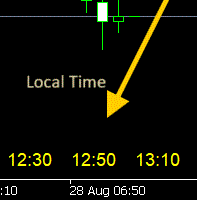
- 사용 설명서 개요 Time Scale Korea Display 는 차트 시간 스케일에 로컬 시간(한국시간)을 표시하는 MT5 커스텀 인디케이터입니다. 각 캔들에 해당하는 한국시간을 보여주어 트레이더가 현지 시간대와 시장 움직임을 쉽게 연결할 수 있습니다. 주요 기능 동적 시간 표시 : 각 차트 캔들에 해당하는 한국시간 표시 위치 선택 : 차트 상단/중앙/하단 표시 위치 선택 가능 윈도우 시간 연동 : 윈도우 시스템 시간으로 정확한 로컬시간 표시 타임프레임 적응 : 차트 타임프레임에 맞춰 자동 조정 외관 커스터마이징 : 폰트 크기, 색상, 위치 조정 가능 브로커 시간 독립 : 브로커 시간대(UTC+2, UTC+3 등)와 무관하게 작동 설정 옵션 표시 설정 매개변수 기본값 설명 DISPLAY_POSITION 하단 표시 위치 (상단/중앙/하단) SCALE_TEXT_COLOR 노란색 시간 텍스트 색상 SCALE_FONT_SIZE 10 폰트 크기 SCALE_FONT_NAME "Arial
FREE
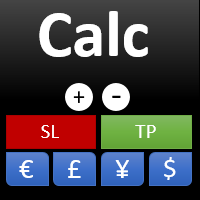
This indicator is designed to provide all useful information about symbol, account, positions and profit. It is developed for improving trader's money management.
Parameters Calc can be divided to separate blocks. Each block is possible to hide, set its own color and other properties. Block symbol: This block displays information about actual SPREAD, POINT VALUE (in deposit currency for 1 lot), SWAP LONG and SHORT. Show symbol info - display/hide this block Color of symbol info - color of this
FREE

BTD2 Market Data Exporter for MT5 BTD2 Market Data Exporter is a high-performance utility script designed to extract M1 historical bar data, symbol properties, and daily reset schedules from MetaTrader 5 into optimized binary files ( .btd ). Built specifically for quantitative research, backtesting engines, and custom analytics pipelines. Key Features UTC+0 Timestamp Standardization: Automatically normalizes server time candles to UTC+0 end-label timestamps, eliminating broker server timezone sh
FREE

Ritz_BUYnSELL_Detection
The Ritz_BUYnSELL_Detection is a custom MetaTrader 5 (MT5) indicator that detects BUY and SELL trading signals based on trend detection and ATR-based volatility filtering. It provides visual arrows , entry alerts , and mobile push notifications , making it suitable for traders using a VPS setup for 24/7 signal monitoring. How to Use the Indicator Install on MT5 : Place the .mq5 file in the MQL5/Indicators folder. Compile it in MetaEditor, then apply it to any chart. A
FREE

This MQL5 indicator creates a customizable grid of horizontal lines on your trading chart. Here's what it does:
**Main Functions:** - Draws equally spaced horizontal lines across the visible price range - Supports two line types: horizontal lines or trend lines with forward projection - Automatically adjusts to price scale changes
**Key Features:** 1. **Customizable Spacing**: Set grid distance in pips (20 pips by default) 2. **Flexible Starting Point**: Auto-calculates starting price or lets
FREE

Trade Copier Local MT5 is a fast local trade copier for copying trades between multiple MT4 and MT5 accounts.
One EA works in both Master and Slave modes. Simply select the required Copier Mode and use the same product on your MetaTrader terminals.
Copy trades between:
• MT5 → MT5 • MT5 → MT4 • MT4 → MT5 • MT4 → MT4
Perfect for:
• Trading multiple accounts at once • Linking multiple trading accounts • Personal account mirroring • Signal providers • Account managers • Prop trading setups
#

MQL5 Blogları: https://www.mql5.com/en/blogs/post/765148 MT4 Sürümü: https://www.mql5.com/en/market/product/154458 MT5 Sürümü: https://www.mql5.com/en/market/product/154459
Sınırlı Süre İçin Ücretsiz
Telegram Siparişi [tambangEA], daha hızlı, daha temiz ve daha kontrollü bir işlem akışı isteyen yatırımcılar için oluşturulmuş profesyonel bir yarı manuel işlem asistanıdır.
Bu ürün, kendi piyasa analizine sahip olan ve sadece işlemleri daha iyi bir şekilde yürütme, yönetme ve izleme ihtiyacı du
FREE

The script in the form of an expert is created for the possibility of automatic installation of pending orders of the Stop Close Only type, which are not in MT5 by default. This type of order implies entering a long position in case the price closes above a given price level and opening a short position if the price closes below the price set by the trader. At the same time, level breakouts are not taken into account. The expert indicates the levels on the chart with lines, overcoming which will
FREE
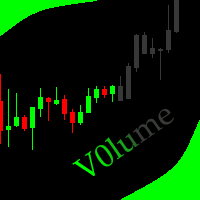
This indicator allows to hide Volume (on all MT5 timeframes) from a date define by the user with a vertical line (Alone) or a panel (with "Hidden Candles"). The color of each bar depends if this one is higher or lower of the previous bar. Indicator Inputs: No inputs for this indicator Information on "Volume" indicator is available in this post: https://www.mql5.com/en/forum/134260 ************************************************************* Hey traders!! Give me your feeds! We are a commun
FREE
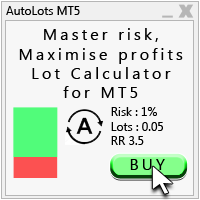
Auto Lots MT5
Auto Lots MT5 is an innovative and powerful application designed for traders on the MetaTrader 5 (MT5) platform. The application offers a user-friendly and intuitive interface, allowing traders to efficiently manage their positions, set precise entry levels and apply advanced risk management.
Key features: 1. Creation of SL/TP zones on the chart: The application allows users to create two customisable rectangles directly on the chart, making it easy to adjust entry points, take
FREE

Easy Trade Copy (Client / Receiver) The easiest and most reliable way to copy trades to your account without missing a beat. If you want to copy trades from a master account to your own account, you need a tool you can trust. Most copiers glitch, miss trades, or accidentally open duplicates when your internet drops or your computer restarts. The Easy Trade Copy is built differently. It is a "smart" copier that double-checks every single trade to make sure your account perfectly matches the mast

TrendLinesFromFiboAndTrend2 — Proyección Dinámica de Tendencias en Niveles Fibonacci Descripción general: TrendLinesFromFiboAndTrend2 es una herramienta para MetaTrader 5 diseñada para clonar el ángulo y la velocidad de una línea de tendencia existente y proyectarla automáticamente a través de todos los niveles clave (retrocesos y extensiones) de un objeto Fibonacci dibujado en el gráfico. Ventajas principales: Proyección geométrica exacta: Mantiene la inclinación y duración exacta de la línea d
FREE

FUNDING EA artık tamamen güncel değildir ve PROP FIRM SAVER EA onun üzerine inşa edilmiş, daha gelişmiş bir versiyondur. Yeni sürümün gerçek zamanlı olarak nasıl çalıştığını göstermek için bunu ücretsiz sunuyoruz. Prop firm challenge satın alıp zarar etmekten bıktınız mı? FUNDING EA bu durumu değiştirmek için burada. Bu EA yalnızca challenge’ları başarıyla geçmekle kalmaz, aynı zamanda başarısız olunması halinde iade garantisi de sunar.
FUNDING EA ile ek maliyet endişesi olmadan istediğiniz kada
FREE

Capital Guard – Position Size & Risk Manager
An Amazing Software For Risk Calulcation & Trading Management!
Created by a Trader with over 27 years of Trading experience with
the tools and functions traders need. Not filled with features and
functions you just do not need.
For The Lowest Price Possible. And It will never go up. I am a trader
not a marketer. Here to help you get better in what you already do!
1st Class Support. You are never left alone. I am almost always
online and will r

KChrono Timer is a four-mode timing utility for MetaTrader 5. It keeps candle, countdown and trading-session time information visible directly on the chart.
Timer modes
1. Candle Close Timer
Displays the remaining time and progress of the active candle. The current chart timeframe or another candle timeframe can be selected.
2. Custom Countdown
Runs a user-defined countdown with optional automatic restart or reset when a new candle begins. Pause, Resume and Reset controls are available dire
FREE

PulsePanel FREE – The exact same clean, professional and powerful dashboard as the Pro, completely free so you can test it thoroughly before upgrading. Limited to USDCHF and GBPNZD , this free edition gives you full, unrestricted access to every core feature: What You Get in the FREE Version One-click instant execution (buy/sell) Real-time currency strength meter Precise momentum scanner Watchlist with trend, momentum and conviction Live position tracking: net P&L, dynamic risk/reward ratio, sto
FREE

See Your Key Trading Measurements at a Glance Smart Pips Meter is a free utility that displays important market measurements directly on your chart—so you can make faster trading decisions without manually calculating pip distances. WHAT IT SHOWS ADR (Average Daily Range)
See the current ADR pip value directly on your chart. Current Candle Size
Instantly see the size of the current candle in pips. Previous Candle Size
Quickly check the size of the last completed candle.
FREE
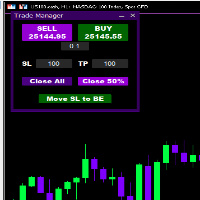
Introducing * *Trader Manager** for MetaTrader 5 - the most efficient tool for managing your trades and it's free! This smart assistant automatically sets **Stop Loss** and **Take Profit** immediately after opening a trade, saving you time and reducing the risk of errors.
With the ability to set a **Maximum Daily Loss** , you'll protect yourself from the dangers of **overtrading** and keep control of your finances.
Plus, you'll get a host of other features for easy position management: -
FREE

Tired of switching charts to check higher timeframe structure? ZeroG CandleContext draws the current candles from up to 3 higher timeframes DIRECTLY on your chart, with a real-time close countdown timer.
Trade on M1–M15 and keep H1, H4, and D context visible at all times. No chart switching. No losing focus.
## WHAT DOES IT DO?
The indicator displays the last N candles (default: 3) from each selected higher timeframe, drawn as real candles to the right of th
FREE

Multi-Symbol Layered Take Profit Manager PRO Professional Trade Management Utility for MetaTrader 5 Copyright YUNZUH TRADING SYSTEMS WHAT THIS EA DOES The Multi-Symbol Layered Take Profit Manager PRO is a sophisticated trade management utility designed exclusively for closing existing positions. This Expert Advisor does NOT open any trades. It is specifically engineered to manage your take profit targets across multiple symbols simultaneously using an intelligent layered system. KEY CONCEPT: L
FREE
Yardımcı program, fare tekerleğini kaydırarak herhangi bir göstergenin herhangi bir parametresini kontrol eder. Bu yardımcı programı yükleyebilir ve herhangi bir göstergenin arayüzünü standart terminal teslimatından değiştirebilirsiniz . Özel göstergeler için ve ayrıca "Market'ten" satın alınanlar için Universal Scroller 'ın bir yardımcı programı vardır.
Çalışma prensibi Yardımcı program, seçtiğiniz seçeneklerden birini fare tekerleğini kaydırarak değiştirerek kontrol eder. Kaydırma modunu etk
FREE

BUY/SELL işlemlerinin açılmasını bir işlem hesabından (Master) başka bir hesaba (Slave) otomatik olarak kopyalar ve aynı yön için ortak bir Take Profit’in otomatik senkronizasyonunu sağlar. Grid, averaging ve martingale stratejileri için tasarlanmıştır. Slave hesabı Master hesabının işlem eylemlerini tekrarlar ve bağımsız işlem kararları vermez. Terminallerin aynı cihazda kurulu olması gerekmez. Nasıl çalışır: Master hesabı EURUSD üzerinde bir BUY pozisyon ağı açar ve ortak bir Take Profit belir
FREE

Live Risk Dashboard MT5 EA Monitor your account risk clearly and trade within your limits Live Risk Dashboard MT5 EA is a practical account-monitoring utility for MetaTrader 5. It displays your most important trading and risk information directly on the chart, helping remove the "math anxiety" of managing open positions. Instead of repeatedly checking different MT5 windows or manually calculating floating profit, drawdown usage, and remaining limits, you can view everything in one clean, compact
FREE

A simple and useful Current Price Panel, which displays magnified current Bid, Ask prices and spread, movable anywhere on chart window using the mouse. Also provides an option to have as text at a static location showing bid or ask price along with spread, shown at any location on the chart. Allows display as pips or points along with spread highlighted in distinct color if it crosses the threshold point for the previous 100 ticks. Includes an option to show or hide the last digit (pipette) of t
FREE

MTM Manual Trade Manager is a professional trading dashboard designed for manual traders who want better control over risk and trade management.
This Expert Advisor does NOT open trades automatically. All trading decisions and order executions are fully controlled by the trader.
Main Features: - Manual Buy and Sell execution from the dashboard - Visual Stop Loss and Take Profit using drag & drop lines - Fixed Lot and Risk Percentage position sizing - Automatic Break Even management - Multiple
FREE

Welcome to my MMTrader Manager product. EA that allows You for simple managing trades and positions. Key Features: Position Opening – Open trades quickly with customizable Take Profit (TP), Stop Loss (SL), and lot size settings. Position Closing – Close trades with one click. Grid System – Automatically create a grid of orders. Recovery Mode – Loss recovery lot calculation. Trade History Data – Acces data to historical positions. User-Friendly Interface – A clear and simple panel designed. This
FREE

Tracking positions using trailing on the Parabolic SAR indicator. It is necessary to allow automated trading in the terminal settings. In testing mode, the utility opens Buy or Sell positions on the first ticks, which allows you to visually observe the given logic, changing the utility parameters. In real mode, the utility does not open positions. Discuss the complexities of Forex trading here: chat "Age of Expert Advisors" . Parameters Select_Magic - selection of magic numbers. Positions with
FREE

Optimize your trading management with Breakeven Bot, the essential tool for active traders managing multiple positions at once. No more wasting time manually adjusting your stops—one click is all it takes to secure your profits! Main Feature:
️ "BREAKEVEN" Button – Instantly set all profitable positions to breakeven and protect your gains quickly. ️ Customization Options:
Set breakeven in pips or currency, depending on your preference.
Choose whether breakeven should be at the entr
FREE
This EA does not perform trading operations. It's a auxiliary visual tool for graphics synchronization.
The “there are no trading operations” error in the validator is expected and intentional. CHARTCONNECT – Chart Synchronizer (Version 1.19) Connect all your charts to the same symbol with just one click.
What is CHARTCONNECT? ChartConnect is a lightweight and efficient tool designed to automatically synchronize the ticker symbol of all open charts in MetaTrader 5

RiskFlow Trading Panel MT5 A professional one‑click trading panel for MetaTrader 5 that helps you execute trades faster while maintaining consistent risk management. Designed for Forex, Gold (XAUUSD), Indices, Crypto, and any MT5 symbol. Key Features Draggable Panel – move anywhere on the chart
Minimize / Close – clean workspace anytime
Light / Dark Theme – switch instantly
Trade / Close / Settings Tabs
Risk/Reward Trading – RR ratio + SL/TP in points/pips + auto price calculation
A
FREE

Displays the countdown to the current candle’s close and shows the live server time clearly on your chart, including the GMT. It is a fuss-free indicator, plug and play. Accurate Candle Timer is a simple and practical tool for traders who want to monitor candle timing without unnecessary clutter. It shows how much time is left before the current candle closes, helping you stay aware of when the next candle will begin. This is useful for traders who prefer to wait for candle close confirmation be
FREE

Know your lot size before you click Buy or Sell.
The Chart Mechanics Risk and Position Size is a free panel for MetaTrader 5. Set how much you want to risk and where your stop goes, and it shows the lot size to use and the money actually at risk in your account currency. It is an indicator, so it never opens, changes or closes trades.
WHAT IT SHOWS - Lot size, rounded DOWN to your broker's lot step, so you never risk more than you set - Money at risk after rounding, in your account currency -
FREE

Your signals in Telegram, your trades in MetaTrader 5.**
Phoenix Telegram Copier reads trade signals from your Telegram channel or group and opens them on your account. It understands the usual signal layout: side, symbol, entry, stop loss and one or more take profits. Every take profit becomes its own position, so you can bank part of a trade early and let the rest run.
**How it works** 1. Create a Telegram bot (with @BotFather) and add it to your channel or group. 2. Put the bot token and t
FREE

Простая торговая панель, позволяет открывать и закрывать сделки в тестере стратегий МТ5, устанавливать stoploss и takeprofit, а так же управлять ими с помощью кнопок на панели. Панель находится в правом верхнем углу, что при включенном правом отступе графика позволяет удобное использование не перекрывая график. так же имеется возможность устанавливать количеством лотов/контрактов в сделках.
FREE

UEX Reader - Uzman Danışman UEX göstergesine dayalı çalışan Tam Otomatik İşlem EA'sı. https://www.mql5.com/en/market/product/152936
UEX Reader iki esnek işlem yöntemi seçeneği sunar: Normal ve Ortalama Alma Stili.
İşlem pozisyonları, UEX göstergesi tarafından belirlenen piyasa yönüne göre tek tek veya eş zamanlı olarak gerçekleştirilebilir.
UEX Reader bir gösterge ile çalışsa da, MT5 Test Cihazında test edilebilir.
- - -
UEX Reader Uzman Danışmanını kullanma adımları: https://www.mql5.com/
FREE

Manual Trade and Risk Manager Pro MT5 is an MT5 manual Trade Manager and Prop Firm Risk Manager for discretionary traders who need disciplined account risk control. Use it as an MT5 risk management tool and manual trading panel MT5 when you trade your own strategy, a prop firm challenge, an evaluation account, or a funded account. It combines MT5 position size calculation, drawdown protection MT5 monitors, and a trade execution panel MT5 so you can size, check limits, then execute manually. This
FREE

gives you the power to close every open chart window at once — no matter the symbol, timeframe, number of indicators, Expert Advisors, or objects on them. When you attach it, a confirmation dialog appears. Only after you explicitly grant permission does the script shut down all charts, leaving you on the clean gray screen with Market Watch still fully available. From there you can rebuild your layout from scratch exactly the way you want it. Ideal for: Quickly clearing a cluttered multi-chart wo
FREE

Foxtrip Zone Planner: Visual risk-reward b ox for MetaTrader 5
What it does:
Foxtrip Zone Planner dra ws a risk-reward zone (TP/SL b ox) on your chart. You se e entry, stop loss, and tak e-profit levels in one place, w ith a fixed risk:reward ratio. You can mov e the box, res ize it, and sw itch between buy and sell so your pla n matches you r idea. It do es not open o r manage trades : it is for analy sis and plann ing only.
How it works:
Box on chart : A green zo ne (ta
FREE

Utility Description: Auto TP & SL Manager for XAUUSD Overview The Auto TP & SL Utility is an automated Expert Advisor (EA) designed specifically for MetaTrader 5 (MT5). Its primary function is to monitor your open positions in real-time and automatically apply Stop Loss (SL) and Take Profit (TP) levels if they are missing. This is particularly crucial for volatile assets like XAUUSD (Gold), where price swings occur rapidly. Key Features Instant Protection: Automatically detects any manual or EA-
FREE

Your risk, sized before the trade. Set risk once - percent of balance, percent of equity, or a fixed amount - and the panel computes the lot for every trade from your stop distance. Drag the ENTRY, SL and TP lines on the chart; each carries a live label with price, money at risk and R multiple, with shaded risk and reward zones. An entry line placed away from price becomes a pending order. Orders you can account for. Every order, market or pending, is written to a durable journal before it is se
FREE

MGD Prop Risk Guard MT5 Professional Account Risk Monitoring for MetaTrader 5 — FREE MGD Prop Risk Guard MT5 is a free account risk monitoring utility designed to help traders stay informed about their daily loss limits, maximum drawdown, and available risk. Whether you trade manually, use Expert Advisors, or participate in proprietary trading firm challenges, MGD Prop Risk Guard provides a clear, real-time overview of your account's risk exposure. Monitor your trading risk directly from your MT
FREE
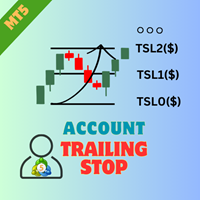
EA AccountTrailingStop MT5'ı tanıtıyoruz, karlarınızı MetaTrader 5 üzerinde otomatik olarak yönetip güvence altına alarak ticaret stratejinizi geliştirmek için tasarlanmış ileri düzey bir Expert Advisor. Bu araç, hem acemi hem de profesyonel traderlar için idealdir ve çeşitli ticaret ortamlarında dinamik kar kilitleme için sağlam bir çözüm sunar. EA AccountTrailingStop MT5 ile kullanıcılar, elverişli piyasa koşullarında kar tutma oranlarının artması ve manuel izleme süresinin azalması gibi öneml
FREE
MetaTrader Mağazası, alım-satım robotları ve teknik göstergeler satmak için en iyi yerdir.
MetaTrader platformu için ilgi çekici bir tasarıma ve iyi bir açıklamaya sahip bir uygulama geliştirmeniz yeterlidir. Milyonlarca MetaTrader kullanıcısına sunmak için size ürününüzü Mağazada nasıl yayınlayacağınızı açıklayacağız.

Alım-satım fırsatlarını kaçırıyorsunuz:
- Ücretsiz alım-satım uygulamaları
- İşlem kopyalama için 8.000'den fazla sinyal
- Finansal piyasaları keşfetmek için ekonomik haberler
Kayıt
Giriş yap
Web sitesi politikasını ve kullanım şartlarını kabul edersiniz
Hesabınız yoksa, lütfen kaydolun