 MetaTrader 5
 Experts
 Indicators
 Libraries
 Utilities
 Widgets
 Rules
Rules
Watch the Market tutorial videos on YouTube
How to buy а trading robot or an indicator
Run your EA on
virtual hosting
virtual hosting
Test аn indicator/trading robot before buying
Want to earn in the Market?
How to present a product for a sell-through
Trading utilities for MetaTrader 5 - 26
 Below are trading programs simplifying trading in MetaTrader 5. Hover over a utility to read its description and purpose.
Active Session Timer — Key Features Real-Time Session Status
Instantly see which global trading sessions (London, New York, Tokyo, Sydney) are active or inactive at any given time. Start & End Countdown Timers
Displays exact start and end times for each session, along with live countdowns to help you plan trades in advance. Local Time Zone Support
Requires users to set their local time zone during installation for accurate and personalized session tracking across all broker servers.
FREE

Trading Companion is an EA bridge to the Telegram chat. It does not place trades, it provides to your Telegram's terminal information about your accounts - it can be used with any other EA, indicator or trading solution. It notifies you about the server lag (ping between your terminal and your broker) and includes a feature to withdraw wisely from your account.
Settings Ping limit: default 300ms - will warn you if ping is superior Basis Fund: 0, deactivated - each time you will withdraw, it is
FREE

izi hedge is a tool that helps you manage risk, manage hedge orders and rebalance losing orders.
How it works It will place an order opposite to the order you placed with that currency pair. If the order you place is correct, the reverse order will be automatically deleted If the market unfortunately goes against your order and touches the hedge order, it will begin to calculate the hedging volume to limit the risk of the market going in reverse.
FREE

Free Access for the First 10 Downloads!
I'm giving away this panel completely free to the first 10 traders who download it. After that, a price will be added.
If you're one of the lucky first 10, please leave an honest review and any questions you have – your feedback means the world to me. Thank you in advance!
Overview Peril Trader is a trading panel designed to assist with the execution of a dual pending order breakout strategy. The panel places a Buy Stop order above the current market
FREE

MQL5 Blogs : https://www.mql5.com/en/blogs/post/765148 MT4 Version : https://www.mql5.com/en/market/product/154458 MT5 Version : https://www.mql5.com/en/market/product/154459
Free for Limited Time
Telegram Order [tambangEA] is a professional semi-manual trading assistant, created for traders who want a faster, cleaner, and more controlled execution workflow.
This product is designed for traders who already have their own market analysis and simply need a better way to execute, manage, and mo
FREE

This Tool work for send Screenshot your MT5 multiple chart telegram and discord after specific interval suppose you want 15 min candle close you want chart update than you need to install one more tool to work both compatibility , that indicator will automatically screenshot and send through this tool to your telegram discord channel group or private message.
link https://www.mql5.com/en/market/product/183072
Live Demo Telegram Discord available contact me in profile messege. You can get any
FREE

MT5 Tick Data - Real Historical Tick Data
Additional materials and instructions
Complete manual - MT4 version - MT5 version
Looking for real tick data to validate and backtest your expert advisors and indicators? You have found it!
Our MT5 Tick Data package, available on our website, gives you genuine historical tick data for MetaTrader 5, so your strategy tests run on real market conditions and real, variable spreads instead of estimated prices. Download the tick data from the tick d
FREE

Historical Trading Info A simple, free utility to display essential trade information directly on your chart. This lightweight tool helps you keep track of your performance at a glance. Features: Current Open Trades: Instantly view a summary of all your active positions. Recent Trade History: Analyze your closed trades from a selected period within the last 30 days. Clear Timeframe: The historical data is neatly organized starting from the beginning of the day(s) you choose to review. Economic
FREE

The Scientific Calculator is a script designed to compute science, engineering and mathematics expressions. General Description
The expression to calculate must obey syntax rules and precedence order, being constituted by the following elements: Integer and real numbers. Mathematical operators for addition (+), subtraction (-), multiplication (*), division (/) and exponentiation (^). Mathematical and trigonometric functions . Curved parentheses (()) to define the precedence and contain
FREE

You open your terminal. Three trades are running. The chart is moving.
But is London active right now, or is this just noise before New York opens?
Session Pulse Monitor displays live trading session status, volatility context, and open trade origin — directly on your chart. Designed for traders who work across multiple sessions and need to know when the market has institutional participation versus when it is drifting without direction.
Works on all symbols — optimized for Gold (XAUUSD), major
FREE

MTM Manual Trade Manager is a professional trading dashboard designed for manual traders who want better control over risk and trade management.
This Expert Advisor does NOT open trades automatically. All trading decisions and order executions are fully controlled by the trader.
Main Features: - Manual Buy and Sell execution from the dashboard - Visual Stop Loss and Take Profit using drag & drop lines - Fixed Lot and Risk Percentage position sizing - Automatic Break Even management - Multiple
FREE

Ever thought of your broker stop hunting your stop losses? Incognito SL and TP is exactly what you need! As promised, version 1.1 now has the SL and TP lines that can easily be adjusted by the user. ========================================== INPUTS: SL: Exact price you want the orders for the chart symbol to close when this SL price was hit. Set to 0 for no SL. TP: Exact price you want the orders for the chart symbol to close when this TP price was hit. Set to 0 for no TP. ======================
FREE

Investment Castle Panel — Your Trades, At a Glance
The Panel puts the numbers that matter right on your chart: floating profit and loss, drawdown and more — for manual trades and for any Expert Advisor. A clean, movable dashboard so you always know exactly where you stand.
What it does for you Live P/L on the chart: floating profit/loss for the current symbol, for both buy and sell orders, in your base currency and in pips. Max drawdown at a glance: keep an eye on risk without digging through
FREE

Exaado Capital care If you've been searching for ways to manage Drawdown control, Drawdown Control, Balance protection, or Daily Drawdown Limit related to trading with Prop Firms, FTMO, My Forex Fund, or Funded accounts, then you've come to the right place. Additionally, if you're looking to safeguard your trading account, we can help. Do you struggle with managing your drawdown while trading funded accounts? Our EA is designed specifically for those in your position. Many prop firms have a "Tra
FREE

Please visit = https://www.mql5.com/en/market/product/181686 for slave EA
MT4 Version = https://www.mql5.com/en/market/product/183101 Free Demo Version = https://c.mql5.com/6/1028/COPYTRADE_DEMO7D.zip User Manual : download here
Professional Copy Trade EA for MT5, NO HASSLE, PLUG and PLAY and CROSS PLATFORM MT4 <---> MT5. A powerful and reliable Copy Trade Expert Advisor designed for traders, signal providers, fund managers, and prop firm users. Easily copy trades between multiple accounts
FREE

Red Hot Volume By ZeeAM Khan Contact for Set files or see the Screen Shots
WhatsApp: Text only +447716409196
Best for XAUUSD on All Brokers
Minimum and Safest Balance is 1100$ at medium Risk Advanced Volume Spread Analysis (VSA) Trading Indicator Red Hot Volume By ZeeAM Khan is a professional Volume Spread Analysis (VSA) indicator designed to identify institutional activity, potential market reversals, stopping volume, climactic volume, and high-probability trading opportunities through advance
FREE

PositionsLimiter EA: Enforcing Trade Discipline with Position Limits The PositionsLimiter EA is a powerful risk management tool designed to help traders control the number of open positions at any given time. By allowing traders to set a maximum limit on simultaneous trades, this EA ensures that no additional trades exceed the specified threshold. If a trader or another automated system attempts to open a new position beyond the set limit, the EA will automatically close the excess trade, ensur
FREE

Close Positions Current Symbol A simple and reliable script to close all positions on the current symbol. It eliminates routine work and saves valuable time. Advantages: Focus on the current asset only: The script closes trades for the selected symbol without affecting other positions. Speed and convenience: With a single run, all positions are closed in seconds. Perfect for any strategy: Suitable for those working with multiple positions or focused on a single asset. Safety: Processes each posi
FREE
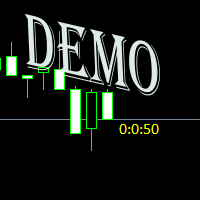
Простая утилита показывающая время до формирования свечи. Может быть очень полезна, если вход в сделку завязан на начале/завершении свечи. Демо версия работает на валюте EURUSD Входные параметры FontColor - Цвет текста. FontSize - Размер текста. FontName - Шрифт текста. TimeOnly - Указывать только время, без дополнительного текста. TypeOfDrawing - Тип отображения информации Важно : возможна задержка в 1 сек.
FREE
I find the lot calculation tedious so I just use this script and tell it the dollar amount to use. It then does the rest. This works for any currency.
How-To: Open a buy position using the desired dollar amount instead of lots. To use, just drop it onto a chart and set inputs as needed. The script will then do the necessary lot calculation and open the trade.
Inputs: FIXED_DEAL_AMOUNT: Fixed amount to use per trade e.g 100 to open a R100 deal USE_SL_ON_BUY: If true then a suitable stoploss wil
FREE

Important! Demo version will work only on EURGBP. One Click Trader is a tool designed for MetaTrader 4 platform, which enables you to take your trading to the next level. It enables you to open, manage and close your trades in simple an efficient way by just one click of your mouse button. "-" , "+" change OCT window size Up arrow minimizes the OCT panel Down arrow maximizes the OCT panel Right arrow displays the next panel with additional features Left arrow hides the panel with additiona
FREE

NS Financas Automatic Clear All Chart Indicators Script
Automatically remove all indicators from your chart offered for free by NS Financas! Don't waste any more time deleting the indicators one by one. With this script it is possible in one click to remove all indicators from the screen to adjust your new strategy while still using the settings of your graph, in addition to the possibility of configuring keyboard shortcuts for quick access to the script.
Take the opportunity to visit our cha
FREE

Hi you, I need your help! Be my Patron, let's make it possible!
https://www.patreon.com/joaopeuko https://github.com/Joaopeuko/Mql5-Python-Integration
It works.
*****REVISADO*****DIA 31/12/2019 (dd/mm/yyyy) - EA continua funcionando perfeitamente, apesar do comentário feedback negativo.
Simples Expert Advisory para trades feitos de forma manual.
O EA coloca o Stop Loss (SL) e o Take Profit(TP) de e automática quando o Trade acontece.
O EA trabalha com números inteiros e fracionados, tan
FREE

input double MaxLossLevel = 500.0; // Max Loss Level in account currency input double SafetyBufferMoney = 10.0; // Safe Buffer. In this case Threshold be 500+10 = 510 input int CheckEverySeconds = 2; input bool is_debugged = false; // Print additional messages in the Terminal
It will checks every CheckEverySeconds. If the total Loss of the account Go below Threshold of MaxLossLevel + SafeBufferMoney, then start Heding: for each open Position, open a new reversed Position with
FREE
TradeFlow Dashboard MT5 represents a paradigm shift in trade management, offering a robust and versatile solution tailored to elevate your risk management strategies and streamline decision-making within the Meta Trader 5 platform. With its sleek and user-friendly interface, this tool transcends the conventional trading experience, especially catering to manual traders looking to amplify their performance.
Let's delve into the key highlights of TradeFlow Dashboard MT5, exploring how each featu
FREE

MAKO Lyra is a professional pullback navigation utility for MetaTrader 5.
Its purpose is to help traders quickly understand whether a correction still belongs to the prevailing trend, how deep the pullback is, whether the underlying structure remains intact, and whether trend resumption is beginning to develop.
The panel organizes market information into a clear and practical interface displaying:
SYMBOL / TF The instrument and timeframe currently being analyzed.
TREND Identifies the prevai
FREE

MAKO Pyxis is a read-only movement-quality analysis utility for MetaTrader 5. It answers one practical question on the symbol and timeframe of the current chart: does the active move still have quality, or is it losing efficiency?
Pyxis combines confirmed market structure, participation pressure, directional momentum, volatility behavior and path efficiency in one compact analytical panel. It does not send orders and it does not manage positions.
What the panel displays
- Direction: Bullish,
FREE

This script calculates the SQN (System Quality Number) value of your account within a time interval that you will set. Keep in mind that trades with no initial stoploss value won't be calculated because of the nature of the system! The calculations will be made on your current account.
What is SQN? Van K. Tharp proposed a formula for System Quality Number (SQN) that measured strategy performance and could be used as a custom objective for optimizing strategy parameters. The formula was present
FREE

MSMO Lot Pilot is a pre-trade lot size calculator and information panel for MetaTrader 5. It helps answer one practical question before a manual trade: what lot size fits the risk you have chosen? Set your Risk Percent, planned Stop Loss distance in symbol points, and Account Base. MSMO Lot Pilot calculates the lot size using the symbol specifications reported by your broker and displays the estimated Actual Risk for the final normalized volume. MSMO Lot Pilot is a calculation and display utilit
FREE

Stop guessing your performance. Track your wins and losses instantly, directly on your charts! As traders, keeping an accurate, real-time pulse on our psychological and execution performance is key to staying disciplined. DaBhoza Win Rate Tracker is a lightweight, intuitive, and highly visible on-chart utility designed to help you log and monitor your trade outcomes manually with a single click. Whether you are testing a new manual strategy, practicing on a demo account, or keeping track of your
FREE

The Teaching T-INN utility was created to train architecture neural networks (T-INN) Target-IntelNeuroNet adapted to the currency market. The utility file must be placed in the scripts folder and run on the chart and timeframe on which you want to train the neural network. The result of the training will be recorded in a file, and the entire training process is displayed in the console on the chart and an additional log file. Before starting the script, it is necessary to download all the stori
FREE

Quickly clear all open charts in MetaTrader 5 with a single script execution. Ideal for traders who want to reset their workspace before starting a new trading session or analysis. Implementation Notes: This script is designed to operate under strict coding standards ( #property strict ) to ensure reliability and efficiency. No user inputs are required, as it automatically processes all open charts.
FREE

Aurum Position Manager is a position-management utility for MetaTrader 5. It watches existing positions on the chart symbol and can move their stop-loss to a break-even lock and then to an ATR-based trailing level. It is not a trading strategy. It does not open trades, choose entries, or calculate position size. Functions Checks matching open positions about once per second. Uses the current chart symbol only. Records the price distance from entry to the first stop-loss observed for each positio
FREE

The CloseByPercentLossOrProfit Expert Advisor closes all positions as the total profit of loss for the entire account reaches a specified value. The profit or loss is specified as percentage of the account balance. In addition, the Expert Advisor can delete pending orders. Allow AutoTrading before running the Expert Advisor. Instructions: Run the Expert Advisor on the chart. Input parameters: Language of messages displayed (EN, RU, DE, FR, ES) - the language of output messages (English, Russian,
FREE
Introduction to Order Risk Management EA ORM EA is specially designed for fast and accurate market order execution to be used with our Price Action and Econometric Trading strategies listed below. ORM EA is fully automatic and ORM EA is also very easy to use. ORM EA is totally free of charge. You can also use this robust order execution feature of this ORM EA for any other your own trading strategy.
Trading Strategy Guide Order Risk Management EA provides the guide for the risk management for y
FREE

Many prop firm traders fail challenges because they lose track of daily drawdown or overall risk. Prop Firm Tracker helps you monitor your challenge directly on the MetaTrader 5 chart. No spreadsheets.
No manual calculations.
Everything updates automatically. Features
Current Balance Current Equity Profit / Loss Challenge Progress (%) Daily Drawdown Daily Drawdown Usage Maximum Drawdown Maximum Drawdown Usage Color Progress Bars Automatic Daily Reset Challenge Status: ACTIVE, PASSED,
FREE

Trade Manager – BreakEven and Global Stop Loss with one click
This Expert Advisor (EA) is designed to help traders manage their positions faster and more efficiently. It comes with two main features, accessible through on-chart buttons:
BreakEven function:
Instantly moves all open trades to the entry price with a single click.
Option to add a configurable margin (e.g., +2 pips) to cover spreads or commissions.
Global Stop Loss function:
Instantly applies the same stop loss level to
FREE

FREE! MT5 Trading Manager EA PRO / MT5 Trading Assistant EA PRO: Empowering Traders for Success! Are you ready to revolutionize your MetaTrader 5 trading experience? Our comprehensive trading assistant is meticulously crafted for efficiency, precision, and overall trading prowess. Discover what sets MT5 Trading Assistant EA PRO apart: Key Features: 1. Create Order Tab: Effortless trade execution: Seamlessly place market, pending, or stop orders with our user-friendly interface. Real-time market
FREE

Easy Lot Size Calculator Stop calculating lot sizes manually and start trading visually.
Automatic position lot size calculator for MT5 (MT4 also available)
The Easy Lot Size Calculator is the ultimate trade management dashboard. It is designed for traders who need speed, precision, and strict risk management. Whether you are a scalper needing split-second execution or a swing trader demanding exact risk percentages, this EA handles the math so you can focus on the chart. Why Use This Ca
FREE

一 運作方式(如下圖)
在一個單邊向上的行情中, 自動交易工具做以下動作: 當價格來到高點,等待突破訊號在進場。
當價格回調,等待回調結束要往上時在進場。 當進場下單後,
如果一直漲就持續持單,等待價格漲不上去準備下來時,在獲利離場。
但如果一直跌,就等待要上漲時在進場,進場時加倍下單,
一個做底單,動作同上等待獲利離場,
另一個單用做倉位修正,此單和第一張單在盈虧為0時會各自平倉,不造成損失。 Ps:
在一個單邊向下的行情中,動作則相反
二 設定方法(如下圖)
Step1 一開始要自己指定工具的方向.
如果認為會往上走,設定i_tradeup=true, i_tradedown=false,
如果認為會往下走,設定i_tradeup=false, i_tradedown=true,
Step2 指定目標位置和止損位置
如果認為會往上走,i_top輸入目標位置,i_bottom輸入止損位置
如果認為會往下走,i_top輸入止損位置,i_bottom輸入止盈位置
當價格到達目標位置會強制平倉獲利並暫停工具運作
當價格到達止損位置會反向開單鎖倉
FREE

TMU Copier – Copy Receiver Utility for MetaTrader 5 TMU Copier is a professional Copy Receiver Utility for MetaTrader 5 that works exclusively with Trade Manager Ultimate – Risk, Alarms & CopyTrade (Master Utility) . It receives and executes trades published by one or more Master Utilities running on the same Windows computer or VPS , providing fast local synchronization, flexible lot scaling, symbol mapping, and advanced copy controls. This is NOT a standalone utility. It does not generate tra
FREE

RiskLock MT5 — Professional Drawdown Protection & Emergency Account Lock System RiskLock MT5 is a professional risk management utility designed to protect trading accounts from excessive drawdown and catastrophic loss events.
Main Features Drawdown Percentage Protection
Fixed Monetary Loss Protection
Emergency Account Lockdown
Automatic Position Liquidation
Pending Order Deletion
Optional Close-All-Charts Protection
Real-Time Color Dashboard
Emergency Global Variable Lock
Mult
FREE

Prodesk Panel Pro – Professional Manual Trading Panel for MetaTrader 5
Set stop loss and take profit with the mouse cursor. The same goes for pending orders. Just set where the order will open by moving the mouse to the right position.
Prodesk Panel Pro is the complete and unlimited version of Prodesk Panel, designed for traders who want more speed, control, and precision when executing manual trades on MetaTrader 5. With a modern visual interface directly on the chart, Prodesk Panel Pro allo
FREE

WAP TP Stealth EA – Intelligent Basket Management for Precision Exits WAP TP Stealth EA is a specialized trade management expert advisor designed for traders who rely on basket strategies, recovery systems, and multi-position workflows. Instead of closing trades individually, the EA dynamically calculates the Weighted Average Price (WAP) of all open positions and executes a coordinated closure once your defined profit target is reached. This approach enables efficient drawdown management, smooth
FREE

Test Trade Saver Script
Application Type: Script
Application Functions: Saves test results cache file data into text files
About the Application The script extracts trading results from a test system cache file and saves them into text files for further analysis. How to Use Parameters: LOG_LEVEL - Logging level in the Experts terminal section. DEBUG provides the most detailed information, while ERROR gives the minimum. CUSTOM_MAGIC_NUMBER - The system identifier (Magic Number) used to save resu
FREE

NHS Prop Firm Guardian NHS Prop Firm Guardian is a dedicated, single-panel risk monitor and drawdown protection overlay for MetaTrader 5, built around one core idea: watch the account relentlessly, and enforce the limit the moment it's crossed — even if the trader isn't looking . It is a pure risk-monitor companion tool, not an order-entry or trade-management system: it does not place trades, manage stops, or run automation strategies. Its job is tracking Daily drawdown on the current chart symb
FREE

TradingTimeControl is a utility implemented as an Expert Advisor for MetaTrader 5. It automatically closes all open positions and deletes pending orders at a specified time each day. This tool is designed for traders who need to automate position management with flexible settings. Key Features Closes positions and orders at the specified time ( CloseHour , CloseMinute ) daily. Allows you to change the closing time at any moment, applying new settings immediately. Supports MagicNumber : 0 for al
FREE

Chart Link Auxiliary Tool: This tool acts as an interface between the open charts in MetaTrader and the expert on the main chart. Many multi-timeframe experts require this file to communicate with the open charts on the screen. You can easily connect your chart to the expert on the main chart by running this tool on your chart. The primary function of this file is to send all events that occur on the open chart to the expert on the main chart. For instance, if the main chart places a guideline o
FREE

Clean and fast real-time Profit Factor tracking directly on your MetaTrader 5 chart. Say goodbye to cluttered screens and heavy, laggy dashboards. The Simple Profit Factor Tracker by InnovaDash is an ultra-lightweight widget that gives you the exact data you need, right where you need it. Why track your Profit Factor? Profit Factor (Gross Profit ÷ Gross Loss) is a measure of trading performance. A number above 1.0 means your strategy prints money; below 1.0 means it burns it. This widget gives y
FREE

Características Principales El bot actúa como una herramienta de supervisión y control automatizado de posiciones abiertas, enfocándose en la gestión dinámica basada en la detección de velas de expansión rápida ( Spikes ). 1. Detección Inteligente de Spikes Identificación Automática: Analiza si el símbolo activo corresponde a un índice Boom o Crash . Filtro de Cuerpo de Vela: Compara el tamaño de las velas recientes con un promedio dinámico (calculado sobre un periodo de referencia) para iden
FREE

A script for closing positions If you need to quickly close several positions, this script will make all the routine for you! The script does not have any input parameters. Allow AutoTrading before running the script. Usage:
Run the script on a chart. If you need to specify the maximal deviation and the number of attempts to close positions, use the script with input parameters https://www.mql5.com/en/market/product/625 You can download MetaTrader 4 version here: https://www.mql5.com/en/market/
FREE

using this tool you can manage risk by via app this is massionolo calculator i have built this fro free i have give video tutorial watch that and seting this in your computer so this automatic sysytem only you have to drag and drop rr that and place order by phone app so now it is very easy and stree free automatated sysytem so once download and parctice on it we provided https://play.google.com/store/apps/details?id=com.lotcalculator.app https://www.youtube.com/playlist?list=PLuslfv5r6apUZ0p-a
FREE

Basket Take-Profit Utility Lite is a free on-chart trade management tool for MetaTrader 5 that lets you close groups of trades the moment their combined profit target is reached — something MetaTrader cannot do natively. All settings are controlled directly from the interactive panel on your chart. No need to detach and re-attach the EA to change your target. Features: Group trades by: All open positions · Specific symbol · Magic number Three target types selectable from the panel:
- F
FREE

What the panel does (similar to Nelogica's ProfitChart/Rating):
Shows real-time bid/ask values for the asset Lot field with - / + buttons, MAX button, and quick shortcuts (0.01 / 0.10 / 1.00 / 5.00) Stop and Target fields in points (editable) Large BUY (green) and SELL (red) market buttons REVERSE position (reverses the current position) and CLOSE ALL (closes everything on the asset) Balance, equity, free margin, and open profit updated every second
Easy customization (at the top of the cod
FREE

The "Takeandstop" script is a powerful tool designed to streamline your trading workflow by automatically setting Take Profit (TP) and Stop Loss (SL) levels on your MetaTrader 5 chart. This script is particularly useful for traders who want to efficiently manage their risk and reward without the hassle of manually calculating and entering these levels. Key Features: Effortless TP and SL Placement: With a few clicks, the script allows you to set predefined Take Profit and Stop Loss levels for you
FREE

Equity Aler t can help you send notifications to your personal Telegram when your account equity reaches/ drops below a preset value. Additionally, you can check your MT4/5 account info anytime from your Telegram by simple command: /check . Get more free useful EAs here !
HOW TO SET UP? * Get inputs for EA: - Telegram Bot Token: Create a Telegram bot by @BotFather , and save your Bot Token. Find your bot by username & press "start". - Telegram User ID: Use your User ID by chatting
FREE

Local Trade Copier by RWBTradeLab — copy trades between MetaTrader 5 accounts on the same PC, instantly and reliably. One lightweight tool that turns any MT5 account into a Master (signal source) or a Client (copier) — just pick the role in the inputs. Perfect for managing multiple accounts, copying your own strategy across brokers, or running prop-firm and personal accounts side by side. No DLL required · Works across different brokers & account types · One file, both roles ——————————————
FREE

Trade Panel by RWBTradeLab
Trade Panel is an on-chart panel for MetaTrader 5 that places market, pending and straddle orders and manages the open trades of the chart symbol.
Overview
The panel sits on the chart and has six tabs: Trade, Manage, Settings, Account, Help and About. Every value you set is saved for each symbol, so a chart keeps its own lot, stop loss, take profit and switches after a restart. The panel can be dragged anywhere on the chart and minimised to its title bar.
The pane
FREE

EA交易快捷助手 —— 专为 MetaTrader 5 打造的硬件交易利器 本工具专为配合实体快捷键盘设计,将 MT5 的核心交易指令集中映射至硬件实体按键。无需频繁移动鼠标找寻按钮,助你在行情剧烈波动时实现毫秒级订单执行与快速风险规避。 核心功能与优势 毫秒级极速响应 :实体按键物理触发,极大缩短交易决策与订单送达服务器之间的时间差。 一键快捷交易 :支持一键市价买入、卖出、一键平仓、持仓锁仓及手数快速微调。 防误触安全锁 :内置安全锁定机制,有效规避手滑或误触造成的非预期建仓。 完全合规无 DLL :采用纯正 MQL5 原生逻辑编写, 不依赖任何第三方 DLL 文件 ,确保账户资金与平台安全。 快捷键默认映射 (Key Mapping) Key A / F1 :按预设手数一键买入 (Buy) Key B / F2 :按预设手数一键卖出 (Sell) Key C / F3 :一键平仓当前图表品种的所有持仓 (Close Current) Key D / F4 :一键平仓账户内所有品种持仓 (Close All) Key Up / Down :快速增减下一次下单的手数步长 输入参数
FREE

Pro Trading Panel Lite is a clean, professional trading panel built for traders who want fast, risk-controlled trade execution directly from the chart — no input fields to type into, no manual lot calculations, no switching between windows. Drop it on any chart, drag your SL and TP lines to where you want them, and click Buy or Sell. The lot size is calculated automatically from your defined risk percentage. That's it.
A more advanced version of Pro Trading Panel is available separately with a
FREE

This indicator monitors the vital constants of your trading account to keep it healthy and away from excessive risks. It monitors all trades, absolute exposure, account floating point and leverage currently in use, using different color codes for your interpretation. [ Installation Guide | Update Guide | Troubleshooting | FAQ | All Products | Get Help ] Amazingly easy to understand The indicator is clean and simple It calculates exposure by pairs and currencies Keep your used leverage cont
FREE
The script ObjChartSample.mql5 illustrates control of chart properties using the classes from the Standard Library .
FREE

RegularExpressionsExamples — is an expert, which contains the graphical interface for running examples from the " RegularExpressions in MQL5 " library. The codes of these examples can be found in the library itself. These examples are for demonstration purposes only. They serve only to evaluate the library operation and its capabilities. They can also be found on the official Microsoft website, in the descriptions of classes in the System.Text.RegularExpressions namespace.
Each example can be
FREE

Simply deletes all objects from a chart, at once.
Q: Shouldn't I remove the indicator(s) from the chart instead, if I want to get rid of those objects? A: Absolutely. There are rare cases though, when you might end up with residual objects that don't programatically get removed from your chart, due to bugs or some other reason.
Q: Why use this script, when I can press Ctrl+B, list all objects, then manually select and delete each one? A: To save time, really. Maybe you have too many unwanted o
FREE

Ever wondered if there was a trading bot which could trade for you, under your exact entry and exit conditions. Well no need to worry, Pebble is here! Just set your trade parameters in the RSI Trading Panel and press "Start Trading" and that's it! Pebble will take care of the rest. Here are few advantages of using Pebble:- Removes human emotion from trading. Active 24/7 and searching for your trade conditions. Automatically placing orders and moving stop loss to breakeven. Positions can be exi
FREE

Average Price Calculator is an MT5 trade management utility for calculating the volume-weighted average entry price and maintaining a common Take Profit for multiple positions opened on the same symbol and in the same direction. BUY and SELL positions are processed as separate baskets. The utility calculates the average entry price according to the volume of every position and sets a common Take Profit at the specified distance from that average. It can also calculate a suggested additional volu
FREE

This expert advisor can enter and exit trades at specific times and on specific weekdays, expressed in GMT Time. It offers weekday selection, trade management settings, a martingale function and money management features. [ Installation Guide | Update Guide | Troubleshooting | FAQ | All Products | Get Help ] Easy to use and supervise Fully configurable entry and exit times (up to 5 trades)
Enable or disable trading weekdays in inputs
Customizable break-even, stop-loss, take-profit and traili
FREE

Discover. Analyze. Get Notified. Master price action trading with PatternVision Pro , an advanced candlestick scanner for MetaTrader 5 that transforms pattern recognition into actionable insights and data-driven analysis. Whether you're studying a single Doji , tracking a 20-candle formation, or monitoring sharp price movements, this tool helps you systematically analyze market behavior with a percentage-based approach and real-time notifications.
Complete Documentation Included Step-by-step
FREE

KS Timing Alert Tool is user-friendly MT5 indicator designed to help traders set precise time-based alerts directly on the chart using draggable vertical timer lines. Main Features: Click-to-Create Timer Lines : Use the " + New Timer Line " button (with a default 15-minute offset) to instantly drop a vertical line. Quick Preset Buttons : One-tap presets for 15M, 30M, 45M, 1H, 2H ... up to 12H . When you tap a preset, the line is automatically placed at the next clock-aligned candle close for th
FREE

The tool is intended to help traders who cannot look at the chart all the time, or who use several charts, the trader can mark regions of interest as supports and resistances and as soon as the price approaches these regions an audible warning and on the screen will be presented for the trader to take some action, in addition the tool can automatically mark the highs and lows of the day and time.
FREE
The MetaTrader Market is a unique store of trading robots and technical indicators.
Read the MQL5.community User Memo to learn more about the unique services that we offer to traders: copying trading signals, custom applications developed by freelancers, automatic payments via the Payment System and the MQL5 Cloud Network.

You are missing trading opportunities:
- Free trading apps
- Over 8,000 signals for copying
- Economic news for exploring financial markets
Registration
Log in
You agree to website policy and terms of use
If you do not have an account, please register