 MetaTrader 5
 Experts
 Indicators
 Libraries
 Utilities
 Widgets
 Rules
Rules
Watch the Market tutorial videos on YouTube
How to buy а trading robot or an indicator
Run your EA on
virtual hosting
virtual hosting
Test аn indicator/trading robot before buying
Want to earn in the Market?
How to present a product for a sell-through
Trading utilities for MetaTrader 5 - 15
 Below are trading programs simplifying trading in MetaTrader 5. Hover over a utility to read its description and purpose.
TapTrade is a MetaTrader 5 chart trading assistant (Expert Advisor). It provides an on-chart control panel and draggable lines for Entry, Stop Loss, Take Profit, and Break-Even so you can place market and pending orders with clear risk control. Semi-manual: you decide when to click Place. No trading signals and no guaranteed profit. What it does Attach TapTrade to any chart. Choose order type (Buy/Sell Market, Limit, Stop), set risk mode and value, drag the chart lines to your levels, select TP
FREE

Dingji Risk Manager MT5
Formal Version V2.00
Author: Dingji [Download and Installation]
Download and install the current version from this product's MQL5 Market page or the MetaTrader 5 terminal. If the Market download is temporarily unavailable, retry from the terminal later. Do not obtain executable files from unofficial links. [Product Description]
Dingji Risk Manager MT5 is a MetaTrader 5 EA for trade planning, risk-based position sizing, order management and visual chart assistance. Enter
FREE

This Expert Advisor provides an advanced on-chart trading panel designed for discretionary traders. It simplifies position sizing, risk management, and trade execution directly from the chart without manual calculations.
Key Features On-chart trading panel Fixed lot and balance percentage risk mode Risk-based lot calculation using stop loss Market and pending order execution Partial close management Break-even automation Trailing stop control Equity protection system Daily loss lock S
FREE
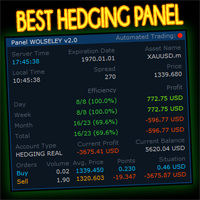
WOLSELEY's Trading Panel - BASIC - - Feel free to contact me at instagram @walter_robos or whatsapp/telegram +5592981173937
View your history in a structured and detailed manner, with efficiency rate and profit rate separated by day, week, month and total, as well as asset details, server time and positions&orders in progress. This panel was created looking on HEDGE-type accounts, but it can be used on NETTING-type accounts without any problems. In the PREMIUM version of this Panel you have

this is DEMO VERISON (for demo acc.) of TRADING OVERLAY with PARTIAL take profit ("virtual TP") and % risk lot size
--- full version available on my 'seller page' as well as version for MT4 Take better control of your trades with ease ! Easy lot size calculation with easy SL/TP setting. Your trading will be much more comfortable with this tool!
Main goal with this tool is very SIMPLE and FAST operation! Works like any EA, add it to selected chart and trade !
Features: start tra
FREE

A manual trade manager with a live on-chart preview. Plan every trade visually: entry, stop and up to four take-profits appear as draggable lines with filled risk/reward zones — lot size, R-multiple and money value update in real time. One click places it all. Market, Limit and Stop orders at the press of a button Position sizing by percent, money risk or fixed lot Up to 4 partial positions, each with its own TP and a shared SL Stop by pip/ATR distance or anchored to the last swing high/low Auto
FREE

Equity Drawdown Monitor MT5 is a monitoring utility for tracking account equity, drawdowns, open-position losses and trading results in real time. The panel displays: • Current balance and equity
• Profit or loss from open positions
• Current equity drawdown
• Maximum recorded drawdown and its time
• Worst recorded open loss and its time
• Closed profit/loss for today, yesterday, the current week and month
• Open positions and pending orders grouped by symbol
• Total monthly trading volume
• Val

Execution Quality Monitor is a professional MetaTrader 5 utility for measuring and reviewing order-execution conditions. It records requested and filled prices, spread, slippage, return codes and a practical latency proxy so execution quality can be examined with consistent evidence.
MAIN FEATURES • Requested-price versus filled-price comparison • Spread and slippage measurement • Execution latency proxy and return-code history • Percentile and distribution summaries • Aggregation by broker, se

# LLM Advisor
**A second opinion on every trade — from an AI that explains itself.**
LLM Advisor shows your chart to a modern AI model and asks it a simple question: *what do you see here, and what would you do?*
The answer comes back in plain English — a direction, a confidence score, and the reasoning behind it. You decide how much say it gets: from "just tell me what you think" all the way to "handle it for me."
---
## You choose how much control it has
| Mode | What happens | |---|---

Visual Trade Manager for MT5 is an interactive trade execution and position management tool designed for traders who want fast chart-based control over risk and execution.
The panel provides a visual trade box with entry, stop and target lines directly on the chart. Position size is calculated from the selected risk percentage, and the tool supports both market execution and pending order placement.
Main features
- BUY and SELL switching directly from chart buttons
- Draggable Entry, Stop and

Seconds Candle Trader Pro
Short description Manual seconds-candle chart and trade panel for MetaTrader 5 with S1-S30 candles, hotkeys, breakeven, zoom, and dark/light themes.
Overview Seconds Candle Trader Pro is a manual trading utility for MetaTrader 5. It draws custom seconds candles directly on the chart using broker tick data and adds a compact panel for discretionary order management.
The product supports S1, S2, S3, S4, S5, S6, S10, S12, S15, S20, and S30 candle views. It is designed

PropGuard is a risk-management utility. It opens no trades of its own. It watches your whole account — manual trading or any other EA — from a single chart, and steps in before a prop-firm rule ends your challenge.
Why traders lose funded accounts: rarely one bad trade — usually one bad day. A revenge sequence, a missed stop-loss, a news spike. Your firm's dashboard tells you after the breach. PropGuard warns you as you approach a limit, and if you hit it, it flattens the account and keeps it

Hedge Trimmer & Roll-Over EA Managing a hedged position means carrying two opposing trades simultaneously. Over time, the losing side grows while the profitable side offsets it. The standard problem is that closing the loser costs money you may not have sitting in cash — it has to come from somewhere. Hedge Trimmer EA solves this by using the floating profit on your winning trades as the funding source to progressively close down the losing side. It identifies which trades are in profit, uses a
The trading limiter that stops you from breaking your own daily loss and trade limits.
• Please test the product in the Strategy Tester before purchasing to understand how it works.
• If you face any issues, contact me via private message—I’m always available to help.
• After purchase, send me a screenshot of your order to receive a FREE EA as a gift. MT5 Drawdown Tracker — the Ultimate Tool for Monitoring and Managing Trading Drawdowns In trading, risk management is the key to long-term s

A script for opening a grid of orders If you need to quickly open several pending orders (Buy Limit, Sell Limit, Buy Stop, Sell Stop) on a certain distance from the current price, this script will do all the routine for you! Allow AutoTrading before running the script. Usage:
Run the script on a chart. Input Parameters: Language of messages displayed (EN, RU, DE, FR, ES) - language of the output messages (English, Russian, German, French, Spanish). Price for open - open price. If set to 0, the

FREE 7-DAY TRIAL After your trial ends, continue using this essential trading tool for only $30 one-time payment.
ECONOMIC CALENDAR Transform Your Trading with Real-Time Economic Intelligence on Your Chart Are you tired of being caught off-guard by major economic news releases? Stop scrambling between your trading platform and news websites. Economic Calendar Pro brings all critical market events directly to your MetaTrader charts with stunning visual clarity and real-time countdown timers.
P

In the current version this filter will only work with my night scalpers and the EA Profitection Filter or with other EAs that utilize the global variables set by this EA. An MT4 version is availalble here . Many scalpers these days have a "normal" news filter, which filters calendar news such as interest rate decisions or CPI releases. However, this breaking news filter is able to filter non-standard breaking news. It will check every minute for news and if it finds a news event, it will

OsasFXea Diamond RapidFire Panel osasFXea · MetaTrader 4 & 5 OsasFXea Diamond RapidFire Panel One-click rapid trade panel for fast discretionary basket trading on gold, crypto, forex, and more. MT4 & MT5 Utilities Category Hedging accounts XAUUSD · BTCUSD · Forex Overview What it does RapidFire Panel places you in complete control of your basket trading workflow. Every core action — open, manage, close — is one click away on a branded dashboard that sits on your chart. The panel foll

TradeForge Pro – Trade Management Dashboard TradeForge Pro is a trade management utility designed for traders who want precise control over stop loss/take profit handling, position grouping, and trade execution. It provides an on-chart interface that allows Stop Loss and Take Profit levels to be managed virtually rather than sent directly to the broker ("Ghost Levels"), along with tools for managing multiple positions and trailing logic. It is designed for both scalpers requiring fast manual exe

Smart Trade Manager Pro Live Smart Trade Manager Pro is a manual trade management Expert Advisor for MetaTrader 5. It does not open trades automatically. It is designed for traders who enter positions manually and want structured risk-based exit management after the trade is open. The EA manages manual trades using the initial stop loss as the risk reference. Once a position has a valid stop loss, the EA can calculate R-multiple progress and manage partial closes, break-even, stop-loss locking,

Close All Pro MT5 – Fast PnL Control is a powerful trade manager MT5 utility that gives you total control over your trades. With a single click, you can close all MT5 orders, monitor real-time profit and loss, and manage your floating PnL directly from a clean on-chart panel. The tool is lightweight, responsive, and built to help traders save time, reduce emotional stress, and maintain focus. Whether you trade manually or through an EA, this MT5 profit panel provides the visibility and precisio

Stop Blowing Your Account. Once and For All. DDKiller Pro is the MT5 risk guardian that runs silently on your chart and shuts down trading the moment you hit a limit — whether you're grinding a prop firm challenge or managing your own CFD account. The problem every trader knows: You set your rules. You break them anyway. One revenge trade. One overleveraged position. One session that erases a month of gains. DDKiller Pro removes that decision from your hands entirely. What it does: The second yo

Protect your capital and lock in profits automatically with Account Guard Pro . This indispensable account management Expert Advisor ensures strict adherence to your daily risk limits. Set a maximum daily loss and a daily profit target—once either is reached, Guardian Pro instantly closes all open positions and pending orders, and halts all trading activity until the start of the next day. Its integrated visual dashboard provides a clear, real-time view of your daily P/L and current status. A cr

Trade Assistant MT5 — Trade Manager for Prop Firms
Trade Manager for MT5 that calculates position size, manages risk, visualises your trade setup in real time and protects your account with built-in daily loss and trade limits — everything you need to trade with consistency and pass your prop firm challenge.
> Trade Tab — Position Sizing & Execution
**Automatic lot calculation** Enter your risk as a percentage of account balance or as a fixed dollar amount and the panel instantly calculates t

The Best 1 Star rated Seconds Chart - Check the reviews that don't update the stars MT5 stops at the 1-minute chart. Advanced Seconds Chart MT5 goes below it, building real sub-minute OHLC candlesticks directly inside MT5 with full access to every indicator and drawing tool you already use. No plugins. No external feeds. Attach it to a chart and go. This product is now free. Download it, use it, and message me if anything does not work as described. I respond to every message and fix genuine iss
FREE

This utility provides the ability to use hot keys in manual trading instantly responding to the current market situation. You can assign hot keys to open/close positions by their type, open/close all positions on the current chart and remove all orders on the current chart. You can also assign hot keys for five predefined trade volumes and switch between them if necessary with no need to change the volume manually from time to time. It is also possible to set the auto calculation of a trade volu

A fast, chart-based MT5 trade manager with one-click BUY/SELL execution, editable Lot/SL/TP controls, and selective position-closing tools. One Click Trading MT5 is a lightweight trade-management Expert Advisor for MetaTrader 5. It is designed for traders who want to manage manual trades or trades opened by an EA directly from the chart, without repeatedly opening the Terminal window. The panel is draggable and automatically switches between light and dark modes based on the chart background. I
FREE

Bastion Daily Guard protects your account from the bad day. You set two limits, the maximum number of trades per day and the maximum daily drawdown, and Daily Guard makes sure you respect them on the whole account until the next daily reset. How it works Set the maximum trades per day and the maximum daily drawdown %, then press OK to arm the defense The daily drawdown includes closed trades and the floating profit and loss of open positions Deposits and withdrawals are not counted as profit or
FREE

This is a special program that provides extra protection for each of your positions. Symbol Filter: Filter by trading symbol. The default is to select the symbol on the current chart, or you can choose all symbols. Magic Filter: Filter by magic number. You can specify a magic number. The default value of 0 means processing all orders. TakeProfit Point: Set the take-profit level in points. 0 means this function is not used. StopLoss Point: Set the stop-loss level in points. 0 means this function

Keep your MetaTrader 5 charts alive, updated, and always in sync — automatically.
The MT5 Auto Refresh Utility is a smart, zero-lag chart updater designed for traders who want real-time accuracy across every open chart. Whether you use complex dashboards, multi-timeframe systems, or long-running analysis setups, this utility ensures your charts stay active and refreshed without manual clicks or chart reloading. Why You’ll Love It Automatic Chart Refresh
Refreshes your MT5 chart at a fixed int

Free. Know where your account stands before you take the next trade. TrueRisk Account Dashboard shows, on the chart, what you made or lost today, this week and this month, in money and in %, and how many trades you won. It adds up what your open trades leave you with if every stop loss is hit, warns you about trades that have no stop at all, and shows how much room is left before your own daily loss limit. It only reads the account: it never opens, changes or closes a trade. MT4 version (free) |
FREE

HMR Detector EA Important Note This EA cannot be evaluated in the Strategy Tester because backtesting environments do not simulate real-time High Margin Requirement (HMR) events or unexpected broker-side margin changes. HMR Detector relies on reading live margin conditions directly from the broker's server. Therefore, its protection features should be evaluated on a demo or live trading account. Overview HMR Detector EA is a risk-protection Expert Advisor designed for MetaTrader 5. Its primary

MT5 to MT5 Trade Copier – Fast and Reliable Trade Copying Solution The MT5 Trade Copier is a powerful tool designed to copy trades seamlessly between MetaTrader 5 accounts with minimal latency and high accuracy. Built for speed, flexibility, and ease of use, the copier works across different brokers, even when symbols use different prefixes or suffixes. This Expert Advisor is suitable for professional traders, signal providers, fund managers, and traders who manage multiple accounts. Key Featur
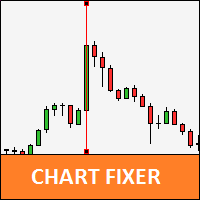
Utility that allows you to set a specific date on the chart. You set a reference point through a vertical line and it is done! When changing timeframes, the reference point is always positioned at the center of the chart. That way you can analyze a specific date at different timeframes easily, without losing the reference point or scrolling the chart to it.
This is a product developed by Renato Fiche Junior and available to all MetaTrader 5 users!
Partners: "Águia Traders" team ( Eagle Trader
FREE
This Expert Advisor measures the broker execution time in milliseconds. Every 10 seconds (Refresh Seconds) , the EA opens a buy stop order far away from current price (1.5 x Ask), then modifies the (price, stop loss and take profit) of the created order by 5 pips then deletes it immediately.
Inputs Refresh Seconds: Number of seconds for each re-test, default 10 seconds.
Display Last: Last Execution time Min: Fastest execution time Max: Slowest Maximum execution time Avg: Average exec

Guardian Equity EA for MetaTrader 5 Guardian Equity EA is an Expert Advisor designed to automatically manage the closure of all open positions when predefined profit or drawdown levels are reached. It operates in real-time and is compatible with any broker or trading instrument supported by MetaTrader 5. Main Features Continuous monitoring of account balance and equity. Automatic closing of all trades if the maximum drawdown level is reached. Automatic closing if the configured profit target is

Overview
This Expert Advisor (EA) for MetaTrader 5 is a robust tool designed to optimize money and risk management. It allows users to calculate position sizes based on account balance, desired risk percentage, and trade parameters like stop loss and entry points. Additionally, it offers a clear view of reward-to-risk ratios and allows for the inclusion of broker commission, recalculating data accordingly.
Key Features
1. Risk-Based Position Sizing
The EA calculates position sizes by taking
FREE

General Description Auto SL/TP Manager is a professional utility for MetaTrader 5 designed to automate the management of Stop Loss and Take Profit levels on open positions. The levels are calculated based on monetary risk values defined by the user, rather than fixed pip distances. This tool helps maintain consistent risk discipline without manual intervention. Main Functionality The EA continuously monitors all open positions and automatically applies Stop Loss and Take Profit levels when they

This indicator show the candle remaining time on the chart and/or in the corner of the window. It also display notificaton (popup and push) when a new candle is formed (optional). You configure the timer on candles and at chart corner. I don't need to explain the functions because are very simple. MT4 version: https://www.mql5.com/en/market/product/38677 Any doubt or suggestion please contact us. Enjoy!
This is a free indicator, but it took hours to develop. If you want to pay me a coffee, I a
FREE

Prop Firm Risk Guardian MT5 — pass the risk rules, not just the profit target. Prop Firm Risk Guardian MT5 (click to download)
Application instructions Most prop-firm challenges are failed not because you can't trade — but because one bad day or a single oversized position breaches the daily or overall drawdown limit. Prop Firm Risk Guardian is a lightweight monitoring utility that enforces those limits for you, automatically , 24/5. It is a pure protection tool . It never opens trades, send

VENIQOR Smart Trade Copier PRO is more than a simple MT5 trade copier.
It combines fast local trade synchronization with flexible risk management, Account Protection and optional News Protection for every Receiver account. As with our other VENIQOR products, we welcome useful customer feedback and are happy to implement meaningful improvements and new features whenever possible. The same EA works as both Master and Receiver . One Master can copy trades to multiple Receivers running on the same

Trade Receiver Free is a free tool to copy trades/signals from multiple MT4/MT5 accounts. The provider account must use copier EA to send the signal. This version can be used on MT5 accounts only. For MT4 accounts, you must use Trade Receiver Free . Reference: - For MT4 receiver, please download Trade Receiver Free .
- For MT5 receiver, please download Trade Receiver Free MT5 .
- For cTrader receiver, please download Trade Receiver Free cTrader .
- If you only need copy from MT4 account to u
FREE

The Close In Quick Script is an optimized, high-performance MQL5 script designed to swiftly close all open positions for the current chart's symbol on the MetaTrader 5 platform. Engineered for speed and reliability, it leverages asynchronous trading, minimal system checks, and robust error handling to ensure seamless trade closure. Whether you're a day trader, scalper, or portfolio manager, this script is an essential tool for efficiently managing and exiting trades. Key Features: Asynchronous t
FREE

Reward Multiplier is a semi-automatic trade manager based on pyramid trading that opens additional orders with the running profit of your trades to maximize return exponentially without increasing the risk.Unlike other similar EAs, this tool shows potential profit/loss and reward to risk ratio before even entering the first trade! Download full version here ( In the mini version. Starting lot is fixed at 0.01 (or minimum allowed lot size ) Guide + tips here MT4 version here You only open the
FREE

This indicator builds a live correlation matrix from the symbols currently selected in Market Watch . It calculates Pearson correlation on simple returns over a user-defined lookback and displays the results in a clean, auto-sized grid. Positive correlations appear in green, negative in red, and near-zero values stay neutral. An optional automatic timeframe scanner cycles through only the timeframes you enable (M1, M5, M15, M30, H1, H4, D1, W1, MN1), updating the entire matrix at a set interval.
FREE

EasyTrade Pro - Manual Trading Panel for MT5 Trade faster, cleaner and smarter with EasyTrade Pro. EasyTrade Pro is a lightweight manual trading panel designed for traders who want quick execution and essential market information directly on the chart. No complex setup. No unnecessary indicators. Just the tools you need every day. Features One-click BUY and SELL Close All Positions button Adjustable Stop Loss and Take Profit Break Even management Trailing Stop management Quick lot si
FREE

One Click Trade Manager for MT5 Trade Faster and Manage Your Positions with a Single Click Take full control of your trades with an intuitive one-click trading panel for MetaTrader 5. Whether you're entering new positions or managing multiple open trades, this EA helps you execute actions instantly without navigating multiple windows. No more manually closing orders one by one. Main Features Close All Positions Instantly close every open position on the current account. Close Profitable Pos

K-line Terminator - a countdown tool that accurately grasps every second Core Summary: Still anxious about not knowing when the current candlestick will end? 'Candlestick Terminator' is an indispensable tool in your trading toolbox! It utilizes a clear and intuitive countdown timer to display the precise time remaining for the currently active candlestick in real-time, helping you avoid making hasty decisions during the chaotic moments of candlestick transitions, thus allowing you to enter, exit
FREE

Price Ray indicator is a utility that will improve the way you trade. Primarily, it shows the Bid, Ask or Last price as a line ray which beams till the current candle, last visible chart candle or extended to all candle bars. The enhanced features in this indicator provide information in an area where you focus most, right next to the current candle. You can select text to be shown above or below the Price ray. The indicator is fully customizable, allowing it to fit any strategy requirements. Th
FREE

Gamma Edge Pro MT5 — GexBot Classic API Integration Gamma Edge Pro brings institutional-grade Gamma Exposure (GEX) data directly onto your MetaTrader 5 chart — the same data used by professional options traders to anticipate price magnets, hedging flows, and dealer positioning. Powered by the GexBot Classic API, this indicator automatically maps options market data from US-listed instruments onto any MT5 CFD instrument — Forex pairs, Gold, indices, and more — with intelligent price conversion bu

Multi currency and multi timeframe scanner. Scans all instruments in "market watch" and gives either pc-alert or push-notification to the phone on a breakout. A breakout is by default defined as when a candle becomes longer than three ATR with a period of 300.
If you have the need for a custom buildt scanner, to scan for your particular setup. Please add a personal jobb under the Freelance section.
Functionality
Has spread filter , to not open stupid mega spread crypto currency charts. Has lo
FREE

EA交易快捷助手 —— 专为 MetaTrader 5 打造的硬件交易利器 本工具专为配合实体快捷键盘设计,将 MT5 的核心交易指令集中映射至硬件实体按键。无需频繁移动鼠标找寻按钮,助你在行情剧烈波动时实现毫秒级订单执行与快速风险规避。 核心功能与优势 毫秒级极速响应 :实体按键物理触发,极大缩短交易决策与订单送达服务器之间的时间差。 一键快捷交易 :支持一键市价买入、卖出、一键平仓、持仓锁仓及手数快速微调。 防误触安全锁 :内置安全锁定机制,有效规避手滑或误触造成的非预期建仓。 完全合规无 DLL :采用纯正 MQL5 原生逻辑编写, 不依赖任何第三方 DLL 文件 ,确保账户资金与平台安全。 快捷键默认映射 (Key Mapping) Key A / F1 :按预设手数一键买入 (Buy) Key B / F2 :按预设手数一键卖出 (Sell) Key C / F3 :一键平仓当前图表品种的所有持仓 (Close Current) Key D / F4 :一键平仓账户内所有品种持仓 (Close All) Key Up / Down :快速增减下一次下单的手数步长 输入参数
FREE
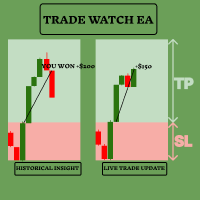
TradeWatch EA - Your Ultimate Trading Companion for MetaTrader 5 TradeWatch EA is a powerful tool designed to provide real-time insights and control over your trades, simplifying your trading process and improving risk management. Key Features: Visual Trades: Displays stop-loss and take-profit levels directly on the chart for easy monitoring. Visual representation helps in quick decision-making and better risk management. Position Index: Monitor specific positions by setting the position index
FREE

This EA generates custom Heiken Ashi bars (Standard or Smoothed) on a separate symbol. Below is a guide for using the EA effectively with each input setting: 1. HeikenAshiType input ENUM_HEIKEN_ASHI HeikenAshiType = HEIKEN_STANDARD; Options: HEIKEN_STANDARD or HEIKEN_SMOOTHED Use: Choose the type of Heiken Ashi to generate: HEIKEN_STANDARD for traditional Heiken Ashi bars. HEIKEN_SMOOTHED for smoothed versions using MA filters. 2. SmoothingPeriod input int SmoothingPeriod = 7; Use: Applies only
FREE

SHORT DESCRIPTION Draw your stop and take on the chart - Easy Entry calculates the lot from your risk and places the order after you confirm.
FULL DESCRIPTION
Easy Entry is a simple trading panel for manual traders. You decide where the stop and the target are - the panel does the rest: it works out the direction, calculates the lot from your risk, shows you exactly what will be sent and places the order only when you press Confirm.
No calculator, no order window, no typing prices.
HOW IT WO
FREE

RR TradePanel is a trade execution and management Expert Advisor for MetaTrader 5. It combines visual trade planning with automated risk management, allowing trades to be planned, executed, and managed directly from the chart. The panel includes an interactive Risk/Reward tool, automatic lot size calculation based on account risk, trade management automation, and manual management controls. It is suitable for traders who want consistent position sizing and faster trade execution. Trade Planning

This MT5 script calculates and displays the total lot sizes traded on your account. This is useful as a quick visual summary for VPS promotions from brokers. The script outputs directly onto the chart. This is broken down by symbol and by three customisable time periods: today this week this month Font sizes can be adjusted The summary will appear in your chart
To update the display after new trades, simply run the script again.
FREE

GOLD RISK SIZER MT5 Position Size Calculator | Risk Calculator | XAUUSD | Forex | CFDs | Lot Size | Stop Loss | Risk Reward | Broker-Aware Gold Risk Sizer MT5 is a free MetaTrader 5 risk-management utility designed to calculate position size directly from your account value, selected risk and Stop Loss distance. No manual pip-value tables. No fixed contract-size assumptions. The calculator uses the actual specifications provided by your broker . CALCULATE YOUR LOT SIZE FROM RISK Select: Account
FREE

Click and Go Trade Manager: The Ultimate MT5 Execution Suite Precision Execution. Professional Performance Tracking. Total Control. In the world of Smart Money Concepts (SMC) , ICT, and high-frequency scalping, precision is your only edge. Most traders lose not because their analysis is wrong, but because their execution is slow and their psychology is undisciplined. The Hard Truth: If you are still manually calculating lot sizes or dragging lines while the price moves against you, you

The Pending Order Grid is a multi-symbol multi-timeframe script that enables multi-strategy implementation based on pending order grids. General Description
The Pending Order Grid allows the performing of a user-defined strategy through the creation of pending order grids. The script places pending orders of a given type (Buy Limit, Sell Limit, Buy Stop, or Sell Stop) at equidistant price levels to form each grid. The beginning and finish of every grid are defined by the Start Price and Sto
MT5 Terminal Copy for Copying MT5 Terminals This Expert Advisor (EA) allows you to copy trading activities between different MT5 terminals. It provides a simple and efficient solution for traders who want to duplicate positions or strategies in real-time across different accounts or devices. The EA can run on a main terminal and automatically replicate trades on other connected accounts. Ideal for copy trading or testing strategies on multiple accounts simultaneously. Main Features: Real-time C
FREE

This utility automates Take Profit (TP) and Stop Loss (SL) levels for your trades, calculated in Money (Example : if you type 10, it means 10USD) . It ensures consistent risk management for all your positions. Crucial Note for Manual Traders: If you intend to use this utility on trades opened manually (without an Expert Advisor), you must change the 'Magic Number' setting to 0 (zero) . This allows the utility to correctly identify and manage your manual orders.
FREE

One Click Trade Manager Panel – fast manual trading utility for MetaTrader 5
One Click Trade Manager is a compact on-chart control panel that lets you open, manage and close trades with a single click. It does not trade automatically: every order is placed only when you press a button, so you stay in full control.
MAIN FEATURES • One-click BUY and SELL with preset Stop Loss and Take Profit • Adjustable lot size directly on the panel (+ / - buttons) • Optional Risk % mode: lot size is calculat
FREE

Simple Eastern Time (ET) clock displayed on your chart, auto-synced with US market hours. Updates every second.
Full description: ClockET — Lightweight indicator that displays the current date and time in US Eastern Time (ET) directly on your chart, so you always know exactly where the US session stands — no manual timezone math needed.
What You See
• Live Clock — Day, month, date and time in ET, updated every second (e.g. "Thu Jul 24 07:36:45 ET") • Centered Label — Displayed at the bottom
FREE

FX Live — Stats Export
Works only with https://fxlive.trading
Monitor all your MetaTrader accounts from a single dashboard, in real time, across every broker. FX Live Stats Export is an utility, not a trading robot. It never opens, modifies or closes a position. It reads your account and sends the data to your private FX Live dashboard, so you can follow every account you own from one place — on your computer or your phone — without switching between MetaTrader terminals.
WHAT IT DOES Attac
FREE

Crystal Copycat ULTIMATE HYBRID 7.0 – MT5 Trade Copier (Local + Online) OVERVIEW
Crystal Copycat ULTIMATE HYBRID 7.0 is a professional MT5 trade copier designed for prop accounts, money managers, and signal providers who need both ultra-fast local copying and flexible online distribution. It supports 2 engines in one EA: Local File Engine – copies trades between MT5 terminals on the same PC/VPS using the MT5 Common folder (no DLLs, no external web APIs). Online Telegram Engine – sends master tra
FREE

Prop Firm Smart Margin Calculator Know your lot size. Know your margin. Trade with precision. The Prop Firm Smart Margin Calculator is a practical MT5 trading tool designed to help you determine your position size and understand the estimated margin required before placing a trade . Simply enter your desired risk amount and stop-loss distance, and the calculator determines the appropriate trading volume based on your symbol's specifications. It also calculates the estimated margin required for

` Account Limit Guard MT5 ` is a free account-level daily limit protection utility for MetaTrader 5.
It is not a trading strategy, does not open trades, does not generate signals, and does not rely on any specific indicator. Its purpose is simple: monitor your account-level daily loss and automatically apply protection once your configured limit is reached.
For prop / funded-challenge traders Need more than a daily-loss cap? Prop Firm Risk Guardian (MT5) is the full prop-challenge p
FREE

Trade Visualizer (TVIZ) Description The provided code represents a highly efficient, interactive utility—which we will refer to as Trade Visualizer (TVIZ) —designed to plot both historical and active trade data directly onto the MetaTrader price chart. For professional developers and forex traders, reviewing raw ticket data in the terminal’s history tab can be tedious and visually disconnected from price action. Similar to other market solutions that bring trading data to life by plotting compl
FREE

Problem This Tool Solves In the MetaTrader 5 Strategy Tester , traders normally cannot execute trades manually . You are limited to observing how an automated Expert Advisor behaves, without the ability to place Buy or Sell orders yourself for manual strategy testing, price action practice, or discretionary analysis. Algoyin MT5 Strategy Tester solves this limitation by allowing you to: Execute trades directly inside the MT5 Strategy Tester Open Buy and Sell positions using one-click buttons Aut
FREE
The MetaTrader Market offers a convenient and secure venue to buy applications for the MetaTrader platform. Download free demo versions of Expert Advisors and indicators right from your terminal for testing in the Strategy Tester.
Test applications in different modes to monitor the performance and make a payment for the product you want using the MQL5.community Payment System.

You are missing trading opportunities:
- Free trading apps
- Over 8,000 signals for copying
- Economic news for exploring financial markets
Registration
Log in
You agree to website policy and terms of use
If you do not have an account, please register