 MetaTrader 5
 Experts
 Indicateurs
 Bibliothèque
 Utilitaires
 Widgets
 Règles
Regardez les tutoriels vidéo de Market sur YouTube
Comment acheter un robot de trading ou un indicateur
Exécutez votre EA sur
hébergement virtuel
hébergement virtuel
Test un indicateur/robot de trading avant d'acheter
Vous voulez gagner de l'argent sur Market ?
Comment présenter un produit pour qu'il se vende bien
Utilitaires de trading pour MetaTrader 5 - 21
 Vous trouverez ci-dessous des programmes de trading simplifiant le trading dans MetaTrader 5. Passez la souris sur un utilitaire pour lire sa description et son objectif.
Level Assistant est un assistant expert pour régler manuellement les niveaux de support et de résistance.
Les commerçants forment souvent leurs propres niveaux. S'il existe de nombreux graphiques de périodes différentes, le niveau sera multiplié par tous les graphiques.
Lorsque vous placez une ligne horizontale sur un graphique, l'assistant vous propose de convertir cette ligne en niveau. Dans le même temps, il déterminera lui-même la couleur et l'épaisseur de la ligne, en fonction de la péri
FREE

UMNi-ALRT MT5 Advanced Trade Alert System UMNi-ALRT delivers structured, detailed Telegram alerts for every stage of your trading activity. More advanced than basic notifications, it provides full trade intelligence — including performance metrics, session context, and market data — in a clean, readable format. KEY FEATURES Full trade open / close alerts with deep detail MFE, MAE and exit efficiency tracking Session-aware candle and bias context Chart updates with spread,

DIVERGENCE SCANNER Find Divergences Faster. See What Others May Miss. Divergence Scanner is a specialized tool designed to automatically identify potential divergences across multiple trading instruments. It analyzes Stochastic and RSI , detects bullish and bearish divergences, and presents the results in a clear, structured table. Key Features: Automatic divergence detection; Stochastic analysis; RSI analysis; Bullish divergences; Bearish divergences; MOSTIPAN SMART TRADING
FREE

Find Your Fibonacci Entry Levels Automatically Fibonacci Entries is a FREE trading utility that automatically displays key Fibonacci entry levels from the selected candle—so you can quickly identify potential pullback areas without manually drawing Fibonacci levels. KEY FEATURES Automatic Fibonacci Entries
Automatically calculate and display Fibonacci levels from the selected candle. Key Entry Levels
Displays: 23.6% • 38.2% • 50.0% Last Candle Analysis
Use the previous can
FREE

### Panneau Telegram FTBP - Votre Centre de Notification sur le Graphique
Le **Panneau Telegram FTBP** n'est pas seulement un Expert Advisor, mais un outil complet pour les traders qui souhaitent recevoir des notifications instantanées de leurs transactions sur Telegram et gérer le style visuel de leur terminal. Le produit est entièrement gratuit !
### Caractéristiques Principales
* **Notifications instantanées sur Telegram :** Recevez des alertes pour chaque transaction ouverte et fermée, y
FREE

Profit & Loss Display - MT5 Panel
On chart panel to display profit and loss per product over specified time period View P/L for EA trades only or also with manual trades Note this is a panel, not an indicator or algorithm, it simply displays profit and loss from account history
//---- Install ----// After download, attach indicator to chart from the markets folder which is in navigator window (Cntrl N)
//---- Study ----//
Set target profit for product per week/specified period Set loss limi
FREE

OVERVIEW
Tanin EA17 Second Chart is a professional-grade utility EA built specifically for ultra-scalpers. Since MetaTrader 5 does not natively support second timeframes (like S10, S15), scalpers often face execution delays when analyzing external platforms and executing on MT5. EA17 bridges this gap by generating smooth, real-time custom second charts directly within your terminal. THE STORY BEHIND THE TOOL
As a scalper myself, I needed absolute speed and precision. I built this tool to elimin
FREE

Tracking positions using trailing on the Parabolic SAR indicator. It is necessary to allow automated trading in the terminal settings. In testing mode, the utility opens Buy or Sell positions on the first ticks, which allows you to visually observe the given logic, changing the utility parameters. In real mode, the utility does not open positions. Discuss the complexities of Forex trading here: chat "Age of Expert Advisors" . Parameters Select_Magic - selection of magic numbers. Positions with
FREE

(Multiple Close All) for MT5 a lightweight and efficient utility designed to help traders close their open positions and pending orders directly from the chart.
It provides a clean panel with interactive buttons, allowing quick closing of opened trades and deleting the Pending Orders with one click. Key Features: Close all BUY , SELL , or ALL positions with one click. Close only profitable trades or only losing trades . Close trades filtered by Magic Number or Ticket Number . Perform par
FREE

Lenzi Indicators - Advanced Chart Watermark Pro (MT5) Water Mark Pro is a professional-grade watermark indicator for MetaTrader 5. Designed for traders, educators, signal providers, and content creators, it allows you to beautifully brand your charts without obstructing price action. Featuring a smart mathematical engine, it calculates true opacity, automatically centers text, prevents overlapping, and dynamically resizes fonts when you shrink your chart window. Key Features Background Render
FREE
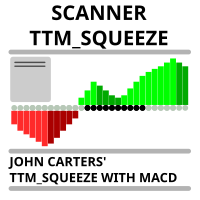
Market scanner based on the indicator published here Download the 'John Carters TTM Squeeze with MACD' Technical Indicator for MetaTrader 5 in MetaTrader Market (mql5.com) . Only the instruments that are in the Market Watch window are scanned. Maximum number of scanning tools up to 5000. The scan timeframe is selected from the timeframe panel of the terminal. To use it, open any chart and attach the Expert Advisor to the chart, the 'Search' button will appear in the upper left corner. When you
FREE

UEX Reader - Expert Advisor Expert Advisor (EA) de trading entièrement automatisé, basé sur l'indicateur UEX. https://www.mql5.com/en/market/product/152936
UEX Reader propose deux méthodes de trading flexibles : Normal et Moyennage.
Les positions peuvent être exécutées individuellement ou simultanément, selon la direction du marché identifiée par l'indicateur UEX.
Bien qu'UEX Reader utilise un indicateur, il est possible de le tester avec le testeur MT5.
- - -
Étapes d'utilisation de l'Exp
FREE

Pulse Trade Dashboard is an interactive trade management panel for MetaTrader 5, built for traders who want full control of their account without leaving the chart. Attach it to any chart and get a real-time overview of your balance, equity, open positions, and floating P&L — all updating live. Place market orders instantly with the one-click BUY and SELL buttons, adjusting your lot size, stop loss, and take profit directly on the dashboard without opening a single settings menu. What's included
FREE

Advanced Trade Mirror is a powerful Forex tool designed for traders who need instant, seamless trade replication across multiple terminals on the same machine. With lightning-fast execution, it ensures zero lag in copying trades, maintaining precision and efficiency in high-speed trading environments. Get the Trade Mirror Master here: https://www.mql5.com/en/market/product/133891
Specification:
Master ID: Identity value of master terminal, please use a unique value to prevent duplicated mas
FREE

ClearAllObjects — Nettoyage instantané des graphiques MT5 Objectif
Suppression en un clic de TOUS les objets graphiques (lignes de tendance, Fibos, flèches, étiquettes, outils Gann) des graphiques encombrés après tests de stratégies, motifs de chandeliers ou dessins manuels. Utilisation
Glisser depuis Navigateur > Scripts sur n'importe quel graphique → confirmation optionnelle → nettoyage instantané. Caractéristiques clés
Graphique actuel uniquement (sécurisé multitab)
Foudre rapide, sa
FREE

Trade Launch est un panneau de trading intuitif conçu pour les traders qui apprécient la vitesse et le contrôle lors de l'ouverture manuelle des transactions. Il s'affiche directement sur le graphique et permet de gérer tous les paramètres principaux d'un ordre dans une seule fenêtre. Principales fonctionnalités : Passation instantanée d'ordres : Ouvrez des positions Buy et Sell en une seule pression sur un bouton. Les noms des boutons affichent dynamiquement les prix Ask et Bid actuels. Gesti
FREE

Un bouton. Un clic. Un graphique nu. MT4 version Vous avez tout dessiné. Lignes de tendance, Fibonacci, rectangles, zones, flèches... Votre graphique ressemble à une toile d'art moderne. Magnifique — mais vous ne voyez plus le prix. NAKED CHART règle ça en un clic. Un clic → tous les dessins disparaissent instantanément Re-clic → tout revient, exactement comme vous les avez laissés Les indicateurs ne sont pas touchés — seuls vos dessins sont masqués Bouton déplaçable — posez-le où vous voulez su
FREE

Hard limits for prop firm and challenge accounts Prop firm rules are not suggestions. Breach the daily loss limit by one dollar and the account is gone, whatever the equity curve looked like an hour earlier. The problem is that the rule lives on the firm's server while your positions live in your terminal, and nothing in MetaTrader 5 connects the two. Prop Firm Circuit Breaker sits on one chart and watches the whole account. The name is literal: an exchange halts trading when a threshold is bre
FREE

Description This is a utility tool for MT5 reminding traders of all the entry points by highlighting trading history. For those who just started to learn trading, one of the most efficient tips to improve their trading skill is to look back their own trading history. However, trade history arrow shown on MT5 chart is simply too small to find out, which will keep traders away from reviewing their trade, especially stupid mistakes like overtrading. By clearly showing their trade history and face i
FREE

Elite Telegram Trade Copier & Community Manager (v3.94) Welcome to the ultimate solution for professional Telegram signal copying and community management. This Expert Advisor is not just a standard copier – it is a fully automated Trade Management Engine , a Signal Analytics Tool , and a Marketing Funnel for your own Telegram channels. Whether you want to automate trades from your favorite signal providers or manage your own VIP and Follower channels simultaneously, this EA handles everything:
FREE

Trade Remote: Pocket Desk - Your MetaTrader Account, Now in Your Pocket
FEATURES Trade Remote: Pocket Desk turns your phone, tablet, or any web browser into a live trading remote control for your MetaTrader terminal. No app to install on your phone — just a 4-character code and any browser. Connects to your MT4 terminal in under 30 seconds using a unique, auto-generated 4-character CONNECT code. One-click BUY and SELL on any symbol in your Market Watch, with live bid/ask and spread shown befor
FREE

The Expert Advisor "TimeLeft Display" shows the remaining time until the close of the current candle in a digital display. The time is displayed in days, hours, minutes, and seconds. Features: Time Calculation: Calculates the remaining time until the close of the current candle based on the current timeframe of the chart. Digital Display: Shows the remaining time in a digital format. Customizable Font and Size: Allows selection of the font (Arial, Arial Black, Aptos Display, Tahoma,
FREE

A "simple design" trading panel, which is characterized by small byte size, low CPU usage, simple steps, and quick operation, 1 to 2 clicks to complete a functional operation,
saving time and increasing efficiency . The panel is easy to use, and it is not complicated to set parameters, which is in line with traders' habits. At the same time, its compact-
design, clear at a glance, and comprehensive functions are a powerful tool for manual trading! Key features of the panel: Click "Bid/Ask P
FREE

Telegram Controls (Telecontrol) — assure la communication entre le bot Telegram et le terminal MetaTrader 5 . Il aide à agréger les données de plusieurs terminaux et à les gérer à l'aide d'un bot sur Telegram . Ce service est pratique pour travailler sur plusieurs terminaux MT5, permettant de configurer individuellement chaque terminal pour un affichage et une perception optimaux des informations. Toutes les données des terminaux sont collectées dans un seul canal Telegram, et le panneau de conf
FREE

Chart Buddy est un outil de divertissement conçu pour ajouter du plaisir à vos graphiques de trading. Un personnage se déplace le long du côté droit du graphique, donnant l'impression qu'il encourage le mouvement des prix, ajoutant ainsi une touche unique et agréable à votre expérience de trading. Bien qu'il n'ait pas d'effet direct sur vos transactions, les animations offrent une distraction légère et vous donnent l'impression d'avoir un supporter personnel. Caractéristiques principales : Suppo
FREE

Multi currency and multi timeframe scanner. Scans all instruments in "market watch" and gives either pc-alert or push-notification to the phone on a breakout. A breakout is by default defined as when a candle becomes longer than three ATR with a period of 300.
If you have the need for a custom buildt scanner, to scan for your particular setup. Please add a personal jobb under the Freelance section.
Functionality
Has spread filter , to not open stupid mega spread crypto currency charts. Has lo
FREE

RULEBOOK — Automated Trading Journal, AI Coach & Prop Firm Shield
Why pay $30 to $50 every month for TradeZella, Edgewonk, or TraderSync? Rulebook is 100% free forever. No monthly subscriptions, no paywalls, and no trial limitations.
Transform your MetaTrader 5 into a professional, data-driven trading cockpit. Rulebook automatically bridges your MT5 to an advanced web analytics dashboard featuring an integrated AI Trading Coach, a Psychology Journal, and an automated Hard Kill-Switch.
Stop
FREE

Axilgo Pip Piper CoPilot Elevate your trading game with the Axilgo Pip Piper CoPilot, the first in our revolutionary Pip Piper Series. This all-inclusive toolset is meticulously crafted for serious traders, focusing on key areas such as Risk Management, Trade Management, Prop Firm Rule Compliance, and Advanced Account Management . With CoPilot, you’re not just investing in a tool—you’re gaining a strategic partner in the intricate world of trading. Important Notice: To ensure you receive the fu
FREE

Elevate your trading with this Metatrader 5 expert – the Position Volume Calculator. This tool takes the guesswork out of risk management and profit optimization. Simply input your desired stop-loss points with dragging the stop-loss line, and let the expert advisor compute the optimal position volume for your trade. Plus, with customizable reward ratios, it's easier than ever to set your take-profit points for maximum gains. Trade with confidence and precision. Try the Position Volume Calculat
FREE

SVS Assistant SVS Assistant is the execution half of Smart Volatility Squeeze MT5. It carries out the orders you request from that indicator's 1-Click Trading Desk, applies your risk rules to them, and manages the resulting positions. It is published free of charge. Please read this before downloading: it does not analyse the market and it produces no signals of its own. Without the Smart Volatility Squeeze indicator running on the same chart there is nothing for it to listen to, and it will do
FREE

The Close In Quick Script is an optimized, high-performance MQL5 script designed to swiftly close all open positions for the current chart's symbol on the MetaTrader 5 platform. Engineered for speed and reliability, it leverages asynchronous trading, minimal system checks, and robust error handling to ensure seamless trade closure. Whether you're a day trader, scalper, or portfolio manager, this script is an essential tool for efficiently managing and exiting trades. Key Features: Asynchronous t
FREE

Read-only trade export tool for MT5 investor accounts NTS Investor Reader is a lightweight companion EA for NTS Local Copier . It runs on an read-only / investor login and writes your open positions to the shared file in the same format used by the NTS Local Copier Master. No trade execution. No OrderSend. No copying logic. It simply reads open positions and outputs them for the Slave EA to follow. What it does Reads all open MT5 positions safely from an investor account. Writes them to the shar
FREE

Power of Currencies analyse la force des devises . Cela vous permet d'entrer sur le marché au début d'une tendance. Le produit complétera votre système commercial et servira de filtre lors de la prise de décision d'achat ou de vente. Le panneau de l'analyseur peut être déplacé facilement , il suffit d'appuyer et de tirer. Description des paramètres d'entrée : SORT TYPE -ordre de tri . Font Name - nom de la police . Font Size - taille de la police . Font Interval - interligne . Progress bar Width
FREE

Advanced Signals Pro v10.0 is a professional-grade, all-in-one trading dashboard that combines 11 powerful technical indicators into a single, elegant interface. Monitor multiple symbols simultaneously, receive instant buy/sell signals with calculated targets, and make informed trading decisions with confidence. adjust parameters as you wish and if you want to see detailed analysis for any pair double click on it you will get tp , sl and support and resistance and accurate signal Whether you're
FREE

RiskMaster — Gestionnaire de risque pour MetaTrader 5 RiskMaster est un expert advisor (EA) pour la plateforme MetaTrader 5 conçu pour le contrôle automatique du risque au niveau du compte. L’objectif principal du système est d’assurer une discipline stricte de gestion du risque et d’éviter tout dépassement des limites de pertes prédéfinies. L’expert surveille en continu les performances de trading et réagit automatiquement lorsque les seuils définis sont atteints. Fonctionnalités principales Co
FREE

T-Wallpaper. This is a very useful wallpaper that comes with trade manager panel. You can choose any wallpaper of your choice. Must add the WallPaper file to your MQL5 Data Folder. Follow this easy steps: Download the WallPaper files from our channel https://www.mql5.com/en/channels/transitbk98 Open MT5 Select files Open Data Folder Open MQL5 Open Files and past the Wallpaper folder Now the wallpaper will display. Wallpaper settings are found on the user input. Trade panel settings are found on
FREE

This utility is designed to receive volumes from order books from larger crypto exchanges and transfer information to the indicator RealCryptoLevels . The RealCryptoLevels indicator by downloading the order book of crypt exchanges with maximum depth shows horizontal volumes of popular crypto currencies on the chart, so you can see not only the volumes, but also the levels and them strength (see screenshots), which is very important for successful trading in all strategies from scalping to m
FREE

backtester buttons for testing strategies in the MT5 strategy tester.
load up strategy tester then click on visual test and once visual tester opened apply any chart template you'd like. To update the chart pause the visual tester and apply templates, colors and such like the normal chart. On the settings you can choose lot size and take profit and stop loss.
Enjoy
FREE

A manual trade manager with a live on-chart preview. Plan every trade visually: entry, stop and up to four take-profits appear as draggable lines with filled risk/reward zones — lot size, R-multiple and money value update in real time. One click places it all. Market, Limit and Stop orders at the press of a button Position sizing by percent, money risk or fixed lot Up to 4 partial positions, each with its own TP and a shared SL Stop by pip/ATR distance or anchored to the last swing high/low Auto
FREE

Quantropy is a hybrid trading system that combines a powerful manual control panel and an intelligent, AI-powered Expert Advisor. You retain full control, while the AI assists with signals, manages risks, and automates routine tasks. It is suitable for manual trading, automatic trading, or a combination of both. 1. Manual Panel – Full Control Over Every Trade The manual panel contains all the necessary tools for quick and safe market entry. 1.1. Price Input and Visualization The Open, SL, TP f
FREE

Relentless Prop Firm Risk Guardian — Free Risk Dashboard for Prop-Firm and Funded Traders
Most funded challenges are not lost to bad trades. They are lost to a limit the trader did not see coming. One oversized position, one rough day, and the account is gone.
Relentless Prop Firm Risk Guardian keeps your limits in front of you, in real time, on your chart, so you always know how much room you have left.
It is free. If it saves you from one avoidable breach, an honest review helps the next tr
FREE

Your risk, sized before the trade. Set risk once - percent of balance, percent of equity, or a fixed amount - and the panel computes the lot for every trade from your stop distance. Drag the ENTRY, SL and TP lines on the chart; each carries a live label with price, money at risk and R multiple, with shaded risk and reward zones. An entry line placed away from price becomes a pending order. Orders you can account for. Every order, market or pending, is written to a durable journal before it is se
FREE

Minimalist Manager is a manual trade-management panel for traders who place their own entries and want precise, fast control over risk, stops, and targets directly on the chart.
It is a discretionary tool. You decide when to enter; Minimalist Manager handles the sizing, stop-loss, take-profit, break-even and trailing mechanics around your decision. Trading several accounts? Its Trade Copier places the same trade on all of them, each at its own risk.
Key features
Risk-based position sizing. Se
FREE

Aura Lot Calculator – know your exact position size in one second.
Stop guessing your lot size. Set your risk, place your stop loss, and Aura Lot Calculator instantly shows the correct lot – so every trade risks exactly what you planned, nothing more.
HOW IT WORKS - Choose your risk: % of balance or a fixed money amount (one click to switch) - Enter your stop loss in points – or turn on the SL Line and simply drag it on the chart - The calculator detects BUY or SELL automatically from the lin
FREE

# LBU Trading Console
LBU Trading Console is a unified MetaTrader 5 utility for visual trade planning, position management, equity protection and multi-symbol RSI monitoring. Its tabbed interface keeps four practical workflows in one chart and one EX5 file.
## Main modules
### Trade
- Draw and drag Entry, Stop Loss and Take Profit levels directly on the chart. - Calculate volume from the selected account risk percentage. - Support market, limit and stop orders. - Validate volume, margin and
FREE

Position Limiter EA: Control Your Risk, Maximize Your Strategy Are you tired of manually managing your trades across multiple symbols? Do you want to ensure you never exceed your risk limits? Introducing the Position Limiter EA for MetaTrader 5! This powerful Expert Advisor automatically monitors all your open positions and pending orders for each symbol on your account. You set the maximum number of trades allowed per symbol, and the EA takes care of the rest. If the number of trades exceeds yo
FREE

This is not an EA – it’s a simple and powerful MT5 indicator designed to help you manage trades quickly and easily. Key Features: TP1 Auto-Set – Fixed at 1RR TP2 Auto-Set – Set at 2RR Fast Lot Calculation – Calculates lot size based on SL in 1 second Quick Actions: Close All Trades Move to Breakeven Set TP at RR1 / RR2 User-Friendly – No complex setup, just attach to chart and start using Support:
Telegram – @inForexVIP
WhatsApp – +923118409597 MT4 Version Coming Soon
W
FREE

This MT5 trading utility is designed to provide quick access to commonly used trading functions directly from the chart. The tool includes Buy, Sell, Buy Limit, and Sell Limit order buttons, allowing traders to place orders efficiently without opening additional trading windows. Position management features include a Close Position button and an adjustable order quantity input with dedicated increase and decrease controls for fast lot size selection. The utility also displays the current profit
FREE

Easy Trade Copy (Client / Receiver) The easiest and most reliable way to copy trades to your account without missing a beat. If you want to copy trades from a master account to your own account, you need a tool you can trust. Most copiers glitch, miss trades, or accidentally open duplicates when your internet drops or your computer restarts. The Easy Trade Copy is built differently. It is a "smart" copier that double-checks every single trade to make sure your account perfectly matches the mast

MT5 Execution Optimizer : Test Befor You Trade "Stop guessing why your trades fail. Measure your environment, diagnose the bottleneck, and verify your improvements." Most traders blame their strategy when they lose money to slippage, requotes, or delayed fills. But often, the real culprit is a poor execution environment (bad VPS, slow broker, or high jitter). MT5 Execution Optimizer is a professional diagnostic utility that transforms your MT5 terminal into a car-style diagnostic tool for your
FREE

Capital Guard – Position Size & Risk Manager
An Amazing Software For Risk Calulcation & Trading Management!
Created by a Trader with over 27 years of Trading experience with
the tools and functions traders need. Not filled with features and
functions you just do not need.
For The Lowest Price Possible. And It will never go up. I am a trader
not a marketer. Here to help you get better in what you already do!
1st Class Support. You are never left alone. I am almost always
online and will r
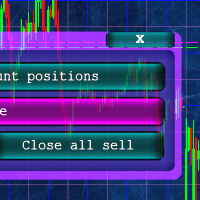
Кнопочная панель для одновременного закрывания большого числа позиций. Всего четыре варианта закрывания: Закрыть все позиции на счёте ( Close all account positions ). Закрыть все позиции по символу графика, на котором находится панель ( Close all positions ). Закрыть все Buy позиции по символу графика, на котором находится панель ( Close all Buy positions ). Закрыть все Sell позиции по символу графика, на котором находится панель ( Close all Sell positions ).
FREE

Not just a copy trader. A signal factory! Imagine trading without surrendering your day to charts. While you’re out living, an engine that never gets tired is busy reading markets, scanning news, spotting high-quality entries, and dropping Telegram alerts with full explanations and screenshots.
And when a setup hits? One tap. Lot sizing, entries, SL/TP, risk control, breakevens, news tracking — all done automatically.
You keep your freedom; your side hustle keeps running. EazyTrader — the essen
FREE

Trading Statistics Dashboard — Day / Week / Month / Year P&L, Drawdown & Session Timeline A clean, real-time statistics panel for MetaTrader 5 that gives you a complete overview of your account performance without opening the Account History tab. Runs in its own indicator sub-window (does not overlay your chart), split into two side-by-side panels: a Day/Week/Month/Year performance table and a live account/position summary. Key Features Performance Table (Today / Yesterday / N past days / Week /
FREE

SI Ruler A clean, one-click price ruler that shows points and exact dollar cost between any two levels on your chart. Every trader needs to quickly measure the distance between two price levels and know what it costs in real money. Most platforms make this harder than it should be. SI Ruler puts a single icon in the corner of your chart — click it, click your entry level, and drag to your stop or target. The label tells you instantly how many points that distance is and exactly what it costs in
FREE

Key Features: Automatic swing detection on any timeframe (M1 to MN1) Visual arrow indicators (red for swing highs, blue for swing lows) Adjustable sensitivity with customizable swing strength parameter Dynamic arrow positioning that never overlaps with candles Instant display when changing timeframes - no delays Compatible with MT4 and MT5 platforms Clean, professional interface with minimal screen clutter Lightweight code for fast performance Customizable colors and arrow sizes
Customizable S
FREE

This tool allows you to export Ticks for any financial instrument available in MetaTrader 5. You can download multiple symbols into the same CSV file. You can also schedule the download frequency (every 5 minutes, 60 minutes, etc.). There is no need to open multiple charts to get the latest data—the tool downloads the data directly. The CSV file will be stored in the following folder: \MQL5\Files . How it works Select the symbols to download: Click an item to select or deselect it. Enter the CSV
FREE

"All in One" panel. You can simultaneously control: up to 3 symbols; up to 6 periods; up to 31 popular signals. You can see the sum for all signals taking into account the weight of the signal Version for MetaTrader 4: https://www.mql5.com/ru/market/product/27880 Version for MetaTrader 5: https://www.mql5.com/ru/market/product/27830
Parameters NUM_BAR - number of the bar to analyze (set a value greater than 0 to work on closed bars). timeframe_1....timeframe_6 - working timeframes (if set to "c
FREE

Chameleon Floating Loss Protector "Your last line of defense against runaway drawdown." Overview Chameleon Floating Loss Protector (FLP) is a lightweight risk management utility that runs silently in the background and acts as an automatic circuit breaker for your trading account. When the total floating loss of your monitored positions exceeds a predefined threshold, the EA immediately closes all affected positions — then resets itself and resumes monitoring, ready for the next trade. No manua
FREE

SI Connect est un utilitaire qui établit la connexion à nos serveurs pour utiliser FX Volume.
Instructions techniques pour préparer votre terminal à l'utilisation de SI Connect Autorisez les requêtes web et insérez https://stein.investments dans la liste des URLs autorisées dans votre Terminal Options -> Subcategory Expert Advisors . Vous n'avez besoin que d'une seule instance d'EA par terminal, mais elle doit fonctionner constamment en arrière-plan pour récupérer les dernières données de notre
FREE

MTM Manual Trade Manager is a professional trading dashboard designed for manual traders who want better control over risk and trade management.
This Expert Advisor does NOT open trades automatically. All trading decisions and order executions are fully controlled by the trader.
Main Features: - Manual Buy and Sell execution from the dashboard - Visual Stop Loss and Take Profit using drag & drop lines - Fixed Lot and Risk Percentage position sizing - Automatic Break Even management - Multiple
FREE
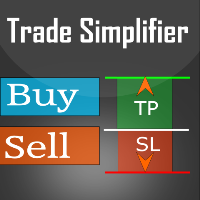
Trade simplifier is a trade panel that simplifies trade opening. It is simple and easy to understand, with key features to ease trading. Features include:
Order type selection Fixed lot entry from the chart user interface Easy Take profit entry field on the chart user interface Visual take profit selection and adjustment via the line that appears when you click the Take Profit button Easy Stop loss entry field in points on the chart user interface Visual Stop Loss selection and adjustment via
FREE

This tool can delete any object drawn on MT5 platform charts. you can delete: Line_Objects (Vertical_Line, Horizontal_Line, Trend_Line, TrendLinebyAngle, Cycle_Line) Channel_Objects (Fibo_Channel, Equidistant, Linear_Regression, Standard_Deviation, Andrews_Pitchfork) Gann_Objects (Gann_Line, Gann_Fan, Gann_Grid) Fibonacci_Objects (Fibo_Retracement, Fibo_TimeZones, Fibo_Fan, Fibo_Arcs, Fibo_Expansion) Elliott (ElliottMotiveWave, ElliottCorrectiveWave) Shapes_Objects (Rectangle, Triangle, Ellipse,
FREE

Trades Manager Buy and Sell Close MT5
The Close Buy and Sell Expert Advisor is a free EA given to help traders manage trades easily especially during volatile market environment.
Features:
It helps to quickly close trades either in profit or loss. Close for separate Buy Only Close for separate Sell Only Close for both Buy and Sell Only Control Box can be minimized, closed or moved around from the chart. Check the MT4 here
It works for all open trades opened on the
FREE

"Statistics by magic pro" is a program that provides statistics after entering a magic number. You can simultaneously track up to 10 statistics for different magic numbers in one chart window. The program is very easy to use. The program should be run on any free chart. In the EDIT field on the chart, you should enter the magic number. Entering "0" will erase the statistics in that window. The operation of the program can be stopped by selecting the statistics off option. After selecting it, the
FREE

Live Chart Viewer – Real-Time Trading Chart Anywhere Live Chart Viewer lets you view and share your MetaTrader 5 chart in real time from any modern device.
Whether you are away from your trading desk, monitoring trades remotely, or sharing your analysis live, this tool keeps you and your audience connected to the market instantly. Notice: Charting library by TradingView Demo: https://chartviewer.live/view/ElVTwx9Lf5w • Key Features Real-time chart updates
Price movements, drawings, and char
FREE

Playback of previously saved data from the order book.
Key features: Historical data navigation Adjusting the playback speed with the "---" and "+++" buttons, as well as with the mouse, you can by scrolling the wheel over the area of these buttons and between them Turning Price Centering On and Off Time display accurate to thousandths of a second Attention: This product also needs a utility to save data: https://www.mql5.com/en/market/product/71642
FREE

The utility is a checklist where you can write all the rules of your trading system and keep it on the chart in front of your eyes. As a rule is executed, mark it with a tick. To the right of each rule, you can write the "strength" (percentage) of the rule. And if there is a tick next to the rule, then all "forces" are summed up in the "Total" line.
For the convenience of visual perception, you can set the color for displaying the “Total” value.
Panel options: Title - The title of the panel N
FREE

Omega Gold Risk Guard Plan your gold trades, calculate position size and manage execution from one chart panel. Omega Gold Risk Guard is a manual trading utility for MetaTrader 5, designed for XAUUSD traders who want a clear view of their planned risk before placing an order. It brings position sizing, selectable targets, execution controls and daily trading limits into one interface. You choose the direction and the setup. The utility handles the calculations and checks your configured limits b
FREE

Front Row Castlist Strategy Manager is a free utility for MetaTrader 5 that groups trading strategies by Magic Number. It brings strategy identity, historical performance, recent activity and saved management information into one overview. Castlist works independently and does not start or stop Expert Advisors, close positions or make trading decisions. Use the Castlist Quick Start Manual for installation and your first saved action. The Front Row User Guide 1.0 covers the Castlist, Spotlight an
FREE
Le MetaTrader Market est un site simple et pratique où les développeurs peuvent vendre leurs applications de trading.
Nous vous aiderons à publier votre produit et vous expliquerons comment préparer la description de votre produit pour le marché. Toutes les applications de Market sont protégées par un cryptage et ne peuvent être exécutées que sur l'ordinateur de l'acheteur. La copie illégale est impossible.

Vous manquez des opportunités de trading :
- Applications de trading gratuites
- Plus de 8 000 signaux à copier
- Actualités économiques pour explorer les marchés financiers
Inscription
Se connecter
Vous acceptez la politique du site Web et les conditions d'utilisation
Si vous n'avez pas de compte, veuillez vous inscrire