 MetaTrader 5
 Experts
 Indicators
 Libraries
 Utilities
 Widgets
 Rules
Rules
Watch the Market tutorial videos on YouTube
How to buy а trading robot or an indicator
Run your EA on
virtual hosting
virtual hosting
Test аn indicator/trading robot before buying
Want to earn in the Market?
How to present a product for a sell-through
Trading utilities for MetaTrader 5 - 27
 Below are trading programs simplifying trading in MetaTrader 5. Hover over a utility to read its description and purpose.
Know the broker symbol before you evaluate the EA. D7 Symbol Inspector is a free, read-only MetaTrader 5 chart utility. It brings the symbol fields that often decide whether an EA can size, place or protect an order into one panel — without sending or modifying a trade. Who it is for Use it before testing an Expert Advisor on a broker symbol, especially when the symbol has a suffix, unusual contract size, nonstandard volume steps or a spread that changes through the session. What it reads Last a
FREE

Market & Pending Risk Manager EA Operation Manual Market & Pending Risk Manager is a professional MT5 trading panel EA that integrates multiple functions such as market order trading, pending order trading, risk management, and trailing stop loss, providing traders with a comprehensive trading solution. Core Advantages Intelligent Dual-Mode Trading Market Order Mode: One-click buy/sell for fast execution Pending Order Mode: Precise entry to wait for the optimal timing Seamless Switching
FREE

Hello, trading champs! I trust you are doing well. Have you experienced entering a position where the market initially moves in your favour or approach your takeprofit then suddenly the market reversed opposite your position? Well, it has happened to me numerous times and today I decide to fight back.
I present to you a trade manager that help you protect your position(s). This project helps you set your position(s) to breakeven either when a certain amount of pips you specify is reached or a
FREE

Ladies and gentlemen, let me explain a simple tool that can help adjust stop-loss positions based on historical data and customized distance. Tool Name: Trailing Stop Pro Description: A trailing stop is a risk management tool commonly used in trading. It allows traders to set a dynamic stop-loss level that automatically adjusts as the price moves in their favor. Here’s how it works: Initial Stop-Loss: When you enter a trade, you set an initial stop-loss level. This is the price at which you’re
FREE

"All in One" panel. You can simultaneously control: up to 3 symbols; up to 6 periods; up to 31 popular signals. You can see the sum for all signals taking into account the weight of the signal Version for MetaTrader 4: https://www.mql5.com/ru/market/product/27880 Version for MetaTrader 5: https://www.mql5.com/ru/market/product/27830
Parameters NUM_BAR - number of the bar to analyze (set a value greater than 0 to work on closed bars). timeframe_1....timeframe_6 - working timeframes (if set to "c
FREE

This is a simple tool to display the maximum lot size permitted for any asset based on the size of your account (or more accurately the free margin), and the leverage. It will display the max lot size allowed, and then the script will naturally exit after 3 seconds which gives you enough time to see the information. When you have an active position, it will calculate the maximum number of lots that are left while a position of a certain lot size is already running. Before the script terminates
FREE

TA Ideas is a smart assistant for traders who rely on technical analysis. It automatically identifies potential support and resistance zones, marks key extremum points, and considers trading volumes on each bar. This tool helps you spot meaningful structures on the chart faster and with greater precision. Its clear, minimalist visualization makes analysis more intuitive, while flexible customization options allow adaptation to your individual strategy.
FREE

Funded Account Guard monitors the whole trading account and enforces the risk limits you set. When a limit is reached, it closes all positions, deletes pending orders and blocks new entries until the limit period ends. It is intended for funded and evaluation accounts with a daily loss limit and a maximum drawdown limit, and for any trader who wants a fixed daily stop.
The utility does not open trades, does not give signals and does not move stop loss or take profit levels.
Rules - Daily loss
FREE
Application with Close Button.
Program include parameters to change settings:
Robot work with Symbols: - All Symbols - Current Chart Symbol
Transaction close (Profit/Loss): - All - Close Profit Only - Close Losing Only
Retries - max retries to close all transaction Sleep - time in ms between next Retries
Robot is free.
Robot designed for learn publish robots in Market.
FREE

PropBlaster Copier Duo - Copy Trades to a Second Account Copy trades from one MT5 account to one other account on the same PC or VPS. Lots 1:1, stop loss, take profit, partial closes and closes are mirrored. One EA for master and slave.
Runs locally - no server, no DLLs, no web requests. It copies trades but does not open trades of its own.
PropBlaster Copier Duo copies your trades from one MetaTrader 5 account (the master) to one other MT5 account (the slave) on the same computer or VPS.
At
FREE

PropBlaster Daily Loss Guard - Daily Loss Limit Guard Free risk-management utility that stops you from breaking your daily loss limit. It closes rule-breaking trades, can close everything at the limit, caps trades per day and makes a stop loss mandatory.
It never opens a trade. 100 % native MQL5 - no DLLs, no web requests. PropBlaster Daily Loss Guard watches one MT5 account and enforces the most important prop-firm rule: the daily loss limit. It never opens trades on your account.
What it do
FREE

Would appreciate a review of the product if possible.
This program, is designed to automatically log and monitor trading account performance metrics in MetaTrader 5. It tracks daily balance and equity, calculates performance metrics, and records them in a CSV file for later analysis. Key Features: 1. Initialization: • Inputs for account name ( Account_Name ), starting day balance ( Start_Day_Balance ), and equity ( Start_Day_Equity ) are accepted. • If the starting balance or equity is not prov
FREE

Trading is not easy, but you can make it easier with the pips-focused AP Pips. Money is the root of many emotional behaviors that plague traders, AP Pips take that away by offering you real-time analysis of your performance in pips so you can forget the $ behind it. Included in this free version : Live Pips Counter for your open trades Real-time data on your performance (Net Pips & Win Rate) for the current session, day & week. Adjusted every time a position is closed.
FREE

Northvale Prop Guard watches every trade on your account, from any EA or done by hand, and steps in before you break a prop firm rule. Protection Daily loss limit, measured from your challenge size (FTMO style) or the day’s starting balance Maximum loss, static or trailing Profit target lock: closes everything when your target is reached, so a good day can’t turn into a failed challenge Safety buffer: acts before the firm’s limit, not after When a limit is reached , Prop Guard closes all positio
FREE

VR Economic News Matrix is an MT5 chart utility that displays upcoming economic calendar events in a structured matrix directly on the chart. Using the built-in MetaTrader 5 calendar, the utility retrieves upcoming news, filters events by low, medium, and high impact , and maps their relevance across key instruments including XAUUSD, EURUSD, GBPUSD, BTCUSD, and USDJPY . Traders can view event times in server time, Copenhagen local time, or both , making it easier to align broker timing with real
FREE

Spread Tracker is a lightweight utility that records and analyzes the real spread behavior of any symbol in real market conditions.
Instead of trusting broker marketing numbers, you get hard data from your own terminal. Every tick is sampled and written to file so you can later evaluate how a symbol actually behaves during different sessions, news events, rollovers, and low-liquidity phases. This tool is made for traders and EA developers who care about execution quality and realistic backtests.
FREE

TPS Risk Manager MT5 — Trader Protection System Proteja sua conta de trading com um sistema completo de gerenciamento de risco para MetaTrader 5. O TPS Risk Manager foi desenvolvido para ajudar traders a controlar automaticamente os principais limites operacionais da conta, evitando que decisões emocionais ou excesso de operações comprometam o gerenciamento de risco. ️ Principais recursos • Limite de perda diária
• Limite de perda semanal
• Limite de perda mensal
• Meta de lucro diária
• L
FREE

Stop switching to the calendar tab every few minutes. TlgNews monitors the economic calendar for you and sends a clear summary straight to your Telegram before the event happens, so you never miss what's coming while you stay focused on your charts. How it works You choose which events matter to you (High, Medium, or Low importance) and how many seconds in advance you want to be notified. When an event matching your filter is about to be released, you receive a message in your Telegram chat with
FREE

Bid Ask Spread Display - Real-Time Price Monitor Instantly visualize crucial market pricing information directly on your chart with this lightweight, efficient script. Perfect for all trading styles, this tool provides: Key Features: Real-Time ASK Price (Red) Real-Time BID Price (Green) Spread Display in Points (Blue) ️ Fully Customizable : Position, fonts, colors High Performance : Updates 10x/second Clean Layout : Professional three-line display Self-Cleaning : Automatically
FREE

TeleSnap Telegram Broadcaster is an ultra-fast, lightweight MetaTrader 5 trade notification and chart broadcasting utility. It bridges your MT5 terminal directly to your Telegram channels, groups, and personal chats with zero latency. Whether you trade manually or execute trades through algorithmic Expert Advisors, TeleSnap monitors your open charts, captures HD screenshots with entry, stop loss, and take profit markers, and delivers them straight to your mobile device in under 300 milliseconds.
FREE

BangkacangFX Gold Trading Panel PRO Professional Manual Trading Panel for MT5 BangkacangFX Gold Trading Panel PRO adalah Expert Advisor (EA) khusus MetaTrader 5 yang dirancang untuk trader manual XAUUSD, Forex, dan Indices yang membutuhkan eksekusi cepat, manajemen posisi lengkap, serta kontrol risiko langsung dari chart. Panel ini menggabungkan fungsi entry, pending order, break-even, trailing stop, partial close, dan monitoring akun dalam satu tampilan yang ringkas dan mudah digunakan. Main Fe
FREE

MATTRIX Position Monitor An 8x8 currency matrix dashboard that gives you a live overview of all your open positions across the 28 Forex majors in one compact panel. Designed for traders who manage multiple currency exposures and want to see direction, hedging, profit, and risk at a glance.
WHAT YOU SEE: The 8x8 matrix is organized by the Big8 currency hierarchy: EUR, GBP, AUD, NZD, USD, CAD, CHF, JPY.
- Lower triangle (28 cells): one cell per Forex major pair Cell color = direction:
FREE
This expert advisor can enter and exit trades at specific times and on specific weekdays, expressed in GMT Time. It offers weekday selection, trade management settings, a martingale function and money management features. [ Installation Guide | Update Guide | Troubleshooting | FAQ | All Products | Get Help ] Easy to use and supervise Fully configurable entry and exit times (up to 5 trades)
Enable or disable trading weekdays in inputs
Customizable break-even, stop-loss, take-profit and traili
FREE
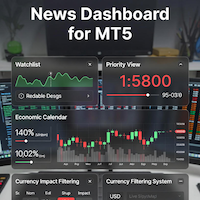
### MQL5 Marketplace Product Description News Dashboard for MT5 – with Live Sessions Map
#### Professional Real-Time Economic News Dashboard + Live Trading Sessions Map
Never get caught off-guard by high-impact news again. The ultimate all-in-one news tool trusted by thousands of professional traders – now with a beautiful embedded Live Sessions Map.
#### Core Features - Uses MT5’s built-in Economic Calendar (zero WebRequest, 100% compliant) - Real-time countdown timer to the
FREE

PropGuard Pro is a professional-grade risk management Expert Advisor built specifically for prop firm traders . It monitors your account in real time, enforces drawdown limits, time-based rules, and position constraints — then auto-closes trades the instant a rule is breached. Never fail a funded challenge because of a preventable mistake again.
KEY FEATURES
Real-Time Drawdown Enforcement
• Daily and total drawdown tracking based on your funded account size (not the live balance)
FREE

The default trade notifications option in MT5 sends notification for all new orders created or deleted; and for every change in SL when a trailing SL is active. This can sometimes be annoying. I created this utility for my own use and then decided to share with the community. This utility sends only trade notifications (buy/sell/close) and deposit/withdrawal notifications. A sample of the notification format is given below. For customizations, please DM.
FREE

OptView for MT5 is a visual options panel for MetaTrader 5 designed to simplify the analysis of options chains directly on the chart. Key features: • Native discovery of options (no external files required) • Automatic grouping by strike • Clear CALL vs PUT visualization • ITM / ATM / OTM highlighting • Expiry selection via clickable buttons • Strike distance filters (0–5%, 5–15%, >15%) • Works even when market is closed (quotes optional) • Lightweight and fast The panel helps traders quic
FREE

QuAI EA Preflight Check is a free MetaTrader 5 utility designed to answer one simple question before you run an Expert Advisor:
Is this account, broker and symbol environment compatible with the EA settings you intend to use?
Instead of showing only raw account information, the utility performs a practical preflight diagnostic and classifies the most important conditions as PASS, WARN or FAIL.
The tool never opens, modifies or closes trades.
Main checks
- MetaTrader connection - Terminal A
FREE

Close Positions Panel is a scalper’s best friend; specifically, those with an aggressive trading style, opening multiple positions in both buy and sell directions. This tool provides the possibility of closing positions with different combinations:
Close All:Closing all buy/ sell/ in profit/ and in loss positions
Close Buy: Closing all buy positions
Close Sell: Closing all sell positions
Close Profit: closing all po
FREE

Please leave a 5 stars rating if you like this free tool! Thank you so much :) The "Risk Management Assistant" Expert Advisor Collection is a comprehensive suite of tools designed to enhance trading strategies by effectively managing risk across various market conditions. This collection comprises three key components: averaging , switching , and hedging expert advisors, each offering distinct advantages tailored to different trading scenarios. This EA is a development of standard r
FREE

Protectron — Account Protection System A utility that monitors account equity in real time and closes all open positions automatically when a defined upper or lower threshold is reached. Works alongside any Expert Advisor or manual trading strategy without interfering with their logic. Overview Protectron attaches to a chart and monitors total account equity continuously — including floating positions. When equity reaches a configured threshold in either direction, all open positions are closed
FREE

MetaTrader utility MTI (Main Trading Info) – shows the basic trading information for a trader, namely: average and current spread size Swap size for short and long positions Cost of 1 pip for 1 trading lot Stop Level size (minimum distance for placing pending orders) Time until the end of the current (red) and time until the start of the next (gray) trading session Recommended Robot Scalper - https://www.mql5.com/en/market/product/77108
The time until the end of the current trading session is
FREE
TradeVantage MT5 Script is a user-friendly, efficient tool designed for MetaTrader 5 traders to manage open positions with ease. This script offers four powerful trade management options through a straightforward dialog box, enabling rapid execution on the current chart's symbol. Whether you're looking to close all positions, secure profits, minimize losses, or set positions to break-even, TradeVantage simplifies the process with reliability and precision. Key Features: · Close All Positi
FREE

Historical Trading Info A simple, free utility to display essential trade information directly on your chart. This lightweight tool helps you keep track of your performance at a glance. Features: Current Open Trades: Instantly view a summary of all your active positions. Recent Trade History: Analyze your closed trades from a selected period within the last 30 days. Clear Timeframe: The historical data is neatly organized starting from the beginning of the day(s) you choose to review. Economic
FREE

Most traders lose not because of bad strategy — but because they never review their trades. Aurex Trade Journal fixes that automatically. Drop this EA on any chart and it silently logs every closed trade to a structured CSV file. Open it in Excel or Google Sheets and your edge becomes visible within minutes. What it logs Entry & exit price, direction, lot size Stop loss & take profit levels Trade duration (minutes) Profit in $ and % of account balance R:R ratio (calculated automatically) Win / l
FREE

Propfirm Buddy - Your Ultimate Equity Protector [ TG group Propfirm experience sharing]
Are you tired of losing funded accounts or failing evaluations due to sudden market spikes or emotional revenge trading? Propfirm Buddy is an advanced, lightweight utility Expert Advisor designed to be your personal risk manager. Whether you are trading a prop firm challenge or protecting a live funded account, Propfirm Buddy runs quietly in the background, monitoring your equity 24/5. The moment a critica
FREE
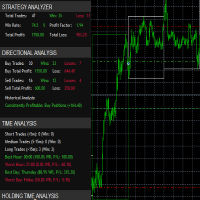
it's a fully built expert advisor with trading functionality with buy only or sell only or both options it's designed to be a tool that can be used for automate entry and exit in line with the overall Market Direction automatic risk management parameters fully comprehensive
STRATEGY ANALYZER Section Total Trades: Shows the overall number of trades taken Win Rate: Displays percentage of winning trades (color-coded green if >50%, red if <50%) Total Profit/Loss: Shows absolute profit and loss v
FREE

Drawdown Shield — Free Prop Firm Drawdown Protector & Risk Manager for MT5
Free Prop Firm Drawdown Protector | FTMO Compliant | No DLL Required | NFP Safe
Failed a prop firm challenge because of a drawdown breach? You're not alone. Over 70% of traders fail due to risk management — not strategy. Drawdown Shield gives you the essential Drawdown Protector to pass your FTMO challenge, completely free. Brought to you by the PropGuard Pro team.
What You Get in This FREE Version
Feature Stat
FREE

Account Info AS is a powerful information script for MetaTrader 5 that displays complete information about your trading account directly on the chart. The script provides all the necessary data for account analysis, risk management, and trading decision making.
Main Features Complete Financial Information Account Type (Demo/Real/Contest)
Balance, Equity, and Margin
Free Margin in Cash and Percentage
Margin Level
Current Profit/Loss
Risk Management Margin Call and Stop Out Levels
Margin C
FREE

RiskCalculator — Professional Risk Management Panel for MT5 RiskCalculator is a fully-featured, floating panel EA for MetaTrader 5 that automates risk management, position sizing, and trade monitoring — all from a single draggable interface directly on your chart. Designed for active traders who need fast, accurate lot sizing and real-time position oversight without switching between windows or doing manual math. Core Features ️ Risk Calculator (Calculate Tab) Enter your desired risk percentage
FREE

Script to calculate equity and balance at a specific date and time.
This script makes up for a lack of MetaTrader account history, that does not show how the balance and equity changes in time.
Balance calculation includes closed orders only.
Equity calculation includes orders closed before and orders that are still open at the specified time.
Example: date and time set to 2020/07/06 00:00. If I had a Buy 1 lot EURUSD position opened at price 1.12470 on the 2020/07/02, the program would ca
FREE

Gold Precision Execution Panel V5.3 The Ultimate Risk-Controlled Trading Dashboard for XAUUSD Gold Precision Execution Panel is a professional-grade trading tool specifically engineered for gold traders who prioritize speed, accuracy, and rigorous risk management. In the fast-moving XAUUSD market, one mistake can be costly; this panel eliminates human error by automating complex lot calculations and providing a clear visual preview of every trade before execution. Key Features Fixed Risk Managem
FREE

xCalper Economic Calendar brings economic calendar information to your Terminal chart and Experts from online sources. Just add it to your chart to see detailed news without losing attention or automate reading of calendar information to improve trading decisions.
Main Features Support data sources: Forex Factory. Filtering by day, impact or currency of news. Visual alert of upcoming news. Platform notification of upcoming news.
Parameters Filters Impact expected - Show/Hide by impact: Low, Me
FREE
Core Positioning Advanced analytical tool designed specifically for MT5, providing in-depth analysis of trading history, uncovering data insights, optimizing strategies, and enhancing profitability. Core Usage Strategy Performance Evaluation: Analyzes profitability, stability, and risk to provide an objective rating from A+ to D.
Trading Pattern Discovery: Identifies high-quality assets, time periods, and profit-making habits suited to different market conditions.
Risk Management Optimization: C
FREE

Tick Data HTTP Exporter NZDUSD This free version exports NZDUSD only; the full version, Tick Data HTTP Exporter , exports any symbol. Description The EA turns your terminal into a historical/realtime tick data provider for your application.
There are many market data providers on the internet, but in practice, the data provided is not always of good quality. Moreover, these services are often more expensive and typically require monthly subscription fees per each symbol.
With this EA, you can fe
FREE

Az Order Manager - Free Visual Hook Edition V1.2
The most visual order management panel, now available for free to try.
This is the free version of Az Order Manager Diamond 9.41 (Best Seller).
What is this tool? A professional panel to manage orders with visual lines. You can draw entry, stop loss and take profit lines, move them on the chart and see lot size, risk in $ and reward in real time before executing.
WHAT YOU CAN DO IN THIS FREE VERSION (100% Working):
Visual Lines - Click Pen
FREE

Risk Sentinel is a protection tool, not a strategy. It does not open trades. It guards the positions you or another EA open, the way a professional desk manages risk.
What It Does
- Hard stop-loss on every position. It never leaves a trade naked. Choose ATR, points, percent, or a fixed money amount. - Automatic break-even and trailing. It locks a winner in as the move goes your way. - Daily-loss circuit breaker. When the day reaches your loss limit it flattens and stands down for the rest of t
FREE

This little tool helps you to define your risk management with a simple line dragging on the chart. It shows you the actual lot size calculated on account % or fixed money amount directly at the line. All you have to do is activate the line by pressing the "t" key on your keyboard and drag the line to your stop loss point. Thats it. In the settings you can define the color and width of line and text, also space of text to line and the right and you can set the risk in percent of account or fixed
FREE

MANAGER – Position Taker | Trade Management Panel for MT5
Soon I will be integrating this capital management tool into the LotMind trading panel to create a more robust and efficient trading solution. https://www.mql5.com/en/market/product/172147?source=Unknown Advanced trade management panel designed to efficiently control and optimize already opened positions, without the need to manually modify orders or perform complex calculations during live market conditions. MANAGER – Position Taker all
FREE

The Scientific Calculator is a script designed to compute science, engineering and mathematics expressions. General Description
The expression to calculate must obey syntax rules and precedence order, being constituted by the following elements: Integer and real numbers. Mathematical operators for addition (+), subtraction (-), multiplication (*), division (/) and exponentiation (^). Mathematical and trigonometric functions . Curved parentheses (()) to define the precedence and contain
FREE

Purpose:
Automatically opens charts for all symbols from the Market Watch using the default.tpl template on the current timeframe (TF) , while closing all other open charts (except the active one). Perfect for quick analysis of multiple instruments without manual work! Features:
Automation: Opens dozens of charts with a single click.
Safety: Closes unnecessary charts, keeping the current one active.
Flexibility: Uses your default.tpl template (pre-configure it as needed!).
Current
FREE

Manual trading panel for MetaTrader 5. This tool enables you to open a trade in a single step. You can set the risk and levels directly on the chart and the position size will be calculated automatically. The tool does the following: You simply drag the stop-loss (SL), entry, and take-profit (TP) lines directly onto the chart. The position size is then calculated automatically, based on the specified risk as a percentage of the deposit or in the account currency. If necessary, you can specify a
FREE

Utility for know all informations and settings of all symbols available on your broker The informations that you can know are for example:
- Spread
- Digits
- Tick value
- Size step
- Size minimum
- Size maximum
- Swap buy and sell
- Margin required (for 1 standard lot)
- Rollover day
- Execution mode
and many other informations You can filter the symbols by group or you can also choose to see the informations only of symbols available on market watch.
FREE
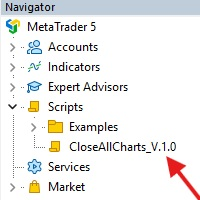
This Script was made for faster handling closing all open Chartwindows espacially in Backtesting Mode. The Script is totally for free. It is made for the MT5 Version of Metatrader. Closes all open chart windows, including the chart on which the script is being executed.
I hope you have fun with this simple but for me useful script. if you have any question please let me know...
FREE

Советник торговый помошник, располагается на инструменте (прикрепляется к графику) при закрытом рынке или просто когда планируется при достижении цены открыть сделку с заданным тейк-профитом и стоп-лоссом в % от цены автоматически открываемой сделки, при установке задается лот, цена сделки, направление, уровень прибыли и убытка, а также количество открытий по заданному уровню после срабатывания стоп-лосса.
FREE

The EA supports closing orders based on the preset amount. It can close all orders on all pairs, or it can close orders based on Magic ID. Button "Close All" manual Input - Magic Number: Magic Number = 0: Close All pairs Magic Number diffrent 0: Close All with Magic - Money TP: Profitable in money. the EA will close all orders - Money SL: Loss in money. the EA will close all orders Contact: t.me/nguyenvanbo128
FREE

ForexFanclub(FFC) : For detailed instructions and our official website, please visit my profile !
PidPro is a fully-featured, professional bulk order closing tool provided by Forex Fanclub, designed to maximize the efficiency of position management. Whether you are a scalper needing lightning-fast exits or managing a basket of positions from an Expert Advisor, PidPro provides the ultimate control. [Key Features] 1. Flexible Target Selection:
Choose between "All Charts" to manage your entire acc
FREE

Ofir Blue exporter is a handy utility to export your orders history to a JSON file . You'll need it if you want to back-test Ofir blue or Ofir Hedging , using your own trading history. How it works: Install the indicator on a chart Press export all or export <current symbol> (for example GBPUSD) The indicator will create the json file in the directory files/ofirblue/export. This directory is in the common file area. The file will be automatically taken in charge by Ofir blue strategy tester
FREE

这款专为MetaTrader 5设计的EA(Expert Advisor),能够在加载后自动关闭所有图表,并立即从当前图表中自行移除。它适合那些希望快速清理所有图表,并避免手动关闭每个图表的用户。 功能特点: 一次性清理: 加载后立即关闭所有打开的图表。 自动移除: 执行完毕后,EA自动从当前图表中移除,无需手动操作。 快速高效: 适用于快速清理交易环境,特别适合在需要快速重置或结束交易日的情境。 使用说明: 只需将此EA添加到任何一个图表上,它将自动执行关闭所有图表的操作并自行移除。使用前,请确保已保存所有重要的图表数据和设置。 风险提示: 请谨慎使用此EA,以防不小心关闭重要图表。 适用于MetaTrader 5平台。 技术支持: 如有任何技术问题或需求,请联系我以获得帮助。
FREE
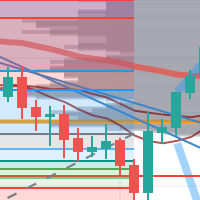
每次一忙都會錯過訊號下單,或不想一直花時間盯盤下單,可以用這個工具掛單,讓MT5 自動 盯盤並在滿足條件後下單 。
demo : https://www.youtube.com/watch?v=JBPiFkixqT4 configuration: https://www.youtube.com/watch?v=D7xESKKD26o #############################################
使用場景:
一般交易可以分為2種,分別是: 左側交易: 價格到達關鍵位置時就下單交易,想要自動下單,可以使用buy limit和sell limit掛單 右側交易: 價格到達關鍵位置, 同時出現做多或做空訊號 時下單交易, 想要自動下單, 就 可以用本工具自動掛單 本工具會 在你指定的阻力區域偵測到做空訊號時,建空單 ; 並在你指定的支撐區域偵測到做多訊號時,建多單。 demo影片: https://www.youtube.com/watch?v=JBPiFkixqT4
########################################
FREE

SVS Assistant SVS Assistant is the execution half of Smart Volatility Squeeze MT5. It carries out the orders you request from that indicator's 1-Click Trading Desk, applies your risk rules to them, and manages the resulting positions. It is published free of charge. Please read this before downloading: it does not analyse the market and it produces no signals of its own. Without the Smart Volatility Squeeze indicator running on the same chart there is nothing for it to listen to, and it will do
FREE

NHS Prop Firm Guardian NHS Prop Firm Guardian is a dedicated, single-panel risk monitor and drawdown protection overlay for MetaTrader 5, built around one core idea: watch the account relentlessly, and enforce the limit the moment it's crossed — even if the trader isn't looking . It is a pure risk-monitor companion tool, not an order-entry or trade-management system: it does not place trades, manage stops, or run automation strategies. Its job is tracking Daily drawdown on the current chart symb
FREE

TradeLens Lite - Risk Calculator for MT5
The free version of TradeLens: a simple position size calculator on your chart. It never opens, modifies or closes trades.
- Type your risk in % of the balance in the panel. - Press BUY setup or SELL setup: draggable stop loss (red) and take profit (green) lines appear, the initial stop based on the ATR. - Drag the lines: lot size, risk in money, reward in money and R:R update in real time, calculated with your broker's contract values. - Panel in the t
FREE
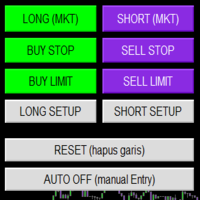
Smart Trade Panel
Trading Assistant is a powerful and elegant one-click trading panel for MetaTrader 5 — designed for professional traders who value speed, precision, and clarity.
Whether you scalp XAUUSD, swing trade indices, or run tight risk management, this tool gives you complete control with a clean visual layout, automatic ATR-based setups, and adaptive risk calculation.
️ Main Features One-Click Execution
Instant Buy/Sell Market Orders with pre-defined SL/TP
Supports Buy Stop
FREE

PropFirmGuard – Your Automatic Prop Firm Safety Net
Are you trading a prop firm challenge or a funded account and worried about accidentally breaking the rules? PropFirmGuard watches your account for you, around the clock, and automatically closes your trades before you breach your daily loss limit, your maximum drawdown limit, or once you've hit your profit target. No more manually checking your equity every five minutes — let the EA do the worrying for you.
WHAT DOES IT DO?
PropFirmGuard i
FREE

Your account, protected. Whatever is trading on it.
Phoenix Palladium Guard does not trade. It watches your whole account and steps in when a limit you set is reached: it closes all positions, deletes pending orders and keeps new trades out until the limit resets. It works for every EA on the account, EAs from any developer, and your own manual trades.
**Why an account guard?** Every EA calculates its risk as if it had the whole account to itself. Run four at once with similar settings and yo
FREE

PropBlaster Stats shows the key statistics of your MT5 account directly on the chart. It reads your trade history and never opens, closes or changes a trade.
Key figures
- Today, this week, this month or all history with one click - Net profit, trades, win rate, profit factor - Average win and loss, expectancy per trade - Maximum drawdown in money and percent - Best and worst day - Commission, swap and fees included
Good to know
- Filter by magic number and symbols (inputs) - Works on hedgin
FREE

Breakeven Trailing SL Manager;
This utility Manager is a simple utility that protects your manual trades automatically. Attach it to any chart and it watches all manual positions on your account, on every symbol. It does not open trades and it ignores trades opened by other Expert Advisors. How it works When a trade moves in profit by the Breakeven Price, the Stop Loss is moved to the exact entry price. When the price moves the same distance again, the Stop Loss is moved to entry plus that dist
FREE

Key Features: Automatic swing detection on any timeframe (M1 to MN1) Visual arrow indicators (red for swing highs, blue for swing lows) Adjustable sensitivity with customizable swing strength parameter Dynamic arrow positioning that never overlaps with candles Instant display when changing timeframes - no delays Compatible with MT4 and MT5 platforms Clean, professional interface with minimal screen clutter Lightweight code for fast performance Customizable colors and arrow sizes
Customizable S
FREE

Symbol Spec Auditor puts the part of a symbol's contract specification that decides position size and trading cost into one panel on the chart: point value, spread cost, margin, swap, execution rules and trading sessions. Raw specification values are converted into money per 1.00 lot in the account currency, and the broker settings that quietly break lot-size code are listed as warnings. One button exports the same audit for every Market Watch symbol to a CSV file. It is a checking tool. It plac
FREE
The MetaTrader Market offers a convenient and secure venue to buy applications for the MetaTrader platform. Download free demo versions of Expert Advisors and indicators right from your terminal for testing in the Strategy Tester.
Test applications in different modes to monitor the performance and make a payment for the product you want using the MQL5.community Payment System.

You are missing trading opportunities:
- Free trading apps
- Over 8,000 signals for copying
- Economic news for exploring financial markets
Registration
Log in
You agree to website policy and terms of use
If you do not have an account, please register