 MetaTrader 5
 エキスパート
 インディケータ
 ライブラリ
ライブラリ
 ユーティリティ
 ウィジェット
 ルール
ルール
YouTubeにあるマーケットチュートリアルビデオをご覧ください
ロボットや指標を購入する
仮想ホスティングで
EAを実行
EAを実行
ロボットや指標を購入前にテストする
マーケットで収入を得る
販売のためにプロダクトをプレゼンテーションする方法
MetaTrader 5用取引ユーティリティ - 15
 以下はMetaTrader5での取引を簡素化する取引プログラムです。ユーティリティにカーソルを合わせると、その説明と目的が表示されます。
A script for opening a grid of orders If you need to quickly open several pending orders (Buy Limit, Sell Limit, Buy Stop, Sell Stop) on a certain distance from the current price, this script will do all the routine for you! Allow AutoTrading before running the script. Usage:
Run the script on a chart. Input Parameters: Language of messages displayed (EN, RU, DE, FR, ES) - language of the output messages (English, Russian, German, French, Spanish). Price for open - open price. If set to 0, the

Propfirm Metrics は、プロップファームのトレーダー向けに設計されたシンプルな読み取り専用ダッシュボードです。MetaTrader 5 上で重要な口座指標を簡単に確認できます。
残高、エクイティ、含み損益、当日の損益、残りの日次および総ドローダウン、コンシステンシールール、取引日数、利益目標までの進捗など、現在の口座状況をわかりやすく表示します。
使用しているプロップファームのルールを入力するだけで、Propfirm Metrics が必要な数値を自動的に計算し、見やすいパネルに表示します。
主な機能:
• 日次および総ドローダウンの監視 • 残りのドローダウンをリアルタイム表示 • 当日の利益と含み損益 • コンシステンシールールの監視 • 最高利益日とコンシステンシー達成に必要な利益 • 取引日、利益日、条件達成日のカウント • 利益目標への進捗表示 • 日次リセット時刻の設定 • プロップファームの制限を自由に設定可能 • すべてのシンボルとEAを含むMT5口座全体を監視
Propfirm Metrics は読み取り専用です。取引の開始、決済、変更は一切
FREE

FREE 7-DAY TRIAL After your trial ends, continue using this essential trading tool for only $30 one-time payment.
ECONOMIC CALENDAR Transform Your Trading with Real-Time Economic Intelligence on Your Chart Are you tired of being caught off-guard by major economic news releases? Stop scrambling between your trading platform and news websites. Economic Calendar Pro brings all critical market events directly to your MetaTrader charts with stunning visual clarity and real-time countdown timers.
P

In the current version this filter will only work with my night scalpers and the EA Profitection Filter or with other EAs that utilize the global variables set by this EA. An MT4 version is availalble here . Many scalpers these days have a "normal" news filter, which filters calendar news such as interest rate decisions or CPI releases. However, this breaking news filter is able to filter non-standard breaking news. It will check every minute for news and if it finds a news event, it will

OsasFXea Diamond RapidFire Panel osasFXea · MetaTrader 4 & 5 OsasFXea Diamond RapidFire Panel One-click rapid trade panel for fast discretionary basket trading on gold, crypto, forex, and more. MT4 & MT5 Utilities Category Hedging accounts XAUUSD · BTCUSD · Forex Overview What it does RapidFire Panel places you in complete control of your basket trading workflow. Every core action — open, manage, close — is one click away on a branded dashboard that sits on your chart. The panel foll

Welcome, we introduce the Manual Grid Assistant, which can be an excellent complement to your manual grid trading! The Manual Grid Assistant is an efficient and sophisticated trading tool that perfectly complements manual grid trading strategies. This tool allows you to manage manually opened positions on your behalf while ensuring maximum profit and controlling risk. One of its main advantages is that it automatically closes all open positions when a predefined total pip reach or a specified p

TradeForge Pro – Trade Management Dashboard TradeForge Pro is a trade management utility designed for traders who want precise control over stop loss/take profit handling, position grouping, and trade execution. It provides an on-chart interface that allows Stop Loss and Take Profit levels to be managed virtually rather than sent directly to the broker ("Ghost Levels"), along with tools for managing multiple positions and trailing logic. It is designed for both scalpers requiring fast manual exe

Smart Trade Manager Pro Live Smart Trade Manager Pro is a manual trade management Expert Advisor for MetaTrader 5. It does not open trades automatically. It is designed for traders who enter positions manually and want structured risk-based exit management after the trade is open. The EA manages manual trades using the initial stop loss as the risk reference. Once a position has a valid stop loss, the EA can calculate R-multiple progress and manage partial closes, break-even, stop-loss locking,

Close All Pro MT5 – Fast PnL Control is a powerful trade manager MT5 utility that gives you total control over your trades. With a single click, you can close all MT5 orders, monitor real-time profit and loss, and manage your floating PnL directly from a clean on-chart panel. The tool is lightweight, responsive, and built to help traders save time, reduce emotional stress, and maintain focus. Whether you trade manually or through an EA, this MT5 profit panel provides the visibility and precisio

Protect your capital and lock in profits automatically with Account Guard Pro . This indispensable account management Expert Advisor ensures strict adherence to your daily risk limits. Set a maximum daily loss and a daily profit target—once either is reached, Guardian Pro instantly closes all open positions and pending orders, and halts all trading activity until the start of the next day. Its integrated visual dashboard provides a clear, real-time view of your daily P/L and current status. A cr

Trade Assistant MT5 — Trade Manager for Prop Firms
Trade Manager for MT5 that calculates position size, manages risk, visualises your trade setup in real time and protects your account with built-in daily loss and trade limits — everything you need to trade with consistency and pass your prop firm challenge.
> Trade Tab — Position Sizing & Execution
**Automatic lot calculation** Enter your risk as a percentage of account balance or as a fixed dollar amount and the panel instantly calculates t

The Best 1 Star rated Seconds Chart - Check the reviews that don't update the stars MT5 stops at the 1-minute chart. Advanced Seconds Chart MT5 goes below it, building real sub-minute OHLC candlesticks directly inside MT5 with full access to every indicator and drawing tool you already use. No plugins. No external feeds. Attach it to a chart and go. This product is now free. Download it, use it, and message me if anything does not work as described. I respond to every message and fix genuine iss

This utility provides the ability to use hot keys in manual trading instantly responding to the current market situation. You can assign hot keys to open/close positions by their type, open/close all positions on the current chart and remove all orders on the current chart. You can also assign hot keys for five predefined trade volumes and switch between them if necessary with no need to change the volume manually from time to time. It is also possible to set the auto calculation of a trade volu

Risk Manager Custom Version for MetaTrader 5
Risk Manager is a professional risk-control utility for MT5. It does not open trades by itself and does not generate trading signals. The tool is designed to monitor already opened positions and help the trader control risk, position size, stop loss, take profit, and trading restrictions.
Main features:
Individual Max Lot for selected symbols — set a separate maximum lot for up to 5 instruments. For example: EURUSD = 1.2 lot, XAGUSD = 0.1 lot. All

Close All and Orders Close All and Orders by SRBT is a manual trading utility for MetaTrader 5. Its compact chart panel provides three buttons for closing positions and deleting pending orders across the current trading account. Use it to manage exits from one chart, close positions with positive floating profit, or remove pending orders without closing existing positions. Three buttons, three actions CLOSE ALL (pos + orders) — Requests closure of all open positions, then requests deletion of al
FREE

This is a special program that provides extra protection for each of your positions. Symbol Filter: Filter by trading symbol. The default is to select the symbol on the current chart, or you can choose all symbols. Magic Filter: Filter by magic number. You can specify a magic number. The default value of 0 means processing all orders. TakeProfit Point: Set the take-profit level in points. 0 means this function is not used. StopLoss Point: Set the stop-loss level in points. 0 means this function

Keep your MetaTrader 5 charts alive, updated, and always in sync — automatically.
The MT5 Auto Refresh Utility is a smart, zero-lag chart updater designed for traders who want real-time accuracy across every open chart. Whether you use complex dashboards, multi-timeframe systems, or long-running analysis setups, this utility ensures your charts stay active and refreshed without manual clicks or chart reloading. Why You’ll Love It Automatic Chart Refresh
Refreshes your MT5 chart at a fixed int

Buffer Finder MT5
Is a custom technical Utility for MetaTrader 5, designed to inspect and analyze buffers of other indicators for EA integration, signal detection, or debugging. Support and questions via MQL5 product comments. For questions, updates, and to connect with other traders, join my official MQL5 group ForexEAandMore Major update in Version 1.2 All update Infos in the first comment. You can check now the indicator directly without loading in the chart by filling the exact indicator
FREE

HMR Detector EA 重要な注意事項: バックテスト環境では、リアルタイムの高い証拠金要求(HMR)イベントやブローカー側の予期せぬ証拠金変更をシミュレートできないため、このEAはストラテジーテスターで評価することはできません。HMR Detectorは、ブローカーのサーバーから直接ライブの証拠金状況を読み取ることに依存しています。したがって、その保護機能はデモ口座またはライブ取引口座で評価する必要があります。 概要: HMR Detector EAは、MetaTrader 5向けに設計されたリスク保護エキスパートアドバイザーです。主な目的は、ブローカーによって課される証拠金要求をリアルタイムで継続的に監視することです。ブローカーがオープンポジションに必要な証拠金を突然引き上げる状況を検出します。これは、主要なニュースイベント、市場のボラティリティ、週末、またはブローカー側のレバレッジ変更時によく発生します。EAはこれらの異常な証拠金の増加を特定し、口座が過剰な証拠金圧力に直面する前に自動的に保護措置を講じます。 このEAは、MetaTraderターミナルによって計算された証

MT5 to MT5 Trade Copier – Fast and Reliable Trade Copying Solution The MT5 Trade Copier is a powerful tool designed to copy trades seamlessly between MetaTrader 5 accounts with minimal latency and high accuracy. Built for speed, flexibility, and ease of use, the copier works across different brokers, even when symbols use different prefixes or suffixes. This Expert Advisor is suitable for professional traders, signal providers, fund managers, and traders who manage multiple accounts. Key Featur
This Expert Advisor measures the broker execution time in milliseconds. Every 10 seconds (Refresh Seconds) , the EA opens a buy stop order far away from current price (1.5 x Ask), then modifies the (price, stop loss and take profit) of the created order by 5 pips then deletes it immediately.
Inputs Refresh Seconds: Number of seconds for each re-test, default 10 seconds.
Display Last: Last Execution time Min: Fastest execution time Max: Slowest Maximum execution time Avg: Average exec

Guardian Equity EA for MetaTrader 5 Guardian Equity EA is an Expert Advisor designed to automatically manage the closure of all open positions when predefined profit or drawdown levels are reached. It operates in real-time and is compatible with any broker or trading instrument supported by MetaTrader 5. Main Features Continuous monitoring of account balance and equity. Automatic closing of all trades if the maximum drawdown level is reached. Automatic closing if the configured profit target is

Lot Size Calculator, Risk Manager and Trade Panel for MetaTrader 5
Lot Size Calculator Risk Manager Panel MT5 (This is the free edition of Lot Architect PRO ) is a trading utility for MetaTrader 5 that combines a lot size calculator, position size calculator, risk manager and trade panel in one chart-based interface. The utility calculates position size from a selected risk value and displays the planned trade information before order execution. Entry, Stop Loss and Take Profit levels can be en
FREE

General Description Auto SL/TP Manager is a professional utility for MetaTrader 5 designed to automate the management of Stop Loss and Take Profit levels on open positions. The levels are calculated based on monetary risk values defined by the user, rather than fixed pip distances. This tool helps maintain consistent risk discipline without manual intervention. Main Functionality The EA continuously monitors all open positions and automatically applies Stop Loss and Take Profit levels when they

MSMO Lot Pilot は、MetaTrader 5 向けの取引前ロットサイズ計算ツール兼情報パネルです。手動で取引を行う前に、「選択したリスクに対して、どのロットサイズが適切か?」という実用的な問いに答えるためのツールです。
Risk Percent、シンボルのポイント(points)単位で予定している Stop Loss 距離、および Account Base を設定します。MSMO Lot Pilot は、ブローカーから提供されるシンボル仕様を使用してロットサイズを計算し、最終的に正規化された取引量に対する推定 Actual Risk を表示します。
MSMO Lot Pilot は、計算および情報表示のみを目的としたユーティリティです。取引の新規発注、決済、変更、管理は行わず、買いまたは売りのシグナルも提供しません。
## 主な機能
- リスクに基づくロットサイズ計算 - Account Base として Balance、Equity、Lower B/E、または Higher B/E を選択可能 - 推定 Actual Risk を金額およびパーセントで表示 -
FREE

Elevate your trading precision with the ultimate Multi-Timeframe (MTF) Candle Countdown Monitor . Built for professional traders, this indicator is not just a standard timer—it is a powerful, fully interactive dashboard featuring a dynamic mini-chart, custom alerts, and a cutting-edge DPI-Aware Scaling Engine. Whether you are trading on a compact laptop or a massive 4K multi-monitor setup, this indicator perfectly adapts to your screen, providing a flawless visual experience. "Simplify your tra
FREE

Prop Firm Risk Guardian MT5 — pass the risk rules, not just the profit target. Prop Firm Risk Guardian MT5 (click to download)
Application instructions Most prop-firm challenges are failed not because you can't trade — but because one bad day or a single oversized position breaches the daily or overall drawdown limit. Prop Firm Risk Guardian is a lightweight monitoring utility that enforces those limits for you, automatically , 24/5. It is a pure protection tool . It never opens trades, send
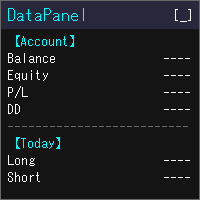
DataPanel は、口座の状態をチャートの上にまとめて表示するEAです。 注文は一切出さず、DLLも使いません。 もともとは、他のEAを動かしている口座の様子をひと目で見たくてClaude Codeで作成しました。 いろいろ追加した結果情報量が多くなりましたが、必要な情報のみ表示できるので必要に応じて設定で変更してください。
見られるもの 残高、有効証拠金、評価損益、証拠金維持率 残高と有効証拠金のドローダウン(最大値と発生した時刻)。入出金とクレジットはドローダウンに含めません 今日・今週・今月・今年・全期間の損益(ロング/ショート別)と成長率 勝率、プロフィットファクター、期待値、連勝・連敗、平均保有時間、スワップや手数料などのコスト マジックナンバー別・通貨ペア別の損益と、取引した通貨ペアの割合 ポジション一覧、損益分岐レート、ロスカットまでの余裕 経済指標(国や重要度を選べます)、当日の祝日、レート一覧、通貨の強弱、市場セッション 同じPCで動いている他のMT5も含めた、リアル口座の損益の合計(他のMT5でもDataPanelを起動している必要があります) 使い勝手 金額は
FREE

VENIQOR Smart Trade Copier PRO is more than a simple MT5 trade copier.
It combines fast local trade synchronization with flexible risk management, Account Protection and optional News Protection for every Receiver account. As with our other VENIQOR products, we welcome useful customer feedback and are happy to implement meaningful improvements and new features whenever possible. The same EA works as both Master and Receiver . One Master can copy trades to multiple Receivers running on the same

Risk Calculator Panel shows the correct lot size for your risk before you open a trade. Drag the Stop Loss line on the chart, and the panel updates immediately. What the panel shows Lot size for your risk, rounded down to the broker's lot step Money at risk and potential profit in account currency Stop loss and take profit distance in points Reward:risk ratio Required margin and free margin after the trade How to use Attach the indicator to any chart. Drag the red SL line (and the green TP line)
FREE

One Click Trade Manager for MT5 Trade Faster and Manage Your Positions with a Single Click Take full control of your trades with an intuitive one-click trading panel for MetaTrader 5. Whether you're entering new positions or managing multiple open trades, this EA helps you execute actions instantly without navigating multiple windows. No more manually closing orders one by one. Main Features Close All Positions Instantly close every open position on the current account. Close Profitable Pos

` Account Limit Guard MT5 ` is a free account-level daily limit protection utility for MetaTrader 5.
It is not a trading strategy, does not open trades, does not generate signals, and does not rely on any specific indicator. Its purpose is simple: monitor your account-level daily loss and automatically apply protection once your configured limit is reached.
For prop / funded-challenge traders Need more than a daily-loss cap? Prop Firm Risk Guardian (MT5) is the full prop-challenge p
FREE

Helios Smart Position Manager 概要 Helios Smart Position Manager は MetaTrader 5 向けのプロフェッショナルなトレード同期ツールです。いずれかのポジションのストップロスまたはテイクプロフィットを変更すると、EAが自動的にその変更を検出し、同一シンボルの他のすべてのポジションに適用します。これにより、各ポジションを個別に手動で更新する必要がなくなり、同一銘柄で複数のポジションを管理する際の時間の節約とミスの防止が実現します。 仕組み EAはすべての未決済ポジションを継続的に監視し、現在のストップロスおよびテイクプロフィットのレベルのスナップショットを保持します。いずれかのポジションのSLまたはTPが変更されたことを検出すると、同一シンボルの他のすべてのポジションを特定し、同じ変更を自動的に適用します。同期は一度に一つの変更を処理し、競合を防ぐために内蔵のクールダウン期間を設け、同期ループを避けるために直前に変更したポジションはスキップします。 ストップロスとテイクプロフィットの変更はそれぞれ独立して検出されます。スト
FREE

Trade Projector by Chart Reporter Plan the trade on the chart before you place it. Trade Projector is a MetaTrader 5 chart workspace for turning a trade idea into a clear, reviewable plan. Set the direction, place the Entry, Stop Loss and Take Profit levels, inspect the projected risk and reward, then choose whether to send a market or pending order. Make the decision visible Chart-native trade plan: Entry, Stop Loss and Take Profit levels are visible and draggable on the active chart. Risk and
FREE

Gamma Edge Pro MT5 — GexBot Classic API Integration Gamma Edge Pro brings institutional-grade Gamma Exposure (GEX) data directly onto your MetaTrader 5 chart — the same data used by professional options traders to anticipate price magnets, hedging flows, and dealer positioning. Powered by the GexBot Classic API, this indicator automatically maps options market data from US-listed instruments onto any MT5 CFD instrument — Forex pairs, Gold, indices, and more — with intelligent price conversion bu

RR TradePanel is a trade execution and management Expert Advisor for MetaTrader 5. It combines visual trade planning with automated risk management, allowing trades to be planned, executed, and managed directly from the chart. The panel includes an interactive Risk/Reward tool, automatic lot size calculation based on account risk, trade management automation, and manual management controls. It is suitable for traders who want consistent position sizing and faster trade execution. Trade Planning

InnovaDash ロットサイズ計算ツール: ワンクリック・リスク管理端末 ロットサイズを当てずっぽうで決めたり、想定以上のリスクを負うのはもうやめましょう。InnovaDashロットサイズ計算ツールは、プロレベルのリスク管理と迅速な注文執行をMT5チャートに直接もたらすために設計された、正確でコンパクトな取引ユーティリティです。 InnovaDash Analyticsのチームによって構築されたこのツールは、あなたのようなトレーダーのために完全に無料でリリースされています。 迅速な執行を必要とするスキャルパーであれ、エントリーを計画するスイングトレーダーであれ、このツールはリアルタイムの市場データ、Bid/Askスプレッド、およびシンボルのティックバリューに基づいて、リスクの計算を瞬時に処理します。 主な機能 動的なリスク計算: 資金のリスク許容度を正確に選択できます。口座残高に対する正確なリスクパーセンテージ(%)か、固定の金額($)を切り替えて使用できます。 スマートレベル検出 (SL & TP): ストップロス (SL): ポイント単位で距離を入力するか、正確な価格を入力しま
FREE
MT5 Terminal Copy for Copying MT5 Terminals This Expert Advisor (EA) allows you to copy trading activities between different MT5 terminals. It provides a simple and efficient solution for traders who want to duplicate positions or strategies in real-time across different accounts or devices. The EA can run on a main terminal and automatically replicate trades on other connected accounts. Ideal for copy trading or testing strategies on multiple accounts simultaneously. Main Features: Real-time C
FREE

Trade Analyzer & SL TP Optimizer MetaTrader 5 用 実トレード分析・Stop Loss / Take Profit 最適化ツール Trade Analyzer & SL TP Optimizer は、実際の取引履歴を詳しく分析するための MetaTrader 5 ツールです。 通常の取引履歴では、エントリー価格、決済価格、最終的な損益を確認できます。 このツールではさらに、各エントリー後に価格が実際にどのように動いたのかを分析し、取引中に何が起きていたのかを確認できます。 裁量トレードだけでなく、Expert Advisor による取引も分析できます。 Magic Number を使用して、複数の戦略を個別に分析することも可能です。 主な分析項目 Trade Analyzer & SL TP Optimizer では、以下のような情報を分析できます。 エントリー後の実際の価格推移 ポジションに対して最大でどれだけ不利に動いたか ポジションに対して最大でどれだけ有利に動いたか 決済効率 利用できた値動きと実際の利益の比較 利益として確保できなか
FREE

BOLETA ATA is a quick-execution trading panel for MetaTrader 5, built for manual traders who want to buy, sell, and manage positions without leaving the chart. Compact, straightforward, and with built-in protection automations. Main Panel Stop Loss and Take Profit with an on/off checkbox and an editable field — click and type the value directly, no need to open settings Lot size field (Qty) , editable at any time 3 clickable lot presets : a single click applies the value to the Qty field; a doub
FREE

The Pending Order Grid is a multi-symbol multi-timeframe script that enables multi-strategy implementation based on pending order grids. General Description
The Pending Order Grid allows the performing of a user-defined strategy through the creation of pending order grids. The script places pending orders of a given type (Buy Limit, Sell Limit, Buy Stop, or Sell Stop) at equidistant price levels to form each grid. The beginning and finish of every grid are defined by the Start Price and Sto

Tick History Loader is an essential auxiliary tool that downloads the full available tick history for any symbol in your MT5 terminal. The script performs a deep synchronization with the trading server, sequentially requesting and saving the entire tick history from the earliest available date. This is necessary for the correct operation of advanced analytical tools that require complete market data. The obtained tick history serves as the basis for building custom charts with a timeframe in sec
FREE

Crystal Copycat ULTIMATE v4.00 – プロ仕様 MT5 トレードコピーツール 概要
Crystal Copycat ULTIMATE v4.00 は MetaTrader 5 用の高性能トレードコピーツールです。 MT5 のローカル Common フォルダを介して動作し、 DLL や外部 API を必要としません。複数アカウントや VPS 環境での運用に最適です。 主な機能 デュアルモード : MASTER: 注文送信・修正・クローズ。 SLAVE: 受信注文を即時実行、リスク管理内蔵。 ボリュームスケーリング : 固定ロット、エクイティ比率、リスク % (SL ベース ) 。 リスク管理 : 最大ドローダウン保護、エクイティ監視、取引ごとのリスク制限。 注文カバー : 成行、指値 / 逆指値、修正、削除、 CLOSE_ALL 。 シンボルマッピング : 自動 / 手動対応、ブローカー接尾辞対応。 ファイル通信 : ローカル動作、リトライ・リカバリ機能、ループ防止。 ダッシュボード : 送信済 / 受信済注文、リスク状況、取引状態表示。 利用シーン 複数
FREE

Boleta Prime Essential — one-click trading panel for MetaTrader 5 Open trades with the right lot size in one click. Boleta Prime Essential automatically calculates your position size from the risk percentage you choose and sends the order with stop loss and take profit already set. Features
• One-click market buy and sell
• Risk calculator: enter the account % and stop in points, and the panel calculates the lot
• Automatic stop loss and take profit, re-anchored to the actual fill price (exact
FREE

TradeBox - Trade Statistics & Costs Panel for MetaTrader 5
NOTES - The report reflects the history available in your account for the selected magic and period. - On accounts with a very long history the first calculation may take a moment; the panel then refreshes periodically. - Does not trade: in the Strategy Tester there are no trades and no profit curve; check the panel screenshots instead. - The "Parameters" tab of the product lists the panel settings (language, filter, panel, tabs/scrol
FREE

Drag the stop loss line to your level and the panel works out the lot size for the risk you set, from your broker's own contract size. FEATURES Entry, stop loss and take profit lines you drag. Lot size normalised to the broker's minimum, maximum and step. Risk as a percentage of balance or equity, fixed cash, or fixed lot. Live risk to reward ratio. HOW TO USE IT 1. Attach it to a chart and drag the three lines. 2. Set the risk basis and value in the inputs. 3. Read the lot size from the panel.
FREE

One bad day ends most prop firm challenges. EdgeProof Daily Loss Guardian watches your equity in real time, warns you early, and closes everything before your daily loss limit is hit. Free.
WHY TRADERS FAIL CHALLENGES Most challenges are not lost to a bad strategy. They are lost to one emotional day: a loss, a revenge trade, a bigger lot, and the daily limit is gone. Daily Loss Guardian is a simple safety net that does not get emotional.
WHAT IT DOES - Tracks today's result on the whole accoun
FREE

designed to help traders monitor the long and short swap rates of available trading instruments through a clear, organized on-chart table. Its primary purpose is to make overnight financing costs and potential swap credits easier to observe across multiple symbols without repeatedly opening individual instrument specifications. By presenting swap information in a centralized display, the application helps traders incorporate holding costs into their market analysis and trade planning. Key Benef
FREE
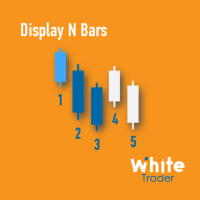
The Display N Bars utility is a simple tool designed to help identify candles.
If a trader tries to share knowledge with a colleague but it is difficult to pinpoint exactly the desired candle, just say the corresponding candle number.
The candle count is reset every day.
Seeking to offer a good customization the inputs are:
Display type -> Display only odd, only odd, or both candles?
Direction -> Horizontal or Vertical?
Display multiples of: (display frequency) -> Display all number
FREE

Overview Simple Trade Panel EA is a clean, lightweight trade assistant designed for manual traders who want fast and visual order placement directly from the chart.
No more fiddling with order windows – place Market and Pending orders, adjust Stop Loss & Take Profit using draggable horizontal lines, and instantly see your risk/reward ratio, point distance, and dollar value.
The panel features a modern “dirty pastel” color scheme that perfectly fits light chart themes, and can be hidden with
FREE

Prop Firm Smart Margin Calculator Know your lot size. Know your margin. Trade with precision. The Prop Firm Smart Margin Calculator is a practical MT5 trading tool designed to help you determine your position size and understand the estimated margin required before placing a trade . Simply enter your desired risk amount and stop-loss distance, and the calculator determines the appropriate trading volume based on your symbol's specifications. It also calculates the estimated margin required for
Script to load history of a symbol on determined timeframe (default M1).
It is extracted from the MQL5 documentation:
https://www.mql5.com/en/docs/series/timeseries_access
Adapted by Renato Fiche Junior #melhoresferramentas #renato #larissasihle #aguiatraders
Parâmetros de Entrada
- Start datetime : the initial datetime from the history will be loaded - Timeframe to be loaded: period that will be loaded
FREE

RADAH Dashboard is an advanced performance analytics utility for MetaTrader 5, designed to transform your account history into a clear, organized and interactive trading performance overview.
It does not open, modify or close trades. Its purpose is exclusively analytical, allowing you to review the performance of the entire account, a specific symbol, or a strategy identified by its Magic Number.
Chart View
Visualize your trading performance through an integrated balance/equity performance c
FREE

FKG Trade Manager – Professional Risk & Order Management EA FKG Trade Manager is an advanced, multi-language trade management Expert Advisor designed to give traders full control over their positions, risk exposure, and order execution. Built with a clean, dark-themed movable UI panel directly on the chart, it eliminates emotional decision-making and automates routine trade management tasks. Key Features Quick Partial Close Buttons (10%, 20%, 50%): Instantly secure partial profits with a single
FREE

[概要] Dynamic Price Countdown は、現在のローソク足が閉じるまでの残り時間を現在の価格のすぐ横に表示する、MT5に不可欠なインジケーターです。チャートの隅に固定された静的なタイマーとは異なり、このインジケーターはリアルタイムの価格の動きに動的に追従します。これにより、トレーダーは完璧なエントリータイミングを逃すことなく、チャートの最も重要な部分に完全に集中することができます。 [主な機能] 動的な価格追従: カウントダウンタイマーは現在のBid価格に自動的に追従し、設定した正確な距離を維持します。 スムーズなティックフリータイマー: 内部の1秒タイマーを使用することで、ティックの流入が非常に少ない低ボラティリティの期間でも、カウントダウンがスムーズかつ正確に実行されます。 完全なカスタマイズ性: テキストのサイズ、色、および正確なX/Y座標のオフセットを調整して、個人のチャート設定と解像度に完全に一致させることができます。 [パラメーター設定] Font Size (フォントサイズ): カウントダウンテキストのサイズを調整します。 Font Co
FREE

このツールは、MT5の経済指標の使いやすさを向上させ、データをMT4とシームレスに共有できるという2つの大きなメリットを提供します。例えば、10年以上前の経済指標データをトレーニングやバックテストで効果的に使用することができます。また、MT4の PracticeSimulator とも互換性があり、過去データを使用したトレード練習からMT4での本番トレードまで活用できる貴重なツールです。 MT4で経済指標をシームレスに共有するために 。 >> MT4版 MT5経済指標の向上 過去データへのアクセス : 10年以上前のイベントを含む経済指標データを分析し、詳細なバックテストと履歴のレビューが可能です。 カスタマイズ可能な表示 : 経済指標はチャート上に目立たず表示され、背景に溶け込むように調整できます。 自動タイム調整 : タイムゾーンやサマータイムを自動的に調整し、過去のイベントの正確な表示を保証します。 MT4の互換性とメリット シームレスなデータ共有 : MT5の経済指標データを直接MT4チャートで使用し、本番トレードや練習に対応します。 PracticeSimulatorとの統合
FREE
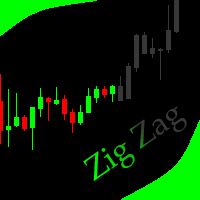
This indicator allows to hide ZigZag indicator (on all MT4 timeframes) from a date define by the user with the vertical line. This indicator can be use with other "Hidden Indicators". Indicator Inputs: Depth Deviation Backstep Information on "ZigZag" indicator is available here: https://www.mql5.com/en/articles/1537 ************************************************************* Hey traders!! Give me your feeds! We are a community here and we have the same objective.... make some money from th
FREE
The Equity Closer Bot is a custom MetaTrader 5 (MT5) Expert Advisor (EA) designed to help traders manage their account equity levels automatically. It monitors the account's equity in real-time and closes all open trades when the equity reaches user-defined thresholds. This bot is ideal for traders who want to enforce strict risk management rules, protect their account from excessive losses, or lock in profits at specific equity levels. Key Features Dual Equity Thresholds : Below Equity Clos
FREE

Ritz Conspiracy 16 – 多層型マーケット・インテリジェンス・システム Ritz Conspiracy 16 は、16種類の主要テクニカル指標を
1つの統合ビジュアルパネルにまとめた 多層型マーケット分析インジケーター です。 マーケット・インテリジェンスの概念に基づいて設計され、
トレンド、ボラティリティ、モメンタム、出来高、価格構造など、
あらゆる角度から市場の挙動を司令室のように読み取ります。 “コンスピラシー(共謀)” 的アプローチにより、
16のアルゴリズムが生み出す小さな手がかりをつなぎ合わせ、
市場が本当に向かおうとしている力学を一つの大きな絵として描き出します。 最終的に、各テクニカルカテゴリに対する BUY/SELL の確率パーセンテージ を
リアルタイムで、かつ適応的に、非常に情報量豊かに表示します。 Ritz Conspiracy 16 の内部構造 1つのインジケーター、6つの主要カテゴリ、16の分析エンジン。 1. TREND インテリジェンス クラシック指標と適応型指標を組み合わせ、
トレンドの方向性と強さを捉える層。 Moving Aver
FREE

NeuronReplay — replay each of your closed trades one by one, bar-by-bar, and analyze exactly what happened Your trade history is just a list of numbers. NeuronReplay turns it into film. It lists every closed trade in a dashboard; click any one and it re-plays that single trade candle-by-candle on its own chart , exactly like stepping through the MetaTrader 5 Strategy Tester — but scoped to a real trade you already took. You see the entry, the stop, the target and the exit drawn in, a floating P&

The Close In Quick Script is an optimized, high-performance MQL5 script designed to swiftly close all open positions for the current chart's symbol on the MetaTrader 5 platform. Engineered for speed and reliability, it leverages asynchronous trading, minimal system checks, and robust error handling to ensure seamless trade closure. Whether you're a day trader, scalper, or portfolio manager, this script is an essential tool for efficiently managing and exiting trades. Key Features: Asynchronous t
FREE

ChartControl は、手動で素早くチャートを操作するための軽量ユーティリティ・インジケーターです。キーボードのホットキーで現在のチャートの シンボル と 時間足(タイムフレーム) を切り替えられるため、マウス操作なしで素早いマーケットスキャンに最適です。 本製品は EX5(コンパイル済み) のみで配布されます。 主な特徴 Market Watch のリストを使った高速なシンボル切替 事前定義セット(M1…MN1)による高速な時間足切替 CPU負荷が最小(計算なし、描画なし) 手動変更(マウス/メニュー)時の自動同期 ホットキー A — 前のシンボル(Market Watch) D — 次のシンボル(Market Watch) W — 次の時間足(より大きい) S — 前の時間足(より小さい) 時間足の順序:
M1 → M5 → M15 → M30 → H1 → H4 → D1 → W1 → MN1 使い方 インジケーターを任意のチャートに適用 チャートを1回クリックしてフォーカスを当てる A / D / W / S でシンボル/時間足を切替 注意 シンボル切替は Market
FREE

This indicator displays a customizable checklist directly on your chart, helping you stay disciplined and organized during trading. You can define your own list of tasks, position it anywhere on the screen, and adjust the appearance to match your setup. It’s ideal for pre-trade routines, strategy rules, or reminders to follow your trading plan. The indicator automatically manages and cleans up its text labels, ensuring no leftover objects remain when it is removed or updated.
FREE

# MiniBull Guard v1.30
## Never trade without a stop again.
**You open the trade. MiniBull Guard sets the stop, shows the risk and keeps your head clear.**
- **No more naked positions.** Every new trade gets a stop loss within moments, even when you forget, hesitate or trade from your phone. - **A stop the market can breathe around.** Sized from real volatility (ATR) by default, or from a distance you choose. - **Know your loss before it happens.** In money and in percent of your equity, not
FREE

Account Performance Report turns the history of your account into one HTML report that you open in any browser: balance and drawdown, the result of each Expert Advisor and each symbol, a daily P&L calendar, monthly returns and the usual statistics. The main figures are also shown on the chart, and the report is kept up to date while the terminal runs. How To Use Attach Account Performance Report to any chart of the account. It does not trade, so any symbol and timeframe will do. The report is wr
FREE

NewsFilter Pro — News Filter & Economic Calendar EA for MetaTrader 5
Automatically block trading during high-impact news events (NFP, FOMC, CPI). Uses MQL5 built-in Economic Calendar — no DLL, no external API, no configuration. Works with any EA, any broker, any currency pair.
Prop Firm Safe | NFP/CPI/FOMC Filter | Auto-Close Before News | Smart Currency Filter | 15 Activations
---
Why NewsFilter Pro?
Most trading EAs get destroyed during news events — NFP, FOMC, CPI, ECB — when spread
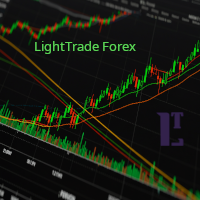
EMA Line Visualizer with Trend Analysis Description:
The Exponential Moving Average (EMA) Line Visualizer EA plots multiple EMAs on your chart (25, 50, 100, 200, and a custom EMA) and analyzes real-time trend direction. It detects whether the market is currently in an Uptrend , Downtrend , or Flat condition based on the latest EMA relationships. Features: Multi-EMA Display
Plot multiple EMAs with customizable periods. Custom Colors
Set distinct colors for each EMA line for better visual trac
FREE

Enhance Your Trading with the Support and Resistance Alert! Ready to take your trading to the next level? Introducing the Support and Resistance Alert—the ultimate tool to precisely identify market turning points! Key Features: Dynamic Support and Resistance Lines: The indicator automatically draws support and resistance levels based on local lows and highs, giving you clear guidance on where the market is likely to reverse. Real-Time Alerts: Stay ahead of the market with customizable alerts. G
FREE

EA交易快捷助手 —— 专为 MetaTrader 5 打造的硬件交易利器 本工具专为配合实体快捷键盘设计,将 MT5 的核心交易指令集中映射至硬件实体按键。无需频繁移动鼠标找寻按钮,助你在行情剧烈波动时实现毫秒级订单执行与快速风险规避。 核心功能与优势 毫秒级极速响应 :实体按键物理触发,极大缩短交易决策与订单送达服务器之间的时间差。 一键快捷交易 :支持一键市价买入、卖出、一键平仓、持仓锁仓及手数快速微调。 防误触安全锁 :内置安全锁定机制,有效规避手滑或误触造成的非预期建仓。 完全合规无 DLL :采用纯正 MQL5 原生逻辑编写, 不依赖任何第三方 DLL 文件 ,确保账户资金与平台安全。 快捷键默认映射 (Key Mapping) Key A / F1 :按预设手数一键买入 (Buy) Key B / F2 :按预设手数一键卖出 (Sell) Key C / F3 :一键平仓当前图表品种的所有持仓 (Close Current) Key D / F4 :一键平仓账户内所有品种持仓 (Close All) Key Up / Down :快速增减下一次下单的手数步长 输入参数
FREE
EA Portfolio Analytics Dashboard Pro - Advanced Multi-EA Performance Monitor EA Portfolio Analytics Dashboard Pro is a professional MetaTrader 5 tool designed for advanced portfolio management and real-time performance analytics. Monitor all your Expert Advisors simultaneously with institutional-grade metrics. Key Benefits: Multi-EA Performance Matrix: Track unlimited EAs and their statistics in a single view. Real-Time Risk Analytics: Monitor key metrics like Sharpe Ratio, Value at Risk (V
MetaTraderマーケットはMetaTraderプラットフォームのためのアプリを購入するための便利で安全な場所を提供します。エキスパートアドバイザーとインディケータをストラテジーテスターの中でテストするためにターミナルから無料のデモバージョンをダウンロードしてください。
パフォーマンスをモニターするためにいろいろなモードでアプリをテストし、MQL5.community支払いシステムを使ってお望みのプロダクトの支払いをしてください。

取引の機会を逃しています。
- 無料取引アプリ
- 8千を超えるシグナルをコピー
- 金融ニュースで金融マーケットを探索