 MetaTrader 5
 Experts
 Indicatori
 librerie
 Utilità
 Widget
 Regole
Guarda i video tutorial del Market su YouTube
Come acquistare un Robot di Trading o un indicatore
Esegui il tuo EA
hosting virtuale
hosting virtuale
Prova un indicatore/robot di trading prima di acquistarlo
Vuoi guadagnare nel Market?
Come presentare un prodotto per venderlo con successo
Utilità di trading per MetaTrader 5
 Di seguito sono riportati i programmi di trading che semplificano il trading in MetaTrader 5. Passa il mouse su un'utilità per leggerne la descrizione e la sua funzione.
It helps to calculate the risk per trade, the easy installation of a new order, order management with partial closing functions, trailing stop of 7 types and other useful functions.
Additional materials and instructions
Installation instructions - Application instructions - Trial version of the application for a demo account
Line function - shows on the chart the Opening line, Stop Loss, Take Profit. With this function it is easy to set a new order and see its additional characteristics bef

Benvenuto a Trade Manager EA, lo strumento definitivo per la gestione del rischio , progettato per rendere il trading più intuitivo, preciso ed efficiente. Non è solo uno strumento per l'esecuzione degli ordini, ma una soluzione completa per la pianificazione delle operazioni, la gestione delle posizioni e il controllo del rischio. Che tu sia un principiante, un trader avanzato o uno scalper che necessita di esecuzioni rapide, Trade Manager EA si adatta alle tue esigenze, offrendo flessibilità s

Local Trade Copier EA MT5 è un trade copier rapido e flessibile per copiare e gestire operazioni tra più conti MetaTrader 5 sullo stesso computer Windows o Windows VPS. Combina la sincronizzazione locale delle operazioni con controlli lato Receiver per dimensione del lotto, gestione del rischio, filtraggio delle operazioni, mappatura dei simboli, gestione delle operazioni e protezione del conto. Configura i terminali Transmitter e Receiver in circa 1 minuto e copia operazioni manuali o aperte d

Trade Panel è un assistente commerciale multifunzionale. L'applicazione contiene più di 50 funzioni di trading per il trading manuale e permette di automatizzare la maggior parte delle attività commerciali. Istruzioni per l'applicazione + video tutorial: https://www.mql5.com/it/blogs/post/772320 Versione di prova dell'applicazione per un conto demo: https://www.mql5.com/it/blogs/post/762419 Come installare l'applicazione: https://www.mql5.com/it/blogs/post/762362 Come testare l'applicazione in m

================================================================================ POC BREAKOUT - V20.72. Full Professional Grade Toolkit ================================================================================ POC Breakout is a full MetaTrader 5 trading dashboard for discretionary traders who want breakout signals, Point of Control (POC) context, volume profiles, order flow, market structure, news, alerts, and advanced trade planning in one professional workspace. Attached directly to you

Copia i segnali Telegram con le tue regole di trading Telegram to MT5 Signal Trader copia automaticamente i segnali di trading testuali dai canali e gruppi Telegram pubblici e privati in MetaTrader 5. Gestisci più fornitori e conti MT5 da un'unica applicazione desktop, con impostazioni di rischio e di trading specifiche per ogni fornitore . Per copiare i segnali non servono bot Telegram né configurazioni API. Accedi semplicemente con il tuo account Telegram tramite numero di telefono o codice QR

Telegram to MT5 Multi-Channel Copier copia automaticamente i segnali di trading dai tuoi canali Telegram direttamente su MetaTrader 5. Niente bot, niente estensioni del browser, niente copia manuale. Il segnale arriva su Telegram e l'EA apre l'operazione nel tuo terminale in pochi secondi. E prima di copiare un canale, il backtester integrato ti mostra cosa avrebbe fatto quel canale sul tuo conto. Il prodotto include due componenti: un'applicazione Windows che ascolta i tuoi canali Telegram, e

Strategy Ledger Pro è un pannello di analisi del conto in sola lettura per MetaTrader 5. Separa i risultati del conto per Expert Advisor, strategia, simbolo e magic number.
Manuale dettagliato con ogni funzione spiegata.
MetaTrader mostra un unico saldo per l'intero conto. Quando più Expert Advisor operano insieme, quel saldo non mostra il contributo di ciascuno. Strategy Ledger Pro legge lo storico del conto, ricostruisce le posizioni chiuse, le assegna alle strategie e presenta i risultati

Farmed Hedge Yield Farming | All Markets
(Manual - Hybrid - Semi/Automated EA)
VERIFIED TRADING RESULTS - Farmed Hedge Yield Axi Copy: https://www.mql5.com/en/signals/2356376 - Farmed Hedge Yield Exn Copy: https://www.mql5.com/en/signals/2356404
- Farmed Hedge Yield V Copy: https://www.mql5.com/en/signals/2357156
IMPORTANT NOTICE: FarmedHedge is a MANUAL-FOCUSED TRADING UTILITY ,not a fully automated EA.
Results shown on this Signal include manual trades and overall strategic management.

Telegram To MT5 — Copiatore di segnali Trasforma le indicazioni di trading dei tuoi canali Telegram in veri ordini MT5 — automaticamente, su quanti account vuoi, con rischio e regole totalmente sotto il tuo controllo. Telegram To MT5 collega i canali VIP / di segnali che già segui su Telegram al tuo terminale MetaTrader 5. Un'app desktop companion gratuita legge i messaggi (anche dai canali che bloccano i bot), e questo Expert Advisor li esegue sul tuo conto — applicando le tue impostazioni di r

Premium Trade Manager - Il pannello di trading con un coach integrato Premium Trade Manager porta un coach di trading direttamente nel tuo grafico, con un motore di esecuzione completo al di sotto. Imposta il trade come fai sempre, poi lascia che Max, il tuo coach di trading IA, legga esattamente quel setup rispetto al tuo conto live e ti dia un verdetto chiaro prima che tu confermi: lo stop rispetta un approccio disciplinato, il rischio è ragionevole, c'è un evento ad alto impatto tra pochi min

Scopri i miei altri prodotti: Clicca qui Trading visivo reso semplice: Posiziona e trascina semplicemente le linee orizzontali sul tuo grafico per impostare i tuoi livelli di Entrata, Stop Loss e Take Profit. Ciò che vedi è ciò che ottieni. Le linee visive ti danno una chiarezza immediata sulla configurazione della tua operazione. Calcolo automatico della dimensione del lotto: Smetti di rischiare più di quanto intendi. Imposta il tuo rischio come un importo fisso o come una percentuale del sald
FREE

That backtest looks great. But will it still be making money tomorrow, next week, next month?
EA Overfitter re-runs your EA on 100 price histories it has never seen. One score tells you if the edge is real.
A backtest tells you what an EA did on one price history — the one that happened to occur. What you cannot tell from it is how much of that result was the strategy and how much was the particular path.
EA Overfitter answers that. It builds up to 100 synthetic price histories your EA has n

Trade Copier Ultimate - Telegram to MT5 Signal Copier Trade Copier Ultimate automatically copies Telegram trading signals into MetaTrader 5. The EA can read signal messages, detect the symbol, order type, entry price, Stop Loss, Take Profit levels and selected update commands, then execute or manage the trade in MT5 using your lot and risk settings. It is more than a basic Telegram to MT5 copier. TCU also supports Bot API and user-account Bridge workflows, Discord signal routing, local MT5 to MT

The product will copy all telegram signal to MT5 ( which you are member) , also it can work as remote copier. Easy to set up, copy order instant, can work with almost signal formats, image signal, s upport to translate other language to English Work with all type of channel or group, even channel have "Restrict Saving Content", work with multi channel, multi MT5 Work as remote copier: with signal have ticket number, it will copy exactly via ticket number. Support to backtest signal. How to s

DashPlus è uno strumento avanzato di gestione delle operazioni progettato per migliorare l'efficienza e l'efficacia del trading sulla piattaforma MetaTrader 5. Offre una suite completa di funzionalità, tra cui calcolo del rischio, gestione degli ordini, sistemi di griglia avanzati, strumenti basati su grafici e analisi delle prestazioni. Caratteristiche Principali 1. Griglia di Recupero Implementa un sistema di griglia flessibile e di media per gestire le operazioni in condizioni di mercato avve

Trade Indicator Assistant is a powerful MT5 utility designed to turn indicators into automated trading systems. Its main feature is the ability to automatically detect an indicator’s BUY and SELL signal buffers , without requiring you to know the buffer numbers, search through indicator settings, or modify the indicator source code. Bonus Indicator: After purchasing Trade Indicator Assistant, contact me to receive Trade Signal Pro completely free as a bonus indicator.
[Download Demo V

25% discount on the release of the tool: only for the next 3 buyers Send a message to receive a demo version. AstroTrade Trading Assistant
AstroTrade is a comprehensive multi-functional trading utility developed for the MetaTrader 5 platform. It integrates essential tools for trade execution, risk management, and technical monitoring into a single unified interface. The application is designed to assist traders in managing their daily operations through a visual and structured environment.
Vi

FUTURES ORDERFLOW FOOTPRINT CHART Professional OrderFlow EA for MetaTrader 5
Version 1.01| Professional tool for real traders | Institutional-Grade Visualization
STRATEGY TESTER USERS - PLEASE SELECT EVERY REAL TICK WHEN TESTING AND YOU HAVE DOWNLOADED HISTORICAL DATA. IF YOU SEE A WAITING SCREEN AND IT IS NOT DOWNLOADING, IT MEANS YOU HAVE LOW HISTORICAL DATA. TRY 1 MIN AND 5 MIN FIRST ON 1 DAY DATA. ONE DAY DATA SHOULD BE THE NEWEST AND MOST CURRENT DATE. PLEASE WAIT UNTIL THE MARKET HAS ROL

Timeless Charts è un'utilità di trading completa progettata per trader professionisti. Combina tipi di grafici personalizzati come Grafici a Secondi e Renko con analisi avanzata del flusso ordini tramite Footprints , Clusters , Profili di Volume , studi VWAP e strumenti di analisi ancorata per una visione più approfondita del mercato. Il trading e la gestione delle posizioni vengono eseguiti direttamente dal grafico tramite un pannello integrato di gestione delle operazioni , mentre Market Repla

Trade Dashboard simplifies how you open, manage, and control your trades, with built-in lot size calculation. It allows you to execute trades, manage risk, and control positions directly on the chart, with tools such as partial close, breakeven, and trailing stop. Designed to reduce manual work and help you stay focused on your trading decisions. A demo version is available for testing. Detailed explanations of features are provided within the MQL5 platform. Installation instructions are include

HINN MAGIC ENTRY – the ultimate tool for entry and position management!
SIMPLE. FASTEST. INTUITIVE. MAX AUTOMATED. Place orders by selecting a level directly on the chart!
full description :: demo-version :: 60-sec-video-description
Key features:
- Market, limit, and pending orders
- Automatic lot size calculation
- Automatic spread and commission accounting
- Unlimited partitial take-profits
- Breakeven and trailing stop-loss and take-profit functions
- Invalidation leves
- Intuitive, a

Copiatore professionale di trade per MetaTrader 5 Un copiatore di trade veloce, professionale e affidabile per MetaTrader .
COPYLOT consente di copiare operazioni Forex tra terminali MT4 e MT5 con supporto per conti Hedge e Netting . La versione MT5 di COPYLOT supporta:
- MT5 Hedge → MT5 Hedge
- MT5 Hedge → MT5 Netting
- MT5 Netting → MT5 Hedge
- MT5 Netting → MT5 Netting
- MT4 → MT5 Hedge
- MT4 → MT5 Netting Versione MT4 Descrizione completa + DEMO + PDF Come acquistare Come installare Come ot

Trade Copier è un'utilità professionale progettata per copiare e sincronizzare le transazioni tra conti di trading. La copiatura avviene dal conto/terminale del fornitore al conto/terminale del destinatario, che sono installati sullo stesso computer o vps. PROMOZIONE - Se avete già acquistato il "Trade copier MT5", potete ottenere gratuitamente il "Trade copier MT4" (per la copia MT4 > MT5 e MT4 < MT5). Per maggiori informazioni sulle condizioni, vi preghiamo di contattarci tramite messaggi priv

Scrivimi dopo l’acquisto per ricevere il kit completo del manuale + 3 giorni di prova dell’API OpenAI per testare le funzionalità AI + un altro regalo bonus
Il prezzo attuale è uno sconto limitato per l’aggiornamento del rilancio di agosto — assicurati subito la tua edizione prima che il prezzo aumenti.
Prossimo prezzo: $340 È completamente diverso da qualsiasi pannello di trading tu abbia mai provato o visto sul mercato. È uno dei pannelli di trading basati sull’IA più innovativi attualmente d

Strumento multifunzionale: Calcolatore di Lotto, Ordini Grid, Rapporto R/R, Gestore di Trade, Zone di Domanda e Offerta, Price Action e molto altro Versione Demo | Manuale Utente L'Assistente di Trading non funziona nel tester di strategie : puoi scaricare la Versione Demo QUI per testare l' utilità .
Contattami per qualsiasi domanda / idee di miglioramento / in caso di bug riscontrato Se hai bisogno di una versione MT4, è disponibile qui Semplifica, accelera e automatizza il tuo

Footprint Chart Pro — Professional OrderFlow EA for MetaTrader 5
Version 6.34 | Professional tool for real traders | Institutional-Grade Visualization DEMO USERS - PLEASE SELECT EVERY TICK / REAL TICK WHEN TESTING AND YOU HAVE DOWNLOADED HISTORICAL DATA. IF YOU SEE A WAITING SCREEN AND IT IS NOT DOWNLOADING, IT MEANS YOU HAVE LOW HISTORICAL DATA. TRY 1 MIN AND 5 MIN FIRST ON 1 DAY DATA. ONE DAY DATA SHOULD BE THE NEWEST AND MOST CURRENT DATE. PLEASE WAIT UNTIL THE MARKET HAS ROLLED OVER PERIOD.

Grid Manual è un pannello di trading per lavorare con una griglia di ordini. L'utilità è universale, ha impostazioni flessibili e un'interfaccia intuitiva. Funziona con una griglia di ordini non solo nella direzione delle perdite, ma anche nella direzione dell'aumento dei profitti. Il trader non ha bisogno di creare e mantenere una griglia di ordini, lo farà l'utilità. È sufficiente aprire un ordine e il manuale di Grid creerà automaticamente una griglia di ordini per esso e lo accompagnerà fino

Welcome to ENTRY IN THE ZONE WITH SMC MULTI TIMEFRAME Entry In The Zone and SMC Multi Timeframe is a real-time market analysis tool based on Smart Money Concepts (SMC), designed to analyze market structure, price direction, and key trading zones. It supports both Single-Timeframe Analysis and Multi-Timeframe Analysis, providing a clearer view of the overall market structure across multiple timeframes, with real-time BUY / SELL signals that do not repaint. It is designed to help filter trading op

Your EAs cannot see each other, but Anchor can. Anchor gives you one place to coordinate your EAs, manage risk, and decide when trading is allowed. It works alongside the trading bots you already use without any changes to them. The Problem One EA opens a trade. Then another starts trading. The next thing you know, you wake up to multiple grids built across your account. Each EA may be doing exactly what it was designed to do, but together they can place far more risk on your account than you in

Stats Dashboard & Journal ULTRA per MT5 Il Centro di Comando di Trading Completo: Analitica, Automazione & Intelligence delle Notizie. Stats Dashboard ULTRA è l'evoluzione definitiva dello strumento di analisi Pro. Trasforma MetaTrader 5 in una stazione di trading professionale, combinando analisi delle prestazioni di livello istituzionale con protezione automatizzata dalle notizie e metriche psicologiche avanzate. Progettato per trader manuali e gestori di portafogli EA che richiedono il contro

Ciao ragazzi
Un altro strumento gratuito per i trader.
Rapporto rischio/rendimento:
È utile per ogni trader calcolare l'entità della perdita rispetto all'entità del profitto in modo da poter giudicare se si tratta di un buon trade o meno. Inoltre, mostra la perdita e il profitto in pip e percentuali.
Puoi impostare i colori di ogni parte che desideri. E se potessi fare trading anche con questo pannello?! Vedi il link qui sotto Trader Assistant Mini MT5
Puoi vedere la versione MT4 al link s
FREE

Seconds Chart - uno strumento unico per creare grafici in secondi su MetaTrader 5 . Con Seconds Chart , puoi generare grafici con timeframe definiti in secondi, ottenendo una flessibilità e una precisione d'analisi ideali, non disponibili nei grafici standard in minuti o ore. Ad esempio, il timeframe S15 indica un grafico con candele di 15 secondi. Puoi utilizzare qualsiasi indicatore e Expert Advisor con supporto per simboli personalizzati. Lavorare con loro è comodo quanto operare sui grafici

Power Candles Strategy Scanner - Strumento di ricerca configurazioni multi-simbolo con ottimizzazione automatica Power Candles Strategy Scanner utilizza lo stesso motore di auto-ottimizzazione che alimenta l'indicatore Power Candles, applicandolo a tutti i simboli presenti nel tuo Market Watch, uno accanto all'altro. Un unico pannello ti indica quali simboli sono statisticamente negoziabili in questo momento, quale strategia è vincente su ciascuno di essi, la coppia ottimale di Stop Loss / Take

Signal TradingView to MT5 Pro Automator Esecuzione professionale istantanea tra TradingView e MetaTrader 5 Automatizza la tua strategia di trading con il ponte di comunicazione più robusto tra gli alert di TradingView e l'esecuzione reale in MT5. Progettato per i trader che richiedono velocità, flessibilità e una gestione del rischio impeccabile, questo Expert Advisor trasforma qualsiasi messaggio di avviso in un preciso ordine a mercato o limite. PUNTI DI FORZA E VANTAGGI Motore di Parsing Univ

Risk Manager Pro MT5 is an account protection Expert Advisor for traders who want strict risk control inside MetaTrader 5. The utility monitors your account equity, daily and weekly results, drawdown, open positions, trade count, consecutive losses, and trading hours. When a configured limit is reached, it can automatically close positions, cancel pending orders, stop other EAs, send notifications, or close the terminal. Instead of relying on discipline during a stressful trading session, you de

Questo Expert Advisor aspetta che venga aperta una posizione (può essere aperta manualmente, tramite i pulsanti dell'EA o anche tramite mobile) e crea una Griglia di ordini pendenti in stop nella stessa direzione della prima posizione. I parametri di Input vengono usati solo per il primo uso o per l'utilizzo con il Tester Stategia , in seguito vengono salvati in un file in modo da essere mantenuti anche se si dovesse togliere l'EA dallo strumento e poi riutilizzarlo. Attenzione in modalità Teste
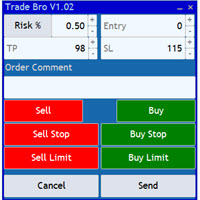
The Trade Bro tool helps you to calculate your positions size and place orders quickly. You no longer need to count ticks or do time consuming calculations. The easy to understand graphical panel is designed to interact with the chart of your symbol perfectly. Please leave a 5 star rating if you like this free tool! Thank you so much :)
List of Inputs: <Graphic> InpFontSize: FontSize of the text of the trading panel. InpShowLinesRight: When set to true the entry, TP and SL lines will be oriente
FREE

Attention: You can view the program operation in the free version YuClusters DEMO . YuClusters is a professional market analysis system. The trader has unique opportunities to analyze the flow of orders, trade volumes, price movements using various charts, profiles, indicators, and graphical objects. YuClusters operates on data based on Time&Sales or ticks information, depending on what is available in the quotes of a financial instrument. YuClusters allows you to build graphs by combining da

News Filter EA: Advanced Algo Trading Assistant News Filter EA is an advanced algo trading assistant designed to enhance your trading experience. By using the News Filter EA , you can integrate a Forex economic news filter into your existing expert advisor, even if you do not have access to its source code. In addition to the news filter, you can also specify trading days and hours for your expert. The News Filter EA also includes risk management and equity protection features. MT4 Version
Ma

MT5 to Telegram Signal Provider è un'utilità facile da usare e completamente personalizzabile che consente l'invio di segnali specificati a una chat, canale o gruppo Telegram, rendendo il tuo account un fornitore di segnali. A differenza della maggior parte dei prodotti concorrenti, non utilizza importazioni DLL. [ Dimostrativo ] [ Manuale ] [ Versione MT4 ] [ Versione Discord ] [ Canale Telegram ] New: [ Telegram To MT5 ]
Configurazione Una guida utente passo-passo è disponibile. Nessuna cono

Strumento di Posizione di Trading e Backtesting:
Lo "Strumento di Posizione di Trading e Backtesting", anche conosciuto come "Strumento Rapporto Rischio/Rendimento", è un indicatore completo e innovativo progettato per migliorare la tua analisi tecnica e le tue strategie di trading. Lo strumento di Rischio è una soluzione completa e user-friendly per una gestione efficace del rischio nel trading forex. Con la possibilità di visualizzare le posizioni di trading, inclusi il prezzo di ingresso, l
FREE

COPYLATOR – MT5 Trade Copier Key Highlights Multi-Sender / Multi-Receiver Trade Replication – supports one-to-many, many-to-one, and many-to-many configurations, with complete real-time copying of market orders, pending orders, SL, and TP. Advanced drawdown protection – closing, blocking, pending-order deletion, manual and automatic reset mechanisms. Automatic symbol mapping – finds correct symbols, alerts if missing, allows manual override. Hedging & Netting support – auto-detected, no manual s

Chart Drawing Toolkit is a complete drawing and chart-analysis workspace for MetaTrader 5 . It places more than 50 drawing and markup tools in one fast, clean panel that docks to the edge of your chart, so every manual analysis tool you need is a single click away. It runs as an indicator, so it works alongside your Expert Advisors and other indicators on the same chart. Overview
The toolkit combines a docking sidebar, a quick tool flyout, a pinned tools bar, a live properties bar for the select
FREE

SAFETYLOCK for MetaTrader 5 — sistema premium di blocco protettivo e gestione del rischio SAFETYLOCK for MT5 è una utility professionale per MetaTrader 5 che crea automaticamente un ordine pendente protettivo opposto per una posizione già aperta. Quando un trader o un altro Expert Advisor apre una posizione, SAFETYLOCK può posizionare un Buy Stop o Sell Stop protettivo alla distanza specificata. Se il mercato si muove contro la posizione originale, questo ordine viene attivato e forma una strutt

Pannello di trading per MetaTrader 5 — controllo professionale del trading in un clic dal grafico e dalla tastiera Un pannello di trading avanzato progettato per trader attivi, pensato per aprire, gestire e chiudere operazioni molto più velocemente rispetto all’interfaccia standard di MetaTrader. Questa soluzione è dedicata a chi desidera controllare posizioni, ordini pendenti, profitto totale ed esecuzione da un unico spazio di lavoro professionale. Non si tratta di un semplice utilitario. È u

EchoTrade Telegram to MT5 Copier Seamless, Instant, and Reliable Signal Copying - Direct from Telegram to MetaTrader 5!
The product does not run in the strategy tester but you can get free trial version here for testing before purchase.
Tired of manually executing trades from Telegram signals? EchoTrade automates the process, instantly copying trades from any Telegram channel or group directly into your MT5 account—accurately, efficiently, and without delay. Key Features: Universal Compatibi
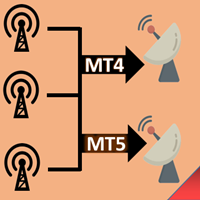
Copiatrice->Interazione dell'interfaccia comoda e veloce, gli utenti possono utilizzarla subito ->>>> Si consiglia di utilizzarlo su computer Windows o VPS Windows Funzioni di base: La velocità di interazione normale del copy trading è inferiore a 0,5 s Rileva automaticamente le sorgenti del segnale e visualizza un elenco degli account delle sorgenti del segnale Abbinamento automatico dei simboli, il 95% dei simboli di trading comunemente utilizzati su diverse piattaforme (casi speciali co

Questo prodotto filtra tutti gli esperti consulenti e i grafici manuali durante il periodo delle notizie, così non dovrai preoccuparti di improvvisi picchi di prezzo che potrebbero distruggere le tue impostazioni di trading manuali o le negoziazioni effettuate da altri esperti consulenti. Questo prodotto viene fornito anche con un sistema completo di gestione degli ordini che può gestire le tue posizioni aperte e gli ordini in sospeso prima della pubblicazione di qualsiasi notizia. Una volta che

Ultimate Extractor - Professional Trading Analytics for MT5 *****this is the local HTML version of Ultimate Extractor. !!!!!it is not compatible with Cloud!!!! For the online version please reach out to me directly****** Ultimate EA manager also now available when you use cloud pro and above for free!!
Ultimate Extractor transforms your MetaTrader 5 trading history into actionable insights with comprehensive analytics, interactive charts, and real-time performance tracking. What It Does Automa

AI Agent Supervisor is NOT an Expert Advisor. AI Agent Supervisor is a multi-agent AI risk & portfolio supervisor that watches every EA on your account and intervenes in real time.
WANT AN AI PORTFOLIO MANAGER WATCHING YOUR FLEET 24/7? Run your fleet on the same brokers I do: IC MARKETS , IC TRADING . Unlike the centralized stock market, Forex has no single, unified price feed. Every broker sources liquidity from different providers, creating unique data streams. The Supervisor r

Scarica la demo funzionante
Copy Cat More (Gatto Copione) — Copiatore di Trade (Trade Copier) MT5 è un copiatore locale di trade e un framework completo di gestione del rischio e di esecuzione, progettato per le sfide di trading di oggi. Dalle challenge delle prop firm alla gestione di portafogli personali, si adatta a ogni situazione con una combinazione di esecuzione robusta, protezione del capitale, configurazione flessibile e gestione avanzata dei trade. Il copiatore funziona in entrambe l

RS Trade Copier - il local trade copier ultra-veloce con una vera interfaccia grafica. Smetti di inserire i numeri di conto manualmente. Addio alle interminabili liste di oltre 200 parametri nelle impostazioni. Uno strumento affidabile e flessibile per copiare operazioni di trading tra multipli terminali MT5 e MT4. È adatto sia a trader esperti e servizi di segnali, sia a investitori privati. Permette di sincronizzare il trading da uno o più Fornitori a uno o più Clienti con elevata precisione e

Trade Sentinel MT5 is a manual trading panel for MetaTrader 5. It combines the usual trade manager functions (one-click orders, lot size from risk, draggable Entry, SL and TP lines, breakeven, trailing, partial closes) with a basket manager that handles several positions as one trade, and an equity monitor with daily and total loss limits. The user guide is published on the MQL5 blog: https://www.mql5.com/en/blogs/post/773646 . Support is available through the product comments or the mql5.com me

EA Local Trade Copier Pro MT5: The Ultimate DLL-Free Trade Duplicator Are you tired of complicated trade copiers that require unsafe external DLLs, crash your terminal, or confuse you with separate "Master" and "Client" files? Experience the next generation of trade copying with EA Local Trade Copier Pro MT4. Engineered for maximum stability, lightning-fast execution, and ultimate simplicity, this utility allows you to seamlessly copy trades between multiple MetaTrader terminals on the same Wind

Trade Utility Pro is a bot utility designed to help you manage trades more easily, quickly, and accurately. This utility features a control panel interface and supports MetaTrader 5 exclusively. This utility does not link to any account information or external sources, ensuring safety. Main Features: Open Trade Support: Lot size calculation Fixed Lot: Custom input lot required Money Risk Lot: Automatically calculated based on stop loss and money risk Account % Risk Lot: Automatically calculated
FREE

Risk Panel is an on-chart position sizing, order execution and trade management utility for MetaTrader 5. It is built for discretionary traders who choose their own entries but want to calculate volume, prepare orders and manage positions directly from the chart. The panel does not provide trading signals and does not choose when to trade. How it works Enter the amount you want to risk, in money or as a percentage of your balance or equity. Position the Stop Loss and Take Profit lines on the cha

https://www.mql5.com/en/blogs/post/768319 Tasti di Scelta Rapida i - Pannello di Controllo dell'EA. E - Assistente di Trading. G - Pannello delle Performance J - Pannello del Filtro Notizie B - Acquisto. S - Vendita. 1-2-3 - Acquisto (lotti personalizzabili) 4-5-6 - Vendita (lotti personalizzabili) L - Buy Limit. M - Sell Limit. U - Buy Stop. N - Sell Stop. Q - Rimuove lo Stop Loss. W - Rimuove il Take Profit C - Chiude tutte le posizioni aperte. X - Chiude una posizione specifica. Z - Annulla t

Averager per MetaTrader 5 — sistema professionale di mediazione e gestione di serie di posizioni Un Expert Advisor potente, progettato per mediare posizioni entrate in drawdown, con la possibilità di aprire operazioni aggiuntive sia nella direzione del trend sia contro trend. Questo prodotto non è un semplice strumento di mediazione, ma una soluzione flessibile per gestire una serie di operazioni, migliorare il prezzo medio di entrata e portare l’intero paniere verso un punto di uscita comune i

The Trade Manager Interface is a free utility designed to simplify manual trading in MetaTrader. MT4 Version Available Manual +Free Strategy Gold Breakout Engine Please leave a review, if you like the trade manager.
It allows traders to visualize trades directly on the chart, calculate position size automatically, and manage orders with advanced features such as partial take profits, automatic breakeven, and trailing stops. For more advanced features check out: ManHedger This
FREE

Veloce. Preciso. Innovativo. Tecnologico. Scopri la copia istantanea delle operazioni con il rivoluzionario X2 Copy MT5. Con solo 10 secondi di semplice installazione, otterrai un potente strumento per sincronizzare le operazioni tra i terminali MetaTrader su un singolo computer o Windows VPS con una velocità senza precedenti. Che tu gestisca più account, segua segnali o espanda la tua strategia, X2 Copy MT5 si adatta al tuo flusso di lavoro con una precisione e un controllo senza pari. Lavora p
Trade Simulator non è solo un pannello di trading. Ti consente di esercitarti nel trading realistico utilizzando dati storici, con un controllo interattivo del grafico. Puoi piazzare ordini, regolare i livelli di stop e monitorare i risultati come se fossi in un'operazione reale. È inoltre possibile inserire e gestire ordini direttamente nel Strategy Tester di MT5. Lo stesso strumento e interfaccia possono essere utilizzati anche sui grafici live per il trading reale. Per informazioni dettagliat
FREE

Presentazione del OrderManager : un rivoluzionario strumento per MT5 Gestisci le tue operazioni come un professionista con il nuovissimo utility Order Manager per MetaTrader 5. Progettato pensando alla semplicità e alla facilità d'uso, Order Manager ti permette di definire e visualizzare senza sforzo il rischio associato a ogni operazione, consentendoti di prendere decisioni informate e ottimizzare la tua strategia di trading. Per ulteriori informazioni sull'OrderManager, si prega di consultar

This non-trading expert utilizes so called custom symbols feature ( available in MQL API as well) to build renko charts based on history of real ticks of selected standard symbol. RenkoFromRealTicks generates custom symbol quotes, thus you may open many charts to apply different EAs and indicators to the renko. It also transmits real ticks to update renko charts in real time. The generated renko chart uses M1 timeframe. It makes no sense to switch the renko chart to a timeframe other than M1. T

EA Risk Manager is a professional risk‑management Expert Advisor designed to protect your trading account and enforce disciplined money management. The EA does not open trades by itself – it only monitors and manages all existing positions (manual and automated) on the account.
It is especially useful for traders who want to:
Hard‑limit daily / weekly / monthly losses and profits.
Restrict lot size and the number of open trades.
Trade a basket of G7‑related Forex pairs using one centralized

EA Auditor is an independent analysis tool for traders evaluating Expert Advisors and trading signals on MetaTrader 5. It audits backtest reports, reviews posted developer signals, and cross-verifies the two against each other to help traders assess strategies before committing capital.
The MQL5 market offers a wide range of Expert Advisors from many developers, with varying approaches, quality, and transparency. EA Auditor provides a consistent, data-driven framework for reviewing them, answer

Trade Manager per aiutarti a entrare e uscire rapidamente dalle operazioni calcolando automaticamente il tuo rischio. Incluse funzionalità che ti aiutano a prevenire l'eccessivo trading, il vendetta trading e il trading emotivo. Le operazioni possono essere gestite automaticamente e i parametri di performance del conto possono essere visualizzati in un grafico. Queste caratteristiche rendono questo pannello ideale per tutti i trader manuali e aiuta a migliorare la piattaforma MetaTrader 5. Suppo

Il Global Investing FX Terminal è una dashboard FX tutto-in-uno per MetaTrader 5 — tassi di politica monetaria delle banche centrali, posizionamento COT del CFTC, ranking carry, sorprese economiche, skew delle opzioni, sentiment retail e correlazioni, tredici pannelli in totale — resa su un singolo overlay canvas privo di sfarfallio e aggiornata ogni 10 secondi da un singolo EA allegato. Nessun software esterno richiesto. L'analisi FX professionale richiede accesso simultaneo a dati che normalme

Da Telegram a MT5: la soluzione definitiva per la copia del segnale Semplifica il tuo trading con Telegram su MT5, il moderno strumento che copia i segnali di trading direttamente dai canali e dalle chat di Telegram sulla tua piattaforma MetaTrader 5, senza bisogno di DLL. Questa potente soluzione garantisce un'esecuzione precisa dei segnali, ampie opzioni di personalizzazione, fa risparmiare tempo e aumenta la tua efficienza. [ Instructions and DEMO ] Caratteristiche principali Integrazione d

# Zikiman Risk Panel Pro — Gestore del rischio MT5, calcolatore lotti e Trade Manager
Zikiman Risk Panel Pro è un EA di gestione del rischio per MT5 dedicato al trading manuale. Riunisce in un unico flusso sul grafico un gestore del rischio per MT5, un calcolatore della dimensione del lotto, un calcolatore della dimensione della posizione, un calcolatore del rischio, un pannello di trading, un gestore delle operazioni e un gestore delle posizioni.
Sei tu a scegliere direzione, rischio e livel
Scopri come acquistare un robot di trading dal MetaTrader Market, il negozio di applicazioni per la piattaforma MetaTrader.
Il sistema di pagamento di MQL5.community supporta le transazioni tramite PayPal, carte bancarie e gli altri sistemi di pagamento più diffusi. Per essere pienamente soddisfatto, ti consigliamo vivamente di testare il robot di trading prima di acquistarlo.

Ti stai perdendo delle opportunità di trading:
- App di trading gratuite
- Oltre 8.000 segnali per il copy trading
- Notizie economiche per esplorare i mercati finanziari
Registrazione
Accedi
Accetti la politica del sito e le condizioni d’uso
Se non hai un account, registrati