 MetaTrader 5
 Experts
 Indicatori
 librerie
 Utilità
 Widget
 Regole
Guarda i video tutorial del Market su YouTube
Come acquistare un Robot di Trading o un indicatore
Esegui il tuo EA
hosting virtuale
hosting virtuale
Prova un indicatore/robot di trading prima di acquistarlo
Vuoi guadagnare nel Market?
Come presentare un prodotto per venderlo con successo
Utilità di trading per MetaTrader 5 - 32
 Di seguito sono riportati i programmi di trading che semplificano il trading in MetaTrader 5. Passa il mouse su un'utilità per leggerne la descrizione e la sua funzione.
Utility Description: Auto TP & SL Manager for XAUUSD Overview The Auto TP & SL Utility is an automated Expert Advisor (EA) designed specifically for MetaTrader 5 (MT5). Its primary function is to monitor your open positions in real-time and automatically apply Stop Loss (SL) and Take Profit (TP) levels if they are missing. This is particularly crucial for volatile assets like XAUUSD (Gold), where price swings occur rapidly. Key Features Instant Protection: Automatically detects any manual or EA-
FREE
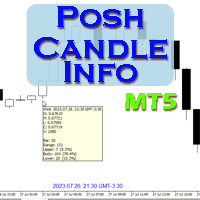
Show candle info with: Time in selected timezone Bar number Candle range points Upper wick points and percentage Body points and percentage Lower wick points and percentage Mark large/small candle body with customizable line. Settings group: Broker and local timezone. Lookback bars for candle marking. Large candle body Small candle body Date and time info with auto position or custom the x and y coordinate.
FREE

Position Closer is advisor used to close all orders when the profit will cross specified value either above or below. You can close all orders with one button click.
On panel on chart you have options: Deactivate after close - If Deactivate after close is checked the advisor will disable Close above profit and Close below profit options after orders are closed either on crossing the profit or on hitting the CLOSE ALL button. Close above profit - If Close above profit is checked, the advisor wil
FREE

SL Line Lot Calculator answers one question before every trade: what lot size risks exactly the amount I chose? Drag the red SL line on the chart and the panel shows the lot immediately. An optional green TP line shows the reward and the reward-to-risk ratio. How it works Attach the indicator. A SL line and a TP line appear around the current price. Drag the SL line to your stop. Below the price means a BUY setup, above the price means a SELL setup. Read the lot size, the real money at risk afte
FREE

Price live on the Chart Description: The Real-Time Price Display is a powerful tool for MetaTrader 5 users that provides continuous updates of the current bid (SELL) and ask (BUY) prices directly on your trading chart. This script is ideal for traders who need to stay updated on market prices at a glance. Key Features: Live Price Updates : Displays the latest bid and ask prices for your selected trading symbol in real-time. Customizable Display : Adjust the horizontal and vertical position of th
FREE

Trading Performance Analyzer is a MetaTrader 5 utility designed to help traders review trading activity and manage positions from a single interface.
The tool combines performance statistics, trade history visualization and position management features inside a customizable on-chart panel. It can be used for monitoring trading results, analyzing behavior patterns and executing trades with predefined risk parameters. Features Performance Analytics The dashboard provides a set of metrics that hel
FREE

NIVELES FIBONACCI 1.14 — Proyección de niveles Fibonacci personalizados Este script para MetaTrader 5 permite calcular y dibujar automáticamente niveles de Fibonacci personalizados a partir de dos precios conocidos y sus correspondientes niveles Fibonacci. La herramienta utiliza una relación matemática lineal entre los dos puntos introducidos para proyectar cualquier nivel Fibonacci que el usuario desee. ¿Cómo funciona? El usuario debe introducir: Precio del Punto A Nivel Fibonacci asignado al P
FREE

Mentoria Individual — Manual Trading and Risk Management Mentoria Individual is a free manual trading and risk management tool for MetaTrader 5, developed by Gean Patrick. It combines automatic lot size calculation, order preparation, visual Stop Loss and Take Profit adjustment, and position management in an interactive panel integrated directly into the trading chart. Designed for traders seeking greater convenience and control over their operations, the tool does not provide trading signals o
FREE

One-Click Trade Manager for MetaTrader 5 The Close Manager Buttons EA is a powerful utility designed to give you full control of your open positions and pending orders with just one click.
Forget about manually closing trades one by one during fast market moves—this EA does it instantly, safely, and efficiently. Key Features Close All Trades – instantly close every open position Close Only Buy Trades – exit only BUY positions while keeping SELL trades running Close Only Sell Trades – exit only
FREE

With this indicator you have displayed on the chart the optimal lot size for the forex pair. No need for manual calculations or losing time on websites where you have to input the values to get the optimal lot size. The indicator values are preset for maximum percentage risk is 2% and for maximum pips loss is 50. For a customizable version you can buy using the this LINK . ATTENTION: This only works with forex pairs and it doesn't work on account deposits in YENS!!!!!!
FREE
TradeManagerEA — Full Trade Management Solution Overview (Short Description) The TradeManagerEA is a specialized Expert Advisor designed to manage open trades across all symbols. It provides automatic breakeven rules, trailing stops, and additional settings optimized for Gold (XAU/GOLD). This tool requires minimal user intervention and can enhance the consistency of your trading approach. Detailed Description 1. Core Features Breakeven Management : Automatically moves Stop Loss to entry price p
FREE

Trade. Allows you to perform basic trading operations in one click directly from the chart. Trading operations: Open Buy and Sell market positions with one click. Specify lot size manually before opening a trade. Set Stop Loss and Take Profit as price levels . Stop Loss and Take Profit are automatically initialized at a fixed distance from the current market price (default: ±50 pips , symbol-aware). Fully supports Forex, Metals (XAUUSD), Indices, and other MT5 symbols with correct price formatti
FREE

SC-Copier Master è il cuore del sistema SC-Copier. Si installa su MetaTrader 5 del conto Master e comunica con SC-Copier Slave , installato su un secondo client MT5 attivo sulla stessa macchina o VPS. In questo modo le operazioni del conto Master possono essere replicate sul conto Slave, semplice da configurare e facile da monitorare. Il Master monitora le operazioni aperte sul conto principale e comunica al Receiver ogni apertura, chiusura, chiusura parziale e modifica di Stop Loss o Take Profi
FREE

TeleSnap Telegram Broadcaster is an ultra-fast, lightweight MetaTrader 5 trade notification and chart broadcasting utility. It bridges your MT5 terminal directly to your Telegram channels, groups, and personal chats with zero latency. Whether you trade manually or execute trades through algorithmic Expert Advisors, TeleSnap monitors your open charts, captures HD screenshots with entry, stop loss, and take profit markers, and delivers them straight to your mobile device in under 300 milliseconds.
FREE

IN DEMO VERSION, "CLOSE BY PIPS & ALERTS" ARE DISABLED. FOR COMPLETE ACCESS PLEASE BUY. : https://www.mql5.com/en/market/product/58097 FIRST 10 COPIES AT 30 USD, NEXT PRICE WOULD BE 50 USD RISK AND TRADE MANAGER RISK AND TRADE MANAGER is an advanced trading panel designed for manual trading. Utility helps to manage trades effectively and efficiently with a single click. You can also try our high probability indicator HAWA Price Action HAWA Price Action WITH 90% WIN RATE
MT4 VERSION:
https:/
FREE

Daily Stop & Profit Daily Stop & Profit is a professional risk management Expert Advisor designed to automatically control your daily profit and loss limits , helping traders protect capital and lock in gains with discipline. This EA works independently of the trading strategy and can be used on any symbol and timeframe . Key Features Set Daily Take Profit and Daily Stop Loss
Limits can be defined in percentage (%) or currency (USD / EUR)
Automatic monitoring of daily results in real tim
FREE

PG Signal Sender sends every trade you take in MetaTrader 5 to your Telegram channel or group, automatically. You trade, your members get the signal in seconds. No copy and paste, no screenshots, no forgotten updates. WHAT IS SENT New trade: symbol, BUY or SELL, entry, Stop Loss, Take Profit and Risk:Reward. SL / TP update: sent as a reply to the original signal. Breakeven: "SL moved to breakeven" message as soon as you move the Stop Loss to entry. Closed trade: result in pips (or poin
FREE
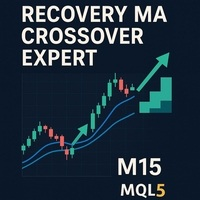
Recovery MA Crossover Expert — The ultimate trading solution that combines precision with power. This expert advisor uses a sophisticated Moving Average crossover system to detect market trends and enter trades with accuracy. Designed for traders seeking consistent daily profits and a smart recovery mechanism to bounce back from losses. Features: Daily trade opportunity based on clear MA cross signals. Automatic recovery : Lot size doubles after a losing day to reclaim losses effectively.
FREE

A script for quick reversing positions and/or orders. If you need to reverse a position with the same volume, open an opposite position of a different volume, this script will save you from routine! Allow AutoTrading before running the script. Instructions: Run the script on the chart. This script is a limited version of the market product https://www.mql5.com/en/market/product/638 and allows reversing only positions. Input parameters are not required. Parameters such as changing the type of exi
FREE

Обычная трейдец-сетка, но не имеет явного диапазона. Вместо диапазона, в настройках устанавливаются стоп-лоссы. Закрытие происходит по тейк-профиту, так же устанавливаются в настройках. Робот может торговать в любом направлении, как вверх или вниз, так и в обоих направлениях. Робот не проверяет баланс счета, а потому имеет очень высокий риск. По умолчанию стоят настройки для EURUSD пары (не самые лучшие). Рекомендуемый минимальный депозит $200. Имеется вторая версия в которой добавлены дополните
FREE

One-click breakeven management tool for manual traders.
FEATURES - Move all open positions to breakeven with one click - Close all positions instantly - Cancel all pending orders - Draggable dark-theme panel with collapse toggle - Configurable buffer in pips - Visual feedback on every action - Works with all symbols and account types
HOW TO USE 1. Attach to any chart 2. Panel appears with position count and buffer display 3. Click BREAKEVEN ALL to move SL to entry price plus buffer 4. Click C
FREE

RiskCompass Panel MT5 1. The Problem and the Approach You have a position idea, and the first real question is always the same: how much of this account am I about to put at risk, and can the account carry it. The information that answers that question is scattered across half a dozen windows. Balance is on one tab. Margin level is somewhere else. The spread you just paid is visible only if you look at the instrument row. The server day, which decides whether your daily loss limit has already be
FREE

An EA to export trading history for FXer - Journaling and Analytics. fxer.net Register Create an API token Put EA on any chart (any TF is fine) Fill in the API token Follow analytics for better trading At FXer, our mission is clear: to empower traders like you with the tools needed to excel in the ever-changing world of trading. We are committed to providing top-tier, data-driven market analysis and trading intelligence, ensuring you can make well-informed decisions, manage risks effectively, an
FREE

ExpertGain Risk Manager MT5 is a professional MetaTrader 5 utility designed to help traders manage risk, protect trading capital, and improve trading discipline. It is built for manual traders, semi-automated traders, prop-firm traders, forex traders, gold traders, and anyone who needs better control over daily losses, drawdown, trade exposure, and open positions. This utility does not open trades automatically and does not provide buy or sell signals. Instead, it focuses on responsible trade ma
FREE

"Statistics by magic pro" is a program that provides statistics after entering a magic number. You can simultaneously track up to 10 statistics for different magic numbers in one chart window. The program is very easy to use. The program should be run on any free chart. In the EDIT field on the chart, you should enter the magic number. Entering "0" will erase the statistics in that window. The operation of the program can be stopped by selecting the statistics off option. After selecting it, the
FREE

La maggior parte dei trader compra un EA o copia un segnale e non sa mai davvero cosa stia facendo al conto finché non arriva il drawdown. Trade Auditor te lo mostra, e ti permette di dimostrarlo. Cosa controlla Martingale. Dimensione della posizione che aumenta dopo una perdita - il classico killer del conto. Normalizzato sul saldo, così un normale aumento del lottaggio basato sul rischio non viene segnalato. Grid e averaging down. Aprire un'altra operazione nella stessa direzione a un prezzo p
FREE

Equity Target Stop is an automated utility designed to protect your profits and enforce strict capital management. It continuously monitors your account equity in real time and automatically closes all open positions as soon as your predefined profit target is reached. Key Features Automated Profit Securing: Automatically triggers a "Close All" command when equity reaches your specified target. Universal Account Protection: Works seamlessly across multiple open positions, pending orders, and dif
FREE

Risk Mirror is a read-only risk dashboard for prop firm challenge traders and funded account holders on MetaTrader 5. It watches your account and your open positions and does the risk arithmetic for you — daily loss limit, daily profit target, trailing drawdown, maximum drawdown and per trade position size — then shows the result on your chart. It places no orders, modifies no orders and closes no positions. Why read-only matters Many funded account programmes restrict or forbid expert advisors
FREE

SimPHash is a free script that automatically generates ultra-fast conversion functions from a string to a value: it can be a simple type (integer, double, ulong, etc.) or an index into your own array or struct when the value you need is more complex. Instead of using a HashMap, a linear array with a search, or an endless chain of if / switch, SimPHash builds a Perfect Hash table at design time: a function that resolves each known key in a handful of arithmetic operations and a single array acces
FREE

Auto Position Manager is a unique services application of its kind across the entire MQL5 market, setting new standards for applications of this type. The Services app is a compact but powerful tool that significantly impacts the entire system. Its user-friendly interface and start-stop system make it excellent for automating repetitive tasks. Once it's set up, the service can be toggled on or off with a single click. Crucially, the configuration persists even if the platform is turned off and
FREE

MANAGER – Position Taker | Pannello di gestione operazioni per MT5 Pannello avanzato progettato per gestire e ottimizzare posizioni già aperte senza la necessità di modifiche manuali o calcoli complessi. Consente al trader di concentrarsi sull’analisi mentre il sistema gestisce azioni come chiusure parziali, break even, trailing stop e chiusura totale delle posizioni. Funzioni principali Chiusura parziale configurabile Break Even automatico Trailing Stop Chiusura totale con un clic Monitoraggio
FREE

TradeSync One MT5 El Copiador Local de Operaciones Ultra-Rápido para MetaTrader 5 TradeSync One es un copiador profesional de operaciones desarrollado completamente en MQL5 nativo , diseñado para traders profesionales, gestores de cuentas y usuarios de Prop Firms que necesitan máxima velocidad, estabilidad y precisión . A diferencia de los copiadores tradicionales que dependen de WebRequest, servidores externos o DLLs pesadas , TradeSync One utiliza un sistema de comunicación 100% local , op
FREE

TradingTimeControl is a utility implemented as an Expert Advisor for MetaTrader 5. It automatically closes all open positions and deletes pending orders at a specified time each day. This tool is designed for traders who need to automate position management with flexible settings. Key Features Closes positions and orders at the specified time ( CloseHour , CloseMinute ) daily. Allows you to change the closing time at any moment, applying new settings immediately. Supports MagicNumber : 0 for al
FREE

Purse Guard v1.00 — User Manual 1. What Purse Guard Does Purse Guard is a trailing stop manager, Stop Loss manager, trade manager, and position-management utility for MetaTrader 5. It provides practical risk management for existing trades by managing Stop Loss on open positions with two conventional trailing methods: Points Trailing — a fixed-distance points trailing stop that follows price by a selected number of MetaTrader 5 points. Candle Trailing — a candle trailing stop that follows the st
FREE

Volume Flow Binance! Hai mai immaginato di poter accedere ai times and trades della tua criptovaluta preferita, con dettagli sul flusso dei volumi e sull'analisi dei movimenti di prezzo, anche se il tuo broker non offre un accesso completo alla cronologia delle transazioni? Con Volume Flow Binance , ora è realtà! Questo script in MQL5 è stato progettato per i trader di criptovalute che cercano una visione dettagliata della dinamica del mercato in tempo reale. Caratteristiche princ
FREE

Questa utility consente di passare da un simbolo all'altro. Basta inserire i tuoi ticker preferiti negli input. É possibile personaljzzare fino a 5 simboli.
Tasti di scelta rapida: navigare fra i symboli: A -Avanti D -Indietro
Inputs Puoi configurare i tuoi tasti preferiti per passare da un simbolo all'altro È possibile personalizzare il colore di sfondo e il bordo dei pulsanti
Puoi personalizzare le label: dimensione e carattere
FREE

TDO is a free utility for optimizing the Trading Direction indicator. In addition to signals for trading, the indicator also has an information vector that fully provides all the statistical information on the operation of the indicator; this effect can be used to ensure that the indicator is automatically optimized. You just need to select the instrument and timeframe and specify the hourly interval in the utility settings and drop it on the chart chart. That's all, now we are waiting for the
FREE
The VR Orders History script is designed to upload a trade report to a csv file. This format is intended for additional analysis of trading history in programs such as EXCEL, Openoffice, and Libreoffice. Thanks to the script, it is now much easier for a trader to analyze their trading history. The program facilitates the analysis of the trading history for the MetaTrader 5 terminal. The trader sees structured trading. The entire report is based on the following principle: Position > Order on the
FREE

The Calendar News Indicator is your essential tool for informed trading, offering real-time updates on economic events and financial news. Here’s what it brings to your trading strategy: Real-Time Updates: Stay ahead with immediate notifications of key economic indicators, central bank announcements, and geopolitical events that impact the markets. Global Coverage: Track economic events from markets around the world. Whether you’re trading forex, stocks, or commodities, you’ll get the global
FREE

The SmartTrader Panel is a powerful and intuitive trading panel designed to streamline trade execution and risk management in MetaTrader. With its sleek and user-friendly interface, traders can quickly manage their positions, calculate risk metrics, and execute trades with precision. Key Features: One-Click Trading: Easily place Buy or Sell orders with a single click.
Risk Management: Automatically calculates risk percentage, risk-reward ratio, and potential profit/loss.
Customizable Trad
FREE

Dashboard Premium Pro – Account Dashboard & Close All Panel for MT5 Dashboard Premium Pro puts everything you need to monitor your account in one clean panel on your chart: floating profit, daily results, buy/sell exposure, your last closed trade and real-time drawdown. One click closes every position, and a pause switch lets your own Expert Advisors know when to stop opening new trades. What the dashboard shows Floating P/L Current open profit or loss for the whole account, in large green or re
FREE

UMNi-NTFY MT5 Telegram Notification System UMNi-NTFY is a lightweight Telegram notification tool for MetaTrader. It monitors trading activity and delivers fast, structured alerts directly to your phone — keeping you connected to your system without watching charts. KEY FEATURES Trade Open alerts (Entry, SL, TP) Trade Close alerts (P&L outcome) Session summaries System Online / Offline status Clean, structured message format Works with all symbols and timeframes Compatible
FREE

MATTRIX Position Monitor An 8x8 currency matrix dashboard that gives you a live overview of all your open positions across the 28 Forex majors in one compact panel. Designed for traders who manage multiple currency exposures and want to see direction, hedging, profit, and risk at a glance.
WHAT YOU SEE: The 8x8 matrix is organized by the Big8 currency hierarchy: EUR, GBP, AUD, NZD, USD, CAD, CHF, JPY.
- Lower triangle (28 cells): one cell per Forex major pair Cell color = direction:
FREE

PropFolio Copy trading Hub Pro MT5 Slave: Cross-Platform Trade Copier Lightning-Fast Execution & Precision Risk Scaling for Retail and Prop Firm Traders The PropFolio Copy trading Hub Pro MT5 Slave is the receiving engine of the ultimate trade management ecosystem. Designed to work exclusively with the PropFolio Copytrading Hub Pro Master EA, this high-performance bridging tool allows you to instantly replicate trades across multiple accounts and platforms with sub-millisecond precision. Whethe
FREE

Free Access for the First 10 Downloads!
I'm giving away this panel completely free to the first 10 traders who download it. After that, a price will be added.
If you're one of the lucky first 10, please leave an honest review and any questions you have – your feedback means the world to me. Thank you in advance!
Overview Peril Trader is a trading panel designed to assist with the execution of a dual pending order breakout strategy. The panel places a Buy Stop order above the current market
FREE

Stop Guessing Your Lot Size. Trade With Defined Risk. Order Management Script is a FREE risk-management utility that automatically calculates your lot size, Entry, Stop Loss, and Take Profit based on your predefined trading rules. No manual position-size calculations.
No repeated SL/TP calculations.
Just define your risk and trading setup. KEY FEATURES Automatic Lot Size Calculation
Calculate the correct position size using: • Fixed monetary risk
• Percentage of account equity Multip
FREE

This indicator like small script only attach on any chart. It will export All symbol name and property to CSV file. Location at MQL5/File/Data/ Format CSV Pattern like ["Symbol","Category","Sector","Industry","Description"] Example : "USDX","","Indexes","Undefined"","US Dollar Index" "Coffee","","Commodities","Commodities - Agricultural"","Coffee Cash Contract" "Airbnb_Inc_(ABNB.O)","","Communication Services","Internet Content & Information"","Airbnb Inc" "Akamai_Technologies_(AKAM.O)","","Tech
FREE

The Co-Pilot is a simple trade management system designed to be the quickest way from your strategy to the market. It is optimized for single trade setups that might be short, medium or long term. The program allows you to set your trade setup directly from the chart using graphical objects, set your risk apetite and even provides oppurtunity for partial closes. It also has a built in alert system that keeps you informed on the actions taken by the copilot when youre offline.
It is designed to b
FREE

Why You Need VLine Alarm
Stop Missing Trade Setups.
News events, session opens, key timeframes - they all happen whether you're watching or not. VLine Alarm keeps you on point.
Set It Once. Forget It.
Drag a line. Walk away. Get alerted. No babysitting charts. No missing opportunities because you switched timeframes or stepped away.
The Problem It Solves:
You know that moment when you realize the news already hit 5 minutes ago? Or you miss the London open because you were analyzing the daily cha
FREE

Proton Account Dashboard MT5
OVERVIEW Proton Account Dashboard MT5 is a utility for MetaTrader 5 that displays real-time account information on the chart. The dashboard shows key account metrics without requiring navigation to the account settings menu. This tool is designed for traders who want immediate visibility of account status while maintaining focus on price action.
PRIMARY FUNCTION The utility displays critical account metrics in a dedicated panel attached to the chart. All values up
FREE

Posh Sessions is indicator which displays sessions in broker time or your local time. You can set up to 5 sessions, assign name, start time, end time and color of each session. There is session's range to help you make a chart analysis.
Settings for a session: Show: To show or not the session on chart Title: The title/name of the session Timezone: Select between broker or local time to implement the session's period Start time: The session start time End time: The session end time Co
FREE

ENGLISH DESCRIPTION CampTrader Tools is a trade management utility designed for MetaTrader 5. The tool helps traders manage existing positions by applying configurable trade management features such as stop loss, take profit, trailing stop, and position averaging. It is intended to assist with trade management and does not provide trading signals or guarantee trading results. FEATURES — AUTOMATIC SL & TP —
The tool can automatically apply stop loss and take profit levels to positions that do no
FREE

The AllClosedMT5 utility in the form of an expert. The utility is designed for closing all open positions simultaneously based on the total profit (in the deposit currency) of all open positions. The utility can be attached to any chart with any trading instrument.
Parameters Profit - the total positive profit in the deposit currency, at which all open positions are closed (profit). Stop - the total negative profit in the deposit currency, at which all open positions are closed (loss). The valu
FREE
如果产品有任何问题或者您需要在此产品上添加功能,请联系我 Contact/message me if you encounter any issue using the product or need extra feature to add on the base version.
Session TakeProfit StopLoss is basically helping to set the take profit and stop loss in dollar for the total open orders (session). Once the total profit is greater than session_tp or less than session_sl, the EA will help to close all open orders acting similarly to a take profit/stop loss for a single order.
Inputs session_tp: session take profit ses
FREE

Easy to use Trade Panel that I personally use for my personal trading and trade copying. For Trade copy: This is the Slave Script, you need the extra Master Panel. Search for "Trading Panel and Copier"
Functions of the Master Panel: Automatic Lotsize calculation via given risk in % Buy and Sell Mode Manage Core and Addon Positions Limit Order Function Stop Loss and Limit Lines Hotkeys Close last Trade Close all Trades Manual SL price Manual TP price Manual Limit price Trade Copy via slave scri
FREE

Manual Trading Panel is a simple, efficient and intuitive graphic tool that provides a controls to open, close and manage all your orders in MetaTrader 5. It is very useful in case you have to interact with other EA adding another position or delete all positions in a specific direction or all of themes. This EA can not be tested on strategy tester. In case of usage please try its functions on demo account before running on live trading. Functions presented to this version: Interacts only with p
FREE

OnBoard stats is a panel that show in a single view a lot of usefull information about working orders and trading account. It has 4 different sub-panels (from left to right): Symbols order statistics : it can be found symbols for which there are orders (market or pendings). Symbol with pendings are colored with "Pendings color". Clicking on a specific symbol row, chart will be changed to that symbol. Current symbol statistics : informations about the "current" symbol, the one which is opened in
FREE

Tired of laggy panels with a bunch of unnecessary buttons? This linker is designed for those who value clean graphics and speed. Nothing extra - just instant switching of tools in one click
Advantages: - Solves the main problem of the Meta Trader terminal - inconvenient and slow switching of charts -Not overloaded with unnecessary functionality - Works lightning fast -Easy to install and configure -Can be customized to suit your chart color scheme
This is the free Lite version. The difference
FREE
Background This product is a practical tool to check the market based on the cycle theory. When you analyze multiple cycles of a symbol and add multiple charts on the secondary screen, when you need to view the multi cycle charts of other symbols, you cannot switch quickly, which will increase a lot of time cost. This product can quickly switch the symbol displayed in the chart in the sub screen, and the application template remains unchanged, and the placement position will not change, which g
FREE

A ticker that shows the average bitcoin price of the selected currency and keeps updating it at regular intervals. PRO version updates more often and displays details about the price change! Make sure you have added the API address http://metakod.com/mk/api in the list of allowed URLs on tab Tools → Options → Expert Advisors. All of the supported currencies and the API address are listed in the screenshots below.
Inputs Logging level - Controls the amount of details written to the log (default:
FREE

ENGLISH DESCRIPTION (MQL5 Standard Optimized) Product Name: TWolf Receiver MultiStation V2.29B (MT5) [Subtitle: Zero Orphan Code | Auto-Retry Engine | Emergency Equity Protector] TWolf Receiver MultiStation V2.29B is an elite Client-Side Execution Bridge . It is explicitly designed to function as a "Receiver Station" for signals broadcasted via the official Astracodewolf Bridge Channel . Important: This EA does not generate trading signals independently. It is a high-speed execution protocol tha
FREE

Account Sentinel MT5 FREE – Simple Account Monitor Monitor your MT5 account basics in real-time right on your chart! See Balance, Equity, Free Margin, and Margin Level at a glance. Perfect for beginners checking risk without hassle. Key FREE Features: Clean dashboard updates every second Color alerts: Green for safe (Margin Level >80%), Yellow warning, Red danger Basic stats: Balance & Equity difference shown clearly Upgrade for More Power: FULL Version ($49): Add Used Margin, Drawdown %, Multi
FREE

PowerTech Execution SpeedTest
Professional benchmark utility engineered to measure, analyze, and log order execution latency directly on your MetaTrader terminal. Understanding your broker’s real-world execution speed is essential for scalpers, news traders, and EA users. PowerTech Execution SpeedTest performs automated, millisecond-accurate latency benchmarks across live or demo trading environments, eliminating guesswork regarding slippage and server responsiveness.
Core Benchmark Features
FREE

Time Panel: Server Time, Local Time and Open and closed clocks for TOKYO, London and New York.
Time Panel + Horizontal Bar: Server/Local + Main markets Sessions
Example: TIMES SERVER HH:MM:SS LOCAL HH:MM:SS TOKYO OPEN 00:00 - 09:00 UTC cls 02:34:15 LONDON CLOSED 08:00 - 17:00 UTC opn 05:12:33 NEW YORK OPEN 13:00 - 22:00 UTC cls 07:45:22
https://t.me/Tonic_Trades_Signals
FREE

Short description :
TheTrendHunterMax is a LIMITED VERSION tool that can be used either as a trading robot for automated trading or just a signal provider for manual trading.
As an EA, it uses the techniques we usually employ in trading like determining the highs and lows on the trading chart. With this, it determines the trend convergence and divergence in the chart. Combined with the volatility, price movements, it analyzes the possible order type that can be most profitable. By default,
FREE

*** Free Version: Maximum Lot 0.10 ***
CopyCopy: Smart Replication Manager for MT5 CopyCopy is the ultimate tool for those who want to replicate trades with complete autonomy. Many signals and EAs operate with minimum lots (0.01) that do not match your account size or your growth strategy. With CopyCopy, you turn this limitation into an opportunity, taking full control over volume and risk. The difference? You don't have to copy "all or nothing." You decide exactly where the orders come from.
FREE

TradeBridge EA — Automated Trade Execution for the MyFXRoom Community Important: TradeBridge EA is part of a 2-stage system built specifically for the MyFXRoom trading community. It will not function as a standalone EA. It works in conjunction with the MyFXRoom Bridge application to receive and execute trade alerts automatically. For information on accessing the Bridge, please visit the author's MQL5 profile. Overview TradeBridge EA is a professional automated execution layer for MetaTrader 5.
FREE

izi hedge is a tool that helps you manage risk, manage hedge orders and rebalance losing orders.
How it works It will place an order opposite to the order you placed with that currency pair. If the order you place is correct, the reverse order will be automatically deleted If the market unfortunately goes against your order and touches the hedge order, it will begin to calculate the hedging volume to limit the risk of the market going in reverse.
FREE

If you want something as below: Sell FOREX trading signal. Manage multiple accounts. Follow the trading from somebody. "TradeCopier_follow" and "TradeCopier_source" can help you! Features: Copying from one source (master) account to multiple follower (slave) accounts. Allow investor (read only) password for the source (master) account. There are no complicated settings and input parameters, everything is easy. Works with different Brokers. Works with different symbols (EURUSD_FX, eurusd_m, e
FREE

A fully automated, zero-input trailing stop-loss management utility designed specifically for Gold (XAUUSD) to lock in profits using dynamic milestones. Full Description Smart Trail SL is a specialized algorithmic trade-management utility designed for Gold (XAUUSD) traders who want automated, disciplined, and strict protective stop-loss enforcement without manual intervention. This utility features a hardcoded "Attack Mode" trailing engine. It completely removes the need for configuring complex
FREE
MetaTrader Market - i robot di trading e gli indicatori tecnici per trader sono disponibili nel tuo terminale di trading.
Il sistema di pagamento MQL5.community è disponibile per tutti gli utenti registrati sul sito MQL5.com che effettuano transazioni su MetaTrader Services. Puoi depositare e prelevare denaro usando WebMoney, PayPal o una carta di credito.

Ti stai perdendo delle opportunità di trading:
- App di trading gratuite
- Oltre 8.000 segnali per il copy trading
- Notizie economiche per esplorare i mercati finanziari
Registrazione
Accedi
Accetti la politica del sito e le condizioni d’uso
Se non hai un account, registrati