Trade copier MT5

4.59

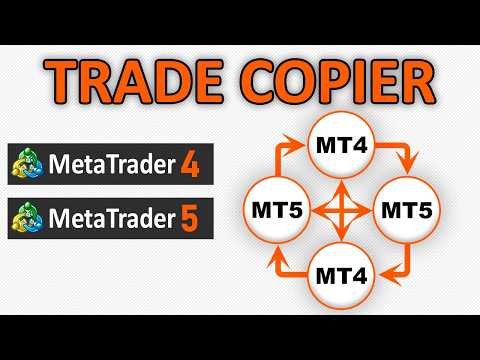
Trade Copier è un'utilità professionale progettata per copiare e sincronizzare le transazioni tra conti di trading. La copiatura avviene dal conto/terminale del fornitore al conto/terminale del destinatario, che sono installati sullo stesso computer o vps.

PROMOZIONE - Se avete già acquistato il "Trade copier MT5", potete ottenere gratuitamente il "Trade copier MT4" (per la copia MT4 > MT5 e MT4 < MT5). Per maggiori informazioni sulle condizioni, vi preghiamo di contattarci tramite messaggi privati!

Prima di acquistare, puoi testare la versione demo su un account demo. Versione demo qui.

Istruzioni complete qui.

Funzionalità e vantaggi principali:

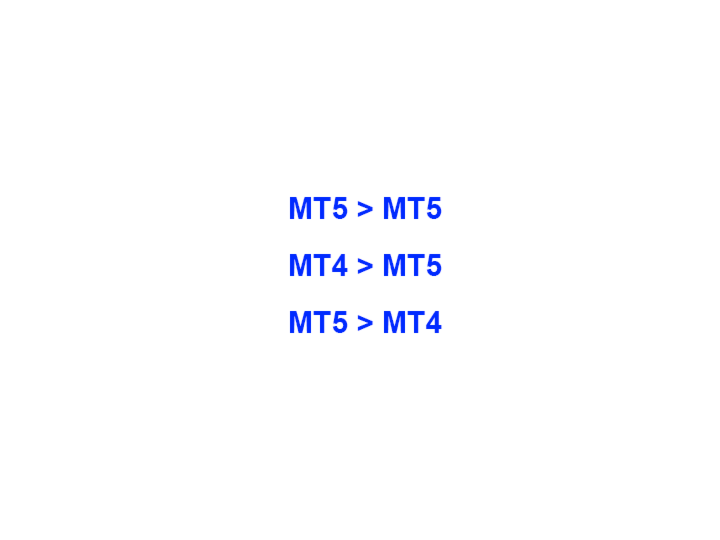
  • Supporta la copia degli ordini: MT5> MT5, MT4> MT5, MT5> MT4, inclusi i conti di compensazione MT5.
  • Supporta la copia degli ordini: Conto demo> Conto reale, Conto reale> Conto demo, Conto demo> Conto demo e Conto reale> Conto reale.
  • Supporta la copia dall'account dell'investitore in cui si applica la password di sola lettura.
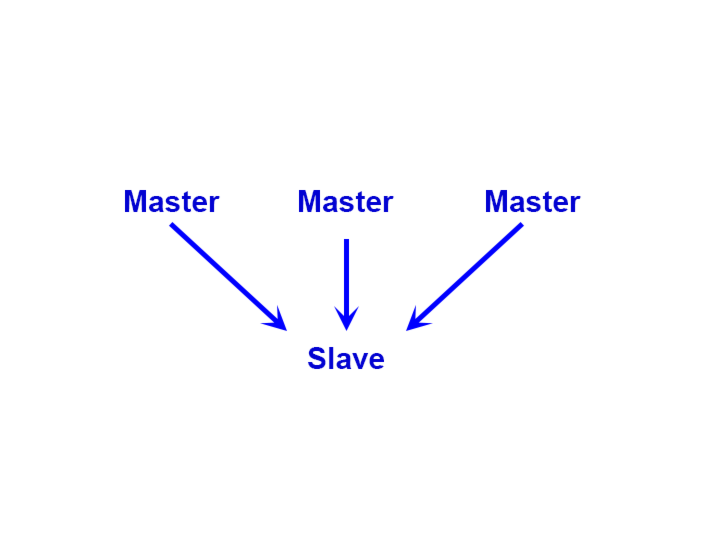
  • Un terminali-fornitori può inviare transazioni a più terminali-ricevitori, un terminale-ricevente può ricevere transazioni da più terminali-fornitori.
  • Può funzionare nello stesso terminale in cui tu o il tuo Expert Advisor state facendo trading.
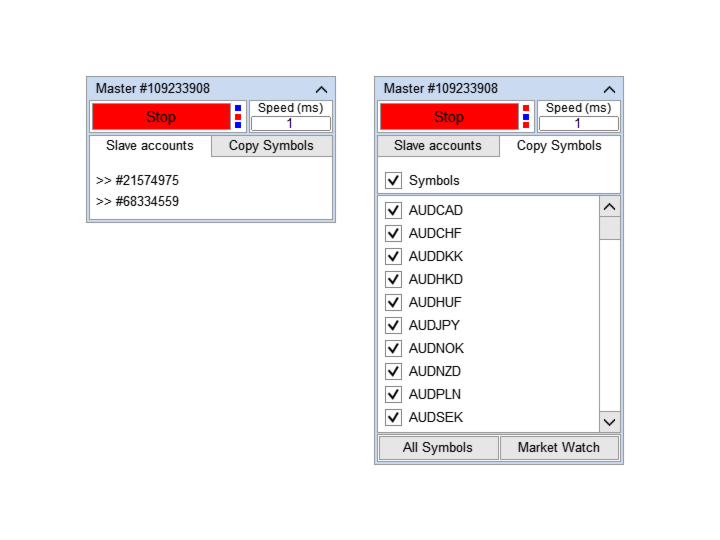
  • Include un pannello multifunzionale per una facile configurazione della copia e il controllo dello stato della copia.
  • Non perde le impostazioni e le offerte se la connessione viene persa o il terminale di trading viene riavviato.
  • Consente di selezionare i simboli da copiare e di modificarne il nome. Ti consente di copiare le offerte su diversi simboli, ad esempio GBPUSD> NZDCHF.
  • Supporta la copia a ritroso.
  • Filtraggio della copia per tipi di ordine.
  • Filtrazione della copia per commento dell'ordine.
  • Consente di impostare la differenza massima tra i prezzi di apertura delle operazioni (slippage) e il tempo massimo di ritardo.
  • Copia corretta della chiusura parziale.
  • Diversi modi per calcolare il lotto copiato.
  • Sincronizza SL e TP, ha diversi modi per calcolare la loro posizione.
  • Supporta il lavoro sui conti con esecuzione a mercato, dove SL/TP viene impostato solo dopo l'apertura di una posizione.
  • Può interrompere la copia quando viene raggiunta l'equità minima.
  • Può interrompere la copia quando viene raggiunto il drawdown massimo.

Come copiare le operazioni con semplici impostazioni

  1. Installa il terminale del fornitore e il terminale del destinatario sullo stesso computer o VPS.
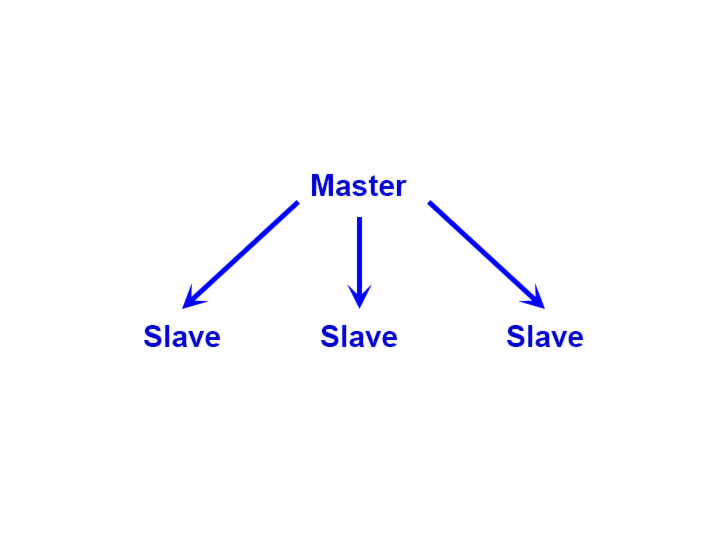
  2. Installa la fotocopiatrice in modalità "Master" sul terminale del fornitore e fai clic sul pulsante "Start".
  3. Installa la fotocopiatrice in modalità "Slave" sul terminale del destinatario.
  4. Seleziona il conto di trading "Master" dall'elenco a discesa nella copiatrice "Slave" e fai clic sul pulsante "Avvia".

#Tags: copy trades, copy orders, trade copier, order copier, fast copier.

Recensioni 60
hamzgo
171
hamzgo 2026.07.15 10:01 
 

This is a really great product. It's easy to use and has all the features you need. Don't buy another robot, just get this one.

amy lee
183
amy lee 2026.07.13 03:35 
 

The robot is very easy to use. It can communicate between MT4 and MT5 platforms, the panel is easy to understand, the setup is simple, and the author responds quickly to any questions.

cathyair
44
cathyair 2026.07.10 15:45 
 

Works Great! I love it

Prodotti consigliati
King Trade Copier
Mohammed Maher Al-sayed Mohammed Ahmed Saleh
KingCopier – Lightning-Fast Local Trade Copier for MetaTrader (Master + Slave) KingCopier is a professional local trade copier that mirrors every trading action from one Master account to unlimited Slave accounts on the same PC or VPS — with an internal copy latency of just a few milliseconds. It was built by a real trader for daily real-money use, with one goal: whatever happens on the Master must happen on the Slave, instantly and without exceptions. Watch the demo video to see the real cop
Copier Master RAlabs (receiver) and Copier Provider RAlabs (signal source) — a system for local copying of trades between MetaTrader terminals on a single PC/VPS. It consists of two products: Provider (signal source) and Master (receiver/copier with a control panel). Provider is installed on the donor account (the account whose trades are being copied) — it publishes the trades. Master is installed on the recipient account — it reads the donors and opens copies; it hosts the entire copy setting
QuickCopy – Simple MT5 Local Trade Copier with Volume Factor QuickCopy is a lightweight and efficient MT5 local trade copier designed for traders who want to copy trades between accounts on the same computer quickly and reliably. With its simple setup and intuitive interface, QuickCopy makes managing multiple accounts easier than ever. Key Features: Local Account Copying: Instantly copies trades from your master account to one or more client accounts running on the same computer. Volume Factor A
Trade Copier Pro for MT5
Kuldeep Krishnat Konde
MT5 to MT5 Trade Copier – Fast and Reliable Trade Copying Solution The MT5 Trade Copier is a powerful tool designed to copy trades seamlessly between MetaTrader 5 accounts with minimal latency and high accuracy. Built for speed, flexibility, and ease of use, the copier works across different brokers, even when symbols use different prefixes or suffixes. This Expert Advisor is suitable for professional traders, signal providers, fund managers, and traders who manage multiple accounts. Key Featur
Visual Risk Trade Manager
Ramesh Satyaprakash Pal
Visual Risk Trade Manager MT5 Professional Visual Trade Management for MetaTrader 5 Visual Risk Trade Manager MT5 is a powerful trade management utility designed for manual traders who want complete control over their positions directly from the chart. The tool provides visual risk analysis, position management, profit protection, and real-time trade monitoring without generating signals or opening trades automatically. Whether you are a scalper, day trader, swing trader, or prop firm trader, V
Auto Trade Copier for MT5
Vu Trung Kien
4.41 (27)
Auto Trade Copier is designed to copy trades to multiple MT4, MT5 and cTrader accounts/terminals with 100% accuracy. The provider and receiver accounts must be on the same PC/VPS. With this tool, you can copy trades to receiver accounts on the same PC/VPS. All trading actions will be copied from provider to receiver perfectly. This version can be used on MT5 accounts only. For MT4 accounts, you must use Auto Trade Copier (for MT4). Reference: - For MT4 receiver, please download Trade Receiver Fr
Copy your MT5 trades to accounts anywhere in the world with the   MetaToolsLab Master EA . Unlike local copiers that only work between terminals on the   same   PC or VPS, MetaToolsLab uses a secure cloud relay — so you can broadcast your trades to followers across   different computers, VPS providers, brokers, and continents , with   sub-second delivery   and   no broker passwords . Whether you're a signal provider, a multi-account trader, or an account manager, the Master EA installs in about
FREE
Trade Copier Professional — Soluzione di Copia Locale   Trade Copier Professional è un sistema affidabile di copia locale delle operazioni per MetaTrader 4/5. Consente ai trader di replicare istantaneamente posizioni su più conti nello stesso computer, con controlli di sicurezza integrati e un pannello professionale.   Panoramica   L’EA funziona sia in modalità Master che Slave da un unico file, con passaggio fluido tra le due. Le operazioni possono essere copiate tra terminali MT4 e MT5 senza
Trade Assistant 38 in 1
Makarii Gubaydullin
4.91 (23)
Strumento multifunzionale: Calcolatore di Lotto, Ordini Grid, Rapporto R/R, Gestore di Trade, Zone di Domanda e Offerta, Price Action e molto altro Versione Demo   |   Manuale Utente L'Assistente di Trading   non funziona nel tester di strategie : puoi scaricare la   Versione Demo QUI  per testare l' utilità . Contattami   per qualsiasi domanda  / idee di miglioramento / in caso di bug riscontrato Se hai bisogno di una versione MT4, è disponibile qui Semplifica, accelera e automatizza il tuo  
KC Trade Copier Pro is the ultimate local trade copying solution designed for high-performance trading on MetaTrader 5. Engineered for speed and reliability, it allows you to replicate trades between multiple accounts on the same PC or VPS with near-zero latency (1-5ms) . Whether you are a Prop Firm trader managing multiple funded accounts, a portfolio manager, or a scalper requiring instant execution, KC Trade Copier Pro offers a professional alternative to expensive monthly subscription servi
Copy Local Pro
Algori Systems FZ-LLC
Copy Local Pro — Ultra Fast MT5 Local Trade Copier Copy Local Pro is a high-speed local trade copier for MetaTrader 5 that instantly replicates trades between multiple MT5 accounts on the same PC or VPS. Overview Execute trades on one account and automatically copy them to multiple accounts in real time. The copier runs entirely locally, providing ultra-low latency, stable execution, and full control over risk management without external servers. Key Features Fast local trade copying with near-
Easy Trade Copy Client MT5
Krutik Piyushkumar Parekh
Easy Trade Copy (Client / Receiver) The easiest and most reliable way to copy trades to your account without missing a beat. If you want to copy trades from a master account to your own account, you need a tool you can trust. Most copiers glitch, miss trades, or accidentally open duplicates when your internet drops or your computer restarts. The Easy Trade Copy is built differently. It is a "smart" copier that double-checks every single trade to make sure your account perfectly matches the mast
Copy Trader for MT5   is a professional cross-terminal trade copier that instantly replicates every trade from a Master account to one or more Slave accounts running on the same PC. No third-party servers, no cloud subscriptions, no VPS required — it works entirely through MetaTrader 5's shared common folder, giving you near-zero latency copying between terminals.
Local Trade Copiier is a professional utility designed to copy and synchronize trades between trading accounts. With its easy 1-minute setup, this trade copier allows you to copy trades between multiple MetaTrader terminals on the same Windows computer with lightning-fast copying speeds of under 0.5 seconds. Whether you're a beginner or a professional trader, the Local Trade Copiier MT5 offers a wide range of options to customize it to your specific needs. It's the ultimate solution for anyone l
OneClick Trade Panel è uno strumento professionale per la gestione delle operazioni di trading che mette a portata di mano le funzioni essenziali. Progettato per i trader che necessitano di una gestione rapida ed efficiente delle operazioni, questo Expert Advisor (EA) semplifica le attività di trading complesse in operazioni con un solo clic. Questo strumento ti aiuta a gestire le tue posizioni aperte in modo più rapido ed efficiente rispetto ai metodi manuali tradizionali. Cosa fa questo EA
Server Link >> h ttps://www.mql5.com/en/market/product/160109 CopyTrade Slave is a lightweight, reliable local trade copier for MetaTrader 5 that mirrors positions from a Master account to one or more Slave accounts using a fast shared-file mechanism. It is designed for signal providers, account managers, and traders who need precise synchronization of trades with flexible delay and lot control. ​ Main concept Role: Works as the Slave side of a local copy trading setup and receives trades fr
SPECIAL LAUNCH OFFER: $30 (1-Month Rent) Limited time offer to build our community and gather feedback! AmbM GOLD Institutional Scalper A high-precision M5 algorithm for XAUUSD (Gold) , engineered to trade exclusively at Institutional Liquidity Levels ($5/$10 psychological marks). PERFORMANCE DATA (BUY ONLY) • Win Rate: 87.09%. • Safe Growth: +$4,113 profit on $10k (13.75% Max Drawdown). • Extreme Stress Test: Successfully generated +$22,997 in a 5-year stress test (2020-2026), proving
Copy Trade PRO - Slave EA (FREE with Master EA) Receive Trades Automatically from Your Master Account Copy Trade PRO - Slave EA is a professional trade receiver designed for MetaTrader 5. It automatically mirrors trades from the Copy Trade PRO Master EA with fast execution, intelligent symbol matching, and flexible risk management.    Telegram Support Link :   @GoldBotXSupport Need help or have questions? Contact me on WhatsApp:      https://wa.me/447378910922 This Slave EA is complete
FREE
EA Risk Manager is a professional risk‑management Expert Advisor designed to protect your trading account and enforce disciplined money management. The EA does not open trades by itself – it only monitors and manages all existing positions (manual and automated) on the account. It is especially useful for traders who want to: Hard‑limit daily / weekly / monthly losses and profits. Restrict lot size and the number of open trades. Trade a basket of G7‑related Forex pairs using one centralized
Overtrading Stopper MT5 1. Overview Overtrading Stopper MT5 is a MetaTrader 5 utility EA that helps discretionary traders follow their own trading rules. You can set rules in advance, such as: how many times you may trade today, how many consecutive losses should make you stop, how many minutes to pause after a loss, and how to avoid entering several trades in rapid succession. When a configured limit or condition is reached, the EA displays the reason for the protection state on the chart. Depe
Copy your MT5 trades to accounts anywhere in the world with the   MetaToolsLab Slave EA . Unlike local copiers that only work between terminals on the   same   PC or VPS, MetaToolsLab uses a secure cloud relay — so you can broadcast your trades to followers across   different computers, VPS providers, brokers, and continents , with   sub-second delivery   and   no broker passwords . Whether you're a signal provider, a multi-account trader, or an account manager, the Slave EA installs in about a
FREE
Fox Wave Pro Copier - Professional Multi-Master Trade Copier Copy trades from multiple Master accounts simultaneously with advanced risk management Key Features Multi-Master Architecture Copy from unlimited master accounts simultaneously Automatic master account detection or manual configuration Real-time trade synchronization via file system Independent risk management for each master Advanced Risk Management Individual risk settings per master account Automatic lot size calculation based
Ultimate Pro Trading Panel — All-In-One Manual & Grid Trading Dashboard Pro Trading Panel   is an all-in-one on-chart control panel that gives discretionary and semi-automated traders a complete toolkit for entries, exits, risk management, and grid trading — without leaving the chart. Every function is visual, draggable, and updates in real time. If you want to test this utility feel free to download the basic preview version of this tool here:  https://www.mql5.com/en/market/product/181435 Who
Copy Mt5 to Mt4 and Mt5
Mikhail Mitin
2.6 (5)
Supported copying directions MetaTrader 4 → MetaTrader 4 MetaTrader 4 → MetaTrader 5 MetaTrader 5 → MetaTrader 4 MetaTrader 5 → MetaTrader 5 ️ For MT4 ↔ MT5 copying you need   both versions   (MT4 + MT5). Working modes Master mode -  The terminal is the source of trades (orders are sent from it). Slave mode -  The terminal receives and copies trades from the Master. “From myself” mode -  Deal multiplier mode (useful if you trade via Signals). What can be copied Buy / Sell trades All symbols or
Flash Copy MT5
Trinh Dat
5 (1)
The program is use to copy trading from MT5 to MT4 and MT5 on local PC or copy  over the Internet .  Now you can easy copy trades to any where or share to friends. Only run one Flash Server on VPS, also need allow the apps if you turn on Windows Firewall. Can not add more than 20 account copier to server at same time,  include both  MT4 and MT5 Get free Copier EA  for MT4 and MT5 (only  receive signal), download here Instants copy, speed smaller 0.1 seconds, easy to setup How to setup and guide
Sahwira Trade Manager - Advanced Forex Trading Panel for MT5 Boost Your Trading Efficiency with Precision and Control Elevate your trading experience with Sahwira Trade Manager, a powerful and user-friendly Expert Advisor (EA) designed for MetaTrader 5 (MT5). Whether you're a beginner or a seasoned forex trader, this advanced trade management tool offers a sleek, customizable dashboard to execute market and pending orders, manage risk, and monitor your account performance in real-time—all from
CopyIQ
Stephen Sanjeeve Sahayam
CopyIQ mirrors your trades between MetaTrader 5 terminals running on the same Windows PC - one source account feeding as many receiver accounts as you need. Everything happens locally on the one machine: no VPS, no DLLs, and no internet link between terminals to lag or break. A trade on your source account reaches every receiver in milliseconds. CopyIQ was built by studying where other local copiers let traders down - copies that arrive late, lot sizes that ignore the receiving account, symbols
CoPilot dashboard MT5
Frederic Jacques Collomb
CoPilot — Dashboard di trading giornaliero Conosci i tuoi numeri. Fai trading con chiarezza. Versione MT4 Cos'è CoPilot? CoPilot è un assistente di trading di livello professionale che visualizza in tempo reale tutte le statistiche di performance giornaliera direttamente sul grafico — con una curva di equity in tempo reale che si aggiorna operazione per operazione. Progettato per i trader attivi che necessitano di visibilità immediata sulla propria sessione senza lasciare il grafico, CoPilot agg
Indicator shows balance curves based on magic number for portfolio analysis. It allows to visually estimate different strategies performance on a single symbol. Any of magic number can be hidden by clicking on the value in legend. Parameters: HideAllOnStart - all magics are hidden and can be activated by clicking on its value; MAMode - shows average profit from trades; MAPeriod - Moving average period; Magics - a string with magic numbers separated by comma like "1,2,123". If this field is empty
Trade Copier Agent è progettato per copiare operazioni tra account/terminali multi MetaTrader (4/5). Con questo strumento, puoi agire come fornitore (fonte) o ricevitore (destinazione). Tutte le azioni di trading verranno copiate dal fornitore al destinatario senza alcun ritardo. Questo strumento ti consente di copiare operazioni tra più terminali MetaTrader sullo stesso computer con velocità di copia fulminee inferiori a 0,5 secondi. Guida all'installazione e agli input di Trade Copier Agent S
Gli utenti di questo prodotto hanno anche acquistato
Trade Assistant MT5
Evgeniy Kravchenko
4.43 (214)
It helps to calculate the risk per trade, the easy installation of a new order, order management with partial closing functions, trailing stop of 7 types and other useful functions. Additional materials and instructions Installation instructions - Application instructions - Trial version of the application for a demo account Line function -   shows on the chart the Opening line, Stop Loss, Take Profit. With this function it is easy to set a new order and see its additional characteristics bef
Forex Trade Manager MT5
InvestSoft
4.98 (668)
Benvenuto a Trade Manager EA, lo strumento definitivo per la gestione del rischio , progettato per rendere il trading più intuitivo, preciso ed efficiente. Non è solo uno strumento per l'esecuzione degli ordini, ma una soluzione completa per la pianificazione delle operazioni, la gestione delle posizioni e il controllo del rischio. Che tu sia un principiante, un trader avanzato o uno scalper che necessita di esecuzioni rapide, Trade Manager EA si adatta alle tue esigenze, offrendo flessibilità s
Local Trade Copier EA MT5
Juvenille Emperor Limited
4.97 (143)
Sperimenta una copia di trading eccezionalmente veloce con il   Local Trade Copier EA MT5 . Con la sua facile configurazione in 1 minuto, questo copiatore di trading ti consente di copiare i trades tra diversi terminali di MetaTrader sullo stesso computer Windows o su Windows VPS con velocità di copia ultra veloci inferiori a 0.5 secondi. Che tu sia un trader principiante o professionista,   Local Trade Copier EA MT5   offre una vasta gamma di opzioni per personalizzarlo alle tue esigenze speci
TradePanel MT5
Alfiya Fazylova
4.88 (162)
Trade Panel è un assistente commerciale multifunzionale. L'applicazione contiene più di 50 funzioni di trading per il trading manuale e permette di automatizzare la maggior parte delle attività commerciali. Prima dell'acquisto, è possibile testare la versione dimostrativa su un conto demo. Scaricare la versione di prova dell'applicazione per un account dimostrativo: https://www.mql5.com/it/blogs/post/762419 . Istruzioni complete qui . Commercio. Consente di effettuare operazioni di trading con u
Versione Beta Telegram to MT5 Signal Trader è quasi pronto per il rilascio ufficiale in versione alpha. Alcune funzionalità sono ancora in fase di sviluppo e potresti riscontrare piccoli bug. Se riscontri problemi, ti preghiamo di segnalarli, il tuo feedback aiuta a migliorare il software per tutti. Telegram to MT5 Signal Trader è uno strumento potente che copia automaticamente segnali di trading da canali o gruppi Telegram al tuo account MetaTrader 5 . Supporta canali pubblici e privati e cons
================================================================================ POC BREAKOUT - V20.72. Full Professional Grade Toolkit ================================================================================ POC Breakout is a full MetaTrader 5 trading dashboard for discretionary traders who want breakout signals, Point of Control (POC) context, volume profiles, order flow, market structure, news, alerts, and advanced trade planning in one professional workspace. Attached directly to you
Telegram to MT5 Multi-Channel Copier copia automaticamente i segnali di trading dai tuoi canali Telegram direttamente in MetaTrader 5. Nessun bot, nessuna estensione del browser, nessuna copia manuale. Ricevi un segnale su Telegram e l'EA apre l'operazione sul tuo terminale in pochi secondi. Il prodotto include due componenti: un'applicazione Windows che ascolta i tuoi canali Telegram, e questo Expert Advisor che esegue i segnali sul tuo terminale MT5. È disponibile anche una versione per MT4. G
Power Candles Strategy Scanner - Strumento di ricerca configurazioni multi-simbolo con ottimizzazione automatica Power Candles Strategy Scanner utilizza lo stesso motore di auto-ottimizzazione che alimenta l'indicatore Power Candles, applicandolo a tutti i simboli presenti nel tuo Market Watch, uno accanto all'altro. Un unico pannello ti indica quali simboli sono statisticamente negoziabili in questo momento, quale strategia è vincente su ciascuno di essi, la coppia ottimale di Stop Loss / Take
Trade Manager DaneTrades
Levi Dane Benjamin
4.28 (29)
Trade Manager per aiutarti a entrare e uscire rapidamente dalle operazioni calcolando automaticamente il tuo rischio. Incluse funzionalità che ti aiutano a prevenire l'eccessivo trading, il vendetta trading e il trading emotivo. Le operazioni possono essere gestite automaticamente e i parametri di performance del conto possono essere visualizzati in un grafico. Queste caratteristiche rendono questo pannello ideale per tutti i trader manuali e aiuta a migliorare la piattaforma MetaTrader 5. Suppo
FarmedHedge Pair Trading Dashboard
Tanapisit Tepawarapruek
5 (3)
Farmed Hedge Yield Farming | All Markets (Manual - Hybrid - Semi/Automated EA) MULTI-ASSET SUPPORT Trade any asset available on your broker - Forex: Major, Minor, Exotic pairs - Crypto: BTC, ETH, XRP, SOL, BNB - Stocks: Apple, Tesla, Amazon, Google, etc. - Commodities: Gold, Silver, Oil, Gas - Indices: US30, NAS100, SPX500, DAX40 - Any CFD your broker offers VERIFIED TRADING RESULTS - Farmed Hedge Yield Axi Copy:  https://www.mql5.com/en/signals/2356376 - Farmed Hedge Yield Exn Copy:   https:/
YuClusters
Yury Kulikov
4.93 (43)
Attention: You can view the program operation in the free version  YuClusters DEMO .  YuClusters is a professional market analysis system. The trader has unique opportunities to analyze the flow of orders, trade volumes, price movements using various charts, profiles, indicators, and graphical objects. YuClusters operates on data based on Time&Sales or ticks information, depending on what is available in the quotes of a financial instrument. YuClusters allows you to build graphs by combining da
Welcome to ENTRY IN THE ZONE WITH SMC MULTI TIMEFRAME Entry In The Zone with  SMC Multi Timeframe  is a professional trading indicator built on Smart Money Concepts (SMC), combining market structure analysis with a No Repaint BUY / SELL signal system in a single indicator. It helps traders understand market structure more clearly, identify key price zones, and focus on higher-quality trading opportunities. By combining Multi-Timeframe Analysis, Points of Interest (POIs), and real-time signals, t
Anchor Trade Manager
Kalinskie Gilliam
5 (6)
Anchor: The EA Manager Run your full EA portfolio without conflicts, without stacked risk, and without watching every chart yourself. Anchor coordinates up to 64 Expert Advisors on a single account, including daily loss protection built for prop firm rules. Attach Anchor to any chart. Type your EA names and magic numbers in one line. Click OK. Anchor begins coordinating immediately. Built for portfolios. Built for prop firms. Built for discipline. The Problem Running multiple EAs on the same acc
Footprint Chart Pro — Professional OrderFlow EA for MetaTrader 5 Version 6.34 | Professional tool for real traders | Institutional-Grade Visualization DEMO USERS - PLEASE SELECT EVERY TICK / REAL TICK WHEN TESTING AND YOU HAVE DOWNLOADED HISTORICAL DATA. IF YOU SEE A WAITING SCREEN AND IT IS NOT DOWNLOADING, IT MEANS YOU HAVE LOW HISTORICAL DATA. TRY 1 MIN AND 5 MIN FIRST ON 1 DAY DATA. ONE DAY DATA SHOULD BE THE NEWEST AND MOST CURRENT DATE. PLEASE WAIT UNTIL THE MARKET HAS ROLLED OVER PERIOD.
Trade Dashboard MT5
Fatemeh Ameri
4.95 (131)
Trade Dashboard simplifies how you open, manage, and control your trades, with built-in lot size calculation. It allows you to execute trades, manage risk, and control positions directly on the chart, with tools such as partial close, breakeven, and trailing stop. Designed to reduce manual work and help you stay focused on your trading decisions. A demo version is available for testing. Detailed explanations of features are provided within the MQL5 platform. Installation instructions are include
Unlimited Trade Copier Pro MT5 is a tool to copy trade remotely to multiple MT4, MT5 and cTrader accounts at different computers/locations over internet. This is an ideal solution for you if you are a signal provider and want to copy your trades to other receivers globally on your own rules. One provider can copy trades to multiple receivers and one receiver can get trade from multiple providers as well. The provider can even set the subscription expiry for each receiver, so that receiver will n
EasyInsight AIO MT5
Alain Verleyen
4.92 (12)
EASY Insight AIO – La soluzione all-in-one per un trading intelligente e senza sforzo Panoramica Immagina di poter analizzare l’intero mercato — Forex, Oro, Cripto, Indici e persino Azioni — in pochi secondi, senza dover controllare manualmente i grafici, installare indicatori o affrontare configurazioni complicate. EASY Insight AIO è il tuo strumento definitivo di esportazione per il trading alimentato dall’IA, pronto all’uso. Offre una panoramica completa del mercato in un unico file CSV pul
HINN Lazy Trader
ALGOFLOW OÜ
5 (1)
LIMITED SUMMER SALE -40% ! ONLY $470 insead of $790!  Maximum real discount! ONLY UNTIL 08/22 The core idea: using the user interface, you configure the parameters the chart must meet before entering a position (or positions), choose which entry models to use, and set the rules for when trading and planning should end. Lazy Trader  handles the rest: it  takes over all the routine chart watching and execution! full description  :: 3 key videos [1] ->  [2]   ->  [3] What can it do? - Understand
FUTURES ORDERFLOW FOOTPRINT CHART Professional OrderFlow EA for MetaTrader 5 Version 1.01| Professional tool for real traders | Institutional-Grade Visualization STRATEGY TESTER USERS - PLEASE SELECT EVERY REAL TICK WHEN TESTING AND YOU HAVE DOWNLOADED HISTORICAL DATA. IF YOU SEE A WAITING SCREEN AND IT IS NOT DOWNLOADING, IT MEANS YOU HAVE LOW HISTORICAL DATA. TRY 1 MIN AND 5 MIN FIRST ON 1 DAY DATA. ONE DAY DATA SHOULD BE THE NEWEST AND MOST CURRENT DATE. PLEASE WAIT UNTIL THE MARKET HAS ROL
Seconds Chart MT5
Boris Sedov
4.61 (18)
Seconds Chart - uno strumento unico per creare grafici in secondi su MetaTrader 5 . Con Seconds Chart , puoi generare grafici con timeframe definiti in secondi, ottenendo una flessibilità e una precisione d'analisi ideali, non disponibili nei grafici standard in minuti o ore. Ad esempio, il timeframe S15 indica un grafico con candele di 15 secondi. Puoi utilizzare qualsiasi indicatore e Expert Advisor con supporto per simboli personalizzati. Lavorare con loro è comodo quanto operare sui grafici
Timeless Charts
Samuel Manoel De Souza
5 (7)
Timeless Charts è un'utilità di trading completa progettata per trader professionisti. Combina tipi di grafici personalizzati come Grafici a Secondi e Renko con analisi avanzata del flusso ordini tramite Footprints , Clusters , Profili di Volume , studi VWAP e strumenti di analisi ancorata per una visione più approfondita del mercato. Il trading e la gestione delle posizioni vengono eseguiti direttamente dal grafico tramite un pannello integrato di gestione delle operazioni , mentre Market Repla
ManHedger MT5
Peter Mueller
4.83 (6)
THIS EA IS A SEMI-AUTO EA, IT NEEDS USER INPUT. Manual & Test Version Please TEST this product before BUYING  and watch my video about it. The price of the ManHedger will increase to 250$ after 20 copies sold. Contact me for user support or bug reports or if you want the MT4 version! MT4 Version  I do not guarantee any profits or financial success using this EA. With this Expert Advisor, you can: Implement your own Zone Recovery strategy to capitalize on trending markets. Create Grid trading s
EA Auditor
Stephen J Martret
5 (4)
EA Auditor is an independent analysis tool for traders evaluating Expert Advisors and trading signals on MetaTrader 5. It audits backtest reports, reviews posted developer signals, and cross-verifies the two against each other to help traders assess strategies before committing capital. The MQL5 market offers a wide range of Expert Advisors from many developers, with varying approaches, quality, and transparency. EA Auditor provides a consistent, data-driven framework for reviewing them, answer
The product will copy all telegram signal to MT5 ( which you are member) , also it can work as remote copier.  Easy to set up, copy order instant, can work with almost signal formats, image signal,  s upport to translate other language to English Work with all type of channel or group, even channel have "Restrict Saving Content", work with  multi channel, multi MT5 Work as remote copier: with signal have ticket number, it will copy exactly via ticket number. Support to backtest signal. How to s
The News Filter MT5
Leolouiski Gan
4.78 (23)
Questo prodotto filtra tutti gli esperti consulenti e i grafici manuali durante il periodo delle notizie, così non dovrai preoccuparti di improvvisi picchi di prezzo che potrebbero distruggere le tue impostazioni di trading manuali o le negoziazioni effettuate da altri esperti consulenti. Questo prodotto viene fornito anche con un sistema completo di gestione degli ordini che può gestire le tue posizioni aperte e gli ordini in sospeso prima della pubblicazione di qualsiasi notizia. Una volta che
Quant AI Agents
Ho Tuan Thang
5 (1)
Quant AI Agents are independent trading Expert Advisors. Instead of trading using a fixed strategy like other conventional EAs, Quant AI Agents   is a   multi-agent AI trading framework   that turns natural-language strategy prompts into live.  WANT THE SAME RESULTS AS MY LIVE SIGNAL?   Use the exact same brokers I do:   IC MARKETS , IC TRADING   .  Unlike the centralized stock market, Forex has no single, unified price feed.  Every broker sources liquidity from different providers, creating un
Premium Trade Manager - Il pannello di trading con un coach integrato Premium Trade Manager porta un coach di trading direttamente nel tuo grafico, con un motore di esecuzione completo al di sotto. Imposta il trade come fai sempre, poi lascia che Max, il tuo coach di trading IA, legga esattamente quel setup rispetto al tuo conto live e ti dia un verdetto chiaro prima che tu confermi: lo stop rispetta un approccio disciplinato, il rischio è ragionevole, c'è un evento ad alto impatto tra pochi min
MT5 to Telegram Signal Provider è un'utilità facile da usare e completamente personalizzabile che consente l'invio di segnali specificati a una chat, canale o gruppo Telegram, rendendo il tuo account un fornitore di segnali. A differenza della maggior parte dei prodotti concorrenti, non utilizza importazioni DLL. [ Dimostrativo ] [ Manuale ] [ Versione MT4 ] [ Versione Discord ] [ Canale Telegram ]  New: [ Telegram To MT5 ] Configurazione Una guida utente passo-passo è disponibile. Nessuna cono
Grid Manual MT5
Alfiya Fazylova
4.73 (22)
Grid Manual è un pannello di trading per lavorare con una griglia di ordini. L'utilità è universale, ha impostazioni flessibili e un'interfaccia intuitiva. Funziona con una griglia di ordini non solo nella direzione delle perdite, ma anche nella direzione dell'aumento dei profitti. Il trader non ha bisogno di creare e mantenere una griglia di ordini, lo farà l'utilità. È sufficiente aprire un ordine e il manuale di Grid creerà automaticamente una griglia di ordini per esso e lo accompagnerà fino
TradeMirror è uno strumento locale di copia degli ordini progettato per le piattaforme MT4/MT5, con supporto alla sincronizzazione delle operazioni in tempo reale. Tutorial Clicca sul link Tutorial di Trademirror per visualizzare altri tutorial. Vantaggi del Prodotto In linea con gli elevati standard di sicurezza, stabilità e privacy per i software finanziari, abbiamo ottimizzato tre aspetti fondamentali: Interfaccia grafica intuitiva per un utilizzo semplificato Protezione rafforzata della priv
Altri dall’autore
TradePanel MT5
Alfiya Fazylova
4.88 (162)
Trade Panel è un assistente commerciale multifunzionale. L'applicazione contiene più di 50 funzioni di trading per il trading manuale e permette di automatizzare la maggior parte delle attività commerciali. Prima dell'acquisto, è possibile testare la versione dimostrativa su un conto demo. Scaricare la versione di prova dell'applicazione per un account dimostrativo: https://www.mql5.com/it/blogs/post/762419 . Istruzioni complete qui . Commercio. Consente di effettuare operazioni di trading con u
Grid Manual MT5
Alfiya Fazylova
4.73 (22)
Grid Manual è un pannello di trading per lavorare con una griglia di ordini. L'utilità è universale, ha impostazioni flessibili e un'interfaccia intuitiva. Funziona con una griglia di ordini non solo nella direzione delle perdite, ma anche nella direzione dell'aumento dei profitti. Il trader non ha bisogno di creare e mantenere una griglia di ordini, lo farà l'utilità. È sufficiente aprire un ordine e il manuale di Grid creerà automaticamente una griglia di ordini per esso e lo accompagnerà fino
TradePanel MT4
Alfiya Fazylova
4.84 (95)
Trade Panel è un assistente commerciale multifunzionale. L'applicazione contiene più di 50 funzioni di trading per il trading manuale e permette di automatizzare la maggior parte delle attività commerciali. Prima dell'acquisto, è possibile testare la versione dimostrativa su un conto demo. Scaricare la versione di prova dell'applicazione per un account dimostrativo: https://www.mql5.com/it/blogs/post/762419 . Istruzioni complete qui . Commercio. Consente di effettuare operazioni di trading con u

Trade copier MT4
Alfiya Fazylova
4.56 (32)
Trade Copier è un'utilità professionale progettata per copiare e sincronizzare le transazioni tra conti di trading. La copiatura avviene dal conto/terminale del fornitore al conto/terminale del destinatario, che sono installati sullo stesso computer o vps. PROMOZIONE - Se avete già acquistato il "Trade copier MT5", potete ottenere gratuitamente il "Trade copier MT4" (per la copia MT4 > MT5 e MT4 < MT5). Per maggiori informazioni sulle condizioni, vi preghiamo di contattarci tramite messaggi priv
Grid Manual MT4
Alfiya Fazylova
4.71 (17)
Grid Manual è un pannello di trading per lavorare con una griglia di ordini. L'utilità è universale, ha impostazioni flessibili e un'interfaccia intuitiva. Funziona con una griglia di ordini non solo nella direzione delle perdite, ma anche nella direzione dell'aumento dei profitti. Il trader non ha bisogno di creare e mantenere una griglia di ordini, lo farà l'utilità. È sufficiente aprire un ordine e il manuale di Grid creerà automaticamente una griglia di ordini per esso e lo accompagnerà fino
ChartSync MT5
Alfiya Fazylova
5 (4)
Indicatore di sincronizzazione del grafico: progettato per sincronizzare gli oggetti grafici nelle finestre del terminale. Può essere utilizzato come aggiunta a TradePanel . PROMOZIONE - Se avete già acquistato TradePanel, potete ottenere Chart Sync gratuitamente. Per ulteriori informazioni sulle condizioni, vi preghiamo di contattarci tramite messaggio privato! Prima dell'acquisto, puoi testare la versione Demo su un account demo. Demo qui . Per funzionare, installa l'indicatore sul grafico da
Trend Scanner MT5
Alfiya Fazylova
4 (3)
Trend Scanner is a trend indicator that helps to determine the current and forecast market direction using an advanced algorithm. Thanks to flexible alert settings, the indicator will promptly warn you about a trend reversal. The indicator is intuitive and easy to use, and will be an excellent filter in your trending trading strategies. The lines of this indicator are also an excellent dynamic level for stop loss, and is used as one of the types of trailing stop in Trading Panel . To fine-tune t
ChartSync MT4
Alfiya Fazylova
Indicatore di sincronizzazione del grafico: progettato per sincronizzare gli oggetti grafici nelle finestre del terminale. Può essere utilizzato come aggiunta a TradePanel . Prima dell'acquisto, puoi testare la versione Demo su un account demo. Demo qui . Per funzionare, installa l'indicatore sul grafico da cui desideri copiare gli oggetti. Gli oggetti grafici creati su questo grafico verranno automaticamente copiati su tutti i grafici con lo stesso simbolo. L'indicatore copierà anche eventuali
Filtro:
hamzgo
171
hamzgo 2026.07.15 10:01 
 

This is a really great product. It's easy to use and has all the features you need. Don't buy another robot, just get this one.

amy lee
183
amy lee 2026.07.13 03:35 
 

The robot is very easy to use. It can communicate between MT4 and MT5 platforms, the panel is easy to understand, the setup is simple, and the author responds quickly to any questions.

cathyair
44
cathyair 2026.07.10 15:45 
 

Works Great! I love it

Nopparat Chomchoei
329
Nopparat Chomchoei 2026.07.10 07:16 
 

Very useful. The interface is intuitive and easy to use.

Shuhua Shen
843
Shuhua Shen 2026.06.24 14:20 
 

This tool is really useful for cross-mt platform copy trading, recommend.

lucasbmendes97
31
lucasbmendes97 2026.06.12 17:04 
 

Excellent copier, the best one I've ever tested (and I've tried many). Works very well, including with Netting accounts for hedging. Highly recommended!

doctor0214
19
doctor0214 2026.06.04 04:56 
 

Great product! I purchased the MT5 MetaTrader Copier and it is working perfectly so far without any problems. Easy to set up, stable, and reliable. Thank you very much!

Daniel K
31
Daniel K 2026.05.08 08:48 
 

Misleading description regarding Auto-Lot for CFD Indices. The automatic lot size calculation methods are unreliable on CFD Indices because the EA fails to correctly adapt to different broker contract specifications (Tick Value/Size). After contacting the developer privately, I was told there are no plans to fix this core automation. Instead, the suggested workaround is to manually set multipliers on multiple charts for each specific asset. This manual approach is inefficient and contradicts the 'automated' nature of the product described. I am giving 2 stars because the description lacks transparency regarding these technical limitations, and the support provided was unwilling to address a fundamental issue for index traders.

Alfiya Fazylova
47838
Risposta dello sviluppatore Alfiya Fazylova 2026.05.08 10:33
Thank you for the review, the application has 6 methods for calculating the lot, and all of them work without problems. These methods are universal and cover all options for copying the trade volume. You wrote to me in private messages about how to copy trades if their point values differ. I responded to you, and I will answer again here: In our application, there is a lot calculation method: MLot * C — (the order (position) lot will be equal to the supplier's lot multiplied by the specified coefficient). You need to choose this method and set the desired coefficient. For example, if on the Master the point value is twice as high as on the Slave, then you need to set the coefficient to 2. If on the Master the point value is half as much as on the Slave, then you need to set the coefficient to 0.5. I explain once again, the type of instrument has absolutely no role in the lot copying method.
For example, you set a coefficient of 2.
On the master account in CFD, a trade opened with a volume of 1.5 lots, accordingly a trade of 3 lots (1.5 * 2) will open on the Slave account.
On the master account in FOREX, a trade opened with a volume of 3.5 lots, accordingly a trade of 7 lots (3.5 * 2) will open on the Slave account.
Laurens Martijn Jacques
181
Laurens Martijn Jacques 2026.05.07 12:29 
 

Quick support. I've been using this EA for a long time now, and have not encountered any problems with the EA. I contacted the EA owner with an issue, which apparently was within the MT5 terminal itself, and the owner responded very swiftly! Thanks Alfiya!

bharatw
282
bharatw 2026.05.05 14:27 
 

L'utente non ha lasciato alcun commento sulla valutazione.

Christopher Doerr
901
Christopher Doerr 2026.04.21 10:06 
 

The support and the descriptions are really good and complete. The tool works fantastic and doesn't use a lot of resources and computer power. Many possibilities to fine tune. 1 request for a feature is that you can choose close only for certain pairs.

Ikashi259
75
Ikashi259 2026.04.16 11:00 
 

Simple and Easy Copy Trading, i recommend this Tool.

Vl_NIK
78
Vl_NIK 2026.03.18 08:49 
 

The copying utility is NOT reliable. When running multiple MT5 terminals (more than 5) and handling a large number of positions and pending orders (over 200 per account), serious copying errors start to occur. Some positions fail to open, while others do not close properly on certain terminals. There is no robust monitoring system in place, which makes the situation even worse. Errors can arise from something as basic as VPS instability, and the software does not handle these scenarios safely. As a result, I lost a significant trading account due to these failures. I was forced to spend my own time developing an additional utility just to monitor positions and prevent critical issues. Overall, this solution cannot be considered reliable for professional or high-volume trading.

Alfiya Fazylova
47838
Risposta dello sviluppatore Alfiya Fazylova 2026.04.08 15:15
This user is reporting a problem.
My request to provide me with any data that would confirm this problem is being ignored.
My request to provide me with any data that would allow me to help this user with the copying process settings is being ignored.
My request to provide me with any data that would help me identify these problems and fix them is being ignored.
I can confidently say that this is a fake review, the sole purpose of which is to leave a negative review of our product to lower the rating. Users who have a genuine problem provide the necessary information, and we resolve it immediately. To resolve this issue, this user simply had to send me two files and provide the order number of the order that was not copied. It's a simple procedure and takes no more than a minute. Instead, he writes this review.
Screenshots of the conversations are here - https://www.mql5.com/ru/market/product/46312/comments/page21#comment_59402885 If I'm wrong, and you really do have a problem with the copier and you really want me to help you set it up, please let me know in the comments.
Please also pay attention to the market rules that you agreed to when purchasing the application - https://www.mql5.com/en/market/rules 3.7 The Buyer shall provide the Seller all information necessary for reproducing and fixing errors described in paragraph III.5 and III.6. of these Rules. Claims of general type, such as "It does not work", "The program is not working properly," etc., shall not be considered.
Alexanderman Makutin
323
Alexanderman Makutin 2026.02.26 20:21 
 

Это идеальный Трейд копир. Здесь есть все необходимые функции которые могу понадобиться любому профессионалу. Рекомендую всем)))

Felipe Pasqualotto
381
Felipe Pasqualotto 2026.02.20 12:37 
 

Excellent Copy Trading – The Best I’ve Used Without a doubt, this is the best copy trading system I have ever used. It runs smoothly, efficiently, and delivers exactly what it promises. The developer is extremely attentive, responds quickly to questions, and most importantly, is open to suggestions. He has already implemented improvements and new solutions I requested, showing real commitment to both the product and its users. I highly recommend it to anyone looking for a reliable copy system with top-level support.

Suranga Priyadarshana
24
Suranga Priyadarshana 2026.01.27 03:47 
 

Awesome product. thank you

Bernardo Henrique Couto Rocha
1323
Bernardo Henrique Couto Rocha 2026.01.06 12:43 
 

EXCELLENT product! Amazing and very intuitive user interface. It was super helpful to help me to map symbols from the master to the slave account. The author is also very helpful and offered me excellent support. Very very very good!

robert_chen
223
robert_chen 2026.01.04 09:38 
 

This Trade Copier is the most easy setup with user-friendly interface as compared to others. I found it fits my requirements seamlessly !!!

A BIG THANKS Alfiya Fazylova for the good EA :)

-----------------------------------------------------------------------------------------------

There are 2 requests from me to make it more perfect for traders as follows :

-----------------------------------------------------------------------------------------------

(1) can you please add '' Cycle Stop '' manual ON/OFF button at the Master ?

- this button once pressed ON and if there are still opened orders, it will still copy the entry / entries to slave accounts until no opened order, then it will stop operation & will not copy any signal further. It is similar like an EA will finish the last round (cycle) of trading & ensure no opened order then it will stop until this '' Cycle Stop '' button is pressed OFF.

(2) For the Copy Start Time & End Time at the Slave account, can you add 1 extra setting for Copy End Time specially for Friday only ?

- This is to ensure that no opened order will be carried overnights to next Monday.

- From Monday to Thursday, I can use the existing or common '' Copy Start Time & End Time '' but for Friday, I wish to the end time to be set earlier.

- For Copy Start End Time, please make it the same like '' Cycle Stop ''

For my requests, (1) = Manual '' Cycle Stop '' while (2) = Scheduled '' Cycle Stop ''

'' Cycle stop '' is '' Soft landing '' while Emergency stop or cut-loss is '' hard landing '' method.

I'm not sure everyone need this '' Cycle Stop '' namely even when the end time has expired,

the EA of the Slave Account will still receive entry / entries from the Master as long as there is / are opened order(s). It will stop only if no order only !!!

-------------------------------------------------------------------------------------------------------------------------------------------------------------------------------------------------

Concerning your existing '' Green colour with Start '' & '' Red colour with Stop '' status for the EA,

Sometimes, I get confused & thought that Green = ON while Red = OFF but in fact, they work opposite in the EA

Perhaps you can consider to change them if we really base on standard / universal rules for the traffic light.

(i) '' Green colour with Start '' to Grey / Red colour with'' EA inactive ''

(ii) '' Red colour with Stop ''to Green colour with'' EA active ''

-------------------------------------------------------------------------------------------------------------------------------------------------------------------------------------------------

Alfiya Fazylova
47838
Risposta dello sviluppatore Alfiya Fazylova 2026.01.04 15:09
Thanks for the review! Okay, I'll add this to the update list.
Evilhippiesdad
21
Evilhippiesdad 2025.11.25 16:59 
 

Simply AWESOME. Good instructions, easy to install, worked right away straight at the beginning. It even had the properties I did not know I would need. (Clapping Hands A Lot)

Joey Keawkanta
77
Joey Keawkanta 2025.11.11 16:38 
 

L'utente non ha lasciato alcun commento sulla valutazione.

123
Rispondi alla recensione