 MetaTrader 5
 Experts
 Indicatori
 librerie
 Utilità
 Widget
 Regole
Guarda i video tutorial del Market su YouTube
Come acquistare un Robot di Trading o un indicatore
Esegui il tuo EA
hosting virtuale
hosting virtuale
Prova un indicatore/robot di trading prima di acquistarlo
Vuoi guadagnare nel Market?
Come presentare un prodotto per venderlo con successo
Utilità di trading per MetaTrader 5 - 16
 Di seguito sono riportati i programmi di trading che semplificano il trading in MetaTrader 5. Passa il mouse su un'utilità per leggerne la descrizione e la sua funzione.
The indicator is intended for determining the spread and swap size, the distance for setting stop orders and stop losses from the current price allowed and the risk per 1 point in the deposit currency. The indicator informs a trader about possible additional expenses and profits connected with transferring a position to the next trade session of the financial instrument. It also informs about the spread size and the distance of pending orders, stop loss and trailing from the current price. In ad
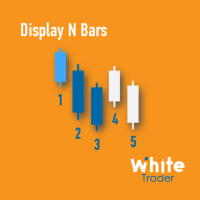
The Display N Bars utility is a simple tool designed to help identify candles.
If a trader tries to share knowledge with a colleague but it is difficult to pinpoint exactly the desired candle, just say the corresponding candle number.
The candle count is reset every day.
Seeking to offer a good customization the inputs are:
Display type -> Display only odd, only odd, or both candles?
Direction -> Horizontal or Vertical?
Display multiples of: (display frequency) -> Display all number
FREE

The ZoomIN MT5 indicator is designed for quickly viewing the selected bar on the smaller timeframes in a pop-up window. Once launched, the indicator works in the background, does not take up space on the chart and does not consume system resources. When the indicator is activated by the Shift + i combination (can be changed in the settings), a pop-up window with a chart of a smaller timeframe is created. The displayed timeframe can be changed by a left-click on the magnifying glass icon. To hide
FREE

Superior MT5 To Telegram Signals Notifier
OVERVIEW Superior MT5 To Telegram Signals Notifier is a smart bridge tool for MetaTrader 5 that instantly sends your trading activity directly to your Telegram phone app, channels, or group chats. It tracks your account in real time and broadcasts trade openings, closures, modifications, pending orders, and clear chart screenshots automatically using a simple Telegram Bot.
Whether you run a VIP signal channel and want to share trades automatically wit

Advanced Trade Mirror is a powerful Forex tool designed for traders who need instant, seamless trade replication across multiple terminals on the same machine. With lightning-fast execution, it ensures zero lag in copying trades, maintaining precision and efficiency in high-speed trading environments.
Get the Trade Mirror Follower here: https://www.mql5.com/en/market/product/133890 Specification:
Master ID: Identity value of master terminal, please use a unique value to prevent duplicated mas
FREE

TapTrade is a MetaTrader 5 chart trading assistant (Expert Advisor). It provides an on-chart control panel and draggable lines for Entry, Stop Loss, Take Profit, and Break-Even so you can place market and pending orders with clear risk control. Semi-manual: you decide when to click Place. No trading signals and no guaranteed profit. What it does Attach TapTrade to any chart. Choose order type (Buy/Sell Market, Limit, Stop), set risk mode and value, drag the chart lines to your levels, select TP
FREE

Daily P/L Risk Management is a MetaTrader 5 utility that watches your account's daily profit and loss and acts automatically when a limit is hit. It tracks both realized and unrealized P/L and can close positions, disable trading or alert you. It is a practical safety net for prop-firm challenges and disciplined day trading. Features Daily loss and profit limits, set by money amount or percent of balance/equity. Combined P/L tracking: counts both closed-trade (realized) and open-position (unreal
FREE

Overview Simple Trade Panel EA is a clean, lightweight trade assistant designed for manual traders who want fast and visual order placement directly from the chart.
No more fiddling with order windows – place Market and Pending orders, adjust Stop Loss & Take Profit using draggable horizontal lines, and instantly see your risk/reward ratio, point distance, and dollar value.
The panel features a modern “dirty pastel” color scheme that perfectly fits light chart themes, and can be hidden with
FREE
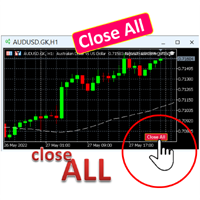
A simple button to completely close all existing open trades (both Buy and Sell) on the current chart .
Warning : Once the button is pressed, all open trades on the current chart will be deleted immediately without any more questions or dialogue.
Use this utility very carefully. We recommend that you do a trial of removing open trades on a demo account first, before trying to use this utility on a real account.
FREE

Session Panel for MT5 Session Panel is a free MT5 indicator that gives you a fast and convenient live overview of the major trading sessions directly from the chart. Monitor Tokyo, London, and New York session times, see which session is currently active, track countdowns to the next session, and view session overlap information in one compact dashboard. Built for traders who want better market timing, clearer session awareness, and a cleaner chart workflow in live market conditions. Session Pan
FREE

Multichart Dashboard — Your Central Command Center for Trading
The **Multichart Dashboard** Expert Advisor transforms your MetaTrader interface into a clean, professional trading hub. Manage up to **6 charts simultaneously** , switch between symbols in an instant and always stay in control — all within one compact, fully configurable panel.
What does Multichart Dashboard do?
**Up to 6 charts in parallel** — Set the desired number of charts (1–6) with a single input. All associated charts are
FREE

ZigZag Trader EA - Intelligent ZigZag Trading Assistant
Introduction ZigZag Trader EA is a fully automated trading assistant based on the ZigZag indicator. It intelligently identifies previous highs and lows of the ZigZag indicator, combined with an advanced risk management system, to provide you with precise trading signals and automated trade execution. Whether you are a novice or experienced trader, ZigZag Trader EA can help you simplify trading decisions and achieve stable trading performa
FREE
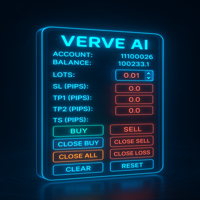
FXTrade Panel – Gestore di Trading MT5 Intelligente e Veloce
FXTrade Panel è uno strumento di trading avanzato ma facile da usare per MetaTrader 5, progettato per aumentare l’efficienza del tuo trading con esecuzione e gestione degli ordini con un clic.
Funzionalità principali: • Panoramica del conto: mostra numero di conto, leva, saldo e spread corrente. • Controllo della dimensione lotto: dimensione lotto regolabile con comodi pulsanti +/−. • Gestione del rischio: imposta Stop Loss (SL)
FREE

Take a Break FREE is the free version of Take a Break , the account protection and risk management tool for all your Expert Advisors. It pauses your EAs before news, after a daily loss or when your own rules say so, and lets them continue when the pause is over. What the free version does Daily loss brake: a fixed limit of -5% per day is always active (reset at 00:00 server time). When it triggers, one chart pauses. News filter for one chart symbol: pause before and after scheduled releases, cur
FREE

Position Tool Visualizer is a visual trading utility for MetaTrader 5 that helps traders plan and manage their risk-reward ratios directly on the chart. The tool provides three draggable horizontal lines for Entry, Stop Loss, and Take Profit levels, along with filled rectangles showing the risk and reward zones. Key Features: Three Draggable Lines — Entry (blue), Stop Loss (red), and Take Profit (green) lines that can be moved freely on the chart Automatic RR Calculation — Displays the risk-rewa

Flexible Copy Trade EA: The Premier MetaTrader Multi-Account Synchronizer Streamline your trading operations with the most reliable, high-speed trade copier designed for the modern MetaTrader environment.
Whether you are managing multiple accounts, coordinating a trading team, or looking to mirror signals across different terminals with near-zero latency, Flexible Copy Trade EA is your enterprise-grade solution. It offers seamless, lightning-fast synchronization regardless of the broker or acco
FREE
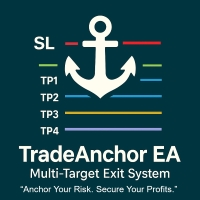
MultiTP Trade Manager EA — Advanced Trade Management Made Effortless (MT5)
Limited Offer – First 100 Downloads FREE!
Be among the first 100 traders to download Trade Anchor Manager (MT4/MT5) completely free of charge. Hurry – once the limit is reached, the offer closes instantly! After trying it out, we’d love if you could leave a review and share your thoughts – your feedback helps us improve and lets other traders know what to expect.
Need this Trade Anchor Manager for MT4? http
FREE

Versione Starter di Market Watch Bulk Loader: incolla un elenco di ticker e aggiungili alla Panoramica del mercato con un clic. Fino a 5 ticker per caricamento.
Aggiungi ticker alla Panoramica del mercato dagli appunti invece di digitarli uno per uno.
Questa è la versione Starter di Market Watch Bulk Loader. Funziona esattamente come la versione completa, con un unico limite: 5 ticker per caricamento. Usala per verificare che l'utility riconosca il modo in cui il tuo broker denomina i simboli
FREE

Key Features Real-time P&L in $ Running P&L in Pips P&L converted to INR BUY / SELL direction Lot size Entry price Separate display for each open position Supports multiple open positions Works independently on multiple charts Follow Current Price mode Stay At Entry Price mode Adjustable vertical spacing in pixels Adjustable distance below the Bid price Adjustable candle offset Customizable text size and font Profit, loss and breakeven colors Automatic removal when a position is closed
FREE

MT5 Time Zone Highlighter A simple and practical MetaTrader 5 tool designed to visually highlight up to three customizable trading time zones directly on the chart. Key Features: • Supports up to 3 independent time zones. • Set the start and end time for each zone according to your MT5 broker/server time. • Choose different colors for each time zone. • Adjustable transparency for better chart visibility. • Works directly on the MT5 chart without opening additional windows. • Helps traders quickl
FREE
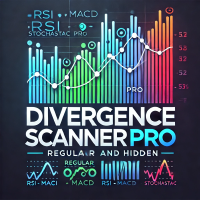
Divergence Scanner Pro is an advanced utility designed to detect both regular and hidden divergences across three powerful indicators: RSI , MACD , and Stochastic . With its robust algorithm and user-friendly interface, this tool is perfect for traders seeking an edge in the market. Key Features: Comprehensive Divergence Detection : Identifies regular and hidden divergences to highlight potential trend reversals or continuation opportunities. Multi-Indicator Support : Scans for divergences on RS
FREE

Quantropy is a hybrid trading system that combines a powerful manual control panel and an intelligent, AI-powered Expert Advisor. You retain full control, while the AI assists with signals, manages risks, and automates routine tasks. It is suitable for manual trading, automatic trading, or a combination of both. 1. Manual Panel – Full Control Over Every Trade The manual panel contains all the necessary tools for quick and safe market entry. 1.1. Price Input and Visualization The Open, SL, TP f
FREE

Puoi spostarti istantaneamente sul punto temporale selezionato nel grafico, indipendentemente dai movimenti del grafico.
Se ti piace, considera anche "Focus Time Line": https://www.mql5.com/it/market/product/154363 Oltre a questa funzione, consente di sincronizzare più grafici allo stesso tempo MTF, rendendo l'analyse multi-timeframe molto più semplice.
【Funzionalità】 ・Focus Mode: SingleLine (visualizzazione predefinita) ・Crt FocusLine: Crea una linea di focus in un momento a scelta ・Positi
FREE

CandleCat is a small animated companion that lives in the corner of your chart. It is not a trading system, not a signal generator and not an advisor. It never places, closes or modifies any order. It simply keeps you company while you work.
The cat sits on its cushion, breathes, blinks, stretches, and falls asleep during quiet hours. When something happens, it notices.
REACTS TO PRICE Perks up on an unusually large bullish candle. Startles on a sharp bearish candle. Looks at unusually long wi
FREE

This trading bot is designed for MetaTrader 5 (MT5) to manage open positions effectively by automating partial closures based on a predefined risk-reward ratio. It includes Telegram integration to send notifications directly to your group or channel about trading activities, including entry, stop-loss, and take-profit levels. Key Features : Partial Close Management : Automatically closes a percentage of the trade volume when the target level is reached. Risk-Reward Calculation : Sets profit leve
FREE

Aurum Risk Sentinel is a risk utility for MetaTrader 5. It watches account equity and selected exposure during a server day. It is not a trading strategy. It does not open trades. Functions Records the start-of-day equity and a running peak equity. Calculates current daily loss and drawdown from the stored peak. Counts managed open positions. Enters a locked state when a configured limit is reached or the managed position count is above its limit. When locked, attempts to close matching position
FREE

PropSizer is a free lot calculator on the chart: drag an entry line and a stop line, and one text line shows the broker normalised lot size for your risk, the money on the line and the stop distance. A session candle counter and a news line come with it. Setup takes a minute: attach it to the chart you want to trade, set your risk per trade once, and drag the two lines. It never places an order. Try it first
It is free. Attach it to any chart, drag the lines, read the number. In the strategy te
FREE

Native Spread Monitor risponde a una domanda semplice: lo spread che stai pagando in questo momento è normale per quest'ora della giornata, oppure stai per pagare troppo? Ogni strumento gratuito per lo spread mostra lo spread ATTUALE. Nessuno mostra quale sia il valore tipico per quest'ora, perché MetaTrader 4 non ha mai conservato lo storico dello spread per ogni barra. MetaTrader 5 lo fa, e questo indicatore utilizza questi dati.
COME UTILIZZARLO
1. Trascina l'indicatore su qualsiasi grafic
FREE

Risk Calculator EA – Utility for Precise Trade Sizing If you find this tool useful consider to Buy me a coffee! The Ultimate Risk Calculator is a lightweight in-chart Expert Advisor (EA) designed to help you easily and quickly calculate position size and set stop-loss / take-profit levels with full control over risk management directly on the chart.
What it does? It turns manual risk decisions into fast, visual, and accurate calculations. You draw or adjust the Entry, Stop-Loss and Take-P
FREE

RSI Zeus — Indicator for MetaTrader 5 RSI Zeus is an indicator based on the standard RSI that incorporates volume data as an additional factor in its calculation, with the aim of reflecting not only price movement but also the trading activity behind that movement. What this indicator does It calculates a modified RSI value that weights price with the volume traded on each bar. The result is a line that behaves similarly to the traditional RSI but reacts differently in situations where price mov
FREE

Product Description: Effortlessly bridge the gap between Binance and MetaTrader 5 with this sleek integration tool. Designed for traders who demand precision and real-time data, this product fetches live Binance chart information directly into MT5, enabling seamless technical analysis and strategy execution. Whether you're tracking candlestick patterns or refining your forex indicators, this tool ensures your MT5 environment stays synced with the crypto market pulse. Getting Started: Place the
FREE

This EA is designed to monitor the slippage of opening and closing orders, and save the records in csv file. It is useful to record the slippage and evaluate brokers. The record files are saved in the folder MT5_Data_Folder\MQL5\Files. Go to "File " --> "Open Data Folder" . Warning : Do NOT open the files directly, otherwise it will affect the exectution of EA, just copy them to another folder and open them.
Usage: Open a chart and load the EA on it, just need only one EA to run, it mo
FREE

Manual trading panel for MetaTrader 5. This tool enables you to open a trade in a single step. You can set the risk and levels directly on the chart and the position size will be calculated automatically. The tool does the following: You simply drag the stop-loss (SL), entry, and take-profit (TP) lines directly onto the chart. The position size is then calculated automatically, based on the specified risk as a percentage of the deposit or in the account currency. If necessary, you can specify a
FREE

️ SMART PANEL TESTER — TESTA LA TUA STRATEGIA. CONTROLLA IL TUO RISCHIO. SMART PANEL TESTER è una versione semplificata del SMART PANEL principale, progettata appositamente per testare strategie di trading in modo pratico ed efficiente nello Strategy Tester . L'obiettivo principale del pannello è il Risk Management . Una strategia di trading non dipende solo da buoni punti di ingresso: le sue prestazioni nel lungo periodo dipendono anche da quanto efficacemente viene controllato il rischio in
FREE

PulsePanel FREE – Esattamente lo stesso dashboard pulito, professionale e potente della versione Pro, offerto completamente gratis per testarlo a fondo prima di passare alla versione completa. Limite: funziona solo su USDCHF e GBPNZD , ma avrai accesso pieno e senza alcuna restrizione a tutte le funzioni principali: Cosa ottieni nella versione FREE Esecuzione istantanea con un solo click (buy/sell) Forza delle valute in tempo reale Scanner di momentum ultra-preciso Watchlist con trend, momentum
FREE

FX Live — Stats Export
Works only with https://fxlive.trading
Monitor all your MetaTrader accounts from a single dashboard, in real time, across every broker. FX Live Stats Export is an utility, not a trading robot. It never opens, modifies or closes a position. It reads your account and sends the data to your private FX Live dashboard, so you can follow every account you own from one place — on your computer or your phone — without switching between MetaTrader terminals.
WHAT IT DOES Attac
FREE

Settings Change Magic Number at The Top of the Setting to Zero for Manual Trade Profit threshold (pips) : this is the threshold (in pips) an order has to hit, before the SL is set and the SL starts trailing. Before the threshold is hit, the module will have no effect. Example: if this value is set to 30, then the SL will be set (and the trailing will start) when the order has a profit of 30 pips. Trail start value (pips) : the amount of pips where the SL starts trailing. The SL is set at: Open
FREE

Risk Manager – Account Protection Tool Risk Manager is an Expert Advisor for MetaTrader 5 designed to protect your trading account by applying automatic risk management rules. This tool does not open trades .
It continuously monitors your account and enforces predefined limits to help prevent excessive losses and maintain disciplined trading. Risk Manager works in the background and can manage positions opened by manual trading or other Expert Advisors. It is particularly useful for: • Manual tr
FREE
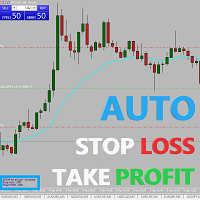
Easy and simple Automatic Stop Loss and Take Profit manager.
For all pairs, indexes etc. Works with all instruments.
All types of orders. All charts.
Users inputs:
- take profit in pp
- stop loss in pp
- font name,size and color
- corner for place settings info
Save & Load settings option.
Fast, simple and reliable trade assistant.
A "MUST HAVE" for all traders.
Check out other tools provided by our team!

Blog di MQL5: https://www.mql5.com/en/blogs/post/765148 Versione MT4: https://www.mql5.com/en/market/product/154458 Versione MT5: https://www.mql5.com/en/market/product/154459
Gratis per un periodo limitato
Ordine Telegram [tambangEA] è un assistente di trading semi-manuale professionale, creato per i trader che desiderano un flusso di lavoro di esecuzione più rapido, pulito e controllato.
Questo prodotto è progettato per i trader che dispongono già di una propria analisi di mercato e necess
FREE
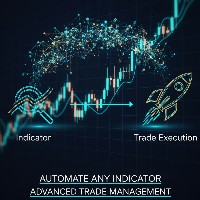
Indicator Automator EA: The Ultimate Indicator Automation Tool Tired of being chained to your desk, waiting for signals from your favorite indicator? Do you want to eliminate emotional trading and unlock the true potential of your manual strategy? Indicator Automator EA is a powerful and highly versatile Expert Advisor for MetaTrader 5 designed to automate any trading indicator that provides clear Buy and Sell signals through its indicator buffers. You don't need to be a programmer. If you have

[Win Panel] Simple Entry and Close Positions Introducing WinPanel , an order management tool designed to enhance and simplify your trading experience. WinPanel features a clean and intuitive interface, allowing you to close orders instantly with ease. It supports flexible position management, enabling you to close losing positions, profitable positions, or all open positions with a single click. In addition, WinPanel displays the total number of open positions, current profit, and the overall p
FREE
MT5 Terminal Copy for Copying MT5 Terminals This Expert Advisor (EA) allows you to copy trading activities between different MT5 terminals. It provides a simple and efficient solution for traders who want to duplicate positions or strategies in real-time across different accounts or devices. The EA can run on a main terminal and automatically replicate trades on other connected accounts. Ideal for copy trading or testing strategies on multiple accounts simultaneously. Main Features: Real-time C
FREE

NINJA MT5 DOCTOR PANORAMICA NINJA MT5 Doctor è un'utility MT5 gratuita e di sola lettura che acquisisce un'istantanea diagnostica una tantum del terminale, del conto, dei grafici aperti, dello storico selezionato e del simbolo del grafico host corrente. È un'utility in formato Expert Advisor, non un EA di trading né un indicatore. I nomi del pannello e dei parametri di input sono in inglese. COSA CONTROLLA Verifica la connessione al server del broker, le autorizzazioni al trading del terminale e
FREE

Questa utility apre gli ordini quando la candela tocca la linea di tendenza posizionata manualmente, come se fosse un ordine pendente più articolato. Può essere utilizzato su qualsiasi asset, quando apre l'ordine elimina la linea che ha toccato e crea Freccia. In questo caso viene utilizzata per operazioni di inversione del prezzo, apre un ordine di vendita quando la candela rialzista tocca la linea bottom-up e apre un ordine di acquisto quando la candela ribassista tocca la linea top-down.
FREE

Daily PnL Overview Daily PnL is a lightweight MetaTrader 5 indicator that displays your current Profit & Loss (P&L) directly on the chart. It combines realized profit from closed trades during the selected period with the floating profit or loss from currently open positions, giving you a live view of your trading performance. The indicator also calculates your P&L as a percentage of your current account balance, making it easier to evaluate performance without opening the Trade or History tabs.
FREE

The Manual Adjust SL/TP EA streamlines your risk management by enabling you to manually specify new SL and TP price levels for your open positions. The Levels is Price value and is NOT a pips or points distance from the Entry Levels. The EA automatically validates your inputs against the broker’s stop-level requirements (minimum distance) to prevent order adjustment rejections. It offers filtering options so you can choose to apply adjustments only to Buy orders, Sell orders, or both. Key Featur
FREE

SmartRescuer is an advanced institutional-grade trading co-pilot designed to rescue stuck manual positions, manage floating drawdown, and lock basket profits automatically.
Key Features: - Anti-Whipsaw Breakout Engine: Uses Donchian Channels & ATR pullback retests to avoid false breakouts. - Smart Recovery Strategies: Supports Zone Hedging, Pullback Averaging, and Smart Hybrid execution. - Partial Loss Scraping: Gradually unwinds the worst losing orders using floating recovery profits. - Compl
FREE

Risk Lot Calculator Utility
Risk Lot Calculator Utility is a simple and practical risk management tool for MetaTrader 5.
The utility helps traders calculate an appropriate lot size based on account balance or equity, selected risk percentage, and Stop Loss distance.
It is designed to make position sizing and trade planning faster and easier directly from the MetaTrader 5 chart.
MAIN FEATURES
- Automatic lot size calculation - Percentage-based risk management - Balance or Equity based calcu
FREE

AT Scalper Helps trader to place order seamlessly Close mulitple position at a time Place SL or TP for multiple position in a click Place hedge order same time with predefined SL and TP Place multi layer pending order in a click Place martingale layer Be informed about SL and TP in currency Get to know time remaining in current candle Get to know current spread View PnL, Balance, Equity on screen
FREE

Ultimate Candle Countdown – Non perdere mai più la chiusura di una candela! Porta la tua precisione nel trading al livello successivo con Ultimate Candle Countdown – il timer di conto alla rovescia per candele, pulito, leggero e potente, progettato per tutti i timeframe e tutti i simboli.
Che tu stia facendo scalping su M1, swing trading su H1 o monitorando le chiusure giornaliere/settimanali, questo strumento ti assicura di sapere sempre esattamente quanto tempo resta prima che si apra la
FREE
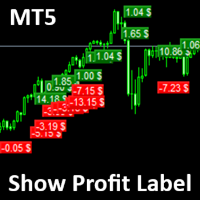
Show Label
Show your profit or loss next to the candle. This is a helpful tool if an EA don't have this feature build in. Support and questions via MQL5 product comments. For questions, updates, and to connect with other traders, join my official MQL5 group ForexEAandMore
Settings: Font color Background color for profits Background color for losses Font size Horizontal shift from candle (pixels) Vertical shift from candle high/low (pixels) Magic number filter (0 = all trades) Comment filter
FREE

Swift Symbol Switch adds a clean, convenient symbol-switching panel directly to your chart, allowing you to move between Forex pairs, cryptocurrencies, commodities, metals, and other broker-supported instruments with a single click. There is no need to type symbol names, search through Market Watch, or repeatedly open MetaTrader menus. Simply select a symbol from the on-chart panel and the current chart updates instantly. The utility is designed for traders who monitor multiple markets and want
FREE

EasyTrade Pro - Pannello di Trading Manuale per MT5 Fai trading in modo più rapido, semplice ed efficiente con EasyTrade Pro. EasyTrade Pro è un pannello di trading manuale leggero e intuitivo, progettato per i trader che desiderano eseguire operazioni velocemente e avere sempre sotto controllo le informazioni più importanti del mercato direttamente sul grafico. Nessuna configurazione complessa.
Nessun indicatore inutile.
Solo gli strumenti che servono davvero ogni giorno. Funzionalità Apertur
FREE

Here is the English version of the product description, tailored to sound clear, professional, and engaging for the MQL5 Market: RBM SL TP Label — Indicator for MetaTrader 5 If you trade Forex and miss seeing the exact financial value of your risk and target directly on your chart, this indicator solves that in a clean, direct, and intuitive way. What It Does As soon as you open a position, the indicator automatically detects your Stop Loss and Take Profit lines and displays, in real-time, both
FREE

A simple panel to help you to place orders on the chart using the mouse. Hold Left Shift or Left Ctrl and the panel will show the lines where it will place the order already with stop loss and take profit. Use Shift to place buy orders and Ctrl to place sell orders, the panel will switch between stop or limit orders depending if the mouse is above or below the price. Please be aware that Ctrl key is used by Metatrader to copy an object, try to avoid using this panel with charts where you copy ob
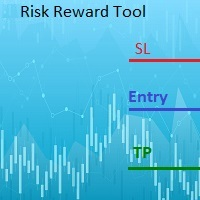
This indicator will help you define the entry, stop loss and take profit by means of horizontal lines on a chart. In addition, it is also possible to calculate the size of a position according to the percentage of the risk that you want to assume.
For this purpose, a panel consisting of the following elements is available:
Button to show or hide the tool on the chart. A text box to enter the number of contracts to be used for the calculations. A text box to enter the risk/reward ratio you want

Limit Order Trailing Et — is a utility for trailing limit orders (Buy Limit and Sell Limit) in MetaTrader 5.
It automatically adjusts limit order prices following the market while maintaining a defined offset, allowing entries on pullbacks after price movement.
This tool is designed for working with limit orders in MT5 and can be used in both manual trading and semi-automated trading systems.
Unlike stop orders, limit orders are designed for price retracements (pullbacks) rather than brea
FREE

A simple Reverse Position tool.
Just a simple tool to make you reverse your position from e.g long position to short position. This tool also allow you to set SL and Risk to Reward Ratio, so you are safe while reversing your position. Also calculates your all volume order in current open position and reverse all of the open position to make opposite position. works on any symbol, just load the EA and add to your symbol you want to trade.

How the Chart Cleaner Script Works
The Chart Cleaner is a one-click tool designed to instantly wipe your chart clean.
When you drag and drop the script onto a chart, it scans for and removes all visual objects—including trend lines, horizontal lines, text labels, shapes, and any other drawings you have placed.
The result is a completely clean, uncluttered chart, giving you a fresh workspace for your analysis. It's the fastest way to reset your chart to its default state.

Hedge Trimmer & Roll-Over EA Managing a hedged position means carrying two opposing trades simultaneously. Over time, the losing side grows while the profitable side offsets it. The standard problem is that closing the loser costs money you may not have sitting in cash — it has to come from somewhere. Hedge Trimmer EA solves this by using the floating profit on your winning trades as the funding source to progressively close down the losing side. It identifies which trades are in profit, uses a
The trading limiter that stops you from breaking your own daily loss and trade limits.
• Please test the product in the Strategy Tester before purchasing to understand how it works.
• If you face any issues, contact me via private message—I’m always available to help.
• After purchase, send me a screenshot of your order to receive a FREE EA as a gift. MT5 Drawdown Tracker — the Ultimate Tool for Monitoring and Managing Trading Drawdowns In trading, risk management is the key to long-term s
Link to download it from my website, it's cheaper($20) there. And you get both pips based breakeven and percentage based breakeven as a bundle for one price- ( www.ashantipearls.com/l/breakeven ) This is a break even/break even plus EA. It moves your stop loss to break even(BE) or BE+ based on pre-set number of pips in profit. You can edit this in the input section. This EA sets breakeven for both manually and auto-opened trades. Moving stop-loss to a breakeven is popular among traders who

The utility is a checklist where you can write all the rules of your trading system and keep it on the chart in front of your eyes. As a rule is executed, mark it with a tick. To the right of each rule, you can write the "strength" (percentage) of the rule. And if there is a tick next to the rule, then all "forces" are summed up in the "Total" line.
For the convenience of visual perception, you can set the color for displaying the “Total” value.
Panel options: Title - The title of the panel N
FREE

A script for opening a grid of orders If you need to quickly open several pending orders (Buy Limit, Sell Limit, Buy Stop, Sell Stop) on a certain distance from the current price, this script will do all the routine for you! Allow AutoTrading before running the script. Usage:
Run the script on a chart. Input Parameters: Language of messages displayed (EN, RU, DE, FR, ES) - language of the output messages (English, Russian, German, French, Spanish). Price for open - open price. If set to 0, the

FREE 7-DAY TRIAL After your trial ends, continue using this essential trading tool for only $30 one-time payment.
ECONOMIC CALENDAR Transform Your Trading with Real-Time Economic Intelligence on Your Chart Are you tired of being caught off-guard by major economic news releases? Stop scrambling between your trading platform and news websites. Economic Calendar Pro brings all critical market events directly to your MetaTrader charts with stunning visual clarity and real-time countdown timers.
P

OsasFXea Diamond RapidFire Panel osasFXea · MetaTrader 4 & 5 OsasFXea Diamond RapidFire Panel One-click rapid trade panel for fast discretionary basket trading on gold, crypto, forex, and more. MT4 & MT5 Utilities Category Hedging accounts XAUUSD · BTCUSD · Forex Overview What it does RapidFire Panel places you in complete control of your basket trading workflow. Every core action — open, manage, close — is one click away on a branded dashboard that sits on your chart. The panel foll

Welcome, we introduce the Manual Grid Assistant, which can be an excellent complement to your manual grid trading! The Manual Grid Assistant is an efficient and sophisticated trading tool that perfectly complements manual grid trading strategies. This tool allows you to manage manually opened positions on your behalf while ensuring maximum profit and controlling risk. One of its main advantages is that it automatically closes all open positions when a predefined total pip reach or a specified p

TradeForge Pro – Trade Management Dashboard TradeForge Pro is a trade management utility designed for traders who want precise control over stop loss/take profit handling, position grouping, and trade execution. It provides an on-chart interface that allows Stop Loss and Take Profit levels to be managed virtually rather than sent directly to the broker ("Ghost Levels"), along with tools for managing multiple positions and trailing logic. It is designed for both scalpers requiring fast manual exe

Trade Assistant MT5 — Trade Manager for Prop Firms
Trade Manager for MT5 that calculates position size, manages risk, visualises your trade setup in real time and protects your account with built-in daily loss and trade limits — everything you need to trade with consistency and pass your prop firm challenge.
> Trade Tab — Position Sizing & Execution
**Automatic lot calculation** Enter your risk as a percentage of account balance or as a fixed dollar amount and the panel instantly calculates t
Sai perché MetaTrader Market è il posto migliore per vendere strategie di trading e indicatori tecnici? Non c'è bisogno di pubblicità o di protezione del software, nessun problema di pagamento. Tutto ciò è fornito da MetaTrader Market.

Ti stai perdendo delle opportunità di trading:
- App di trading gratuite
- Oltre 8.000 segnali per il copy trading
- Notizie economiche per esplorare i mercati finanziari
Registrazione
Accedi
Accetti la politica del sito e le condizioni d’uso
Se non hai un account, registrati