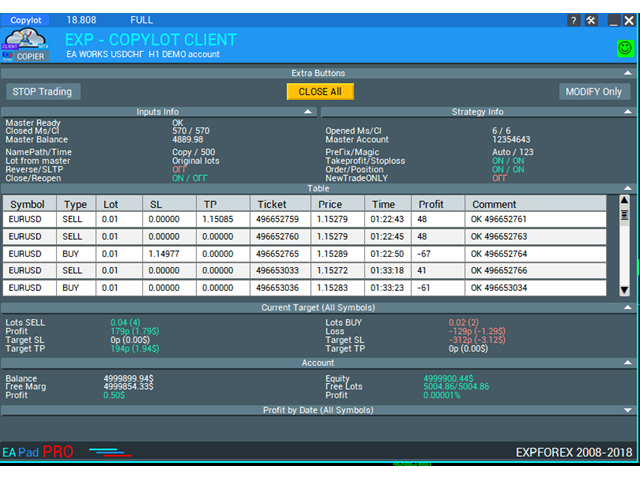
Exp COPYLOT CLIENT for MT5

3.82

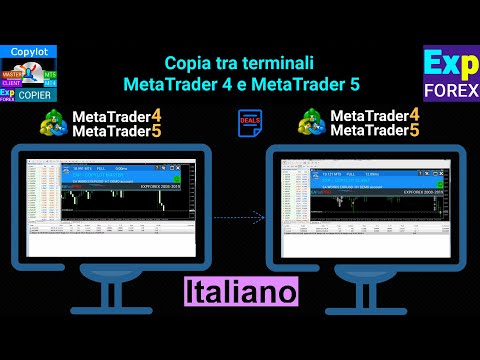
Trade copyr per MT5 è un trade copyr per la piattaforma МetaТrader 5 .

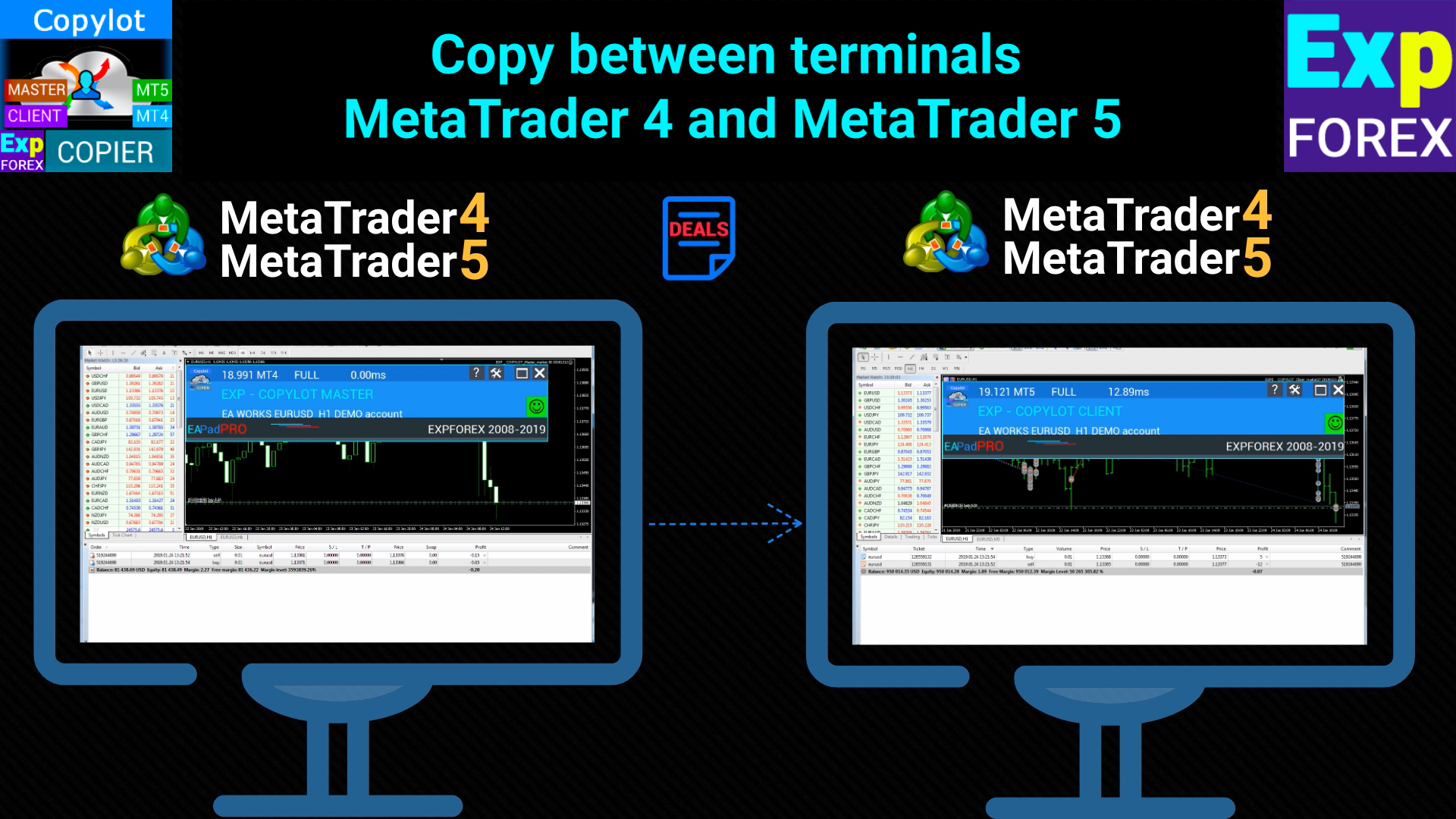
Copia le negoziazioni forex tra   eventuali conti MT5  -  MT5, MT4  -  MT5 per la versione COPYLOT MT5 (o MT4  -  MT4 MT5  -  MT4 per la versione COPYLOT MT4)

Fotocopiatrice affidabile!

Puoi anche copiare le operazioni nel terminale МТ4 ( МТ4  -  МТ4, МТ5  -  МТ4 ): COPYLOT CLIENT per MT4

Questa versione include la copia tra i terminali МТ5  -  МТ5, МТ4  -  МТ5 .

  1. Il copiatore di offerte è creato per copiare offerte/posizioni tra 2/3/10 terminali.
  2. È supportata la copia da un conto demo e da conti di investimento.
  3. Il programma può essere eseguito su più terminali.
  4. Usa questo sincronizzatore delle tue operazioni su vari conti investitori che negoziano su un account, - COPYLOT copierà le tue operazioni su altri terminali.
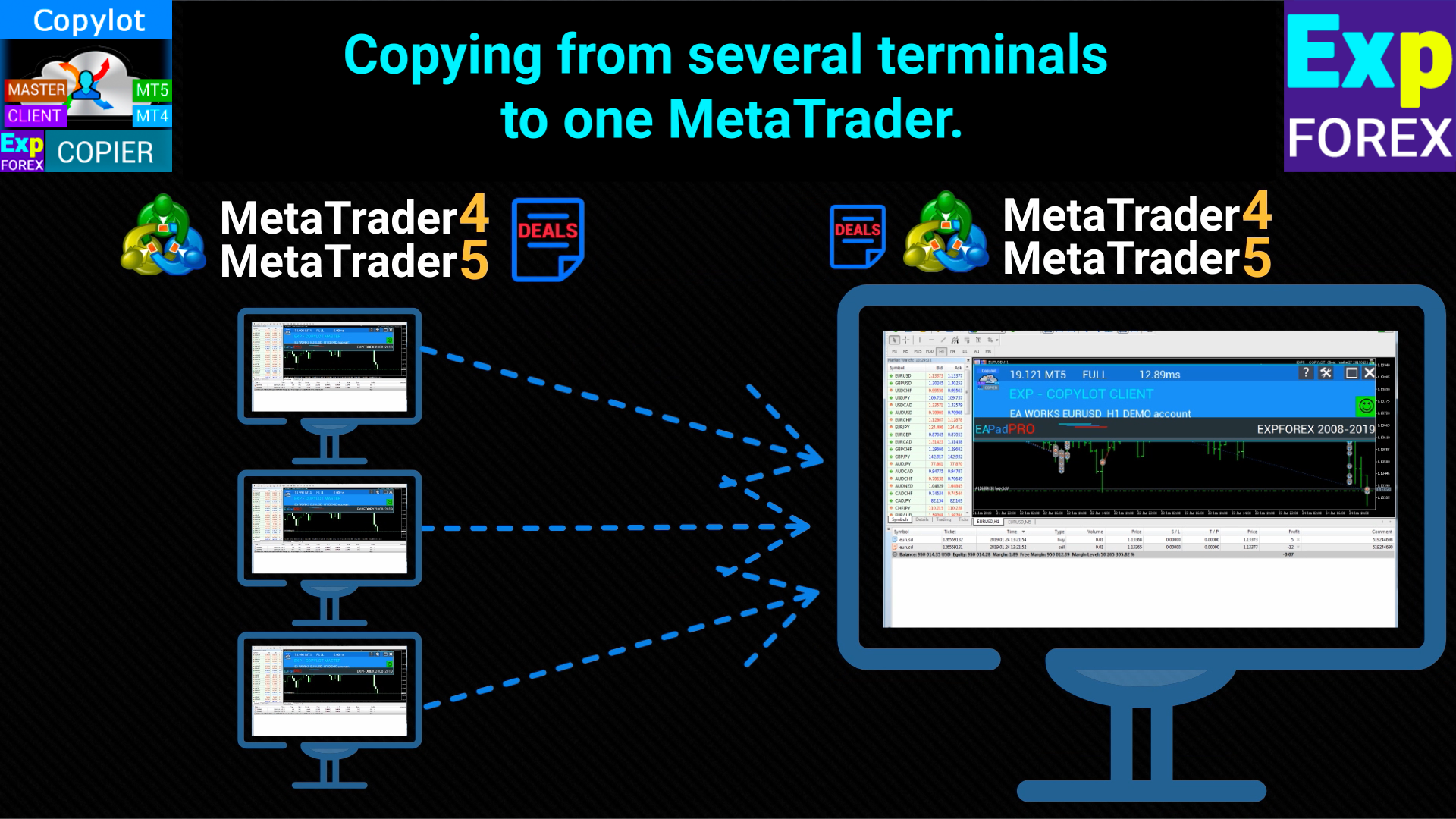
  5. Copia da più terminali a uno;
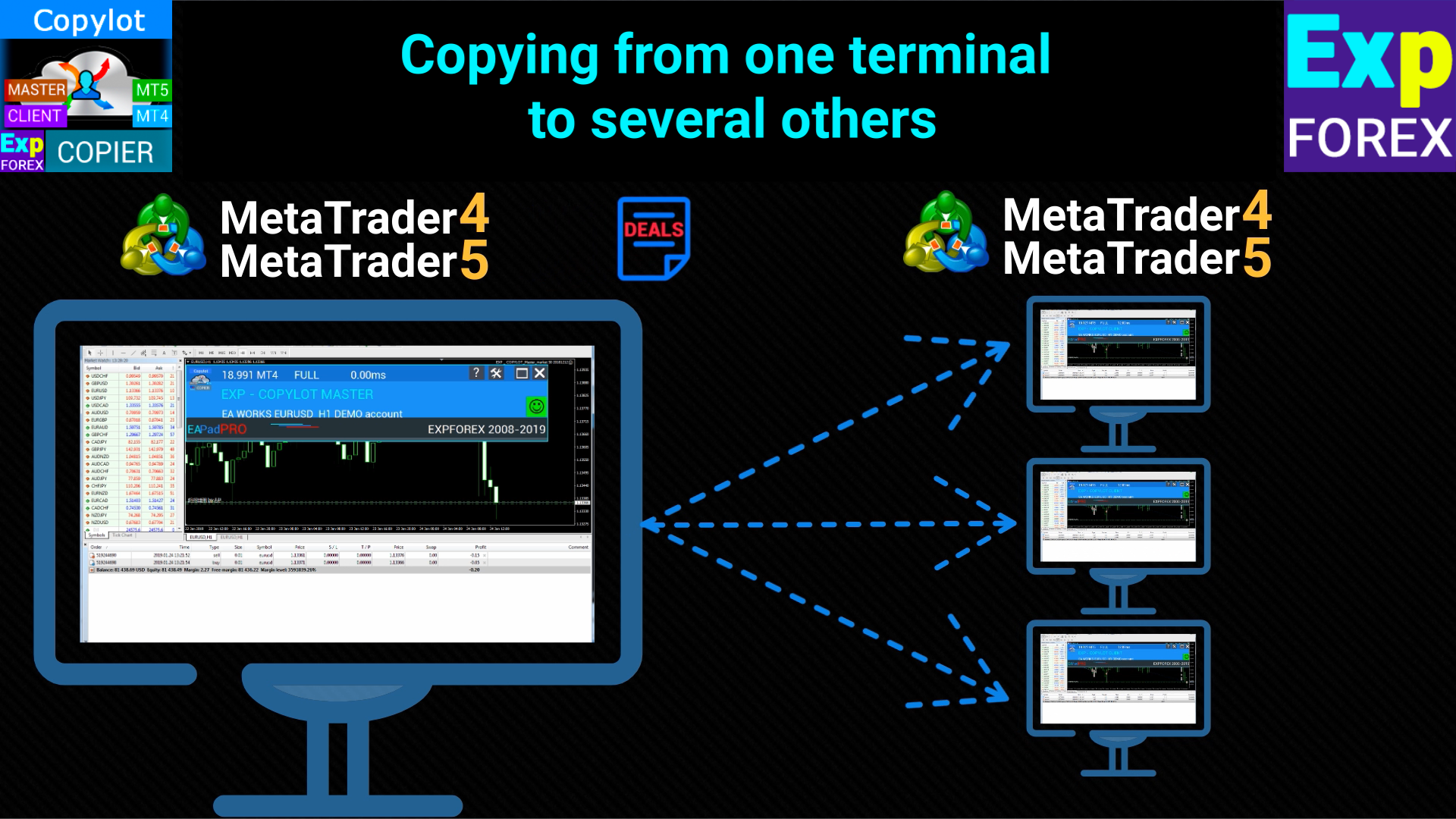
  6. Copia da un terminale a molti altri ;
  7. Copia da qualsiasi broker diverso a qualsiasi broker diverso;
  8. Copia da un conto chiuso aperto con una password Invest ;
  9. Copia da account DEMO a un account REAL;
  10. Conti di copertura e di compensazione .

Impostare

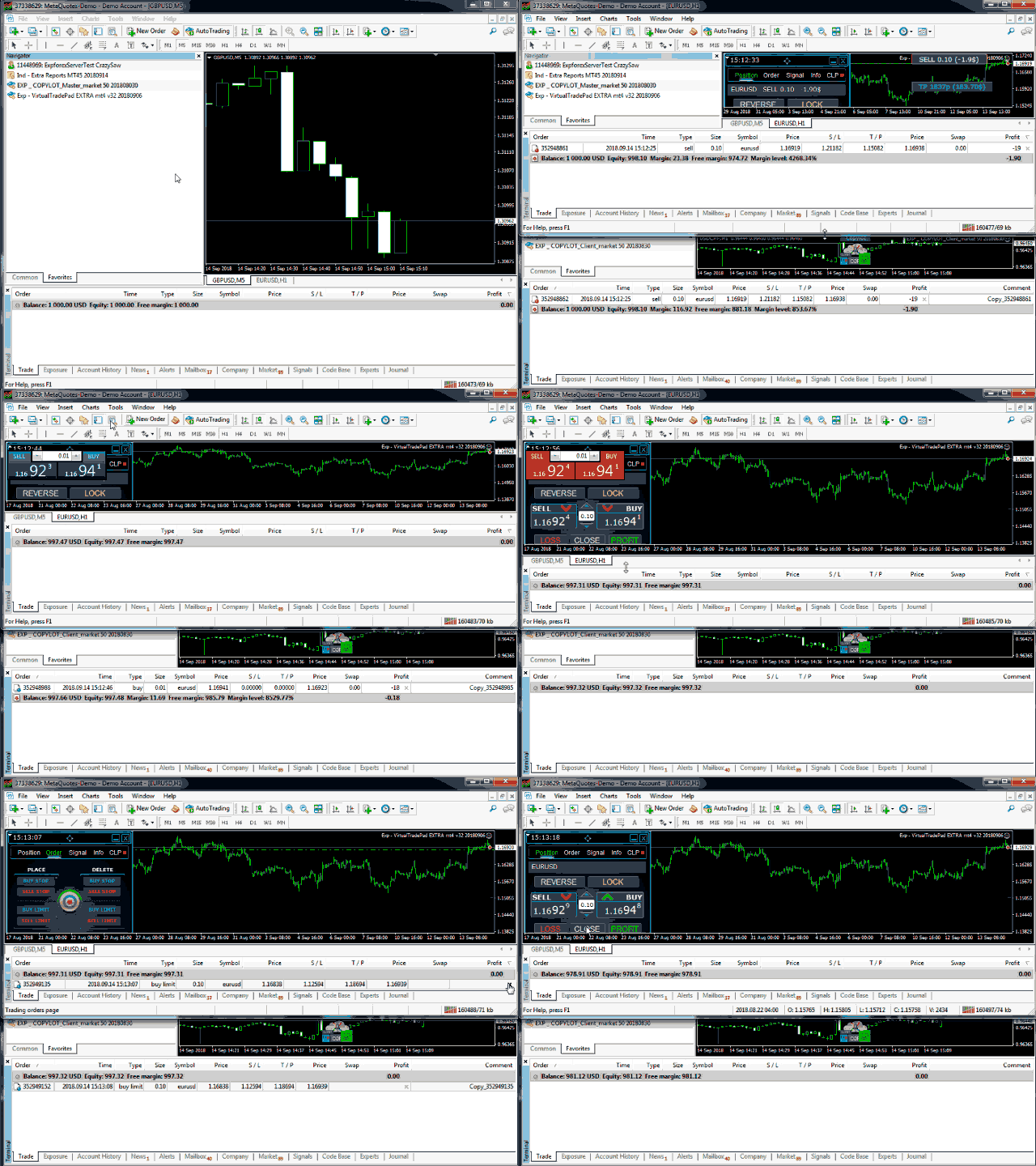
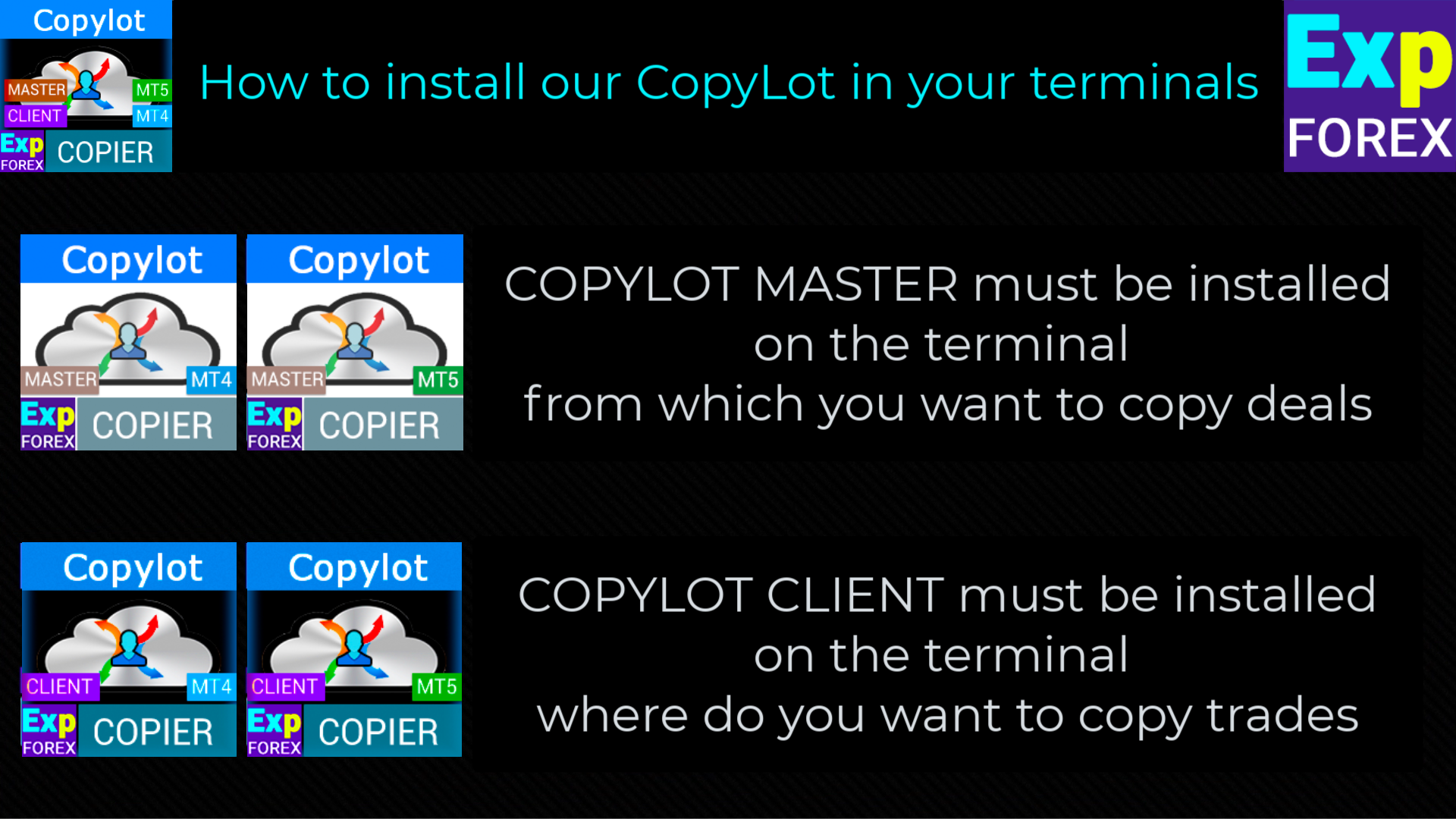
  • COPYLOT CLIENT (Slave) Installa l'Expert Advisor nel terminale in cui desideri copiare le operazioni.

  • Installa l'Expert Advisor nel terminale MetaTrader 5, dove desideri copiare le operazioni.
  • Aprire il terminale su cui verranno copiate le posizioni e impostare COPYLOT CLIENT su un grafico


  • Specificare qualsiasi nome di etichetta di testo come pathRead , ad esempio "COPY". Questo dovrebbe corrispondere al terminale principale PathWrite (per collegare i due terminali).
  • L'EA deve essere impostato su 1 Grafico! Per impostazione predefinita, il nostro consulente copia tutte le posizioni dal tuo conto!

Link

    Per copiare le operazioni, è necessario installare la copiatrice Master gratuita nel terminale da cui si desidera copiare le operazioni: COPYLOT Master per MT4 o COPYLOT Master per MT5 .
    Attenzione: per duplicare le posizioni sul tuo conto puoi scaricare il nostro duplicatore di posizioni   Duplicatore Exp5 per MT5

      Attenzione per MT5

      La chiusura parziale non è supportata! Gli ordini possono essere chiusi solo negli stessi lotti in cui sono stati aperti! Se il tuo master utilizza lotti diversi per la chiusura, la fotocopiatrice potrebbe non funzionare!
      INOUT non supportato.
      Gli ordini vengono copiati al momento dell'attivazione (Posizioni) e vengono copiati nell'account del cliente. Puoi attivare questa funzione PendingOrdersCopy Only for HEDGE account .
      Attenzione: COPYLOT non copia via Internet! Copia tra terminali su un computer!
      Attenzione! COPYLOT non funziona su MetaQuotes VPS

          #tags Copia, Копировщик, copia scambi, copia scambio, copiatrice, copia, scambi, copia veloce, kopir , Expforex, Vladon,


          Impostazioni del cliente: Dove verranno copiati i segnali

          pathREAD/pathWrite: Percorso del file in cui verranno memorizzate le informazioni sulle posizioni attuali. Non utilizzare spazi o caratteri speciali.

          Magic: Numero magico per aprire/chiudere posizioni. Utilizzato per identificare le posizioni del sistema.

          PreFixSymbol: Suffisso del simbolo delle coppie di valute del cliente. Il copiatore rileva automaticamente il suffisso.

          ChangingNamesSymbols: Parametro per sostituire i nomi dei simboli tra master e client.

          Sounds: Abilita i segnali sonori sul terminale del cliente all'apertura di nuove posizioni.

          Comentshow: Mostra la tabella delle posizioni copiate nel grafico in cui è installato il copiatore.

          TypeFilling (solo per MT5): Tipo di riempimento delle posizioni e degli ordini in MT5.

          NumberTryClose/NumberTryOpen: Definisce il numero di tentativi per chiudere o aprire una posizione.

          Slippage: Deviazione ammessa quando il prezzo di esecuzione differisce dal prezzo richiesto nell'apertura di una posizione.

          PricePointSlip: Differenza massima di prezzo tra il master e il client per copiare una posizione.

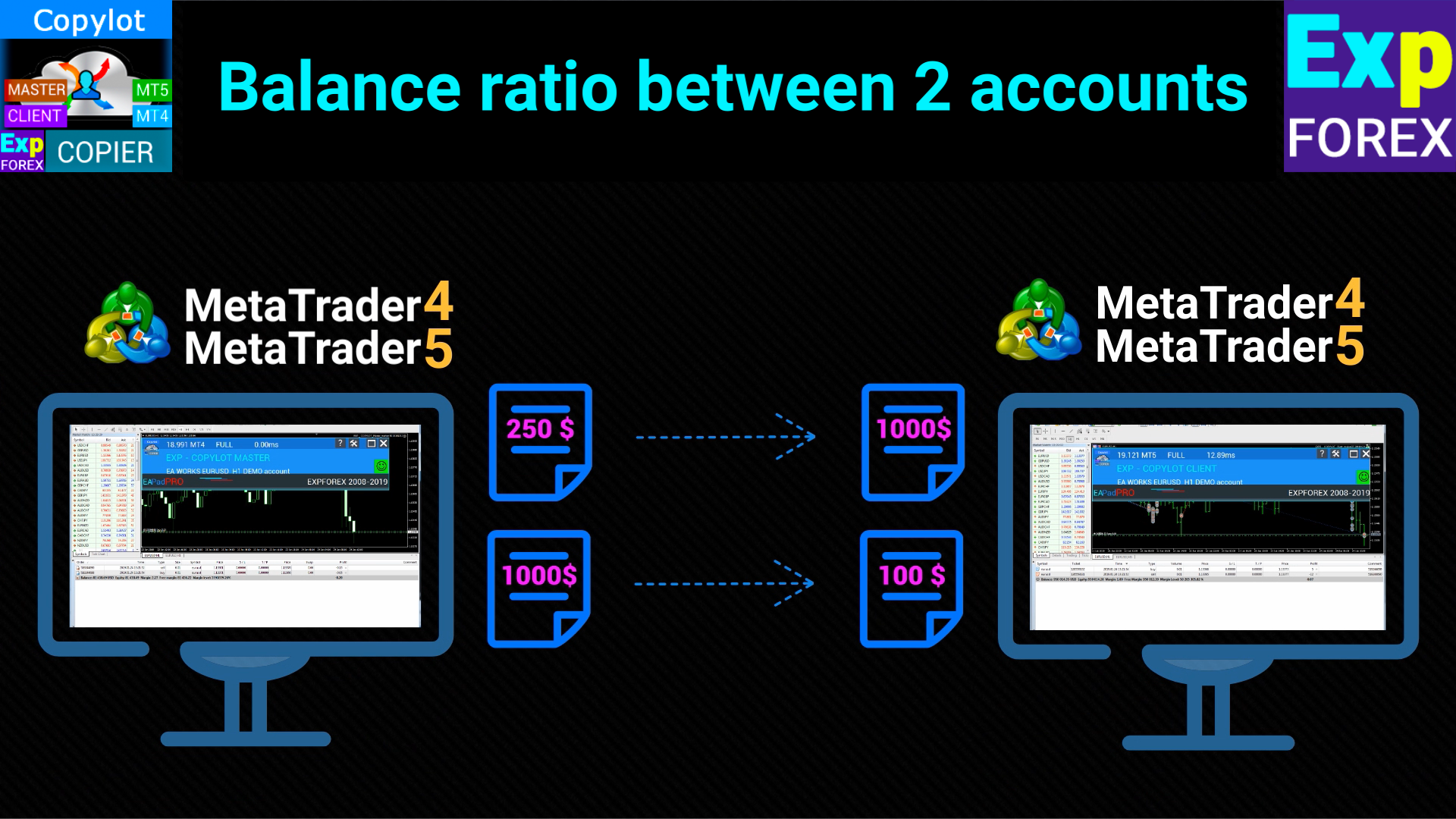
          LotRiskFromMaster: Utilizza il rapporto di rischio (saldo/deposito) tra il conto master e quello del cliente per determinare il lotto.

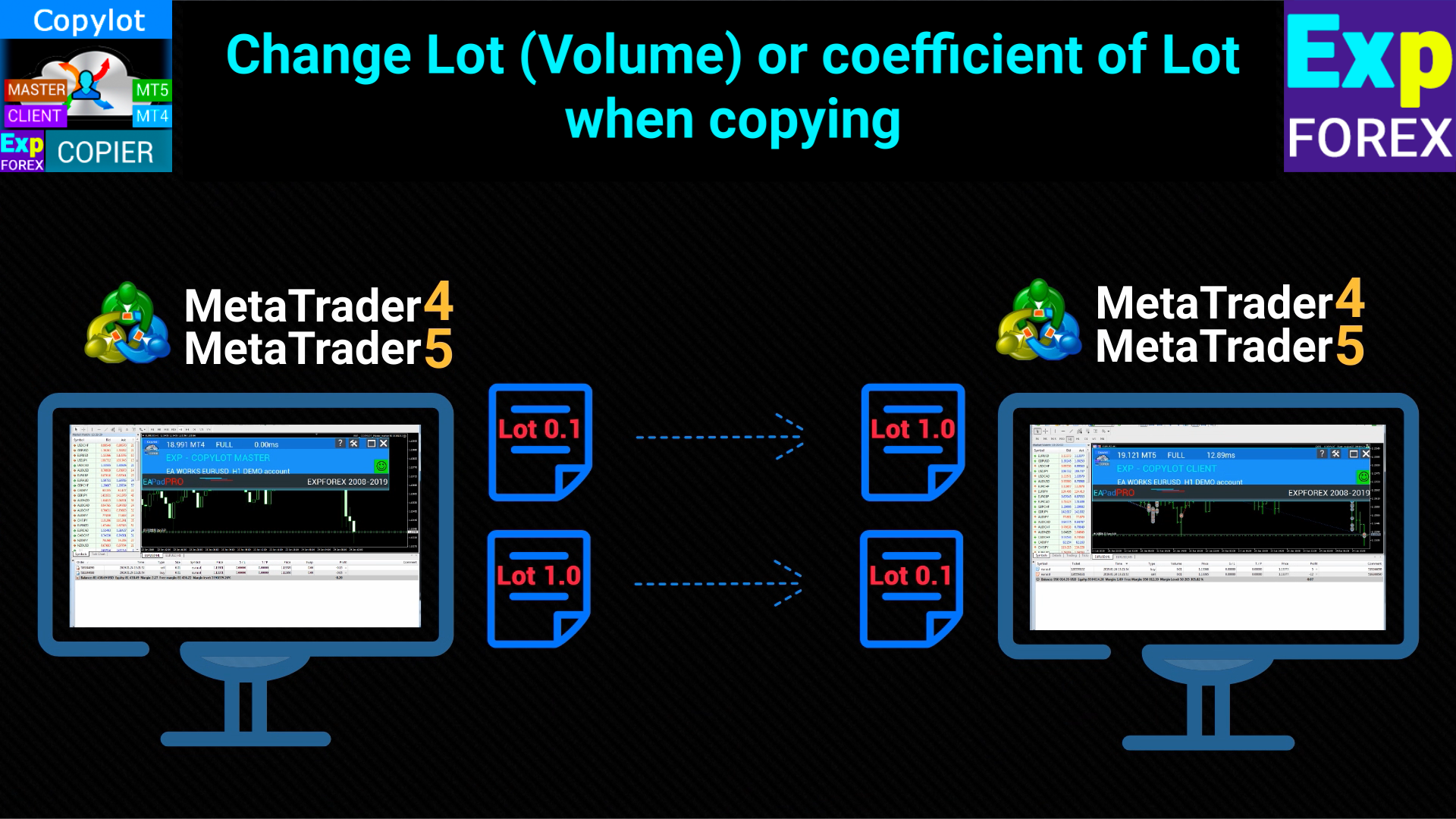
          LotExp: Coefficiente per regolare il lotto del master durante la copia sul client.

          Lot: Dimensione del lotto utilizzato all'apertura delle posizioni sul terminale del cliente.

          RiskLot: Percentuale utilizzata per la funzione di lotto dinamico (Autolot).

          RiskLotType: Tipo di calcolo del rischio per l'opzione RiskLot (saldo, margine libero o SL).

          RiskRate: Tasso di cambio della valuta del conto rispetto al dollaro.

          KoefLot: Coefficiente del lotto del cliente per regolare la dimensione delle posizioni copiate.

          AdditionalLot: Aggiunge un lotto aggiuntivo alla dimensione del lotto principale.

          MinLott/MaxLott: Dimensione minima e massima del lotto all'apertura di una posizione.

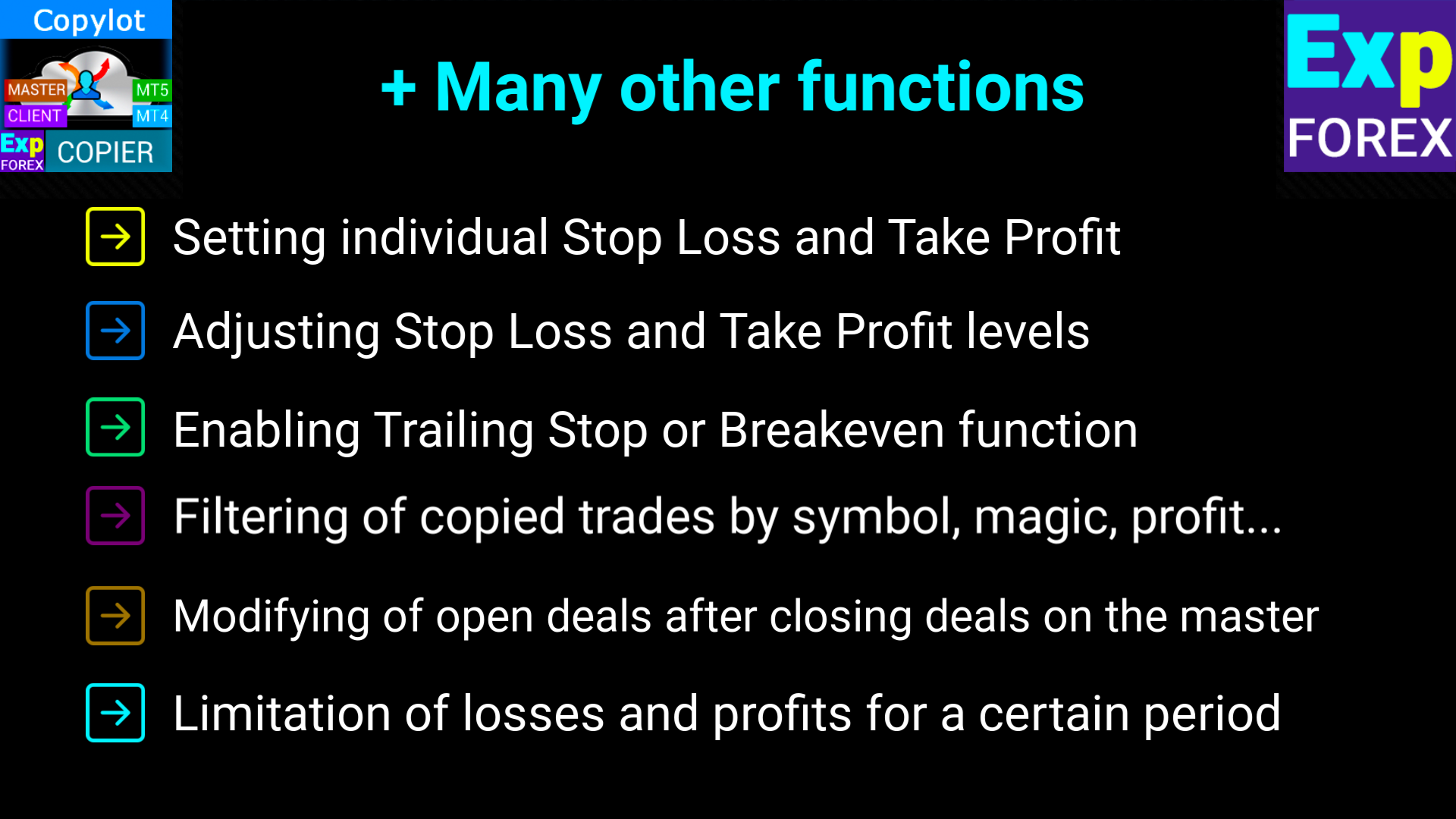
          TakeProfitCopy/StopLossCopy: Copia i livelli di Take Profit e Stop Loss dal conto master.

          CorrectSLTPbyMaster: Regola i livelli di SL/TP in base alla differenza di prezzo tra master e client.

          MarketWatch: Attiva la gestione delle posizioni con esecuzione di mercato per conti ECN.

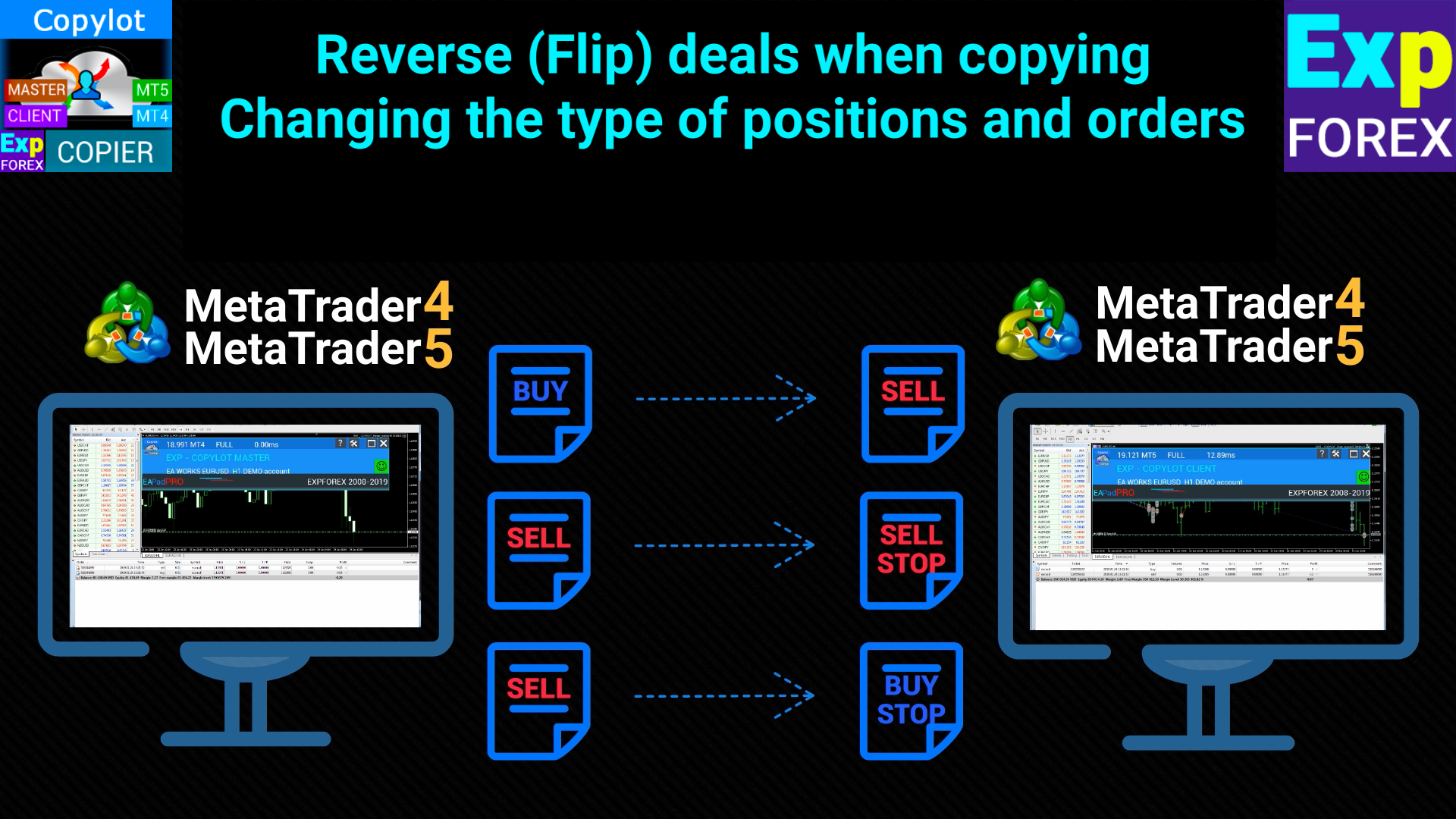
          ReverseCopy: Inverte le posizioni del master durante la copia (BUY → SELL e viceversa).

          PendingOrdersCopy: Copia gli ordini pendenti dal conto master.

          DayToExpiration (solo per MT5): Definisce il tempo di scadenza degli ordini pendenti.

          PositionsCopy: Copia le posizioni del terminale master.

          PricePointSlip: Tolleranza massima di deviazione di prezzo per copiare le posizioni.

          TimeSecondSlip: Tolleranza massima di deviazione temporale (in secondi) per copiare le posizioni.

          DeleteOrderbyMaster: Elimina gli ordini pendenti sul conto del cliente se vengono eliminati sul master.

          ReopenPosAfterClose: Riapre le posizioni chiuse sul cliente se sono ancora aperte sul master.

          Rounding: Arrotonda i prezzi durante l'apertura o la modifica delle posizioni.

          AutoRoundingGOLDSILVER: Attiva l'arrotondamento automatico per oro e argento.

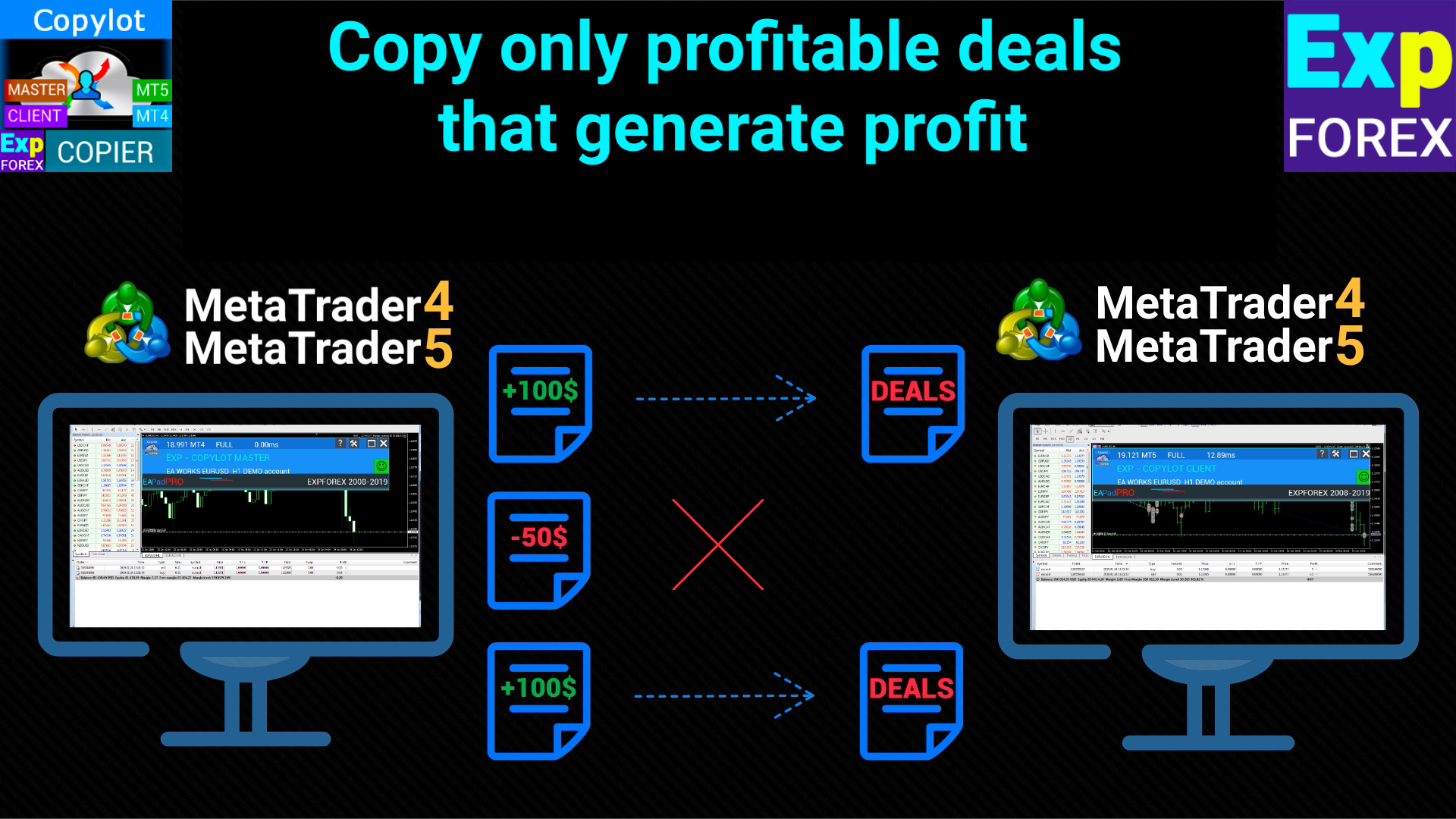
          ProfitCopyOnly: Copia solo le posizioni redditizie del master.

          OnlyProfitPips: Definisce il profitto minimo in pips per copiare una posizione.

          LossCopyOnly: Copia solo le posizioni in perdita del master.

          OnlyLossPips: Definisce il massimo di perdita in pips per copiare una posizione.

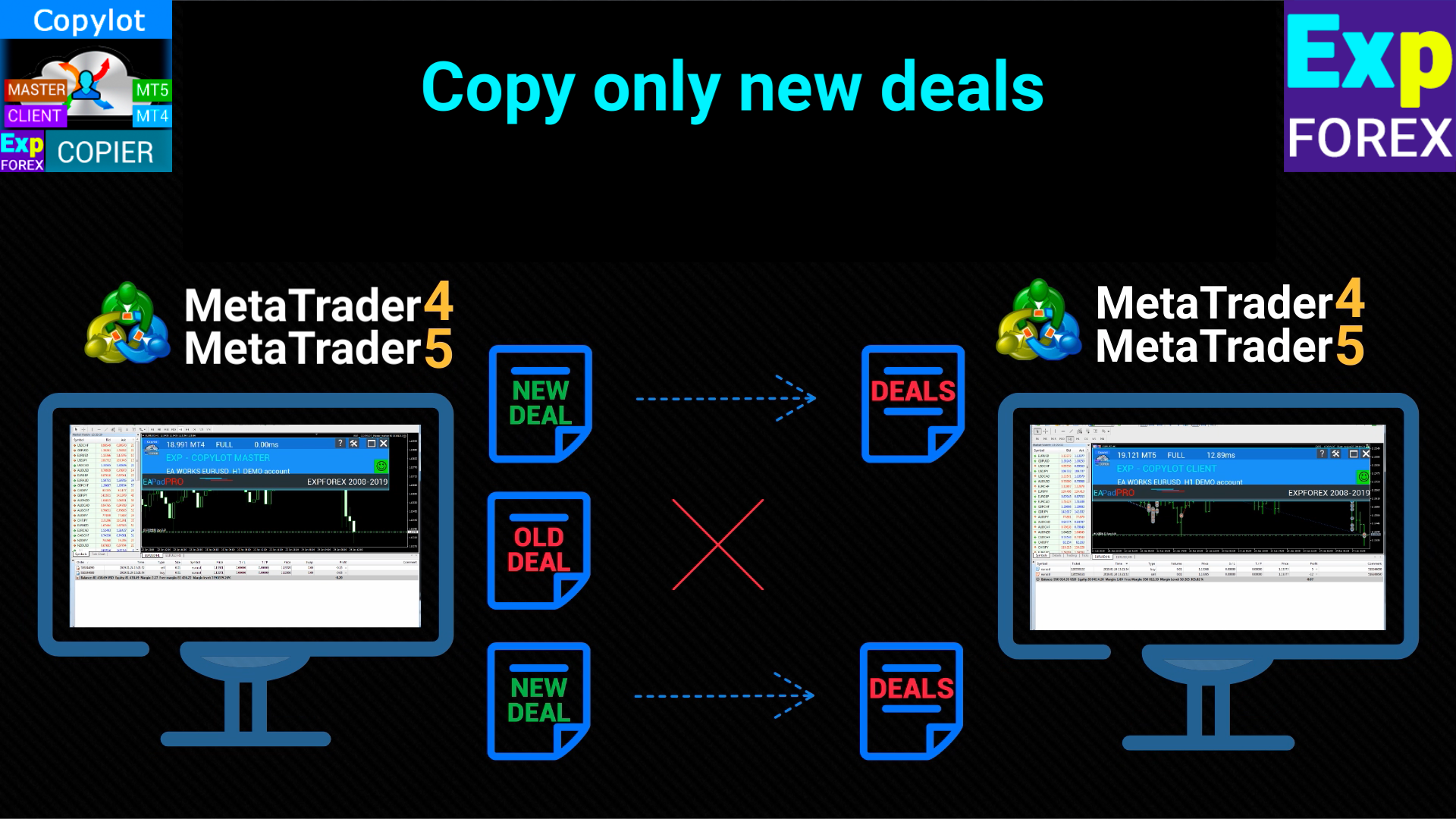
          NewTradeONLY: Copia solo le nuove posizioni aperte dopo l'avvio del copiatore.

          FilterLotMin/FilterLotMax: Definisce il lotto minimo e massimo da copiare dal master.

          SymbolToCopy: Definisce i simboli (coppie di valute) da copiare.

          SymbolNotToCopy: Definisce i simboli che non devono essere copiati.

          SLEEPING: Definisce un ritardo in millisecondi tra le esecuzioni del codice.

          ClosePosbyMaster: Chiude le posizioni sul cliente quando vengono chiuse sul master.

          TP_adjust/SL_adjust: Regola i livelli di Take Profit e Stop Loss sul cliente rispetto al master.

          My_STOPLOSS/My_TAKEPROFIT: Permette di impostare livelli personalizzati di Stop Loss e Take Profit sul cliente.

          VirtualStopLossTakeProfit (solo per MT4): Utilizza livelli virtuali di SL/TP che non sono visibili al server.

          TrailingStopUSE: Attiva la funzione Trailing Stop per le posizioni copiate.

          IfProfTrail: Attiva il Trailing Stop solo quando la posizione è in profitto.

          Trailingstop: Distanza in pips tra il prezzo attuale e il Trailing Stop.

          TrailingStep: Passo del Trailing Stop.

          Breakeven: Attiva la funzione Breakeven per regolare lo Stop Loss dopo un certo profitto.

          MaxPosBySymbol/MaxOrderBySymbol/MaxSymboll: Definisce il numero massimo di posizioni, ordini o simboli da copiare.

          NumberPosbeforeCopy: Definisce il numero di posizioni sul master prima di iniziare a copiare sul cliente.

          TPWCM_Use: Mantiene le posizioni aperte sul cliente anche dopo la chiusura sul master.

          TPWCM_TakeProfitWhenCloseMaster: Imposta un livello di Take Profit sul cliente dopo la chiusura della posizione master.

          TPWCM_TakeProfitOnlyToProfitZone: Imposta il Take Profit solo nella zona di profitto.

          TPWCM_StopLossWhenCloseMaster: Imposta un livello di Stop Loss sul cliente dopo la chiusura della posizione master.

          TPWCM_TrailingStopUSE: Attiva il Trailing Stop dopo la chiusura della posizione master.

          TPWCM_IfProfTrail: Attiva il Trailing Stop solo quando la posizione è in profitto.

          TPWCM_BreakEven: Attiva la funzione Breakeven dopo la chiusura delle posizioni del master.

          OIP_Order_Instead_Position: Converte le posizioni del master in ordini pendenti sul cliente.

          OIP_TypeOrders: Definisce il tipo di ordine (STOP o LIMIT).

          OIP_DistanceOIP: Definisce la distanza in punti per gli ordini pendenti.

          Clients extra Delays: Gestisce i ritardi extra per la copia delle posizioni.

          Delay_Seconds_General: Definisce un ritardo in secondi tra ogni richiesta al server da parte dell'Expert Advisor.


          Recensioni 37
          Marian Harwot
          151
          Marian Harwot 2024.12.24 18:40 
           

          drowndown protection by day doesnt work. for me it is most important function/closing position/. whole section clouse by day with usd, pips, and percent dont work. everything else working. i tested it on two different accounts from different providers.

          Marry Christmas

          How or where to send files?

          well ea doesnt clouse position when trigered limit by day i dont know what else i can provide becouse everything else works in ea. just section for day limits dont.

          Thanks for fixing ea great work.

          Hon Kwan Max Tse
          135
          Hon Kwan Max Tse 2024.12.06 15:59 
           

          Please explain wiht example to me for this fuction trailing. thanks

          TrailingStopUSE Use trailing stop for open positions

          Trailingstop The distance from which the trailing stop starts to turn on

          TrailingStep Step of modification stoploss

          anandnagaich
          48
          anandnagaich 2024.10.24 05:42 
           

          All in all... a great EA... appreciate the hard work that went behind it to create such an easy, plug and play type EA.. Kudos!

          Prodotti consigliati
          Overview Mirror Signals Service EA (Text only)   is a powerful monitoring Expert Advisor that automatically sends   real-time Telegram notifications   for all important trade events on your MetaTrader 5 account. It is engineered specifically for   signal providers ,   trade-copier operators ,   auditors ,   educators , and   professional trading services   that require immediate, detailed, and reliable reporting. Everything from   entries, exits, SL/TP changes, comment changes, trailing sto
          Volume Profile V6
          Andrey Kolesnik
          4.67 (3)
          The volume profile indicator of the market + a smart oscillator. It works on almost all instruments-currency pairs, stocks, futures, cryptocurrency, on real volumes and on tick ones. You can set both the automatic definition of the profile range, for example, for a week or a month, etc., and set the range manually by moving the boundaries (two vertical lines red and blue). It is shown as a histogram. The width of the histogram at this level means, conditionally, the number of transactions condu
          Auto Trade Copier for MT5
          Vu Trung Kien
          4.41 (27)
          Auto Trade Copier is designed to copy trades to multiple MT4, MT5 and cTrader accounts/terminals with 100% accuracy. The provider and receiver accounts must be on the same PC/VPS. With this tool, you can copy trades to receiver accounts on the same PC/VPS. All trading actions will be copied from provider to receiver perfectly. This version can be used on MT5 accounts only. For MT4 accounts, you must use Auto Trade Copier (for MT4). Reference: - For MT4 receiver, please download Trade Receiver Fr
          Noize Absorption Index - is the manual trading system that measures the difference of pressure between bears forces and bulls forces. Green line - is a noize free index that showing curent situation. Zero value of index shows totally choppy/flat market.Values above zero level shows how powerfull bullish wave is and values below zero measures bearish forces.Up arrow appears on bearish market when it's ready to reverse, dn arrow appears on weak bullish market, as a result of reverse expectation.
          Trading Utility for Forex Currency Pairs Only not for Gold  Functions Auto Lot Calculation based on Risk Auto stoploss  Auto TakeProfit Breakeven Auto Close Half % Close in percentage with respect to the PIPs Pending Orders BuyLimit Sell Limit with distances BuyStop Sell Stop    with distances Trading Informations Risk in percentage For Multiple trades Combine Takeprofit and Combine Stoplosses
          TradePilotmt5
          Hossein Khalil Alishir
          TradePilot Expert Advisor (EA) for MetaTrader 5 TradePilot is a professional and user-friendly Expert Advisor (EA) for MetaTrader 5 (MT5) . It simplifies automated trading , risk management , and trade execution with a smart trading panel . Perfect for beginners and experienced traders looking for a reliable trade manager EA with automated lot size calculation and smart position management. Key Advantages User-Friendly Trading Panel: Customizable panel with buttons and hotkeys for fast ex
          Utility per la gestione automatica degli ordini e dei rischi. Ti permette di trarre il massimo dai profitti e limitare le tue perdite. Creato da un trader praticante per i trader. L'utilità è facile da usare, funziona con qualsiasi ordine di mercato aperto manualmente da un trader o con l'aiuto di consulenti. Può filtrare gli scambi per numero magico. L'utilità può funzionare con qualsiasi numero di ordini contemporaneamente. Ha le seguenti funzioni: 1. Impostazione dei livelli di stop loss
          Visual CrossPulse Dynamics Indicator
          AL MOOSAWI ABDULLAH JAFFER BAQER
          Visual CrossPulse Dynamics: Trade with the Market's True Rhythm Unlock a new level of market insight with Visual CrossPulse Dynamics, a sophisticated trading indicator designed to adapt to ever-changing volatility and reveal the true direction of the trend. Are you tired of indicators that lag in fast-moving markets or give false signals during consolidation? The Visual CrossPulse Dynamics indicator solves this problem by using an advanced, adaptive algorithm that intelligently adjusts to the m
          Manus Pro
          Itumeleng Mohlouwa Kgotso Tladi
          MANUS PRO EA The Trading Revolution You've Been Waiting For Are you TIRED of watching other traders make consistent profits while your account bleeds red?   The financial markets don't wait for anyone – and neither should you. MANUS PRO isn't just another Expert Advisor... it's your   TICKET TO FINANCIAL FREEDOM . Why MANUS PRO is Different (And Why Everyone's Talking About It) FOR BEGINNERS: Your Trading Mentor That Never Sleeps Zero Learning Curve   – Install, activate, and watch it wo
          Moving Average Surfer
          Rowan Stephan Buys
          Moving Average Surfer – Cattura del Trend con Precisione per MT5 Surfa le onde del mercato con Moving Average Surfer, progettato per offrire precisione e gestione del rischio completamente automatizzata. Caratteristiche principali: Doppia analisi delle medie mobili Filtro RSI integrato Gestione dinamica del rischio Direzioni operative flessibili Stop/target basati su ATR Funziona su qualsiasi timeframe Magic Number univoco Costruito per chi vuole una soluzione disciplinata, automatica e altament
          Il livello Premium è un indicatore unico con una precisione superiore all'80% delle previsioni corrette! Questo indicatore è stato testato dai migliori Specialisti di Trading per più di due mesi! L'indicatore dell'autore che non troverai da nessun'altra parte! Dagli screenshot puoi vedere di persona la precisione di questo strumento! 1 è ottimo per il trading di opzioni binarie con un tempo di scadenza di 1 candela. 2 funziona su tutte le coppie di valute, azioni, materie prime, criptovalu
          Delta Profile Volume
          Teresinha Moraes Correia
          Technical Description of the Indicator – Delta Profile for MetaTrader 5 The Delta Profile is an indicator developed for MetaTrader 5 focused on detailed analysis of volume flow within a defined range of candles. It organizes and displays information about the imbalance of positive volumes (associated with upward movements) and negative volumes (associated with downward movements) at different price levels. The result is a clear view of the chart points where the highest concentration of trades o
          FTMO Protector 8
          Vyacheslav Izvarin
          PROTECT YOUR FTMO Account in a simplest way Must-Have Account Protector for any Prop-trading Account and Challenge MT4 / MT5 Expert Advisor that protects your Forex Prop Trading account from an unexpected drawdown! FTMO Protector  is a Tool that lets you manage trades and control your profit and loss across multiple Robots and currency pairs using a simple parameters and settings. Use as many EAs and Instruments you need, the Protector will: 1.   Calculate your midnight (01:00 System time) Balan
          Inverted_Chart_EA Utility Expert Advisor Inverted_Chart_EA creates and maintains a mirror-inverted chart of any symbol and timeframe. It automatically generates a custom instrument (e.g. US30_INV ) and keeps its price history updated in real time, with bars mirrored around a chosen pivot. This utility gives traders a new way to analyze the market from a different perspective by flipping the chart upside down. Why use an inverted chart? Highlight hidden patterns – price formations that look ordin
          Equity Shield Pro
          Saad Janah
          5 (1)
          Equity Shield Pro 1.1 NEW VERSION  Equity Shield Pro 1.1 is a powerful utility EA designed to safeguard your trading account by actively monitoring and enforcing equity protection and profit management rules. Whether you’re trading personal accounts or working through proprietary firm challenges, this EA ensures strict adherence to risk and profit targets, enabling you to maintain discipline and consistency. Fully compatible with all challenge types, Equity Shield Pro 1.1 is specifically craft
          Overview Mirror Signals EA is a powerful monitoring Expert Advisor that automatically sends real-time Telegram notifications for all important trade events on your MetaTrader 5 account. It is engineered specifically for signal providers , trade-copier operators , auditors , educators , and professional trading services that require immediate, detailed, and reliable reporting. Everything from entries, exits, SL/TP changes, comment changes, trailing stop activations, pending order modifications
          Easy Copier Limited  is utility tool to copy trade / trade copier form one account (master) to other account (slave) .  It works only with a single forex ( EURUSD ) . You can use this tool as local copier ( Terminals have to be in same PC / VPS ) as well as Remote Copier ( Terminals can be in different PC / VPS ). For remote copy you can use my server or it can be configured to your server . Trades are possible to copy from    MT4 => MT4     MT4 => MT5         MT5 => MT5       MT5 => M
          This tool will perform Trailing stop loss and Break even management for orders. Helps you limit or reduce the time spend watching orders on the screen, especially when you need to go to sleep. Just add this EA to 1 chart, you can manage all pairs. You can filter orders by comment, magic number, symbol and order ticket number. When Breakeven it can add shift/offset pips (to cover the commission...). You can try in strategy tester before purchase. The EA will add Buy and Sell alternately, so you
          Supply and Demand Pro
          Godbless C Nygu
          4 (1)
          Join Deriv link on profile>>> GET THIS FULL COPY AND GET ANOTHER FREE INDICATOR ONE OF THE BEST AND USEFULL INDICATORS IN THE WORLD ..This is the one of the best usefull indicators which has chosen to be used by top traders in the world. AUTOMATIC SUPPORT AND RESISTANCE This way of trading is also called Supply and demand, On this way of trading you can see auto colours appear where the market changes direction buying or selling Direction. ALL KIND OF PAIRS METALS AND INDICIES ARE INCLUDED A
          ID Trade_Bot BS - an effective tool for automated trading using RSI Trade_Bot BS is an efficient solution for automated trading based on RSI, allowing flexible parameter customization and risk management. Thanks to the ability to choose a trading mode, dynamic Stop-Loss and Take-Profit levels, and trading mode adjustment (buying, selling, or both), it is suitable for various trading strategies. Key Features: Uses the RSI indicator to determine market conditions. Automatically opens an
          US30NinjaMT5
          Satyaseelan Shankarananda Moodley
          US30 Ninja is a 5 minute scalping indicator that will let know you when there is a trade set up (buy or sell). Once the indicator gives the trade direction, you can open a trade and use a 30 pip stop loss and a 30 pip to 50 pip take profit. Please trade at own own risk. This indicator has been created solely for the US30 market and may not yield positive results on any other pair. 
          Trade History By Magic Indicator Unlock Your Trading Insights with Trade History By Magic! Enhance your MetaTrader 5 experience with this powerful indicator designed for traders who demand precision and clarity. Trade History By Magic provides a clear, real-time display of your trading history, organized by magic numbers, directly on your chart. Perfect for both automated and manual traders, this tool helps you track performance effortlessly. Key Features: Organized Trade Tracking : Displays tra
          L'indicateur SMC Venom Model BPR est un outil professionnel pour les traders travaillant dans le concept Smart Money (SMC). Il identifie automatiquement deux modèles clés sur le graphique des prix: FVG   (Fair Value Gap) est une combinaison de trois bougies, dans laquelle il y a un écart entre la première et la troisième bougie. Forme une zone entre les niveaux où il n'y a pas de support de volume, ce qui conduit souvent à une correction des prix. BPR   (Balanced Price Range) est une combinaiso
          Step into the world of Forex trading with confidence, clarity, and precision using Gold Indicator a next-generation tool engineered to take your trading performance to the next level. Whether you’re a seasoned professional or just beginning your journey in the currency markets, Gold Indicator equips you with powerful insights and help you trade smarter, not harder. Built on the proven synergy of three advanced indicators, Gold Indicator focuses exclusively on medium and long-term trends elimina
          This indicator presents an alternative approach to identify Market Structure. The logic used is derived from learning material created by   DaveTeaches (on X) Upgrade v1.10: + add option to put protected high/low value to buffer (figure 11, 12) + add  Retracements  value to buffer when Show Retracements When quantifying Market Structure, it is common to use fractal highs and lows to identify "significant" swing pivots. When price closes through these pivots, we may identify a Market Structure S
          Mine Farm
          Maryna Kauzova
          Mine Farm is one of the most classic and time-tested scalping strategies based on the breakdown of strong price levels. Mine Farm is the author's modification of the system for determining entry and exit points into the market... Mine Farm - is the combination of great potential with reliability and safety. Why Mine Farm?! - each order has a short dynamic Stop Loss - the advisor does not use any risky methods (averaging, martingale, grid, locking, etc.) - the advisor tries to get the most
          **   All Symbols   x   All Timeframes   scan just by pressing scanner button ** Discount: The price is $50$, But now it is just $39, Limited time offer is active. *** Contact me  to send you instruction and add you in "Trend Reversal group" for sharing or seeing experiences with other users. Introduction: Trendlines are the most famous technical analysis in trading . Trendlines continually form on the charts of markets across all the different timeframes providing huge opportunities for traders
          Crash 1000 Scalping Indicator for the Crash 1000 Deriv Synthetic Index. Introduction The Crash 1000 Scalping Indicator is a specialized tool designed for the Crash 1000 index on the Deriv Synthetic market. This indicator is particularly useful for scalping on the M1 timeframe, helping traders to identify precise entry and exit points for buy positions. It is designed to be non-repainting, providing clear signals with audible alerts and push notifications, and is compatible with mobile devices th
          Was: $249  Now: $99   Market Profile defines a number of day types that can help the trader to determine market behaviour. A key feature is the Value Area, representing the range of price action where 70% of trading took place. Understanding the Value Area can give traders valuable insight into market direction and establish the higher odds trade. It is an excellent addition to any system you may be using. Inspired by Jim Dalton’s book “Mind Over Markets”, this indicator is designed to suit the
          Your Trend Friend
          Luigi Nunes Labigalini
          5 (1)
          The trend is your friend! Look at the color of the indicator and trade on that direction. It does not  repaint. After each candle is closed, that's the color of the trend. You can focus on shorter faster trends or major trends, just test what's most suitable for the symbol and timeframe you trade. Simply change the "Length" parameter and the indicator will automatically adapt. You can also change the color, thickness and style of the lines. Download and give it a try! There are big movements w
          Gli utenti di questo prodotto hanno anche acquistato
          Forex Trade Manager MT5
          InvestSoft
          4.97 (583)
          Benvenuto a Trade Manager EA, lo strumento definitivo per la gestione del rischio , progettato per rendere il trading più intuitivo, preciso ed efficiente. Non è solo uno strumento per l'esecuzione degli ordini, ma una soluzione completa per la pianificazione delle operazioni, la gestione delle posizioni e il controllo del rischio. Che tu sia un principiante, un trader avanzato o uno scalper che necessita di esecuzioni rapide, Trade Manager EA si adatta alle tue esigenze, offrendo flessibilità s
          TradePanel MT5
          Alfiya Fazylova
          4.86 (148)
          Trade Panel è un assistente commerciale multifunzionale. L'applicazione contiene più di 50 funzioni di trading per il trading manuale e consente di automatizzare la maggior parte delle operazioni di trading. Attenzione, l'applicazione non funziona nel tester di strategia. Prima dell'acquisto, puoi testare la versione demo su un conto demo. Versione demo qui . Istruzioni complete qui . Commercio. Ti consente di eseguire operazioni di trading con un clic: Apri ordini e posizioni pendenti con calco
          Versione Beta Telegram to MT5 Signal Trader è quasi pronto per il rilascio ufficiale in versione alpha. Alcune funzionalità sono ancora in fase di sviluppo e potresti riscontrare piccoli bug. Se riscontri problemi, ti preghiamo di segnalarli, il tuo feedback aiuta a migliorare il software per tutti. Il prezzo aumenterà dopo 20 vendite. Copie rimanenti a $90:   2/20 . Telegram to MT5 Signal Trader è uno strumento potente che copia automaticamente segnali di trading da canali o gruppi Telegram a
          Ultimate Extractor
          Clifton Creath
          5 (8)
          Ultimate Extractor - Professional Trading Analytics for MT5 *****this is the local HTML version of Ultimate Extractor. Check out Ultimate Extractor Cloud on mql5 for the Cloud version****** Ultimate Extractor transforms your MetaTrader 5 trading history into actionable insights with comprehensive analytics, interactive charts, and real-time performance tracking. What It Does Automatically analyzes your MT5 trading history across all Expert Advisors and generates detailed HTML reports with inte
          MT5 to Telegram Signal Provider è un'utilità facile da usare e completamente personalizzabile che consente l'invio di segnali specificati a una chat, canale o gruppo Telegram, rendendo il tuo account un fornitore di segnali. A differenza della maggior parte dei prodotti concorrenti, non utilizza importazioni DLL. [ Dimostrativo ] [ Manuale ] [ Versione MT4 ] [ Versione Discord ] [ Canale Telegram ]  New: [ Telegram To MT5 ] Configurazione Una guida utente passo-passo è disponibile. Nessuna cono
          YuClusters
          Yury Kulikov
          4.93 (43)
          Attention: You can view the program operation in the free version  YuClusters DEMO .  YuClusters is a professional market analysis system. The trader has unique opportunities to analyze the flow of orders, trade volumes, price movements using various charts, profiles, indicators, and graphical objects. YuClusters operates on data based on Time&Sales or ticks information, depending on what is available in the quotes of a financial instrument. YuClusters allows you to build graphs by combining da
          EasyInsight AIO MT5
          Alain Verleyen
          4.91 (11)
          EASY Insight AIO – La soluzione all-in-one per un trading intelligente e senza sforzo Panoramica Immagina di poter analizzare l’intero mercato — Forex, Oro, Cripto, Indici e persino Azioni — in pochi secondi, senza dover controllare manualmente i grafici, installare indicatori o affrontare configurazioni complicate. EASY Insight AIO è il tuo strumento definitivo di esportazione per il trading alimentato dall’IA, pronto all’uso. Offre una panoramica completa del mercato in un unico file CSV pul
          Copy Cat More Trade Copier MT5 (Gatto Copiatore MT5) è un copiatore di trade locale e un framework completo di gestione del rischio ed esecuzione progettato per le sfide di trading odierne. Dalle sfide delle prop firm alla gestione di portafogli personali, si adatta a ogni situazione con una combinazione di esecuzione robusta, protezione del capitale, configurazione flessibile e gestione avanzata dei trade. Il copiatore funziona sia in modalità Master (mittente) che Slave (ricevente), con sincro
          Trade Manager DaneTrades
          Levi Dane Benjamin
          4.33 (27)
          Trade Manager per aiutarti a entrare e uscire rapidamente dalle operazioni calcolando automaticamente il tuo rischio. Incluse funzionalità che ti aiutano a prevenire l'eccessivo trading, il vendetta trading e il trading emotivo. Le operazioni possono essere gestite automaticamente e i parametri di performance del conto possono essere visualizzati in un grafico. Queste caratteristiche rendono questo pannello ideale per tutti i trader manuali e aiuta a migliorare la piattaforma MetaTrader 5. Suppo
          Trade Manager DashPlus
          Henry Lyubomir Wallace
          5 (12)
          DashPlus è uno strumento avanzato di gestione delle operazioni progettato per migliorare l'efficienza e l'efficacia del trading sulla piattaforma MetaTrader 5. Offre una suite completa di funzionalità, tra cui calcolo del rischio, gestione degli ordini, sistemi di griglia avanzati, strumenti basati su grafici e analisi delle prestazioni. Caratteristiche Principali 1. Griglia di Recupero Implementa un sistema di griglia flessibile e di media per gestire le operazioni in condizioni di mercato avve
          The product will copy all telegram signal to MT5 ( which you are member) , also it can work as remote copier.  Easy to set up, copy order instant, can work with almost signal formats, image signal,  s upport to translate other language to English Work with all type of channel or group, even channel have "Restrict Saving Content", work with  multi channel, multi MT5 Work as remote copier: with signal have ticket number, it will copy exactly via ticket number. Support to backtest signal. How to s
          Unlimited Trade Copier Pro MT5 is a tool to copy trade remotely to multiple MT4, MT5 and cTrader accounts at different computers/locations over internet. This is an ideal solution for you if you are a signal provider and want to copy your trades to other receivers globally on your own rules. One provider can copy trades to multiple receivers and one receiver can get trade from multiple providers as well. The provider can even set the subscription expiry for each receiver, so that receiver will n
          Telegram To MT5 Receiver
          Levi Dane Benjamin
          4.53 (15)
          Copia i segnali da qualsiasi canale di cui sei membro (compresi quelli privati e ristretti) direttamente sul tuo MT5.  Questo strumento è stato progettato con l'utente in mente offrendo molte funzionalità necessarie per gestire e monitorare gli scambi. Questo prodotto è presentato in un'interfaccia grafica facile da usare e visivamente accattivante. Personalizza le tue impostazioni e inizia ad utilizzare il prodotto in pochi minuti! Guida per l'utente + Demo  | Versione MT4 | Versione Discord
          Mt5 To InterativeBrokers Copier allows you to copy deals from MT5 account to Interactive Brokers. With this, you can run your EA strategy on a MT5 Demo/Real Account, then copy all the deals to Interactive Brokers account real time. Features: 1. Copy or Invert-Copy deals Realtime from MT5 to IB Account. 2. Synchronizing positions of both accounts periodicaly, in case any missing copying. 3. You can choose only Buy position or Sell position. Symbols Setup: General Format:  {MT Symbol} -> {IB S
          ManHedger MT5
          Peter Mueller
          4.8 (5)
          THIS EA IS A SEMI-AUTO EA, IT NEEDS USER INPUT. Manual & Test Version Please DON'T BUY this product before TESTING  and watching my video about it. The price of the ManHedger will increase to 250$ after 20 copies sold. Contact me for user support or bug reports or if you want the MT4 version! MT4 Version  I do not guarantee any profits or financial success using this EA. With this Expert Advisor, you can: Implement your own Zone Recovery strategy to capitalize on trending markets. Create Grid
          HINN Lazy Trader
          ALGOFLOW OÜ
          5 (2)
          Lazy Trader is your personal risk management assistant that independently finds the best market entries, manages positions, and helps you extract maximum profit from every trading idea! It monitors charts from M1 to W1 , finds optimal entry points based on your parameters, and manages trades without your involvement: - Got an idea on the daily chart? No need to wait for lower timeframes to form a signal — Lazy Trader will check everything and open all necessary positions while you live your lif
          Presentazione dell’ultima versione del Dynamic Fibonacci Grid Dashboard per MT5. Ora dotato di molte nuove funzionalità, questo nuovo dashboard trasforma la tua esperienza di trading e ti permette di osservare il mercato e l’azione dei prezzi da una prospettiva completamente nuova. Scopri nuove possibilità grazie all’analisi simultanea di più timeframe e simboli. Interfaccia user-friendly per il trading manuale e la gestione delle posizioni, con capacità ampliata di applicare strategie automati
          Comprehensive on chart trade panel with the unique ability to be controllable from mobile as well. Plus has a library of downloadable configuration, e.g. exit rules, extra panel buttons, pending order setup and more. Please see our product video. Works with all symbols not just currency pairs. Features On chart panel plus controllable from free app for Windows, iPhone and Android Built-in script engine with library of downloadable configuration, e.g. add 'Close All Trades in Profit' button, exit
          CRT Pro Ultimate Scanner
          Jonathan Mboya Kinaro
          CRT Pro Trading EA Ultimate v10 - Scanner Professionale di Pattern Panoramica Il CRT Pro Trading EA Ultimate v10 è un Expert Advisor multi-simbolo avanzato sviluppato da Helios Technologies che si specializza nel rilevare e negoziare pattern CRT (Consolidamento-Manipolazione-Distribuzione) con allineamento intelligente del trend. Questo EA combina concetti di trading istituzionale con gestione intelligente dei segnali per fornire opportunità di trading ad alta probabilità su più mercati. Cara
          Il MT5 to Discord Signal Provider è uno strumento facile da usare e completamente personalizzabile, progettato per inviare segnali di trading direttamente a Discord. Questo strumento trasforma il tuo account di trading in un efficiente fornitore di segnali. Personalizza i formati dei messaggi secondo il tuo stile! Per facilitarne l'uso, seleziona tra i modelli pre-progettati e scegli quali elementi del messaggio includere o escludere. [ Demo ] [ Manuale ] [ Versione MT4 ] [ Versione Telegram ] 
          Trader Evolution
          Siarhei Vashchylka
          5 (7)
          " Trader Evolution " - A utility designed for traders who use wave and technical analysis in their work. One tab of the utility is capable of money management and opening orders, and the other can help in making Elliott wave and technical analysis. Manual (Be sure to read before purchasing) | Version for MT4 Advantages 1. Trading in a few clicks. Immediate and pending orders are available in the panel 2. Money management. The program automatically selects the appropriate lot size 3. Simplifies
          Trade Copy is an EA-shaped tool that replicates the trades done on a Meta Trader 5 to all Meta Traders 5 opened on same computer. Is useful if you want to trade more than once account yours or if you want to work with third party account management. Demo version:  https://www.mql5.com/pt/market/product/40906 MT4 version:  https://www.mql5.com/pt/market/product/40902/ Configurations: MAIN OPTIONS Idiom - change to English or Portuguese. Copy trades from - specify if the trades will be copied fro
          Crypto Charting
          Rajesh Kumar Nait
          5 (5)
          Crypto Charting for MT5 – Integrazione grafici criptovalute in MetaTrader 5 Panoramica Crypto Charting for MT5 offre dati OHLC in tempo reale tramite WebSocket. Supporta più exchange e aggiorna automaticamente i dati in MT5. Funzionalità Dati in tempo reale via WebSocket Aggiornamento automatico dei dati storici Sincronizzazione pianificata dopo interruzioni Compatibile con tutti i timeframe MT5 Dati OHLCV completi Supporto per il tester di strategia Riconnessione automatica Exchange supportati
          Notify To Telegram MT5 Expert Advisor will send notifications via Telegram when orders are opened/modified/closed on your MetaTrader 5 account. Send message to person, channel or group chat.  Easy to customize message.  Support custom message for all languages Support full Emoji.  Parameters Telegram Bot Token - create bot on Telegram and get token. Telegram Chat ID    - input your Telegram   user ID,   group /   channel ID, use comma to input multi chat ID as chat_id_1, chat_id_1 Magic number f
          The product will copy all  Discord  signal   to MT5   ( which you are member  ) , also it can work as remote copier.  Easy to set up. Work with almost signal formats, support to translate other language to English Work with multi channel, multi MT5. Work with Image signal. Copy order instant, auto detect symbol. Work as remote copier: with signal have ticket number, it will copy exactly via ticket number. How to setup and guide: Let read all details about setup and download Discord To MetaTrader
          Gold instrument scanner is the chart pattern scanner to detect the triangle pattern, falling wedge pattern, rising wedge pattern, channel pattern and so on. Gold instrument scanner uses highly sophisticated pattern detection algorithm. However, we have designed it in the easy to use and intuitive manner. Advanced Price Pattern Scanner will show all the patterns in your chart in the most efficient format for your trading. You do not have to do tedious manual pattern detection any more. Plus you
          Custom Alerts MT5
          Daniel Stein
          5 (8)
          Custom Alerts: Monitora più mercati e non perdere mai un setup importante Panoramica Custom Alerts è una soluzione dinamica per i trader che desiderano monitorare più strumenti da un unico punto centrale. Integrando i dati dei nostri strumenti principali — come FX Power, FX Volume, FX Dynamic, FX Levels e IX Power — Custom Alerts ti avvisa automaticamente degli sviluppi cruciali del mercato, senza dover passare continuamente da un grafico all'altro o rischiare di perdere opportunità importanti
          Trade Assistant 38 in 1
          Makarii Gubaydullin
          4.91 (22)
          Ultimate Trade Assistant MT5 — Assistente di Trading Multifunzionale Oltre 66 strumenti integrati per analisi, gestione del rischio e automazione del trading. L’assistente combina gestione del rischio, ordini intelligenti, analisi di mercato e controllo delle posizioni in un’unica interfaccia semplice e potente. Ideale per Forex, azioni, indici e criptovalute. Perché i trader lo scelgono Esecuzione rapida e gestione completa con un clic Calcolo automatico di lotto e rischio in base al saldo Ordi
          HYT utility
          Sergey Batudayev
          HYT (Help Your Trading)   è uno strumento progettato per aiutarti   a ridurre la media   delle tue posizioni in perdita utilizzando due tecniche principali: Media standard. Copertura con successiva apertura di posizioni nella direzione del trend. Questo strumento consente di gestire più posizioni aperte in direzioni diverse, sia in acquisto che in vendita. HYT calcola automaticamente la dimensione della posizione successiva, il prezzo dell'ordine, la direzione per la media e la chiusura della po
          Click and Go Trade Manager MT5
          Victor Christiaanse
          5 (2)
          Click and Go Trade Manager: The Ultimate MT5 Execution Suite Precision Execution. Professional Performance Tracking. Total Control. In the world of   Smart Money Concepts (SMC) , ICT, and high-frequency scalping,   precision is your only edge.   Most traders lose not because their analysis is wrong, but because their execution is slow and their psychology is undisciplined. The Hard Truth:   If you are still manually calculating lot sizes or dragging lines while the price moves against you,   you
          Altri dall’autore
          Exp5 AI Sniper for MT5
          Vladislav Andruschenko
          3 (3)
          Il nostro team è entusiasta di presentare Trading Robot, il consulente esperto di trading intelligente all'avanguardia per il terminale MetaTrader. AI Sniper   è un robot commerciale intelligente e auto-ottimizzante progettato sia per i terminali MT5 . Sfrutta un algoritmo intelligente e strategie di trading avanzate per massimizzare il tuo potenziale di trading. Con 15 anni di esperienza nel trading delle borse e del mercato azionario, abbiamo sviluppato funzionalità innovative di gestione del
          Exp COPYLOT CLIENT for MT4
          Vladislav Andruschenko
          4.69 (65)
          Copiatore commerciale per MetaTrader 4.       Copia le operazioni, le posizioni e gli ordini forex da qualsiasi conto. È uno dei migliori copiatori commerciali       MT4 - MT4, MT5 - MT4       per il       COPYLOT MT4       versione (o       MT4 - MT5 MT5 - MT5       per il       COPYLOT MT5       versione). Versione MT5 Descrizione completa   +DEMO +PDF Come comprare Come installare     Come ottenere i file di registro     Come testare e ottimizzare     Tutti i prodotti di Expforex Versione
          Exp TickSniper PRO FULL
          Vladislav Andruschenko
          3.97 (58)
          Exp-TickSniper -   scalper tick ad alta velocità con selezione automatica dei parametri per ogni coppia di valute automaticamente. Sogni un consulente che calcoli automaticamente i parametri di trading? Ottimizzato e messo a punto automaticamente? La versione completa del sistema per MetaTrader 4:       TickSniper   scalper   per MetaTrader 4 TickSniper - Descrizione completa       + DEMO + PDF L'EA è stato sviluppato sulla base dell'esperienza acquisita in quasi 10 anni di programmazione EA.
          VirtualTradePad One Click Trading Panel
          Vladislav Andruschenko
          4.58 (72)
          Pannello di trading per il trading in 1 clic.   Lavorare con posizioni e ordini!   Trading dal grafico o dalla tastiera. Con il nostro pannello di trading, puoi eseguire operazioni con un solo clic direttamente dal grafico ed eseguire operazioni di trading 30 volte più velocemente rispetto al controllo MetaTrader standard. I calcoli automatici di parametri e funzioni rendono il trading più veloce e conveniente per i trader. Suggerimenti grafici, etichette informative e informazioni complete sugl
          Exp TickSniper
          Vladislav Andruschenko
          3.97 (30)
          Exp-TickSniper   è uno scalper di tick veloce che seleziona automaticamente i parametri per ciascuna coppia di valute separatamente. L'EA è stato sviluppato sulla base dell'esperienza acquisita in quasi 10 anni di programmazione EA. L'EA esegue operazioni a breve termine utilizzando il trailing stop intelligente e in base ai dati correnti della coppia di valute, alle sue quotazioni, alle specifiche e allo spread. La strategia di media viene utilizzata per prevenire le perdite causate dall'algor
          CloseIfProfitorLoss with Trailing
          Vladislav Andruschenko
          4.87 (31)
          Chiusura delle posizioni in MetaTrader 4 al raggiungimento del profitto/perdita totale con la funzione di trailing del profitto. Puoi abilitare le fermate virtuali (ordine separato) . Calcolo e chiusura per le posizioni ACQUISTA e VENDI separatamente (Separate BUY SELL) . Chiusura e calcolo di tutti i simboli o solo del simbolo corrente (Tutti i simboli) . Abilita il trailing per il profitto ( Trailing Profit ). Chiudi su profitti e perdite totali su valuta di deposito, punti, o percentuale del
          Exp Assistant 5
          Vladislav Andruschenko
          4.77 (122)
          Impostazione automatica, stop loss, take profit, trailing stop, livelli di pareggio, attivazione di stop loss e take profit   virtuali   . Exp Assistant   ti aiuterà a organizzare il mantenimento delle tue posizioni. Questo programma, l'Expert Advisor, è progettato per impostare automaticamente il   Reale o il Virtuale       Livelli   di Stop Loss e Take Profit   per le tue posizioni durante il trading. Puoi gestire facilmente tutte le operazioni dell'Expert Advisor dal pannello di controllo sul
          FREE
          Exp5 The xCustomEA for MT5
          Vladislav Andruschenko
          4.27 (11)
          Consulente di trading universale su indicatori personalizzati per MetaTrader 5. Costruttore di strategia. Scrivi il nome del tuo indicatore con   Arrow   e buffer di segnale e il nostro EA   xCustomEA   negozia su questi segnali. Puoi anche utilizzare molte delle nostre funzioni integrate. Versione per MetaTrader4:   la   versione   xCustomEA per il terminale MetaTrader 4 La funzionalità del consulente di trading universale The xCustomEA duplica esattamente tutti i parametri del nostro consulen
          VirtualTradePad mt4 Extra
          Vladislav Andruschenko
          4.86 (59)
          Pannello di trading per il trading in 1 clic.   Lavorare con posizioni e ordini!   Trading dal grafico o dalla tastiera. Utilizzando il nostro pannello di trading, puoi fare trading con un clic dal grafico ed eseguire operazioni di trading 30 volte più velocemente rispetto al controllo MetaTrader standard. Calcoli automatici di parametri e funzioni che semplificano la vita di un trader e lo aiutano a condurre le proprie attività di trading in modo molto più rapido e conveniente. Suggerimenti gra
          Exp5 Swing PRO for MT5
          Vladislav Andruschenko
          La strategia di trading basata sul modello Swing prevede l'immissione di due ordini pendenti opposti con lotti aumentati. Quando il prezzo di mercato si muove in una certa direzione, uno degli ordini viene attivato mentre la dimensione del lotto dell'altro viene aumentata. Questo approccio consente ai trader di ottenere profitti riducendo al minimo i rischi, rendendolo un modo affidabile per negoziare forex, azioni e materie prime. L’uso di questa strategia nel trading finanziario è stato ampiam
          Exp5 Tester PAD for Strategy Tester
          Vladislav Andruschenko
          4.5 (28)
          L'utilità ti consente di testare manualmente le tue strategie nel tester di strategia. Trading con un clic sul grafico di visualizzazione. Funzionalità comode e complete per testare le abilità di trading sono ora disponibili anche nel tester di strategia. Forex Tester Pad è un simulatore di trading per tester di strategia. Trading utilizzando gli indicatori. Le principali funzioni della nostra utilità Versione MT4 Descrizione completa +DEMO +PDF Come comprare Come installare     Come ottenere
          FREE
          Lib5 EAPadPRO for MT5
          Vladislav Andruschenko
          4.5 (6)
          Library to add the Information Panel to your Expert Advisor for MetaTrader 5. We can not guarantee that the information and interface of the program will give you a profit on deals, but we will definitely say that even the simplest interface of the program can strengthen the first impression. Detailed description and instructions for adding our panel to your Expert Advisor are in our blog: LIB - EAPADPRO Step-by-step instruction Detailed description of our panel and instructions for using EAPADP
          FREE
          Averager FULL
          Vladislav Andruschenko
          4.62 (13)
          Exp-Averager   è progettato per calcolare la media delle operazioni che hanno ricevuto un certo prelievo aprendo operazioni di media. Il consulente può aprire ulteriori posizioni in tendenza e contro tendenza! Include un trailing stop medio per una serie di posizioni! Stanno aumentando e diminuendo molto. Una strategia popolare per portare posizioni non redditizie al prezzo medio. Versione MT4 Descrizione completa +DEMO +PDF Come comprare Come installare     Come ottenere i file di registro
          Exp4 THE X FULL Universal EA for MT4
          Vladislav Andruschenko
          4.06 (17)
          Consulente indicatore universale per MetaTrader 4 con una vasta gamma di funzioni, lavorando su indicatori standard. Costruttore di strategie in 1 Expert Advisor. Molti indicatori di trading dal set MetaTrader standard. Possibilità di scegliere 1 segnale su 20 e 5 filtri su 20. Più di cento parametri per la personalizzazione individuale in base alle tue esigenze. Per ogni segnale è possibile personalizzare i parametri dell'indicatore, selezionare un intervallo di tempo e specificare una barra de
          Profit or Loss Pad
          Vladislav Andruschenko
          4.27 (11)
          Chiusura delle posizioni in MetaTrader 5 al raggiungimento del profitto/perdita totale con la funzione di trailing del profitto.   CloseIfProfitorLoss con Trailing Puoi abilitare le   fermate virtuali (ordine separato)   , calcolo e chiusura per le posizioni   ACQUISTA e VENDI separatamente (Separate BUY SELL)   , chiudendo e calcolando   tutti i simboli o solo il simbolo corrente (Tutti i simboli)   , abilita il trailing for profit (   Trailing   Profit) Le posizioni vengono chiuse in base a u
          Exp Swing
          Vladislav Andruschenko
          4.49 (57)
          Utilizza il modello di una famosa strategia chiamata Swinger (Pendulum, Cheburashka) - posizionamento alternativo di ordini pendenti con aumento del lotto. La strategia consiste nel piazzare due ordini pendenti opposti. Quando il prezzo si muove in una determinata direzione, viene attivato un ordine pendente, mentre la dimensione del lotto dell'altro ordine viene aumentata. L'EA prevede tre tipologie di apertura degli ordini pendenti (TypeofTrade) Apertura automatica dopo il posizionamento (Ape
          FREE
          Exp4 AI Sniper for MT4
          Vladislav Andruschenko
          2.33 (3)
          Il nostro team è entusiasta di presentare Trading Robot, il consulente esperto di trading intelligente all'avanguardia per il terminale MetaTrader. AI Sniper   è un robot commerciale intelligente e auto-ottimizzante progettato sia per i terminali   MT4   . Utilizzando un algoritmo sofisticato e metodologie di trading all'avanguardia,   AI Sniper   incarna l'eccellenza nell'ottimizzazione del trading. Con oltre 15 anni di vasta esperienza sia nei mercati borsistici che azionari, il nostro team h
          Exp Tick Hamster MT5
          Vladislav Andruschenko
          3.59 (17)
          Esperto con ottimizzazione automatica di tutti i parametri per qualsiasi simbolo di trading per MetaTrader 5. Trading EA senza impostazioni! Tic Tac   Hamster   - Questo è un   esperto di trading automatizzato per neofiti e utenti che non vogliono creare un consulente! La strategia di trading di questo consulente di trading è stata testata per   7 anni. Fare trading è più facile che mai con il nostro esperto di trading automatico, progettato appositamente per i principianti. Dite addio alla secc
          Exp5 COPYLOT MASTER for MT5
          Vladislav Andruschenko
          4.4 (10)
          Exp5 - COPYLOT MASTER è una copiatrice commerciale per МetaТrader 5 e MetaTrader 4. Copia le operazioni Forex da qualsiasi conto. Installazione Questo Expert Advisor è un master copiatore. Installa l'Expert Advisor nel terminale da cui vuoi copiare le operazioni. Specificare qualsiasi nome di etichetta di testo come pathWrite, ad esempio "COPY". Installa COPYLOT MASTER per MT5 sul terminale da cui vuoi copiare le operazioni. Quindi installa   COPYLOT Client MT4   sul   terminale MT4 su cui vuoi
          FREE
          Exp4 Duplicator
          Vladislav Andruschenko
          4.5 (22)
          L'Expert Advisor   ripete   operazioni e posizioni un numero prestabilito di volte sul tuo conto   MetaTrader 4   . Copia tutte le operazioni aperte manualmente o da un altro Expert Advisor. Copia i segnali e aumenta il lotto dai segnali   ! Aumenta il numero di altri EA. Sono supportate le seguenti funzioni: lotto personalizzato per operazioni copiate, copia di Stop Loss, Take Profit, utilizzo di trailing stop. Versione MT5 Descrizione completa +DEMO +PDF Come comprare Come installare     C
          Exp THE X FULL
          Vladislav Andruschenko
          4.79 (29)
          Expert Advisor automatico universale per MetaTrader 5 che lavora su indicatori standard. UniversalEA Il costruttore EA è dotato di un ampio set di funzioni. Puoi selezionare uno dei 20 segnali per aprire una posizione e 5 dei 20 filtri per ordinare i segnali degli indicatori standard inclusi nel pacchetto MetaTrader. Inoltre, puoi regolare i parametri dell'indicatore, selezionare un intervallo di tempo e specificare una barra del segnale per ciascun segnale. Puoi anche scaricare The X EA per il
          Exp Assistant 4
          Vladislav Andruschenko
          4.88 (76)
          AutoSetting stop loss, take profit, trailing stop, livelli di pareggio, abilitazione di stop virtuali. Exp Assistant   ti aiuterà a organizzare il mantenimento delle tue posizioni. Questo Expert Advisor imposterà tutti i livelli di stop loss e take profit necessari per le tue posizioni. Tutte le operazioni di Expert Advisor sono gestite dal pannello di controllo sulla carta. Se hai posizioni aperte, ma il tuo Expert Advisor non può impostare stop loss, take profit, trailing stop o pareggio e se
          FREE
          Exp4 The xCustomEA for MT4
          Vladislav Andruschenko
          4 (5)
          Consulente di trading universale su indicatori personalizzati per MetaTrader 4. Strategia del costruttore. Scrivi il nome del tuo indicatore con Arrow e buffer di segnale e il nostro EA xCustomEA negozia su questi segnali. Puoi anche utilizzare molte delle nostre funzioni integrate. Versione per MetaTrader 4:   la   versione   xCustomEA per il terminale MetaTrader 5 La funzionalità del consulente di trading universale The xCustomEA duplica esattamente tutti i parametri del nostro consulente   T
          Exp COPYLOT MASTER for MT4
          Vladislav Andruschenko
          4.52 (27)
          Copiatore commerciale per МetaТrader 4. Copia le operazioni, le posizioni e gli ordini forex da qualsiasi conto. # È una delle migliori fotocopiatrici   commerciali   МТ4   -   МТ4, МТ5   -   МТ5, МТ4   -   МТ5, МТ5   -   МТ4 oggi. #       L'algoritmo di copia unico copia esattamente tutte le operazioni dal conto principale al conto cliente. Elevata velocità di funzionamento. Difficile gestione degli errori. Un potente set di funzionalità. #       Tutte queste qualità sono combinate in un unico
          FREE
          Ind5 Extra Report Pad
          Vladislav Andruschenko
          4.76 (34)
          Traders Diary: questo è un pannello di statistiche che fornisce l'analisi del tuo conto di trading per MetaTrader 5. I risultati dell'analisi vengono visualizzati sul grafico in tempo reale. Il trading multivaluta è molto popolare. Versione MT4 Descrizione completa +PDF Come comprare Come installare     Come ottenere i file di registro     Come testare e ottimizzare     Tutti i prodotti di Expforex Tuttavia, maggiore è la quantità di operazioni, più difficile è analizzare la redditività di
          FREE
          Exp5 Duplicator
          Vladislav Andruschenko
          4.75 (8)
          Expert Advisor Duplicator   ripete   operazioni/posizioni/ un numero prestabilito di volte sul tuo conto   MetaTrader 5   . Copia tutte le operazioni aperte manualmente o da un altro Expert Advisor. È possibile aumentare la dimensione del lotto dei segnali. Copia i segnali e aumenta il lotto dai segnali! Aumento del lotto del segnale MQL5 Sono supportate le seguenti funzioni: lotto personalizzato per operazioni copiate, copia di StopLoss, TakeProfit, utilizzo di trailing stop e molto altro. Ver
          Exp4 Tester PAD for Strategy Tester
          Vladislav Andruschenko
          4.89 (19)
          L'utilità ti consente di testare manualmente le tue strategie nel tester di strategia. Trading con un clic sul grafico di visualizzazione. L'ultima versione dell'utilità offre funzionalità avanzate che consentono ai trader di testare manualmente le proprie strategie di trading. Con il tester di strategia ora puoi valutare l'efficacia delle tue strategie di trading in un ambiente simulato. Questa funzionalità ti consente di analizzare le prestazioni delle tue tecniche di trading e di perfezionarl
          FREE
          Ind5 InfoPad Information Panel
          Vladislav Andruschenko
          4.89 (9)
          INFOPad è un pannello informativo che crea informazioni sulla coppia di valute selezionata nel terminale MetaTrader 5. Ci sono 5 funzioni di questo indicatore: Mostra le informazioni principali e principali sul simbolo selezionato: Ask BID, Spread, Stop Level, Swap, Tick value, Commissioni; Mostra gli obiettivi futuri del target SL e del target TP (il numero di punti dello stop loss e del take profit stabiliti, l'importo in dollari); Mostra il profitto ricevuto per i periodi: Oggi, Settimana, M
          FREE
          Ind4 Extra Report Pad
          Vladislav Andruschenko
          4.62 (39)
          Traders Diary: questo è un pannello di statistiche che fornisce l'analisi del tuo conto di trading per MetaTrader 4. I risultati dell'analisi vengono visualizzati sul grafico in tempo reale. Il trading multivaluta è molto popolare al giorno d'oggi. Tuttavia, maggiore è la quantità di scambi, più difficile è analizzare la redditività di ciascuno di essi. Versione MT5 Descrizione completa +PDF Come comprare Come installare     Come ottenere i file di registro     Come testare e ottimizzare  
          FREE
          Lib4 EAPadPRO for MT4
          Vladislav Andruschenko
          5 (2)
          Library to add the Information Panel to your Expert Advisor for MetaTrader 4. We can not guarantee that the information and interface of the program will give you a profit on deals, but we will definitely say that even the simplest interface of the program can strengthen the first impression. Detailed description and instructions for adding our panel to your Expert Advisor are in our blog: LIB - EAPADPRO Step-by-step instruction Detailed description of our panel and instructions for using EAPADP
          FREE
          Filtro:
          Nhut Anh Phan
          1544
          Nhut Anh Phan 2025.09.01 06:34 
           

          too many updates, unstable, damages the user's system, 1 star, too bad

          Vladislav Andruschenko
          298058
          Risposta dello sviluppatore Vladislav Andruschenko 2025.09.01 07:14
          Updates are required for system stability. The functionality of the copier is not affected. I am not going to stop updating my programs.
          Thien Long Do
          751
          Thien Long Do 2025.08.01 01:14 
           

          I want the master account to copy the trade volume exactly from the client account, ignoring the account balance difference. How can I configure this?

          Hok Hin Woo
          144
          Hok Hin Woo 2025.06.15 15:54 
           

          I would like to ask how to due with "Forbidden to trade on a symbol - hedge:, EA doesnt work

          Vladislav Andruschenko
          298058
          Risposta dello sviluppatore Vladislav Andruschenko 2025.06.15 18:34
          Hello NoSymbol — Trading this symbol is prohibited! The broker has banned trades on this symbol. Right-click in the Market Watch, select Display All Symbols, find a symbol with a suffix (for example, _i, .m, s), and drag it to the chart!Please find a symbol with a suffix or one that is allowed for trading.Is your symbol grayed out? That means this symbol is not allowed to be traded by your broker.
          Damir Tulemaganbetov
          147
          Damir Tulemaganbetov 2025.04.01 10:45 
           

          Я купил вашего копиршика, но не могу разобраться как заставить его копировать алгоритмические сделки (Expert Advisor) с Мастер аккаунта

          Vladislav Andruschenko
          298058
          Risposta dello sviluppatore Vladislav Andruschenko 2025.04.01 10:48
          Здравствуйте. Это стандартная процедура копирования. Вы можете посмотреть видео и инструкцию: https://expforex.com/ru/copylot/ дополнительные вопросы прошу писать в раздел комментарии.
          steveyu1212
          213
          steveyu1212 2025.03.13 06:26 
           

          I have some problem using this after the new update. It could not copy the trades made by EAs from master to client, but it could copy the manual trades. At the client side, I can see "master ready OK", and also the information of the master side. However, the "table of deals" will not show any trades made by EAs. Can you please help? Thankyou

          Vladislav Andruschenko
          298058
          Risposta dello sviluppatore Vladislav Andruschenko 2025.03.13 08:08
          FULL INFO about your problem: How to make Files https://www.mql5.com/en/blogs/post/732566 ⚠️⚠️⚠️
          🌐🌐🌐 https://expforex.com/mt5-expert-reports-and-server-log-files-for-bug-report/ 🌐🌐🌐
          ▶️Youtube: https://www.youtube.com/watch?v=yedpin0LPnQ
          metatradercleia
          24
          metatradercleia 2025.03.04 21:08 
           

          Não estou conseguindo usar no MT5 real para MT5 real no cliente a carinha só fica vermelha....na demo roda de boa

          Vladislav Andruschenko
          298058
          Risposta dello sviluppatore Vladislav Andruschenko 2025.03.05 07:43
          Clique no smiley vermelho e leia o motivo do erro no seu terminal.
          I-hua Wang
          125
          I-hua Wang 2025.02.24 01:16 
           

          How to set master MT4 to client MT5,When I use it, a warning window pops up (Please turn AUTOTRADING ON)。

          Vladislav Andruschenko
          298058
          Risposta dello sviluppatore Vladislav Andruschenko 2025.02.24 03:07
          Hello. In your terminal master mt4, you need to install Copylot Master Mt4. It's free. On the terminal mt5, you need to install copylot client mt5. In your pop-up window it says that you do not have the autotrading button enabled. Look at my picture.
          Arvind Verma
          262
          Arvind Verma 2025.02.07 04:43 
           

          Hello Team, This copier I have use many time. It is good for manual Trader, but if you want to copy bulk trade from ea Then it will have a huge delay, and it will stop copying Master to slave. In this case, the reliability and trust is zero. I request, we pay more money as you want, but we need a good and quality product Which instant copy trade Master and slave. In this copier, the average delay is 3 to 15 second minimum. I don’t know. Maybe they updated new version. So recently not check. I checked last month and the result was horrible. So this is my honest feedback. I hope team will improve it so I will back to use it. edit | delete | complain

          Vladislav Andruschenko
          298058
          Risposta dello sviluppatore Vladislav Andruschenko 2025.02.07 04:50
          The speed depends on your broker.  My Copier COPYLOT copies the deal table 3 times a second!  That means that the table of positions is synchronized every 300-500 ms and immediately sends a request to your broker’s server; all other delays depend on your broker. The advisor copies the table of deals/positions 3 times per second. After that, the client reads the data file 3 times per second. If a new order to open a position or modify positions appears, the client sends the order to the server, and the broker opens the position. Not suitable for scalping! The average copy time is 0.1-1 seconds. If there are many positions, for example, more than 10.20, then the average copy time is 1-3 seconds. This is the execution time of the algorithm and sending orders to your server. My EA COPYLOT sends a request for opening positions and deals to your server!  Your server/broker opens this position. If your server slows down or returns requotes or other problems with opening deals/positions, then copying will be delayed! Copy speed depends on your broker! Copy speed does not depend on our program COPYLOT!
          Marian Harwot
          151
          Marian Harwot 2024.12.24 18:40 
           

          drowndown protection by day doesnt work. for me it is most important function/closing position/. whole section clouse by day with usd, pips, and percent dont work. everything else working. i tested it on two different accounts from different providers.

          Marry Christmas

          How or where to send files?

          well ea doesnt clouse position when trigered limit by day i dont know what else i can provide becouse everything else works in ea. just section for day limits dont.

          Thanks for fixing ea great work.

          Vladislav Andruschenko
          298058
          Risposta dello sviluppatore Vladislav Andruschenko 2024.12.26 19:33
          Thanks for the detailed feedback. If I can reproduce the error with your detailed details, I can fix it.
          Merry Christmas!
          I have retested this function and everything works as written in the instructions. Please add your log files, like this: ⚠️⚠️⚠️ FULL INFO about your problem: How to make Files https://www.mql5.com/en/blogs/post/732566 ⚠️⚠️⚠️ Yuou can send via COMMENTS section^^^^^:::::::::::::: https://mql5.com/en/market/product/11953?source=Site+Messages#!tab=comments&page=42
          Hon Kwan Max Tse
          135
          Hon Kwan Max Tse 2024.12.06 15:59 
           

          Please explain wiht example to me for this fuction trailing. thanks

          TrailingStopUSE Use trailing stop for open positions

          Trailingstop The distance from which the trailing stop starts to turn on

          TrailingStep Step of modification stoploss

          anandnagaich
          48
          anandnagaich 2024.10.24 05:42 
           

          All in all... a great EA... appreciate the hard work that went behind it to create such an easy, plug and play type EA.. Kudos!

          Vladislav Andruschenko
          298058
          Risposta dello sviluppatore Vladislav Andruschenko 2024.10.24 06:49
          Thank you )))
          Andrey Zharkov
          154
          Andrey Zharkov 2024.10.14 10:22 
           

          Купил обе клиентских программы. Копирует мт4 в мт5, мт5 в мт4 и мт5. Из мт4 в мт5 копировать не хочет. В чем проблема?

          Спасибо, все заработало. Пожалуйста добавьте в описание эту особенность МТ5 чтобы другие не мучались.

          Vladislav Andruschenko
          298058
          Risposta dello sviluppatore Vladislav Andruschenko 2024.10.14 21:52
          Проверил сет файл. В нем по умолчанию отключено копирование отложенных ордеров из-за особенности ей терминала мт5.  Параметр PendingOrdersCopy=false Необходимо включить.  ================================================================================================
          ?????? Подробная информация по ошибке: Где найти Лог файлы:  https://www.mql5.com/ru/blogs/post/653257  ??????
          🌐🌐🌐  https://expforex.com/mt5-expert-reports-and-server-log-files-for-bug-report/  🌐🌐🌐
          ▶️Youtube:  https://www.youtube.com/watch?v=yedpin0LPnQ ===========================
          Ruslan Fakhretdinov
          780
          Ruslan Fakhretdinov 2024.08.09 20:35 
           

          Лучший копировщик!

          Vladislav Andruschenko
          298058
          Risposta dello sviluppatore Vladislav Andruschenko 2024.08.09 20:41
          Спасибо :-)
          moabud Abud
          48
          moabud Abud 2024.08.01 01:13 
           

          I currently have an account, in this account I have four expert advisors in a single account, opening BUY LIMIT and SELL LIMIT orders, some orders are executed with defined take profit, however, when one of the positions is finalized by no stop gain for example, automatically the other position is cancelled. Is there any configuration in COPYLOT to prevent this from happening?

          Vladislav Andruschenko
          298058
          Risposta dello sviluppatore Vladislav Andruschenko 2024.08.01 08:09
          Hello. Can you write in a comment with an example and a picture what exactly do you need?
          RAAMP System
          349
          RAAMP System 2024.06.20 15:44 
           

          L'utente non ha lasciato alcun commento sulla valutazione.

          Vladislav Andruschenko
          298058
          Risposta dello sviluppatore Vladislav Andruschenko 2024.06.20 15:54
          Hello. If your account allows you to copy 1 lot, then my copier will copy 1 lot. Do you have btcusd on master and client accounts? Please write details on the discussion page (comments)
          Luciano Da Silva Moreira
          135
          Luciano Da Silva Moreira 2024.06.10 18:58 
           

          It is not copying the orders on the Nasdaq index, what should I do? I tested it on forex and it worked.

          Vladislav Andruschenko
          298058
          Risposta dello sviluppatore Vladislav Andruschenko 2024.06.12 12:46
          No seu terminal do Wizard existe uma transação com o símbolo USATec N.S. 0 13:47:12.820 Exp COPYLOT CLIENT para MT5 (EURUSD,H1) [0] UsaTec 1 38880975201 0,2 0 0 1 NÃO ABRIR -156 19081 2024.06.10 18:47:37 | NÃO DISPONÍVEL | NÃO existe tal símbolo no terminal do seu cliente! Seu cliente só tem ( US100.cash,M1 ) Como uma copiadora pode descobrir isso? Se você estiver tentando copiar caracteres diferentes, precisará escrevê-los nas configurações.
          ChangingNamesSymbols FULL INFO about your problem: How to make Files  https://www.mql5.com/en/blogs/post/732566  ⚠️⚠️⚠️
          ▶️Youtube:  https://www.youtube.com/watch?v=yedpin0LPnQ
          Jules Andy Philippe Bouillar
          143
          Jules Andy Philippe Bouillar 2024.05.29 09:29 
           

          Bonjour , le copieur est tres performant et tres bien , bon travail ! Est il possible d ajouter une fonctione de copie des commentaires S il vous plait ? Merci de votre attention. Hello, the copier is very powerful and very good, good work! Is it possible to add a function to copy comments please? Thank you for your attention.

          Vladislav Andruschenko
          298058
          Risposta dello sviluppatore Vladislav Andruschenko 2024.05.29 10:35
          Hello. Thank you. The comment is the technical ticket number from the master. it is copied to identify positions and orders. In MT4 I made such a function, but in certain situations (transferring an account, activating other indicators, etc.) the copier cannot find transactions on tickets. Unfortunately, this is not possible in MT5. I tried. But it doesn't work well. And I want everything to work well.
          Viasheslav Martyushev
          152
          Viasheslav Martyushev 2024.05.14 09:00 
           

          Привет, я пытаюсь написать тебе в личных сообщениях, но ты принимаешь только от друзей. Я давно пользуюсь твоим ботом и он перестал работать, мне нужна помощь в настройке. Пожалуйста добавь меня в друзья

          Vladislav Andruschenko
          298058
          Risposta dello sviluppatore Vladislav Andruschenko 2024.05.14 09:02
          Привет. Отключил личные сообщения, потому что много пишут тех, кто купил на хакнутом сайте, поэтому заваливают спамом. Кстати в разделе комментарии тоже можно писать сообщения. для этого его и создали
          REX Alufa Ehigie
          24
          REX Alufa Ehigie 2024.01.12 16:11 
           

          FRAUD CASE...

          I bought this software few weeks ago... it is not copying any trading position... only Master copylot file, was able to install on my MT5 platform..

          No Slave copylot file was find... i have tried to contact this creator Mr. Vladislav Andruschenko, He sent general video guidelines of all his selling products on MQL5 on comment section,... non of this video teaches or explain how i can be able install the Slave Copylot Client file on my MT5...

          Please I need MQL5 to review my case.. if he can not guide me through to success fully install this SLAVE COPYLOT on my computer.. then he should refund back my money... this is fraud or i will report to British authorities here in my country.

          ........................................................................................................................................................................................

          /////////////////////////////////////////////////////////////////////////////////////////////////////////////////////////////////

          ........................................................................................................................................................................................

          i bought this software two days ago... it is not copying any trading position... only master copylot, not slave copy lot... i have tried to contact this creator Mr. Vladislav Andruschenko... but not possible... please i need you to refund my 50usd... i am tired of this stress... no manual installation or any guide

          before i bought this software... i was using the demo version early last year... on two MT4 brokers (master and slave) and was working fine but can not copy opposite reverse loss trade position... i choose to buy this live version so i can copy opposite Reverse trade position....

          WHEN I CLICK ON INSTALL AFTER PAYMENT.. INSTALLATION WAS DONE ONLY ON MASTER MT5 PLATFORM... TRYING TO RE-INSTALL ON ANOTHER MT5, SLAVE ACCOUNT, BUT NOT POSSIBLE.. I HAVE DONE MY BEST.. NOT POSSIBLE...

          Aslo you personalize your chat to only your few friends to contact you. Also no buyer can contact you apart from your friends on your added list... if you can not fix this issue for me.. please refund to me my money.

          Vladislav Andruschenko
          298058
          Risposta dello sviluppatore Vladislav Andruschenko 2024.01.29 21:56
          How to install Expert Advisor in MetaTrader 5?
          https://www.youtube.com/watch?v=zT76FoAjX9A&t=297s
          ============================================================================================================================================== All questions about my program, you can write to the comment page. My chat is my chat. I want you to write your message only on the comment page
          ============================================================================================================================================== —installation and activation of the purchased Expert adviser in the terminal. https://expforex.com/metatrader-market-how-to-buy-an-advisor-on-mql5-com-how-to-rent-how-to-update-how-to-install/#installation-and-activation-of-the-purchased-expert-adviser-in-the-terminal ======================================================================================================================================= ======= you have never written in the comments about your problem. I haven't received any messages from you. =======================================================================================================================================
          Full installation instructions are in English. 📰↔️↔️↔️ FULL GUIDE for COPYLOT:  https://www.mql5.com/en/blogs/post/684303 =======================================================================================================================================
          🌐↔️↔️↔️ FULL GUIDE for COPYLOT:  https://www.expforex.com/?p=44 =======================================================================================================================================
          To install the program on the second terminal, I wrote you instructions in the comment:
          https://www.mql5.com/en/market/product/11953#!tab=comments&page=31&comment=51681608 =======================================================================================================================================
          If you continue to deceive me and write untrue information, I will be forced to apply to the Administration for libel. In many countries, insult and libel are considered crimes.
          =======================================================================================================================================
          Erik Magaña
          26
          Erik Magaña 2023.03.02 02:52 
           

          Hi Vladislav, first of all I must thank you for your work, the copylot for MT5 is a great tool that has been working for me so far... It turns out that I want to copy my operations to an account of a funding company called My Forex Funds where it uses Traders Global Group Incorporated as broker and it does not copy my operations, I have configured it in different ways and I have never had problems like before, I hope you can help me with this, I have even contacted the company and they tell me that they do not have any type of restriction, so I will contact the developer, have a good day.

          Vladislav Andruschenko
          298058
          Risposta dello sviluppatore Vladislav Andruschenko 2023.03.02 07:13
          Hello.
          Thank you. I can help. But I need full info about this.
          FULL INFO about your problem: How to make Files https://www.mql5.com/en/blogs/post/732566
          12
          Rispondi alla recensione