 MetaTrader 5
 Experts
 Indicatori
 librerie
 Utilità
 Widget
 Regole
Guarda i video tutorial del Market su YouTube
Come acquistare un Robot di Trading o un indicatore
Esegui il tuo EA
hosting virtuale
hosting virtuale
Prova un indicatore/robot di trading prima di acquistarlo
Vuoi guadagnare nel Market?
Come presentare un prodotto per venderlo con successo
Utilità di trading per MetaTrader 5 - 37
 Di seguito sono riportati i programmi di trading che semplificano il trading in MetaTrader 5. Passa il mouse su un'utilità per leggerne la descrizione e la sua funzione.
Pivot points have been a trading strategy for a long time, originally used by floor traders. Using this method, you can understand where the market is going in a day through a few simple calculations.
The pivot point in the pivot point method is the turning point of the market direction during the day. A series of points can be obtained by simply calculating the high, low and closing price of the previous day. These points may form key support and resistance lines. The pivot point, support and
FREE

you can close all your positions in profit or lost when you use this robot. 1.you set your max profit and max lost for all your positions. 2.the robot show you in a window beside your chart. 3.when your equity reach your target close all your positions. 4.you can use one of them or both (profit or lost)togather. 5.this robot close all your positions. ((if you have any idea or want somthing i can help you)) i hope you win in all your times of life. best regard
FREE

Delving deep into the sphere of finance and trading strategies, I decided to conduct a series of experiments, exploring approaches based on reinforcement learning as well as those operating without it. Applying these methods, I managed to formulate a nuanced conclusion, pivotal for understanding the significance of unique strategies in contemporary trading.
FREE

An Essential Tool for Traders regardless of experience
Problem : You want to place trades for a few trading pairs, you now have to scroll through individual charts to place your trades. Your playing it wisely and would like to secure small gains for trades that go in your favour and here you are again checking your trades back and forth and closing some off manually Solution : Use the panel. Drag and Drop the panel into any single chart and type in the pairs you need in the inputs. Save time an
FREE
SmartSetup Bot Is an advanced trading tool that combines the flexibility of manual configurations with the power of semi-automated features. It automatically generates graphical objects, displaying critical zones such as support and resistance levels, stop loss and take profit areas, and other essential indicators. SmartSetup Bot provides clear and precise visualization of your trading parameters, facilitating informed decision-making. This bot is designed for traders who value manual control bu
FREE

Простая утилита, которая показывает на какую сумму средств куплено активов в портфеле. Необходима для отслеживания загрузки депозита. Выводит информацию в удобную надпись, которую можно разместить в любом месте графика. Учитывает валюту депозита: USD или RUB Учитывает, в какой валюте торгуется актив (USD или RUB) и автоматически конвертирует по текущему курсу. Можно настроить размер и цвет надписи
FREE

Script for Metatrader 5. One click to Delete the background grid and object, all objects on the chart such as Trend lines you have drawn or created by another program arrows text Fibonacci lines removes the background grid making a clearer clean chart horizontal and vertical lines
Easy for clearing a chart or when opening new charts. Please leave a review on how its working.
FREE
This indicator allows to hide Parabolic SAR (on all MT5 timeframes) from a date define by the user, with a vertical line (Alone) or a panel (with "Hidden Candles"). Indicator Inputs: Step Maximum Color Width Information on "Parabolic SAR" indicator is available here: https://www.metatrader4.com/en/trading-platform/help/analytics/tech_indicators/parabolic ************************************************************* Hey traders!! Give me your feeds! We are a community here and we have the sa
FREE

Manual Trade Helper - Telegram Controlled Trading Assistant Trade From Anywhere Using Telegram Manual Trade Helper is a powerful trading assistant that lets you control your trades directly from your Telegram app. No need to be at your computer - open, close, and manage trades from your phone, tablet, or any device with Telegram. Open, close, and manage positions from your phone. Features partial close, auto trailing, flip mode, and daily summaries. Simple commands: B=Buy, S=Sell, C=Close.
FREE

AlphaLogic PropProtector: The Ultimate Equity Shield Protect your Prop Firm account with institutional-grade precision. Are you tired of losing Prop Firm challenges due to emotional over-trading or a few dollars' calculation error? Most traders fail because they lose track of their Daily Drawdown or Absolute Equity Floor . AlphaLogic PropProtector is a professional-grade utility designed for traders who take risk management seriously. Whether you are trading a $50,000 challenge or managing a fun
FREE

This Expert Advisor captures and sends information about all open positions to a REST API server in real-time using HTTP POST requests. It is ideal for building synchronization tools, external monitoring systems, or custom trade copier solutions. What does this EA do? Iterates through all active orders in the account. Compares current positions with the previously sent ones. If any change is detected (SL, TP, price, symbol, volume, type, etc.), it sends updated information to the defined endpoi
FREE
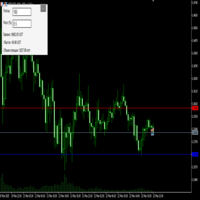
Преимущества и принцип работы индикатора "Risk end Lot Size Calculator" Преимущества : Простота использования :
Индикатор автоматически рассчитывает все необходимые параметры, вам нужно только ввести количество пипсов и риск.
Управление рисками :
Помогает определить, сколько вы можете потерять в сделке, и какой объем позиции (лот) выбрать, чтобы не превысить допустимый риск.
Визуализация :
На графике отображаются линии стоп-лосса для Buy и Sell, что позволяет быстро оценить уровни.
Удобство :
О
FREE

Salah Guard Prayer times, Hijri calendar, and optional trade protection for Muslim traders — calculated entirely inside MetaTrader 5. Salah Guard is a MetaTrader 5 utility designed for Muslim traders. It combines daily prayer time calculation, an integrated Hijri calendar, and an optional Trade Guard system that helps you manage your trading activity around prayer times. Trading can be demanding, and it is easy to lose track of time when watching the markets. Salah Guard provides timely reminder
FREE

GT No Trading Zone – Smart Trade Restriction for Enhanced Risk Management Overview The GT No Trading Zone indicator is a powerful tool designed for traders who want to implement structured trade restrictions during specific time intervals. This is ideal for avoiding high-risk periods, such as news releases, market opens/closes, or any other predefined time frames where trading may be unfavorable. With GT No Trading Zone , you can:
Define up to 5 custom no-trade periods during the day.
Automa
FREE

How to Use All Symbols Opener Preparation : Open any symbol chart in your MetaTrader 5 platform. Select your preferred time frame for the open chart (e.g., M5, H1, D1). Launch All Symbols Opener : Attach the All Symbols Opener utility to the currently open chart: Drag and drop it from the Navigator window under Experts onto the chart. Alternatively, double-click All Symbols Opener from the Navigator to activate it. Automatic Operation : The tool will detect the active chart’s time frame and appl
FREE

Spread Scanner & Normalizer: A Precise Analysis Tool for Symbol Data
The Spread Scanner & Normalizer is a powerful and user-friendly Expert Advisor (EA) designed for traders who want to gain precise insights into the spreads of various symbols. This tool effectively normalizes spreads across a group of symbols and expresses them as percentages, providing clarity and enhanced comparison capabilities.
Key Features: Symbol Overview : Displays symbol names and paths for easy identification. Spread
FREE

Questo script è progettato per valutare i pesi in varie funzioni della finestra. Un indicatore basato su queste funzioni della finestra può essere scaricato all'indirizzo https://www.mql5.com/ru/market/product/72159 Parametri di input: iPeriod – periodo indicatore. iPeriodo >= 2 iCenter è l'indice del riferimento in cui si troverà il centro della funzione finestra. Per impostazione predefinita, questo parametro è 0: il centro della finestra coincide con il centro dell'indicatore. Con 1 <= iCe
FREE

Questo prodotto è stato rinominato PositionRelay Slave Subscriber.
Installate PositionRelay Slave Subscriber dal MQL5 Market. Questa scheda TradeEcho è superata e verrà nascosta. I titoli Market non si possono rinominare.
Stesso User ID e API cloud. Disinstallate TradeEcho Slave Subscriber, poi allegate PositionRelay Slave Subscriber su ogni conto follower.
Prodotto complementare: PositionRelay Master Publisher.
Parole chiave: copy trading, copiatore, PositionRelay, rebrand, slave
PositionR
FREE

Questo indicatore crea un canale relativo all'altro indicatore grafico: indicatore + ATR e indicatore - ATR . Utile per sapere se il prezzo è aumentato troppo rispetto alla linea di base. I livelli ATR possono essere regolati con un moltiplicatore. Può essere applicato anche ai prezzi (chiuso, aperto, alto, basso, mediano...) o ad altri indicatori di sottofinestra. In realtà puoi ottenere le stesse informazioni sulle distanze dalla linea di base quando le applichi ai prezzi di chiusura
Puoi
FREE

Easy Trade Copier (Master / Sender) The lightning-fast, lightweight engine that broadcasts your trades safely. Description:
Welcome to the Easy Trade Copier (Master) . This is the "sender" EA. You attach this to your main trading account, and it instantly broadcasts every trade you take to your client accounts. Standard copiers often cause errors or freeze your trading platform when trying to send data to multiple accounts at once. The Easy Master uses smart, glitch-free saving technology so
FREE

Dashboard – Trading Panel for MetaTrader 5 Dashboard is an essential tool for traders who need a centralized view , efficient order control , and quick access to key market information , all displayed directly on the MetaTrader 5 chart. Features: Clear display of open positions Quick order management (open/close) Profit/loss tracking per trade Built-in trend indicators (moving averages, candles, etc.) Customizable panel for different trading styles Optimized interface for day trading, swing
FREE

ARMOR Risk Calculator Trade with a plan. Calculate your risk before you enter the market. ARMOR Risk Calculator is a professional and easy-to-use risk management tool for MetaTrader 5, designed to help traders calculate their position size and potential trade risk before placing a trade. Instead of manually calculating lot sizes and risk values, ARMOR Risk Calculator provides a clean and intuitive dashboard where you can enter your trade parameters and instantly review the calculated results. Ke
FREE

Ti sei mai lasciato influenzare dai movimenti immediati del mercato quando un trend continua da molto tempo? Fare trading controtrend basandosi sulla sensazione che "stia per invertire". Presa di profitto prematura dovuta all'ansia di "non voler perdere i guadagni". Tutti questi sono rimpianti che avrebbero potuto essere evitati se avessi solo aspettato la chiusura della candela.
Questo strumento è stato creato per eliminare lo stress di fissare il monitor e per supportare un trading disciplina
FREE

Account and Market Dashboard Advanced Account Dashboard & Risk Monitor (MT5) This script provides a real-time on-chart dashboard for monitoring account performance, risk exposure, and execution conditions in MetaTrader 5. It is designed for traders who want clear visibility of account health and risk awareness during live trading or VPS operation.
The script does not open trades and does not interfere with any strategy logic . Key Features Account Metrics Live equity, balance, and float
FREE

Hello everyone, this is another utility that I wrote specifically for users using my profile with a large number of experts and sets ( https://www.mql5.com/en/blogs/post/750723 ) . This utility is useful for working with a profile using grid strategies (averaging and martingale). As we know, such strategies periodically fall into a large drawdown and you need to be careful when opening averaging positions (do not open too many). In my profile, I use a limit of 3 positions for each EA, if this w
FREE

Discover our all-in-one monitoring and notifications EA for MetaTrader. Designed to ensure traders’ security and peace of mind, this unique EA offers a full range of advanced features that will allow you to stay informed and control your account activity, anytime and anywhere. Key Features : Continuous server monitoring: real-time notification on server availability and performance (Cpu, Ram, disk), connectivity, latency and more Advanced account management: live tracking of margin calls, dro
FREE

This demo EA only sends text messages to a predefined Telegram channel ( there is no need to configure telegram ). The messages can be customized to show information about the trading activity. Also it shows the daily account PnL. Several instances of this EA can be used simultaneously from the same MT5 terminal but ensure that each one has different EA ID number (setting B16).
I have tested this EA with forex symbols but it should work fine with any MT5 symbol (e.g. indexes, commodities, stoc
FREE

Get you a Free Utility EA that will show closed positions results on your chart
fun little feature that make every trader really happy
EA will not open or manage position only show historical results on the chart
chose color and size
Please leave 5 start review if you liked this free tool
make sure to check out my trading EA the EA Bull scalper https://www.mql5.com/en/market/product/116071?source=Site+Profile+Seller or the EA Bear Scalper https://www.mql5.com/en/market/product/123680?s
FREE
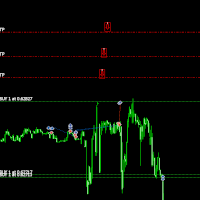
Italian (Italiano) Move TakeProfit - Istruzioni per l'uso Come usarlo Trascina e rilascia Clicca e trascina lo script sul grafico nel punto in cui desideri impostare il nuovo livello di TakeProfit. Rilascia lo script al livello di prezzo desiderato. Finestra di conferma Dopo aver rilasciato lo script, apparirà una finestra di conferma. Mostrerà il numero di posizioni modificate e il prezzo esatto di TakeProfit. Clicca su "Sì" per confermare o su "No" per annullare. Aggiornamento automa
FREE

[FREE UTILITY] EA35 TANIN COPY UTILITY: ZERO LATENCY LOCAL COPIER
Are you looking for a lightning-fast trade copier to manage multiple funded accounts on the same VPS? Introducing EA35 Tanin Copy Utility, a commercial-grade Local Trade Copier for MetaTrader 5. Engineered for Prop Firm traders, this utility ensures zero lag and instant execution between your Master and Slave accounts.
KEY FEATURES: * Master & Slave Roles: Easily assign roles to your MT5 terminals. One Master can broadcas
FREE

Comprehensive OHLC Data Downloader for MetaTrader 5 This powerful and efficient script allows traders, quantitative analysts, and developers to download the complete OHLC history of any financial instrument available in MetaTrader 5. Whether you need historical data for a specific asset or want to download data for all assets in the Market Watch , this tool simplifies the process with just a few clicks. Key Features: Flexible Data Extraction – Download OHLC data for a single asset or all asse
FREE

Questo Equity Manager chiude istantaneamente tutte le posizioni aperte semplicemente in base alla soglia di profitto/rendimento o perdita/rischio che hai inserito (nella valuta di base del tuo conto di trading).
Il gestore azionario gestisce ogni posizione entro questa soglia di profitti e perdite. Ad esempio, avevi 10 posizioni aperte e 5 di esse avevano superato la soglia, l'equity manager le chiuderà tutte proprio mentre l'hanno superata alla velocità del computer.
FREE

Stop guessing your performance. Track your wins and losses instantly, directly on your charts! As traders, keeping an accurate, real-time pulse on our psychological and execution performance is key to staying disciplined. DaBhoza Win Rate Tracker is a lightweight, intuitive, and highly visible on-chart utility designed to help you log and monitor your trade outcomes manually with a single click. Whether you are testing a new manual strategy, practicing on a demo account, or keeping track of your
FREE

EquityShield is a lightweight and dependable Expert Advisor (EA) for MetaTrader 5, crafted to protect your trading account from excessive losses with minimal resource usage. It monitors your account's equity drawdown and automatically closes all open positions and pending orders if the drawdown exceeds your specified threshold, either in percentage (%) or a fixed amount ($). Designed as a robust safety barrier, EquityShield ensures your capital remains secure during unexpected market volatility
FREE
The script removes all of the indicators on the chart with one movement of the hand. There are situations when there are too many indicators on the chart. And it is required to delete all of them without closing the tab. Unfortunately, the settings window doesn't allow us to select all indicators at once and we have to delete one by one. This script will solve this problem. Simply drag the script from Navigator window onto the chart.
FREE

Assistant_for_Reopen - an Expert Advisor that helps to re-set pending orders. Many brokers force the order to expire at the end of the trading session or at the end of the trading day. Therefore, a trader has to restore all pending orders manually every time at the beginning of a new trading session. Assistant_for_Reopen frees the trader from this routine work. It controls expiration by the order expiration time and resets it if the trader ticked the checkbox. The maximum number of orders the EA
FREE

It adds the symbols listed on Binance Spot to the Metatrader5 market clock. With this free file you can list the entire list in seconds. You can easily upload it to your demo account. It is the first file uploaded for Binance Spot Tick and is available for free. Tools menu / Options / Expert Advisors / You need to select Use WebRequest for listed URL You can watch videos to add Metatrader.
FREE
This indicator is to be used in bot connectors for automation of Pct Multi indicator entries.
How to use: Configure the bot connector with the following information: Indicator name: pctmultibot Call buffer: 0 Put buffer: 1
Do not add this indicator to the chart, just configure it in the bot connector!
Pct Multi indicator:
https://www.mql5.com/en/market/product/111091
FREE

a script created with ChatGPT. It changes the symbol in every other chart window to the symbol of the window where you run the script. The story behind it. I use MT5 across 2 monitors. Same price/symbol, different candles. because changing the symbol in every window was tedious. So I had ChatGPT write this script. Important: this script only changes the symbol, everything else like indicators or objects is not transferred to other chart windows
FREE

The utility for setting a common stop loss for multiple orders. Beta version. After the test, common take profit function will be added, orders close function will be added , and other necessary features will be added. Please do not give bad ratings to this free beta version. If you like it, give it a good rating and write to the author about any errors you find and what you would like to see in the utility. I made this utility for myself and use it daily. I am sharing it with you. A commercial
FREE

This utility is a graphical shell for other Expert Advisors that do not have their own graphical shell or whose graphical shell you do not like. Just run the utility on a free chart of any currency pair, specify in the input parameters the "Magic Number" of the advisor to which you want to connect the utility, and a graphical shell will appear on the graph, containing information about the traded currency pairs, current positions and trading results of your advisor. If you like this utility, tak
FREE

The utility opens an order in the opposite direction from already open positions on the currency pair on which it is launched, creating a lock of orders. The utility has a simple interface and is easy to use. MT4 version of the utility - https://www.mql5.com/en/market/product/78127 If you like this utility, take a look at my other products - https://www.mql5.com/en/users/nina_yermolenko/seller
FREE

This system is a semi- automatic trend following system that operates during the days of highest probable market volatility aiming to capitalize on major retracements and reversals that occur midweek. It can operate on full autopilot, act as just a signal generator, or any customized user preference based on the needs of the user and the functionality of the program. It is capable of risk management with an inbuilt lot size calculator with adjustable risk pecentage to suit the user's unique apet
FREE

MetaTrader 5 플랫폼에서 사용되는 사용자 정의 인디케이터로, 다양한 타임프레임에서의 시장 트렌드를 시각적으로 표시하는 데 사용됩니다. 이 인디케이터는 사용자가 지정한 X 및 Y 좌표에 위치하는 패널을 생성하여, M1부터 MN1까지 총 21개의 타임프레임에 대한 트렌드를 각각 라벨 형태로 보여줍니다. 각 타임프레임의 트렌드는 20기간 단순 이동평균(SMA)과 50기간 단순 이동평균을 비교하여 결정되며, 상승 트렌드는 초록색, 하락 트렌드는 빨간색, 보합은 회색으로 표시됩니다. 또한, 모든 타임프레임에서의 트렌드를 종합하여 상승 비율을 계산하고, 이 비율에 따라 전체 시장 트렌드가 표시됩니다. 전체 트렌드는 일정 간격으로 깜빡이며 사용자에게 시각적 주의를 끌도록 설계되었습니다. 이 인디케이터는 시장 상황을 빠르게 파악하고자 하는 트레이더들에게 유용하며, 업데이트 간격과 깜빡임 간격은 사용자의 필요에 맞게 조정할 수 있습니다. 또한, 패널의 위치와 색상도 사용자 정의가 가능하
FREE

OrderCalc opens a window in the chart with the data of your orders:
Position size, stop loss, take profit, profit/loss
Only the positions for this symbol are displayed. If several positions exist, these are totalled and displayed in the last line. If you work with pyramids, you can see at a glance how big the total profit or loss is.
M can be used to display information about the symbol: Margin, spread, minimum order size, increment etc. R opens the risk calculator. A click in the chart calc
FREE

Vyl Focus Trainer — это инструмент для дыхательной разминки, разработанный для MetaTrader 5, который помогает трейдерам войти в спокойное, сосредоточенное состояние перед началом торговой сессии.
В отличие от стандартных торговых инструментов, эта утилита не анализирует рынок и не открывает сделки. Ее цель — подготовить вас, трейдера, к дисциплинированной, эмоционально уравновешенной торговле. Благодаря двухминутной управляемой дыхательной сессии с визуальными подсказками, инструмент помогает
FREE

Portfolio Aggregator - one dashboard, total clarity across all your trading accounts Portfolio Aggregator unifies account data from multiple brokers and currencies into a single, transparent dashboard, giving real-time visibility into equity, margin, P&L, and risk metrics so traders can maintain control and confidence across diversified strategies. It converts all values into a chosen base currency using live FX rates, and displays equity, balance, unrealized P&L, margin usage, and open position
FREE
Utilidad de uso informativo la cual ayudará a gestionar el riesgo de los trades con la ayuda visual de los datos proporcionados. el usuario se encargará de ubicar sus SL y TP manual acorde al lotaje. Asesor experto desarrollado para MT5 con el objetivo de ingresar ratios de utilidad y % de riesgo, adicional los Pips de SL para el cálculo del lotaje para dicho riesgo. Estos se calculan sobre el balance actual. El usuario tomaría como dato ingresar el lotaje que se calculó y arrastrar el S
FREE

An Essential Tool for the Professional Trader
Problem: As a professional trader, you have worked out entry points across several charts and now your anticipating price action. At this stage, you are having to constantly check your mobile phone or PC across several charts hoping for those prices to be achieved
Solution: Enter all the prices for all charts into a single display and get instant notifications to your mobile phone or PC. Save yourself time and frustration
Note: This product wil
FREE

Less is more. Find the strongest trends! This expert scans ALL currency pairs for a strong trend combined with a breakout.
Requirements for a trend report: 1. Up-trend or down-trend must be found in all of the following timeframes (D, H4, H1, M30) 2. Breakout in the daily timeframe (the upper or lower band of the Bollinger band must be broken)
The correctness of the trend is confirmed to 90%
FREE

VolumeMonitorUtility — professional real-time volume monitoring tool VolumeMonitorUtility is a service utility for the MetaTrader 5 terminal that displays key volume analysis metrics directly on the chart as a compact information panel. The utility was created by a practicing trader and developer with 10 years of experience in financial markets and 51 MQL5 certificates. The utility is built on top of the open-source VolumeAnalysis library and is designed for traders who make decisions based on
FREE
多数の通貨を取引している場合、画面をカチャカチャ切り替えの際にどの通貨を見ているか 迷ったことはありませんか。 表示している通貨が大きく表示されるMT4用のインジケーターは あるのですがMT5用がなかったので作成しました。
機能: どの通貨でも表示可能になります。 表示位置 (左上 、 右上 、 左下 、 右下) の 指定 が可能 になります。 表示位置(X軸、Y軸)が変更可能 になります。 フォントの色を 変更可能 になります。 使用するフォント を指定することが可能になります。 フォントサイズ の 変更が可能 になります。 インストール方法: ファイル->データフォルダーを開く->MQL5フォルダー->Indicatorsフォルダー 配下にex5ファイルを置いてMT5を再起動してください。
FREE
I find the lot calculation tedious so I just use this script and tell it the dollar amount to use. It then does the rest. This works for any currency.
How-To: Open a sell position using the desired dollar amount instead of lots. To use, just drop it onto a chart and set inputs as needed. The script will then do the necessary lot calculation and open the trade.
Inputs: FIXED_DEAL_AMOUNT: Fixed amount to use per trade e.g 100 to open a R100 deal USE_SL_ON_BUY: If true then a suitable stoploss wi
FREE

Introducing our cutting-edge Trade Copier Expert Advisor for MetaTrader 5 (MT5) – the ultimate solution for seamless trade replication across multiple accounts on the same server or computer. Elevate your trading experience and take control of your investment strategy like never before with our professional-grade Trade Copier. Key Features: Effortless Trade Replication: Our Trade Copier effortlessly duplicates trades from a master account to multiple slave accounts, ensuring that you never miss
FREE

Script Universal Counter is a utility script for the MetaTrader 5 terminal designed to instantly count the number of bars (candlesticks) within a specified historical range. Key Features: Timeframe Selection: Supports all 21 standard MT5 timeframes (from M1 to MN1) via a drop-down menu. Precise Dates: Allows you to set the exact start and end time of the calculation period. Convenient Output: Automatically displays the total bar count in a pop-up window (Alert) and duplicates detailed informatio
FREE

This indicator allows to hide CCI oscillator (on all MT5 timeframes) from a date define by the user, with a vertical line (Alone) or a panel (with "Hidden Candles"). Indicator Inputs: Period Apply To Information on "Commodity Channel Index" indicator is available here: https://www.metatrader4.com/en/trading-platform/help/analytics/tech_indicators/commodity_channel_index ************************************************************* Hey traders!! Give me your feeds! We are a community here and
FREE

EA to help traders stay within tight risk management.
Asks only for account's initial balance and Stop Out DD. This is meant for prop firm traders, but will help any trader who is looking for a simple risk manager.
Trasks and reports daily PnL and will advise you to stop at 1% daily loss. Will advise you to wait if you have too many open trades.
Based on the open chart (symbol and timeframe) will recommend size and SL distance in order to risk the desired cash risk. See screenshot for example
FREE

Bundle Risk Manager Pro EA
"Risk Manager Pro EA is an all-in-one trading utility that combines advanced risk management tools, ensuring full control over your trading account while protecting your capital and complying with trading regulations. By bundling Limit Positions , Concurrent Risk Capital , and the newly added Limit Profit , this EA is the ultimate solution for disciplined trading and achieving evaluation goals. Key Features: 1. Limit Positions : Enforces a maximum number of open posi
FREE

Trading Companion is an EA bridge to the Telegram chat. It does not place trades, it provides to your Telegram's terminal information about your accounts - it can be used with any other EA, indicator or trading solution. It notifies you about the server lag (ping between your terminal and your broker) and includes a feature to withdraw wisely from your account.
Settings Ping limit: default 300ms - will warn you if ping is superior Basis Fund: 0, deactivated - each time you will withdraw, it is
FREE

This Expert Advisor monitors all open positions across all symbols in MetaTrader 5. Whenever a Stop Loss (SL) or Take Profit (TP) is manually set or adjusted on any position, the EA automatically applies that value to all other open positions , regardless of symbol or order type (Buy/Sell). This ensures consistent and synchronized SL and TP levels across your account.
Perfect for mobile trading via tablet or smartphone!
FREE

CloseByLossOrProfit Expert Advisor closes all positions as their total profit or loss reaches a specified value (in deposit currency). In addition, it can delete pending orders. Allow AutoTrading before running the Expert Advisor. Usage: Run the Expert Advisor on a chart. Input Parameters: Language of messages displayed (EN, RU, DE, FR, ES) - language of the output messages (English, Russian, German, French, Spanish); Profit in the currency - profit in points; Loss in the currency - loss in p
FREE
CYP Trade Manager Basic - Advanced Position Management for MT5 Protect Your Trades with Professional Risk Management CYP Trade Manager Basic is a sophisticated trade management Expert Advisor designed to protect your trading capital and maximize profit potential through intelligent position management. Perfect for both beginner and experienced traders who want to automate their trade management without the complexity. Key Features Automatic Breakeven Protection Moves stop loss to breakeven
FREE
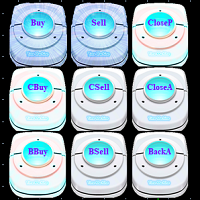
1. introduzione del sistema È un pulsante di indicazione del segnale e della transazione conveniente tridimensionale, e le sue funzioni non includono solo: comprare, vendere, chiudere la posizione di perdita, chiudere la posizione di profitto, comprare la posizione di chiusura (opzionale 1/5 ~ 1 posizione), vendere la posizione di chiusura (opzionale 1/5 ~ 1 posizione), chiara posizione (cancellare tutti gli oggetti, tutte le posizioni e tutti gli ordini pendenti), comprare backhand (opzionale
FREE

Pannello di Trading GUARDIAN Controlla il mercato. Non seguirlo. GUARDIAN non è solo un pannello di trading.
È un sistema di comando per i trader che rifiutano il caos, l'esitazione o l'esecuzione emotiva. Progettato per professionisti che comprendono una verità:
Velocità ed controllo dell’esecuzione determinano i risultati. ️ GUARDIAN elimina il divario tra decisione e azione.
Sostituisce il caso con la struttura. ️
Trasforma il tuo grafico in un centro di comando. Cosa impone GU
FREE

This script is designed for traders who need to quickly place trades across multiple currency pairs during critical news releases, where every second counts. With this tool, you can pre-select your desired currency pairs and assign independent volumes for each one. When a major news event hits, such as Non-Farm Payroll (NFP) or PMI data releases, the script allows you to execute all your trades instantly without the need to open each pair manually. Key Features: Customizable Pairs : Choose from
FREE
I find the lot calculation tedious so I just use this script and tell it the dollar amount to use. It then does the rest. This works for any currency.
How-To: Open a buy position using the desired dollar amount instead of lots. To use, just drop it onto a chart and set inputs as needed. The script will then do the necessary lot calculation and open the trade.
Inputs: FIXED_DEAL_AMOUNT: Fixed amount to use per trade e.g 100 to open a R100 deal USE_SL_ON_BUY: If true then a suitable stoploss wil
FREE

一 運作方式(如下圖)
在一個單邊向上的行情中, 自動交易工具做以下動作: 當價格來到高點,等待突破訊號在進場。
當價格回調,等待回調結束要往上時在進場。 當進場下單後,
如果一直漲就持續持單,等待價格漲不上去準備下來時,在獲利離場。
但如果一直跌,就等待要上漲時在進場,進場時加倍下單,
一個做底單,動作同上等待獲利離場,
另一個單用做倉位修正,此單和第一張單在盈虧為0時會各自平倉,不造成損失。 Ps:
在一個單邊向下的行情中,動作則相反
二 設定方法(如下圖)
Step1 一開始要自己指定工具的方向.
如果認為會往上走,設定i_tradeup=true, i_tradedown=false,
如果認為會往下走,設定i_tradeup=false, i_tradedown=true,
Step2 指定目標位置和止損位置
如果認為會往上走,i_top輸入目標位置,i_bottom輸入止損位置
如果認為會往下走,i_top輸入止損位置,i_bottom輸入止盈位置
當價格到達目標位置會強制平倉獲利並暫停工具運作
當價格到達止損位置會反向開單鎖倉
FREE

This MQL5 script calculates and displays a recommended trading lot size, offering both automatic and manual modes. In automatic mode, it calculates lot size based on account balance, market volatility (ATR), or a hybrid of both. The script defines lot size types (Micro, Mini, Standard) with switching thresholds, volatility settings, and safety limits. It aims to automate lot size calculations for systematic risk management, adapting to market dynamics and account parameters. Core Features Out
FREE
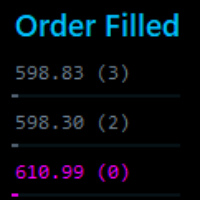
This tool identifies opportunitie levels by tracking where significant orders are being filled in the market and monitors key price levels where institutional orders cluster, providing you with valuable insights into market structure and potential reversal points.
Key Features: Smart Level Detection • Automatically identifies significant price levels where orders are being filled • Tracks both touch and rejection points to validate level strength • Merg Fully Customizable • Adjustable a
FREE

CxPV Analyst is a high-performance trading utility and Expert Advisor designed for traders who demand data-driven precision over simple indicator crossovers. By combining four distinct quantitative engines into a single "Cert Score" (Certainty Score), this tool identifies high-conviction market phases while filtering out low-probability "noise." Whether you are a manual analyst looking for a powerful dashboard or an algorithmic trader seeking automated execution, CxPV Analyst provides the instit
FREE
Il MetaTrader Market è il posto migliore per vendere robot di trading e indicatori tecnici.
Basta solo sviluppare un'applicazione per la piattaforma MetaTrader con un design accattivante e una buona descrizione. Ti spiegheremo come pubblicare il tuo prodotto sul Market per metterlo a disposizione di milioni di utenti MetaTrader.

Ti stai perdendo delle opportunità di trading:
- App di trading gratuite
- Oltre 8.000 segnali per il copy trading
- Notizie economiche per esplorare i mercati finanziari
Registrazione
Accedi
Accetti la politica del sito e le condizioni d’uso
Se non hai un account, registrati