 MetaTrader 5
 Experts
 Indicatori
 librerie
 Utilità
 Widget
 Regole
Guarda i video tutorial del Market su YouTube
Come acquistare un Robot di Trading o un indicatore
Esegui il tuo EA
hosting virtuale
hosting virtuale
Prova un indicatore/robot di trading prima di acquistarlo
Vuoi guadagnare nel Market?
Come presentare un prodotto per venderlo con successo
Utilità di trading per MetaTrader 5 - 31
 Di seguito sono riportati i programmi di trading che semplificano il trading in MetaTrader 5. Passa il mouse su un'utilità per leggerne la descrizione e la sua funzione.
An Essential Tool for Traders regardless of experience
Problem : You want to place trades for a few trading pairs, you now have to scroll through individual charts to place your trades. Your playing it wisely and would like to secure small gains for trades that go in your favour and here you are again checking your trades back and forth and closing some off manually Solution : Use the panel. Drag and Drop the panel into any single chart and type in the pairs you need in the inputs. Save time an
FREE

Protect your funded accounts and personal capital with military-grade precision. This utility continuously monitors your floating equity against your daily starting balance. The moment your custom drawdown threshold is breached, it instantly liquidates all open positions, deletes pending orders, and completely unloads from the chart. Stop revenge trading and never fail a prop firm evaluation due to a margin breach again.
FREE

The "InfoBox" utility is designed to display the presence of open orders, the number of lots, current profit and much more in one window. The version for the MT4 platform is here . You've probably encountered a situation where you have an advisor that works on a currency pair, but information about its operation: - orders and their number, the size of the spread for the instrument, the volume of lots on the market, drawdown and much more - are scattered in different places of the terminal an
FREE

Простая утилита, которая показывает на какую сумму средств куплено активов в портфеле. Необходима для отслеживания загрузки депозита. Выводит информацию в удобную надпись, которую можно разместить в любом месте графика. Учитывает валюту депозита: USD или RUB Учитывает, в какой валюте торгуется актив (USD или RUB) и автоматически конвертирует по текущему курсу. Можно настроить размер и цвет надписи
FREE
多数の通貨を取引している場合、画面をカチャカチャ切り替えの際にどの通貨を見ているか 迷ったことはありませんか。 表示している通貨が大きく表示されるMT4用のインジケーターは あるのですがMT5用がなかったので作成しました。
機能: どの通貨でも表示可能になります。 表示位置 (左上 、 右上 、 左下 、 右下) の 指定 が可能 になります。 表示位置(X軸、Y軸)が変更可能 になります。 フォントの色を 変更可能 になります。 使用するフォント を指定することが可能になります。 フォントサイズ の 変更が可能 になります。 インストール方法: ファイル->データフォルダーを開く->MQL5フォルダー->Indicatorsフォルダー 配下にex5ファイルを置いてMT5を再起動してください。
FREE

This is a utility for storing the data on open interest (OI), ratio of buyer/seller orders' number and the ratio of buyer/seller orders' volumes on the Russian FORTS futures market. This is the first product of the series. Now, you can trace history of the specified data in real time in МТ5 terminal. This allows you to develop brand new trading strategies or considerably improve the existing ones. The data received from FORTS market is stored as a database (text CSV or binary one at user's discr
FREE

The Expert Advisor "TimeLeft Display" shows the remaining time until the close of the current candle in a digital display. The time is displayed in days, hours, minutes, and seconds. Features: Time Calculation: Calculates the remaining time until the close of the current candle based on the current timeframe of the chart. Digital Display: Shows the remaining time in a digital format. Customizable Font and Size: Allows selection of the font (Arial, Arial Black, Aptos Display, Tahoma,
FREE
This indicator allows to hide CCI oscillator (on all MT5 timeframes) from a date define by the user, with a vertical line (Alone) or a panel (with "Hidden Candles"). Indicator Inputs: Period Apply To Information on "Commodity Channel Index" indicator is available here: https://www.metatrader4.com/en/trading-platform/help/analytics/tech_indicators/commodity_channel_index ************************************************************* Hey traders!! Give me your feeds! We are a community here and
FREE

This panel shows the price position and the selected MAs for the selected timeframes and symbols.
You can control up to 3 symbols; up to 6 timeframes; up to 10 different Moving Averages. Version for MetaTrader 4: https://www.mql5.com/ru/market/product/28281 Version for MetaTrader 5: https://www.mql5.com/ru/market/product/28096
Parameters NUM_BAR - bar number for analysis; timeframe_1....timeframe_6 - names of used timeframes (if set to "current", the timeframe will not be used); symbol_1 ....
FREE

Global Equity Manager Global Equity Manager is an account-level risk management tool designed to protect your trading capital by monitoring the entire account equity in real time and acting immediately when your predefined limits are reached. It works independently of any trading strategy and manages all open positions together as one basket . Key Advantages Full Account Protection
Monitors total account equity instead of individual trades. Works with Any Strategy
Compatible with manual
FREE
Overview
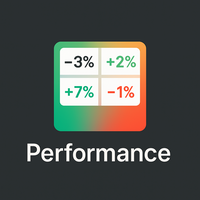
Performance Indicator mostra una heatmap dei rendimenti percentuali per una lista di simboli su intervalli temporali configurabili. Serve a confrontare in modo visivo forza e debolezza relativa, senza dare alcuna garanzia di risultati. Configuration
SymbolsList: simboli separati da virgola, deve corrispondere esattamente ai nomi nel terminale.
BaseTF: timeframe base per i calcoli.
UpdateSeconds: intervallo in secondi per l’aggiornamento automatico.
CapPercent: valore di normalizzazio
FREE
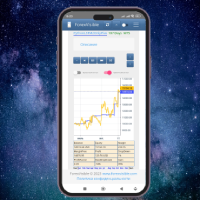
This client utility is intended for sharing and copying signals, as well as for monitoring your Expert Advisor on the site https://forexvisible.com . The Android version of the site can be downloaded here The version for the MT4 terminal can be downloaded here https://www.mql5.com/en/market/product/106509 There are many reasons to use this application in your trading, and these are: 1. If you have many trading advisors and many accounts, it is very difficult to track them and monitor everythin
FREE

交易数据分析助手 : 这是一款交易数据统计分析工具,数据图表较多可供分析参考 . 语言: 支持语言的选择切换(目前支持中文和英文 主动识别不用人工选择) 主窗口显示: 余额显示 总盈亏显示 现在持仓盈亏金额显示 现在持仓盈亏比例显示 买单卖单总单量,总手数,以及盈亏情况显示. 仓位使用比例显示 按照目前持仓能够承受的亏损点数预计 (点击右下角可缩放)每日订单单量,手数,盈亏情况统计 (点击右下角可缩放) 当周盈亏数据
(点击右下角可缩放) 当月盈亏数据
(点击右下角可缩放) 当年盈亏数据
交易数据统计区: 详细订单统计,(可以选择按日,周,月,季度,年)(按品种,识别码)(现有持仓详细统计) 盈亏/手数/交易次数 柱状图 多/空持仓时间/获利水平情况 多货币盈利次数/盈利水平分布情况 余额净值曲线/余额曲线/盈利曲线等(注:加载余额净值曲线可能需要一定的数据处理时间,请耐心等待加载完成...) 每次订单盈亏利润柱状图 多货币对盈利曲线图 数据统计分析报告 关于版本更新 有任何问题,建议,欢迎交流.
FREE

Scopo:
Apre automaticamente i grafici di tutti i simboli della Watchlist utilizzando il template default.tpl sul timeframe corrente (TF) , chiudendo tutti gli altri grafici (tranne quello attivo). Perfetto per analizzare rapidamente più strumenti senza sforzo manuale! Caratteristiche:
Automazione: Apre decine di grafici con un clic.
Sicurezza: Chiude i grafici superflui, mantenendo quello attivo.
Flessibilità: Usa il tuo template default.tpl (configuralo in anticipo!).
Timeframe c
FREE
Copier MS MT5 Netting Copyist MS is a fast and easy-to-use copier of trade orders; it works as an advisor in the form of a single file with switching between the Master and Slave operating modes. The current version of the adviser works only on netting accounts. Settings Type of work - selection of the operating mode: Master or Slave; Master account number - number of the trading account of the master terminal; Selective copying currency pairs - individual selection of currency pairs for copyin
FREE

PositionPilot — Менеджер позиций в один клик PositionPilot размещает исполнение сделок и управление позициями прямо на вашем графике. Один клик — и ваша сделка под защитой. В отличие от большинства советников, которые обрабатывают только собственные ордера, PositionPilot работает со ВСЕМИ позициями — открытыми вручную, другими советниками или через его панель. Исполнение в один клик Кнопки BUY/SELL с автоматическим лотом по проценту риска Горячие клавиши F1–F6 для торговли с клавиату
FREE

MAKO Vector MAKO Vector is a read-only market-state utility for MetaTrader 5. It analyzes the symbol and timeframe of the current chart and presents the current structural condition in a compact visual panel. The utility does not open, close, or modify trades. It does not manage orders, positions, stop losses, take profits, or account risk. Its purpose is to provide a clear description of the market structure currently visible on the chart. Market State MAKO Vector classifies the current chart i
FREE

NHS Prop Firm Guardian NHS Prop Firm Guardian is a dedicated, single-panel risk monitor and drawdown protection overlay for MetaTrader 5, built around one core idea: watch the account relentlessly, and enforce the limit the moment it's crossed — even if the trader isn't looking . It is a pure risk-monitor companion tool, not an order-entry or trade-management system: it does not place trades, manage stops, or run automation strategies. Its job is tracking Daily drawdown on the current chart symb
FREE

Advanced harmonic filter is a reliable and smart utility that uses an author's algorithm to process continuous data and present them in the form of harmonic oscillations. The utility can identify regularities and patterns in the input data, which are then used to generate output data that is most similar to the input data. This makes it a powerful tool to use with other indicators to predict future trends and identify Elliott waves on selected intervals. The utility is most effective when us
FREE

** LIMITED version** This EA utility helps Price Action traders calculate the risk as Big Money profesional traders do: in points or percentages. Allows to also set a desired Profit:Risk ratio and optionally enter a second and third orders simultaneously with different ratios and risk percentages. Great for BTMM, ICT, and other methodologies.
Very simple to use, just "point and shoot"!!!
Full version available here .
FREE

Panel Tool – Button Click Trading (Replaces Default Trade Panel)
Features
1. Open or close Long positions with a button click.
2. Open or close Short positions with a button click.
3. Set lot sizes.
4. Set Stop-Loss (SL) or Take-Profit (TP) points (0 = not used).
5. Set order comments.
6. Display the Break-Even price .
7. Show total Long and Short lot sizes.
8. Display Profit or Loss in USD.
9. Show daily Profit or Loss in USD.
10. Set ID = 0 to manage manual orders together .
FREE

Script for deleting pending orders If you need to delete all pending orders you placed, this script will do it for you! It doesn't have any input parameters. Allow AutoTrading before running the script. Usage:
Run the script on a chart. If you need a possibility to adjust parameters of the script, use the version with input parameters https://www.mql5.com/en/market/product/627 You can download MetaTrader 4 version here: https://www.mql5.com/en/market/product/2782
FREE
I find the lot calculation tedious so I just use this script and tell it the dollar amount to use. It then does the rest. This works for any currency.
How-To: Open a buy position using the desired dollar amount instead of lots. To use, just drop it onto a chart and set inputs as needed. The script will then do the necessary lot calculation and open the trade.
Inputs: FIXED_DEAL_AMOUNT: Fixed amount to use per trade e.g 100 to open a R100 deal USE_SL_ON_BUY: If true then a suitable stoploss wil
FREE

MT5 Trade Copier Master - Free Trade Broadcaster Require Slave EA: https://www.mql5.com/en/market/product/178686 This Master EA broadcasts trades but CANNOT copy them by itself. You MUST purchase and install the SyncTrade Copier Slave EA on a second MT5 terminal to copy trades. Without the Slave EA, this product does nothing useful on its own. Both MT5 terminals must be installed on the SAME computer for file sharing to work. They cannot be on different computers or VPS instances.
What This Ma
FREE

The utility draws reversal levels using the formulas for each of the selected number of candles:
Pivot = (high + close + low) / 3 R1 = ( 2 * Pivot) - low S1 = ( 2 * Pivot) - high R2 = Pivot + (R1 -S1) R3 = high + ( 2 * (Pivot - low)) S2 = Pivot - (R1 - S1) S3 = low - ( 2 * (high - Pivot)) H = high L = low U = if the candle is bullish, then close. Otherwise - open D = if the candle is bullish, then open. Otherwise - close
On any timeframe.
After a new candle closes on the calculated timeframe
FREE

Get a Clean Chart Instantly
This script quickly and reliably removes everything unnecessary from the chart — all graphical objects and all indicators.
Key Benefits - Full Cleanup Removes all graphical objects (lines, arrows, shapes, etc.) Removes all indicators from the main and auxiliary windows - Logging Outputs detailed information about the cleanup process to the Experts tab
Recommendations - Read the product description carefully before purchasing - Back up importa
FREE

NS Financas Clear All Objects Automatically Script for quick removal of all objects from your chart (lines, shapes, symbols, etc ...) Don't waste any more time trying to find all the objects on your screen for removal. Use this script and in one click all objects will be removed from the chart automatically. Also, it is possible to configure hotkeys to make the script even faster in its use. NS Financas Clear All Objects Automatically does not remove indicators. Take the opportunity to visit our
FREE

This utility is a graphical shell for other Expert Advisors that do not have their own graphical shell or whose graphical shell you do not like. Just run the utility on a free chart of any currency pair, specify in the input parameters the "Magic Number" of the advisor to which you want to connect the utility, and a graphical shell will appear on the graph, containing information about the traded currency pairs, current positions and trading results of your advisor. If you like this utility, tak
FREE

If you use several charts open at the same time, you know how boring it is to apply formats to each chart individually. This script can change all open charts using a single command. Parameters: 1 - Choose symbol to put on charts: apply the selected symbol to all charts. If "current", it does not change the symbol; 2 - Choose timeframe or leave empty: apply the selected timeframe to all charts. If "CURRENT", it does not change the timeframe; 3 - Apply template to the charts: If true, apply the t
FREE

The utility opens an order in the opposite direction from already open positions on the currency pair on which it is launched, creating a lock of orders. The utility has a simple interface and is easy to use. MT4 version of the utility - https://www.mql5.com/en/market/product/78127 If you like this utility, take a look at my other products - https://www.mql5.com/en/users/nina_yermolenko/seller
FREE

This program is designed to download economic calendar news events for a specified country over a selected date range, allowing traders to analyze and incorporate important economic data into their trading strategies. By specifying both a start and end date, as well as a country code, the program retrieves relevant news events within the defined period and exports them to a CSV file for easy review and analysis. This tool helps traders stay informed about scheduled economic events that may impac
FREE

RTrade panel is easy trading panel use both (Stop Loss & Take Profit) based on pips with easy interface can be use by anyone
Panel Feature: -Open position based on (Lot) size
-Auto detect entry price -Use Stop Loss based on (pips) -Use Take Profit based on ( pips ) -Close all position in one button click
i will add more function in future update if you like it write your review
FREE

Обычная трейдец-сетка, но не имеет явного диапазона. Вместо диапазона, в настройках устанавливаются стоп-лоссы. Закрытие происходит по тейк-профиту, так же устанавливаются в настройках. Робот может торговать в любом направлении, как вверх или вниз, так и в обоих направлениях. Робот не проверяет баланс счета, а потому имеет очень высокий риск. По умолчанию стоят настройки для EURUSD пары (не самые лучшие). Рекомендуемый минимальный депозит $200. Имеется вторая версия в которой добавлены дополните
FREE

"Twits Price speedometer" is an indicator designed to measure current "speed" and directional efficiency of price movement in real time. It has been developed as an Expert Advisor (EA) because it reacts to every incoming tick, making it independent from traditional chart time frames and capable of analyzing markets with extremely high precision, even at the level of individual ticks or milliseconds. The operating principle is simple yet highly effective. Within a user-defined analysis window (fo
FREE

EV Prop Protector is a set-and-forget MT5 utility designed for prop firm traders. Attach it to any chart and it silently monitors your account 24/7, closing all positions and pending orders the instant you breach any configured limit. Every module can be turned ON or OFF independently. DRAWDOWN PROTECTION • Daily loss limit — closes everything when today's equity loss reaches X% • Max drawdown limit — closes everything when total drawdown from starting balance (o
FREE

A FOMO blocker to click before opening an emotional trade.
Once activated, the blocker remains in effect—even if you change settings or restart MT5—until the timer runs out, preventing you from opening new trades.
Set the duration you need for your mindset to return to normal.
Use it without restraint.
If you open a trade during this period, it will be closed immediately.
---- NEW VERSION FULL https://www.mql5.com/en/market/product/192677
Check out my alert for stepping away from your PC
FREE

(Grafici di criptovaluta)
Salva tutti i simboli da Binance Spot in simboli personalizzati.
Aggiunge il prefisso "S" ai simboli in Binance Spot.
Crea l'infrastruttura in cui è possibile seguire i simboli in Binance Spot.
Dovresti consentire WebRequest dal menu Strumenti >> Opzioni >> Consulenti esperti e aggiungere l'URL: https://api.binance.com
basta fare doppio clic sullo script.
Hai l'intera lista in pochi secondi.
vedere il prodotto nel link https://www.mql5.com/en/market/product/69
FREE

Questo prodotto è stato rinominato PositionRelay Slave Subscriber.
Installate PositionRelay Slave Subscriber dal MQL5 Market. Questa scheda TradeEcho è superata e verrà nascosta. I titoli Market non si possono rinominare.
Stesso User ID e API cloud. Disinstallate TradeEcho Slave Subscriber, poi allegate PositionRelay Slave Subscriber su ogni conto follower.
Prodotto complementare: PositionRelay Master Publisher.
Parole chiave: copy trading, copiatore, PositionRelay, rebrand, slave
PositionR
FREE
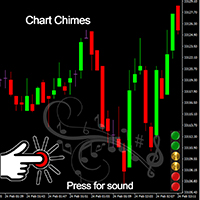
Presentazione di Chart Chimes: l'indicatore MT4/MT5 che rende il trading una sinfonia di suoni! Stanco di guardare le classifiche tutto il giorno? Hai bisogno di un piccolo tirami su per mantenere alto il morale mentre fai trading? Bene, Chart Chimes ti ha coperto!
Con Chart Chimes, ogni volta che premi quel pulsante, sentirai un suono divertente che ti farà sorridere e ti farà saltare il passo. Immagina di fare trading con il suono di una tromba trionfante o di un'arpa gentile in sottofondo:
FREE

Very often there are situations when you need to quickly close all open positions or close only under a certain condition...
The Positions Close script closes open positions according to the selected settings.
You can choose to close All positions , only Buy, only Sell
You can also choose by which symbols to close positions: by all symbols or only by the current one, on the chart of which the script was thrown
There is a filter for closing profitable or unprofitable positions, as well as bo
FREE

The script analyzes all trading instruments listed in the Market Watch of the MT5 platform to assess their suitability for trading on the timeframes specified in the settings. Based on the analysis, the script displays a table, where trading instruments deemed suitable and recommended for trading are marked in green, based on their compliance with the risk-to-reward ratio coefficient, including the spread (default 1:3). Instruments not recommended for trading are marked in red.
FREE

This Utility tells you the volatility of any symbol for any of the major time frames. As trades occur, the volume increases for each period. When each period ends, the bucket is reset to 0. Volumes are sorted from largest to smallest within each shown period. Click any symbol to highlight that symbol in all period columns. Volume information is specific to transactions placed at your broker. To test in the Tester, set the following:
EURUSD,M1,1 minute OHLC 2018.01.01 to 2018.01.02 (a day’s worth
FREE

Non è mai stato così facile testare le tue idee di trading e vedere come si comportano sul mercato. Basta selezionare qualsiasi pattern "Cypher" dal passato con 4 clic sul tuo grafico, aggiungerlo alla lista di backtesting e voilà! Otterrai una completa analisi dei dati per ogni simbolo e timeframe.
Tutorial sulla strategia Cypher
Si prega di notare che il robot non funziona nel tester di strategia Selezione del pattern Cypher con soli 4 clic Regolazione automatica dei livelli di stop loss e ta
FREE

Advisor consente di simulare l'esecuzione delle transazioni effettuate da un altro esperto e salvato in un file csv. Questo può essere utile per verificare i risultati della strategia di trading su un altro server.
Utilizzare un altro programma, ad esempio Account History Exporter, per esportare la cronologia delle transazioni sul conto in un file csv nel formato desiderato, oppure collegare al proprio esperto il codice del programma Expert History Exporter per esportare la cronologia.
All'
FREE

Take control of your trading performance with the Pro Dashboard Screener Designed for serious traders, this utility provides a clean, professional, and real-time overview of your account's health directly on your chart. Stop switching between tabs to check your stats. With the Quant Pro Dashboard, your key metrics are always front and center, allowing you to focus on what matters most: your analysis. Key Features: Account Intelligence: Automatically detects your Account Number and Broker detail
FREE

SymbolScope MT5 è il tuo assistente personale per le specifiche degli strumenti. Dimentica la necessità di guardare le specifiche del contratto nel terminale o cercare dati su internet. Tutte le informazioni necessarie sono sempre a portata di mano in un pannello elegante e minimalista sul grafico. A cosa serve?
È vitale per un trader conoscere i parametri esatti di uno strumento prima di aprire un'operazione: valore del punto, dimensione del contratto, volume minimo, swap. SymbolScope MT5 forn
FREE

Break-Even Pro * 3 BE modes: - RewardRisk_Single for single trade (only valid for positions with SL) - Points_Single for single trade - Points_DCA for multiple DCA trade * Start Value: value of RR or # points to start SL moving * Offset: distance in points between BE level & entry * Symbol Filter: Select All or a specific symbol * Partial Close (%): Close % initial volume when moving SL to BE (0 for no partial close) Join my telegram channel here for more useful free EAs. Thank you!
FREE

Intraday Time Logic Pro is a high-performance trade history analyzer designed to reveal the relationship between your trading performance and specific time windows. By categorizing every trade into custom-defined sessions, this tool helps you identify your most profitable hours and the currency pairs that perform best during those times. Unlike basic history logs, this utility uses Position-Based Analysis to ensure that multi-stage entries and partial closes are calculated accurately as single t
FREE

Trading Companion is an EA bridge to the Telegram chat. It does not place trades, it provides to your Telegram's terminal information about your accounts - it can be used with any other EA, indicator or trading solution. It notifies you about the server lag (ping between your terminal and your broker) and includes a feature to withdraw wisely from your account.
Settings Ping limit: default 300ms - will warn you if ping is superior Basis Fund: 0, deactivated - each time you will withdraw, it is
FREE

VTB High Watermark Drawdown INFO Indicator for MT5 Advanced Account Monitoring & Drawdown Information Dashboard VTB High Watermark Drawdown INFO is a professional account monitoring indicator designed to display drawdown statistics, account performance, and risk management information directly on the chart. Unlike Expert Advisors, this indicator does not interfere with trading activity. It does not open or close positions, modify orders, or block trading. Its sole purpose is to provide a clear a
FREE

Project Overview Totz Visual Risk Calculator EA is an interactive, on-chart Risk Management panel for MetaTrader 5 (MT5). It replaces manual position size calculations by automatically computing appropriate lot sizes based on visual, draggable Entry, Stop Loss (SL), and Take Profit (TP) lines. Key Features Automated Risk Calculation: Lot sizing automatically adjusts to target a specific percentage of account balance or equity. Interactive Visual Lines: Drag-and-drop horizontal lines directly
FREE

Margin Tick Ratio — margin efficiency analysis for all broker's instruments
Margin Tick Ratio is a script for MetaTrader 5 that runs through your broker's tools in one run and answers a practical question: how much "tick" profit do you get for each unit of collateral, and how expensive is the entry spread.
The script does not trade. It collects data, ranks tools by efficiency, and generates a user-friendly report in a terminal, CSV, and interactive HTML file.
Who is this product for
• T
FREE

Script Name: Close All Positions Language: MQL5 Type: Utility Script Primary Function: Instantly close all open positions on the current trading account Purpose The “Close All Positions” script is a lightweight and efficient tool designed for traders using MetaTrader 5. Its main purpose is to help users quickly exit all active trades with a single click, especially during volatile market conditions or when risk management requires immediate action. Instead of manually closing each position on
FREE

Universal HTF Box Candle Overlay: Multi-Timeframe Wick Stats & Liquidity Tracker The Ultimate Multi-Timeframe Visualization Tool for MT5! Stop switching tabs to check higher timeframes. Universal HTF Box Overlay brings any higher timeframe (HTF) structure directly onto your current lower timeframe (LTF) chart. Whether you are a Gold scalper or a Trend follower, this utility gives you the "Eagle Eye" view needed for precision trading. Key Features: Fully Universal HTF Support: Overlay ANY time
FREE

Características Principales El bot actúa como una herramienta de supervisión y control automatizado de posiciones abiertas, enfocándose en la gestión dinámica basada en la detección de velas de expansión rápida ( Spikes ). 1. Detección Inteligente de Spikes Identificación Automática: Analiza si el símbolo activo corresponde a un índice Boom o Crash . Filtro de Cuerpo de Vela: Compara el tamaño de las velas recientes con un promedio dinámico (calculado sobre un periodo de referencia) para iden
FREE

SHINO Trade Manager – Smart Risk Management EA (Auto SL, TP & Trailing Stop + Telegram Alerts) Take full control of your trades and eliminate emotional decision-making with SHINO Trade Manager , a powerful and lightweight Expert Advisor designed to automate your risk management on MetaTrader 5. Whether you are a scalper, day trader, or swing trader, this EA ensures every position is protected and managed with precision — 24/7. Protect Your Capital Automatically Never leave a trade unprotec
FREE

一 運作方式(如下圖)
在一個單邊向上的行情中, 自動交易工具做以下動作: 當價格來到高點,等待突破訊號在進場。
當價格回調,等待回調結束要往上時在進場。 當進場下單後,
如果一直漲就持續持單,等待價格漲不上去準備下來時,在獲利離場。
但如果一直跌,就等待要上漲時在進場,進場時加倍下單,
一個做底單,動作同上等待獲利離場,
另一個單用做倉位修正,此單和第一張單在盈虧為0時會各自平倉,不造成損失。 Ps:
在一個單邊向下的行情中,動作則相反
二 設定方法(如下圖)
Step1 一開始要自己指定工具的方向.
如果認為會往上走,設定i_tradeup=true, i_tradedown=false,
如果認為會往下走,設定i_tradeup=false, i_tradedown=true,
Step2 指定目標位置和止損位置
如果認為會往上走,i_top輸入目標位置,i_bottom輸入止損位置
如果認為會往下走,i_top輸入止損位置,i_bottom輸入止盈位置
當價格到達目標位置會強制平倉獲利並暫停工具運作
當價格到達止損位置會反向開單鎖倉
FREE
每次一忙都會錯過訊號下單,或不想一直花時間盯盤下單,可以用這個工具掛單,讓MT5 自動 盯盤並在滿足條件後下單 。
demo : https://www.youtube.com/watch?v=JBPiFkixqT4 configuration: https://www.youtube.com/watch?v=D7xESKKD26o #############################################
使用場景:
一般交易可以分為2種,分別是: 左側交易: 價格到達關鍵位置時就下單交易,想要自動下單,可以使用buy limit和sell limit掛單 右側交易: 價格到達關鍵位置, 同時出現做多或做空訊號 時下單交易, 想要自動下單, 就 可以用本工具自動掛單 本工具會 在你指定的阻力區域偵測到做空訊號時,建空單 ; 並在你指定的支撐區域偵測到做多訊號時,建多單。 demo影片: https://www.youtube.com/watch?v=JBPiFkixqT4
########################################
FREE

This is a MetaTrader 5 script. It helps to summarize all trades into every symbol.
Input Select Period: This is 7-option input. It includes Last Month, This Month, Last Week, This Week, Today, All History, and Date Specified. Specify Starting Date: Enter a date if you selected Date Specified in "Select Period" input. Specify Ending Date: Enter a date if you selected Date Specified in "Select Period" input. The summary is saved into a file in MQL5\Files folder. MT4 Version: https://www.mql5.co
FREE
Botti Tools features
1 - Automatically places Take Profit and Stop Loss values, previously defined, in Pending Orders and in Market Positions
2 - Based on the amount of Stop Loss points defined and the specified monetary value it calculates what volume should be used for that order.
3 - After X points he puts the order on breakeven
4 - It cancels the Take Profit at X points away from it and places the Stop Loss in such a way as to guarantee Y gain points
5 - If the fourth option is selecte
FREE

This is a very simple backtesting tool. It starts from the most old chart in the past chart. It has 0.2pips spread, and you can do averaging 10 times. You can set the size of bars and the time frame as a parameter. You can't change the time frame during the backtest. These are the functions of buttons. ------------------------------------------------------------ Resume/Pause: Auto scroll stop and resume. Next bar: Showing candle sticks one by one. Speed1,2,3: The speed of auto scroll. Skip: ski
FREE

How to run the script in MT5. Open MetaTrader 5. Press Ctrl + N to open the "Navigator" window. Locate the "Scripts" folder. Drag and drop RR Control Pro onto the chart with the open trade.
How it works.
Automatic detection: Once you drag the script onto the chart, it automatically identifies the most recently opened position on your trading account. Direction detection: The script checks whether the trade is a BUY or a SELL to calculate distances correctly. Formula: The ratio is calculated a
FREE
O Produto RFOC Variação Diária apresenta a função de indicar no gráfico a variação, em porcentagem, do preço em relação ao preço de fechamento do dia anterior.
O indicador permite configurar 100% da coloração para variações de alta, baixa e neutra (0.00%).
O painel com a apresentação da variação diária do preço fica fixada na parte superior do gráfico, e se ajusta automaticamente no centro da janela.
FREE

Broker Desynchronization script MT5 is a script in the form of an EA. It will check the desynchronization of a BROKER's server compared to your time at your PC.
Usually BROKER sets time forward to have some space to execute trades.
If you wish to check how big the difference is, please load the EA to any chart.
After loading, it will wait for the first tick to check the desynchronization.
Information will be available for 10 seconds.
NOTE!
If market is closed, you get information to try again la
FREE
Este script permite abrir operaciones de forma rápida con un loteo automático basado en el "equity".
También permite habilitar/deshabilitar la colocación de SL y TP al hacer clic en un botón. Si se habilita el SL o el TP, también se tiene la posibilidad de establecer el riesgo que se desea tomar en pips.
* Se recomienda ocultar los botones de compra y venta originales.
FREE

Advantages: - you do not need to drag each instrument with the mouse, just press the N-forward or B-backward key, which will significantly save your time when viewing trading instruments. Installed like a regular advisor. > Save it to the MQL folder in the Experts folder > then go to the terminal: view > Navigator > Expert Advisors > Scroll > drag it onto the screen and you can use it.
FREE

Noetrix Lens
Read-only portfolio and performance analytics for MetaTrader 5.
Noetrix Lens turns native MT5 account history into clear portfolio intelligence from a single chart. It is designed for traders who want to understand where results come from without giving an analytics tool control over their trading.
Lens never places, modifies or closes trades. Algo Trading is not required.
## Main features
- Portfolio overview with net P/L, return, trade count, Profit Factor, win rate, average
FREE

The script in the form of an expert is created for the possibility of automatic installation of pending orders of the Stop Close Only type, which are not in MT5 by default. This type of order implies entering a long position in case the price closes above a given price level and opening a short position if the price closes below the price set by the trader. At the same time, level breakouts are not taken into account. The expert indicates the levels on the chart with lines, overcoming which will
FREE

For those who use the Trading Arrows on the chart for later study, but use the Triple Screen approach and got all those arrows everywhere on all additional charts, here it is: Arrows Cleaner! Just drop it on the chart and leave it there. When needed, just with 1-click you get rid of all those annoying arrows...
SETTINGS You can position the little Button on any corner of the chart. Additionally you can displace it with the Offset settings. You can enlarge or shrink its size, as well as the text
FREE

White label available. contact us for more info. dushshantharajkumar@gmail.com
Slides by Chart Walker "Slides" is a MetaTrader 5 (MT5) utility designed to streamline chart navigation by facilitating automatic chart switching. With "Slides," users can preset specific time intervals for chart rotation, enabling automatic transitions between different financial instruments or timeframes. This utility proves invaluable for traders who monitor multiple charts simultaneously, as it optimizes wor
FREE
MetaTrader Market - i robot di trading e gli indicatori tecnici per trader sono disponibili nel tuo terminale di trading.
Il sistema di pagamento MQL5.community è disponibile per tutti gli utenti registrati sul sito MQL5.com che effettuano transazioni su MetaTrader Services. Puoi depositare e prelevare denaro usando WebMoney, PayPal o una carta di credito.

Ti stai perdendo delle opportunità di trading:
- App di trading gratuite
- Oltre 8.000 segnali per il copy trading
- Notizie economiche per esplorare i mercati finanziari
Registrazione
Accedi
Accetti la politica del sito e le condizioni d’uso
Se non hai un account, registrati