 MetaTrader 5
 Experts
 Indicatori
 librerie
 Utilità
 Widget
 Regole
Guarda i video tutorial del Market su YouTube
Come acquistare un Robot di Trading o un indicatore
Esegui il tuo EA
hosting virtuale
hosting virtuale
Prova un indicatore/robot di trading prima di acquistarlo
Vuoi guadagnare nel Market?
Come presentare un prodotto per venderlo con successo
Utilità di trading per MetaTrader 5 - 49
 Di seguito sono riportati i programmi di trading che semplificano il trading in MetaTrader 5. Passa il mouse su un'utilità per leggerne la descrizione e la sua funzione.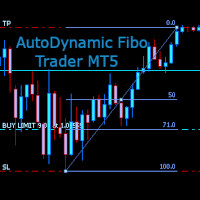
AutoDynamic Fibo Trader is a simple utility that allows the user to place a buy or sell limit or order based on the last fibonacci object drawn on the chart. This is to help the user to significantly reduce the amount of time the user takes to place a trade. All you need to do is draw a fib object with the low and high levels of where you want your stop loss and take profit to be, and decide where an entry level should be by specifying a fibo percentage level. The utility will automatically r

Expert Starco Assistance is designed as a trading assistant and will perform the best performance and most accurate calculations for capital management for your trades.
Features of this expert:
Candle closing timer
The possibility of determining the placement of the profit limit
Ability to calculate volume based on fixed amount, percentage, fixed amount
The possibility of opening a trade in the form of market or limit or stop limit
Smart Manager Dashboard - with auto virtual TP and auto virtual SL for all trades. [Converted from MT4 version - All screenshots are from MT4]
-this EA is a powerful trade manager that can manage all symbols and all trades at once , all from one chart so it is a must have tool for every trader who keeps more trades at once. -it mainly does 2 things : INFO ABOUT TRADES and CLOSING TRADES (grouped by their symbol, so with this tool it is very easy and fast to manage even hundreds

Position Manager serves as an expert advisor (EA) designed to enhance your trading experience by providing a user-friendly panel for intuitive management of your positions. This tool empowers you with a seamless interface, allowing for efficient handling of trades and improved control over your trading positions. The primary objective of Position Manager is to simplify and streamline the management of your positions, enabling you to make informed decisions with ease. Through its intuitive design

Welcome! We are delighted to introduce our latest expert, which is a semi-automatic trading system that includes all the features you need for position management. Simply draw a line on a significant trend or supply-demand level, and the expert will take care of the rest for you. It comes with a wide range of risk management and position management tools, such as trailing stop, partial closure, break even, determination of stop loss and take profit levels using ATR, as well as automatic lot sizi

Now, you have your very own SIMPLE LOT SIZE (POSITION SIZING) CALCULATOR ! There's no need to go to other websites just to compute for the exact lot size. It also opens the trade with a click of a button. All inputs on the calculator can be edited. So if you want to change the SL or TP or the lot size, you can do so before placing an order. ========================================== STOP LOSS . Stop loss in Pips (not points). Click on the SL Price text and it will change from green to red or r

Now, you have your very own PROP FIRM AUTO-CLOSER program! Once your account target or drawdown hits, all open orders will close automatically. “One mistake and your prop account is gone. Prop Firm Close All Orders for MT5 ensures that never happens.” All of your OPEN ORDERS will automatically close when: Your ACCOUNT TARGET is hit, OR Your specified ACCOUNT DRAWDOWN is hit, OR WEEKEND CLOSE is set and current time is already past the specified time, OR CLOSE ALL ORDERS button was clicked

Trading without consistent risk parameters is the fastest way to blow an account. Auto SL/TP/BE eliminates the execution gap between entering a trade and having your levels set. The instant a position opens — market order or triggered pending — the EA calculates and applies your predefined SL and TP based on the actual fill price. No delays, no missed trades, no manual errors. Break-Even Automation Once price moves a defined number of pips in your favor, the EA automatically shifts your Stop Los
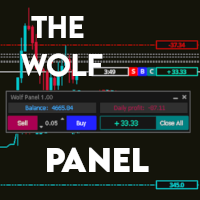
Benvenuti nel Wolf Panel, un pannello avanzato per MetaTrader 5 progettato per ottimizzare l'esperienza di trading. Con la sua interfaccia intuitiva e potenti funzionalità, il Wolf Panel offre un rapido inserimento degli ordini, consentendo ai trader di agire prontamente sulle opportunità di mercato. Tra i suoi punti di forza, spicca il controllo costante del profitto e delle perdite, consentendo agli utenti di monitorare in tempo reale le performance delle loro operazioni. Inoltre, l'indicatore
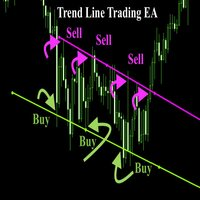
Trend Line Trade Assistant EA Semi-Automated Trading Assistant IMPORTANT : On the main/purchased program a user can click on the Trend line and change it to Buy or Sell, and drag by double clicking on it. Please keep in mind that this option is not available on demo version, due to some restrictions/limitations of Strategy Tester, some Object related operations are not available in the Strategy Tester. But, it will not prevent you from Testing, please drop an Object to chart and it wil

Horizontal Line Trade Assistant EA Semi-Automated Trading Assistant IMPORTANT : On the main/purchased program a user can click on the Horizontal line and change it to Buy or Sell, and drag by double clicking on it. Please keep in mind that this option is not available on demo version, due to some restrictions/limitations of Strategy Tester, some Object related operations are not available in the Strategy Tester. But, it will not prevent you from Testing, please drop an Object to chart

Indicador "MR BEAST - Detectador de Mejores Spikes" para el Índice CRASH 1000 (M1) El indicador "MR BEAST - Detectador de Mejores Spikes" es una herramienta especializada y altamente precisa diseñada exclusivamente para operar en el índice CRASH 1000, con un enfoque específico en el marco temporal de 1 minuto (M1). Desarrollado por el reconocido trader Mr. Beast, este indicador ha sido meticulosamente diseñado para identificar únicamente los mejores spikes, permitiendo a los operadores capitaliz

Indicador "MR BEAST - Detectador de Mejores Spikes" para el Índice CRASH 500(M1) El indicador "MR BEAST - Detectador de Mejores Spikes" es una herramienta especializada y altamente precisa diseñada exclusivamente para operar en el índice CRASH 1000, con un enfoque específico en el marco temporal de 1 minuto (M1). Desarrollado por el reconocido trader Mr. Beast, este indicador ha sido meticulosamente diseñado para identificar únicamente los mejores spikes, permitiendo a los operadores capitalizar

Indicador "MR BEAST - Detectador de Mejores Spikes" para el Índice CRASH 300(M1) El indicador "MR BEAST - Detectador de Mejores Spikes" es una herramienta especializada y altamente precisa diseñada exclusivamente para operar en el índice CRASH 1000, con un enfoque específico en el marco temporal de 1 minuto (M1). Desarrollado por el reconocido trader Mr. Beast, este indicador ha sido meticulosamente diseñado para identificar únicamente los mejores spikes, permitiendo a los operadores capitalizar

Indicador "MR BEAST - Detectador de Mejores Spikes" para el Índice BOOM1000 (M1) El indicador "MR BEAST - Detectador de Mejores Spikes" es una herramienta especializada y altamente precisa diseñada exclusivamente para operar en el índice CRASH 1000, con un enfoque específico en el marco temporal de 1 minuto (M1). Desarrollado por el reconocido trader Mr. Beast, este indicador ha sido meticulosamente diseñado para identificar únicamente los mejores spikes, permitiendo a los operadores capitalizar

Indicador "MR BEAST - Detectador de Mejores Spikes" para el Índice BOOM 500 (M1) El indicador "MR BEAST - Detectador de Mejores Spikes" es una herramienta especializada y altamente precisa diseñada exclusivamente para operar en el índice CRASH 1000, con un enfoque específico en el marco temporal de 1 minuto (M1). Desarrollado por el reconocido trader Mr. Beast, este indicador ha sido meticulosamente diseñado para identificar únicamente los mejores spikes, permitiendo a los operadores capitalizar

Indicador "MR BEAST - Detectador de Mejores Spikes" para el Índice BOOM 300 (M1) El indicador "MR BEAST - Detectador de Mejores Spikes" es una herramienta especializada y altamente precisa diseñada exclusivamente para operar en el índice CRASH 1000, con un enfoque específico en el marco temporal de 1 minuto (M1). Desarrollado por el reconocido trader Mr. Beast, este indicador ha sido meticulosamente diseñado para identificar únicamente los mejores spikes, permitiendo a los operadores capitalizar
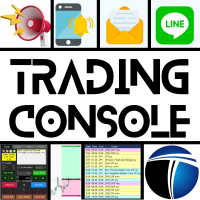
Confortevole trading con la Trading Console! Questa applicazione non può essere testata con lo Strategy Tester.
Scarica la versione DEMO (per account demo) dal link sottostante e prova l'applicazione. Download DEMO ver.
1. Funzionalità utili durante il trading: (1) Visualizzazione e notifiche sugli indicatori economici: Avvisi, notifiche push e e-mail saranno inviati qualche minuto prima dell'annuncio di un indicatore economico. In caso di avviso, una parte dello schermo lampeggia per una maggi

The utility is useful for those who are looking for an opportunity not to be present in front of the monitor while a pending order is being processed and closed. Using this utility, you can enter a pending order ticket, set a stop loss and calmly leave the terminal until its logical conclusion. If an order is opened, it will have 2 paths to profit or loss, and if the order is not opened and the scenario does not go according to plan, then upon reaching the price level where the stop loss of the

The Real Ticks Recording Indicator for MetaTrader 5 backtesting is a powerful tool designed to enable traders to simulate their trading strategies with utmost accuracy and realism. This indicator captures and stores real market ticks, allowing you to replay past market conditions with extreme fidelity, thereby enhancing the precision and reliability of strategy tests. Key Features: Real-Time Tick Capture: The indicator records each market price movement in real-time, ensuring an accurate represe
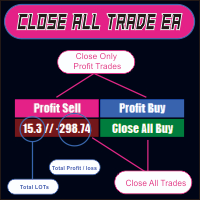
CLOSE ALL TRADE EA is made to make easy the traders instantly close the trades. FEATURES :
- CLOSE ALL TRADES : Traders can close ALL TRADES manually when reaching an AVERAGE PROFIT. Separated button for BUY and SELL trades. - CLOSE PROFIT TRADES : Traders can close PROFITABLE TRADES manually for increase the EQUITY and let the loss trade to reach a PROFIT. Separated button for BUY and SELL trades. - SHOW TOTAL LOSS / PROFIT : Traders will be informed about total LOSS / PROFIT for each BUY /
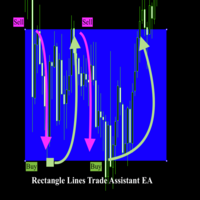
Rectangle line Trade Execution Assistant Rectangle Line Trade Assistant EA Semi-Automated Trading Assistant IMPORTANT : On the main/purchased program a user can click on the Rectangle line and move/ drag it around the chart, by double clicking on it. Please keep in mind that this option is not available on demo version, due to some restrictions/limitations of Strategy Tester, some Object related operations are not available in the Strategy Tester. But, it will not prevent you from Test

Presentazione di Risk Boss - domina il tuo trading con precisione e facilità! Eleva la tua strategia di trading con Risk Boss, lo strumento più efficiente progettato per rivoluzionare il tuo approccio alla gestione del rischio. Con il suo design intuitivo , è tutto incentrato su configurarti per il successo e dimenticarti dei problemi. Puoi tornare a concentrarti su ciò che conta di più per te.
Caratteristiche in breve:
Creazione Ordini Senza Sforzo: iniziate ordini in sospeso con precisione s

HYT (Help Your Trading) è uno strumento progettato per aiutarti a ridurre la media delle tue posizioni in perdita utilizzando due tecniche principali: Media standard. Copertura con successiva apertura di posizioni nella direzione del trend. Questo strumento consente di gestire più posizioni aperte in direzioni diverse, sia in acquisto che in vendita. HYT calcola automaticamente la dimensione della posizione successiva, il prezzo dell'ordine, la direzione per la media e la chiusura della po
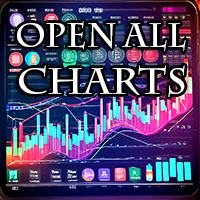
The script opens charts of all trading instruments that are listed in the Market Watch.
Convenient to use for choosing a trading instrument for intraday trading (and not only). MT4-version: https://www.mql5.com/en/market/product/113504 You can attach a pre-created template to each chart you open.
For an example of work, see the video for this post.
There are only two settings: Selection of timeframe; Template name. If you do not need to attach a template, you must leave the Name field empt
功能介绍
本软件利用键盘快捷键来辅助短线操盘、快速刷单和组合下单,是短线操盘手的利器。 本软件支持快捷下单,批量平仓,批量挂单及平仓与开仓的组合交易,实现一键操作多个交易指令执行。 面对行情剧烈行情波动时,操盘手可从容应对,并快速准确的下单和平仓,让交易变的更简单。 适合人群 热爱交易并希望成为一名操盘手的人。 长时间盯盘,操盘风格为短平快的操盘手。 愿意提高短线操盘胜率并训练强大执行力的操盘手。 希望更加高效把握市场机会,并能快速且准确的执行交易指令的操盘手 安装和配置 先软件需要安装在Experts文件夹中。 在导航中刷新可显示本软件,然后双击在到图表。 输入参数中选择语言及界面主题。 主界面分两个标签栏目: 基本交易和组合交易。基本交易执行的是简单命令,组合交易执行多个命令捆绑。 设置要对应的交易参数之后,要选择启动,那么就按下对应的快捷键执行交易了。 修改快捷键和交易参数必须在非启用状态下,双击对应的表格单元填入参数,或者弹出下拉框选择。 快捷键列表
本软件支持的预设快捷键清单,包括买入、卖出、撤单等常见交易操作的快捷键。 双击快捷键弹出下拉框可以选择自定义快捷键,同时用

The M-Flow MFI (Money Flow Index) Scanner for MT5 is like having a super-smart buddy who keeps an eye on the markets for you, flagging up those overbought (>80) and oversold (<20) opportunities in real-time. It can also be used to spot divergences,which warn of a trend change in price.With the M-Flow Scanner, traders can swiftly identify potential trading opportunities.The scanner continuously monitors up to fifteen financial instruments in real-time,on five different timeframes, providing ins

Like you when I first started trading, It was overwhelming...learning about indicators, about lotsize, leverage and many more things. Its been almost 3 years. I am more knowledgeable in trading. My trading continues to improve as I work on my strategy, technical analysis, trading psychology and trade management. One thing I am not worried about though is being able to close my trades quicky if a trade goes against me or if the trade has reached my take profit level with the help of my Close Trad
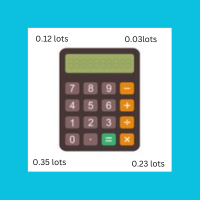
I started of as a complete novice in trading not understanding what a pip was, not understanding leverage or how to factor in risk to manage my trades. Its been almost 3 years. I am more knowledgeable in trading. My trading continues to improve as I work on my strategy, technical analysis, trading psychology and risk management. One thing I am not worried about though is getting the right volume to match the risk for each trade. Not too long after I began trading, I learned how to code to make m

Questo sistema fornisce un calcolo preciso del rischio per operazione e una facile configurazione del RR (rapporto rischio/rendimento), monitorando tutti i parametri di trading a colpo d'occhio. Semplifica l'apertura di nuovi ordini con l'esecuzione in un clic, gestisce le operazioni con chiusura parziale, Break-Even e molte altre funzioni per un controllo totale su ogni operazione - il tutto con un utilizzo intuitivo, ampie opzioni di personalizzazione, esecuzione fulminea, controllo preciso d
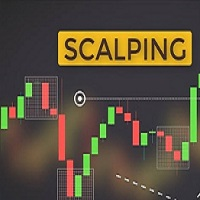
Ultra-short-term trading assistant
One-click quick trading(Preset types orders)
base lot: minimum lot placed
Market buy/sell: base lot * level1 times
Spread free buy/sell: base lot * level2 times
Custom distance buy/sell limit: base lot * level3 times
Shortcut key: Q - Market buy W - Bid price linked to buy limit E - Specify the distance to hang the buy limit R - Close buy order A - Sell at market price S - Ask price linked to sell limit D - Specify the distance to hang the sale F - Cl

Rayert - утилита, позволяющая расставлять уведомления на необходимых уровнях. Уведомления происходят как в самом терминале, так и на мобильныйх устройствах путем Push уведомлений. Варианты использования Разметка ликвидности на графике и реагирование при сборе ликвидности. Устанвока уведомлений на уровнях приняти решений. Настройка Можно указать различные цвета линий выше и ниже свечи, до пересечения ценой и после пересечения соответственно. Рисование линий на переднем или заднем фоне. Примагничи

Introducing our advanced MT5 Trade Manager – an indispensable tool tailored for astute traders employing the martingale strategy and executing multiple trades on a single chart. Key Features:
Effortless Lot Size Management: Streamline your trading process with intuitive and rapid lot size adjustments through simple mouse clicks. One-Click Trade Management: Close all trades or selectively close profitable ones with unparalleled ease, enhancing efficiency and saving valuable time. Comprehensive S

Automated Report Generator for the Spanish Treasury
This utility allows you to generate automated reports for the Spanish treasury with several advantages: A detailed report is generated in an HTML file in the MetaTrader 5 base directory. This report includes all operations individually. For accounts nominated in another currency, the report will automatically generate a profit column in euros using the same broker data. Profits in other currencies will be accounted for as indicated by the Spa
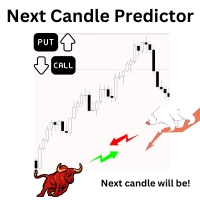
Introduction Our system is more than just a tool—it’s your personal guide in the dynamic trading landscape. Expertly developed and optimized using advanced strategies, this groundbreaking predictor gives traders a powerful edge. It’s not just about the features; it’s about a trading journey that stands out from the crowd. Get ready for an enhanced trading experience like never before! What It Does Next Candle Prediction: Imagine gaining insights into the market’s next move before it happens. Our

Automated Report Generator for the Spanish Treasury. Modelo 720.
This utility allows you to generate a panel report with the information necessary to fill out the Spanish tax form 720 form.
You just have to load this utility on any graph and timeframe, once the report and panel have been generated, the EA will close automatically.
This includes: Current account balance in the reference currency Calculated balance as of December 31, 20XX in the reference currency Total movements between Octob

This tool will help you calculate position size based on the lines that you draw on the chart. It will automatically create the trading setup in the background and provide adaptive buttons for market and pending order confirmation. The design is very simple and straightforward, with just a single click you will be able to place the trading setup. Features Set your risk based on your predefined amount or percent of your account balance. Drag the lines to define the entry, take profit target and s

Easy EA for closing positions with profit or loss. All positions of chart's symbol are counted separately.
Settings: TPforSymbol — set profit amount to indicate when to close every positions for the symbol of the chart. Swap and commission are decreasing your profit. SLforSymbol — set SL amount to indicate SL for every positions for the symbol of the chart. Swap and commission are increasing your loss. SLforSyblol is always below/equal zero.

The Co-Pilot is a simple trade management system designed to be the quickest way from your strategy to the market. It is optimized for single trade setups that might be short, medium or long term. The program allows you to set your trade setup directly from the chart using graphical objects, set your risk apetite and even provides oppurtunity for partial closes. It also has a built in alert system that keeps you informed on the actions taken by the copilot when youre offline.
It is designed to b

Informazioni Importanti Prima dell'Acquisto Versione Demo Completa Disponibile – Testa sul Mercato Reale
Trade Board MT5 fornisce una versione Demo completamente funzionale che i trader possono scaricare e testare direttamente in condizioni reali di mercato utilizzando un conto demo senza alcuna limitazione di funzionalità. Testare gli assistenti di trading all’interno dello Strategy Tester non fornisce un comportamento di esecuzione realistico, pertanto consigliamo vivamente di scaricare la ve

"Coding and setting up automated processes can be complex and time-consuming. However, with our tool, you can streamline this process effortlessly. Once set up, it seamlessly integrates with MetaTrader 5, enabling automatic transmission of all your positions to your designated Telegram channel. This means you can focus on your trading strategies without the hassle of manually updating your positions on Telegram. Whether you're managing multiple positions or executing trades frequently, our tool

DYJ Game Device is an EA , It has a graphical interface operation,It includes manual opening and quick closing buttons or mobile opening buttons. that follows the virtual transaction record of any dyj indicator to actually open and close positions. You can follow orders according to 5 major strategies Trend mode: Accept the profit and loss ratio assigned to each trader by the market at the close of each day. The actual operation is 1 order each time, with a fixed number of lots each time, such

COPIATRICE COMMERCIALE - PASSWORD INVESTITORE - COPY TRADE - PIATTAFORMA CROSS MT4 x MT5
Nota: sono necessari sia "Mirror Copier Master" sull'account master che sarà seguito dall'account cliente sia "Mirror Copier Client" sull'account cliente che seguirà l'account master
Blog: https://www.mql5.com/en/blogs/post/756897
COME FUNZIONA :
https://www.youtube.com/watch?v=V7FNpuzrg5M
Versione MT4
Maestro: https://www.mql5.com/en/market/product/114774
Cliente: https://www.mql5.com/en/market/pr

This expert basically copies all trades from a prop trading account to a private live account (Master Slave Copier). USP! What it makes unique is the fact, that this EA can revert the trades and calculate orignal lots in way, that you earn money for every lost prop firm challange trade. For example: If you lose a 100K challange and you paid 500$ for it, the EA recovers those losses on your private live account. If you win the challange, sure, you lost around 500$ on your private live account b

GLX1 Renko Builder Expert Advisor (EA) can create the Renko bar charts on any symbol. The Renko charts are generated as real-time custom symbol charts which can be further used for technical analysis with any MT5 compatible indicator.
Find the free GLX1 Renko Euro Expert Advisor from here. https://www.mql5.com/en/market/product/115074
Included Features:
Truly responsive Renko Charting on a custom symbol chart Accurate automatic live chart update Ability to attach any MT5 indicator Abi
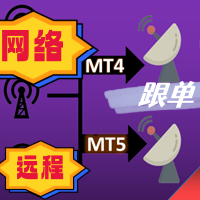
The most friendly interactive interface for ordering, the most abundant easy-to-use functions, and the best ordering plan. \
Remote copying version!!!!! You need to ask the author for the server ID
EASY : Easy to use, just load and select the signal source or receiver to use. FAST: Fast copy of orders, algorithm-optimized order-following mechanism, priority calculation of new signals, priority queue processing for special signals received Multiple: 1. Support multiple signals to be sen

This EA offers following features to automatically increase the volume of the lot received from your signal: you can manually set the multiplier using the "multiplier" parameter; Risk control is implemented. You can set the maximum lots-to-account balance ratio using the "ratio" parameter; The "stop loss" an "take profil" levels are synchronized from the corresponding signal tickets; One-to-one replication. Each signal ticket corresponds to a copied ticket; MT4 version: https://www.mql5.com

Утилита работает на основе двух индикаторов Moving Average 100 и Stochastic (10/3/3). Как только сформировался выгодный сигнал, данный утилита пришлет сигнал в телеграм, который будет содержать актуальный скриншот, тип сделки, а так же две кнопки с возможностью войти в сделку или же отклонить сигнал. Утилита анализирует сразу все валютные пары. Помимо всего прочего утилита открывает сделку исходя из основ манименеджмента, устанавливает стоп лосс и тейк профит.
Подробнее смотрите в нашем телегр

Smart Trade Manager for Layering & BE This trading tool automates trade management by handling entry positions, Break-Even (BE), and Take Profit (TP) dynamically. It allows traders to layer trades and protect their profits without manual intervention. Key Features: Secure profits automatically by setting BE once a trade reaches profit. Distribute trade volume across multiple entries to average the price. Set multiple TP targets to scale out of positions efficiently. Use tick

Expert Description: Equity Profits EA ( Mt5 Version )
Overview: Hello everyone, I am back with a new and updated version of " Equity Profits EA ", but this time for MetaTrader 5.
Yes, the same utility Expert Advisor has been created before for MetaTrader 4.
You can find the explanation of how the Expert Advisor works and all the details in the following link: [Link] https://www.mql5.com/en/market/product/105174?source=Site +Market+Product+Page
Inputs Parameter:
input autoEquity_profits =

Description: Dimatis Sniper is a convenient tool designed to simplify order placement and risk evaluation for traders. By displaying the risk amount directly on the screen, this tool allows traders to assess risk in real-time, facilitating informed decision-making before executing transactions. Key Features: Real-Time Risk Assessment: Evaluate the risk associated with each transaction instantly on your screen, facilitating informed decision-making. Visual Representation of Risks: Use intuitive v
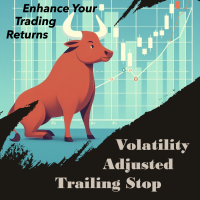
VATS, short for Volatility-Adjusted Trailing Stop, is a dynamic trailing stop loss system for Manual Traders, engineered to adapt to price movements and market volatility. Its primary objective is to optimize risk management intelligently, setting and adjusting stops as price moves favorably while also recalibrating during periods of changing volatility. This feature allows traders to stay focused on their trading strategies without the need for constant manual intervention. In essence, VATS s
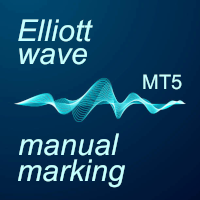
The program allows you to quickly apply Elliott Wave markup to the chart and edit it. A wide range of functionality will provide you with comfortable work. Attention! The program does not work in the strategy tester. The demo version of the program works only on the "USDCHF" instrument, you can download it here: https://disk.yandex.ru/d/4HulT3QZQB0X4g Program functions: · Automatic "snapping" to extremes when placing or moving wave labels. · Automatic scaling of wave label grou

Hai troppi grafici difficili da trovare? Fai fatica a individuare il grafico su cui è in esecuzione il tuo programma? Stai riscontrando errori di programma dopo ogni riavvio del terminale? Se stai affrontando queste sfide, EA Manager è qui per aiutarti! EA Manager offre una soluzione completa: Visualizza un elenco di informazioni sui grafici, comodamente ordinabile per nome del simbolo, periodo di tempo e nome del programma. Salva tutte le tue configurazioni di grafico. Indipendentemente dai ria
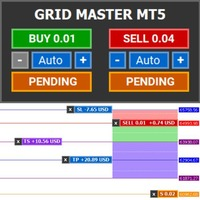
Introducing Grid Master MT5, your ultimate trading utility designed to revolutionize the management of single or multiple orders with unparalleled ease and effectiveness. Features : Clean and user friendly UI : With the benefits of fellow traders in mind, the graphical interface is beautifully designed to allow maximum clarity and effectiveness for managing trades Efficient Bulk Order Handling : Say good bye to having to close/set take profit/set stoploss of every order in a grid one by one be

Unleash the Power of Precision Trading with XScalpGenesis Experience a new era of trading with XScalpGenesis , the ultimate expert advisor designed to revolutionize your trading experience. Navigate markets with unparalleled precision thanks to cutting-edge features and an intuitive interface.
Exclusive Offer Limited time opportunity! Get this cutting-edge plugin for only $45 instead of $79 (Offer ends on October 31, 2025). Boost your trading potential now. This special discount won't last!
P

Keyboard Trader is a tool designed for ultra-fast trading in MetaTrader 5 (MT5) using keyboard shortcuts . Here’s a concise description of its features: Swift Execution : Keyboard Trader allows you to execute orders rapidly without clicking. You can use keyboard shortcuts to efficiently open and close positions. Ideal for News Trading : Given the need for quick action during news events, this tool is particularly useful for trading during high volatility moments. Customizable Hotkeys : T

OneClick Online Account Manager is a powerful utility that helps you to manage all your accounts from a centralized panel. It is suitable for all single account traders and specially for multiple accounts traders.
The utility help you to : Monitor status of all accounts on a private web page. Some information such as account connection status, account profit, DD, Balance, Equity, Margin Level, Number of positions and orders, Daily and Weekly profit/loss and also overall summation of all these p
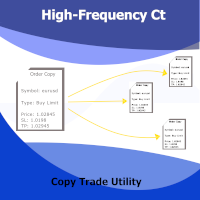
This utility copies Market orders, Limit orders, and Stop orders with a focus on high speed and easy setup. The utility works by setting up a Master and one or more Slaves. The setup is quite simple: you just need to define which account is the Master and which account is the Slave, and then set up the same Copy Trade Id for both.
For the Slave to recognize the Master's orders, the Copy Trade Id parameter must be the same. Do not use numbers or special characters when setting the Copy Trade Id

The account manager has a set of functions necessary for trading, which take into account the results of the entire account in total, and not for each individual open position: Trailing stop loss. Take profit. Break-even on the amount of profit. Breakeven by time. Stop Loss Typically, each of these options can be applied to each individual trade. As a result, the total profit on the account may continue to increase, and individual positions will be closed. This does not allow you to get the maxi

Product introduction : Trade Manager Tool for MT5 Trade Manager Tool will help trader calculate almost exactly the risk based on your account automatically. Along with that, there are features to support capital preservation with Trailing Stop, BreakEven, Risk Limit such as Daily Limit Profit/Loss,etc.. helps you avoid overtrading.In particular, the panel is simply designed with many interactive buttons inside the panel and outside the chart to help trader interact more easily.These features re
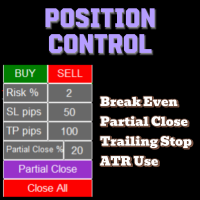
The Position Control is an intuitive yet powerful trading tool that facilitates risk management from entry to exit. It includes automatic lot sizing, fixed stop loss and take profit features, or determines them using the ATR indicator. After opening a position, you can set automatic break-even points, trailing stops, and choose from three types of partial closures. Moreover, if you open a 0.01 lot position from your phone, the expert will automatically close it and open a risk-managed position

For MT4: TP SL Calculator for MT4 This tool helps you to automatically calculate profit at Take - Profit price and loss at Stop - Loss price. Feature: - Calculate profit at TP price. Apply to all operators (BUY / BUY LIMIT / BUY STOP / SELL / SELL LIMIT / SELL STOP), with TP price is greater than 0. Profit is expressed in money and points. - Calculate loss at SL price. Apply to all operators (BUY / BUY LIMIT / BUY STOP / SELL / SELL LIMIT / SELL STOP), with SL price is greater than 0. Loss is
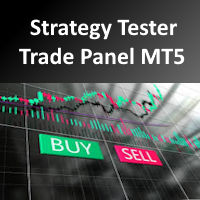
It's a trading dashboard appears on strategy tester, allows you to backtest your own strategies, testing them on multiple symbols and timeframes. It is equipped with useful features such as risk management, trailing stops, breakeven points, and more, enabling you to evaluate and refine your strategies effectively. Trading panels are typically designed to facilitate real-time trading and may not function properly on a strategy tester. However, this particular trading panel is specifically designe
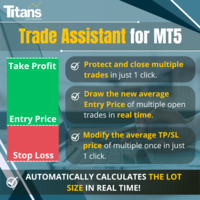
Cerchi un modo per operare nel mercato finanziario in modo più efficiente e redditizio? Lascia che ti presentiamo una soluzione che cambierà il tuo modo di approcciarti al trading. Con il nostro innovativo bot di trading MQL5, ti offriamo uno strumento che va oltre la semplice automazione: ti forniamo un sistema intelligente che si adatta e ottimizza in tempo reale, portando le tue operazioni a un livello superiore. Come funziona? Immagina di poter calcolare automaticamente la dimensione d
UR_TradeManager per MetaTrader 5 Massimizza il tuo potenziale di trading con UR_TradeManager, lo strumento definitivo per migliorare il trading, progettato specificamente per la piattaforma MetaTrader 4. Realizzato con precisione e funzionalità in mente, questo strumento completo è essenziale per i trader che mirano a elevare le loro capacità di analisi di mercato, esecuzione e gestione. Caratteristiche Principali: Dashboard di Trading Visiva : Gestisci i tuoi scambi direttamente da un cruscotto

Questo strumento non funziona con Strategy Tester. Test version: https://www.mql5.com/en/blogs/post/753244 Questo strumento ti consente di visualizzare il rendimento del tuo account mostrando le metriche chiave in base al saldo del tuo account.
Puoi selezionare le linee, trascinarle e rilasciarle per visualizzare immediatamente le metriche chiave a diversi prezzi.
Se desideri tornare alla posizione originale dopo aver spostato le linee, fai semplicemente doppio clic e torneranno ai parametri o

Certainly! Let me provide descriptions for the News Filter tools available on both MetaTrader 4 (MT4) and MetaTrader 5 (MT5) platforms: News Filter for MT4 : Description : The News Filter for MT4 is an expert advisor (EA) template that allows traders to manage their positions during news events. It downloads news data from investing.com without using any external DLLs (Dynamic Link Libraries). Traders can customize their actions based on news releases. Features : Automatic News Detection : The
Prop Max Daily Loss Manager — Assistente di Gestione del Rischio Giornaliero per Aziende di Prop Trading Prop Max Daily Loss Manager è un'utilità per MetaTrader 5 progettata per trader che affrontano Challenges o operano su conti finanziati con aziende prop (come FTMO). Lo strumento monitora automaticamente il rischio giornaliero e aiuta a evitare di violare il limite massimo di perdita giornaliera stabilito. Caratteristiche Principali Chiusura automatica di tutte le operazioni quando viene ragg
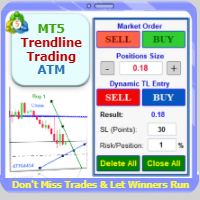
Trade with Confidence Using the Trendline Trading ATM (Advanced Trade Management)! Master entries, exits, and risk management with the powerful tools of the MetaTrader Trendline Trading ATM. This expert advisor equips you with a comprehensive suite of tools to trade consistently smarter, not harder. Take control of your trading risk and drawdown, capture profitable entries, and let your winners run. This innovative Trade Entry/Exit and Risk Management utility empowers you to: Precision Entr
Il MetaTrader Market è un sito semplice e pratico dove gli sviluppatori possono vendere le loro applicazioni di trading.
Ti aiuteremo a pubblicare il tuo prodotto e ti spiegheremo come prepararne la descrizione per il Market. Tutte le applicazioni sul Market sono protette da crittografia e possono essere eseguite solo sul computer dell'acquirente. La copia illegale è impossibile.

Ti stai perdendo delle opportunità di trading:
- App di trading gratuite
- Oltre 8.000 segnali per il copy trading
- Notizie economiche per esplorare i mercati finanziari
Registrazione
Accedi
Accetti la politica del sito e le condizioni d’uso
Se non hai un account, registrati