 MetaTrader 5
 Experts
 Indicatori
 librerie
 Utilità
 Widget
 Regole
Guarda i video tutorial del Market su YouTube
Come acquistare un Robot di Trading o un indicatore
Esegui il tuo EA
hosting virtuale
hosting virtuale
Prova un indicatore/robot di trading prima di acquistarlo
Vuoi guadagnare nel Market?
Come presentare un prodotto per venderlo con successo
Utilità di trading per MetaTrader 5 - 13
 Di seguito sono riportati i programmi di trading che semplificano il trading in MetaTrader 5. Passa il mouse su un'utilità per leggerne la descrizione e la sua funzione.
MT5 Time Zone Highlighter A simple and practical MetaTrader 5 tool designed to visually highlight up to three customizable trading time zones directly on the chart. Key Features: • Supports up to 3 independent time zones. • Set the start and end time for each zone according to your MT5 broker/server time. • Choose different colors for each time zone. • Adjustable transparency for better chart visibility. • Works directly on the MT5 chart without opening additional windows. • Helps traders quickl
FREE
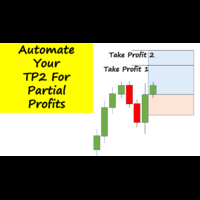
Have you ever been in a winning trade and wanted to close say half of position to lock in some profit. Well, this expert advisor does just that for you, and it's absolutely free. What you need to do is set what percentage of your trade you'd like closed and then set the price you like to close at. It that simple.
To get a better understanding of how it works, then watch the video below.
Note: The EA only works with one timeframe, changing timeframes will result in lose of all data by the EA i
FREE

Pending Stop Order Trailing Et - is a utility for automatic trailing of pending orders (Buy Stop and Sell Stop) in MetaTrader 5.
It dynamically adjusts pending order prices following the market until activation, helping to achieve better entry levels and reduce poor entries.
The tool is designed for both manual and semi-automated trading workflows.
STANDALONE & INTEGRATION
The utility works fully in standalone mode and performs its core trailing function on any symbol without additiona
FREE

"Risk Copilot" is a s imple and powerful tool to manage risk (in % or $), calculate position size, define target based on Risk-Reward and send orders to market automatically.
Input Parameters:
PositionType = Buy ou Sell // Position Type Risk = 0.3 // Risk (%) RiskMoney = 0.0 // Risk ($) RiskReward = 1.0 // Risk/Reward OrderSplit = 1 // Order split (only for HEDGE accounts) SLLineColor = clrGreen // Line Color (SL) SLLineWidth = 1// Line Width (SL) SLLineStyle = STYLE_SOLID // Line Style (SL) T
FREE

SmartRisk Trade Tool — One-Click Risk-Based Trade Panel SmartRisk Trade Tool is a manual trading panel for MetaTrader 5 built around position sizing and risk control rather than signal generation. It does not analyze the market or suggest trade direction — it exists so that every order sent from the chart already has a calculated lot size, stop loss, and take profit consistent with a risk value the trader chooses, removing the manual arithmetic that normally happens between deciding to trade and
FREE

Easy Lot Size Calculator Stop calculating lot sizes manually and start trading visually.
Automatic position lot size calculator for MT5 (MT4 also available)
The Easy Lot Size Calculator is the ultimate trade management dashboard. It is designed for traders who need speed, precision, and strict risk management. Whether you are a scalper needing split-second execution or a swing trader demanding exact risk percentages, this EA handles the math so you can focus on the chart. Why Use This Ca
FREE

Reward Multiplier is a semi-automatic trade manager based on pyramid trading that opens additional orders with the running profit of your trades to maximize return exponentially without increasing the risk.Unlike other similar EAs, this tool shows potential profit/loss and reward to risk ratio before even entering the first trade! Download full version here ( In the mini version. Starting lot is fixed at 0.01 (or minimum allowed lot size ) Guide + tips here MT4 version here You only open the
FREE

TradeSnap acquisisce e salva automaticamente lo schermo quando viene eseguito un ordine ACQUISTA/VENDI.
Basta impostarlo sul grafico e verrà salvato automaticamente senza alcun lavoro aggiuntivo.
Anche le linee, le frecce, ecc. sul grafico vengono salvate così come sono nell'immagine.
La dimensione dell'immagine che può essere 10000x10000 pixel, in modo da poter salvare un'immagine orizzontale che mostra la cronologia dei movimenti dei prezzi.
Informazioni sui parametri
--Parametro evento
FREE
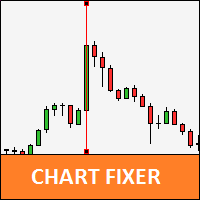
Utility that allows you to set a specific date on the chart. You set a reference point through a vertical line and it is done! When changing timeframes, the reference point is always positioned at the center of the chart. That way you can analyze a specific date at different timeframes easily, without losing the reference point or scrolling the chart to it.
This is a product developed by Renato Fiche Junior and available to all MetaTrader 5 users!
Partners: "Águia Traders" team ( Eagle Trader
FREE
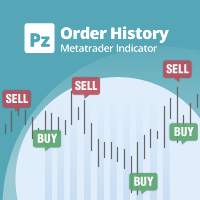
Indicatore di uso generale che mostra la cronologia degli scambi/ordini di qualsiasi grafico in tempo reale, molto simile alla modalità visiva del tester di strategia. Ti consente di esaminare la vera storia di trading di qualsiasi simbolo particolare per scopi educativi, di miglioramento, di reverse engineering o diagnostici. Può essere utilizzato con successo sia con la password principale che con quella dell'investitore.
[ Guida all'installazione | Guida all'aggiornamento | Risoluzione dei p
FREE

Introduzione a CandleBot - Il tuo strumento gratuito definitivo per identificare e scambiare i modelli di candele! Con CandleBot, cogli l'opportunità nei mercati riconoscendo facilmente segnali di engulfing bullish e bearish, stella del mattino e della sera, e martello. I modelli di candele, derivati dai prezzi di apertura, massimi, minimi e di chiusura in un periodo specifico, servono come rappresentazioni visive dei movimenti dei prezzi, aiutando i trader ad analizzare il sentiment di mercato
FREE

Timer di conto alla rovescia della candela – Resta un passo avanti al mercato Ti sei mai chiesto quanto tempo manca prima che la candela attuale si chiuda? Il tempismo è tutto nel trading. Il timer di conto alla rovescia della candela è la soluzione ideale per i trader che necessitano di un cronometro preciso per eseguire le loro strategie in modo efficace. Che tu sia uno scalper, un day trader o uno swing trader, questo strumento ti garantirà di non perdere mai un momento cruciale. Cos'è il tim

Quick Trade is a simple but needful utility for MT5 that allows to set SL, TP and entry price for a trade in a couple of seconds, allowing also shaping right position size based on risk wanted. It provide shortcuts to save more time and of course, you can also put values typing with keyboard or drag lines at your desired value! Shortcut Action CTRL + Click Set SL Shift + Click
Set TP z + Click Set Price A simple utility that you will start to love if you do manual trading. Stop calculating risk
FREE

Haunted Risk Calculator is a visual risk management panel for MT5 that calculates the correct lot size in real time based on your account balance, risk percentage, and stop-loss distance. HOW IT WORKS
Set your risk percentage or dollar amount, drag the SL and TP lines to your desired levels on the chart, and the panel instantly shows the calculated lot size, risk in dollars, reward-to-risk ratio, and expected profit. Execute with one click or a keyboard shortcut. FEATURES Draggable panel — grab
FREE

BOS VECTOR TRADE MANAGER — FREE Simple Manual Trade Control for MetaTrader 5 BOS VECTOR TRADE MANAGER is a free MT5 utility designed to make manual trade execution and position management faster, cleaner and easier directly from the chart. It does not require BOS VECTOR EA and can be used completely on its own. The aim is simple: Give the trader practical trade-management tools without turning the chart into a huge dashboard. -------------------------------------------------- WHAT IT D
FREE

BOLETA ATA is a quick-execution trading panel for MetaTrader 5, built for manual traders who want to buy, sell, and manage positions without leaving the chart. Compact, straightforward, and with built-in protection automations. Main Panel Stop Loss and Take Profit with an on/off checkbox and an editable field — click and type the value directly, no need to open settings Lot size field (Qty) , editable at any time 3 clickable lot presets : a single click applies the value to the Qty field; a doub
FREE

Auto Symbol Switcher for MT5 – Watchlist Rotation for Multi-Asset Charts Auto Symbol Switcher for MetaTrader 5 is a utility panel that automatically cycles the active chart through a list of symbols. It is designed for traders who follow many markets and want the chart to move through a watchlist without clicking symbols one by one. The tool is navigation-only: it does not open, modify or close any trades and it does not change your account in any way. You can use the panel for Forex, indices, c

This tool for the MetaTrader 5 trading platform allows setting the stop loss of open positions to breakeven (entry price) plus an adjustable distance in points. The stop loss is only adjusted if the position is already in profit.
Main functions:
Button: A button is displayed on the chart with the text "StopLoss to BreakEven". The color of the button can be customized, by default it is red.
User interaction: When you click the button, for all open positions that are in profit, the stop loss i
FREE

AutoPilot Trading Service for MetaTrader 5 is an advanced application designed to enhance the MT5 platform by automating and optimizing both manual and algorithmic trading activities. By integrating seamlessly into the (recommended but not mandatory) <terminal_directory>\MQL5\Services directory, this service not only supports the automation of trading strategies but also improves the execution of trades, whether they are initiated manually or through Expert Advisors (EAs). The AutoPilot Trading
FREE

AutoRiskManage v2.3 — Documentation Expert Advisor — MetaTrader 4 & 5 AutoRisk Manage v2.3 Automated risk management EA with interactive graphical panel. Applies SL/TP, Break Even, Trailing Stop, and lot size calculation by risk percentage — for any instrument, any broker. MT4 / MT5 v2.3.0 MQL4 · MQL5 C2C + B2C Time Space Technology Overview AutoRiskManage is an Expert Advisor that acts as a risk management layer on top of any manually opened position. It does not generate trading signals — i
FREE

TimeToClose The "TimeToClose" indicator is an essential tool for traders who need to monitor the remaining time before a candle closes. This indicator displays the remaining time directly on the BID line, providing a clear and precise reference during real-time trading. Key Features: Displays the remaining time for the current candle to close. Direct integration on the BID line for better visualization. Simple and user-friendly configuration. Ideal for all types of traders, from beginners to pro
FREE

Description This is a utility tool for MT5 reminding traders of all the entry points by highlighting trading history. For those who just started to learn trading, one of the most efficient tips to improve their trading skill is to look back their own trading history. However, trade history arrow shown on MT5 chart is simply too small to find out, which will keep traders away from reviewing their trade, especially stupid mistakes like overtrading. By clearly showing their trade history and face i
FREE

Telegram to MT5 Bridge Client EA Turn Any Telegram Trade Signal into Live MT5 Orders Uses AI to help you Adapt to future changing signal messages. Never miss a trading opportunity again. This Expert Advisor connects your MetaTrader 5 to your Telegram channels or groups – and executes trades automatically as soon as a signal is posted. Receive market orders, limit orders, and even multi‑level take‑profit signals (up to three targets). The EA does the heavy lifting for you: it detects entry price

Titolo: Auto Multi Support & Resistance Pro - Linee S/R Intelligenti
[Descrizione] Smetti di tracciare linee manualmente! Lascia che "Auto Multi Support & Resistance Pro" trovi i punti pivot più precisi per il tuo scalping e day trading. Altamente ottimizzato per timeframe brevi (M1, M5, M15) e asset volatili come l'Oro (XAUUSD) e gli Indici, dove le false rotture sono comuni.
[Caratteristiche Principali] 1. Generazione Automatica Multi-Linea: Traccia automaticamente il numero desiderato di l
FREE

TradeCalc Pro MT5 — calcolatori di trading per MetaTrader 5 con linee grafiche interattive. Calcoli la dimensione della posizione, il margine, il valore del pip, lo swap e il profitto trascinando le linee Entry/TP/SL per una pianificazione visiva delle operazioni. Articolo dettagliato con screenshot: TradeCalc Pro MT5 — Guida completa Sostituisce 6 strumenti separati e calcola istantaneamente il rischio direttamente sul grafico. Questa utility è progettata esclusivamente per calcoli analitici e

FX Monitor EA is a free utility that turns your raw MetaTrader account into a fully analyzed, monitored trading record. It reads your account's trading data — balance, equity, open positions, and closed trade history — and sends it securely over HTTPS to your FX Monitor account (fx-monitor.com), where it becomes the foundation for deep performance analytics. Once connected, you can monitor all your accounts online from any device and dig into your trading the way professionals do: profit factor,
FREE

Smart Sl Tp Manager For Mt5 is a lightweight and reliable trading utility designed to help you manage risk automatically.
It instantly sets Stop Loss and Take Profit levels for every manual trade you open, ensuring your positions are always protected. Perfect for traders who want more discipline, less stress, and consistent risk management. Key Advantages Automatic SL & TP for all manual trades Works with both Netting & Hedging accounts Re-applies SL/TP when you add new positions Simpl
FREE
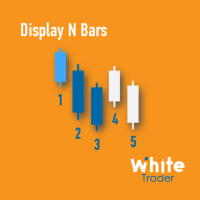
The Display N Bars utility is a simple tool designed to help identify candles.
If a trader tries to share knowledge with a colleague but it is difficult to pinpoint exactly the desired candle, just say the corresponding candle number.
The candle count is reset every day.
Seeking to offer a good customization the inputs are:
Display type -> Display only odd, only odd, or both candles?
Direction -> Horizontal or Vertical?
Display multiples of: (display frequency) -> Display all number
FREE

Maximize your winning trades and lock in profits as the market moves in your favor. Auto Trailing Stop Manager is an advanced trailing stop utility that smoothly moves your Stop Loss behind the current price, securing your gains while giving your trade room to breathe. Instead of manually dragging your Stop Loss, this EA automates the process using a precise Start, Stop, and Step metric. It is the perfect companion for traders who want to ride massive market trends without leaving their profits
FREE

Short Description:
FTMO Protector PRO MT5 is an EA designed to protect your funded account by managing risk and ensuring compliance with the Prop Firm's trading rules. This EA automatically monitors equity levels, closes trades when profit targets or drawdown limits are reached, and provides a visual display of key account metrics. EA w orks with all different Prop Firm service providers.
Overview:
FTMO Protector PRO MT5 is an Drawdown Safeguard Expert Advisor meticulously crafted for trade

Il Gestore del Rischio "Set & Forget" per il Trading Multi-Asset ️ Mai lasciare un trade senza protezione. Auto Stop Loss (MT5 Manager) è l'utility di background definitiva per i trader che mettono la sicurezza al primo posto. A differenza dei pannelli standard, questo strumento lavora instancabilmente dietro le quinte per proteggere istantaneamente ogni operazione. Che tu apra trade manualmente o tramite un altro EA, questo manager assicura che ogni posizione abbia immediatamente un Stop Loss
Avviso: A causa delle recenti modifiche di MetaQuotes, ora è vietato copiare e moltiplicare le operazioni degli abbonamenti ai segnali. Di conseguenza, il Signal Multiplier EA MT5 non può più moltiplicare le operazioni del tuo abbonamento ai segnali !!!
Signal Multiplier EA MT5 non è solo un altro moltiplicatore della dimensione del lotto. Oltre a moltiplicare la dimensione del lotto delle operazioni del tuo conto tramite consulenti esperti o input manuali, monitorerà attivamente le tue o

I nvia automaticamente notifiche in tempo reale su apertura, chiusura, chiusura parziale e modifica delle operazioni MT5 su Discord. L’utilità supporta 16 lingue : inglese, francese, tedesco, hindi, indonesiano, italiano, kazako, coreano, olandese, polacco, portoghese, russo, spagnolo, turco, ucraino e vietnamita. È inoltre possibile utilizzare qualsiasi altra lingua personalizzando il testo delle notifiche. Il prodotto è progettato per i trader che desiderano ricevere notifiche Discord senza m
FREE

Monthly Calendar MT5 simply presents your MT5 Trading History Beautifully. Your Entire Trading Month. At a Glance. Key Features
Download:
User can download screenshot by clicking Download icon.
Customizable Title:
Users can change the default “Monthly P/L Calendar” title to their preferred title.
Instant Profit/Loss Recognition:
Live tracking and P\L updates in seconds.
Click-to-Inspect:
Click any trading day to open detailed trade information.
Complete Trade Details:
Review time, sym
FREE

Are you running multiple EAs on the same MT5 account and losing sleep over stacked risk? EAs Manager Pro is the central risk-control layer for your entire MT5 account. Attach it to one chart, and it automatically detects every EA you're running by Magic Number — no source code changes, no per-EA setup. It then monitors every position, automated or manual, and enforces the risk rules you set across your whole account, not just one strategy at a time. Built for traders running scalpers, breakout
DESCRIPTION: The EA is a trade manager for managing manual or other trades by EA. It can place Stoploss, Takeprofit, Trailing, and Martingale/Average all open positions. Make sure to just place 1 type of open orders for each symbols (Examples: 1 Buy or 1 Sell). The EA will not open the initial trades, but can be backtested to see how it works.
FEATURES: Multicurrency or Single Pair Mode. Placing Stoploss / Takeprofit. Auto Martingale / Average Positions. Trailing for All Open Positions (Sin

Manual ATR Grid Manager is a manual trading system for gold (XAUUSD) that lets you choose your entry and then hands the ongoing trade management to the EA. Place a market buy or sell, or a buy/sell limit or stop order, directly from the chart. Set your lot size and entry price, with on-screen instructions guiding each step. Once the position opens, the EA manages its profit target. If price moves against you, an adjustable ATR-based grid can add positions at intervals that respond to market vola
FREE

Auto SLTP Maker MT5 is an assistant for all those who forget to set StopLoss and/or TakeProfit in deal parameters, or trade on a very fast market and fail to place them in time. This tool automatically tracks trades without StopLoss and/or TakeProfit and checks what level should be set in accordance with the settings. The tool works both with market and pending orders. The type of orders to work with can be set in the parameters. It can track either trades for the instrument it runs on, or all
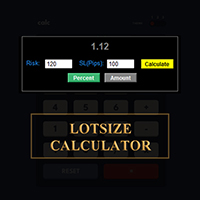
CALCOLA IL TUO LOTTO PROPRIO QUI SU METATRADER!!!
Ciao trader. Siete trader orientati alla gestione del rischio? Se sì, allora questo è per voi. Mi chiamo Ibrahim e ho sviluppato uno strumento che può aiutarvi a calcolare il vostro lotto in base alla percentuale di rischio rispetto al saldo del vostro conto. Questo strumento può anche aiutarvi a calcolare il vostro lotto se avete un valore assoluto che desiderate rischiare, invece di specificare il rischio in percentuale. Ad esempio, potete sp
FREE

Lascia una valutazione a 5 stelle se ti piace questo strumento gratuito! Grazie mille :) La collezione di consulenti esperti "Risk Management Assistant" è una suite completa di strumenti progettati per migliorare le strategie di trading gestendo efficacemente il rischio in diverse condizioni di mercato. Questa collezione comprende tre componenti chiave: consulenti esperti di media, switching e hedging, ognuno dei quali offre vantaggi specifici su misura per diversi scenari di trading.
Questo E
FREE

Market Beacon — Market Context at a Glance developed by GOLDEXA️ Market Beacon is a completely free market dashboard for MetaTrader 5 designed to help traders understand current market conditions faster and with less chart clutter. Instead of switching constantly between timeframes, indicators and session clocks, Market Beacon brings the most useful market context together in one clean, professional HUD. See direction across multiple timeframes, identify whether the market is trending or rangin
FREE
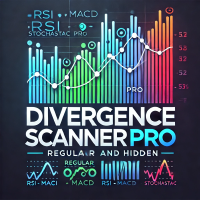
Divergence Scanner Pro is an advanced utility designed to detect both regular and hidden divergences across three powerful indicators: RSI , MACD , and Stochastic . With its robust algorithm and user-friendly interface, this tool is perfect for traders seeking an edge in the market. Key Features: Comprehensive Divergence Detection : Identifies regular and hidden divergences to highlight potential trend reversals or continuation opportunities. Multi-Indicator Support : Scans for divergences on RS
FREE

"Manage multiple positions as a single unit with hidden targets." The Virtual Basket TP SL Manager is a professional MetaTrader 5 utility designed to automate the closing of positions based on the total profit or loss of a group of orders (a "basket"). By utilizing Virtual Levels , all Take Profit (TP) and Stop Loss (SL) targets are stored locally within the EA's memory and are not sent to the broker's server, keeping your strategy safe from stop-hunting and price manipulation. Key Features Virt
FREE

OTE Trade Copier MT5 Trade Copier & Prop Firm Risk Manager Copy trades locally between MT5 terminals and across MT4/MT5 platforms on the same PC or VPS while protecting your funded accounts with advanced risk controls. IMPORTANT: Send me a message for the Complete User Manual Before Installation
Why Traders Choose OTE Trade Copier MT5 Supports MT5 to MT5 trade copying Supports MT4 to MT5 and MT5 to MT4 when used with the MT4 version Designed for prop firm and funded account traders Daily drawd

L'esecuzione di più di un EA sullo stesso conto rende difficile capire a colpo d'occhio quale strategia stia effettivamente contribuendo alla crescita del capitale o, al contrario, ne stia determinando il calo.
Phoenix Magic Number Dashboard raggruppa automaticamente le operazioni aperte e chiuse in base al “magic number”, consentendoti di visualizzare fianco a fianco le performance in tempo reale e quelle chiuse di ciascun EA, insieme ai totali relativi all'intero conto.
Come garantisce
FREE

Info Exporter MT5 supporta l'esportazione di informazioni sul terminale, informazioni sul conto, cronologia delle transazioni e cronologia degli ordini in un file CSV locale, l'invio di email e l'esportazione diretta su Fogli Google tramite l'URL distribuito tramite script dell'app. È possibile scegliere tra l'esportazione in CSV, l'esportazione tramite email o l'esportazione su Fogli Google. È anche possibile modificare i nomi dei file esportati e dei fogli. Parametri di input utilizzati: expor
FREE

Dingji Risk Manager MT5 Formal Version V1.80 Author: Dingji
[Product Description]
Dingji Risk Manager MT5 is a MetaTrader 5 Expert Advisor for trade planning, risk-based position sizing, order management and visual chart assistance.
The user enters the maximum account-currency risk and defines Entry, Stop Loss and Risk/Reward values. The EA calculates a theoretical position size using the current symbol's contract specification, tick value, minimum volume, volume step and maximum volume.
Mai
FREE

InvestraAI Forex Heatmap InvestraAI Forex Heatmap è una dashboard visiva della forza valutaria per MetaTrader 5. Confronta le principali valute Forex tra loro e mostra il risultato come heatmap direttamente sul grafico. L’EA aiuta a individuare rapidamente valute forti e deboli, visualizzare possibili segnali Buy/Sell e aprire grafici di segnale con un clic. Come Funziona L’EA analizza le valute selezionate: EUR, USD, AUD, GBP, NZD, CAD, CHF e JPY. Ogni valuta può essere abilitata o disabilitat
FREE

BuffersHunter — Lettore Universale di Buffer di Indicatori BuffersHunter è uno script che legge e analizza i buffer di qualsiasi indicatore MetaTrader 5. Basta indovinare quale buffer contiene segnali di acquisto, dove sono i livelli e quali buffer contengono linee di indicatore. Esegui lo script — e in un secondo ottieni la struttura completa di tutti i buffer con rilevamento automatico dei loro tipi. Per chi è questo script? Per sviluppatori di EA. Hai trovato un indicatore interessante e
FREE

Italian CCI Cross Alert EA per MT5 CCI Cross Alert EA è uno strumento semplice per MetaTrader 5 che ti avvisa quando l'Indice del Canale delle Merci (CCI) raggiunge livelli comuni di ipercomprato o ipervenduto. Aiuta i trader a monitorare lo stato del CCI senza dover controllare continuamente i grafici. Una volta applicato a un grafico, l’EA monitora l’indicatore e invia un avviso popup quando vengono superati livelli importanti. Questo ti permette di controllare rapidamente il grafico e valutar
FREE

A powerful and intuitive trade management tool designed for scalpers and intraday traders.
Created to complement the Nampim Samba Scalper strategy , it allows traders to open, manage, and close positions quickly without leaving the chart. Key Features: Customizable trading panel – choose position (left, right, center, top, bottom). One-click trading buttons – instantly open Buy/Sell trades with pre-set lot sizes. Close management – close last 1/2/3 trades or all Buy/Sell positions with one clic
FREE

After downloading, message me via MQL5 inbox to receive your FREE User Kit - setup guide, practical checklist, and workflow resources built specifically for XAUUSD traders. Gold can look ready when it is not. That is one of the harder lessons on XAUUSD. Price starts to move fast, the histogram expands, the chart feels like a breakout is forming - and then it reverses, or chops sideways for the next twenty candles. The move looked real. The compression had not actually released. After spending y
FREE

Logo Versione MT4: https://www.mql5.com/en/market/product/121289 Versione MT5: https://www.mql5.com/en/market/product/121290
Filigrana Versione MT4: https://www.mql5.com/en/market/product/120783 Versione MT5: https://www.mql5.com/en/market/product/120784
Lo script "Logo" è progettato per visualizzare un logo o un'immagine personalizzata come sfondo su un grafico di trading in MetaTrader 4 (MT4). Questo script consente ai trader di personalizzare i propri grafici con loghi o qualsiasi altra im
FREE

Smart Trade Assistant Pro for MT5 The Forex market is full of EAs that try to trade automatically for you. However, many EAs may not fit your personal trading style, market perspective, or unique strategy. Your trading decisions come from your own experience. You decide when to enter the market. You control the risk. You manage the trade using your own strategy and confidence.
• The Challenge However, most traders face the same problem... When the market starts moving quickly, you may need to

Prop Firm Trade Manager MT5 Managing risk and staying compliant with strict evaluation rules requires absolute precision. The Prop Firm Trade Manager MT5 is a professional trading panel MT5 designed to streamline your manual execution, automate complex calculations, and protect your funding account from rule violations.
Featuring mt5 advanced dashboards, this tool displays real-time data directly on your main chart. It functions as an all-in-one trade manager for mt5, combining a position siz

U sing keyboard shortcuts to draw Fibonacci levels and rectangles quickly and efficiently.
Press F to create a Fibonacci retracement. Click with mouse (2x): -once on the chart to set the starting point and - again to set the ending point. The Fibonacci levels are drawn automatically using the configured ratios, colors, and styles.
Press T to instantly draw a pre defined rectangle at the closest highest or lowest price (based on trend).
All levels, colors, sizes, and styles ca
FREE

PropFirm Risk Gatekeeper MT5
Protezione avanzata del conto e gestione del rischio per MetaTrader 5
PropFirm Risk Gatekeeper MT5 è un Expert Advisor di gestione del rischio a livello di conto, progettato per monitorare il drawdown giornaliero, la perdita complessiva e il rischio delle singole posizioni.
L'EA è indipendente dalla strategia utilizzata e può controllare operazioni eseguite da altri Expert Advisor oppure aperte manualmente.
Funzioni principali
Protezione dal Drawdown Giornaliero
FREE

Simple Trade Terminal Simple Trade Terminal is a compact and performance-optimized on-chart panel for MetaTrader 5. It solves two of the biggest friction points in manual trading: time-consuming lot size calculations and inaccurate placement of Stop-Loss and Take-Profit levels. Instead of typing numbers into standard order masks, you plan your trade visually directly on the chart. The panel automatically calculates your exact position size based on your predefined risk and executes the order. Th
FREE

This utility EA will display simple renko, hence the name essential renko. The renko will be shown in a new tab and using custom symbol.
Please do note (especially for those who new to Renko), that Renko does not follow timeline as it will follow price movement.
That's why it has a lot of potential where you can attach any EA that you want and use any custom indicator in this new custom symbol for renko. Always use M1 timeframe.
Most of the time you don't need to change anything. But if you d
FREE
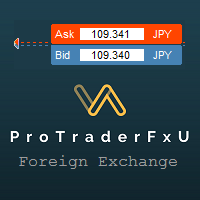
Description: - BidAskLine Indicator is very simple and easy, but each utility can be important in the probability that we will win in our trade. This utility Indicator shows lines and prices of the Bid, Ask and Spread. Input Parameters: - Visual Aspect Options : Select between 2 options with Box or Simple Style. - Parameters Bid Price : Select between show or hide line or box objects, change color, style or width line. - Parameters Ask Price : Select between show
FREE
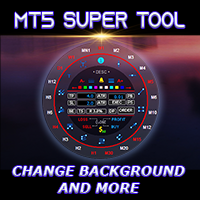
If you press the "Free Demo" button on the left it will not work since the Super Tool is an utility EA, it can not be tested on the Strategy Tester system.
Transform Your Trading Experience with the MT5 Super Tool How to install and use the MT5 Super Tool
Tired of fumbling through clunky menus, wasting precious seconds during volatile markets, or missing critical trading opportunities because MT5’s native tools slow you down? Say goodbye to inefficiency and hello to lightning-fast precision
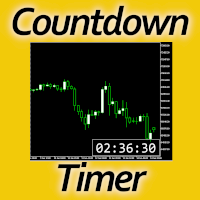
Timing can make the difference between a winning and a losing trade. Therefore, a bar countdown display is a must-have tool for any trader. Knowing exactly how much time is left, before the current bar will close, certainly helps decision-making in real time. Technical detail: This indicator uses the MQL5 function "OnTimer", ensuring the accurate measure of each passing second, rather than relying on the flow of incoming tick information from the server. Most other countdown indicators for MetaT
FREE

Many friends asked me for a simple, non-obtrusive, resource-friendly clock to track the time during their trades. It seems pretty obvious, but it is a must-have for those trading the market manually, waiting for the Market News, or just to visually know what time it is... Trading is an absorbing endeavor! So, here it is... Totally configurable, including Font Type, Font Size and Chart Location: Upper Left/Center/Right OR Lower Left/Center/Right, with a little twist of adjusting the Offset, just
FREE

It is a panel that seems common, however, far beyond those of additional buttons for closing multiple orders, it is essential for those using the offline charts generators for Renko, Range, Ticks, and similars because in the Metatrader 5 does not allow the manual operation of orders in these charts that are generated synthetically. The "TRADE PANEL" makes it very easy to handle both orders executed to the market and the placing of pending orders, offering practically the same immediate action
FREE

English Description Title: Chart Cleaner (Eye Tool) Subtitle: Clean your charts instantly with 1 click while preserving your technical analysis. Inspired by TradingView's eye tool. Description: Have you ever wanted to look at clean price action without cluttering your chart with trendlines, support/resistance levels, and Fibonacci studies? Deleting and redrawing everything takes too much time. Chart Cleaner (Eye Tool) is designed to solve this exact problem. Featuring a minimalist design—a small
FREE

SmartLimits - Gestore Visivo di Ordini Pendenti SmartLimits è uno strumento di trading professionale che ti consente di gestire gli ordini pendenti direttamente sul grafico con pieno controllo visivo.
Ti permette di creare, regolare e confermare ordini Buy o Sell Limit e Stop tramite un pannello intuitivo sul grafico, senza aprire le finestre degli ordini di MetaTrader. Questo strumento è pensato per i trader che preferiscono un modo rapido e organizzato di gestire gli ordini in modo visivo, rid
FREE

MQL CS Trade Assistance is not an automated strategy Expert Advisor designed to trade on its own. This utility is built specifically for manual traders who want a professional trade assistance panel with advanced trade management tools directly on the chart. The panel allows traders to execute and manage trades faster while assisting with stop loss management, take profit management, breakeven handling, trailing stop logic, pending orders, and adaptive trade protection.The goal of this product
FREE

SmartRescuer is an advanced institutional-grade trading co-pilot designed to rescue stuck manual positions, manage floating drawdown, and lock basket profits automatically.
Key Features: - Anti-Whipsaw Breakout Engine: Uses Donchian Channels & ATR pullback retests to avoid false breakouts. - Smart Recovery Strategies: Supports Zone Hedging, Pullback Averaging, and Smart Hybrid execution. - Partial Loss Scraping: Gradually unwinds the worst losing orders using floating recovery profits. - Compl
FREE

The utility is a checklist where you can write all the rules of your trading system and keep it on the chart in front of your eyes. As a rule is executed, mark it with a tick. To the right of each rule, you can write the "strength" (percentage) of the rule. And if there is a tick next to the rule, then all "forces" are summed up in the "Total" line.
For the convenience of visual perception, you can set the color for displaying the “Total” value.
Panel options: Title - The title of the panel N
FREE

PowerTech Fast Open Close PRO High-speed execution utility, asynchronous bulk closing engine, automated risk sizing, and drawdown protection controls engineered natively for MetaTrader 5 (MT5). Built specifically for Prop Firm Challengers, Scalpers, News Traders, and Discretionary Day Traders, PowerTech Fast Open Close PRO eliminates complex order entry windows and emotional trade management. It provides a compact, interactive trading dashboard directly on the chart: automated lot calculation b
FREE
Sai perché MetaTrader Market è il posto migliore per vendere strategie di trading e indicatori tecnici? Non c'è bisogno di pubblicità o di protezione del software, nessun problema di pagamento. Tutto ciò è fornito da MetaTrader Market.

Ti stai perdendo delle opportunità di trading:
- App di trading gratuite
- Oltre 8.000 segnali per il copy trading
- Notizie economiche per esplorare i mercati finanziari
Registrazione
Accedi
Accetti la politica del sito e le condizioni d’uso
Se non hai un account, registrati