RM Trade Manager
- Utilities
-
Mohammadreza Mahdi Mavaddat
 MetaTrader 5 tools for Price Action, Market Structure and Divergence traders
I'm Mohammadreza, founder of RM Trading Lab. I'm a trader with about 10 years of market experience and an MQL5 developer, and I build MT5 indicators and utilities that make chart analysis faster, clearer and more reliable. - Version: 1.0
- Activations: 5
RM Trade Manager is a trade management panel for manual traders: risk-based entries, split orders, trailing stops and a risk plan, on your live chart.
You decide when to trade. RM Trade Manager does the arithmetic and the routine work: it sizes the position from your stop loss and risk, sends split orders with their own take profits, moves stops, and keeps you inside your daily loss limit and away from high-impact news.
Why traders use it
- Exact risk on every trade: risk in % of the balance or in money, the volume follows from the SL distance, commission included.
- Scaling out made simple: one click sends several orders, each with its own TP.
- Funded-account rules: daily loss limit and profit target on the whole account, maximum open positions, news filter.
- Less screen work: trailing stop with six methods, break even, partial close, all from one panel.
New order
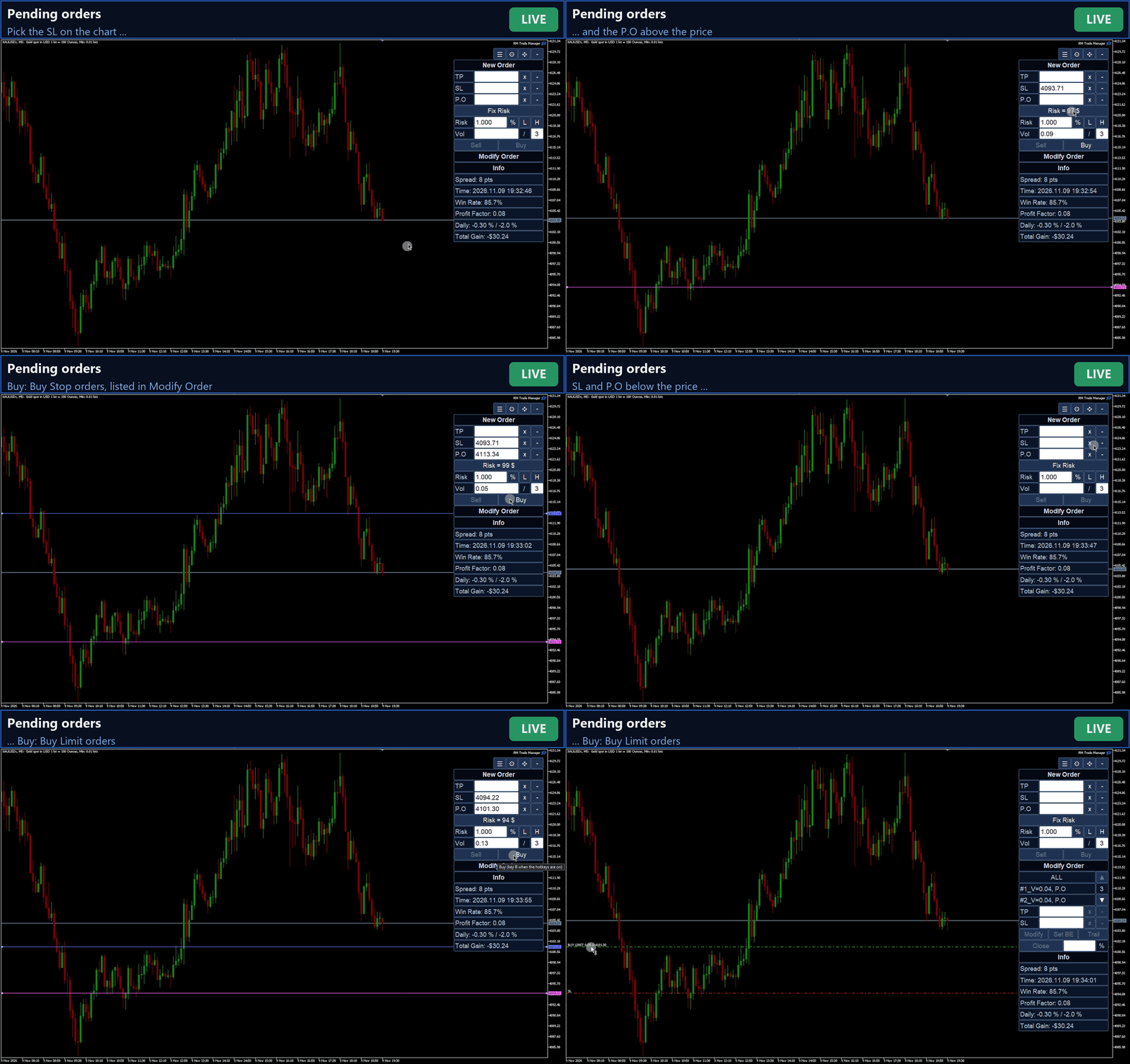
- Buy / Sell at market, or a pending order at your price (limit or stop chosen from the side of the price).
- TP, SL and entry price: type them or pick them on the chart with a crosshair, then drag the lines.
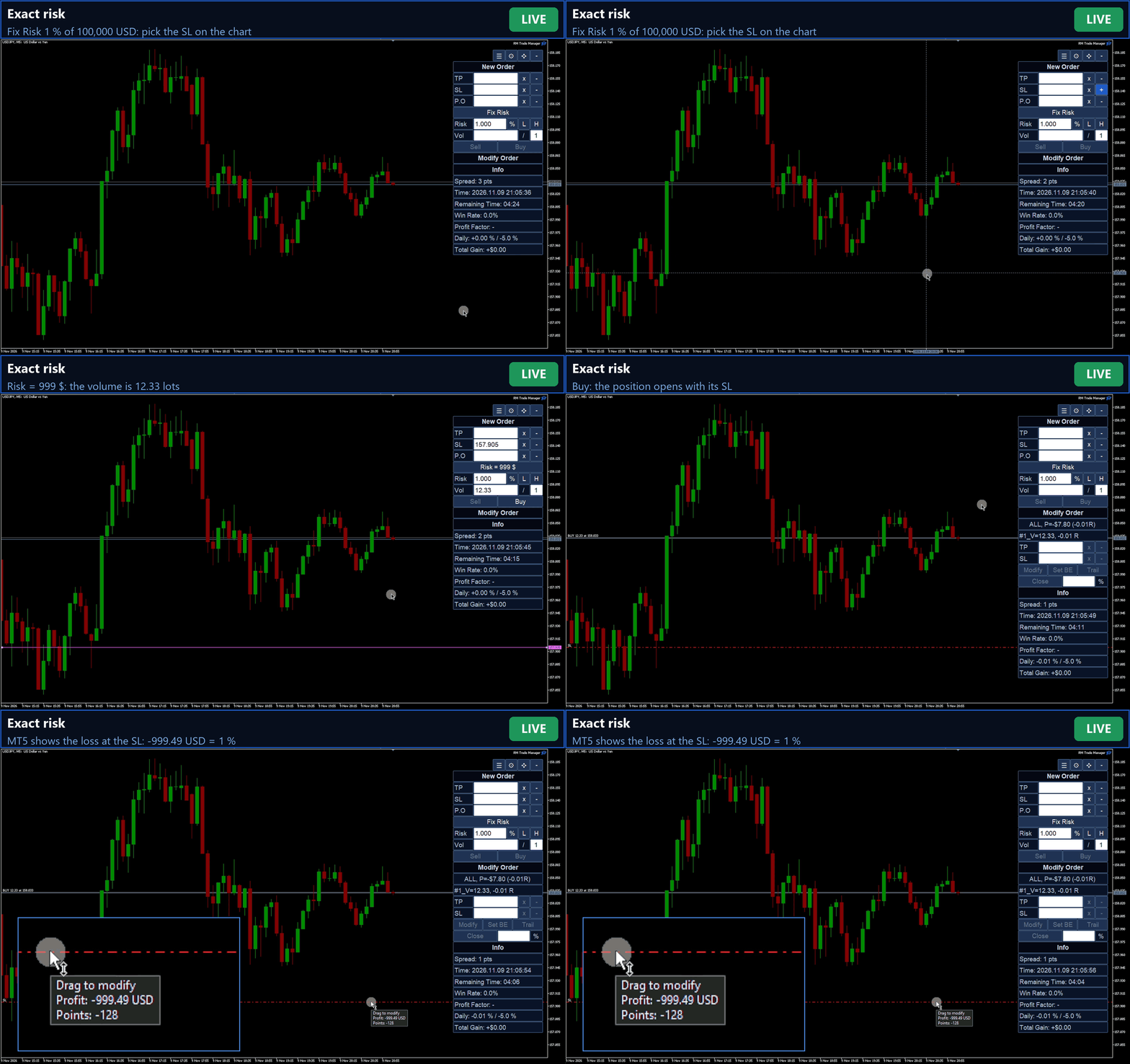
- Fix Risk: risk in % or money; L / H halve or double it. The volume follows from the SL distance, rounded to the broker's step and checked against the lot limits.
- Fix Vol: a fixed volume of your choice.
- Commission counted in the risk: read from the symbol's commission rules set by your broker, so the loss at the SL stays within your risk. You can also enter it in the inputs.
- Tick value from the real conversion rate of your account currency: crosses, JPY pairs, metals, indices and crypto are sized correctly.
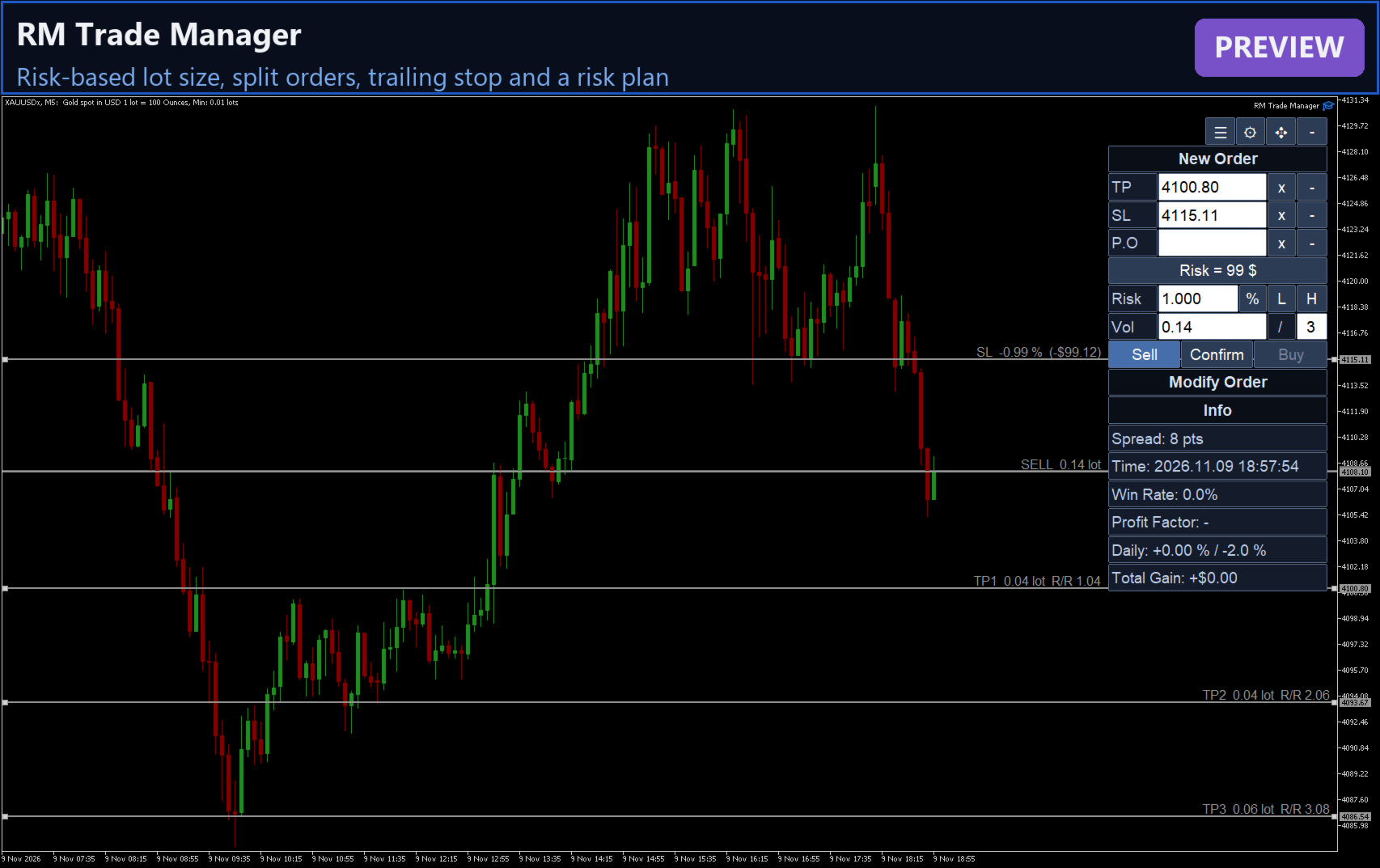
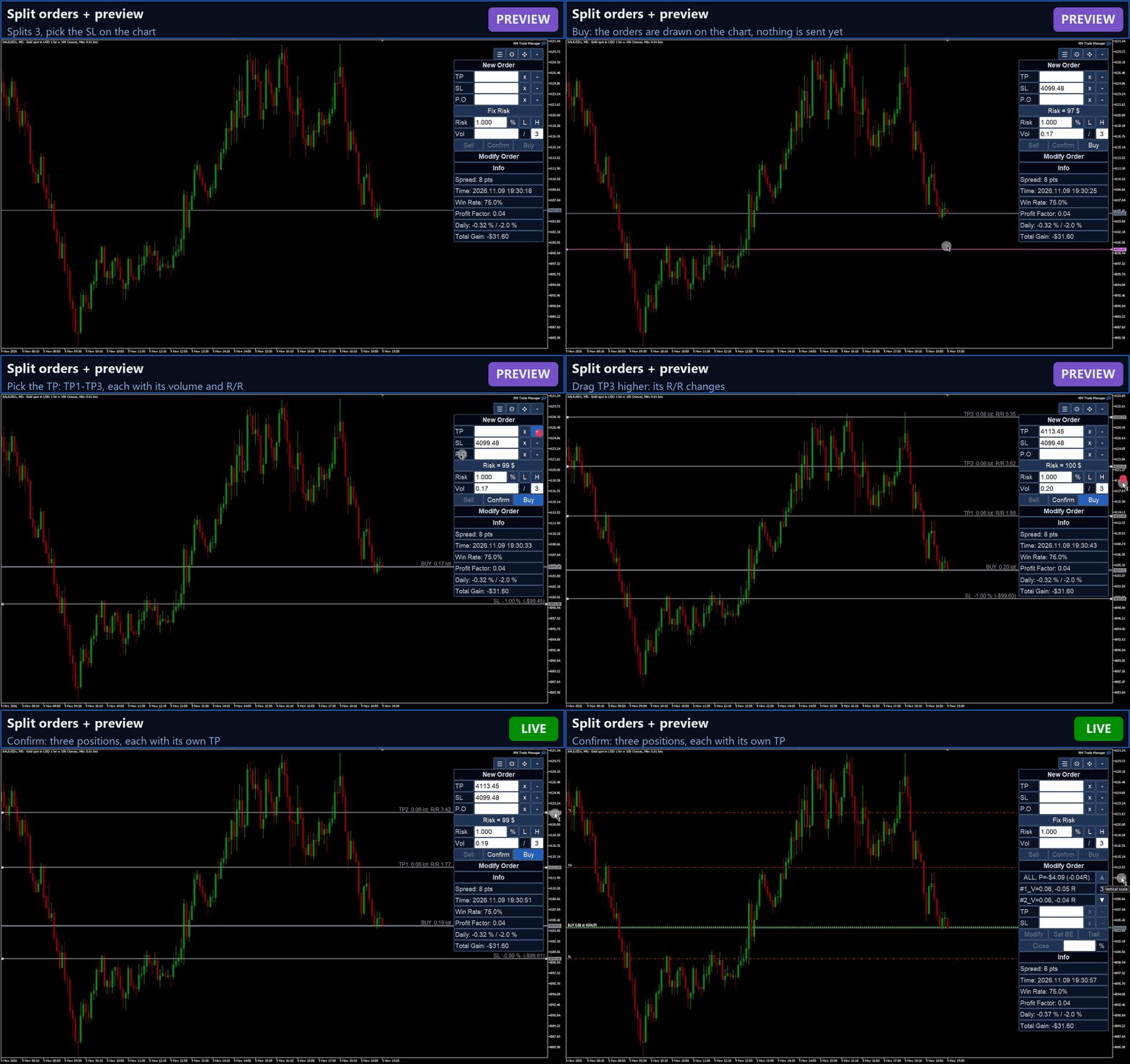
- Split orders: the volume divided into several orders. TP1 is your TP; TP2, TP3 ... are 2x, 3x its distance.
- Preview mode (optional): see the whole order on the chart first, with the volume, the risk and the R/R of each TP; drag any line, then Confirm.
- No order is sent when its margin is over the free margin (pending orders too).
Manage your trades
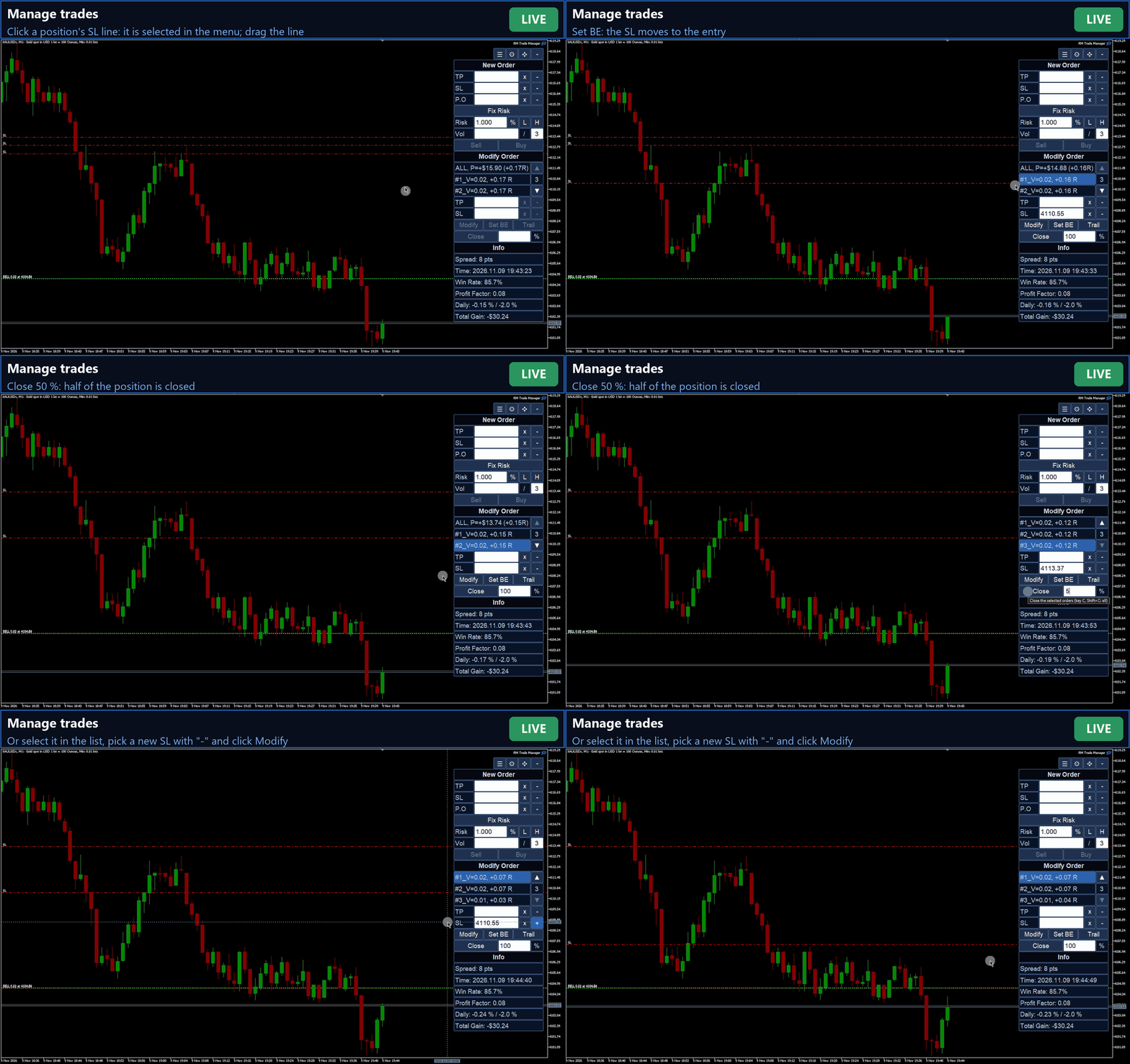
- A list of the positions and pending orders of the symbol, also manual ones, with the floating result in R multiples.
- Select one, several or all; modify SL / TP, set break even, close a percentage.
- Click a trade's entry, SL or TP line on the chart to select it; drag a line to change the level.
Trailing stop
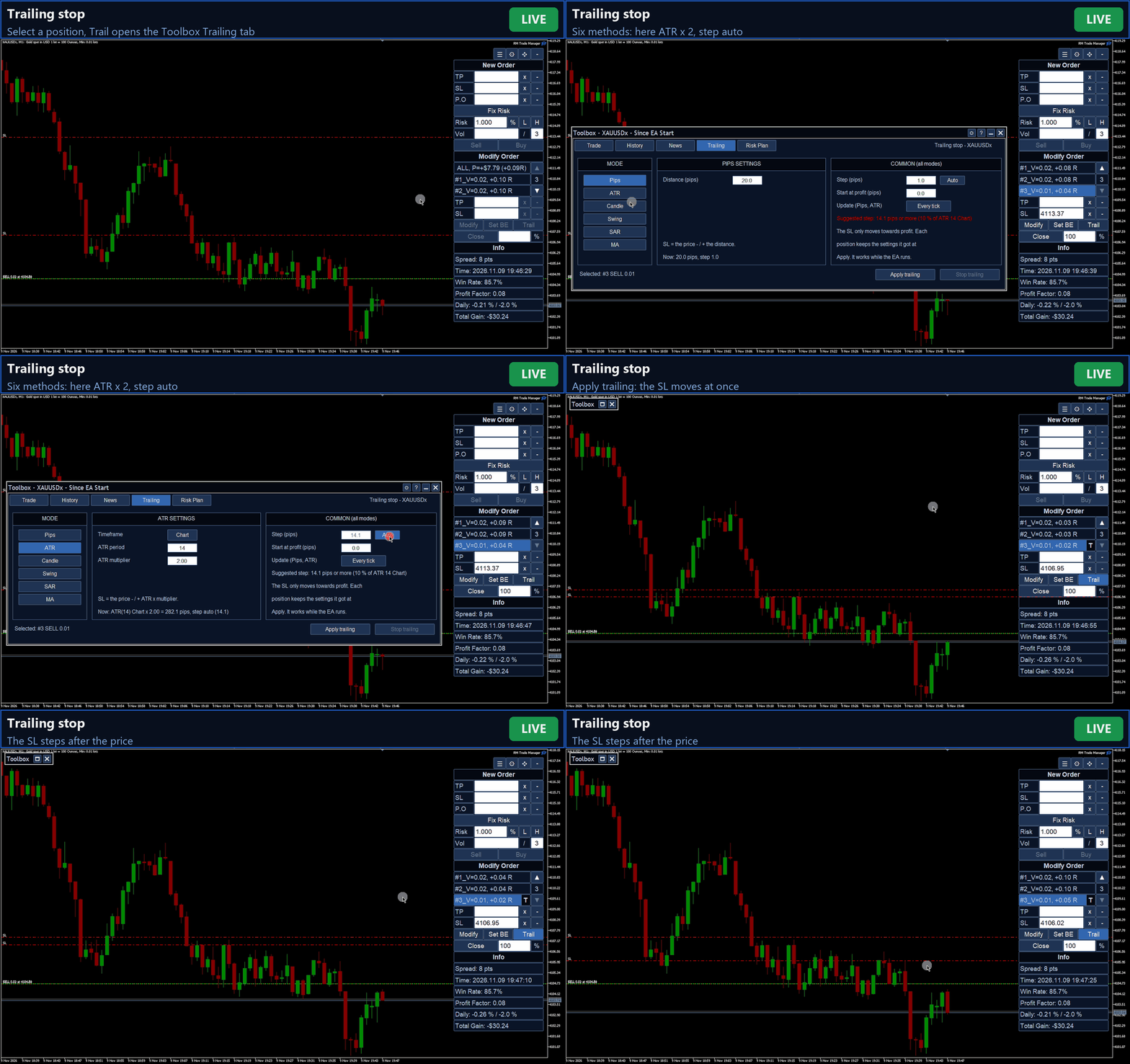
- Six methods: fixed pips, ATR x multiplier, candle low / high of the last N bars, swing (last fractal), Parabolic SAR, moving average.
- Timeframe of the indicator, offset beyond the level, start at a profit of N pips.
- Step: the minimum move of the SL, typed or Auto (10 % of ATR 14, follows the market). For pips and ATR: follow every tick or move once per bar close.
- Each position keeps its own settings. The SL only moves towards profit, and the broker's stop and freeze levels are respected.
Risk plan
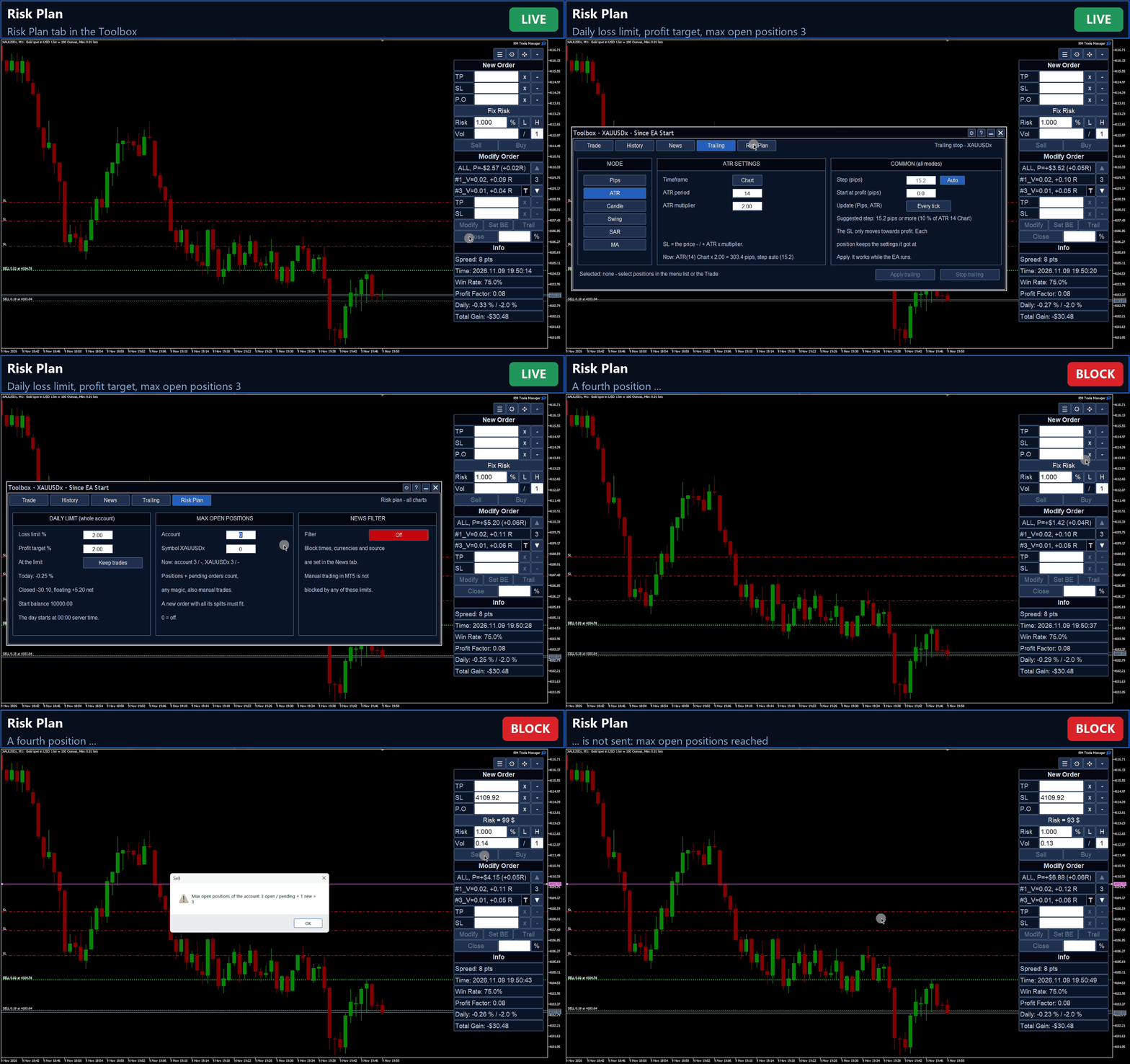
- Daily loss limit and profit target on the whole account, in % of the balance at the start of the server day (closed trades plus floating result, net of the closing commission). At the limit no new orders until midnight server time, with an alert; optionally all trades are closed.
- Maximum open positions for the account and for the symbol (positions plus pending orders).
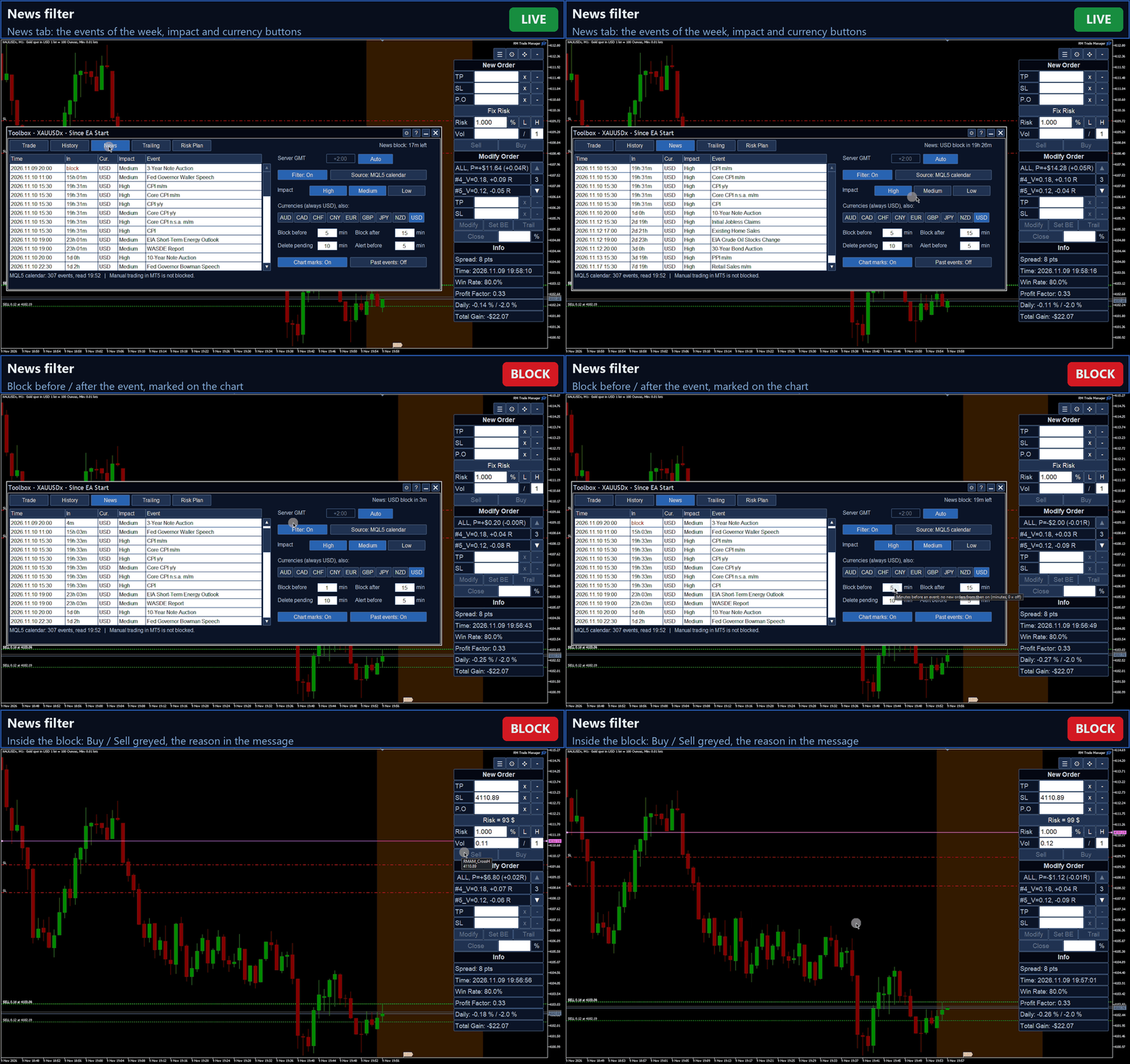
- News filter: events of the MQL5 economic calendar (or ForexFactory) for the currencies of the symbol and the impacts you choose. No new orders from 15 minutes before to 15 minutes after an event, pending orders deleted before it, an alert before the block, marks on the chart (all times adjustable).
Toolbox and statistics
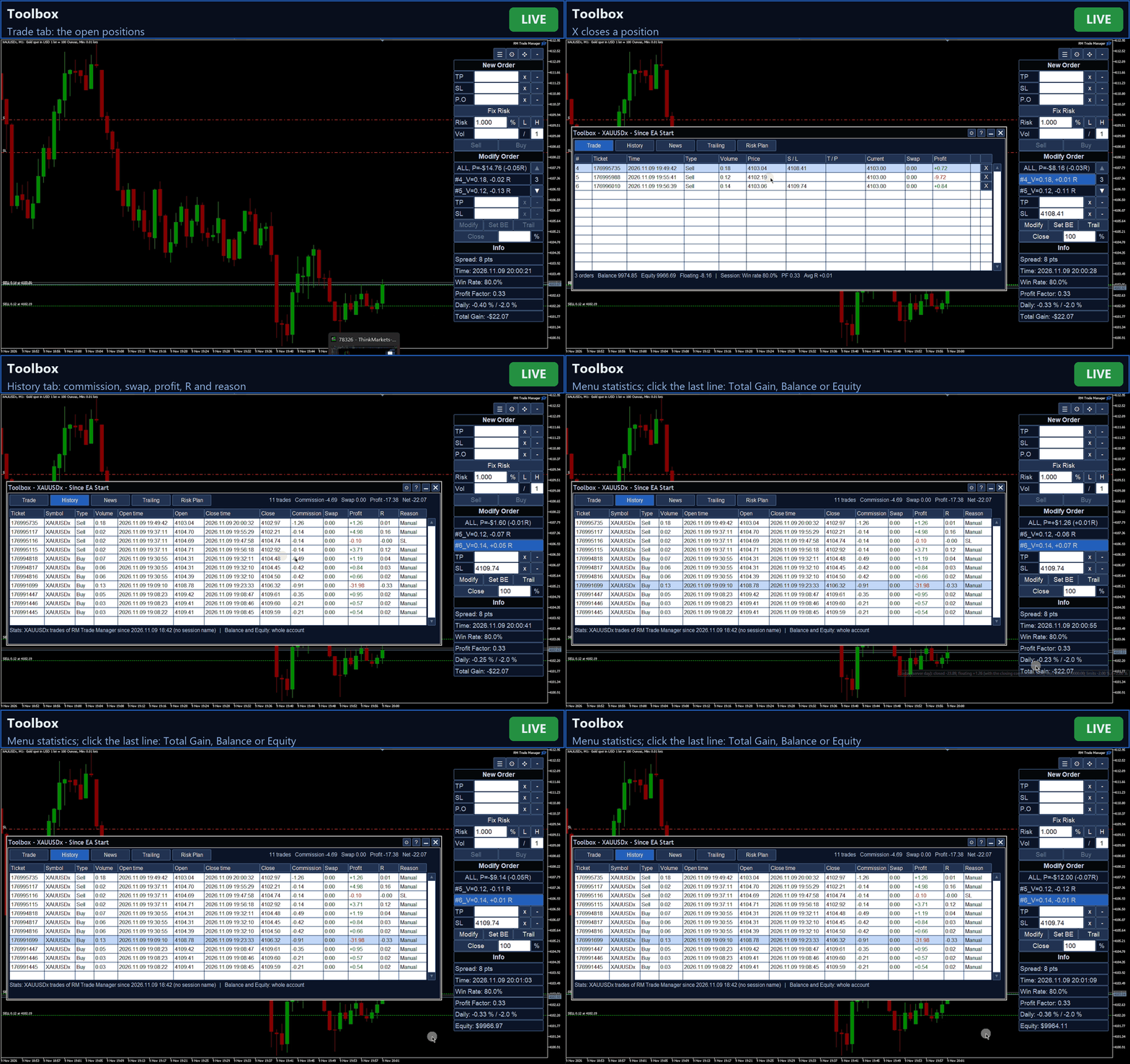
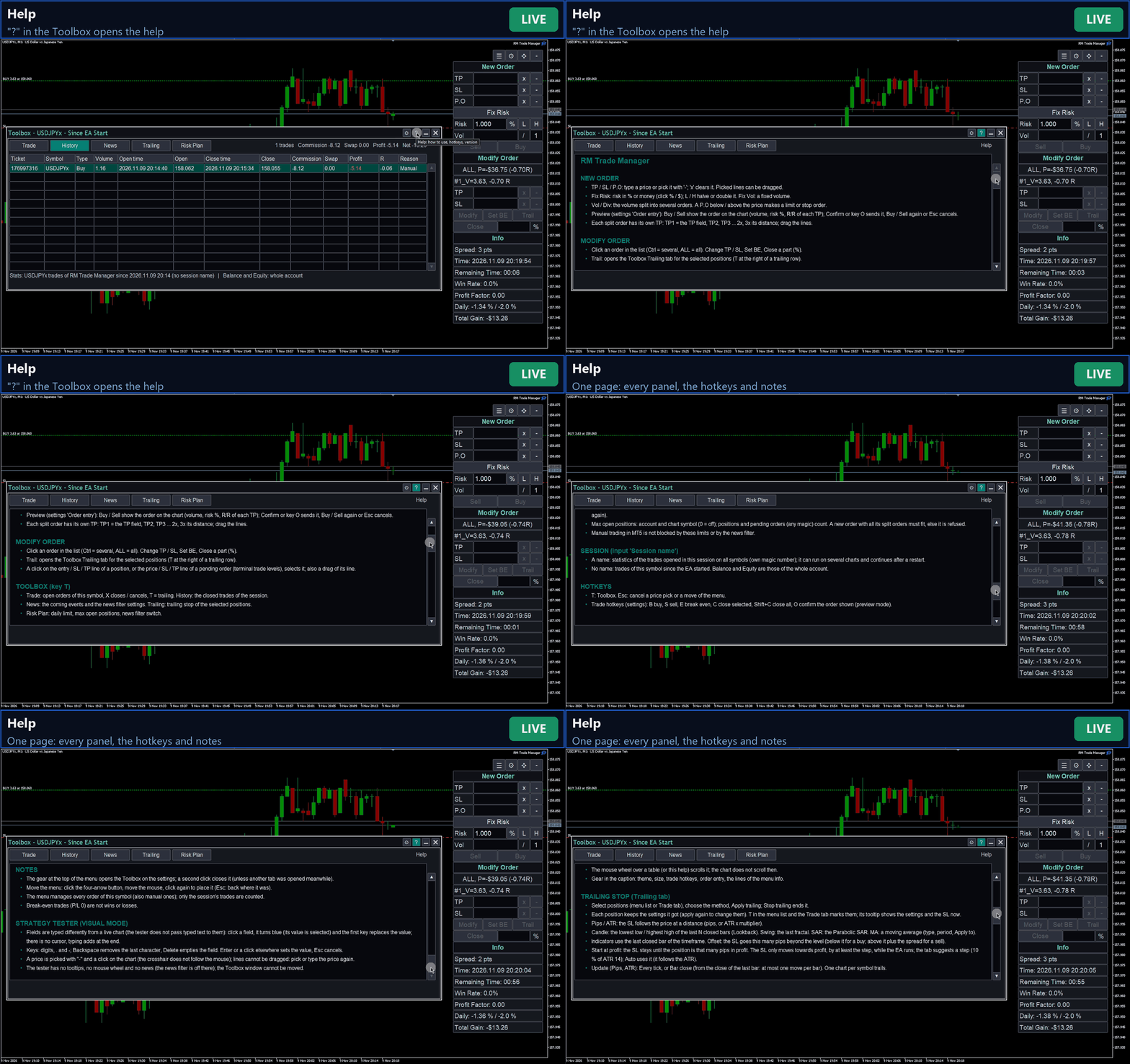
- A movable window (hotkey T): open trades, history of the session with commission, swap, profit and R, the coming news, trailing, risk plan, settings and help.
- Info lines of your choice: daily result, next news, spread, server time, time left of the bar, win rate, profit factor, average R, total gain.
- Sessions: give a name to count the trades of a strategy on all symbols, across restarts; without a name the statistics cover this symbol since the EA started.
Look and keys
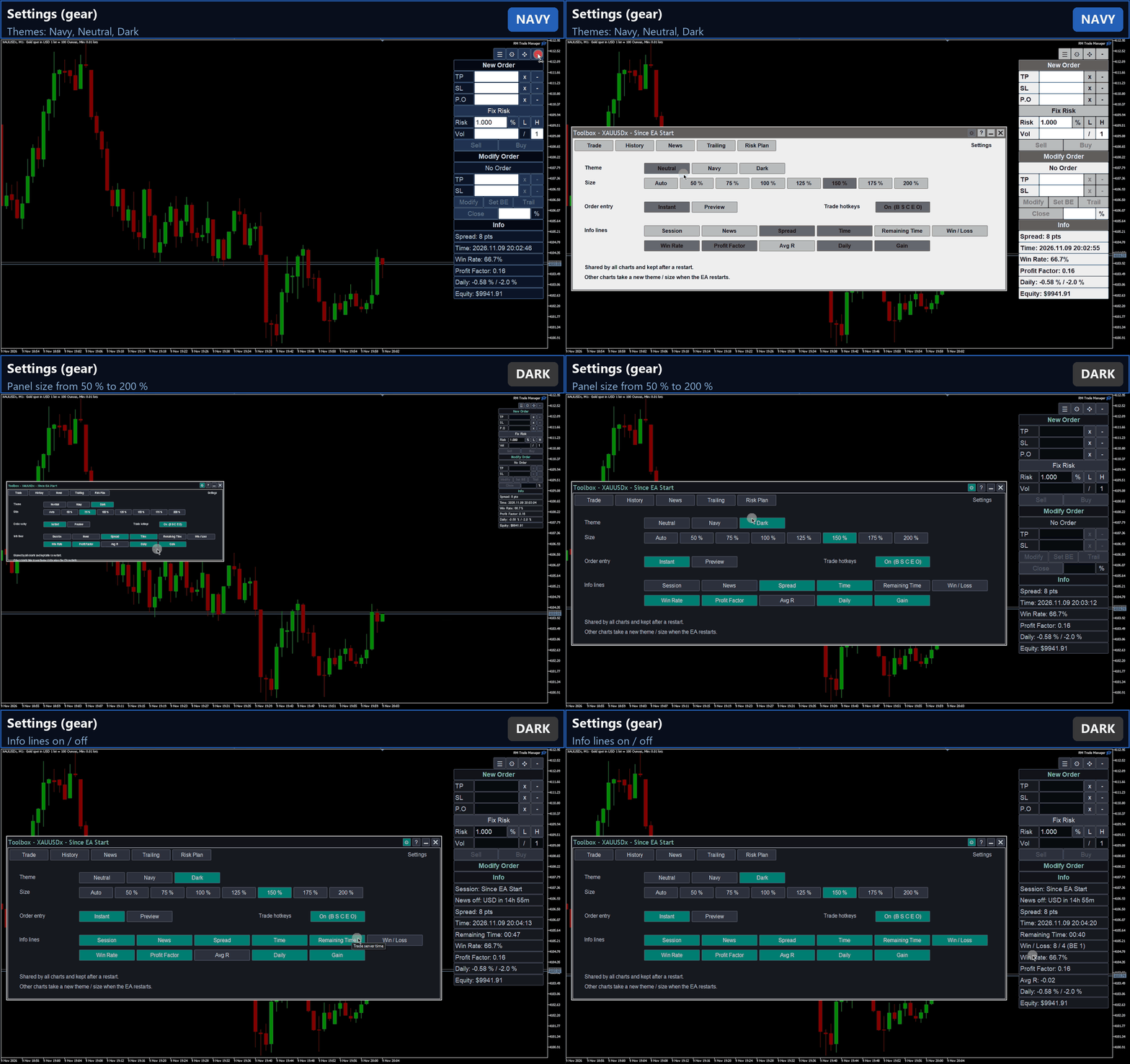
Three color themes (Neutral, Navy, Dark) and panel sizes from 50 % to 200 % for high-resolution screens. Optional trade hotkeys: B buy, S sell, E break even, C close selected, Shift+C close all, O confirm the order shown in preview mode. Always on: T opens the Toolbox, Esc cancels a price pick or a preview.
How to start
- Enable Algo Trading and attach RM Trade Manager to the chart of the symbol you trade. The menu appears at the top right; move it with its four-arrow button.
- Optional, once: open the Toolbox (button or T) and set the Risk Plan (daily loss limit, profit target, maximum positions, news filter). In the settings (the gear at the top of the menu) choose the theme, the size, the trade hotkeys and the order entry mode: Instant or Preview.
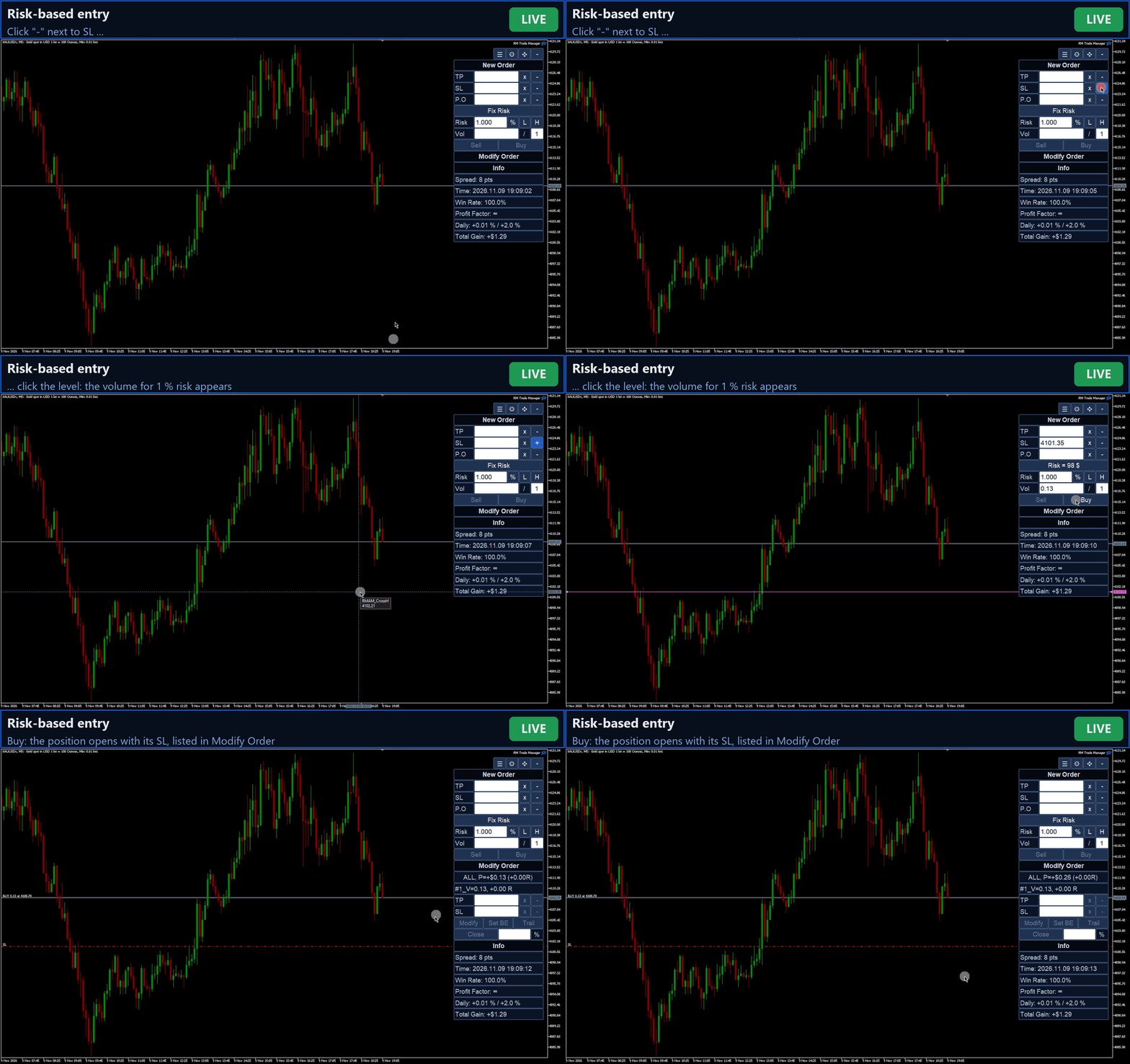
- Set the SL: type the price, or click "-" and click the level on the chart. For a pending order, set the entry price (P.O) the same way. Add a TP if you like.
- Choose the size:
- Fix Risk: type the risk and click % or $ to switch between % of the balance and money. The volume is calculated from the SL distance.
- Fix Vol: click Fix Risk to switch to Fix Vol and type the volume.
- Instant mode: press Buy or Sell; the order is sent at once.
Preview mode: press Buy or Sell; the order is drawn on the chart (entry with the volume, SL with the risk, each TP with its volume and R/R). Drag the lines to adjust, then press Confirm (or O). Buy / Sell again or Esc cancels. - Manage the trade in Modify Order: select it in the list or click its line on the chart, then change SL / TP, set break even, close a part, or press Trail.
- In the Trailing tab of the Toolbox choose the method and its settings and press Apply trailing. The other tabs show the open trades, the history, the coming news and the risk plan.
Inputs
| Input | Default | Meaning |
|---|---|---|
| Session name | empty | A name counts the trades of this session on all symbols (own magic number); empty = this symbol since the EA started. |
| Base magic number | 20261029 | Magic number of the orders. |
| Max slippage of market orders | 10 points | Allowed deviation of market orders. |
| Commission per lot per side | -1 (automatic) | Used in risk sizing; -1 = from the symbol's commission rules; any other value is used as given. |
All other settings are made in the panels and kept by the terminal.
Important notes
Please read before buying.
- RM Trade Manager places real orders on your account when you press its buttons. Try it on a demo account first.
- The trailing stop, the close at the daily limit and the deletion of pending orders before news work while MetaTrader and the EA are running. They are not stored on the broker's server.
- The daily limit, the maximum positions and the news filter block orders placed through RM Trade Manager. Trading by hand in MetaTrader is not blocked.
- News: the MQL5 calendar works without any setting. For ForexFactory, add https://nfs.faireconomy.media in Tools > Options > Expert Advisors.
- Strategy Tester (demo): in visual mode you can place and manage trades with the panels. The tester itself has some limits: fields are typed differently (click a field, type, Enter; see Help), lines cannot be dragged (pick a price with "-" and a click), there are no tooltips, mouse wheel or news, and the Toolbox window cannot be moved. Without visual mode the EA only opens and closes one trade of the minimum volume.
- Tested on a hedging demo account in USD with forex, metals and crypto symbols. Netting accounts (one TP per order) and other account currencies are supported but less tested.
- The interface is in English. Desktop MetaTrader 5 only; MetaTrader 4 is not supported. No DLL is used.
RM Trade Manager is a tool for manual trading. It is not trading advice and makes no promise of profit.