RM Market Structure Pro
- Indicators
-
Mohammadreza Mahdi Mavaddat
 I am a trader, market analyst, and software developer focused on building practical tools for technical analysis and price action trading.
 - Version: 1.0
- Activations: 5
Overview:
RM Market Structure Pro (MSP) is an advanced, non-repainting market structure analyzer built for Price Action traders, Smart Money / ICT analysts, and Scalpers.
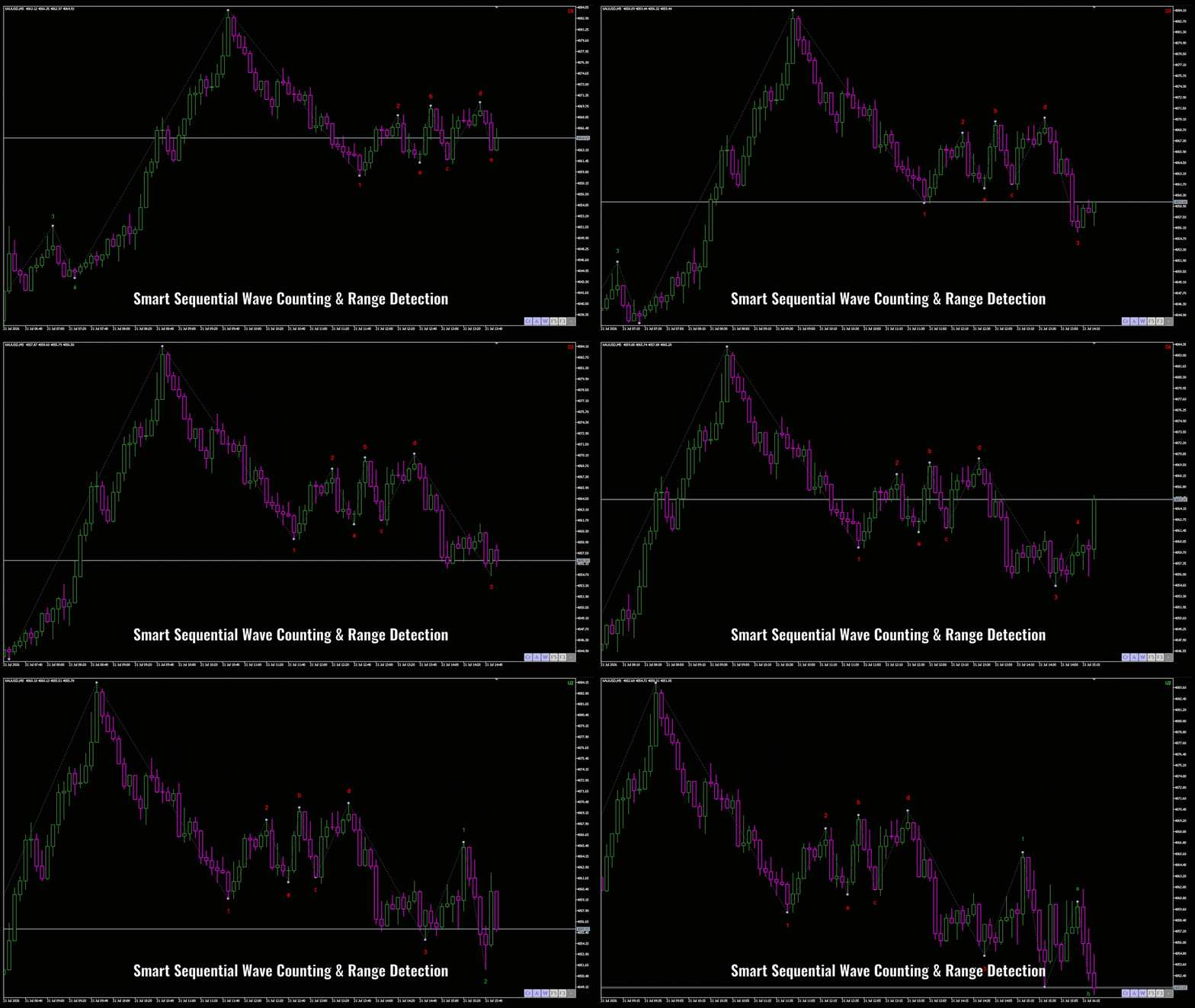
Unlike rigid traditional Elliott Wave tools that break during extended trends or clutter your chart with invalid wave overlap, MSP utilizes a Dynamic Sequential Wave & Structure Engine.
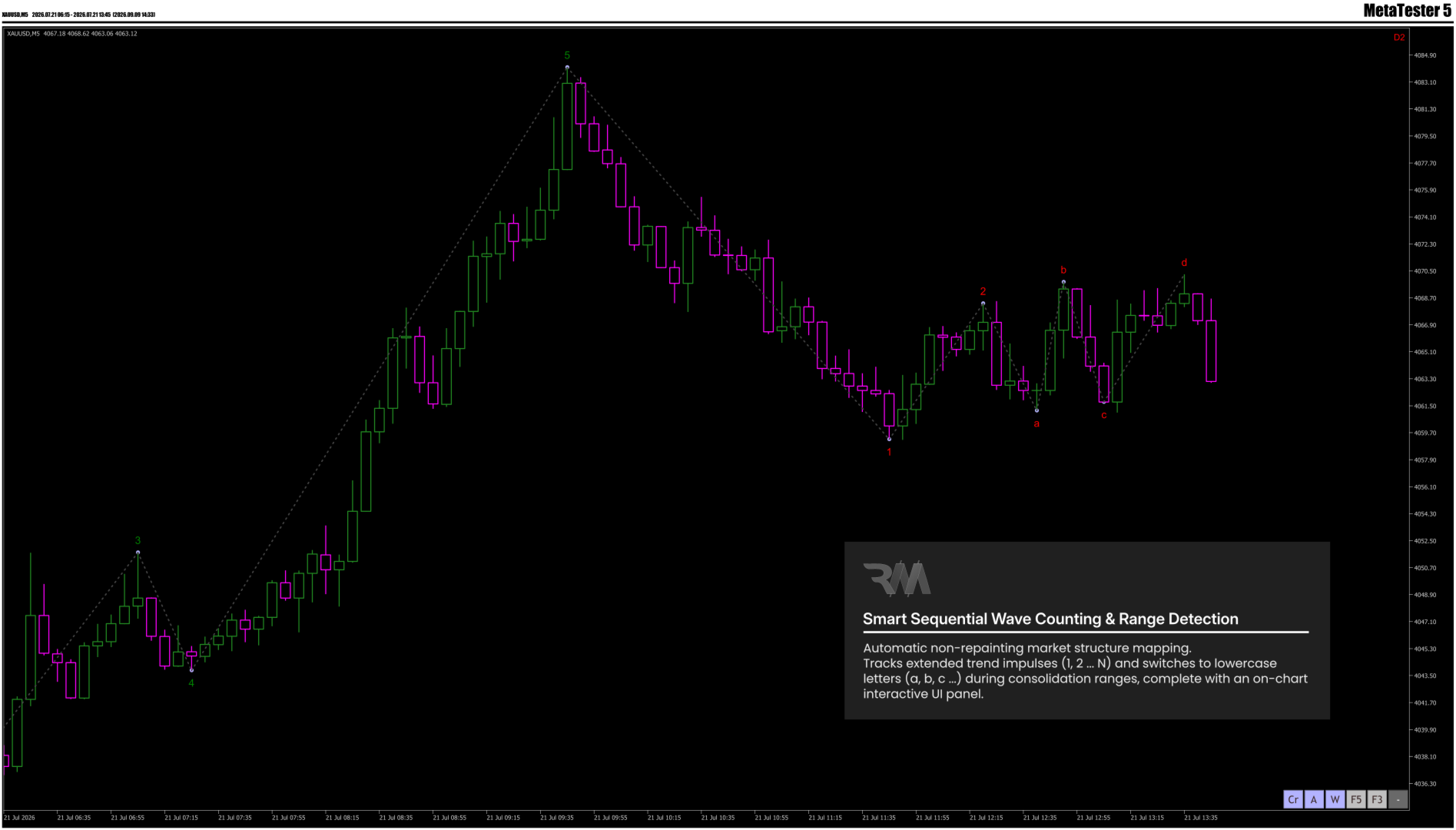
It automatically distinguishes between trending impulse movements (1, 2, 3 ... N) and sideways consolidation ranges (a, b, c ... z), giving you a crystal-clear visual map of the market cycle in real-time.
Key Features:
- Smart Sequential Wave Counting: Tracks extended trends seamlessly (1, 2, 3 ... N) without arbitrary 5-wave limitations.
- Automatic Range & Consolidation Detection: Switches to lowercase letters (a, b, c ... z) during flat or range market conditions to eliminate noise.
- Smart Adjacent & Equal Fractal Filter: Advanced filtering logic that eliminates duplicate, adjacent, or flat swing points for immaculate chart clarity.
- Dynamic Color-Coded Shift: Automatically resets to Wave 1 with dynamic color-coding (e.g., Green for Bullish, Red for Bearish) upon confirmed structural reversals.
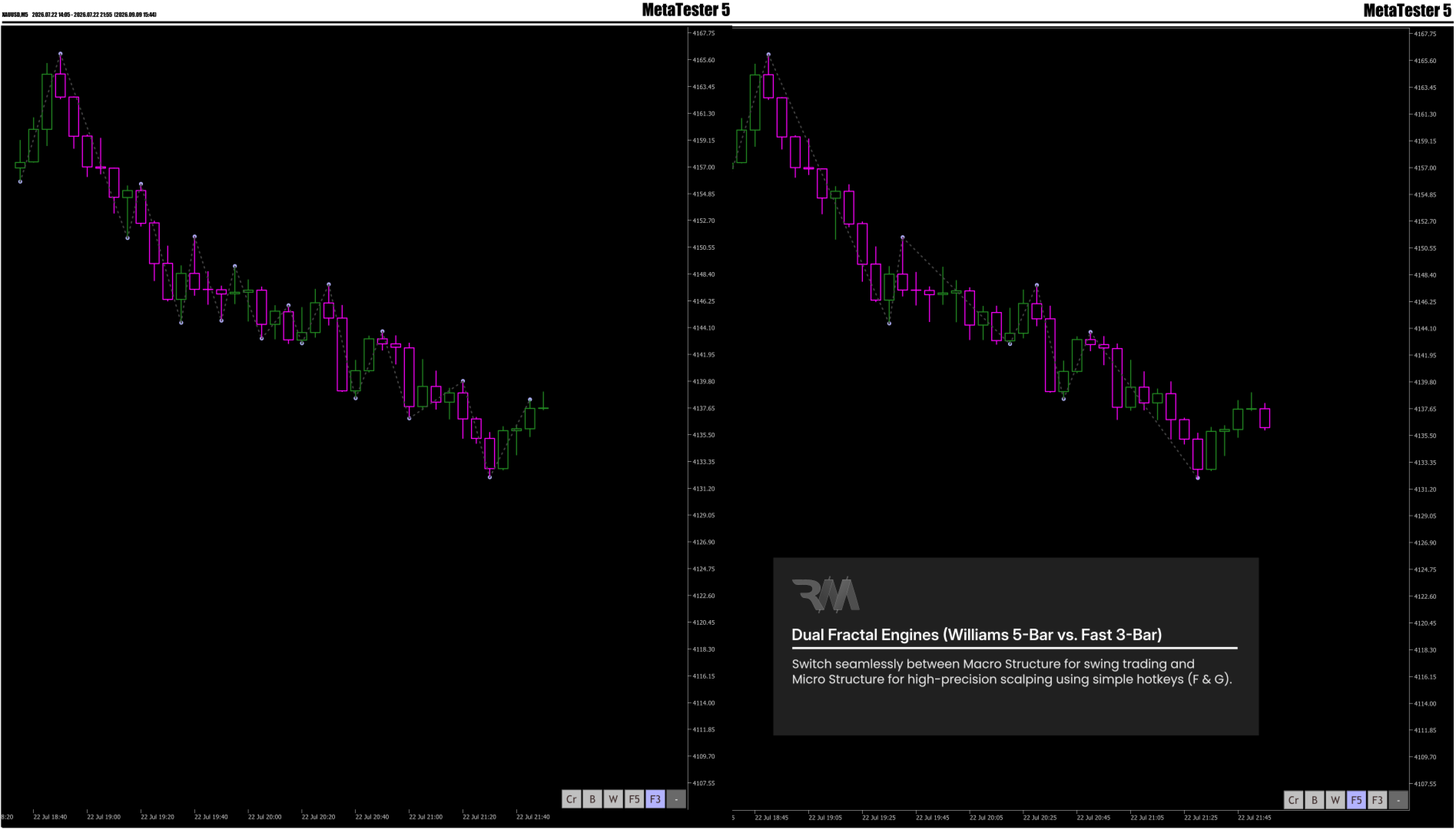
- Triple Engine Core:
- Williams 5-Bar Fractal (Macro Structure)
- Fast 3-Bar Fractal (Micro Structure / Scalping)
- EMA Cross Engine (Trend Confirmation & Smooth Structural Waves)
- Dual Processing Architecture:
- Live Real-Time Engine: Strictly updates on Bar Close for 100% reliable, non-repainting signals.
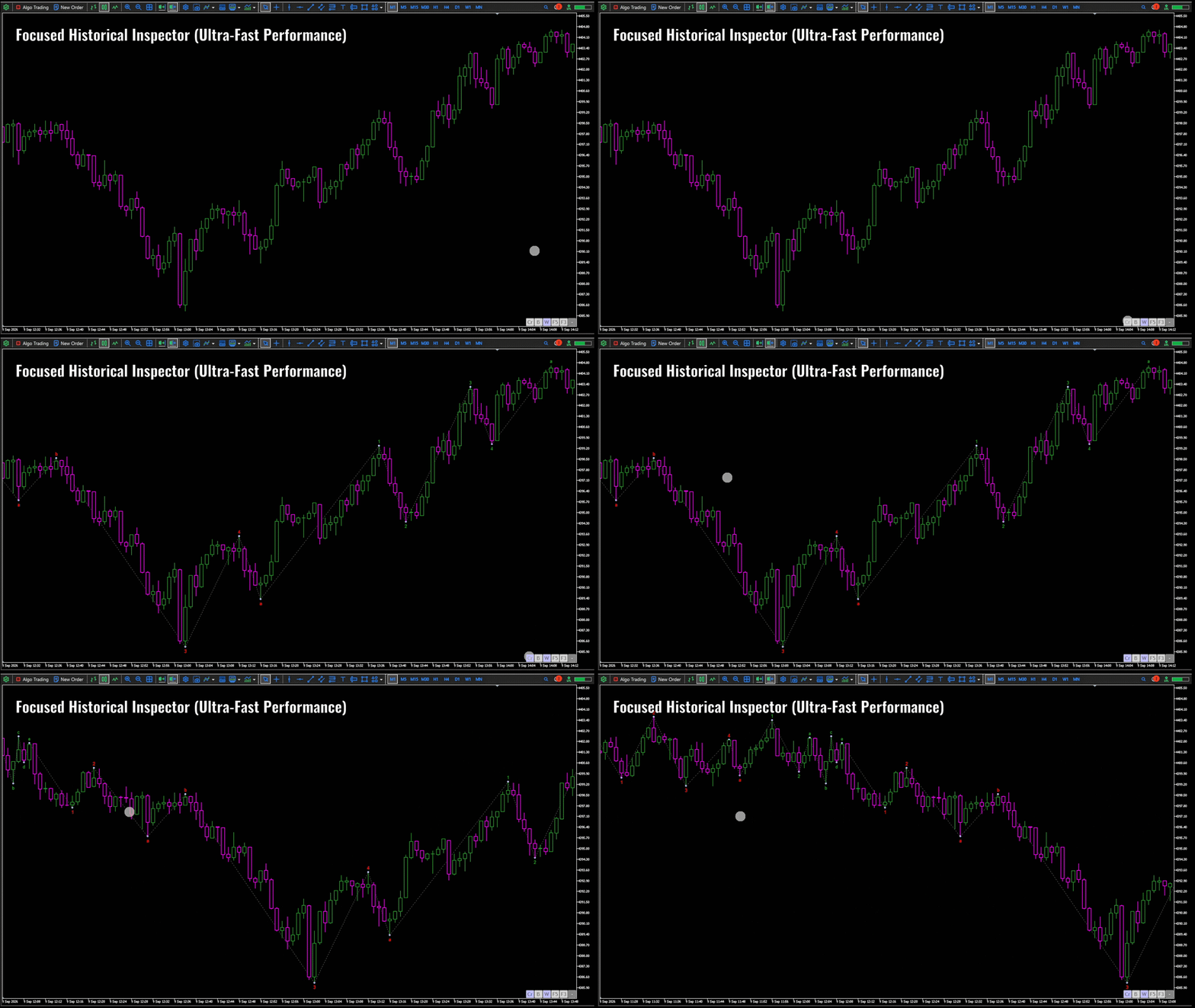
- Focused Historical Inspector: On-demand window processing (analyzing a user-defined historical lookback via ini_find prior to the active window) when scrolling past data, keeping MT5 performance ultra-fast.
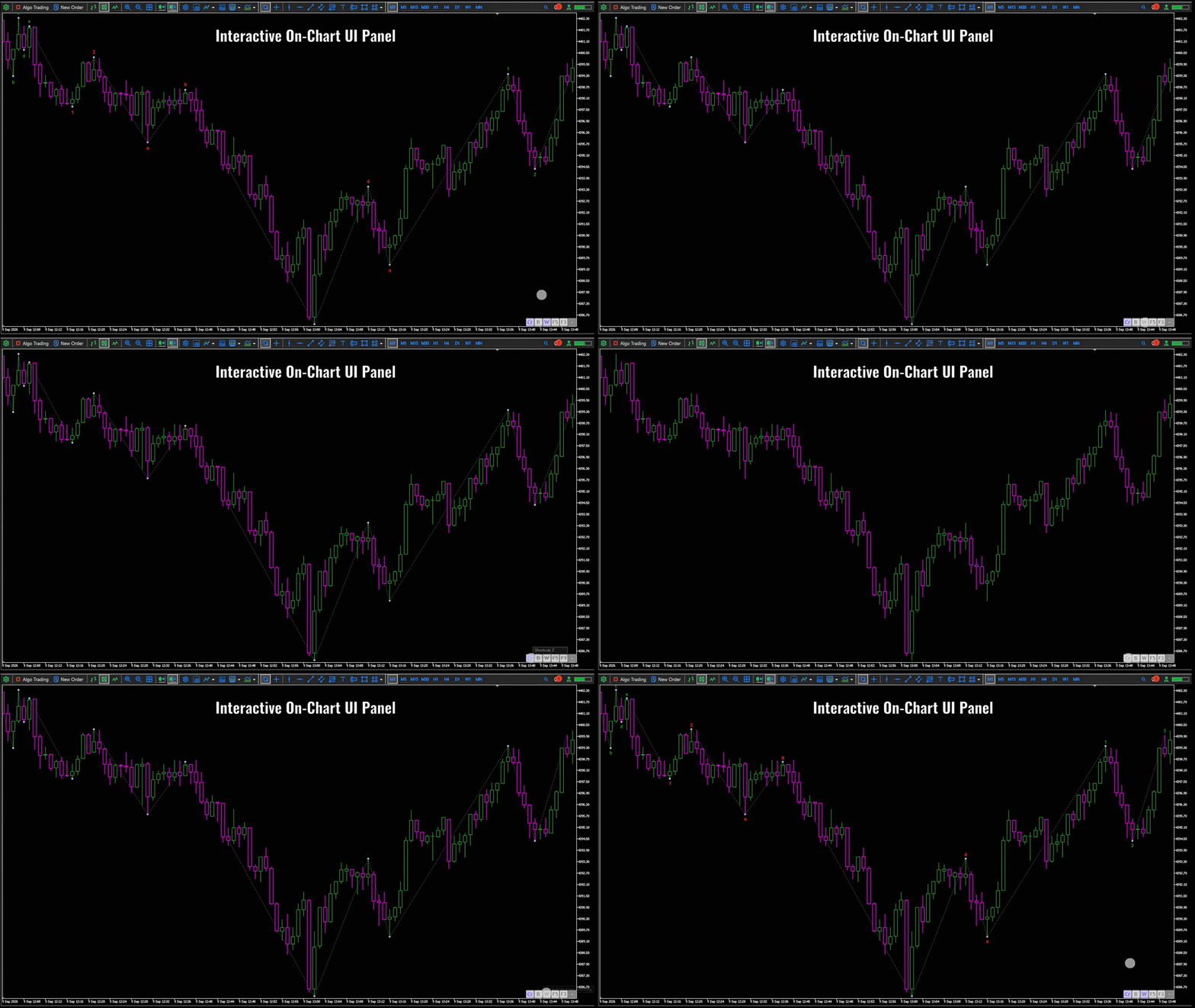
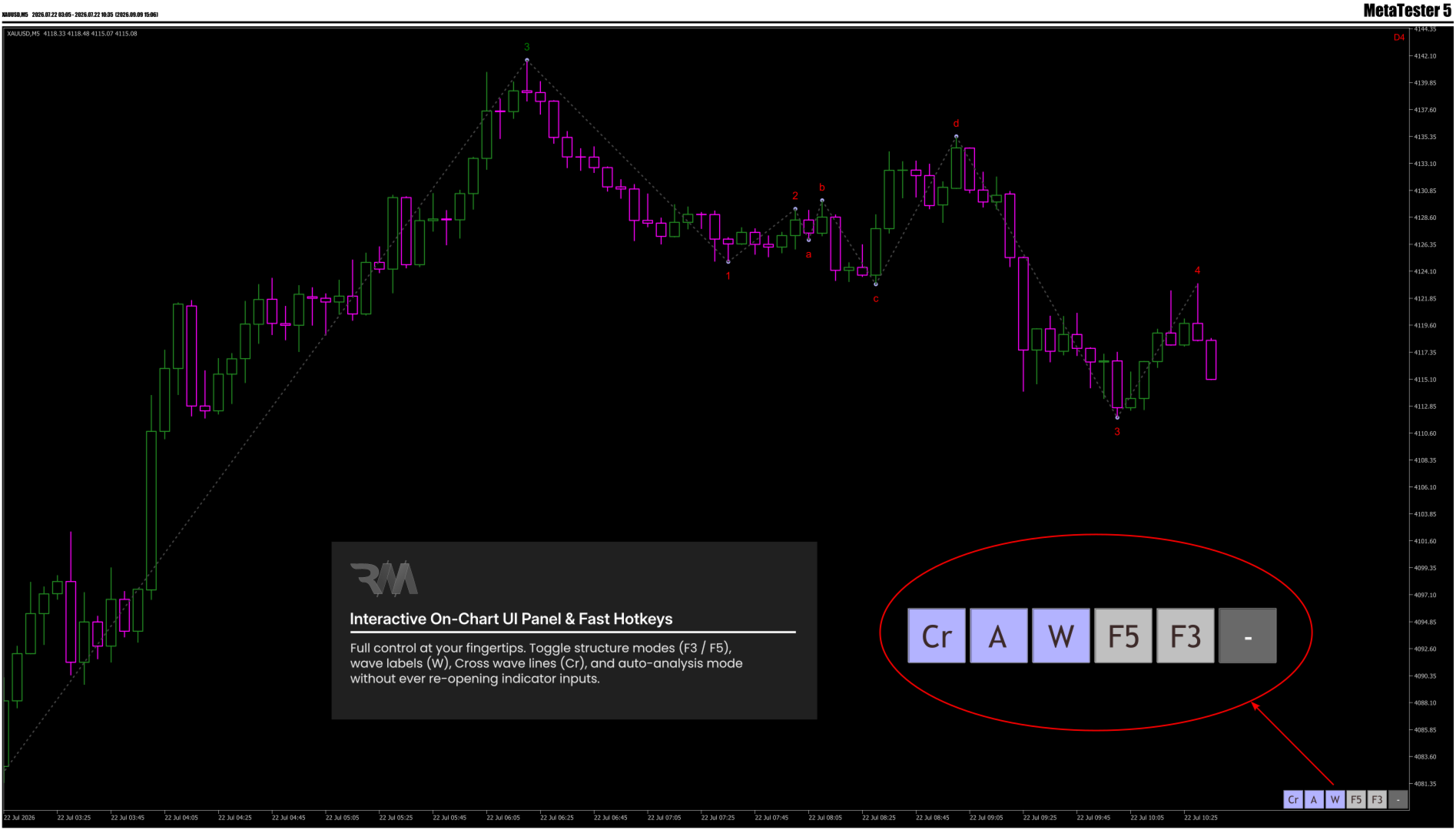
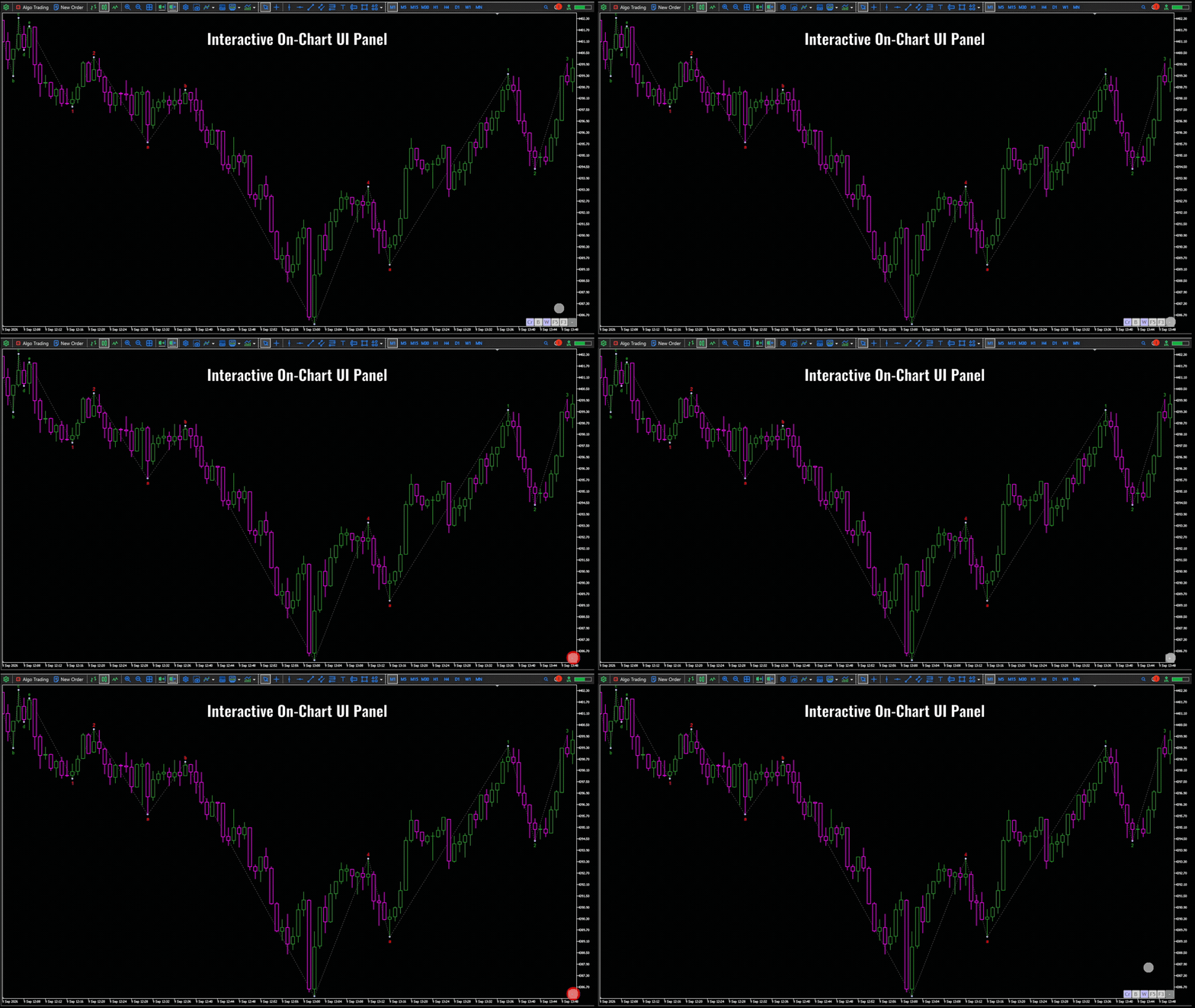
- Interactive On-Chart UI Panel & Hotkeys: Instantly toggle structure modes, wave lines, and labels on the fly using hotkeys.
- Plug-and-Play Precision: Pre-calibrated internal parameters optimized for Forex, Gold (XAUUSD), Indices, and Crypto out of the box.
Control Panel & Hotkeys:
| Panel Button | Function Description | Keyboard Hotkey |
|---|---|---|
| F5 | Toggle Williams Fractal ZigZag (5-Bar) | F |
| F3 | Toggle Fast Fractal ZigZag (3-Bar) | G |
| W | Show / Hide Cross Engine Wave Labels | — |
| Cr | Show / Hide Cross Engine Wave Lines | C |
| A / B | Toggle Auto Live Analysis / Historical Inspector Mode | — |
| + / – | Show / Hide On-Chart Interactive UI Panel | — |
Who Is This Indicator For?
- Market Structure & Price Action Traders: Effortlessly identify Higher Highs, Lower Lows, and Structural Shifts (BOS / CHoCH).
- Smart Money / ICT Analysts: Pinpoint key swing points, liquidity pools, and inducement legs.
- Scalpers & Day Traders: Instantly jump between micro structure (3-Bar) and macro structure (5-Bar) using simple hotkeys.
- Multi-Asset Swing Traders: Works seamlessly across Forex, Gold, Indices, and Crypto on any timeframe.
How to Use:
- Attach RM Market Structure Pro to any chart and timeframe.
- Use the On-Chart UI Panel or Hotkeys (F, G, C) to switch structure modes on the fly.
- Combine structural swing counts (1, 2, 3 ... and a, b, c ...) with your primary trading setups for high-confluence entries and precise stop-loss placement.
Inputs & Settings:
Parameter | Type / Range | Default | Function & Startup Description |
| --> Core Settings | Header | — | Controls initial startup behavior (all features can be toggled live via UI Panel/Hotkeys) |
| Open Control Panel By Default | bool | true | Initial visibility of the on-chart interactive UI panel upon load |
| Enable Auto Mode By Default | bool | true | Initial state for live automatic market structure updates |
| Show ZigZag Wave Lines By Default | bool | true | Initial rendering status for structural wave lines |
| Show Wave Numbers / Letters | bool | true | Initial rendering status for swing numbers ($1, 2, 3 \dots$) & letters ($a, b, c \dots$) |
| Show Status Label | bool | true | Display HUD status label in the chart corner |
| Historical Lookback Window (Bars) | int | 100 | Pre-window historical depth analyzed when scrolling back via hotkeys |
| --> Visual & UI Settings | Header | — | Visual styling and chart placement options |
| Status Label Chart Corner | enum | Top-Right | Anchor corner for the HUD status label (Top-Right / Top-Left / Bottom-Right / Bottom-Left) |
| Wave Numbers Font Size | int | 10 | Font size for swing numbers and range letters rendered on chart |
| Status Label Font Size | int | 10 | Font size for the status HUD label text |
| Swing Point Node Size | int | 7 | Diameter size of structural swing point dots |
| Swing Point Node Color | color | 179,179,255 | Color palette for swing point node dots |
| Wave Line Style | enum | STYLE_DOT | Line style for wave structure drawings (Solid, Dot, Dash, etc.) |
| Wave Line Width | int | 1 | Line thickness for wave structure drawings |
| Wave Line Color | color | 68,68,68 | Color palette for wave structure lines |